A new option has been added to the save screen which allows you to upload your item to the Steam Workshop.
You may enter a title, description and visibility status before uploading. A photo of your table will automatically be taken and used as the workshop’s preview image.
If you enter the same table multiple times to the workshop with the same title, it will replace the old one with a new version.
Creating a new table and using the same title as an old one or loading a previously uploaded table and entering a new table will create new workshop items.
There is no in-game workshop browser at this current time, what you will need to be do is browse the workshop via steam and subscribe to items.
After you subscribed to an item on the workshop, it will automatically download the next time you enter the main menu of the game.
Workshop Tables can be accessed through the main menu by selecting the custom tables option.
Currently, preview images for workshop tables do not load correctly.
I have uploaded a table for reference on the Steam Workshop named El Dorado.
Quality of Life Changes:
Added X & Z scale sliders to the mechanic editor window. This allows for more precise scaling options as well as changing the scale of an object after it has already been placed.
Duplicating an object now copies over its current rotation as well.
Bug Fixes:
Changed sort order on some of the UI elements which was causing windows to sometimes overlap each other incorrectly.
Fixed various issues related to holes and rollovers when deleting, saving & loading.
Fixed an issue where certain inputs were being incorrectly detected while the popup windows were active.
Fixed and issue where if you canceled your changes to an object in the mechanic editor, the rotational changes were not being canceled.
To Do List:
Steam Workshop custom table images.
Steam Workshop Browser
Continued Documentation.
What’s Next:
You tell me! Have any ideas/suggestions? Feel free to let me know. I’m in a fairly happy state with the core game and table creator would love to start taking more suggestions. Ideas for DLC, mechanics, improvements, or additions to the table editor, feel free to tell me. Anything and everything will be considered.
Update the artwork on the flipper areas on the following tables:
Feudal Follies, Sly Samurai, Club Crazy, Party Plaza
Bug Fixes & Misc.
Haunted Halloween - Adjusted Flipper Volume
Cowboy County - Fixed a Plunger Render issue
Updated various translations
Table Editor
To Do List:
Steam Workshop.
Continued Documentation.
What’s Next:
You tell me! Have any ideas/suggestions? Feel free to let me know. I’m in a fairly happy state with the core game and table creator would love to start taking more suggestions. Ideas for DLC, mechanics, improvements or additions to the table editor, feel free to tell me. Anything and everything will be considered.
Completely overhauled the artwork in the flipper/slingshot and lower lane artwork to better suit the theme of the table.
These were originally left purple to suit the “Roxy” theme but after numerous requests, I have opted to change the art to better suit the table’s theme.
The following tables have had their artwork changed:
Trial Window Text when assigning mechanics, objects and LEDs is now more descriptive of the current context being used to make it more clear.
Various Text changes and corrections.
Minor behind the scenes optimization.
To Do List:
Steam Workshop.
Continued Documentation.
What’s Next:
You tell me! Have any ideas/suggestions? Feel free to let me know. I’m in a fairly happy state with the core game and table creator would love to start taking more suggestions. Ideas for DLC, mechanics, improvements or additions to the table editor, feel free to tell me. Anything and everything will be considered.
Halloween Content & Table Creator - Progress LEDs
Main Game
Haunted Halloween DLC Announcement
Being released on October 24!
All content related to this new DLC has been added to the menus and game in advance.
2 Ambience Tracks: Graveyard at Night, Graveyard at Night 2.
Misc. & Bug Fixes
General GUI Cleanup and some text changes
To Do List:
Steam Workshop.
Continued Documentation.
What’s Next:
You tell me! Have any ideas/suggestions? Feel free to let me know. I’m in a fairly happy state with the core game and table creator would love to start taking more suggestions. Ideas for DLC, mechanics, improvements or additions to the table editor, feel free to tell me. Anything and everything will be considered.
Weekly Update & Table Editor Completion LEDs
Main Game
Bug Fixes & Misc.
Fixed an issue where the score was not being tracked properly on Bumping Bars Arcade game.
Optimization on Night Club Levels
Sand Sanctuary: Fixed an issue where banners were not being rendered correctly.
Easter Extravaganza: Fixed an issue where flippers were misbehaving.
Table Editor
Mission/Trial Completion LEDs
Added the ability to add Completion LEDs to trials (not mandatory).
A new button in the trial maker has been added to assign an LED tied to trial completion.
These are automatically added to the automated pre-game LED animations.
Bug Fixes & Misc.
Numerous fixes related to toys, such as some not playing, others being incorrectly assigned, etc…
General behind the scenes optimization
To Do List:
In-Progress LEDs for Missions/Trials
Steam Workshop.
Continued Documentation.
General Notes: While it may seem appear to be a slow week, progress is still being made! Next week will come with updates related to the spooky season 😊
Table Editor Massive Update!
Main Game
Sound Effects
New Load Plunger Sounds
New Release Plunger Sounds
Club Crazy DLC:
Improved lighting effects on the party ball bumpers.
Bug Fixes
Fixed an issue with the trials preview button sometimes not showing the correct colors.
Fixed an issue where the announcer preview button was using the incorrect audio mixer.
Table Editor
Mission/Trial LEDs
Missions/Trials can now have LEDs associated to each mechanic.
This allows for better visual representation of trial progress as well as the creation of more advanced trials.
Assign LED button will only appear after mechanics have been attached to the mission.
Pre-game LED animations will play before the game is started. These are automatically generated. However, there is a setting to adjust the number of times each object flashes before moving onto the next trial. You can also adjust the speed/rate at which the flashes occur.
Repeatable: The number of times these objects need to be interacted with to complete the part of the trial. All objects can be interacted with numerous times.
No-Order: Each object needs to be interacted with at least once before moving onto the next part of the trial. All LEDs will be turned on at the start but will turn off to indicate which objects have been interacted with.
Ordered: Each object needs to be interacted with at least once before moving onto the next part of the trial. LEDs will turn on one at a time, in the order that they were assigned. You must interact with each object before moving onto the next.
Bumpers, Spinners, Holes
Repeatable: The number of times these objects need to be interacted with to complete the part of the trial. All objects can be interacted with numerous times.
Bug Fixes & Misc.
Debug/Test Ball
Fixed an invisible hitbox/collider issue that was placed when using these.
Adjusted the initial starting rotation (may impact previously saved tables).
Added an option to re-use the same ball for testing purposes rather than creating new ones every time.
Spinners
Custom tables with spinners were not loading correctly.
Vertical spinners were not being saved.
Vertical spinners can now be used for missions/trials.
Fixed an issue where vertical spinners were being destroyed when playtesting a table (issue introduced in the previous update).
Additional
Drop Targets no longer automatically pop back up when they are assigned to a mission.
Drop Targets now have a setting where you can adjust the wait time before they pop back up.
Fixed an issue where custom tables were not being shown in the main menu (issue introduced in the last update).
Fixed an issue where rollovers were not being tracked in missions/trials.
Fixed an issue where pirate ship steering wheels would not rise to the proper height after being knocked down.
Fixed an issue where deleting a mechanic would not remove it from the trial/mission.
The Play/Start button is now highlighted as the default option when initially loading a table.
Unselected buttons now slightly darker.
Added a glow effect to the in-table Round Buttons (Start/Play, Leaderboards, Quit, View Table)
Added a reflective trim effect to various menu backgrounds & headers
Added various VFX to the main menu
Fixed the colorblind options dropdown using the incorrect localization/translation options
Fixed an issue where some menu options were un-navigate-able using the gamepad in the settings menu.
Fixed an issue where some menu options were un-navigate-able using the gamepad in the leaderboards menu.
Customization Screen:
Improved many cosmetic & hat icons
Fixed a bug where if a ball other than Roxy was being used, the initial loading of the screen might make certain options be un-selectable.
Fixed a bug where the magic trail toggle was unresponsive.
Magical Meadows & Wonderful Willows:
Minor performance improvements
Table Creator:
Mission/Trial Creator!
Create, Edit & Delete Missions/Trials
This was a long time in the making and I have also tried to write a comprehensive guide/documentation and a video on how it all works which I will provide links to at the bottom. I have put this off due to finding a lot of bugs along the way, but I believe it is now bug free and working as intended. If you are experiencing issues or encounter anything abnormal, please let me know and I will investigate. It is a very complex system and while I have done my best to make sure everything is in 100% perfect working order; I cannot guarantee that it is.
Create Trial:
DMD/LCD Text (Mission Title & Descriptions), DMD/LCD Animations, Mission Completion Sounds, Mission Mechanics, Number of times to interact with mechanics to complete a mission, Number of mission parts (1 or 2), Mission Rewards (Points & Bonuses), Resetting the mission on losing a ball toggle.
Edit Trial:
Select from a list of any of the trials which you have previously created. This will present you with a screen that is identical to the new trial screen, except now you are making modifications to a previously existing trial instead of starting from scratch.
Delete Trial:
The initial screen will be identical to the edit trial screen; selecting from a list of any of the trials which you have previously created. From here, you can delete the trial from the table itself. This will allow you to free up the mechanics associated with that trial and re-assign them to new or pre-existing trials.
As expected, trials can also be saved/loaded with the tables that you create.
Attached LEDs to trial mechanics and expand on the trial editor.
Various improvements/edits based on user feedback.
Steam Workshop (After the above two are completed).
New Cosmetics Screen & Visual Improvements to Old Tables
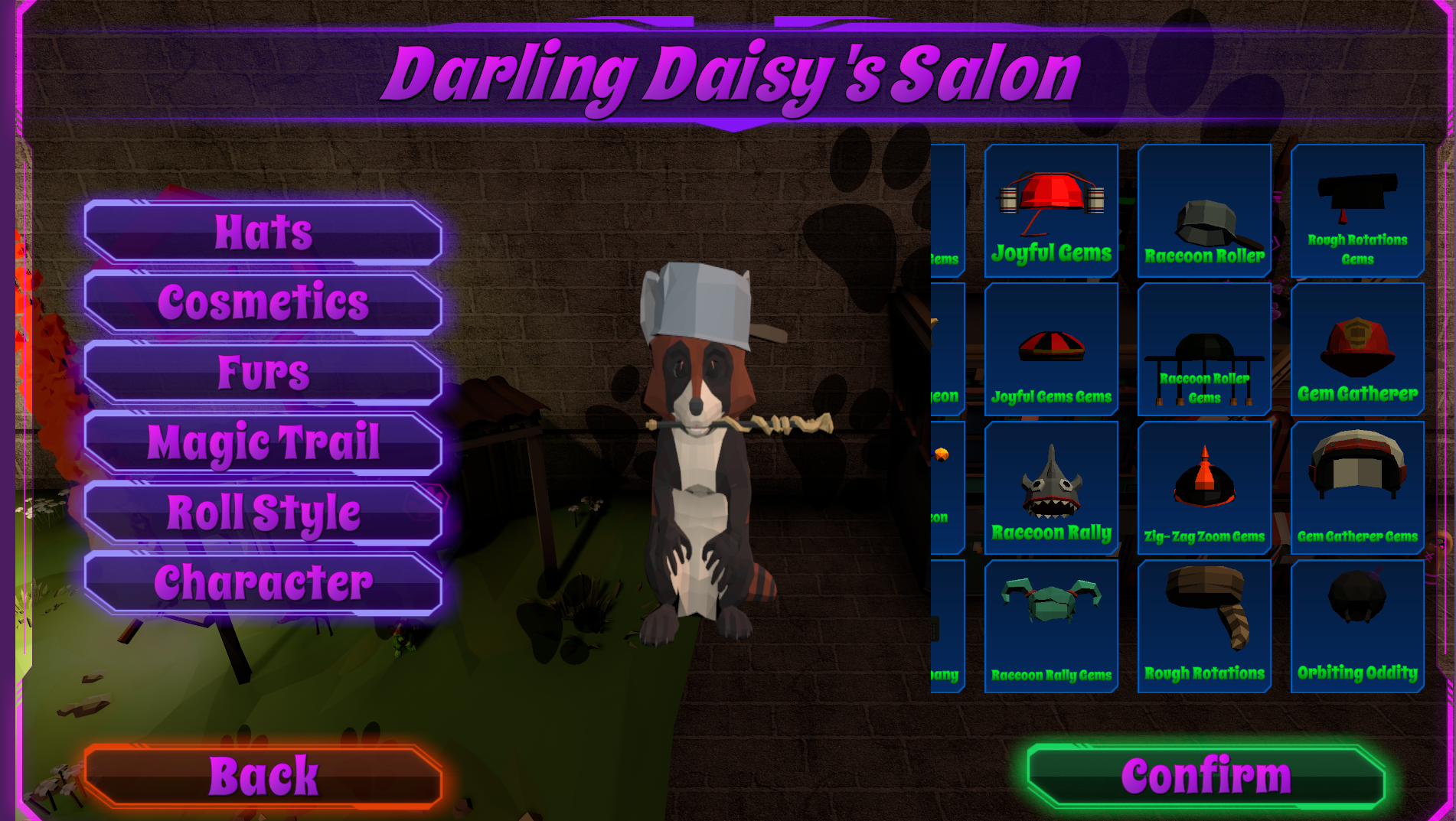
New Cosmetics/Customization Screen
This screen has been overhauled/redesigned.
Hats, Furs, Cosmetics & Balls now have preview icons that are selectable rather than previous/next arrows.
This will allow you to navigate the menu MUCH faster as well as see previews of things you haven’t unlocked.
Old Table Improvements
Hectic Highway
Improved Police Car Headlights
Graceful Games & Great Gamble
Improved Poker Chip Drop Target Explosion Effect
Improved ATM Toys
Improved Camera Lights
Improved Gold Rollover Effects
Wicked Warfare DLC
Improved Headlights on all Vehicles/Tables
Pirate Palooza DLC & St. Patrick’s Paradise DLC:
Improved Gold Rollover Effects
Wonky Workplace DLC
Various prop location adjustments
Improved desk lamps
Bug Fixes/Misc:
Fixed an issue where a few of the selectable furs were not rendering correctly.
Fixed an issue where the LCD/DMD screen would play at the incorrect times.
Table Editor:
Nothing this week. Progress has slowed down as I have been facing some health concerns. I also focused more on the core/main game this week. I have something very big in the works that will hopefully roll out next week.