

Sector's Edge
v2.4.5b
I couldn't fix the issues with textures and invisible players on AMD graphics cards. I tested with my AMD card - RX 5500 XT - but couldn't reproduce the issue. I'm not sure if this is an issue with newer AMD cards or drivers. Sorry AMD players :(
Fixes:
- Banned attachments are now considered when creating randomising loadouts
- Water no longer rises across matches
- Fixed a crash on the respawn screen when using invalid loadouts
Additions:
- New lobby settings to allow grenades and/or ban specific grenade types
- Midi / digger / structure can now be banned in custom lobbies
v2.4.4b
Rendering Issues
If you are facing rendering issues (black textures, invisible models), please create a file called `logopengl.txt` in the `C:/Users/YOU/Appdata/Roaming/vercidium` folder:

Then restart the game, enter the ship, then close the game. Then send your log files on our Discord server and I'll have a look. Log files are located here:

Fixes
- Servers can no longer be clicked behind the IP window
- Ice is no longer invisible when joining a match for the first time with bare minimum raphics
- The server list no longer extends off the bottom of the screen
- Fixed an issue with jumping and gravity
- Rush, Free For All and Gun Game music is now hyped up
- Custom servers now start up using the right map and gamemode
- Fixed spawn zones for the Ship and Trial FFA maps
- Fixed a subway tunnel
- 3D icons like enemy pings and rush icons no longer flicker
- Voice chat mute settings now save correctly
- Fixed meshing issues on maps with transparency
- Fixed particle issues on older OpenGL versions
- Fixed black texture issues / invisible models on older OpenGL versions
- Fixed character selection issues
- Rush no longer plays the same track on repeat
- Bots now redeploy correctly after being stuck for one minute
- Bots now pick up flags correctly
- The minimap no longer renders on the instructions screen when joining GG/HH
- Fixed a crash when leaving when a falling voxel structure is created
- Fixed a crash when resizing the window all the way down while in-game
- Fixed a rare crash when joining a server
- Rain no longer resets when Rush objectives explode
- Music is now synced correctly to players who join mid-match
Additions
- 'You are Attacking' and 'You are Defending' text on the Rush UI
- A `server_docs.txt` file is now shipped with the game
- `RestartWhenAllPlayersLeave` lobby setting
- New custom lobbies settings for ban attachments per-weapon, and controlling whether the match restarts when all players leave
v2.4.3b
Enjoy the destruction!
Fixes:
- Moderators can now run commands in official servers
- Bots no longer leave on every file change
- All in-game chat commands now work in custom lobbies (also updated /help output)
- Bots no longer jump on water
- Disruptors can now be triggered
- Settings in the lobby panel now scroll correctly
- Fixed server startup crash with invalid JSON
- Potential fix for invisible players
- Potential fix for strange colourful UI
- Fixed a crash when using corrosive to chop down a building
New Lobby Settings
- DebugLogging, JoinLogging and ChatLogging
- ExplosionRadius, ExplosionKnockback, FireRate, Recoil and ProjectileSpeed multipliers
- InfiniteAmmo, XRay, AllowBuilding, and AllowDestruction toggles
Optimisations
- Normal maps are no longer allocated or generated in Forced Bare Minimum (reduced RAM and faster startup). To enable forced bare minimum, create an empty file called bareminimum.txt in the C:\Users\YOU\AppData\Roaming\vercidium folder
2.4.2b - Patch 1
Full Changelog
Fixes
- Fixed a memory leak that was causing servers to crash on the 2nd match
Additions
- `InactivityThreshold`, `FillWithBots` and `AdminIPs[]` lobby settings
- Players can now vote for custom maps
Optimisations
- Optimised server memory usage and allocations
- Reduced networking bandwidth when swimming
Sector's Edge Self Hosted Servers
The latest patch contains these two zip files. Extract them out into their own separate folders.

Then open a command prompt, go to the extracted folder and run:
For windows;
> sectorsedgeserver.exe
For linux:
> chmod +x sectorsedgeserver
> ./sectorsedgeserver
If the server started successfully, you'll see the version number logged out:

Connecting to Servers
As the official servers are shutting down, I won't host a server list anymore. To view a list of all self-hosted servers, join the Sector's Edge Community Discord.

Head over to the server list, press space and you'll see the Direct Connection window. This window will show by default when the official servers shut down.

You can type your username here because I'm not sure how well the Steam APIs will work once the game shuts down. I may release a version with no Steam integration if the game breaks.
Port Forwarding
The server uses UDP on port 11810. Nothing fancy here :)
Configuring Servers
When you connect to a server via localhost (i.e. 127.0.0.1) you are an admin. This means you can press escape and click Lobby panel to customise the lobby:

Most settings are here, the rest of them will be added soon.

The other settings can be configured via the lobby.json file, which is created next to the server after the server runs for the first time. Open this file in a text editor:

Changes you make here will automagically sync to the in-game lobby panel, and vice versa.

Running Multiple Servers
If you want to run multiple servers on the same computer, include a number at the end of the launch command. For example, to run 3 servers, run these commands in separate command prompts:
> sectorsedgeserver.exe
> sectorsedgeserver.exe 1
> sectorsedgeserver.exe 2
These servers will run on port 11810, 11811 and 11812 (respectively). You will need to set up UDP port forwarding for each port.
Each server will also have their own JSON file called lobby.json, lobby1.json, lobby2.json.
To connect to a server on a different port, include the port number in the Direct Connection window:

Planned Features
Until the 17th December I'll be fixing bugs and working on custom servers. Let me know what else you would like to control in your servers!
Planned features:
- Add all settings to the in-game lobby UI
- Settings for explosion radius, weapon fire rate
- Show custom maps in the post-match vote list
- Currently players who connect to the server via 127.0.0.1 are admins. I'll add an AdminIPs array to lobby.json to let you control who are admins.
Setting Reference
ServerName - the name of the server. Only shows on the scoreboard
TeamName0 - the name of Team A on the scoreboard
TeamName1 - the name of Team B on the scoreboard
Password - the password players must enter in order to connect to the server
FillWithBots - controls whether bots fill the server up to 5v5, and fill spots when humans leave
MaxPlayers - the max amount of players that can connect to this server. Set to 0 to use the game mode default
Eternal - set to true if you don't want the match to end when the time hits 0
Trailer - instant respawns. Set custom spawn positions by typing this in chat: /setspawn
Sandbox - infinite ammo and blocks, take no damage
StrictTeams - controls whether players can swap to unbalanced teams
KickInactivePlayers - kicks inactive players after a few minutes
BotCount - the amount of bots on each team
WhitelistEnabled - enables the IP whitelist
Whitelist - an array of IP strings that are allowed to join the server
BlacklistEnabled - enables the IP blacklist
Blacklist - an array of IP strings that are banned from the server
GameModes - an array of game modes that players can vote for. Valid values are: brk, cs, ctf, esc, ffa, gg, hh, rush, sta, tdm
Maps - an array of maps that players can vote for. Valid values are: ad, ao, arena1, arena2, arena3, arena4, arena5, bo, ca, cf, ch, cr, cy, dc, is, lb, mc, r, rw, sa, sh, sp, st, sw, wl
MaxLoadoutPower - controls the loadout power limit that prevents players from spawning
PlayerMovementSpeed - movement speed multiplier
JumpVelocity - jump velocity multiplier
Gravity - gravity multiplier
MaxPlayerHealth - maximum player health
FallDamage - fall damage multiplier
BannedWeapons - an array of weapons that can't be used in this lobby. Players will die if they have already spawned with any of these weapons
AllegianceTypeZero - the allegiance icon for Team A on the scoreboard
AllegianceTypeOne - the allegiance icon for Team B on the scoreboard
YouAreTheOwner - ignore this, it gets sent to players when they join to let them know if they can view the lobby UI in-game
Full Changelog
Fixes
- Potential fix for Proton startup issues
- The bottom of Aegis Desert, Crashed Freighter, Soltrium Temple and Ice Station is now invincible
- Fixed flickering server list when releasing a new version
- Fixed collision with the top of the map
- Bots no longer attempt to spawn instantly with long 10s cluster spawn times
- Bots will now prefer to join cluster spawns with a human in it
Changes
- Voice chat UI now shows for other players within 80 blocks radius (was 20 blocks)
- Bare minimum is now force-enabled when GPU VRAM is <= 1 GB (was <= 2 GB)
Additions
- Self-hosted servers
- New lobby panel UI for the owner of self-hosted servers
v2.4.1b - Minor Patch
Changelog
Fixes:
- Fixed Minigun charge-up networking
- Potential fix for invisible players
- Potential fix for the rare black screen freeze/crash when respawning
- Removed excess logging
- The rising water level on the server now resets after each match
- The water level now syncs correctly when joining mid-match
- Music now plays correctly when joining mid-match
- The Railway Warrior achievement can now be unlocked
The Final Update
This is the last update and Sector's Edge will shut down on December 17th. This update contains everything we've been working on over the past 10 months. Scroll down to read about new features like forcefields, Rush game mode, new destruction system, engine breakthroughs and much more.
Why is Sector's Edge Shutting Down?
Simon and I started this game 6 years ago with the intention of making an awesome online multiplayer FPS. It's clear to us now that we bit off more than we could chew.
In hindsight creating an online FPS was a massive task and not the best choice for our first game. I am proud of what we created together and the skills we honed along the way, but we can't run this game on hopes and dreams forever. It's time we moved on to new projects.
Thank you for playing and supporting Sector's Edge. I know of communities and friendships that were built around this game and we are honoured that Sector's Edge became a part of your lives.
We want to say a special thank you to:
- The Beta Testing crew who have been helping test this update for the past 10 months
- Fora for his expertise and help with servers, databases, security and automation
- Punch Deck for music and recently SFX composition too
- Vhauss, Blade and Box Shards for their community maps
- Dusk for his marketing services and all-round good advice
- The mod team for keeping this place under control
- Our in-game and Patreon supporters for buying us spaghetti
Will Sector's Edge Return?
This isn't the end of Sector's Edge. We will revisit it one day and overhaul the style and gameplay as there are parts of the game we are not happy with.
In the meantime we have exciting ideas for strategy and survival games that we will work on first.
What Comes Next?
We love creating games and will continue to do so. One of our goals with Sector's Edge was to learn about game development, and we ended up learning far more than we anticipated.
We are launching an email newsletter to keep you updated on our latest project and to share everything we learned from creating Sector's Edge, including:
- our harshest lessons (marketing, failures, game design)
- our engine (innovation, multithreading, rendering, networking)
- our creative process (Blender, Photoshop, Terragen, Inkscape)
- our infrastructure (servers, databases, automation)
Click below to subscribe for free.

Thank you all for playing Sector's Edge, in total the game received 680,000 downloads (lucky we're not using Unity) and we have countless fun memories playing with you. We'll see you in game soon and hope you enjoy your final moments with Sector's Edge over the next three months.
- Mitch and Simon
What's new in the Final Update?
Since the last public update released in December, we have delivered 39 updates to the betabeta branch, which contains:
- 481 fixes
- 77 changes
- 46 additions
- 42 optimisations
- 132 balancing changes
- 28 new features
Lets dive into the new features:
New Destruction System
The velocity and weight of falling structures now increases the damage dealt. Damage is distributed outwards from the impact site (similar to a crater from a meteor) and can penetrate through multiple layers. In the gif below the crane damages multiple layers of the building, rather than creating a shallow dent on top.
Raytraced Audio and Deaf Mode
Raytraced audio has been improved in several aspects. Reverb is now calculated dynamically based on the size of the room and the amount of returning sound energy, meaning environments sound more realistic. You can hear sharp echoes in small metal rooms, or the delayed gunfire in a city.
If you are hearing impaired, you can use the brand new spatialised audio visualisation setting Deaf Mode, which paints sound on the surfaces around you.
Structure Editor
The structure slots have been removed from your ship and replaced with a dedicated structure editor. This new editor allows you to control the type and health of every block in your structure, as well as undo and redo for easier editing:
You can also press R to flip your structure vertically, for even more building possibilities:
If you're like Blade you can use your structures for art instead:

Forcefields
Two new block types have been introduced: friendly and enemy forcefields. Friendly players and bullets can pass through friendly forcefields, but enemies can't. You also can no longer place structures around players.

With more detail in each structure, the build highlight is now textured and shows cooldown time:
Dig highlights are also now recoloured based on the armour of the block, where blue means easy to damage and orange represents high armour.

Reconstructors
Going along with the theme of base building, this update also reworks the Reinforcer utility into the Reconstructor. When placed, a snapshot of the 7x7x7 area around the Reconstructor is taken and will be automatically rebuilt when destroyed. When paired with forcefields this is a great defensive tool!
Singleplayer
All game modes and maps are now available to play offline with bots. They still aren't the smartest and jump off Lab at every chance, but are great fun in Control Shift on most maps.
Engine Breakthroughs
This update brings massive optimisations in voxel rendering. With 2x faster meshing, 3x less VRAM, stutter-free map updates and 3x faster rendering, Sector's Edge feels smoother to play than ever.
I feel like I damaged my GPU testing this but I managed to hit 2500 FPS in bare minimum, up from my previous limit of 700:
I also created my own texture format that uses 3x less VRAM (1GB less for high-res textures, 256MB less on medium-res and 64MB less on low-res). This reduces the minimum specs required to run Sector's Edge and means all textures are now loaded onto the GPU at startup - no need to load textures on each new map!
The game also uses only 724mb of disk spaces and starts up much faster.

Faster Server Connection Times
Networking has received further optimisations and - when paired with the texture optimisations above - connecting to servers is now lightning fast regardless of your ping.
Previously joining Frankfurt from my Sydney PC took up to 10 seconds. Now it takes 2 seconds:
Rush Game Mode
With new base building features, we need a game mode that fully utilises them! Introducing Rush, a game mode where defenders must prevent the attackers from arming two highly explosive objectives.
Have the defenders fortified the objective on top of a building? Chop the entire building down to destroy the objective instead!
This update also brings back some old game modes: Static, FFA, TDM, Gun Game and Head Hunter.
Control Shift Changes
The Control Shift zone mechanic has changed to prevent stalemates. The zone starts in a neutral state and a team must contest it for 10 seconds to capture it.
Once captured, it will always move towards the defender's spawn. This prevents situations where the zone stays in one part of the map for the majority of the match.
To change the direction of the zone, the defenders must recapture it by contesting it for 10 seconds.
New Loadout + Preset System
Common feedback we received was that when a preset is re-used across multiple loadouts, you couldn't edit one loadout without affecting another. This is because presets were linked to loadouts. Now presets are applied to loadouts, meaning you can make further changes to the gun in your loadout without changing the saved preset.
The loadout UI also has a new longer, thinner design, making it easier to change attachments, skins and sights on each gun.
New Skin + Sight Editor
The opposite change was made to sights and skins. You can now create one weapon skin and link it to multiple weapons. Changing the saved skin will apply changes to all guns you've equipped it to, meaning you can re-use the same skin for as many guns as you like.
To support this logic change, skins are now unlocked globally rather than per-weapon. The Proton cost of skins has therefore increased and you will receive a refund for skins you've unlocked on multiple guns.
The same change has been applied to sights, where you can create a sight and link it to multiple weapons that support that sight type, e.g. no red dot scopes on Rail Guns.
Proton and Level Changes
Everyone's Proton balance has been divided by 100 and the cost of skins and characters has also been divided by 100. An item that previously cost 5000 Protons now costs 50 Protons. To me, smaller numbers are easier to comprehend and feel more meaningful to earn.
The XP required for each level up has also changed to a new exponential formula. This was part of a larger progression and tutorial overhaul that would reward players with attachment points, protons, new features as they level up, which did not make the cut for this update.
Rather than recalculating everyone's levels based on this new XP formula (which would have reduced everyone's levels by 80%) I have set everyone's levels back to 1 for these last 3 months of playtime. You will all have a new SE 2023 - Level (X) title which reflects your level before the reset. All other stats will persist.
This progression system also involved a huge UI and UX revamp, which may be re-used in the future when Sector's Edge returns:

New Home Screen
The last UI change was the home screen, which combines social features, news, license editing and large art for singleplayer/multiplayer:

Infastructure Upgrades
As Sector's Edge tracks a large amount of gameplay stats per-player, we needed to optimise our database and servers to keep it quick.
We're now using new API servers written in C# (old servers used NodeJS) and a newly engineered database storage format that uses 45% less data. The main benefit for you is faster server connection times, and it also improves backend server performance and keeps things running smoothly.
New Music
Punch Deck composed 5 new tracks that you'll hear on Aegis, Corahk, Devoid and Soltec-themed maps. Here's a preview of each:
New Gun: Minigun
The minigun used to be exclusive to the Arena, but you can now equip it in your loadout for the low cost of 15 Loadout Points. With high fire rate and high ammo, its downsides are high spread and a misfiring overheat mechanic.
Weapon, Attachment and TTK Changes
Weapon damage and fire rates were adjusted to keep TTK constant across different ammo types, as well as reduce chip damage and slightly reduce TTK across the board.
Weapons now have slight horizontal recoil to make them harder to use outside their intended damage ranges. To compensate, every attachment now has a weight value that reduces recoil, increases ADS time and increases holster time.
Attachment buffs are also ~2x stronger and attachment nerfs are ~1.5x harsher, making attachments more meaningful to equip.
Light and Heavy ammo types also have new sound effects, created by Punch Deck:
New Equipment Attachments
Disruptors, Extractors and C4 have new attachment categories that change their shape and effect:
- C4 explosion shapes: Spherical for large destruction vs Tunnel for breaching thick walls
- Extractor shapes: 3x3x20 for Tunneling vs 9x9x1 for Slicing
- Disruptor shapes: 4x1x1 Single Beam vs 3x3x2 Quad Beam
- Disruptor effects: Damage, Scan and Slow

New Model Lighting
With two extra lines of shader code, weapons in bare minimum look much better!

New Ship
The ship has been expanded and is now destructible, which makes it easier to test structures and attack Crash from a distance.

Ping Rework and Doritos
Pinging locations is now simplified into one keybind, which pings enemies by showing an orange triangle (Dorito) above their head, or places a marker on the block you're looking at. You can have two markers active at once, and there is no cooldown on enemy pings.
Enemies will also automatically have an orange triangle above their head when they take damage. Triangles above enemy heads are not visible through the map.

Custom Voice Chat Server
Previously the game used Epic's voice chat servers, which turned out to have a 16 player limit. This meant 8 players in each match were unable to appreciate the beauty of raytraced proximity voice chat.
We've ditched Epic's VC and wrote our own, which accommodates everyone in the server.
Mapping Update
The limit of 63 unique block types has been increased to 255 and all reserved indices have been removed. You can now freely create maps without worrying about technical constraints. Unfortunately custom lobbies have been removed as we don't have enough servers to go around, so you can only play your maps in singleplayer.
The JSON format for textures is also simplified, check out our Mapping Discord for full details.
Grass
And lastly, this update adds grass that you can hide in! You'll find grass on Arena maps, Ancient Crossing, Base Omicron and Shrine

Newsletter
If you've made it this far through the post we think you'll enjoy our email newsletter, where we share dev updates and announce new games:

Full Changelog
I've reached the character limit. The changelog will be in the comments!
Scheduled Maintenance
I'm doing some server work over the next 24 hours. During this time:
- You may not be able to connect to servers
- Stats will not save
- Unlocking skins/characters will not work
New update releasing soon!
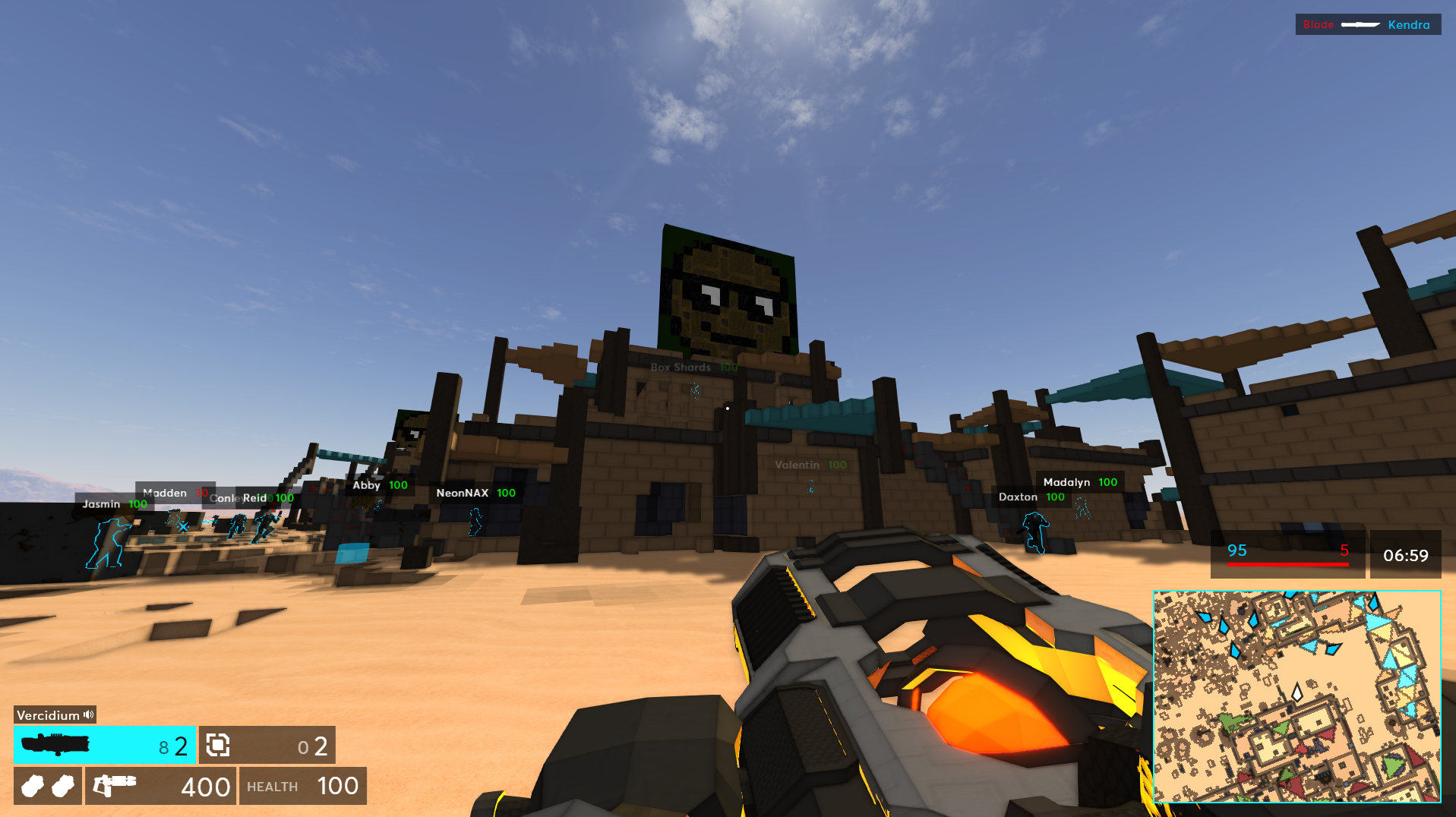
v2.0.8 - Networking Fixes, Cold Harbour v3.0
The main issue that was fixed was invisible/ghost players - you may have noticed sometimes you suddenly died and the game said you killed yourself. This bug happened when two players joined at the same time, causing the other player to sometimes not load.
Next Steps
I've been writing a few articles on raytraced audio, as well as experimenting with moving voxel objects. Here's a sneak peek:


There's still a lot to learn and figure out, but it will be super cool to have moving and interactive trains, cranes, spaceships, meteors, machinery and more. I think it would make the game feel more alive!
Changelog
Fixes
- Fixed ghost players - a networking issue caused players to sometimes not know other players exist
- Fixed smoothing between client and server entity positions
- Ambient sounds no longer continue to play after disconnecting
- Underscoring and main menu music no longer overlap after disconnecting
- Improved accuracy of directional water ambience
- Fixed spawn camera rotation on Crashed Freighter
- Melee Soltrium can now be customised correctly
- Fixed various issues with spectating when progressing to the next round
- Fixed spawn/zone overlap in Aegis Oasis
- Weapon skins can no longer be bought for melee/utilities
- Fixed conflict between Midi and Digger skins (both will now be equippable if bought in the past)
- Errors are now shown when the MapPreviewCameras field is missing for custom maps
- Players no longer get stuck in limbo when joining a server during the victory screen
Changes
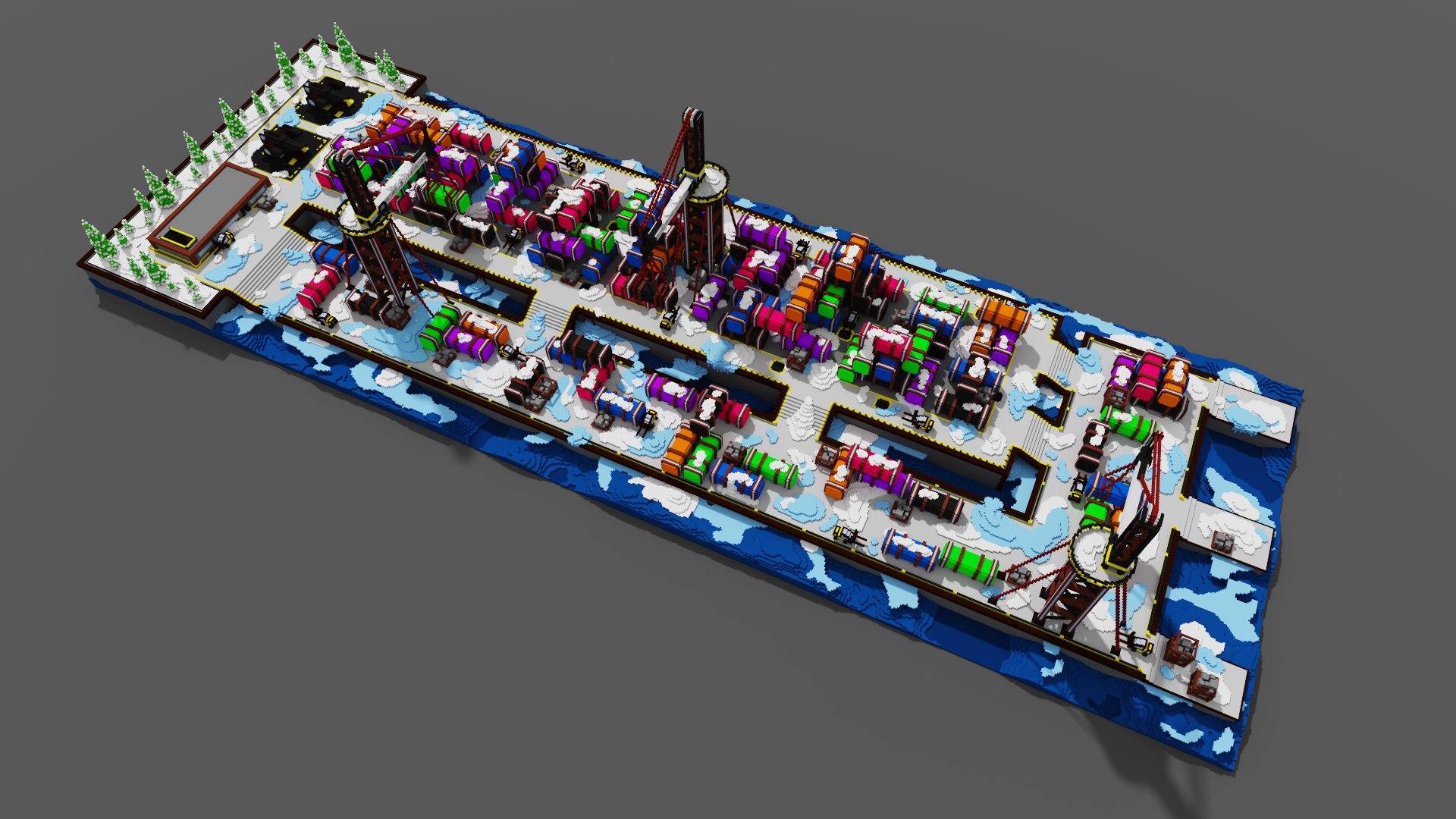
- Cold Harbour v3.0
Balancing
- Increased spawn invincibility time from 1 to 2 seconds to account for ping + time it takes for the camera to pan down
v2.0.7 - Fixing all the Bugs, Block Skin, Build Flipping, Soundtrack on Spotify
For this patch I focused on the bugs that have been on my list for ages, but never had the motivation to fix. There's also a new track from Punch Deck, a new block skin, Double Barrel balancing and a bunch of quality of life enhancements - see the changelog at the bottom for the full list!
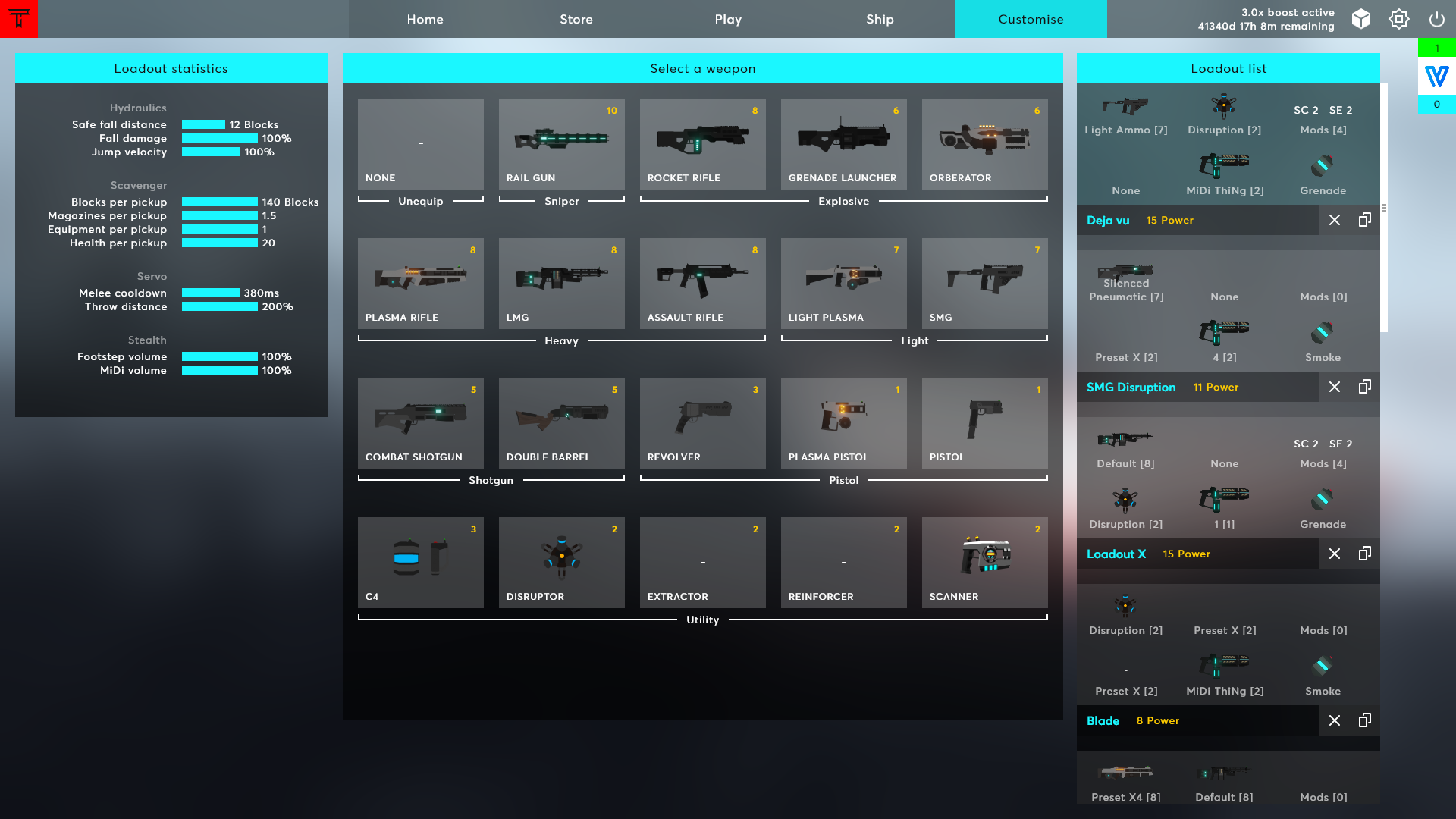
Loadout UI
I fixed a bunch of UI bugs with loadouts (e.g. selecting presets when you have the same gun in the primary and secondary slot), and added the power number for each gun here:
Vertical Build Flipping
You can now press R (or another keybind if you change it) to vertically flip your structure. I hope this leads to some interesting new base designs!

Directional Ambience
I fixed a few issues with ambience sounds - when inside you can now correctly hear wind/rain from the correct direction, and ambience is also muffled when inside.
New Music
The Terra EP and Sector's Edge Soundtrack Volume II are available! You can listen to it here:
Spotify
Terra EP: https://open.spotify.com/album/3ly1AZHEsFDOF4Qr5Tyjvw
Volume II: https://open.spotify.com/album/54SeJuWp7a9OILRr8yzfuq
Apple Music
Terra EP: https://music.apple.com/us/album/sectors-edge-terra-ep/1654648226
Volume II: https://music.apple.com/us/album/sectors-edge-volume-ii-original-game-soundtrack/1655069368
YouTube
Terra EP: https://www.youtube.com/watch?v=njM7VdsnYvs&list=OLAK5uy_nwOaAO4tf9a85-duJIF-WtGOtZQ8yp1So
Volume II: https://www.youtube.com/watch?v=kd2RLQWAwfg&list=OLAK5uy_n5QPg0LGLzsbF2x9ndTjGvgC6nY87ioCM
This update also has a new Soltec track titled Synthetic Afterlife, which you can hear on Soltec Plaza, Railway, Subway and Reactor. Here's a preview:
Server Changes
To cut costs we now only have one server location in each Frankfurt / Sydney / Fremont, and I removed duplicate USA servers that were close to each other anyway - there's now one Fremont, Dallas and New Jersey server.
The Sao Paulo and Johanessburg servers received an upgrade (changed to a better provider) and unfortunately had to remove the Dubai server until I find a better provider.
New Block Skin
I've added a new Hazard block skin, which you can unlock with 10,000 Protons. I've also changed the default metal from Human Metal to Agaman Metal, which has a bit of red in it. I'd like to add green, purple and red block skins too.

New Art
Juan recently created art for Aegis Oasis, Cold Harbour and Soltec Plaza, which you'll see in-game. He's been sharing SE art on his Instagram too!


Next Steps
I'm honestly exhausted and will take a break over Christmas/New Years. The launch was hectic and didn't go as well as I planned, but there's a lot of things I would love to improve and work on for the next re-launch/big update.
I'm working on a series of articles about raytraced audio art, which are available early on our Patreon at https://www.patreon.com/sectorsedge, and will be released publicly in the new year.
I'm also working on a attack/defence game mode which suits smaller teams and maps. Simon created this Corahk Mining Facility map ages ago and I want to finally put it to use:

The loadout/preset/skin/crosshair system and UI needs a rework, currently the UI is too confusing and tedious to use. I've received a few ideas from players and moderators on how to improve it so I'll mock them up and share them soon.
Lastly I would love to add moving objects to maps. I've already done most of the work through the new falling destruction system, and I would love to use it for things like trains arriving on Subway that destroy everything in their path, making the cranes on Cold Harbour move and drop containers, or have elevators on Soltec Plaza.
I'm excited to continue working on this game, just need to take a break as I'm exhausted. I hope you all have a great Christmas and New Years, thank you all for supporting and playing Sector's Edge :)
Full Changelog
Fixes
- Fixed ghost Mouse 1 keybinds when adding a keybind, then deleting a keybind while the game is waiting for a key press
- Fixed misaligned player icons in the full minimap view
- Mods are now visible in the loadout list
- Fixed disappearing/flickering UI on older GPUs
- Fixed reload timing on the server
- Preset dropdowns on the loadout screen now display the correct preset when the same gun is equipped in the primary and secondary slots
- Minimap icons no longer rotate with the player in the full map view
- Leaf particles no longer persist between rounds
- Reserved players are now correctly removed from the scoreboard
- You can no longer stab players that are behind you when reversing into them
- The loadout content UI now encompasses its elements correctly
- Digger and Plasma Cutter lights now render and match the colour of your Soltrium
- When picking up an ammo bonus while holding LMB, two Disruptors/C4 are no longer thrown
- Fixed grenade/scanner position desync between the client and server
- Players that are shooting when you join the match will continue to visually shoot
- Fixed lag compensation when firing at Augmented Orbs
- If you detonate your C4 when you're already dead on the server, the C4 will re-appear client-side
- You can now view the licences of players that leave on the victory podium
- Fixed 'You have joined a party' notification spam when repeatedly accepting a party invite
- Players in your party who aren't your friend no longer move to the Friends list when you leave the party
- Preset lists on the loadout screen can now be scrolled
- Shooting an enemy Disruptor and killing an enemy nearby with it will attribute the kill to you
- If you cause a structure to fall and land on a Disruptor, which disrupts a nearby enemy and kills them, the kill will be attributed to you
- Rich presence text no longer overlaps player names + profile pictures in the social sidebar
- Block UI now displays the correct outline/tick when equipped
- Fixed a bug that caused player flyby sounds to not play when the other player was outside your field of view
- Throwing a grenade / stabbing now cancels spawn invincibility
- Fixed issues with equipping MiDi skins you don't own
- Players are now revealed on the minimap when firing GL/RR/Orb
- Fixed an issue with stat tracking and equipping titles
- Dubai servers are now running again
- Server listing info on the Play screen now wraps correctly
- All breakthrough zones are now visible when testing custom maps
- Fixed some dodgy audio multithreading stuff
- Fixed dropdown rendering when extending off the bottom of the screen
- Fixed a collision stutter when sprinting and jump+crouching onto a 4-block-tall wall
- The full minimap view now clamps to the correct corner of the screen
- Workshop maps can now be run on servers
- Improved the error message on startup when your GPU does not support OpenGL 3.3
- Burst weapons can now continue to fire while sprinting
- Fixed ironsight alignment on all weapons
- Fixed spelling of camahflahj
- Fixed player outline rendering when chunks are currently meshing
- Fixed clipping when scrolling on the texture list and the licence theme list
- The Switch to Last Tool keybind can no longer switch to your knife/grenade
- Fixed a rendering issue that caused players to look like black/white static
- Impact RR can now detonate enemy deployables (C4, Disruptor, etc)
- Weapons now appear banned in custom lobbies when editing loadouts
- Weapons no longer appear banned after leaving a custom lobby
- Blades can now collide with entities (C4, Scanner, etc)
- Fixed transaction log sorting
- Fixed characterskin-token transaction log entries
- Fixed Soltrium canister explosions in custom maps
- Fixed flickering shadows on Aegis Oasis
- Fixed out-of-bounds on the last zone in Aegis Oasis
- Fixed a shader issue on old GPUs that prevented the game from starting up
- New players no longer appear to have the 'Alpha Tester' title
Changes
- Removed Surveillance
- Improved default keybinds
- Rearranged keybind settings from most important to least important
- Quick Play now connects you to a low ping server when all others are full/empty
- Special characters in usernames are now replaced with an underscore rather than being removed
- The settings icon and social sidebar now render in the top-right on the respawn screen and when pressing escape in-game
- Muzzle flashes no longer block your vision when ADS with Pistol + ironsights
- Rendering settings not applicable to bare min are now hidden when bare minimum is enabled
- Weapon power is now shown when selecting a weapon in the loadout screen
- Changed the default metal block skin to Agaman metal
- Improved audio balancing of underscoring tracks
- Removed Atlanta, Chicago, Los Angeles, Miami, Newark, Seattle and Silicon Valley servers. One server remains in each west, central and east USA
- The minimap now shows water
- Enemy outlines are now On by default (rather than Focus)
- The map vote list is now only randomised once when the server starts up. The map that was just played is then placed at the bottom of the map vote list
- The transaction log is now sorted descending by date by default
Additions
- "Click in the green area to spawn" text that shows the first time a player joins a match
- New 'Damage per mag' weapon stat which shows the total damage output from a full magazine
- Scope Sensitivity Start setting that controls whether your scoping sensitivity is applied when starting to scope, gradually as you scope in, or only when fully scoped
- Flip Structure keybind that flips your structure vertically
- Hazard block skin - available for 10k Protons
- Ability to enable/disable out of bounds when testing custom maps
- MinWaterLevel and MaxWaterLevel map JSON settings
- Synthetic Afterlife Soltec-themed underscoring track
- Cold Harbour, Soltec Plaza and Aegis Oasis art
Optimisations
- Faster fire networking
Balancing
- Assault Rifle reload time increased from 1.5s to 1.8s
- Pistol reload time reduced from 1.5s to 1.2s
- Extended Pistol reload time reduced from 2.0s to 1.5s
- Extended Pistol reload time from empty reduced from 3.0s to 2.0s
- Soltrium Canister explosion radius/damage/knockback now scales with the custom explosion radius set by mappers
- Replaced 2 seconds of spawn invisibility with 1 second of spawn invincibility
- Placed C4 explosions are no longer directional
- Reduced C4 explosion radius from 6 to 5 blocks
Double Barrel Balancing (Buckshot)
- Instakill distance reduced from 11.5 to 8 blocks
- Spread reduced by 50%
- Damage drops off quicker over distance
- The graph below shows the new values with buckshot and no barrel (it's wonky because each pellets hit the body/head at different ranges)
