I wanted to make the world of Skullborn more accessible to more players so I have decided to drop the price of the game.
As a thank you to all of the early adopters of the game, anyone who purchased the game before today will be able to create their own custom block. You can name it whatever you want and give it whatever texture you want. You will be given an unlimited supply of this block and eventually I may make these blocks discoverable by other players or by trade.
Here's how to create your block:
First, to prepare do these things:
Make the texture for your block. It must be 16x16 pixels and must be SFW!
Pick a name! It must be less than 20 characters and also SFW!
Also must be in our Discord to send the image! Also make sure you have access to the #in-game-chat channel If you don't see it then go to Browse Channels and make sure it's checked there.
Then:
Go in game and type the name of the block in chat, and press Enter! (make sure you're in Global chat which is purple)
Immediately after: go into Discord
go to the #in-game-chat channel
write the same name of the block
attach the texture
add @Snubber and send!
This will allow me to verify your in game account! Please be patient and I will add it to the game! If I have any issues with what you send me I will let you know in Discord.
v0.0.17
Improvements to building Placing block improvements: it shows you exactly what type and shape will be placed and has an outline to increase visibility. Drag and drop works for all block shapes and all shapes work the same way
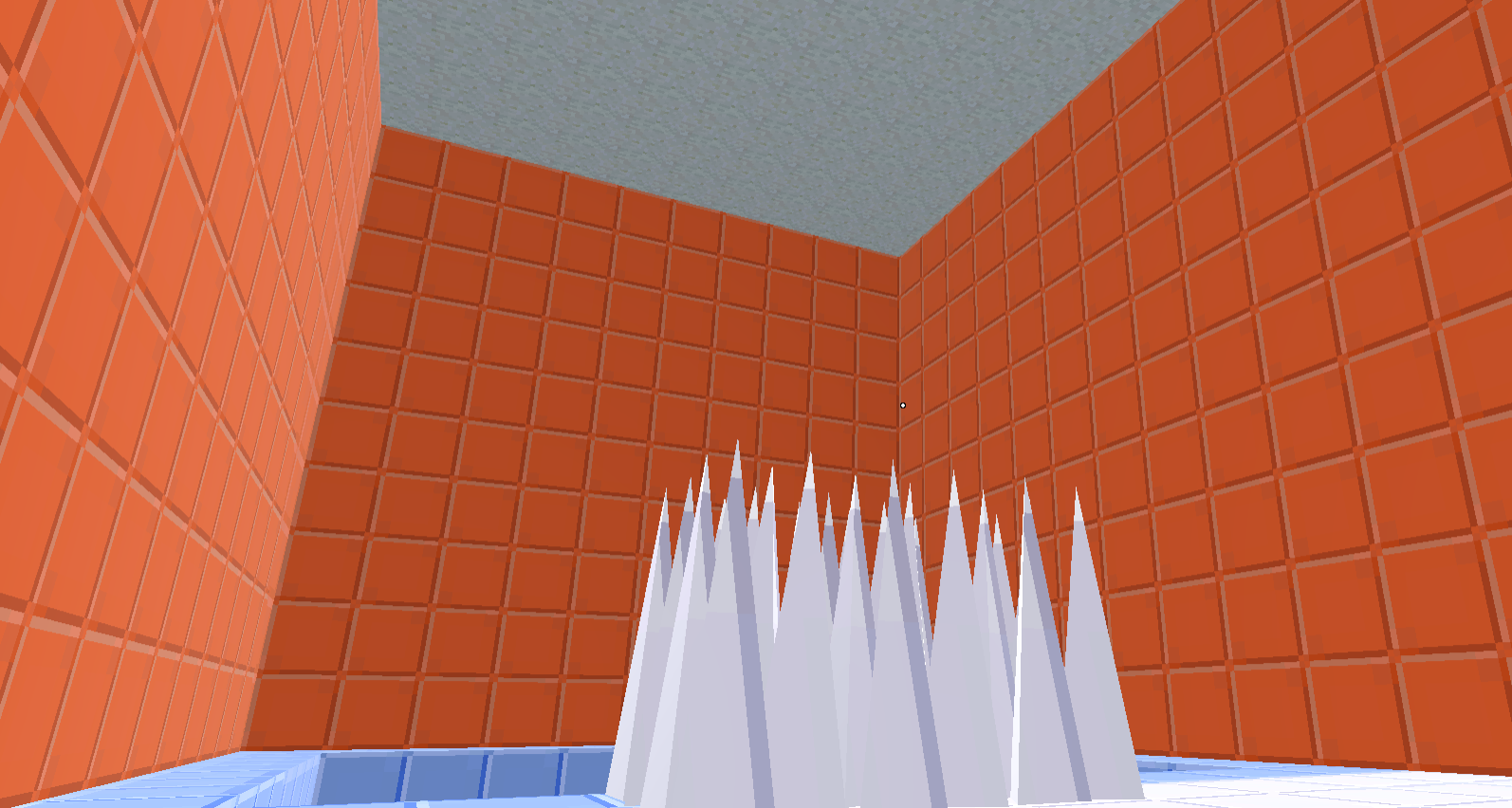
Dungeons/Builder When players die in a dungeon they will respawn at the start of the dungeon. Added spike blocks. These blocks will kill the player instantly when they fall on them. Added dungeon checkpoints. If the player reaches a checkpoint and then dies, they will respawn at the checkpoint. When testing dungeon in the dungeon builder you can take damage, die, and respawn. Added "place tester position" button. This will allow you to specify where you want to spawn when testing the dungeon so you don't have to constantly repeat parts of the dungeon that you don't want to.
Discord chat integration The #in-game-chat discord channel will now display player's global chat messages (not local chat) and discord members can respond in the channel and in game players will see the messages
Added a cache to save player made assets locally This will speed up chunk and dungeon loading times because the client will grab all the assets from your local machine instead of needing them to be sent from the server
But wait, there's more! Added a "Reset Player" button that will reset your progress (button in Other Settings menu) Halfed armor spiky damage towards enemies Tweaked volume of different sound effects Players will no longer collide with each other Made death screen a bit nicer than the previous "u ded" screen Inappropriate words will now be blocked out in chat with *'s
Bug fixes Fixed bug where player would fall down very quickly when walking off of cliffs When taking ingots from furnace, they will be added to your crafting palette if there is an open slot Enemies can no longer walk through doors in dungeons Enemies will clip through walls much less
Boring stuff Did a lot of work to stress test the server and clients and used findings to implement a server player limit Lots of work to automate deployment The master client (the client that runs the AI for enemies and some other authoritative things) will now switch to the client with the best ping
v0.0.15 Progression menu, recycling, and more!
Added a progression menu displays unlocks at each level displays player's armor stats of all combined armor pieces can hover over stats on stat displays to see info about the stat unlock slingshot at level 1 (instead of it being automatically unlocked) and unlock sword at level 1
And much more: Click crafted items in inventory to see options: Equip and recycle Recycle: this will dismantle the item into blocks and automatically add the blocks to your inventory (only works if you have enough space) Double click item to equip it automatically Items in inventory now will scale with the size of the square they are in (so they will no longer extend out of the square and overlap with other items) Changed "Stick" recipe to "Axe" (I know it was funnier as a stick but it was more confusing and now you will be able to see which way the axe is facing) Added indicator for when you take spiky damage from your armor/weapons When player has been stuck in loading screen for more than 1 minute a dialog will popup that allows you to disconnect to the main menu so you can reconnect Added sounds for the Wrock, thank you @Senator_Goob for helping make these amazing sounds!
Bug fixes: fixed bug that would disconnect the player when they were finishing crafting fixed bug that prevented starting area dungeon from loading
Added Chests with player created Loot
Loot Chests
These chests have player created loot in them! I hand curated players' best creations and ✨sprinkled them✨ in chests all around the world of Skullborn You will also find one whenever you complete a dungeon for the first time These player created items can be a starting point for a build and you can modify them however you want after you get one and make it special to you!
Other changes:
I changed the way that grass is rendered so the game will now take up less than half the amount of memory it did before
Fixed bug where you could get 0 ingots from furnace
Fixed bug where arm cannon would shoot off center in first person mode
Tweaked terrain settings a bit to make beaches blend into other biomes a bit more naturally
Fixed bug where sword would not unequip from first person view
Fixed bug with first person sword animation
Aligned sword to hand better
Krob was the winner of the crafting competition and his winning submission is now showcased on the loading screen!
Crafting Contest
Craft anything you want and submit a screenshot of it in the Skullborn Discord server in the #images channel by Sunday April 23
If your submission gets at least 3 ⭐ reactions in Discord then you will be rewarded with the exclusive and limited edition ✨Iridescent Trail ✨ And the submission with the most ⭐will be showcased on the game's loading screen!
With your submission please include your in game username (most likely your Steam name).
Submissions may become in game loot for other players to find. 🎁 This will be a part of the next big update 😎
Item blueprints are back! 🛠
Item blueprints are back! ⚒ Now you can access all your weapon and armor blueprints from the blueprint menu You can create copies of these blueprints whenever you'd like I have reformatted all blueprints that were created before the crafting update to the new format and you will be able to access those as well Crafted item names can now be changed ✒
Other stuff! While placing place-able items (crafting tables, chests, furnaces, etc.) they will be rotated with in the direction that you are facing Enemies will no longer be able to walk into villages Sword spin attack now does more damage than the regular attack ⚔ All items are now 1x1 in preparation of a future overhaul of the inventory system that will allow more slots 📈
Bug fixes 🐛 Fixed bug where sword would be under "Tools" in the crafting menu Fixed bug where sword stats would not display damage Fixed bug that prevented players from being able to move crafting tables from starting area
⚔ Added Swords ⚔
⚔ I've added swords to Skullborn! ⚔
The longer you make the sword the more damage it does and more reach it has
But shorter swords swing much faster
Hold down attack and release to do a spin attack 🌀
🌀Sword Whirlwind Mod🌀
Add this new block to your sword to be able to spin multiple times in a row (max 3)
While spin attacking immediately attack again to execute another spin
Go up to a trader in a village and say "cyclone" in chat to unlock
Once unlocked you can buy it from the trader
Bug fixes
Fixed bug with birds not spawning correctly
Fixed bugs where first person arms would appear when they were not supposed to
Other tweaks
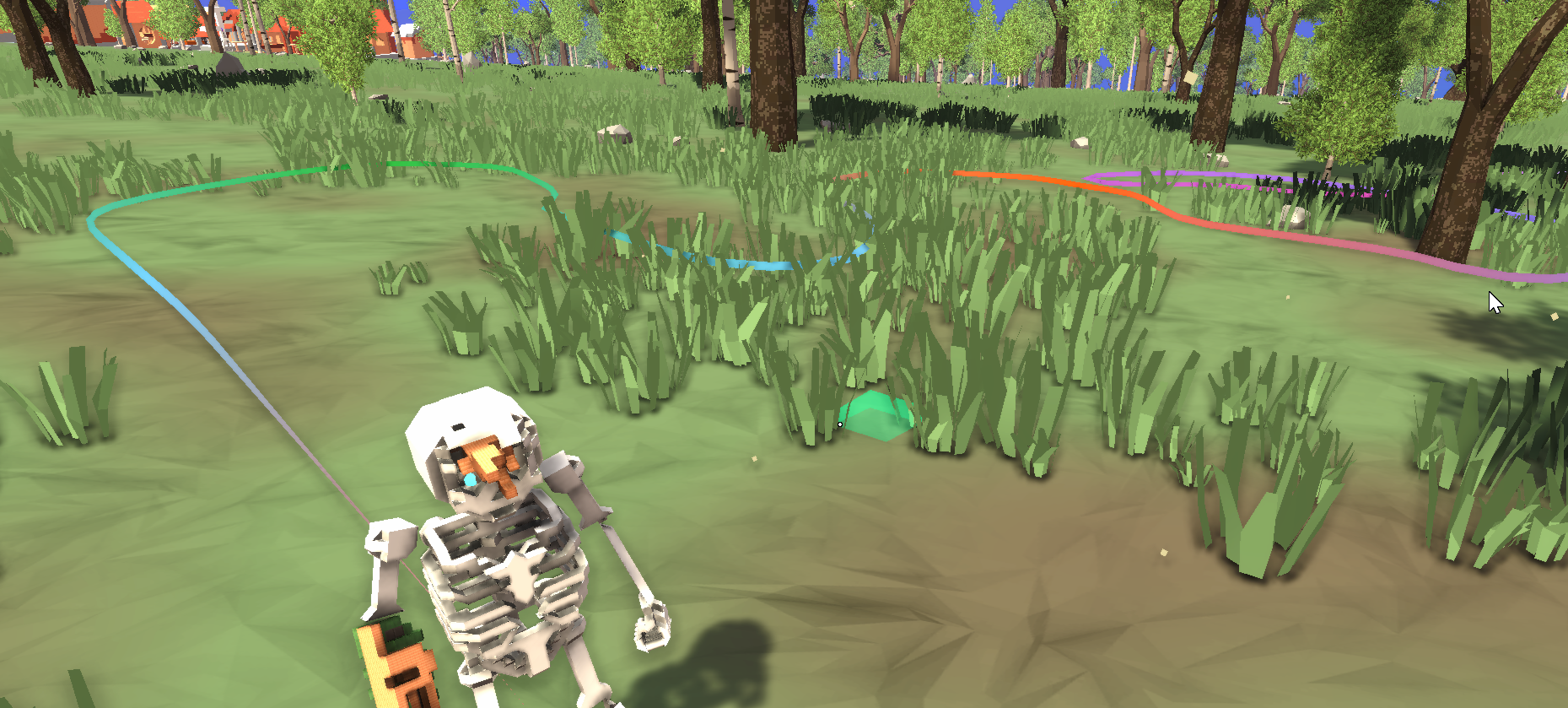
Added player trails that will replace the old black and gold skeleton skin cosmetics
Made crafting use movement keybinds
Dodge roll action can now be rebound to a different key in settings
Added more error handling and bug reporting features 💪
New Starting Area and Tutorial
I've added a new starting area and tutorial to Skullborn!
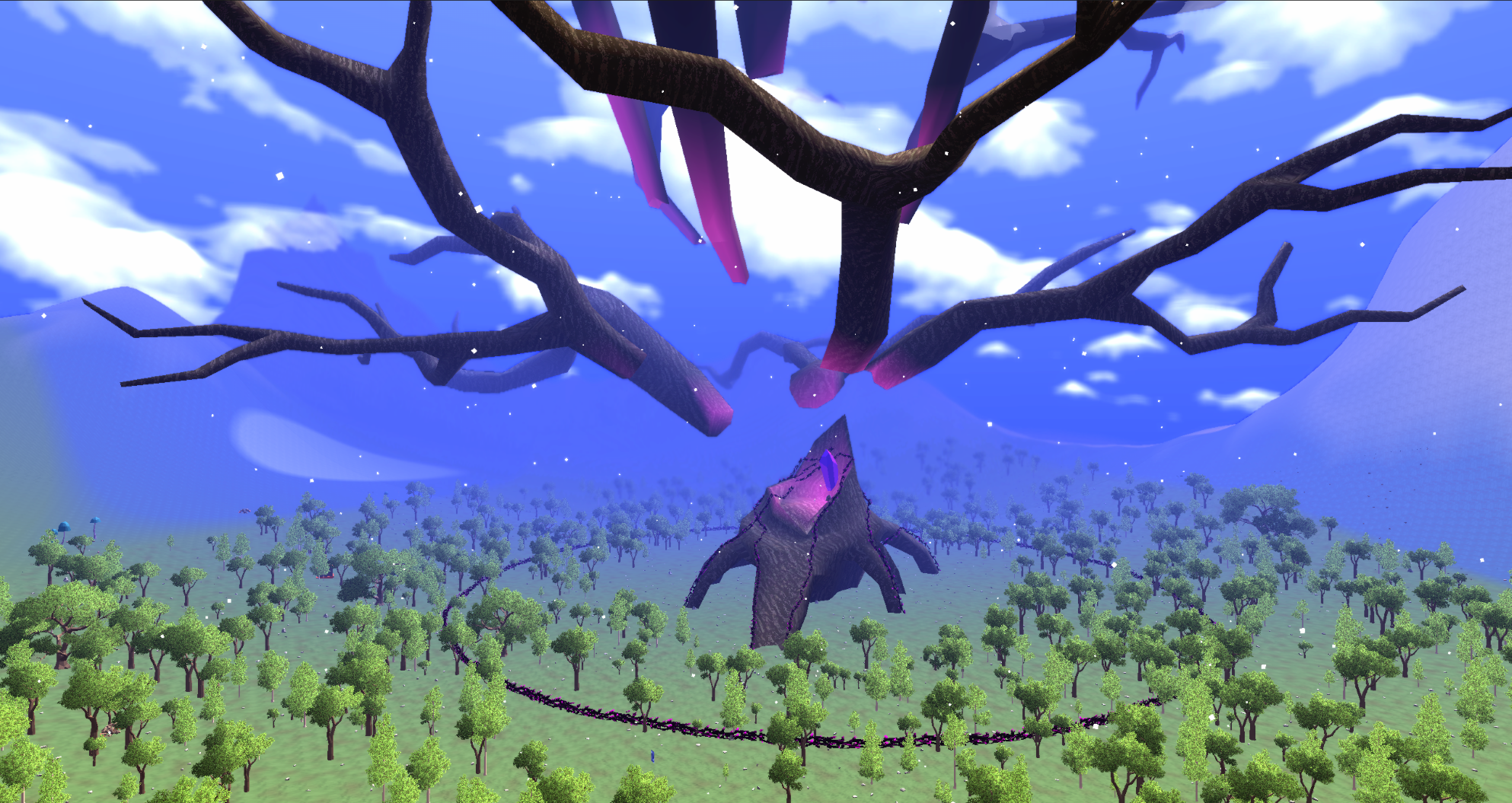
You will now spawn at the Elder Tree which has been corrupted and if surrounded by thorns
You must remove the corruption by completing a dungeon it the roots of the tree
In order to defeat the dangers inside you will need to gather materials, craft, and become stronger
Once you complete the dungeon the thorns surrounding the tree will become a vine wall
You may freely build within this vine wall without having to worry about other players messing with your stuff or enemies
When you are exploring you will be able to see the Elder Tree from very far away to help navigate and find better materials
Other changes:
Added block counter to building and crafting mode
Dungeon doors now have a floating door icon to make them less hidden (as well as all other interactable objects)
Can move camera while transitioning perspectives
After placing an item (like a crafting table) you will switch back to weapon mode
Bird poof sound
Entity health bar animates faster when losing more health
Dungeon Complete music
Dungeon builder can change dungeon darkness and add a colored tint
Dungeon builder can change blocks in palette
several UI tweaks
Fixes:
Camera is centered properly when crafting
Fixed bug where camera would flip after crafting
Fixed bug that prevented saving and loading dungeons
Fixed bug with rotating doors in dungeons
Fixed setting resolution
Fixed bug where music box didn't stop game soundtrack
Fixed material on music disks
New Crafting System - First Update
💀The skeleton is now made entirely of blocks and every bone is editable.💀 ⚒Crafting is now done on a crafting table.⚒ 📈Blocks give items stats. So instead of there being stone axe, copper axe, etc. you now craft a "stick" and it does more damage depending on what blocks you add to it. Stone and ingots will make an axe do more damage and give you more protection but will also add weight to your skelly and will slow you down if you add too much! There are several other stat types and I plan on adding many more. To learn about all of the current stats you can ask Krob about them! 📐🔵🟦Switch between block shapes whenever you want with all blocks!🟦🔵📐
As I said in the last message, I had to delete all the existing crafted items because they weren't compatible with the new system. But I still have everyone's blueprints and I will work on getting those working again so your old work will not be lost!
Also on 12/30 the community will be hosting another fashion show 📸 with the theme ❄️ Winter / Holidays Use the new creative freedom to show off your crafting skills!! Join the Discord for more info!
💚I am so appreciative of all of you and your support in these early days of Skullborn's development Skullborn will be 40% off during the Steam Winter Sale! So tell your friends and let's make the world of Skullborn grow!💚
Happy Holidays!! 🎅
Upcoming New Crafting System
Firstly, I just want to say that you guys are awesome.
Seriously, I know there are a lot of issues, but I’m working through them every day. The reviews on Steam have blown me away. It seems like everyone is really excited about the concept of the game and to see where the game is going. So, I am excited to tell you about the next big thing we’ll be working on:
⚒️ THE NEW CRAFTING SYSTEM! ⚒️ How will it work? (you should be asking yourselves..) Instead of there being many different recipes for items with different Materials (e.g., copper chest, iron chest, etc.), you will make your items stronger by adding better Materials to them. Materials will have different effects on your items. Some are pretty straight forward like adding 10 copper ingots to your item will give you copper level protection/damage. Other Materials will be tricky like cactus blocks which will increase a weapon's damage but there’s a chance it could damage you when you use it! We have tons of ideas for how Materials could affect your equipment’s stats and behavior and we’re excited to get your feedback on them!
🔬 So once you find a new Material how will you know what it does? 🧪 Your Research Table. Once you’ve researched the Material, you will bring it over to your Crafting Table. Yup, no more T-posing to craft (and getting attacked in the process). Now you will craft in the safety of your home at a crafting table with a new crafting interface that allows you to see what Materials you have to craft with and how they will affect the equipment. We have plans for add-ons to the crafting table that allow you to craft more complicated items. Also, you will be able to freely switch between block shapes for all blocks. Which means: - More inventory space - Less tedious smelting - More creative freedom.
Also on Saturday, Nov 12, at 3pm central on the US server at the spawn (-50, -50) we will be hosting a FASHION SHOW 📸 and signups will begin that morning on Discord!