bilibili Publisher Sale will be right on! Receive a 30% off deal for Soda Crisis!
2022/12/16 Patch Notes
Level Editor
Parameter copy, paste and reset support:
Transform parameters can be copied & pasted among all objects.
But pasting object exclusive parameter is only available among objects of the same type.
Improved object copying and pasting:If there is a binding relationship between objects participating in copying, the pasted objects will be bound automatically according to the relationship.
Improved open histroy UI: Level file duplicate support & Added double confirmation for removing open history.
Added description for triggers, events and some essential objects. The contents can be seen on object property settings panel.
New event: Full Recovery, which can fully restore player's health and armor, and remove all negative states on player simultaneously.
Bug Fixes
Fixed an error when triggering Rotation event without assigned object.
Fixed an error when triggering Set Active event if assigned object has been killed.
Fixed issue that Material panel could not scroll to the top or bottom at a resolution with non 16:9 aspect ratio.
Fixed issue that undo could not perform as intended when using cut and paste.
Fixed an error when using transform and editing tools alternately in multi select mode.
2022/12/9 Patch Notes
Level Editor
Added Material Panel
Material setting is now available to ground and background wall.
A total of 66 materials are provided for player to choose.
A preset field is provided at the bottom of the panel, where you can save the currently selected material with using right mouse button.
UI Adjustments:
Added preset field for palette, which is similar to the material preset.
Removed confirm button for palette, clicking the "X" button at the top right of the palette will be equivalent to confirmation.
The palette will be displayed in the center for the first time, but its position will not be adjusted when it is opened later, unless the panel has an area beyond the display border.
Added "Trigger" category for Assets panel.
The checkpoint parameter "Priority" is replaced by "In-Block Order"
This parameter is commonly used in a block which there are multiple checkpoints.
When player enters a level for the first time, the checkpoint with the lowest order value at the first block will be selected as the spawn point.
In addition, when player activates a checkpoint with higher order value in advance, checkpoints with lower order values are also activated.
The reason is that the description and performance of the "Priority" sometimes make confusion to player. This update can make the configuration more intuitive.
Players do not need to make any changes if they did not encounter any progress issue. The editor will automatically configure appropriate order for those checkpoints.
Players who have configured priority but have progress issues need to adjust the order according to the level design.
After this update, the editor will automatically assign the order value for the new checkpoint to avoid the problem of confused level progress.
Other Object Adjustments:
Event: Move From To added movement type setting,including ease in out and linear.
Enabled z-axis rotation for Ground and Virtual Platform (White).
Bug Fix
Fix the layout error of the object list when switching blocks.
2022/12/2 Patch Notes
Level Editor
Snapping support:
You will see the snapping toggles at the right side of transform toolkit.
Unit snapping is available for all transform tools, using Shift key to enable/disable.
Vertex snapping only works for positioning, using V key to enable/disable.
Added shortcut buttons for block switching.
New objects added: Relay Trigger, Counting Trigger, Interactive Trigger.
Object parameter adjustment:
Added trigger delay setting for all triggers.
3-axis rotation setting is available for Virtual Platform (Black).
Bug Fixes
Fixed issue that some array properties would be exceptionally overwritten when editing multiple objects.
Fixed issue that some objects did not show up as intended after adding or removing block.
Fixed issue that the preview ray of the laser trap can pass through the platform.
2022/11/18 Patch Notes
Level Editor
Snapping support:
You will see the snapping toggles at the right side of transform toolkit.
Unit snapping is available for all transform tools, using Shift key to enable/disable.
Vertex snapping only works for positioning, using V key to enable/disable.
Added shortcut buttons for block switching.
New objects added: Relay Trigger, Counting Trigger, Interactive Trigger.
Object parameter adjustment:
Added trigger delay setting for all triggers.
3-axis rotation setting is available for Virtual Platform (Black).
Bug Fixes
Fixed issue that some array properties would be exceptionally overwritten when editing multiple objects.
Fixed issue that some objects did not show up as intended after adding or removing block.
Fixed issue that the preview ray of the laser trap can pass through the platform.
2022/11/25 Patch Notes
Level Editor
Added beveling settings for ground and background wall so that the editor can provide more variants of platform.
Added Eliminate Enemy Trigger, which can invoke event when specific enemy die.
Bug Fixes
Fixed issue that player could not run the custom level which contains point light assigning to Move From To Event.
Fixed issue that some undo operations could not be recorded as intended.
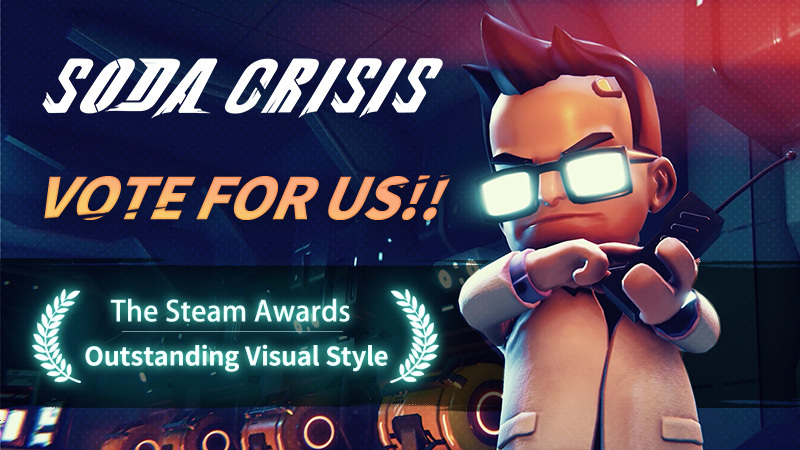
Please nominate Soda Crisis as - Outstanding Visual Style!
After some consideration, we think Soda Crisis might have a little chance for Outstanding Visual Style award.
If you've ever been impressed by the visual design of a certain level or Boss, please nominate Soda Crisis as - Outstanding Visual Style!
We'll be very thankful for any nomination you give for Soda Crisis!
In addition, enjoy a 15% off with the Steam Autumn Sale through November 22 (GMT-8) !
2022/11/18 Patch Notes
Level Editor
Undo & Redo Support
You can find them on the left side of transform toolkits,
or you can perform undo / redo by using combine key Ctrl+Z / Ctrl+Y.
This function is only valid for object related operations, including: selecting / creating / deleting objects, trasnform operations (setting visibility, position, rotation and scale), and object property modification.
Attention: Each time you open other level files, switch blocks, and perform block management, the system will restart recording operation, and the previous records will be cleared.
New Objects Added: Enemy Spawner, Enemy Spawn Point.
"Invoke Event on Start" toggle is added to all event objects.
Now player can attack sawblade in custom level, but no damage would make.
Bug Fix
Fixed issue that cloning object does not work when player is using context menu in the editor.
2022/11/11 Patch Notes
Level Editor
Multiple selection support
You can select multiple objects by pressing Ctrl or Shift key at Object List.
You can also select multiple objects by pressing Ctrl key at scene, or perform box selection by dragging mouse pointer.
Multiple selection can help you to edit the parameters of multiple objects at the same time, or batch copy/delete objects.
New asset category: Events
This category consists of level editor trigger and varied types of events.
The trigger drives the execution of events. It can be triggered by player or enemy. The timing can also be configured as needed.
The event will directly affect the level object, and the performance depends on event type.
This update introduces the following event types: Move from to, Set Active and Rotation. We will also bring other sort of triggers and events later.
New Objects: Virtual Platform (Black), Virtual Platform (White), Virtual Side Wall.
Added "Invincible" toggle for enemy.
Now you can override environment preset for blocks at Environment Settings.
Bug Fixes
Fixed issue where object's scale can be set via Rect Tool when scaling is disabled.
Fixed issue where the game camera would be at wrong position in some circumstances.
2022/11/04 Patch Notes
Level Editor
Added input mode configuration in the level settings. Designers now can assign a specific input mode for the subscribers.
Added Unlock All Items toggle to the level settings.
Designers are now able to run a level with Mouse/Keyboard mode.
Added range indications for point lights
Designers are able to configure the color of the Basic Platforms and Background Walls now.
Improved the interactions when assigning object type values
New props: Entrance and Exit with no graphics, Portal
Bug Fix
Fixed the issue that on some devices it's not possible to bind E key in the control settings.