This took me a lot longer to implement than I would have liked, but the Physics Update preview is no longer a demo version of the game. This means that you now have stuff like achievements, stats, and leaderboards among other things. Keep in mind that there's a reason that this is on the "beta-build" branch, though. Not everything is implemented. For example, we don't yet have free roam or all 21 planets implemented. But we do have a new upgrade screen, and a reworked upgrade system backend.
Change Highlights
Upgrade Screen gives you a ratio for the amount of Delta-V needed to go from orbit to the surface and back (1.0 requires perfect burns).
Upgrade Screen shows you how much your Delta-V Ratio and Thrust to Weight Ratio (TWR) will change with any given upgrade.
Upgrade Screen now comes in pages.
The record for largest amount of points awarded for landing and redocking are now tracked on their respective leaderboards.
The "I Won!" achievement progress is now tracked by Steam (currently unobtainable because not all levels are accessible).
Re-added 2 more planets in the game to use the new terrain generation feature.
Physics Update Preview Now Available
After a much longer wait than what I wanted, a preview of the Physics Update is now available on a new branch called "beta-build". Technically, this is preview is the same as the new demo version (which has also been updated). I published the demo to the beta branch just in case those who have bought the game are unable to run the Demo. Over the next few weeks, I intend to update the beta branch to the full version as I reimplement the features for the full version. There will be another announcement once the Physics Update goes onto the main branch.
Change Highlights:
New Terrain Generation for more natural-looking Terrain.
Superstructure Assembly no longer uses Unity's joint system, which should allow for smoother rotation around larger distances.
Gravity simulation below planet's radius reduces gravity linearly with ratio towards center. Gravity above planet's radius is unchanged.
Hopefully a bunch of performance enhancements.
In-game axis assignments!
Input response viewer.
More control assignments (eg: custom zoom controls).
Can disable joysticks in-game.
Demo Changes:
Reduced number of planets for progression to just one.
Bonus Changes:
Visual orbit indicator now draws the entire orbit (unless the orbit is an ejection orbit).
Docking port on command module modified for easier docking.
NOTE: The demo version doesn't have the Steamworks API implemented.
Physics Overhaul Progress Report
[previewyoutube="74_UHVxbsX8;full"]
Terrain Generation
Hopeful Performance Improvements
The terrain is now generated in "chunks" in an attempt to optimize the performance of the simulation when you get near the terrain. Currently, there may be a significant frame-rate drop on some planets when you get near the planet, especially if the engines are firing. You will be able to change how many of these "chunks" are generated indirectly by setting a limit to the number of elevation points in each chunk.
On top of that, the collision mesh will no longer generate through the center of the planet, but will stop about 5% of the way down to the center. Again, this is to help with the performance of the simulation. I'm hoping that Unity's built-in simulation engine will not do very detailed collision checks for chunks that are very far away from the space craft. So far, the results are looking very promising.
Terrain Coherency
Using a programming tutorial that I found on YouTube, I adjusted the terrain generation to give a more perlin-style noise generation to make the terrain look more natural. The terrain resolution is now much higher than it was before, but with very little performance impact because of the new chunk generation system. The terrain can also now generate with an elevation that is lower than the radius of the planet.
Orbital Mechanics Adjustment
I've tweaked the physics system governing the orbital mechanics so that if you were to somehow phase into the planet, then the gravity would decrease linearly with decreasing distance. This effect would only happen if your distance from the center of the planet is less than the radius of the planet. When the distance is greater then the radius, then the gravity still increases by the square of decreasing distance.
Under the old (and current) system, the planet was treated as a point mass. So if you were somehow able to phase into the planet and get near the center, floating point errors would build-up to the point where you would be ejected from the planet's sphere of influence. Under the new system, there will be almost no gravity near the center of the planet, which is how gravity works in real life.
In-Game Axis Assignments
I have thought of a way of allowing you to assign axis from within the game in spite of Unity's terrible input system. It will even include the ability for you to set the null zones for each individual axis as well as inverting said axis. So when the update comes out, the dialog box that appears when you launch Solar Lander will be removed completely as it was only there for you to be able to assign axis before the game started. As for the other things that you could do in that dialog, you can already do those within-game for the most part.
macOS Support Dropped
From this day forward, Solar Lander is no longer available for macOS and I will no longer develop anything for Apple-brand products. Solar Lander will continue to be updated for Windows and Linux though.
Game Overhaul Progress Report Video
I am currently working on a massive overhaul of Solar Lander's systems to fix a few issues that the game has and to make it easier to develop the game in the future. Here's a video about what I'm doing with the game.
https://www.youtube.com/watch?v=JDJ8Ql3kjNk
Engine Sounds Added
Engine and crash sounds have been added to the game. You may have to go into the game settings and check the "Sounds in Space" checkbox for them to work. A skybox has also been added which you can turn off if you desire. Along with these things, a credits page has been added to the game which you can view from the main menu.
Here is a video preview of the new updates for you to enjoy.
Freeroam Update
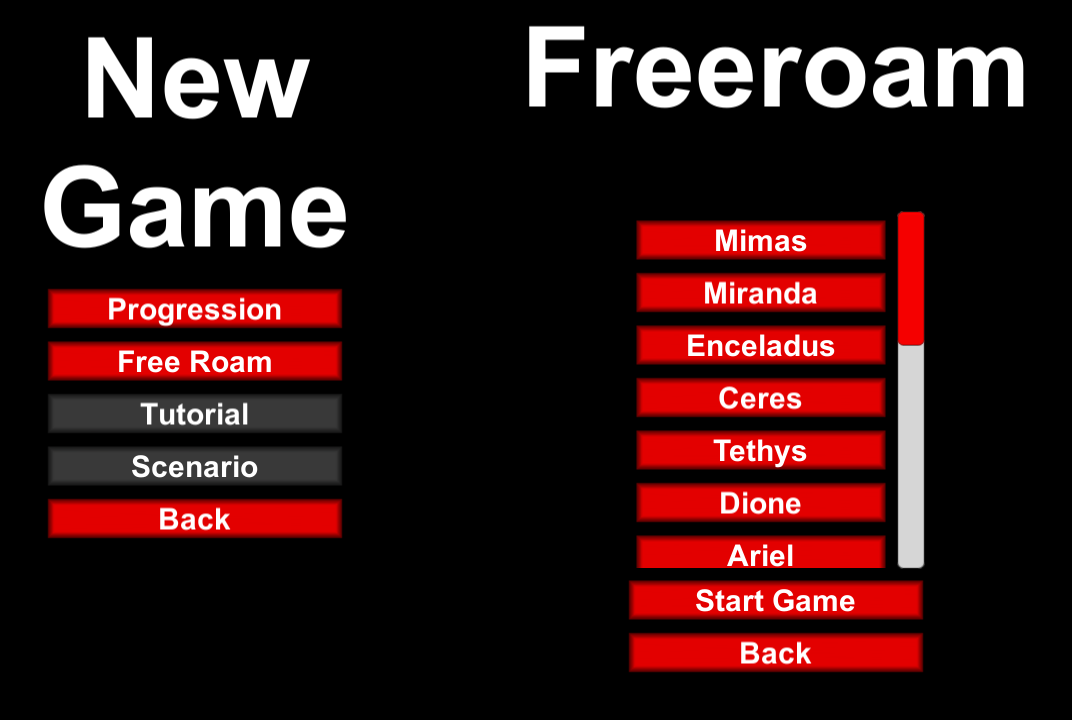
The freeroam game mode has been successfully implemented. This will allow you to start a new game where you visit planets in any order that you want, provided you have at least reached that level in the Progression mode. The same framework will be used to create tutorials and scenarios.
On top of that, there have been a few performance tweaks and bug fixes. One of the bugs that have been fixed is the one that reverses a few of the controls. I don't know when this bug was introduced, but when I discovered it, it was top priority and I thought I had fixed it in the previous update but I was wrong. There have been a few other bugs that have been fixed along the way.
For the next update, I intend to focus on adding some more sounds, some dialog, and maybe some background music to the game.
Game Mechanics Updated
There have been some changes and updates to the some of the game mechanics. Here is a short summary of the changes.
Additions
Added a "level failed" mechanic that allows you to stage before landing and continue to the next level, having failed the objective of that level. Failing 3 levels will result in a game over.
A framework has been added to allow multiple game modes to be implemented. Unimplemented game modes will have their respective buttons grayed-out.
A thrust-to-weight ratio indicator has been added to the upgrades screen to determine if you need to increase engine power. The ascent stage's TWR is the first number while the descent stage's TWR is the second number.
A basic subsystem damage system has been implemented, allowing certain parts of the vehicle to be disabled without triggering a crash condition.
Changes
New button graphics.
Staging before landing no longer results in being stranded.
Giving contradictory control inputs will result in them being canceled-out. All button and axis inputs for a specific control are added together with the response that you get being the sum of all of the inputs.
All features that are not yet implemented have had their controls grayed-out.
Bug Fixes
Fixed a bug where the center of mass is not at the vehicle's local origin. This caused an issue with the orbit script not calculating the vehicle's position correctly.
Time Warp Update Released
Time warp and pause have been added to the game. Both can have their controls configured in the settings screen. The Time Warp will increment and decrement by a factor of 1x. Time warp will start becoming ineffective at around 10x normal speed, but may vary between systems. Just to make sure you don't lose control over the vehicle, all controls except camera zoom are disabled while in time acceleration.
Other Additions
Proper Escape screen that pops up a menu allowing you to go to the main menu, start a new game, or resume the current game.
Highest and Lowest orbital points on the HUD (marked "AP" and "PE" respectively) to the right of the altimeter.
Changes
High Scores screen is synced with the Steam leaderboard and shows the top 10 scores as well as your score and rank.
Terrain finder bar replaced with roll indicator that changes between HUD modes.
Velocity vector adjusted to accommodate new roll indicator.
Saving/loading temporarily removed while I experiment with solutions.
Orbit trails shortened to 1,000 seconds.
Center landing leg on descent stage removed.
Command module texture adjusted.
Help screen removed, guides coming soon.
Bug Fixes
Orbit trails no longer "jump" to the vehicle's starting position.
Project Status Updates
It's been a while since I posted anything here, so here is an update on the status of the project. I'll start with the bad news first: This game is going to spend a bit longer in Early Access as I don't yet have all of the features that I want implemented. In addition, I am temporarily removing the quicksave feature from the game until I can get it working reliably.
Now for the good news: I'm working on new game modes (eg: free roam and scenario), better integration with the Steam API, and new and improved game mechanics. These enhancements will come in several stages over the next several updates. Here's an overview of where the project is going.
High Scores Screen
The Top 10 players with the highest score will be shown in-game in the High Scores screen. If you are in the Top 10, your name will be highlighted in green. If you are outside the Top 10, your name will be listed in red at the bottom of the score table alongside your actual position and your highest score.
HUD Changes
The surface finder (brown line with an arrow pointed towards the planet) is going to be a proper roll indicator with roll markings. It will have the same color as the rest of the HUD and will change its rotation based on the HUD mode selected.
The velocity vector indicator is also going to be changed to blend seamlessly into the new attitude indicator, showing both the positive and negative directions of the velocity vector.
One more thing: A while ago, I changed the Orbit scripts to be able to generate data about the orbital elements based on the current speed and position of the vehicle. An indicator will be added to the altimeter to show when you're near the highest and lowest point of the orbit.
Stranding Mechanic
The stranding mechanic currently just stops the game if you stage before you land or if the command module crashes. That's going to change starting with the fact that I forgot to anticipate the player running out of fuel. If you stage before you land, you will be allowed to advance to the next level, but you won't get any points, nor will you be allowed to upgrade. Other stranding scenarios will let the game continue to run, with the option of restarting the level. You'll still be told that you're stranded though.
Game Modes
Currently, the only game mode is level-progression. But I am working on adding more game modes such as free roam, a tutorial level, and scenarios. Scenarios will use LUA scripts to define objectives. You will eventually be able to post your own Scenarios in the Steam Workshop.
Help Screen
The help screen is going to go away and be replaced with Guides. Some of these guides I'll write myself while other guides can be written by the community. Users should be able to write their own guides for this game now.
Settings Screen
The settings screen is being overhauled in advance of the upcoming features. This means new layouts and features for assigning controls and, once implemented, changing axis assignments in-game as many times as you want without restarting the game! The start-up dialog is going to be removed once this happens.
Save/Load System
I am setting up a seperate project as an experiment as to how I might implement a save/load feature that works reliably and will not work until I publish the update like the last attempt did. Also, with the current system, you can only save during the levels. With the new system, you will be able to save between the levels.
Collision System
The collision meshes are being overhauled to provide more realistic collisions between the vehicles and exhaust. Hopefully this will fix the problem of the engine exhaust clipping through the descent stage. Also, the center landing leg is being removed. As part of this update, subsystem damage will be introduced, resulting in various systems being disabled when they're hit.
Conclusion
That'll be it for now. Over the next few months, I'll be releasing updates that gradually implement the features I've mentioned above, and then some.