Star Explorers Testing Branch Updated to Pre-Release Version 0.3.6
Well, once again my self from 5 years ago has outsmarted me. My attempt to allow main menu access has been unsuccessful. It seemed to be going fine, until trying to load a game from a planet, or from a UFO, and the game would crash unexpectedly. I attempted to find the cause, but there were no error messages to learn where to look.
Even when a load was successful, the view screen in the ship stopped working.
After roughly two weeks of vain efforts, I have decided instead to focus on improving other features of the game, and to accept that this issue will not be resolved. I have rolled back the change accordingly. Access to the main menu, after starting a game, will again restart the program. I guess the good news is that this approach works...
All the updates to the star chart remain in place, and should improve ease of navigation.
Testing Branch Updated to 5.0 Pre-Release Version 0.3.5b
The main menu should now allow loading of saved games after dying. Previously this would not work properly.
Major Changes Underway
If you're been following the testing branch, you'll know that there are major changes underway in Star Explorers. The idea is to get the game more user friendly and stable in time for the big 5.0 update, which will also include lots of new content as well.
Right now, changes to the star chart and menu system are being attempted. This is the first time I've touched some of this code in many years, so I am expecting the testing branch to get worse before it gets better :) I just want everyone to be aware of this, and not be surprised if they encounter some issues while testing out the new features.
Of course you are always welcome to try it. Grab the password for the testing branch over on the discord server...
https://discord.gg/vU9Q5ta
But if you are not prepared for running into some bugs and reporting them, it may be best to sit this out a bit longer.
I expect the 5.0 release to be ready some time in the Fall.
Testing Branch Updated to 5.0 Pre-Release Version 0.3.4a
A bug in the last update caused the star map to stop working properly. It was a small oversight that was quite easy to fix. Thanks to awesome players who pointed this out so quickly.
Star Explorers Testing Branch Updated to Pre-Release Version 0.3.4
Fixed Issues
Pausing the game was still causing some issues
Save game still did not work properly, this should be fine now, really
NPCs on board the mothership (seated, not standing or reclined) seemed to be inching forward on each visit, I believe this should no longer happen, but it still requires testing
NPCs who were already wrongly positioned will not move back to their correct positions unfortunately
Main Menu
When I first made this game, I did not make it possible to visit the main menu after starting a game
I attempted to add this functionality about a year ago, but too many errors made me remove that function
This time I feel prepared, and it seems to be working
I do expect to discover some more errors, so you may want to sit this one out, and just restart the game when accessing the main menu
Currently, the main menu will appear, and it seems to function
There are same know issues, like the transparency of the menu does not look good
Initial attempts to start a new game and load a saved game have been successful
Accessing the main menu, failing to start a new game (by using an existing name or something like that) then returning to you current game also seems to work. This is something that got really messy on the last attempt, but I was ready for it this time!
Again, I expect some latent errors that might not show up right away, this will require some in depth testing
Star Explorers Testing Branch Updated to Pre-Release Version 0.3.3
UPDATE:
I somehow missed a new image file upload, so the game would not start. Should be good now...
Fixed
Introducing Pause had some unforeseen effects
Save game did not work properly anymore, this should be fine now
Not sure when it happened, but a certain particle effect in Standard Stars caused a major FPS drop. That effect has been removed
Approaching the mothership caused an error after the Star Chart updates, this should work fine now
The engine freezes right when you start a new game. It only lasts a few seconds, but would be strange for new players. I changed the loading panel so it stays up until after this freeze, and it also alerts players to wait until it resumes
I have not uncovered the actual cause of the freeze just yet, but this should help until when/if I am able to resolve it
Interactive Guide
The guide had some major issues, especially after updating the star chart
Pressing escape will now close the guide, it used to remain visible over the game menu
Star chart will no longer be accessible until the guide directs players to open it
Mothership docking is disabled until guide directs players to warp to a different star system
"Next" button has been removed from the guide panel when it calls on players to perform some action to avoid confusion
Star Explorers Testing Branch Updated to Pre-Release Version 0.3.2
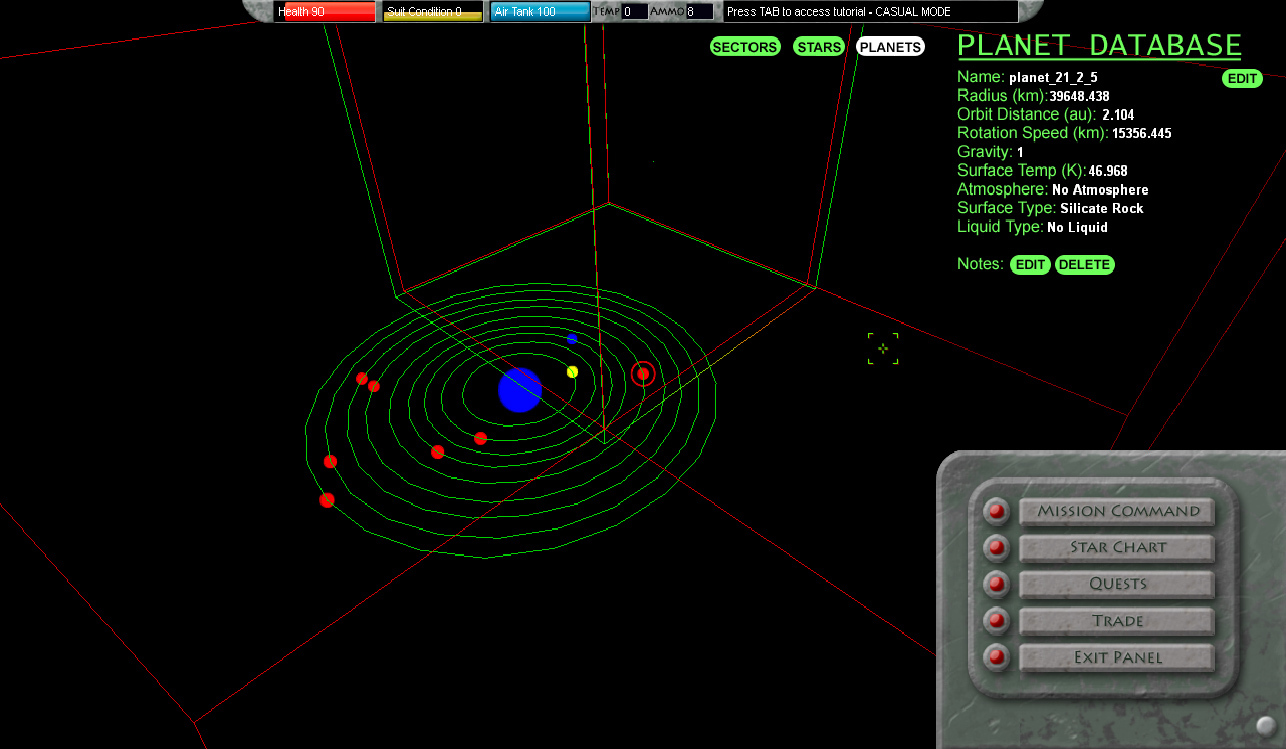
The Star Chart has some new functionality:
Fixed issue where planet color was not updated correctly, visited planets should appear blue on the chart once again (if you have the star chart upgrade)
Scanning a star in the sector currently selected should no longer require exiting the star menu
The overlay sector cube should now stay on the correct sector, previously it would revert to sector 43 when reloading the game.
Pause will prevent the game from running any functions while in the menu
User inputs like movement, firing, and accessing inventory will not work while the game is paused
Pausing also prevents planets from rotating and orbiting their star
Additionally, it prevents enemies from attacking the player, or even moving
Do not be frightened or alarmed, they will resume their normal behavior patterns once you exit the menu
Testing Branch Updated to 5.0 Pre-Release Version 0.3.1a
A bug in the last update caused a DirectX error when using the star chart. I think it should be resolved now. I have not been able to reproduce it since the update, so hopefully it will no longer bother anyone.
There are still some tweaks to make with the star chart, but I plan on having it resolved by the end of the week.
Star Explorers Testing Branch Updated to Pre-Release Version 0.3.1
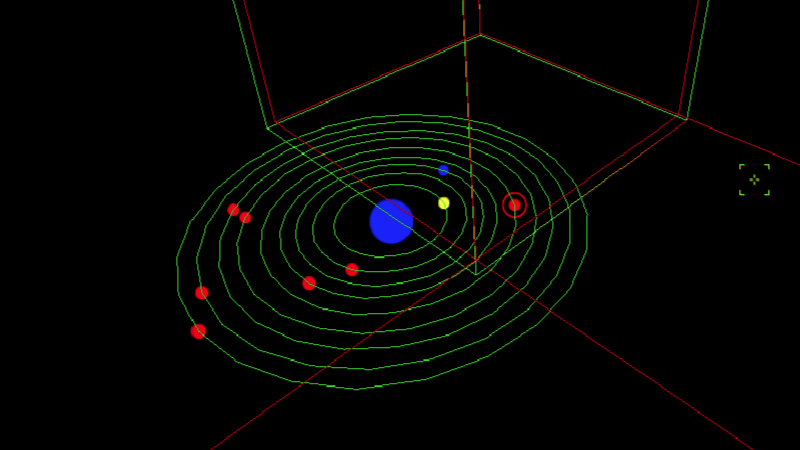
Okay, I have delved into some 2+ year old code and improved the Star Chart quite a bit.
The Star Chart should now:
Retain it's focus even when switching between the mission panel and star chart
Also retain its focus when leaving the ship and returning
Also when leaving the game and returning
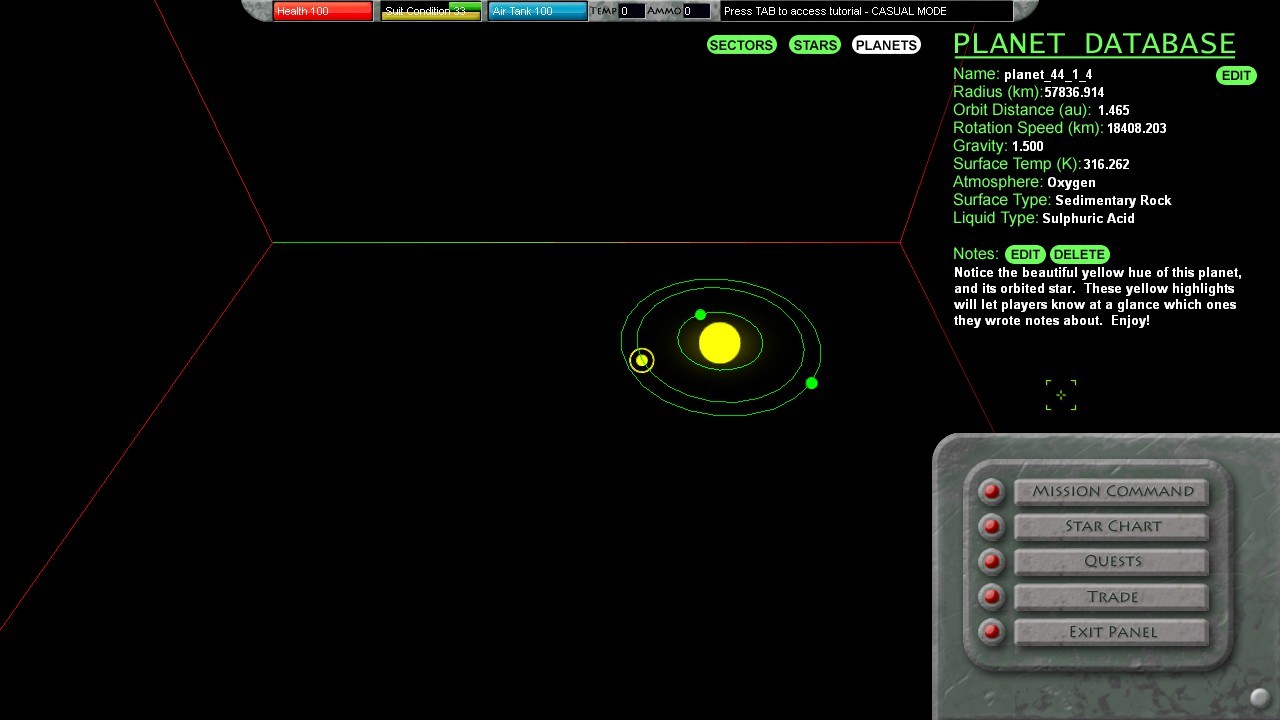
Stars and planets with notes will appear yellow (instead of green, red or blue)
Added option to delete notes
See the pretty yellow color of noted stars and planets...
I had to rewrite and redesign the code quite a bit in order to get this to work, and it took much longer than I anticipated. It also caused me to completely break the star chart at one point in order to rebuild it as needed. There were moments where I questioned my abilities as a programmer, and frankly my sanity.
I am sure it will still have some errors, but it does do all those things mentioned above if you are nice to it. If you encounter any errors, please report them to me after the weekend :)
Star Explorers Testing Branch Updated to Pre-Release Version 0.3.0
Many small UI (User Interface) issues have been updated
New Stuff:
Star Chart adjusted to zoom out a bit more in the star view
Star Chart should retain focus between game loads
Mothership announcement updated
Mothership elevator music is a part of the environment, but can now be turned off by opening the "options.cfg" file and changing the last value to -1 (C://users/username/AppData/Local/Star Explorers)
Planet and Star names should now appear immediately after scanning them
"Overlay Activated" message will now appear whenever the Star Chart overlay is on
Also some bugs were addressed
Bug Fixes
False Sectors could show up on your star chart, like sector 25 or 45
Gas giants - computer no longer suggests landing
Current Sector should now read correctly when orbiting planets
There are some other cool things added to the game, but you'll have to explore a bit to find them :)