This is an experimental update. I am not sure if it will be of value to players or not.
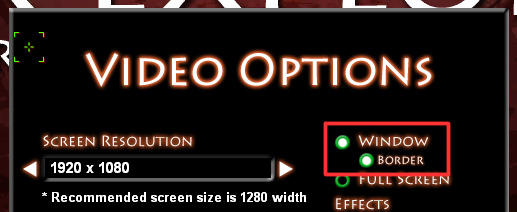
The game has a few different modes for how it appears on your screen. Full screen is there, of course, as well as a windowed mode, with or without a border. However, now there is a new option in the bordered window mode that you may want to try.
Maximize: If you use a bordered window, you can now "maximize" the game window. What does this do? It is different from full screen mode. It stretches the game window to fill your monitor, however, it is still technically in a window. Also, the game resolution is not increased when doing this, so you can play the game at 1280 X 720 (for instance) without a monitor that actually supports that resolution. This means menus and text will not be super tiny when playing at full screen.
Again, I don't know if anyone will care for this feature. If you want to try it out and offer any feedback, go to "Star Explorers > Properties > Betas" and select "testing" from the drop down menu.
Why? Again, the main reason would be to have full screen without reducing the menu and text size. When I started working on Star Explorers, 1280 x 720 seemed to be a good size to play games (for me) and unfortunately I did not integrate scaling into the UI system. This was a "quick fix" for that problem, though obviously it is not perfect.
However, I also think the game performs better in windowed mode, and now it is possible to play in a window, while still covering the full screen.
Issues: Due to the stretching of the game window, the windows mouse pointer will occasionally appear over the screen. I have been able to limit this during the first person portions game, but you will see it when in menus and when accessing inventory. Other than that, it seems to work as intended...
Please let me know if this is something you'd like to see included in the default game, and if you encounter any problems with it.
Testing Branch Updated to Version 5.1.4
I recently became aware of an issue when pressing alt-tab, which could send the game crashing down to the desktop. I was able to reproduce it, and it seemed to happen when loading levels.
I have updated the script to go into freeze mode whenever the window is not in the foreground, and it seems to have made it more stable. I would love to hear from anyone who wants to test it out. To do so you will need to activate the testing branch.
In your Steam Library, go to "Star Explorers > Properties > Betas" and select "testing" from the drop down menu. This should update your game to version 5.1.4. Then you can alt-tab your heart out, and see if you can get it to crash.
There was also an issue when pressing "enter" which could also crash the game. I think I have resolved this issue as well.
My hope is that I have done these things without completely breaking something else in the game. Anyway, your feedback is always welcome.
5.1.3 Update
There is a strange inventory bug that has been perplexing me for a while. Some inventory slots can get disabled, and are no longer usable. With some new feedback, I thought I would have another go at it. So I started looking at my weapon unloading script, which seemed to be a possible suspect in this case.
Well, I found some stuff, but so far nothing that would quite explain the bug in question. However, I was able to resolve some other bugs. One allowed you to unload a gun more than once, if the second or third backpack containers were open. That should no longer happen. Also, there was a strange situation where the weapon in your first equipped slot would not be clickable if you had your second or third backpack container opened. It was only clickable when the first backpack container was opened.
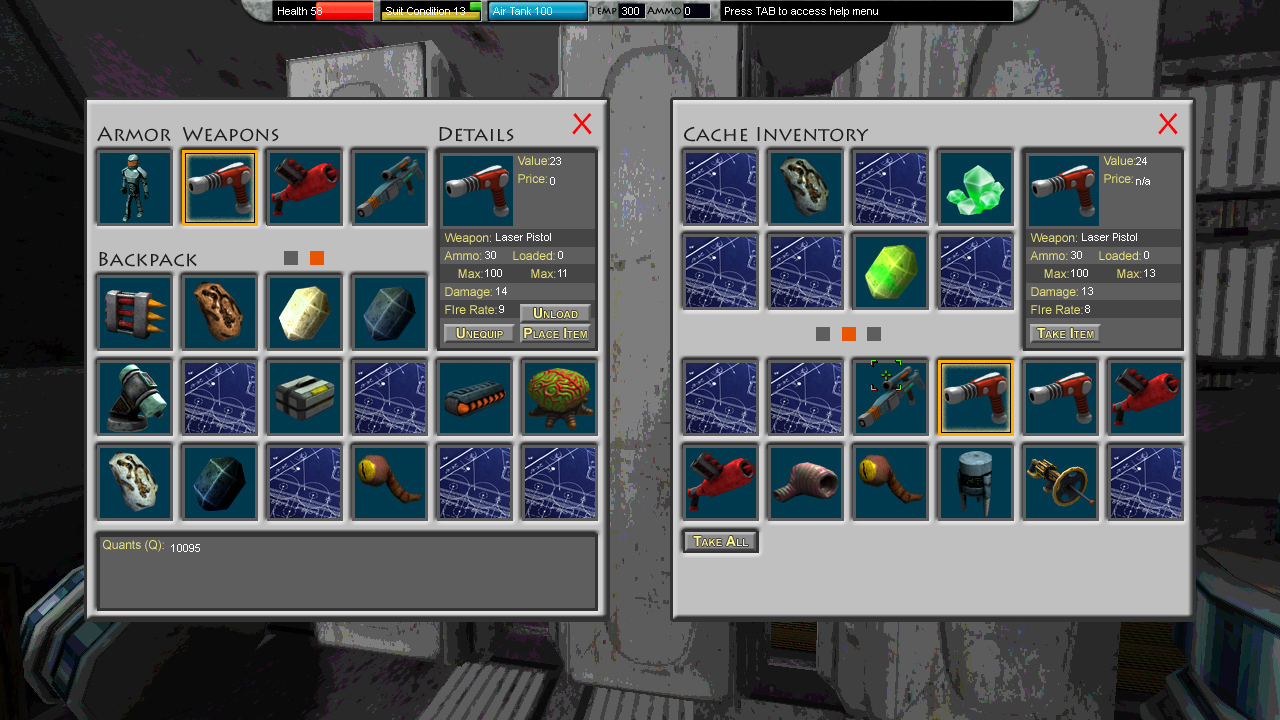
So here you can see the laser pistol is selected, while the second backpack container is open. You can also see that I was able to successfully unload the weapon.
Oh! I also highlighted the little square that tells you which backpack is currently open (currently opened containers are shown in orange). Note: If you have not upgraded your backpack, you will not see those little square selection buttons. However, once you do, it will be easier to know where you are looking in both your backpack, and your ship's storage.
I am still going to be trying to recreate the disabled inventory slot issue, and hopefully find a solution for that. If you have any insight as to the cause, or are able to recreate it, please let me know.
5.1.2 Update
There was a strange issue with lighting on some planets, where they would become much brighter than intended. It was a remnant of an experiment I did, but forgot to switch back to the default setting. Planet lighting should be more natural again from now on.
IndieCade 2021 Event Announcement
I already told you that Star Explorers has been nominated for the "Systemic Design" award. However, I now has some more information about the event itself. On Friday, October 22nd, between 3 and 6 PM (Central Time US) IndieCade will be streaming the event ceremony, and there will be a presentation for each game. Star Explorers will be featured during this stream, and I plan to be there to discuss the game with the hosts!
I am really looking forward to this, and I hope you will try to join us too!
Star Explorers Nominated for IndieCade 2021!
I am thrilled to announce that Star Explorers has been nominated to this year's IndieCade awards! You may also recognize some of the other games from Realms Deep including the amazing game Mundaun.
https://anywhere.indiecade.com/nominated-games/
Anywhere and Everywhere will feature 48 incredible games across genres, platforms, and experiences. October 21 - 22 2021
5.1.1 Update
Several players complained (rightly) that NPCs on the Mothership Altair were going missing. As it turned out, this would happen after completing the quest in the first slot for each one.
I was able to identify the code that was causing this aberrant behavior, and remove it. Now your NPCs should stay put.
Also, random NPC quests on the mothership should no longer trigger the main mission quest requirements. However, if you complete a quest at the main mothership interface (from your ship) or complete a quest for Dr. Ignatz, or Commander Makki, (on the mothership) those will trigger the main mission requirements.
There is another, unrelated issue which will cause all the NPCs in the mothership to disappear. This can happen if the game is interrupted when exiting the motheship. I am still working on a system that will recognize a corrupted file and take measures to make sure it is not used. Until then, there is a pinned post about fixing some of the game's outstanding issues here: https://steamcommunity.com/app/502720/discussions/0/5800060047335778793/
5.1.0 Update
This update adds a few warning messages and removes some redundant script when attempting to drop a beacon around a planet. This is in response to several players who were unable to drop the beacon after finding Acknexium on a planet in the main mission.
Fixed - Maybe
First, I found a couple scripts that might have been responsible. I was able to remove some code that could have prevented the game from behaving correctly. I cannot say for certain whether this script was responsible for the error, as I was unable to reproduce it yet. But the script did appear to be potentially problematic.
Warnings
I added a few warning messages. If you encounter these - in a grey window that says "alert!" that will help me track down the root cause of the problem, in case the above changes did not fix the problem.
5.0.9 Update
Based on some recent feedback I was able to resolve a few bugs, and improve on one feature.
Bugs
Target Sector Missing - previously, the target sector and show overlay buttons in the star chart, were only visible once the player clicked on a sector. This was not really a bug, just poor UI design. Now these buttons should appear regardless of the selection state. The game *should* now allow you to drop items inside UFOs Keybindings for Roll Left and Roll Right were incorrectly displayed in the control options menu Using the Tilt keys (arrow up and down by default) was reversed previously
Resting
Now, when you use the Sleep Pod to rest, if you are orbiting a planet, the planet will rotate an additional 90 degrees. This allows you to kill some time, for instance if it is night time on the planet surface, and too cold to land, you no longer have to wait for the planet to slowly rotate.
5.0.8a Update
This is a small update. I was able to retro-fit the video options menu to manage filtered/unfiltered textures.
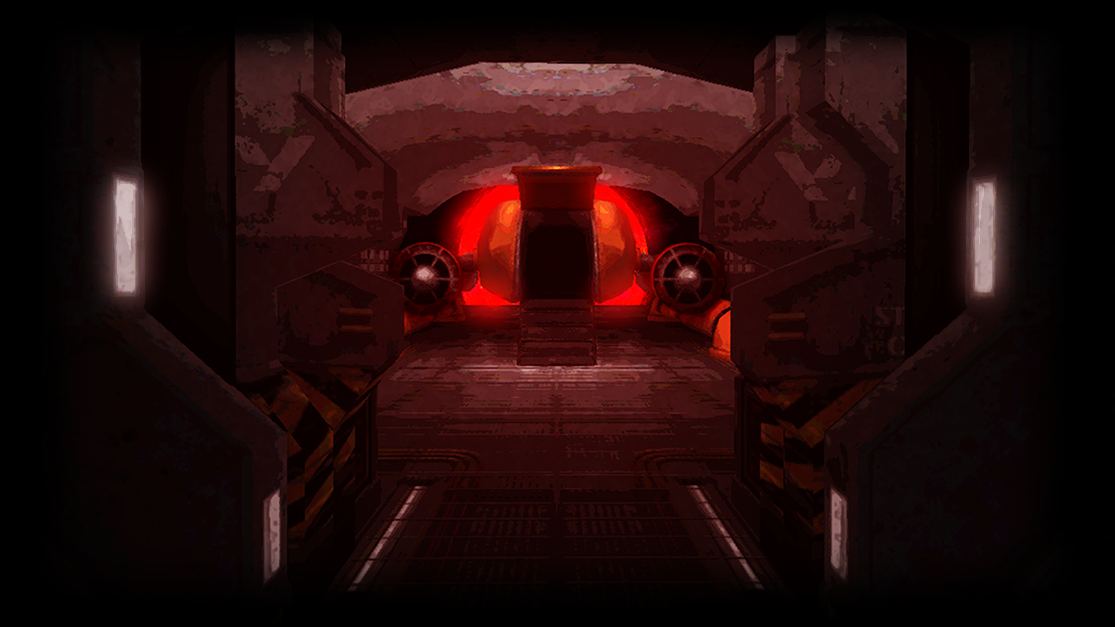
In the process I removed an old shader I called "smooth pixels" and made this manage the texture filtering shader. Texture filtering will be off by default, so you should see each pixel clearly, as in this image:
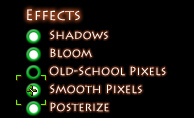
If you set texture filtering to "on" - still called "smooth pixels" in the menu - you will see the textures no longer have clearly identifiable pixels.
Note, there are other options like old-school pixels (off by default), which effectively lowers the screen resolution, and posterize (on by default), which decreases the depth of the colors. These can be adjusted to suit the player's preferences.