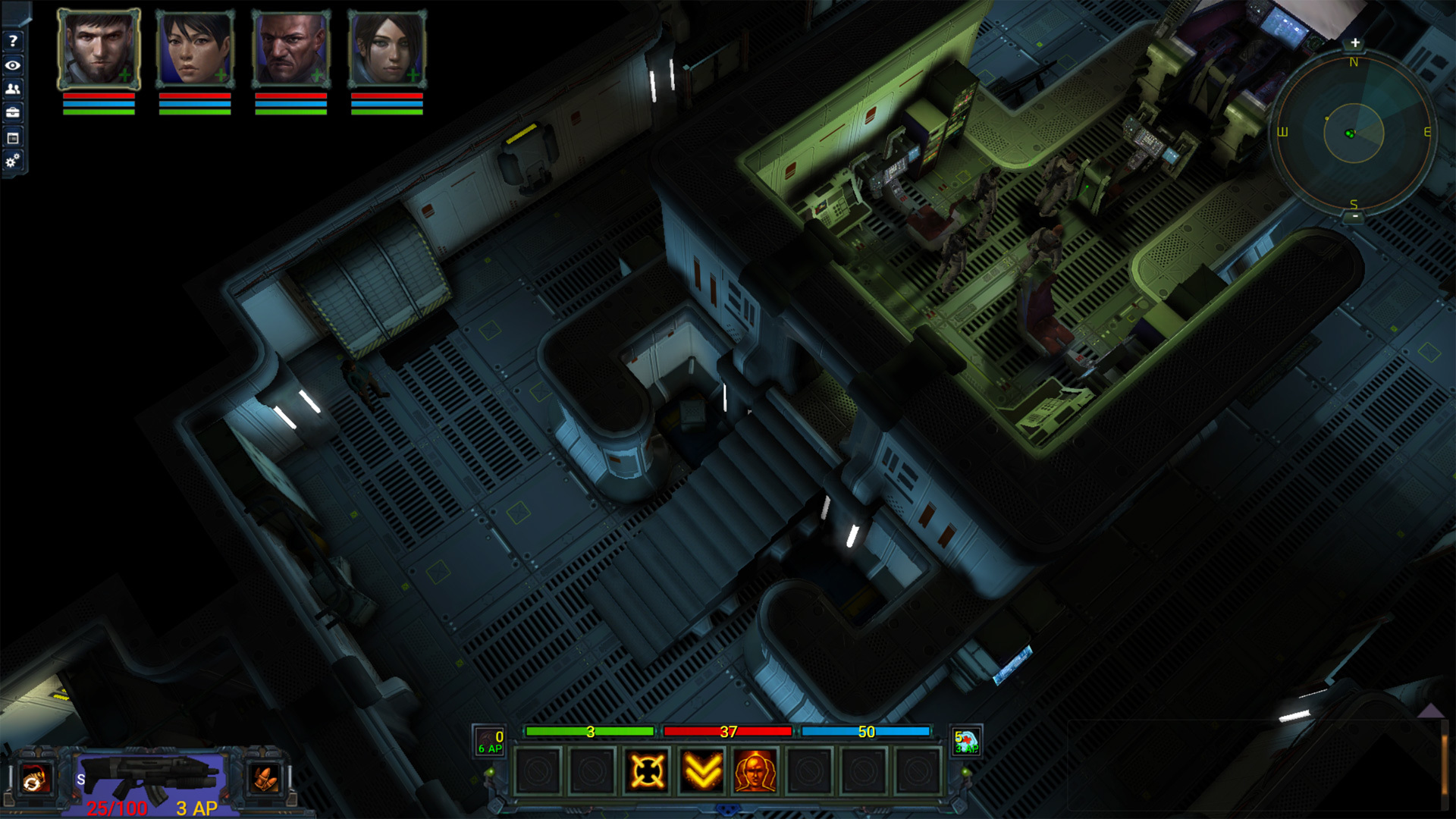
I’m posting a work in progress video today that shows the salvaging portion of the crafting system which is nearly complete. I still have a bit of work to do on the UI and balancing. The video also shows the first completed ship interior for the boarding system. More details below.
https://youtu.be/Dy3GbDkl2Vg
Crafting requires components and the salvaging system lets you mark items in your inventory, stash and cargo hold for disassembly. As you disassemble items, you will gather crafting components and the finishing items you will need to craft equipment for your ships and crew.
You can salvage items anywhere. That is, you do not need to travel to a salvaging station to break items into component parts. Initially, I was going to tie salvaging to a static salvaging station that would be on your ship and space stations. I felt it would be a lot more useful if you could do this at any time, clearing inventory of excess equipment and vendor junk items. Crafting material storage is infinite so you won’t need to worry about max inventory for these items.
Equipment – When disassembling equipment, you will gain salvaging experience, component parts, finishing items and progress towards learning a locked crafting schematic for that item type (based on the quality of the item).
Junk items – Junk items generate finishing materials. These will be used in the finishing stage of crafting to assign stats, weapon min/max damage values, and other bonuses to equipment. In general, crafting an item can result in a finished item with bonuses and stats that are better than any item you can buy or find in the game.
I’ll be starting on the crafting portion of the system next now that I can generate crafting components. This will take a while and I hope you all enjoy the system when it’s finished.
Ship interiors are being worked on. These interiors will be used for a number of purposes:
Boarding: Disable a ship and enter through the airlock. Various doors to be hacked, hostile enemies defending their ships and objects that need to be repaired – not to mention loot and the ability to sell these ships for profit.
Missions: There will be a number of missions that may pop up as a communication from a disabled ship, rescues and a few other scenarios that will require entering other ships.
Your home: Ships will serve as a place to store goods, interact with the crew and craft items.
That’s all I have for now. Thanks as always for supporting Stellar Tactics!
Progress update and Patch
A few fixes and QoL requests addressed today. The patch should be posted shortly. As always, if you find any bugs/issues, please post on the bug forums. I'll address any critical issues promptly.
https://steamcommunity.com/app/465490/discussions/7/
Just a note about the crafting and salvaging system. The paper design is nearly complete. I should start implementing these systems next week starting with the base salvaging system related to inventory items (junk, weapons, armor, turrets, etc.). From there I'll start implementing the crafting system using those salvaged items. I'll provide more details in a post at some point as I get closer to finalizing the system. I don't want to make any promises until I have it fully working and have time to test and tweak things.
Crafting will not be just a matter of adding x + y + z to create a new finished item. There will be multiple stages of crafting similar to:
Setup - Setup the crafting table with salvaged components, and resources of varying qualities
Process - Process the components using various resources
Finish - Finish the crafting session enhancing the item and adding stats, bonuses, slots etc with remaining CP (crafting points)
I'll keep everyone posted as I make progress.
FIXED: Completed eliminate missions now display the green "cleared" state on the mission objective map if an area is cleared after the primary "eliminate" mission objective is completed.
FIXED: Hacking tool no longer displays stats. All hacking bonuses were moved to perks a while ago.
FIXED: If you were queuing up attacks and ran out of ammo when using the combat queue - the game would lock up and you would need to reload a save to continue. Bad bug - thanks for reporting it!
FIXED: A very rare case where some system configurations could not load required DLL's at the start of the game causing a forced exit when clicking past the EA display screen.
FIXED: A bug that would display "NONE" in the dialog field instead of Dr. Emily Jensen while in the Ruins.
FIXED: A number of typos.
UPDATED: Key binds would not allow binding of the up and down arrow keys. All key binds have been reset and you will need to re-map your keys. I am looking into key binds for grenades and med-kits for a future patch.
UPDATED: When a weapon is equipped, mod slots are now clearly labeled in the weapon mod slots menu as "Mod slot not available". This should make it less confusing when players try to identify equipped weapons that actually have mod slots.
UPDATED: Added arrows to the portraits on the character information and inventory screens so you can scroll through active crew members with the mouse rather than using the F1-F4 keys. The F1-F4 keys still work if you prefer to use them.
UPDATED: Adjusted ship materials so they load faster resulting in less hitching when NPC ships are loaded in star systems and the FTL map.
ADDED: "Steering" mode for ships. Holding the left and right mouse buttons will now place the camera behind and slighting above the ship. You can move your mouse in any direction to steer the ship in this mode. Additionally, the left and right turn keys used while in steering mode will accelerate turns. Releasing the mouse buttons will return control to the normal state.
Thanks as always for supporting Stellar Tactics and I hope you all have a wonderful weekend!
The map, experience adjustments and bug fixes
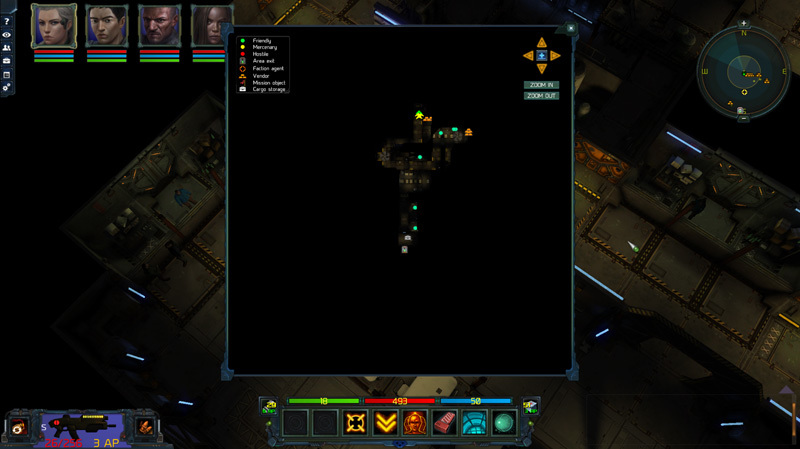
I'm adding the ground exploration map today. This is likely the most requested feature from players since I first started gathering feedback. It includes fog of war, zoom, and scrolling. I hope you all enjoy the update.
I'm also including increased experience for space combat, first-aid and hacking skills. If you do find any issues with this patch, please post in the bug forums. Here are the patch notes:
ADDED: Added the map.
--The map includes fog of war so you can view where you have been.
--Zoom, scroll, center.
--You can see various icons like mission markers, vendors, faction agents, exits, mercenaries, etc. A "legend" for the various icons which match the radar is available on the map.
--Persistent data. Wherever you go in the universe, your tracked progress is saved.
--Your saved key binds have been replaced so I could remap "M" as the default key for the map. The crew manager has been moved to "J".
--The in-game help screen and guide have been updated to match the new default keys.
FIXED: When exploring ground locations with a single crew member, the game will no longer crash when manually entering or leaving combat.
FIXED: A bug that could generate ship equipment when turning in agent missions. This would place ship equipment in general inventory instead of the cargo bay - breaking rollover info and a few other things. NPC's now have a brief cooldown period before you can interact with them when an area loads. IMPORTANT - If you do find any ship equipment in your general inventory (not in your cargo bay), you should drag that item to the trash and delete it. These items cannot be sold or used.
FIXED: "Gadolinium" added to the commodities market. Trade contracts for this item will start to appear over time.
UPDATED: Reduced space skill experience requirements per level.
UPDATED: Mercenaries now display a bright yellow dot on the radar and map so they can be distinguished from other regular NPC's on stations around the universe.
UPDATED: Hacking and First aid skill progression will now continue even if you are at the level cap.
UPDATED: Reduced hacking and first-aid experience requirements per level.
UPDATED: Improved dynamic shadow resolution.
Other notes - 6/6/19
FIXED: The objective tracker now correctly targets the mission return location if an agent mission is completed.
FIXED: Agent mission return destinations in the objective tracker now correctly targets a planets surface or station depending on where the mission was originally accepted. This is not retroactive, so previous missions, if taken on a planet surface, will target stations.
FIXED: A error with default FTL drives that was calculating base FTL speed incorrectly. This fix is not retroactive so if you do have a "Stock" FTL drive that seems faster than other quality level FTL drives available for sale, you get to keep it. You will likely want to swap out that FTL drive eventually when sub-system damage goes in the game for a FTL drive with higher HP.
FIXED - Old autosaves are no longer displayed in the save game menu.
FIXED - When swapping crew members in and out of your active crew, it was possible that perks from the previous crew member would be assigned/enabled on a crew member that had not selected those perks.
FIXED - A bug that was not correctly displaying shield bonuses from the electronics station (perks etc.) unless the crew member was in the active ground crew.
FIXED - A bug related to recruiting NPC crew members gaining incorrect Hand2Hand skill for secondary weapon if that was their specialty.
FIXED - Closed out a number of bugs related to the Trade-Net displaying incorrect contract target system information. This rarely resulted in arriving in a system that was not the correct destination target.
ADDED - Added the old music into the music track list for space and ground exploration.
ADDED - you can now preview mercs before recruiting them. Mercs now cost an initial fee based on their level. High-level mercs can be very expensive, so fill out your crew early in the game.
UPDATED - An increase in the base number of trade goods vendors buy/sell.
UPDATED - The last audio track played in an area is saved and loaded the next time you load an area.
UPDATED - You can now place beacons on the FTL map. When you get close enough to a star system, the beacon icon will be displayed in the lower left of the screen. Target the system, open the beacon menu and you can place a beacon in the targeted system. You cannot destroy beacons or translocate using the beacon menu on the FTL map. This should help players quickly build a larger Trade-Net.
UPDATED - When in FTL space, star system labels now display a "*" next to their name if a beacon has already been placed in this system. It should make it easy to identify systems where you could place a beacon to expand your Trade-Net.
Patch day - Smuggling, objective tracker and faction warfare
Patch day - a few updates and fixes this week.
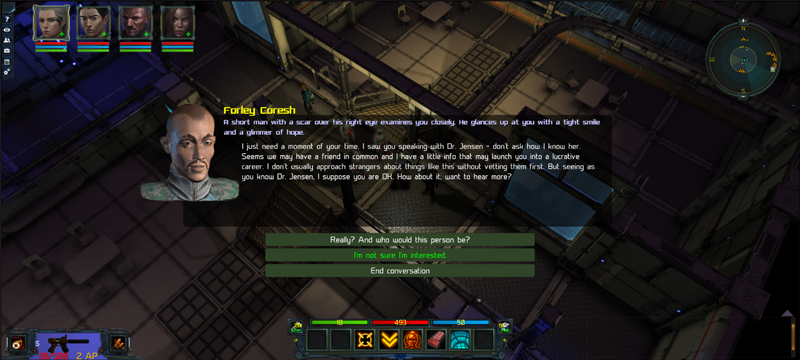
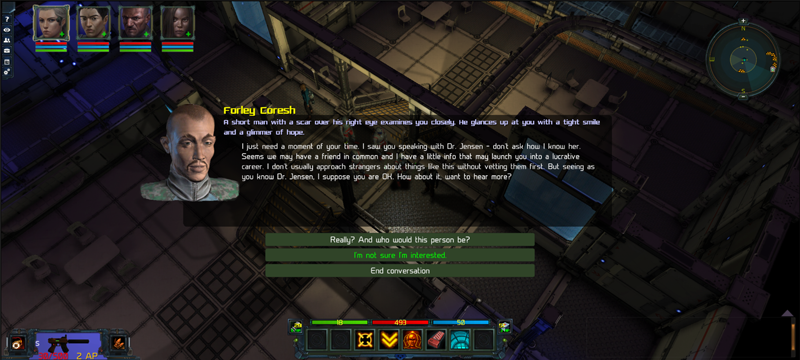
You can now unlock Smuggling. Speak with Forley Coresh on the Achmedius Trade Station to start your career. Smuggling is a fairly dangerous career and you will be harassed by Raiders and Scavvers if you have active contraband contracts. I recommend a starship with decent weapons, shields and balanced power systems. This is a great career for those of you who want to make money from trading smuggled goods and of course from all that loot you are going to find by eliminating the enemy ships that attack you. For now, you do not need to worry about The Authority (not in the game yet). I have a few interesting plans for the smuggling system including a few ship enhancements, timed smuggling missions and extended story content related to The Syndicate. If you read the dialog carefully, you might notice an intro to future story content and a long-standing mystery surrounding the loss of your crew, depending on the options you choose.
Smuggling requires a large Trade-Net to be effective - so place beacons in every system you find with orbiting stations. Contraband goods are traded all over the universe, but not as often as normal commodities.
Ships may attack each other now. You can join in and help or ignore these skirmishes. In some cases, if you do decide to help, you have a good chance of finding loot from dropped cargo containers. Rarely, regardless of whether you engage or not, cargo containers are dropped from these ships and you may find them floating in space. This is the start of the faction warfare system (just the start) and these engagements are generally between the various factions and Scavvers and Raiders entering and leaving systems.
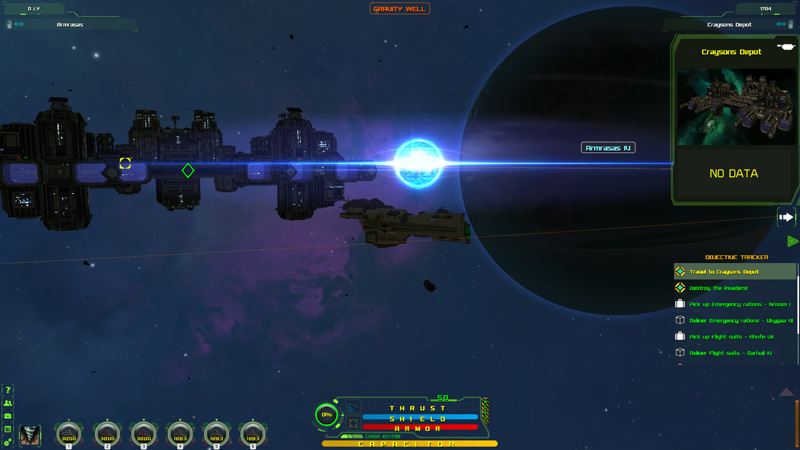
I've added a mission and contract tracker to the HUD when traveling in space. You can now see active missions or trade contracts on this list. While in FTL space, you can select any destination and the Star System the mission or contract is located in will automatically be selected in the info panel so you can click the approach icon and fly to that system. If you are in Star System that has a mission or contract, selecting an item in the tracker will select the planet or station where the mission or contract is located so you can easily approach that location without needing to open the log to reference mission information. The tracker is also useful for translocating as it displays contract destinations and commodities in the list.
And one last thing - 35 new music tracks for space, ground exploration and combat greatly enhance the atmosphere of the game.
If you find any problems with this build, please post on the bug forums and I'll address the issues promptly.
Patch notes:
ADDED: A short mission that unlocks Smuggling. Speak with Forley Coresh on the Achmedius Trade Station. He will help you start your new career.
ADDED: The Objective Tracker. All missions and Trade-Net contracts (buy/sell) are now displayed in the objective tracker while in space. The tracker can be opened/closed using an icon on the right center of the space exploration UI. Selecting a tracker mission or contract entry will display the targeted star system, planet or station in the info panels so you can easily navigate to the destination. Selecting an item in the tracker will:
1) Target the destination planet or station if you are in the same Star System where the mission/contract is located
2) Target the destination Star System if you are in FTL space
UPDATED: Increased the min/max base margin values for the Trade-Net across the board. This means there will be lower sale prices and higher buy prices available depending on the size of your network. These adjustments will become available over time as trade contracts are refreshed.
UPDATED: When translocating using Jump Points, ship fusion cells are now used instead of ground weapon fusion cells. The cost is still the same - 5 fusion cells per jump.
UPDATED: Incursions now only provide a positive faction bonus for the faction that initiated the incursion.
UPDATED: Faction rewards in space combat adjusted:
--Incursions generate higher individual faction bonuses for the faction that assigned the incursion. Additional factions (factions other than the assigning faction ) no longer generate faction bonuses. It was too easy to gain alignment with other main powers in the Universe while doing work for a specific faction.
--Destroyed ships from non-incursion attacks in hostile systems will only generate negative faction based on that system.
--Destroying ships that are not part of an incursion and not direct attacks in hostile systems will generate single digit faction bonuses for all non-aligned factions and normal negative faction based on the ship destroyed
UPDATED: Trade in values when buying a new ship increased. Note that CHA applies to all ship purchases decreasing the price of buying a ship and increasing the value of your trade-in. This has always been the case.
UPDATED: You now have a much lower chance of being attacked when you have an active delivery contract if that contract is not contraband. A higher chance of being attacked by Raiders and Scavvers if you have an active contraband delivery contract.
FIXED: A lockup when docking at stations, planets and translocating if under enemy ship fire.
FIXED: A rare crash related to enemy ship beam weapons.
FIXED: Incursions will now reward faction for the system where the incursion is taking place, regardless of whether the system is a main or sub-faction.
FIXED: A very rare persistent yellow particle effect left in the scene after space combat.
FIXED: Old auto-saves - that is auto-saves created before the new auto-save system (rotating between 4 dedicated save files) are no longer displayed in the load/save menu. This will clean up save lists for players with games that were created all the way back to the start of Early Access.
Thank you all for supporting the development of Stellar Tactics. Have a great weekend!
Progress update 5/24/19
Hi all - lots of work being done. Some of my time has been spent adding a new mission that unlocks Smuggling. This mission gives you an option to unlock buying and selling contraband on the Trade-Net. Once you unlock contraband, these items will appear for trade as buy and sell contracts. Smuggling is a bit more dangerous than hauling trade goods between star systems and pays better overall in smaller ships as low volume – high-value transactions.
I'll be expanding on this system quite a bit during Alpha with timed trade missions, branching delivery missions that include ground and space combat and special equipment for your ships. Initially, when this patch is released, you will be attacked more often if you have contraband items in your cargo hold, so make sure you are well equipped for space combat if you take these contracts.
I’ve also been doing a bit of work on the faction system and when this next patch goes live, you should start to see small skirmishes in space between various factions. You can choose to join these skirmishes or fly in to pick up the loot when the shooting is over.
The next patch will also see an increase in the trade-in value of your current ship. CHA has always reduced the purchase price of ships and increased the trade in value of your ship. The next patch will boost this a bit more. I’ll also be including a number of bug fixes and stability improvements.
Once the next patch is live, I'll start working on the crafting system, implementing the updated animations, adding the ground combat special attacks and moving on to some other work as I quickly approach full Alpha.
As I start implementing these new features I'll begin posting builds to the public test branch for a week or two before setting them live for everyone. Some of the changes that are coming are fairly complex so I think it will be a good idea to start separating the stable builds from some of these more experimental updates. I'll post on the forums when I start publishing test builds with instructions on how you can access these updates.
That’s it for now. I hope to have this patch live in a week or so. Meanwhile, here are all the latest patch notes. Have a great weekend and thanks as always for supporting Stellar Tactics!
5/20/19
FIXED: Another edge case with older saves that could display trade contracts from stations that are no longer in certain systems.
FIXED: Cargo volume displayed incorrectly when using sorting options. Could allow you to add more cargo than your cargo hold could carry.
FIXED: Cargo volume was displayed incorrectly in the vendor UI when sorting cargo.
UPDATED: You can now sell refined ore to vendors at or below average market value. This should help starting players who want to mine and sell refined ore.
UPDATED: Adjustments to vendor ore sale values - ore values are always below the market average and best market purchase price. Mostly applies to low-value ore.
5/17/19
FIXED: Planets were displaying completed mission landing locations after completing a mission. You could land at these sites but no enemies were present and the location was bugged. These locations are no longer shown on planet surfaces. If you are in one of these locations, just exit to space. The landing location should disappear.
FIXED: Panning and rotation using the keyboard no longer cancel each other out.
FIXED: When overriding a key bind, the override pop up now correctly displays the key you are overriding in the text field.
UPDATED: A few adjustments to enemy movement related to the physics engine. Will see if that fixes a rare bug with enemies losing their way when traversing the navigation mesh.
5/15/19
FIXED: A bug that was transferring cargo expansions between ships. If you have this bug, you can either keep the current cargo expansion or buy new cargo expansion and drag that to the cargo expansion slot in your ship.
FIXED: An error that was not properly applying drone perk bonuses. Perk bonuses for speed now correctly apply to mining and travel speed.
FIXED: If self stunned in combat (stun grenade etc.), you can now use the end turn hotkeys. Previously required that you manually click end turn options.
FIXED: Cargo values displayed below the center ship UI. Let me know if you see numbers that do not match your current cargo hold. This display updates every few seconds.
UPDATED: You can now cancel trade contracts from the Trade-Net menu. Select the contract you want to cancel in the list and then select the "CANCEL CONTRACT" button.
UPDATED: Refinery button moved to the bottom of the refinery menu.
UPDATED: The storage transfer menu now allows you to specify the number of items to be transferred with an updated VALUE entry field (bottom center of the transfer popup).
UPDATED: The drone manager now displays the quality level of the node being mined for each drone in the list as QL-1 through QL-10.
5/10/19
FIXED: Over time, Trade-Net contracts were being removed and not regenerating.
FIXED: In some cases, the color coding and arrow display in the contracts area of the trade net was being displayed incorrectly.
FIXED: The stacked item slider is now fixed in cargo storage.
FIXED: Phosphate can no longer be purchased for zero credits.
FIXED: Skills that are capped at 100 skill level now correctly display a full bar of skill experience in the character info hud.
FIXED: If you had a max skill of 100 in mining, you can now select mining perks
FIXED: If you have the current maximum friendly status with a faction, the faction bars in the upper left character hud and the log->map now correctly display as full. I expect that I will be adding additional tiers of faction in the future. Faction continues to be accrued even when at maximum with any faction and that is intended.
Trade-Net, refining and mining perks
Here are the notes for the latest content patch. This patch introduces the Trade-Net, refining and mining perks. Hope you enjoy the changes. If you do find any bugs or issues, please post on the bug sub-forum and I’ll look into it.
https://youtu.be/NBTXbRg3iu8
Added the Trade Net:
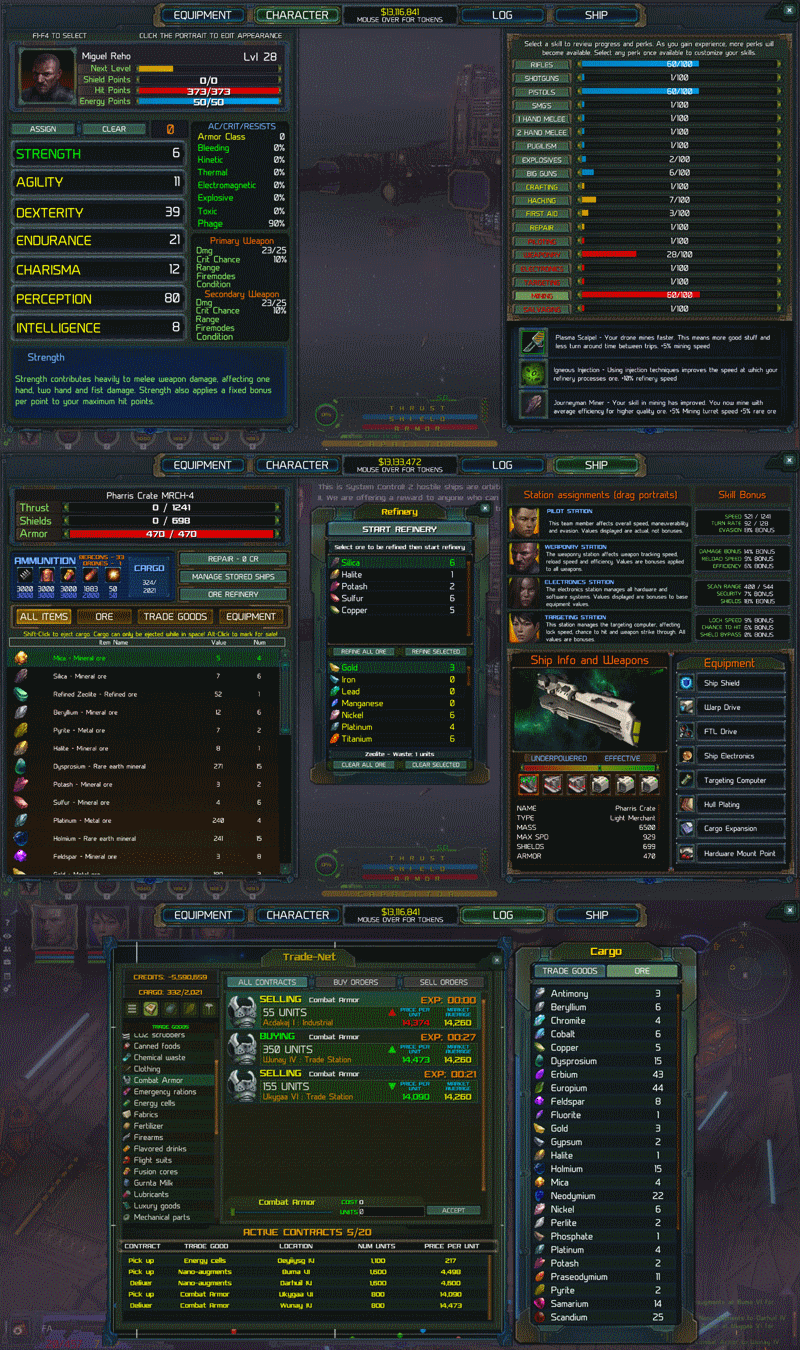
The Trade-Net is a marketplace where goods are sold by various orbiting stations across the universe. Trade Stations issue buy and sell contracts for goods required by the population of that system. These goods are transferred between orbiting stations and planetary colonies.
The Trade-Net is not available until you leave Achmedius and place at least one beacon near a Jump Point in another system. Once you place a beacon in another star system, Achmedius will be added along with any other star systems where beacons are placed. If you have already placed beacons in an existing save, the entire available Trade-Net will be visible when you load that save.
Trade contracts are delivered through the cargo storage terminal on stations. Cargo storage has been revised so it opens immediately without the need to purchase storage. If you want to buy cargo storage at a station, just open the cargo storage terminal and select the option to purchase storage. Delivering or retrieving purchased Trade-Net items is as simple as traveling to the station where the trade contract was placed and retrieving or placing the cargo in storage. The contract(s) are completed when closing the cargo storage menu. Cargo storage has a new area at the bottom of the UI that displays delivery contract information.
A few notes related to the addition of the trade-net.
Over time, the number of trade goods in any available contract on the trade-net are reduced as AI merchants accept orders.
Trade goods and refined ore cannot be bought from or sold to vendors, only traded via the trade net. These items will not be displayed in the vendor interface.
Mining and mining drones now have a slightly lower chance of collecting rare earth minerals and rare ore to offset market pricing.
The amount of ore retrieved while mining, especially at higher levels has been adjusted.
Mining drones sell ore at a reduced price now that the Trade-Net is in the game to balance the economy. Retrieving ore, refining it and then selling it is the most profitable path - however, automated drones still generate significant income.
Commodity merchants and ore vendors have been removed from trade stations now that the Trade-Net is implemented. They may come back as something new when crafting goes in the game. Ore can still be sold to vendors, though using the trade net to find the best price is likely more profitable.
The ore vendor on Hurzog Mining is now a general merchant. Scarby's dialog has been revised to reflect that.
If a beacon is placed in a hostile system, trade data is not streamed to the Trade-Net for that system. You cannot trade with hostile factions.
You gain a small amount of mining experience for refining.
Gas nodes on planets have been removed and replaced with mineral nodes. I may look at gas mining again at some point in the future.
Added Refining:
You can purchase and equip a refinery on your ship. Refineries let you convert raw ore to refined ore – a more valuable commodity. Refined ore is used for crafting items and across the universe for building stations, colonies, and goods. You can purchase and equip a refinery at any ship equipment vendor. Like all ship equipment, refineries are ship specific so you cannot swap them between ships. Refineries equip to your ships “hardware mount point”.
You can refine anywhere - in mission areas, in space, it doesn't matter - as long as you have ore in your cargo hold. So, you could have a ship with a large cargo hold full of ore and go complete a ground mission while all that ore is being refined.
Mining perks:
Mining perks have been added to the game. There are three lines - Drones, Refining and Mining. Each gives you bonuses to various functions of each of these utilities. For example, selecting drone perks will give you bonuses to drone mining speed and the quality of ore mined by drones. If you already have high enough skill levels in mining, you can assign perks to the skill line as usual in the character information screen. Just select mining from the list on the right and the perk choices will be available.
An important note, mining queues off the crew member assigned to the weaponry station. So, bonuses are derived from this crew member and the perks assigned to them.
Also, bonuses to the speed of your mining turrets are derived from both the level of mining skill and the perks assigned to the crew member in the weaponry station. Those bonuses are applied to your turrets reload speed. A high mining skill and selections from the mining perk line will produce ore at very high rates at high skill levels.
Smuggling deserves more than just a simple on/off switch. I'll be adding a bit of storyline very soon that will allow you to unlock smuggling. Contraband items are in the game now for the trade-net, however, they are hidden until I do a bit more work on this system.
There is now a very small chance that you will be attacked by hostile ships when entering a star system. You will be warned if this is the case and have a few seconds to put your shields up or micro-warp away from that area. The chance of this happening is slightly higher if you have active delivery contracts.
Guide entries have been added to the in-game guide for the Trade-Net and Refining. You can find the guide by pressing “H” and selecting the “Guide” button at the top of that screen.
General fixes:
FIXED: In large open areas, a very long path was generated in some cases for the selected PC that would cause the framerate to drop.
FIXED: In some cases, loot dropped by enemies could not be selected if the loot dropped on a stairway near a door.
FIXED: A dupe exploit related to cargo storage.
FIXED: Incorrect info displayed in a few rollover labels.
FIXED: A bug related to recruiting a heavy weapons NPC that would overwrite the primary PC's ranged weapon ammo type. This fix is not retroactive.
FIXED: You can now eject cargo while in FTL space.
FIXED: The cargo volume label at the bottom of the center ship panel now updates correctly as ore/cargo are added.
FIXED: The beacon icon in the lower left of the screen while in space now disappears correctly when moving away from a jump point.
FIXED: Drone menu in space and in the log->map window now responds to the ESC key to close the menu.
FIXED: Opening and then closing the Steam overlay would break movement at ground locations until ESC or a menu was opened or closed.
UPDATED: The cargo list on the ship info screen now updates every second. The number of cargo items is also updated.
UPDATED: When rolling over systems on the star map, system names in the info popup with a "*" next to their name have a beacon placed.
UPDATED: Cargo storage terminals now have a unique icon on the radar.
UPDATED: Adjusted rollover info for ship equipment so it's clear that the equipment fits ship type, not ship class.
Progress update - The Trade-Net
A progress update on the Trade-Net today. Things are moving along nicely and the universe-side code is completed. I'm wrapping up the UI and will start working on handling accepted contracts and deliver/retrieving contract trade goods this week. Here is a short video showing some of the work that has been done:
https://youtu.be/H3nHqWRliVc
The trade net uses a network of placed beacons. Beacons have been in the game for a while now and many of you may have fairly large networks of these devices. The larger the network, the more options you have to find the best deals.
Initially, these could only be used for fast travel between systems. You likely use them to travel back and forth between mission locations or to your favorite home system where you store goods and ships. With the trade-net update, these beacons will start sending data to the trade-net so you find the best places to buy and sell trade goods, ore, and refined ore. A ship with a good-sized cargo hold can make excellent money traveling between systems trading all kinds of goods.
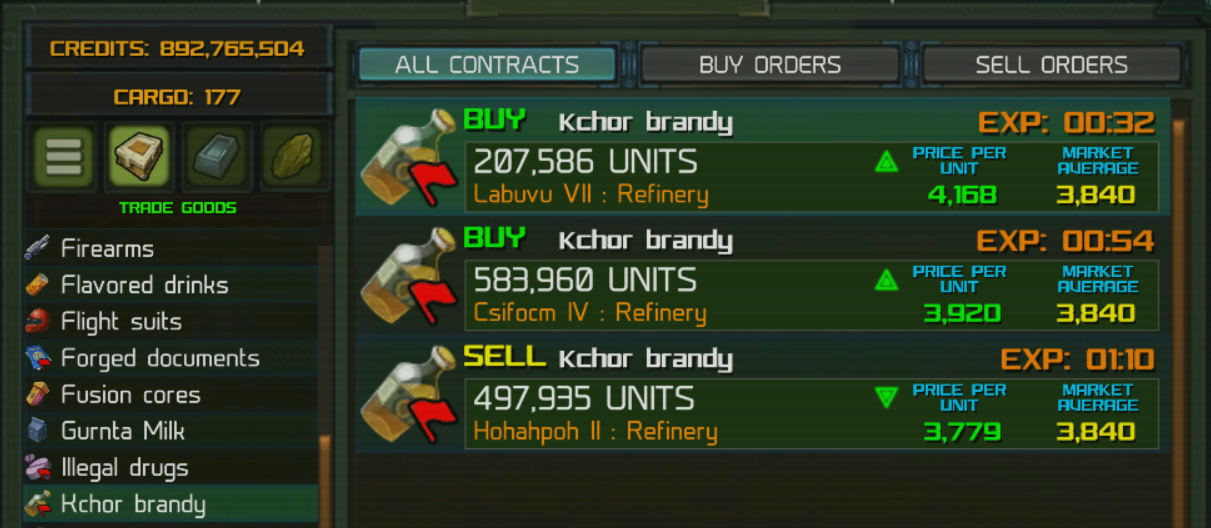
For those of you interested in smuggling, there will be an option to have your Trade-Net "hacked" so it will show contraband items (like the Kchor Brandy shown above). Traveling with these items in your cargo hold is risky. Raiders may spawn and scan your cargo, trade stations may force you to pay a fine if you have these goods in your cargo hold and will seize the items. A high electronics skill can help avoid detection. There may also be a few ship upgrades just for smugglers.
I'll keep you posted as I make progress. I'm hoping to get this out for everyone sometime in the next few weeks.
Meanwhile, here is a list of the latest patch notes since the last announcement. Thank you for supporting Stellar Tactics!
4/5/19
Stability fixes:
--Capped framerate at 60fps - I'll look into uncapping FPS during late alpha. In general, capping the framerate at 60 keeps the physics engine (and overall framerate) stable on higher-end systems with fast CPU's/GPU's and high refresh monitors. The game actually plays much smoother for me running at a 144hz.
--Clearing some dynamic data before level loads.
--Integrated the latest Steam API for stability, upcoming achievements and other plans I have for the game.
--Removed a few files that that game does not need (may have been causing conflicts on some systems).
FIXED: A bug related to autosaves on the Dauntless.
FIXED: A bug related to volumetric effect coloration in certain star systems.
FIXED: Rollover info labels are now displayed correctly when hovering over docking and landing icons.
UPDATED: Added additional info to the star system object list in the upper left HUD that displays the [NEAREST] jump point.
3/25/19
FIXED: When exiting Dauntless the game was generating two autosaves.
FIXED: When leaving the Dauntless, items equipped on characters other than the main character are correctly moved to the stash. FIXED: The number of items in ship cargo holds could be displayed incorrectly in rare cases. Cargo volume is now correctly displayed in the vendor UI, when viewed in the ship cargo UI and in purchased cargo storage. If you have a current save that displays incorrect cargo volume, this patch should resolve the problem.
3/24/19
FIXED: A display error for perk bonuses to the weaponry skill. Specifically bonuses applied to reload speed and efficiency displayed on the ship screen under "Skill Bonus"
FIXED: Targeting a planet and traveling to FTL space then clicking the upper right info panel even if it displayed "No Target" would display the info panel with bad info.
FIXED: Placing a beacon and then deleting another beacon would cause the beacons list to not display the most recently placed beacon.
FIXED: Display of number of drones deployed and in inventory in the log->drone UI
FIXED: The game would lock up while hacking if you had perks selected from the auto-hack line at higher levels (Mystic Keycard, Master Key etc.) when those perks were triggered.
3/18/19
FIXED: Rare random lockup when entering or leaving combat.
FIXED: A bug related to populating the star map search data based on your location in the universe. This could have made it hard to find purchased ships located at remote stations.
FIXED: A bug that would add an empty character between the save name and time played values in the save UI when overwriting an existing save.
FIXED: Deleting saves while in the save game UI could cause a bad entry in the save list.
3/13/19
Resolved issues with several instances where opening a menu and not closing it would cause the game to lock up. Specifically:
--Opening the Drone Manager from the log screen and then pressing the ESC key or any other key that would navigate you to inventory, character information etc. would lock up the game. Thanks again for the reports.
--Opening the "Reputation" menu from the log screen and then pressing the ESC key or any other key that would navigate you to inventory, character information etc. would lock up the game.
--A change to the core AI architecture
Patch 0.180 - The new drone mining system and 10 more ships updated
The new drone mining system is in the game. Here is how it works.
You can now purchase mining drones at any ship equipment vendor. The total maximum number of drones you can have active and on your ship is 20. Drones on your ship are transferred to any ship you are actively flying so, if you transfer to another ship, any drones aboard your current ship get transferred along with your cargo. Drones are fairly expensive, however, they pay for themselves in a few runs and are a great way to make money while exploring the universe.
Drones have a maximum capacity of 1000 units. When they are deployed, the drones fly to the targeted planetary resource node and mine until full. You can use the drone manager to manage your drones, check their status and set their AI (more on the drone manager below).
Drones have two AI states: Automatic – Drones will mine a node until full and then fly to the nearest station and unload and sell their cargo. You will get a notification when cargo is sold and credits will be added to your account when the transaction is complete. Drones sell cargo at the base universal average for any resource type. This option is ideal for players who want to earn extra income in a semi-automated fashion to pay for ship and equipment upgrades. If a drone sells a full cargo hold of ore, you will receive mining experience on the crew member assigned to the weaponry station.
Manual – Drones will mine a node until full and then set their status to “IDLE”. The drone will wait on the planets surface until you enter the star system the drone is located at and retrieve the drone. The drone will fly to your ship (assuming you have enough cargo space) and unload the drone to your cargo hold and return itself to storage. This option is designed for players who want to engage in the future trading and crafting features. They can then refine the ore and/or trade crafted items, raw and refined ore. This option will require a ship with a fairly high cargo capacity. If the drone fills its cargo bay, you will receive mining experience on the crew member assigned to the weaponry station.
Deploying a drone: To deploy a drone you will first need to scan a planet. If that planet has any resources they will be displayed on the planet map in the upper right corner of the screen. Higher skill in scanning will display more nodes if there are any and provide higher quality scan results. The higher the quality of the resource node, the more resources it has available to mine. Higher quality resource nodes also provide higher returns as they are usually rich in valuable resources.
Select the node on the planets surface and the “deploy drone” icon will be displayed below the planet info panel along with the number of available drones you have to deploy. Select the icon and a drone will be launched. The drone will fly to the surface of the planet, the node icon on the planet map will change to let you know a drone is assigned and the drone will be added to the drone manager list.
Retrieving a drone: Eventually, drones will deplete the resource. A drone with a depleted resource (or a drone that was set to manual that has a full cargo bay) will be displayed in the Drone Manager as “IDLE”.
To retrieve the drone, fly your ship to the system where the drone was deployed, select the drone in the list and click the “Retrieve” button at the bottom of the drone manager. The drone will return to your ship, unload if it has any cargo and set itself to storage. The drone will be removed from the drone manager.
Drone Manager The drone manager can be accessed while in space via a new icon in the lower left of the screen. You can see how many drones you have and how many are deployed. Every deployed drone is listed and selecting any drone will show you it’s current status ( mining, traveling, idle etc.).
You can also access the drone manager from the Log->Map in space or when at stations or mission locations. Selecting a drone will center the map on the system where the drone is deployed.
If you select a drone while in FTL space, the system the drone is located at will be selected in the upper left system panel making it easy for you to target and approach that system for drone retrieval.
NOTE: Currently “Gas” nodes retrieve ore. I’ll make the changes needed to harvest various gas nodes when I get the trading system in the game.
There is a new in-game guide entry for the drone mining system.
Thanks as always for supporting Stellar Tactics and have a great weekend!
Patch 0.177 Stability and player suggested QoL updates
Hi all! I decided to set this week aside for a major update to the loading code, QoL improvements suggested by the community and a number of urgent fixes. No screenshots this week, just a bunch of things you've asked for that I needed to "get done". Here are the updates and fixes. Hope you all have a great weekend and thanks as always for supporting Stellar Tactics!
UPDATED: Improved loading speed when moving between areas.
UPDATED: Autosaves now take place before transitioning between areas.
UPDATED: Autosaves are now displayed at the top of the load/save menu under the quick-save slot. You can no longer overwrite or delete autosaves.
UPDATED: When saving over an existing save game, that save games current name is displayed by default with a new time stamp in the save confirm dialog.
UPDATED: Increased the animation speed when swapping weapons.
UPDATED: Ship equipment merchants will always carry at least one mining laser.
UPDATED: NPC ships can now be intercepted when micro-warping.
UPDATED: Added new logic for approaching NPC ships so you follow at a distance once in range. This should make intercepting ships in star systems much easier.
--Reduced the speed of NPC ships that are micro-warping to destinations so you can intercept.
--When you are micro-warping and you target a ship and press the "Approach" icon, you will now approach that ship and match that ships speed once you are in attack range.
--If you target another ship or stellar object, you will accelerate back to full micro-warp speed.
--If the targeted ship arrives at it's destination while you are following the ship, you will drop out of micro-warp in range of that ship.
UPDATED: Increased the frequence of drops for several rare mods (Frequency Modulators and Projectile Weapon Barrels).
UPDATED: End turn options now have dedicated key binds:
[1] - Delay Turn - If you have a full bar of AP, this option will let you delay your turn in the turn order.
[2] - Defend - A chance to reduce or completely mitigate the next attack on this character.
[3] - End combat turn
UPDATED - When you are ready to end your turn, you can now press [SPACE] a second time to end your turn so you do not need to manually select a end turn option. This is the same as selecting the new keybind [3].
UPDATED: Another tweak to the number of ships traveling to/from systems.
FIXED: Fixed a rare random lockup when transitioning between areas. This includes a major overhaul of the loading code when transitioning between areas. If you have any issues moving between areas, please post on the bug forums. I've tested this heavily and everything seems to be working as intended. I'll keep an eye on the bug forums over the next few days to make sure the new system is working as expected for everyone.
FIXED: A rare bug related to high faction levels not populating the system object list (upper left menu when in space) correctly.
FIXED: A rare bug related to high faction levels not displaying correct faction information in faction UI on the star map.
FIXED: The names of equipped devices are now correctly displayed when rolling over the icons on the tool bar.
FIXED: Particle systems were not triggered when launching to space when you first recieve your ship.
FIXED: If a rollover tooltip is visible and you leave a menu using the ESC key, that tooltip is hidden correctly.
FIXED: A visual glitch in the new game cinematic when exiting the crio-chambers.
FIXED: When starting a new game, after the intial cinematic, you will not be able to edge scroll until your implants are activated. You can also recenter the camera on your crew with the "Q" key and access the help menu "H".
FIXED: You can no longer select the end turn option "Delay Turn" if you do not have a full bar of AP.
Patch 0.173 - 10 more ships updated and a few fixes
Another patch today. I'm updating 10 more ships and posting a few updates and fixes. Patch notes are fairly short as I spent most of my time getting the updated ship models in the game this week.
I have one more set of 10 ships ready to implement and will get those in for the next patch, likely a week or two before that's ready. The next patch will also include the new planetary resource mining system.
Here are the notes for fixes and updates:
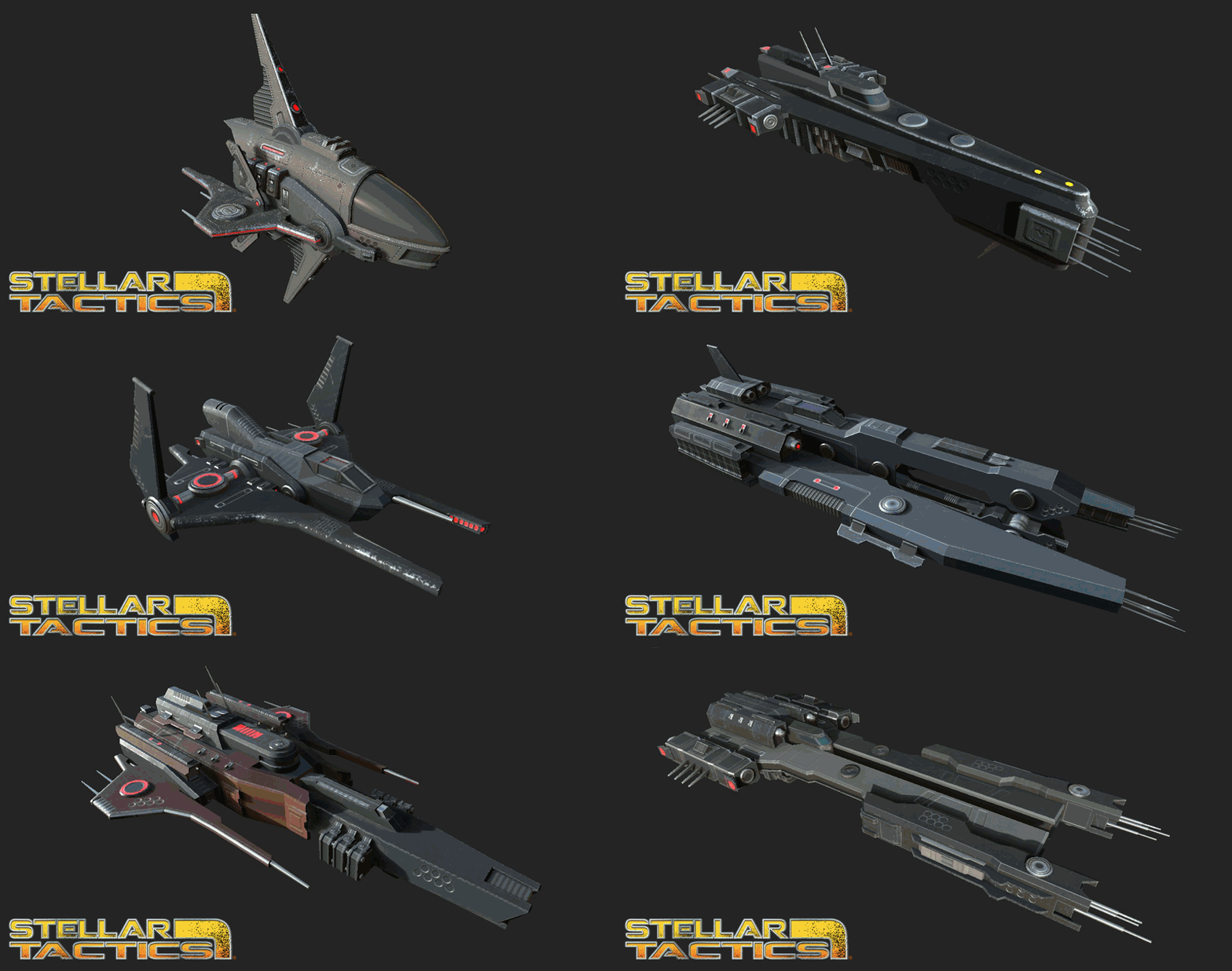
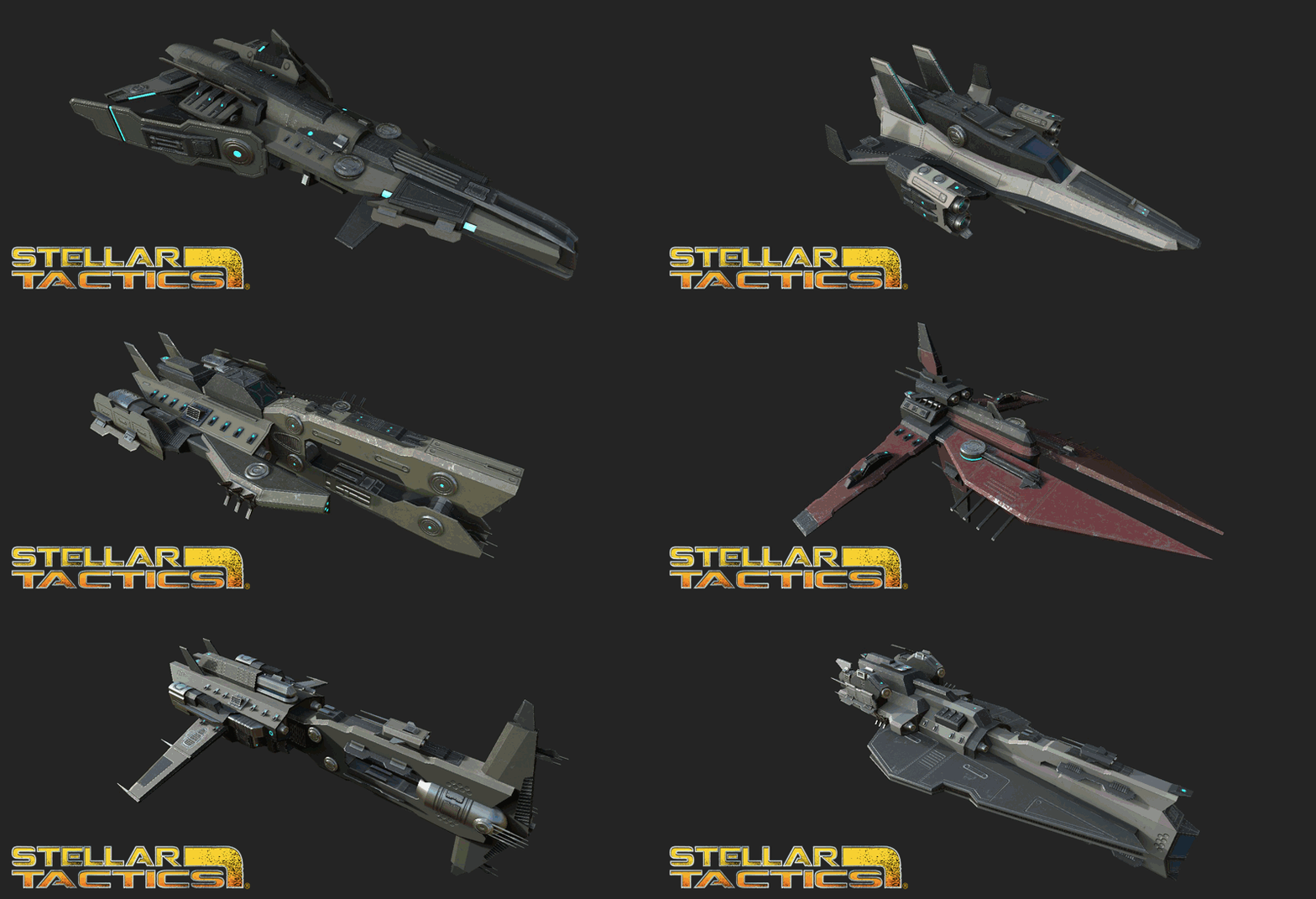
UPDATED: Another 10 ships have had their models replaced with final ship models
UPDATED: A higher chance for rare and legendary items from elite ships
UPDATED: Drops from elite ships are more likely to be items you can use on your current ship
UPDATED - Better handling of AI ship traffic between systems - still working on this
FIXED - Turret mount points are now hidden correctly when a ship explodes
FIXED - Ship engine lights now scale correctly with the power to engines
FIXED - A bug related to ships spawning into star systems
Hope you all have a great weekend and as always, thank you for supporting Stellar Tactics!