Welcome to 2024!!! You thought I'd finally left? Nah, Steven the Sperm forever, baby! If STS was an actual child, it'd be in kindergarten or first grade by now, and much like that theoretical child, STS has been getting better and better over the years! So for this update, I figured I'd keep that development up by adding some pretty sweet quality of life improvements to the game's more system-level stuff.
CHANGELOG
Major Changes
PAUSING! You can now pause the game using ESC on keyboard or Menu on controller! From there, you'll see a menu which lets you resume from being paused, restart the stage, go back to the title screen, or quit the game. A new related feature and a useful note:
A new "Back" button has been added, which behaves like ESC did in previous versions. On keyboard it's set to Backspace, on controller it's set to Back (obviously lol)... if you press it during a stage, you'll be asked if you want to return to the title screen. Hitting it again or selecting the green check mark will then take you there. You can also press either Back or Menu on Options, Extras, or the High Scores screen to return to the Title Screen, and pressing either button there will quit the game.
Using the Restart Stage pause option, you can now choose to replay a stage from the beginning without having to turn checkpoints off. In previous versions, if you had checkpoints on, got one, then decided you wanted to try the stage fresh, you would've had to toggle the checkpoints option to delete the data. Now you don't have to! This also means that if you complete a stage and get an unsatisfactory time, you can just pause, reset, and try again!
YOU CAN NOW NAVIGATE THE MENUS WITHOUT THE MOUSE! With this update, STS has complete controller support! ...unless you wanna change the volume, but eeeeehhhhhh...
New volume change display, and the game will save and load your set volume between sessions! Pressing + or - to raise or lower the volume respectively now shows you the volume level on the bottom of the screen in a retro TV fashion, and the game will actually save this value to be loaded next time you start the game. Also, you can no longer set control keys to the volume buttons.
Minor Changes
There are now control hints over the navigation buttons which tell you what key uses it. This explains the shortcuts for buttons such as the green back and blue forward arrow. You can disable these hints on the Options screen under 'Controls'.
The mouse cursor will now always hide when any key/button is pressed. The option to change this has been removed to simplify things, because now that you can navigate the menus with the keys/controller, the mouse isn't as necessary.
Pressing right no longer submits buttons (like when you complete a level). This was a legacy feature from an earlier version when I thought I was being fancy and revolutionary, but really it just meant that you'd accidentally skip stuff while fidgeting around, which really sucked. So now it's fixed!
Flashing text will now appear to tell you what to do in a certain spot. Being vague to avoid spoilers. This makes the part more fair, but also more exciting and fun.
You can now revisit the screen which displays when you complete all the game's main challenges. I've also reverted its behavior back to earlier versions, where the game closes completely before displaying it. This makes it more suspenseful and surprising versus just popping in. If you don't know what I'm talking about - there's still more for you to discover!
Added a drop shadow to the ingame mouse cursor.
Bugfixes
Stage 4 will now load your checkpoint correctly. This was a pretty nasty bug... the game would load which sections you've completed incorrectly, and if you redid a section, you wouldn't be able to beat the level. Things load correctly now.
Fixed the dash not working if you use it immediately as a stage loads. Previously, if you were mashing the dash button as a stage starts, you'd hear the dash sound and expend the meter, but Steven wouldn't move. This update fixes that issue.
You can no longer enable a certain mode before its unlocked. I can't believe it man. Before this update, if you hadn't unlocked the mode but clicked where the button for it is, it would turn on.
The "Achievements" 3D text now properly spins when visiting the screen in the Extras menu.
The object that creates a white fade effect in certain cutscenes is now hidden. I'm out here playtesting the menu controls, and I just see this random white square in the top left corner... oops.
Phew, that was quite a bit! This update took about 3 days of constant work... it was worth it though! I graduated college early so this is basically my job now. Hope you existing players love the additions and fixes, and hope you new players have an even better time starting out than everybody else did!!! ...oh, uh, yeah, not that your start was any less awesome, "everybody else"...
...since you're actually reading the changelog, here's a little unused graphic, just for fun: I was thinking I'd show that in the top right corner whenever the game saves your data, but I figured it'd be more distracting than helpful. Steven with a 5¼ inch floppy... reminds me, I haven't been doing the sex joke thing in these lately.
See y'all later! As usual, let me know if you encounter any bugs or have any comments.
EDIT: Shadow update on April 1st - fixed the cursor not working after completing the game and going back to the title screen.
FIVE YEARS OF STS - Check out STS Classic to celebrate how far we've come!
So. You know what day it is. That's right, you read the title,
It's National Gamer Day!!!!! YIPPPEEEEEEEEEE!!!
...or wait,
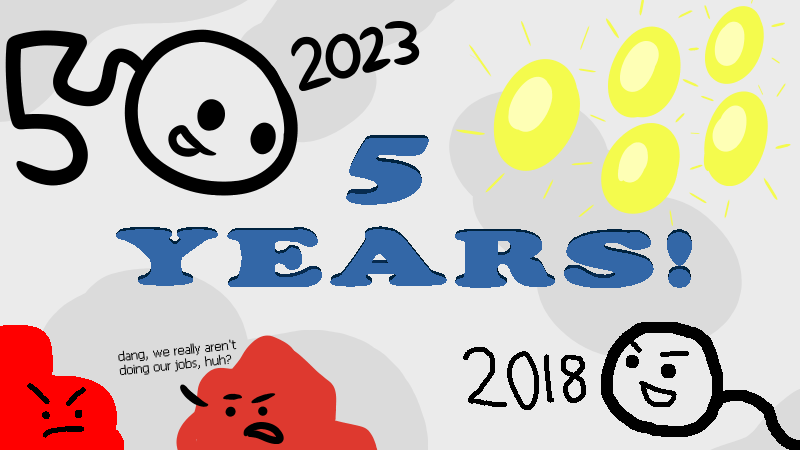
It's Steven the Sperm's fifth anniversary here on Steam!
I've said it before and I'll say it again - this whole experience has been super cool, and I thank all of you for coming out of nowhere and playing. I hope STS has provided hours of sometimes-rage-inducing but satisfying and challenging gameplay, and I always love seeing videos and screenshots and reviews of the game, and even bug reports to help me tighten up the game even further.
Looking back on it, it's crazy just how far the game has come. When I first released it, I didn't think I was going to update it much. But then, slowly but surely, more and more things were added and improved upon, eventually leading to the 2.0 update, which would've been unthinkable back in 2018. But I did it to make the game better, and now, I have something I'm truly proud of, and that I think feels pretty professional.
So, that got me thinking about the past. Five years... has it really been five? That's when I remembered - STS had actually existed before being on Steam.
It was a little detail I had forgotten. The early versions of the game weren't really on ANY major game platform, instead being distributed amongst my friend group and on file sharing links hosted on websites I used free website-makers to publish, essentially stranded on a deserted-cobweb of the Internet.
Dusting through these old cobwebs, I discovered the ancient torture device known as "Steven the Sperm Classic". Devised in 2017, this version of Steven the Sperm man... hoooooo boy, It's best I don't tell you, because...
To celebrate this anniversary, now you can experience the first ever version of Steven the Sperm yourself! For free!
Interested? Click the image or the link below to check it out over on Itch.io!
It's over on that platform since I figured not everybody on here is gonna want to play it, so I figured I'd spare the disk space. It's also not DLC since, as you'll see, it's very... historical, so I don't think it exactly fits that.
But anyways, I hope you get SOME sort of enjoyment out of it and think it's cool! Again, thanks for five awesome years!
Update 2.1.4 - Look Back on Your Achievements
If you think about it, every birth is an achievement. So for this update, take a second to reflect and look back on everything you've achieved:
CHANGELOG
Achievements you've unlocked will refresh with Steam once you enter the Achievements screen on the Extras menu.
Thanks to player "Duck" for letting me know about issues with the achievements. I too can relate to playing certain games, working hard to get an achievement, then not having them unlock with the online service... so hopefully this update will provide at least some way to fix things if that happens. Let me know!
And thanks to everyone for playing! Again, if anything comes up or you just have any questions, leave a comment on one of these updates or make a discussion post!
Update 2.1.3 - ANOTHER 'Cursory' Update!?
Never would've thought there'd be two updates in a row dedicated to the cursor, but it is what is...
CHANGELOG
You can now toggle whether the cursor will hide itself when buttons are pressed. This is set off by default.
Ingame cursor will no longer jitter when its visible while the screen is moving.
If cursor hiding is enabled, the cursor will no longer disappear when pressing buttons to navigate certain menus.
While leaving the Options or Extras menu, you can no longer interrupt the process by picking an option while the button sound plays. Very niche update, but one nonetheless.
I only ever had the cursor hide itself since it would jitter on the screen, but now that that's fixed, I figured I'd give you the choice on whether to hide it or not, since I know (from experience) that it can be a bit annoying at times. See you next update!
Update 2.1.2 - A 'Cursory' Update
This update will help keep your pointer in your pants... or window... or whatever.
CHANGELOG
The cursor will now become invisible if any button is pressed. Now you don't have to move it offscreen!
You can now choose whether to use STS's cursor or the system default. - go to "Options", "Controls", and tick the "Use System Cursor" box at the bottom of the screen. I remember I thought it was so cool when I first implemented that custom cursor, but I realize now that some people might have their own cursors they'd want to use, whether for fun or for usability/accessibility.
You can now manually stretch the window size. This was originally prevented for the sake of keeping the graphics on nice multiples, but I figure if you want to stretch it you should be able to - you can always reset it by going to the Window Size option in the options menu.
I got the opportunity to test STS out on the Steam Deck when my bro brought it over, and everything seems to be working just fine - but the cursor staying on the screen caught my eye, and I realized there was yet more work to be done, so here we are.
Let me know if you encounter any bugs or anything else that should be fixed up! Thanks for playing!
Update 2.1.1 - Proton-based Linux Support! (Thanks to MORE save data updates!)
Whew, it's been an busy 10ish days for STS updates! I'm back with yet another save data update, and I know at this point you might want someone to save you from the save data updating, but I promise this is the last one, and it helps enable something pretty cool... that being Linux support! Read on:
CHANGELOG
Linux support using the Proton Compatibility Layer! This requires yet another save data update, so much like last time, existing players will see another popup informing them that their save data has been updated. Proton didn't like the way data was saved in the previous versions, so it couldn't read it properly, leading to a plethora of issues. With this update, data should work between both Windows and Linux, and don't worry - whether you run this update on either platform, and whether or not you've run the game during 2.1.0, your data will be properly carried over.
Fixed an oversight where the Options menu didn't load the user's choice on disabling the dash meter fill sound.
A short delay has been added to changing the "Select" control option after changing a previous control option. This is to prevent the select button from firing off again as its set.
As you can see, I managed to get a few little bits of usability updates in there as well, so everybody wins. Hope you Linux users will enjoy being able to explore the majestic and epic world of Steven the Sperm! Everybody else... well, you've already been experiencing peak gaming, so you may continue on as usual kings/queens/spermatozoons. 👑
Update 2.1.0 - Save Data Improvements
Another update so soon? Yep. Insert sex joke about a "refractory period" here. Consider this the "save data" update, but also the "apology" update, as you'll see.
CHANGELOG
Major Changes:
Moved Save Data location.Note that players who've played the game before this version will see a popup when starting the game, informing them that their data has been moved. The old location was in a "Save Data" folder in the game's directory, which could cause access issues for certain machines and prevents muliple user profiles for the same PC, so it's been moved to %Appdata%/PJSim/Steven the Sperm.
Steam Cloud support has been added! Implementing it was actually pretty easy... better late than never. Just goes to show you, always actually try to do things before deciding they're too hard.
Minor Changes:
Aspect ratio is now kept in fullscreen mode. I have no idea why I didn't fix this earlier, seeing as how the main monitor I use here at college is 16:10, and I'd always noticed how it looks bad all stretched out in fullscreen lol... but hey, it's fixed now!
Changed the name of the "Windowed Resolution" option to "Window Size". The game's resolution is 720p and the options only change the way it displays, not the actual internal resolution, so this rename makes that a little more clear.
So yea... the story behind this update is a bit funny actually - I was playing around with Linux and trying to run STS on the Proton compatibility layer, and everything worked... EXCEPT for the dang save data. I was so frustrated, and it wasn't until I started thinking about how I was gonna handle data in an upcoming project of mine that I realized most game developers keep their save data out of the game's executable folder for a reason - because there's a chance the game is installed in a read-only location, or at least one the game won't have permission to write to. Oops. So I crafted this lil' update together to fix the data, as well as some other little things I noticed. (EDIT: The game still doesn't work in Proton tho lol rip but whatever, it was still worth updating)
Anyways, here's to yet another leap that makes STS even better! It's always super satisfying to make updates like this. Hope you get the same satisfaction playing the game!
Update 2.0.1 - (A late) Welcome to 2023!
Did you know that there's no limit to how long sperm can be stored when frozen, as long as it's properly stored inside liquid nitrogen? Well, while I don't think liquid nitrogen has anything to do with it, Steven the Sperm is still here for a 2023 update!
CHANGELOG
You can now disable the sound that plays when the dash meter is filled (the slurping noise). Change it under "Options", "Gameplay", and "Dash Meter Fill Sound".
Stage 3:Fixed enemies not spawning under certain conditions, and removed a loose mobile spermicide that was stuck in a wall.
Stage 4:Fixed enemies not spawning under certain conditions.
Grammar correction for dialogue in the opening story cutscene and a possible ending.
Updated copyright dates & #MadeWithFusion logo.
Hope you all have been enjoying STS! Feel free to make some comments and community posts if such a thing comes across your mind. I've been busy with college as usual so I haven't had much time to get other projects off the ground, but I'll be sure to keep everyone updated on any future games, as well as updates for this one. See ya!
Steven the Sperm: VERSION 2.0!
It takes 6 months to develop a baby, but it took about a year of on-and-off work to bring you this update, so that must mean it's twice as good as an actual human child! …or maybe that's not a good way to phrase it, but you get the picture.
But yep, you saw the title - Steven the Sperm has now reached version 2.0! Lots of games don't even reach that point! I bet you're wondering what this means - well without further ado, I present you with:
THE CHANGELOG
Major Changes
ENGINE UPDATE! Steven the Sperm now uses the Clickteam Fusion 2.5+ engine! My greater experience with this engine allows me to bring you all the updates listed below, as well as provide better performance (both from an engine standpoint and a personal optimization one), and a RIDICULOUSLY smaller install size:
CUSTOMIZABLE CONTROLS! If the default arrow key/WASD or Xbox controls aren't to your liking, now you can change them! It's also worth noting that the Xbox controls will let you enable a left-handed/'southpaw' layout which uses the right stick for moving and the d-pad as buttons. Check out the section on the revamped options screen.
TIGHTENED MOVEMENT! In 1.x, there was a slight delay between rotating and actually moving in that direction - this was especially noticeable while dashing, creating a sort of unruly 'swinging' effect. In this new update, rotating will now instantly change the direction of your velocity, making movement much more precise, predictable, and smooth. Veteran players may have to slightly readjust their muscle memory, but new players will have a much easier time learning to control Steven.
INGAME ACHIEVEMENT TRACKING! Getting an achievement will now create an in-game popup with the title, description, and reward. There's also a new achievement screen which will help you figure out which achievements have been unlocked for your save file, and what the requirements are to unlock each. Much easier than having to open up the Steam overlay and remember which ones you've already unlocked, especially if you've already gotten all the achievements before.
Minor Overall Changes
Improved visuals in some areas. Some of the hand-drawn graphics in 1.x like the "Skip/Next" buttons and "Stage Complete!" text were particularly ugly and clashed with the rest of the game, so they've been replaced with nicer alternatives. The high score screen also no longer has a bunch of random crap flying around it, making it easier to read. Along with those, there's also other minor improvements like nicer quality backdrops on stages, fixes for some errors on a few of the story slides, re-drawings of a few red notification circles, and improved placement for buttons and text.
Volume can be toggled with the + and - keys. No more fiddling with the volume mixer! The game starts out at max volume.
Added the option to skip death animations. If you don't want to wait for death animations, you can turn them off in the Options menu. When you die, the stage will immediately reset.
Next/Skip buttons can now use whatever you have set as the "Select" button (space or Z by default). In 1.x, they were set to either clicking or moving right... this sucked and was really confusing, so now you just use "Select" like every other game on Earth. The old methods still work though, so don't worry if you're used to it.
Checkpoints can now be used in the stage select. Just note that they won't save if you quit the stage.
When the boost meter is refilled, a sound will play. Helps for when you're in a high stakes situation and don't have time to look at the meter... which is all of the time. No more spamming the dash button hoping it'll work!
Time requirements for medals have been adjusted. Times that ended on strange numbers like "1:26" are now more standard ("1:25" instead), except for the final stage where the time is based on an enemy.
Improved cosmetic tracking. In 1.x, head and body cosmetics were basically just plastered over Steven with no care to actually follow his bodily movements when he swims. Now they do. Wahoo! I also added a cool new animation for when you die with some cosmetics you unlock from 100%ing the game, and the blue body cosmetic is a lighter shade so you can see Steven's face.
Feature & Stage Specific Changes
The High Score screen now plays a sound and highlights the entry when your score/time is on the board (or not), and two special songs can play depending on if you get a #1 score versus a #1 time. The former helps you know if you're even on the board, while the latter gives a nice little flavor.
Enabling something will no longer change the pitch of the music. Keeping it vague to avoid spoilers. This might be the most controversial change of this update, but I felt that the downwards pitch shift in music created a tone that was more depressing than fun. I kept the shift on the Title Screen though, since it's funnier in the short time you're on it.
Much improved Tutorial. Gone are the stupid pacer test bells and screen overlay with confusing, multi-sectioned button prompts and slow-mo until you fulfill them. Now the tutorial is actually understandable and doesn't destroy the pace. Buttons for both keyboard and controller are shown comprehensibly, and the explanations on how to play are better. The tutorial also now explains what the white cells do.
Various small improvements for Stage 5. Added back the checkpoint, zoomed in the camera just a little more, and completely changed the challenge when you enable a feature.
Huge Improvements on the final stage. Added back a little intro section from an early beta that ties it in nicely with the previous level. Most importantly, the physics for the stage's enemy and their phases have been tweaked to be more fair and less glitchy, helping balance the more random elements of the stage to make it more enjoyable yet still challenging. Also, the hidden help mode that was available if you failed too many times has been removed, so now you have to actually play the game. As for the other help you can unlock, the timer will now pause when it appears, so you don't have to worry about losing any time from it.
Changed what happens in 5 Challenges when something is enabled. Again, no spoilers. It's really cool and something I was only able to do (within my skill level) with the game engine switch, so make sure to check it out when you're able to.
So, those are the changes with the 2.0 update! I think they go a long way in making the game feel much more complete. There were a few things in 1.x that I thought were bad or flat out unacceptable, so I'm extremely proud to bring all the changes above.
It's shocking to think that Steven the Sperm came out all the way back in 2018. Believe it or not, while the whole "about a year of on-and-off work to bring you this update" thing I wrote at the beginning is true, this 2.0 update actually dates back in concept to late 2019 - so technically it took about three years for this update to come to fruition! I had a basic engine port back in 2019, but it wasn't until last year that I decided to focus in on making 2.0 happen and add in all the stages and things. I've been extremely busy with college, and since I'm only one person with no budget to hire programmers and artists and etc, making games is a very difficult and time consuming process for me. But I'm happy to finally have this update out - yes I could've been working on other things, but STS really needed this facelift and I'm happier to have a better product as my first that I can provide everybody.
I sincerely hope everybody has fun with this new update! Be sure to let me know of any glitches or bugs I may have missed.And a huge thanks to everybody who has ever, or will ever play! We're coming up on four years of STS, woohoo!
Update on macOS Support
This is a somewhat serious and important announcement, but it does spoil/hint at something coming in the future, so:
IF YOU DON'T CARE ABOUT THE MAC VERSION OF STS, THEN DON'T READ THIS ANNOUNCEMENT ANY FURTHER!
But for the rest of you... hi. Let me get straight to the point:
Support for macOS will be dropped for future versions of Steven the Sperm from here on out.
"Why?", you may ask. Well - and this part of the spoiler I was referring to - there's going to be some engine changes to STS that will provide great benefits to the game. The problem is that this engine, unlike the Unity engine STS has used so far, doesn't natively support macOS. So, it came down to this - is it worth making the game better for Windows only, or keep it the same for both platforms? In the end, I chose the former - I figured that if I could make the game better for the large majority of players, it would be worth switching the engine (as well as because of my other personal gripes against Unity that made me want to get off it, but I won't get into that here).
Theoretically, I COULD support macOS at a basic level with an extension for the engine, but it wouldn't support the engine's Steamworks integration which is Windows only, meaning that Mac players wouldn't be able to get achievements on their actual Steam account, and that just sucks. And either way, the update won't transfer over your save data due to the engine differences, so you might as well just move over operating systems.
It doesn't really matter much anyways, since the amount of people who play STS on Mac are extremely few - I'm pretty sure only like 5 people have played it in the past year - and I honestly doubt that any of those individuals don't also have a Windows installation somewhere where they could just play the game instead, whether it be something like a Windows virtual machine, or a Windows Bootcamp partition. Mac is notoriously bad for supporting old apps, whether it be the whole stupid no-more-32-bit-apps decision (which is dumb even more so if you're like me and have an Intel Macbook with an x86 processor that can't downgrade to any 32-bit supporting version :|), and numerous other stuff with OpenGL being depreciated and etc. Any Mac installation of Steam is basically just "invalid sign simulator" with all the games you can't play, so I highly doubt anybody will notice if Steven the Sperm doesn't support it. Meanwhile, Linux users can just easily play the game on Proton.
So yeah, that's what's going on. See you all again soon, and feel free to leave any comments if you have something to say about this.