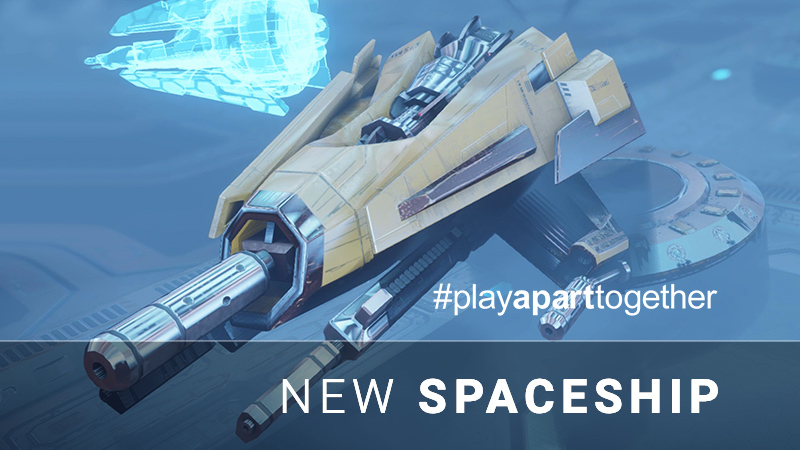
The tenth update of SUPERVERSE game introduces the new spaceship players can select to play with. Meet Osa.
Osa is the most powerful spaceship of all, equipped with the highest capacity battery, the ship that can carry two weapons and shoot from five barrels and it is protected with electromagnetic shield. However, all that power comes with a cost as Osa is slower to move and maneuver.
#playApartTogether
During these times of isolation and social distancing, you can still enjoy playing SUPERVERSE with your friends even if they are not in the same room with you by using Steam's Remote Play Together feature. This way you can run the game on your computer and invite friends online to join the co-op multiplayer SUPERVERSE.
Here's a quick guide on how to invite your remote friend and play together: https://steamcommunity.com/games/593110/announcements/detail/3032537193879549687
Bugfix on the energy barrier
We have managed to resolve an issue, actually two issues, that caused the energy barrier to be invisible sometimes and (not) render correctly.
For more detailed changelog read below.
[Update #10] 2020-04-18
Added • New spaceship: Osa.
Fixed • Energy barrier material cloning • Energy barrier rendering
Update #9: Crash fix
The latest update fixes a crash and makes muted game and voice-over sounds really silent.
For a more detailed list of changes please read below:
[Update #9] 2020-03-13
Fixed - The crash that could happen if the player shoots at or around the door - Muted game and voice-over sounds are not played anymore
Thank you for your support.
Update #8: Gamma display settings
The latest update adds support for adjusting the gamma correction of your display. This may be useful if the game appears to be too dark on your monitor, in that case, you can increase the gamma value in the video settings section and you will be able to see the darker parts better.
In addition to that FMOD Studio engine, responsible for sound and music playback, has been updated to the latest version and the game sounds are now preloaded into the memory on the game startup - this may have a slightly positive effect on the performance.
For a more detailed list of changes please read below:
[Update #8] 2020-03-06
Added - Display gamma adjustments added to video settings
Changed - FMOD Studio updated to v1.10.20 - Game sounds preloaded into the memory
Thank you for your support.
Update #7: 220+ game controllers supported
The newest update brings support for over 220 different game controllers with their buttons and axes mapping. If you own an Xbox game controller you may not notice a change, but if you own PlayStation 4 DualShock 4 controller or many other game controllers this update will correct the mappings of the buttons and axes and the controls should behave as we have designed them to behave.
In case you own some exotic piece of a game controller that is not yet supported by default, or if they are simply not by your liking, you can always change the mappings using Steam's Controller Configuration.
For a more detailed list of changes please read below:
[Update #7] 2020-02-22
Added - Support for over 220 different game controllers with their buttons and axes mapping, including PlayStation 4 DualShock 4 controller among many others.
Fixed - Jitter visible during player's ship rotation using the analog stick on a game controller.
Thank you for your support.
SUPERVERSE Soundtrack & Game Bundle released
We have released the original soundtrack from SUPERVERSE game, composed by Dejan Subotin. In addition to that, the game + soundtrack is available now in a super-cheap bundle.
The focus of our work on the game recently has been on polishing and improving the details that we have identified as imperfect during the initial period of game's Early Access life. As a result, this update brings improvements in the performance and stability of the game.
For a more detailed list of changes please read below:
[Update #6] 2020-02-06
Added - Performance of gameplay increased up to 15% in some situations
Changed - Optimized rendering and destruction of bullets and lasers - GLFW updated to v3.3.2 - FMOD Studio updated to v1.10.19
Fixed - Explosion texture resolution - Missing texture restored - Asteroids stuck in other objects
Thank you for your support.
Update #5: Xmas patch
This little game update brings corrected instructions for joypad/gamepad controls.
We wish you a Merry Christmas.
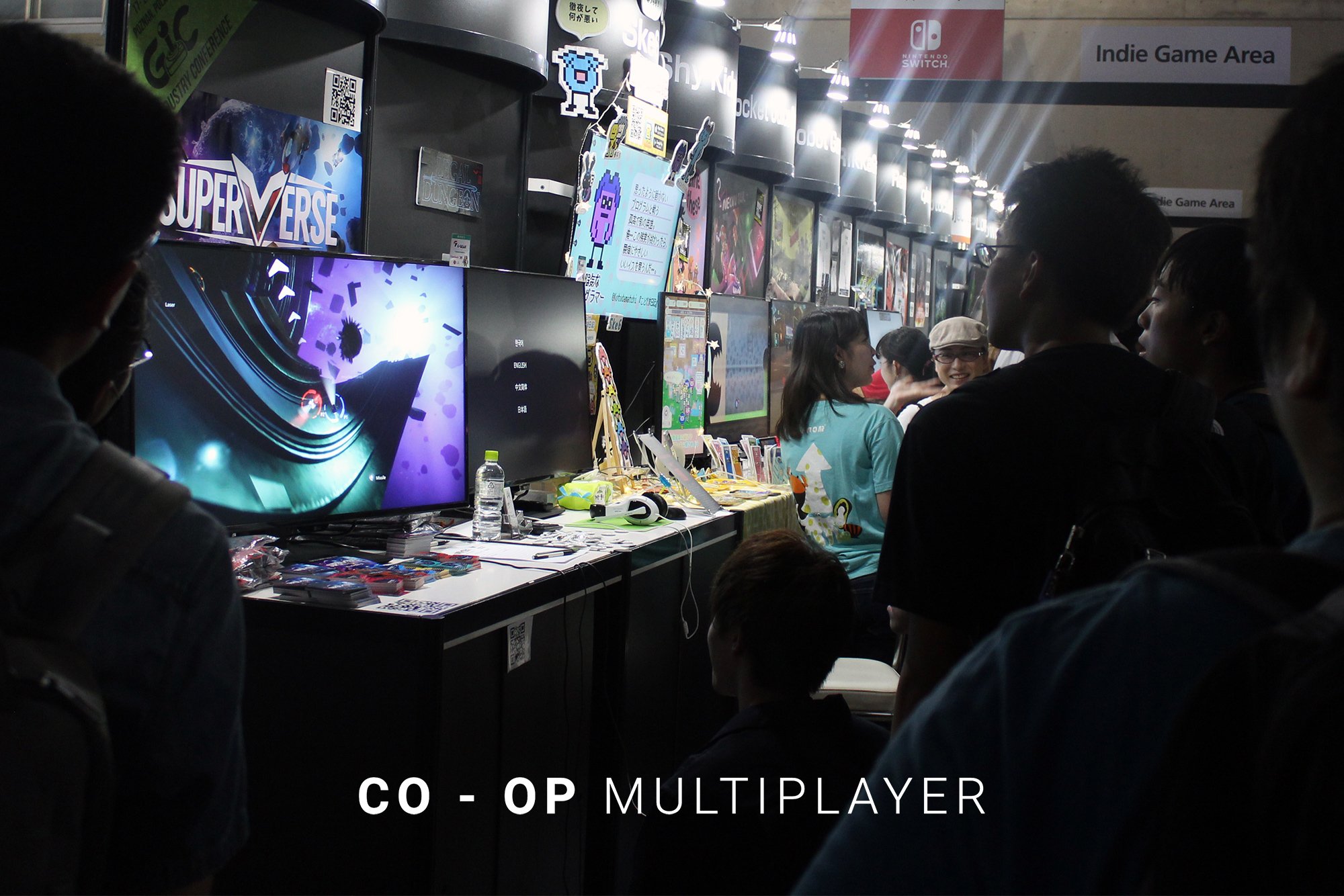
Co-op Multiplayer
Update #4 brings a highly anticipated Local Co-op Multiplayer mode to SUPERVERSE game.
How to play Up to 4 players can play the game together on the same computer. In co-op game players are represented by distinctly colored HUD (blue, red, green and yellow) and P1 to P4 icons above spaceship.
Joining the game To play co-op, begin new game by selecting Play from main menu, the same way you would start the game for single-player mode. Select the spaceship and game will launch as usual.
Another player wishing to join the game should press FIRE button on the game controller (typically the green 'A' button on Xbox compatible game controller) or on the keyboard (SPACE / ENTER / CTRL). This will bring up the spaceship selection screen. Player can select ship and color and join the game.
Leaving the game At any point player can leave the game and allow others to continue playing by pausing the game, entering the in-game menu and selecting Leave game P2 (where P2 refers to player who will leave the game).
Respawning In case the player's spaceship gets destroyed, its core AI program will be preserved in the Spirit pod. Other players may continue playing, but they may also choose to resurrect their companion by salvaging spirit pod. This will respawn spaceship and put it back in action. When level is successful finished all players will again respawn in next one.
Remote Play Together
You can enjoy playing SUPERVERSE with your friends even if they are not in the same room by using Steam's Remote Play Together feature. This way you can run the game on your computer and invite friends online to join the co-op multiplayer SUPERVERSE.
Here's a quick guide on how to invite your remote friend and play together: https://steamcommunity.com/games/593110/announcements/detail/3032537193879549687
Introducing new spaceship
We proudly present Soko, fast and agile, but still well armed and powerful, state of the art spacecraft.
Keyboard controls extended
We have extended the keyboard controls scheme with additional keys for easier playing on some setups:
SPACE key can be used for firing from the primary weapon, in addition to CTRL and ENTER.
SHIFT key can be used for firing from the secondary weapon, besides ALT.
PAUSE and ESC keys can pause the game, enter the in-game menu, or be used to navigate back in the menus.
Other updates
Update also brings improved stability and minor game balance changes.
FMOD Studio sound system has been updated to the latest version, which solves several crashes and bugs. This should resolve the issue where the game sounds went silent suddenly, but music and voices could still be heard. Please let us know if you experience such a situation again.
For more detailed changelog read below.
[Update #4] 2019-12-17
Added • Local Co-op Multiplayer mode, up to 4 players. • New spaceship: Soko.
Changed • FMOD & FMOD Studio updated to v1.10.18. • Crystal item recharges the energy of every ship to 100%. • Camera updates to support multiple players.
Update #3: Adjustable video post-processing level
The new updated version of SUPERVERSE game is available. This version brings the following:
[Update #3] 2019-12-09
Added • Option for adjusting the level of video post-processing added to Settings > Video menu. This option is set to HIGH by default. Setting it to LOW disables motion-blur, depth of field and light shafts visual effects and improves the performance.
Changed • Game content and difficulty balance slightly changed.
Nomination for The Steam Awards
Nominations for The Steam Awards have begun. Help SUPERVERSE get noticed by nominating it for "The Outstanding Visual Style Award".