Road markings and Path Editor in publicbeta (v100)
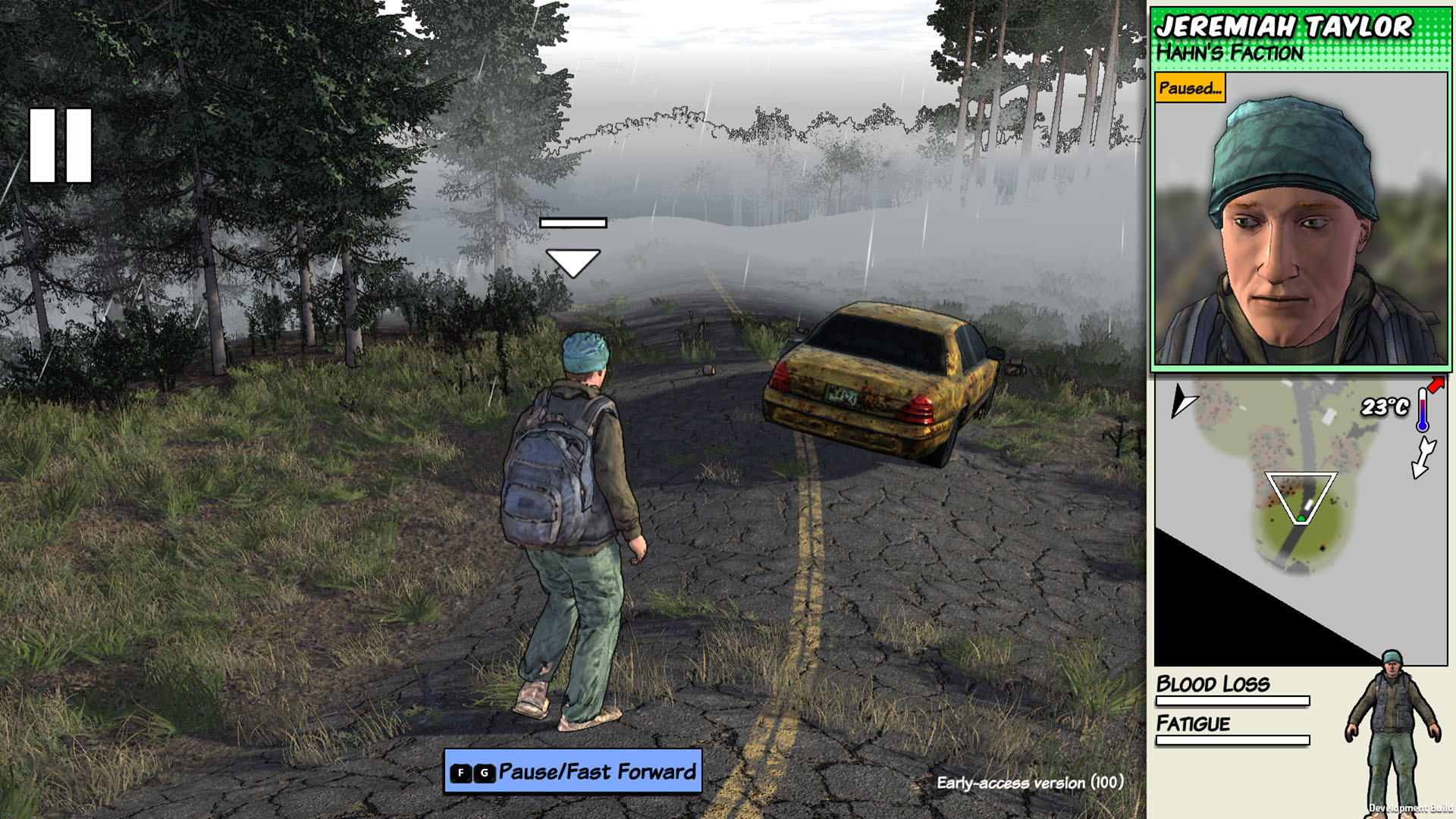
I don't know that anyone was crying out for this but it always bothered me that there are no markings on the roads! Well, I've started to rectify that with the latest patch in publicbeta, behold its double yellow liney glory:
This patch also introduces the Path Editor, for people who are making their own maps ːsteamhappyː This means you can finally lay down rivers, and of course roads with double yellow lines down the middle. (It's in F8 / Terrain Editor / Path Editor).
Here's the full changelist:
Path Editor
Road center markings
Fix for flint not being pickupable
Fix for resuming buildings under construction sometimes resulting in the building disappearing
Updated some translations
Crash fixes
All this stuff is going to stay in publicbeta for a while longer, until I feel sure all the bugs from the big change to props have been ironed out.
What's this publicbeta thing?
v100 will be in the "publicbeta" branch for a while, before pushing it to the main game. If you want to try the latest features as they come out (and help test them!) it's a good idea to start using this branch. But keep in mind:
Because it's the bleeding edge it could be less stable
If you want to be able to play online co-op with someone you'll need to be on the same version as them
If you go back from the "publicbeta" branch to the main branch you may not be able to load savegames created on "publicbeta".
To use publicbeta, just right-click on Survivalist: Invisible Strain in your Steam library and go to Properties, then Betas and in the drop-down select "publicbeta".
Quick new patch in publicbeta (v99)
I've released a quick patch to fix a bug with pit traps in the recent big publicbeta update. I've also added a warning when you use the Editor on BaseStory or Sandbox mod folders, letting you know that if you edit that stuff you won't be able to play online with other people as your files won't match, as that seemed to be catching a lot of people out. Here's the full changelist:
Fixed pit traps
Fix for character going into an infinite loop collecting urine for saltpeter, if you set the policy on it to Don't Drink
When using Editor to make changes to BaseStory and mod folders, show a warning to let people know it will stop them from playing the mod online
Ignore translations when calculating if BaseStory etc folders are the same for online play
Added Max Spawnable setting to equipment, so e.g. a particular item type can be set to only spawn once
Oh and by the way I've also written a guide for modders on how to import props from Unity ːsteamhappyː
What's this publicbeta thing?
v99 will be in the "publicbeta" branch for a while, before pushing it to the main game. If you want to try the latest features as they come out (and help test them!) it's a good idea to start using this branch. But keep in mind:
Because it's the bleeding edge it could be less stable
If you want to be able to play online co-op with someone you'll need to be on the same version as them
If you go back from the "publicbeta" branch to the main branch you may not be able to load savegames created on "publicbeta".
To use publicbeta, just right-click on Survivalist: Invisible Strain in your Steam library and go to Properties, then Betas and in the drop-down select "publicbeta".
New Props and Editable Props in publicbeta (v98)
There's a new patch in publicbeta! Over the last month I've been refactoring how the game defines props, so now they're editable by mod authors similar to how you can edit equipment. And I've made it possible to add new models for your props using Unity Asset Bundles - I'll be writing a guide for that shortly (EDIT - here it is).
I should mention that you still can't add your own equipment models, which I think is the thing most mod authors actually want to do - so, sorry no new gun models yet! I will make that possible in a future update :)
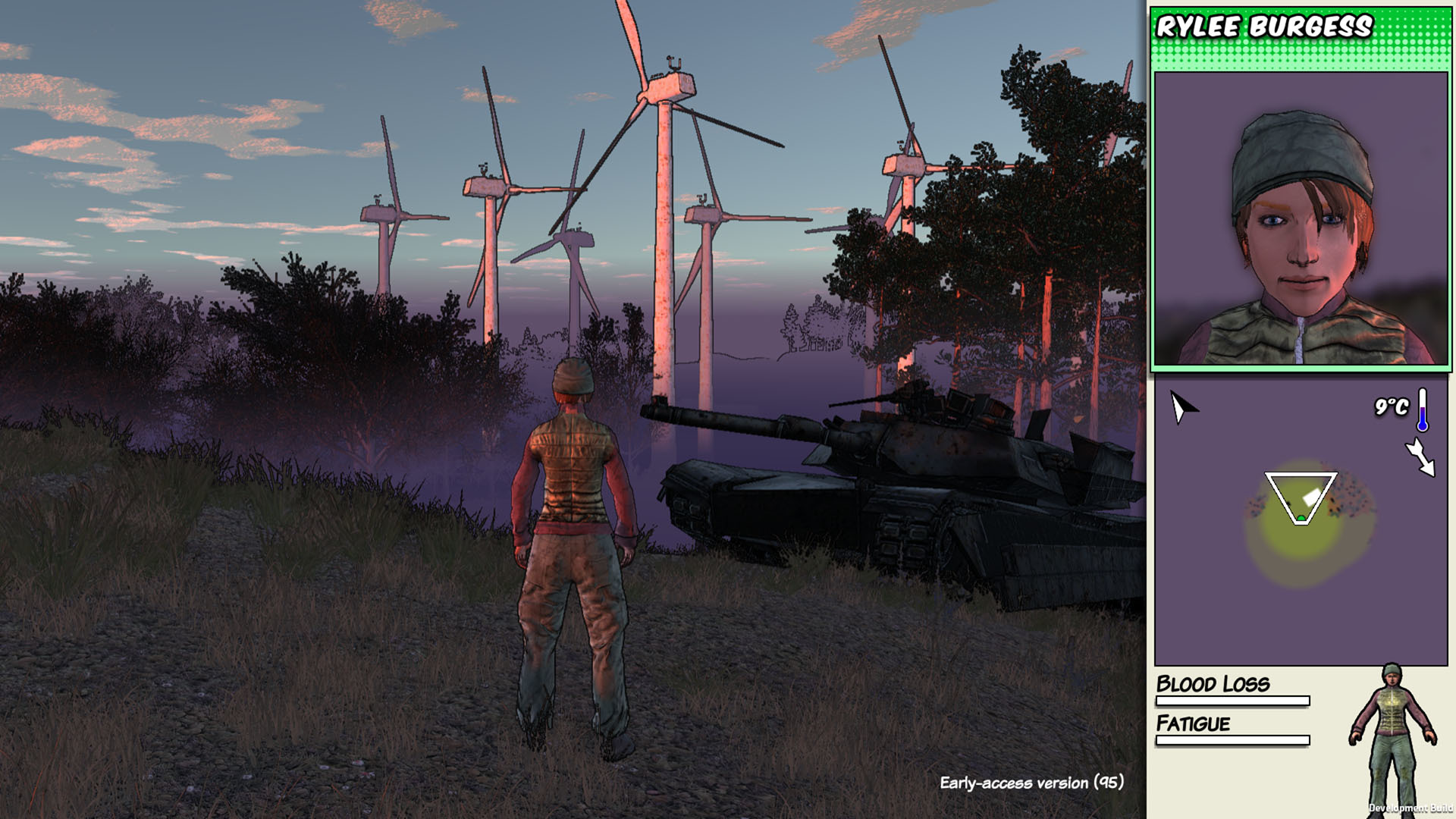
In order to test out my new prop editor I've added a bunch of new props to the game myself! The idea behind most of these was to try and add some more points of interest to the bare countryside areas between the towns, and maybe provide you with somewhere interesting to hide or loot, or build a base around. (In future I'll be adding more variation to the towns themselves as well.)
Besides that we've got some new music tracks from Alexandre, and the Italian translation is almost done, thanks to Team Lagorn. Here's the full changelist:
Made it possible to import new models for props using Asset Bundles, refactored props to be data driven and set up via the Editor
Added a bunch of new props including trailer park, crashed aircraft, windfarm, fire lookout tower and tank
Added some new music tracks for exploring, and game over and game complete screens
Added Italian, mostly
Fix for being able to switch control to dead characters via the Equipment Totals section of the Community menu
Crash fixes
It is quite a big overhaul so there might be some bugs, let me know if you notice something I broke. EDIT: released a couple of quick patches to fix crashes.
What's this publicbeta thing?
v98 will be in the "publicbeta" branch for a while, before pushing it to the main game. If you want to try the latest features as they come out (and help test them!) it's a good idea to start using this branch. But keep in mind:
Because it's the bleeding edge it could be less stable
If you want to be able to play online co-op with someone you'll need to be on the same version as them
If you go back from the "publicbeta" branch to the main branch you may not be able to load savegames created on "publicbeta".
To use publicbeta, just right-click on Survivalist: Invisible Strain in your Steam library and go to Properties, then Betas and in the drop-down select "publicbeta".
New patch (v94)
I've released a new patch, v94, which means all the stuff I've been putting in publicbeta for the last few weeks is now in the main branch for everyone. This fixes a crash people were seeing in the Join Game menu, among other things.
The biggest change is just that I've updated to the latest version of Unity, which I hadn't done since before I started the beta test over a year ago, in the hopes of fixing an unexplained crash from deep in the Unity dll that a few people were seeing. A side effect of that is that the dialog you used to get at the start asking you to select a screen resolution and quality level is now gone, because they no longer support that. Those options are now in the Graphics Settings menu in-game.
Note that if you have multiple monitors and you want to change which screen the game displays on, you can use the Windows shortcut of Windows Key + Shift + Left Arrow or Right Arrow.
Here's the full change list again:
v94
Added Quality Level to Graphics Settings
v93
Crash fix from previous patch
v92
Fix for pathfinding not working when finding resources in a building where one door is accessible but the other isn't
Fix for bug where you couldn't take a pot from a campfire of a dead community where cooking was still in progress
Fix for bug where, if you tried to climb over a rock and a zombie bit you at the same time, you would get stuck in a grappling state you couldn't escape from
Fix for enemies sometimes flying a long distance from you when you hit them in multiplayer
Renamed Portuguese translation to Brazilian Portuguese, because that's what it is
Crash fixes
v91
Fix for game time in multiplayer running faster than it's supposed to
Added Fullscreen option to Graphics Settings menu
Fix for two people being able to pick up a body at the same time
Fix for kiln sound volume not being affected by volume slider, and fire sound volume not fading off correctly
Another fix for cooks getting stuck in a loop depositing stuff in buildings
Fix for sometimes not being able to spar with people you like
Crash fixes
Fix for crops rendering glitch
Made tree falling sound quieter
v90
Upgraded to Unity 2020.1.2f1
Fixes for characters not eating food in some situations, such as while they are assigned to cook something
Fix for Memory Editor not showing the types of the memories
Made tree falling sound less loud
Updated Japanese
Crash fix
New patch in publicbeta (v92) (EDIT: now v93)
It's.. another stability patch in publicbeta! I've realised that for v90 I introduced a bug in multiplayer which meant when you hit someone with a melee weapon they would sometimes go flying a really long way. So this patch fixes that, but because of that bug I can't move the previous patch to the main branch. However, I'll move this one to the main branch within in a day or two though (instead of waiting a week like I normally do) because it turns out there's another bug (in main right now) which causes the game to crash when you're browsing online multiplayer games, if any of those games are using a mod you haven't downloaded. ːsteamfacepalmː This patch will fix that so hopefully all should be well soon.
On the positive side it looks like a few people have now submitted mods to the workshop, which is how that bug came to light!
Anyway here's the full changelist for v92:
Fix for pathfinding not working when finding resources in a building where one door is accessible but the other isn't
Fix for bug where you couldn't take a pot from a campfire of a dead community where cooking was still in progress
Fix for bug where, if you tried to climb over a rock and a zombie bit you at the same time, you would get stuck in a grappling state you couldn't escape from
Fix for enemies sometimes flying a long distance from you when you hit them in multiplayer
Renamed Portuguese translation to Brazilian Portuguese, because that's what it is
Crash fixes
EDIT - Just released another patch to fix a new crash, so it's v93 now. (This is why I have publicbeta!)
What's this publicbeta thing?
v93 will be in the "publicbeta" branch for a few days, before pushing it to the main game. If you want to try the latest features as they come out (and help test them!) it's a good idea to start using that branch. But keep in mind:
Because it's the bleeding edge it could be less stable
If you want to be able to play online co-op with someone you'll need to be on the same version as them
If you go back from the "publicbeta" branch to the main branch you may not be able to load savegames created on "publicbeta".
To use publicbeta, just right-click on Survivalist: Invisible Strain in your Steam library and go to Properties, then Betas and in the drop-down select "publicbeta".
New patch in publicbeta (v91)
I've put a new patch in the publicbeta branch. This fixes a few issues from the Unity upgrade in v90, such as the crops that seem to dance all over the place in the wind. Also Unity removed the display resolution dialog in their update, so I needed to make the fullscreen option available in the graphics settings menu. Because of those issues I won't move v90 to the main branch.
The other main thing in this patch is a fix (I think) for a bug people often reported as "enemies rapid-firing the bow like a machine gun". It appears that since sometime back in the beta testing days there's been a bug that often made time run faster than it should in multiplayer, and this was most noticeable when enemies shot at you with a bow. (It didn't make the animations run faster though, just the underlying time, which is why I didn't notice).
Here's the full change list:
Fix for game time in multiplayer running faster than it's supposed to
Added Fullscreen option to Graphics Settings menu
Fix for two people being able to pick up a body at the same time
Fix for kiln sound volume not being affected by volume slider, and fire sound volume not fading off correctly
Another fix for cooks getting stuck in a loop depositing stuff in buildings
Fix for sometimes not being able to spar with people you like
Crash fixes
Fix for crops rendering glitch
Made tree falling sound quieter
What's this publicbeta thing?
v91 will be in the "publicbeta" branch for a while, before pushing it to the main game. If you want to try the latest features as they come out (and help test them!) it's a good idea to start using that branch. But keep in mind:
Because it's the bleeding edge it could be less stable
If you want to be able to play online co-op with someone you'll need to be on the same version as them
If you go back from the "publicbeta" branch to the main branch you may not be able to load savegames created on "publicbeta".
To use publicbeta, just right-click on Survivalist: Invisible Strain in your Steam library and go to Properties, then Betas and in the drop-down select "publicbeta".
Workshop Support in Main Branch, and new patch in publicbeta (v90)
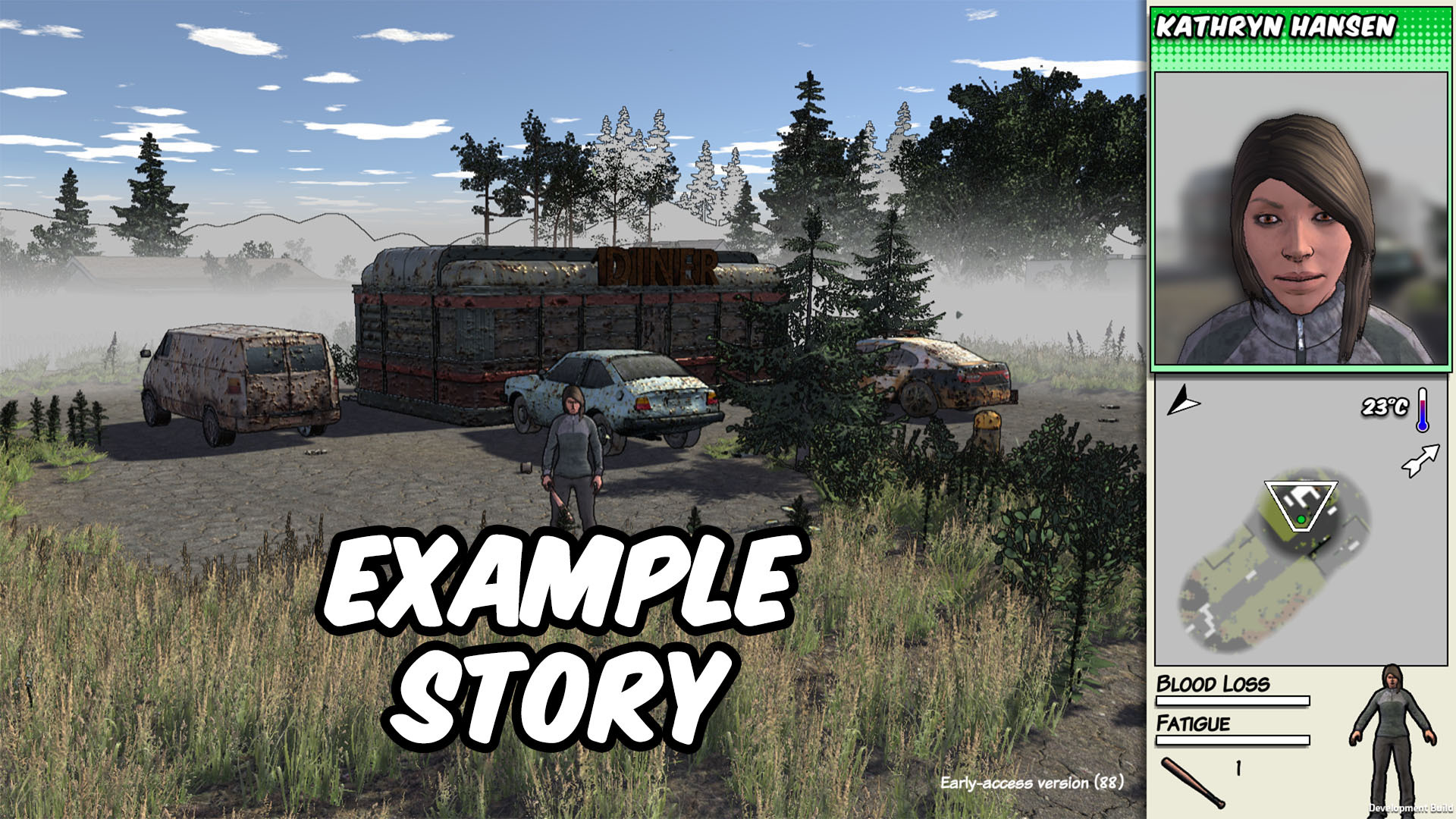
I've made Steam Workshop support available for everyone, so go and subscribe to the Example Story! It's kind of like a mini Story Mode ːsteamhappyː
Here's the full changelist for that patch (v88/89) again:
Added Portuguese!
Added button in Editor menu to create a new story, and a bunch of small editor features and fixes
Added the ability to upload stories, created in the editor, to the Steam Workshop
Fixes for characters getting stuck if they are unable to reach a well or a river when trying to get water
Fix for people's mouths not moving when talking in CJK languages
Translation fixes
Crash fix
Meanwhile in the publicbeta branch I've uploaded v90, which is basically just a stability patch. A couple of people have reported sporadic crashes in Unity.dll, so I've upgraded the latest version of Unity in the hopes that will fix it. It shouldn't result in any noticeable changes but every time I upgrade Unity something seems to go wrong so let me know if you see anything weird.
v90 will be in the "publicbeta" branch for a while first, before pushing it to the main game. If you want to try the latest features as they come out (and help test them!) it's a good idea to start using that branch. But keep in mind:
Because it's the bleeding edge it could be less stable
If you want to be able to play online co-op with someone you'll need to be on the same version as them
If you go back from the "publicbeta" branch to the main branch you may not be able to load savegames created on "publicbeta".
To use publicbeta, just right-click on Survivalist: Invisible Strain in your Steam library and go to Properties, then Betas and in the drop-down select "publicbeta".
Steam Workshop support and Portuguese in publicbeta (v89)
I've enabled Steam Workshop support! I meant to release it last weekend but got a bit carried away making an example story to demonstrate how it works. Anyway, in v88 (in the publicbeta branch) you can now download a mod from the workshop (which I'm referring to as a Story), and you can create your own stories in the editor and upload them to the workshop! ːsteamhappyː
There are still a lot of editor features that need adding, such as the ability to create rivers, and making this small map also drove home the need for much more variation in building types. Also please note: you can use the editor to create new stories with their own maps, quests, dialog and so on. You can't really create new weapons (unless they use the same model as an existing weapon) or new houses, props etc. I know a lot of people want to be able to do that! So this is just a start with hopefully a bunch more features to come in future.
Here's the full change list for v88:
Added button in Editor menu to create a new story, and a bunch of small editor features and fixes
Added the ability to upload stories, created in the editor, to the Steam Workshop
Fixes for characters getting stuck if they are unable to reach a well or a river when trying to get water
Fix for people's mouths not moving when talking in CJK languages
Translation fixes
Crash fix
These features will be available in the "publicbeta" branch for a while first, before pushing them to the main game. If you want to try the latest features as they come out (and help test them!) it's a good idea to start using that branch. But keep in mind:
Because it's the bleeding edge it'll be less stable
If you want to be able to play online co-op with someone you'll need to be on the same version as them
If you go back from the "publicbeta" branch to the main branch you may not be able to load savegames created on "publicbeta".
I'm also moving v87 into the main branch! Here's the changelist from v87 again:
Added Korean and Japanese translations, and partial French (UI only)
Added outlines and fixed some bugs with the Asian fonts
Added fonts that support Polish characters
Added a bunch of small features to improve translations
Added Pause/Resume options for movement zones
Added a box next to the progress indicator that shows how much of each material you have used when building something
Fixes for gate and equipment policy dialogs not working with gamepads
Various fixes for equipment policy
Fix for icons getting mixed up if you have a large number of clothes in one building
Fix for maps sometimes being generated with no zombie or rabbit spawnpoints on them
Fixed various bugs regarding height of overhead icons
Crash fixes
Let me know how it goes. I will be updating my editor guide shortly to explain the new features, let me know if you have questions.
EDIT - there was a bug in v88 where roving hordes and raiders etc weren't spawning in Sandbox mode, so I've released v89 to fix that. v89 also includes Portuguese! Many thanks to Carlos 'Reaction' Vicenzi for translating it ːsteamhappyː
New patch in publicbeta with Korean and Japanese (v86)
Hello, new patch day! The translators have been busy and we now have full Korean and Japanese translations, with some more languages on the way ːsteamhappyː I've also improved the font rendering for the CJK languages. Here's the changelist:
Added Korean and Japanese translations, and partial French (UI only)
Added outlines and fixed some bugs with the Asian fonts
Added fonts that support Polish characters
Added a bunch of small features to improve translations
Added Pause/Resume options for movement zones
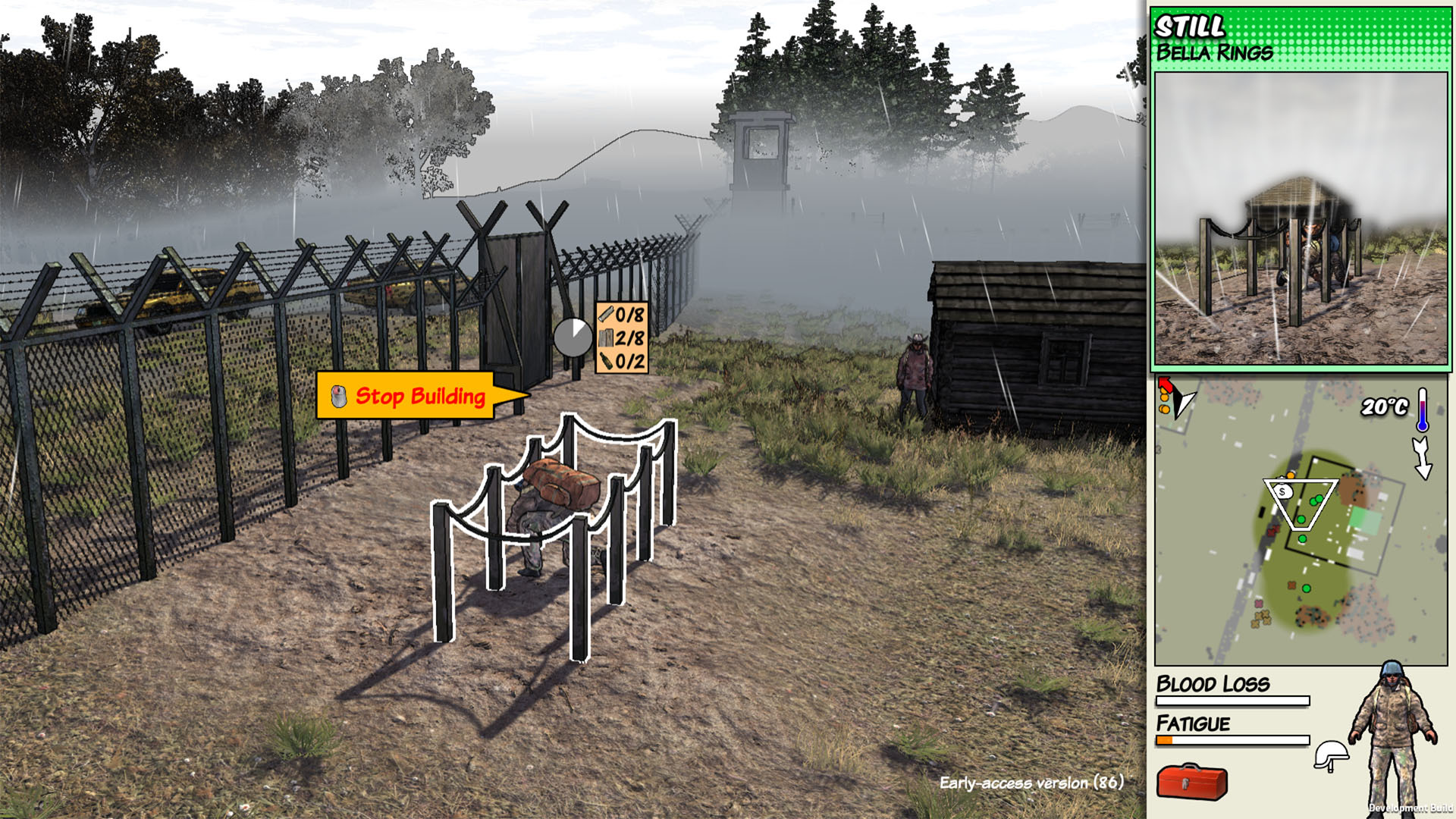
Added a box next to the progress indicator that shows how much of each material you have used when building something
Fixes for gate and equipment policy dialogs not working with gamepads
Various fixes for equipment policy
Fix for icons getting mixed up if you have a large number of clothes in one building
Fix for maps sometimes being generated with no zombie or rabbit spawnpoints on them
Fixed various bugs regarding height of overhead icons
Crash fixes
These features are available in the "publicbeta" branch so far. You can play it by right-clicking the game in your Steam library, going to "Properties...," clicking the Betas tab, and selecting "publicbeta" in the drop-down there.
All new features will be available in the "publicbeta" branch for a while first, before pushing them to the main game. If you want to try the latest features as they come out (and help test them!) it's a good idea to start using that branch. But keep in mind:
Because it's the bleeding edge it'll be less stable
If you want to be able to play online co-op with someone you'll need to be on the same version as them
If you go back from the "publicbeta" branch to the main branch you may not be able to load savegames created on "publicbeta".
My main code changes were to fix some bugs with the "Set Zone" and "Set Equipment Policy" features I added in the last patch (v85). Because there were a few bugs, I won't be moving v85 to the main branch today, I'll just do that with v86 next week instead (hopefully).
I did add a small new feature which is something that has often been requested - while you're building or crafting something you now get a little display that shows what resources are being used:
Thanks to everyone who gave feedback and reported bugs with the previous patch! Let me know how this one goes.
EDIT - found a crash in that patch so I've uploaded another one to fix it and a few translation issues, it's v87 now in publicbeta.
New features in publicbeta! (v85)
There's a new patch out in the publicbeta branch and this time I managed to add some actual new features! You can now set a zone to control where your community members are allowed to move, and you can set a policy to stop them eating a particular type of food or ammo. Here's a short video I made to demonstrate:
[previewyoutube="9Vj7p1kIkUs;full"]
The main other thing I did was make it so when you're assassinating someone, or trying to escape from a zombie's clutches, you can now hold the button down instead of having to mash it repeatedly. This is to help people with RSI and other such issues.
Here's the full change list for v85:
Added policy options for food, drink and ammo to stop people using them when you don't want them to
Added Set Zone option in command mode to control where characters are allowed to move
When struggling in a zombie's grip or assassinating someone you can now hold down the button instead of having to hit it repeatedly
Fix for tripwire traps not damaging neutral characters
Fix for bug where character would repeatedly eat gifted stew
A few crash fixes
These features are available in the "publicbeta" branch so far. You can play it by right-clicking the game in your Steam library, going to "Properties...," clicking the Betas tab, and selecting "publicbeta" in the drop-down there.
All new features will be available in the "publicbeta" branch for a while first, before pushing them to the main game. If you want to try the latest features as they come out (and help test them!) it's a good idea to start using that branch. But keep in mind:
Because it's the bleeding edge it'll be less stable
If you want to be able to play online co-op with someone you'll need to be on the same version as them
If you go back from the "publicbeta" branch to the main branch you may not be able to load savegames created on "publicbeta".
Meanwhile v84 has moved to the main branch. Here's the changelist for v84 again:
Added Simplified and Traditional Chinese translations (WIP) and updated Spanish
Removed sugar from gunpowder recipe, so it's easier to make bullets
If not using save tokens, don't overwrite autosaves when someone with invisible strain turns
Fix for unconscious zombified traders spawning infinite food
Fix for farmer getting stuck in loop trying to deposit crops in a chest or building
Fix for refugees failing to occupy dead communites if they'd already been occupied once, and had a grave somewhere
Fix for wandering groups sometimes not spawning on medium maps due to the presence of traders
Fix for rabbit traps catching rabbits even when they aren't baited