Tabletop Playground is coming to Linux! The latest update includes a native beta, so if you're a Linux gamer and already own the game, check it out and let us know if you find any issues! As with the Mac version, all features except the Steam Overlay should work. In addition, update incldues many new features for scripting, most importantly the ability to play sounds or music, and images for scripted UI. Here's the full list of changes:
• Allow changing opacity (alpha value) for zones • You can now switch off shadow casting for translucent models in the editor • Snapping can now be turned off by default for objects in the editor
Scripting • You can now play sounds from scripts: The new Sound object can play sounds and music from your package or an online source. It supports WAV, MP3, and FLAC files. • New scripting UI widgets: ImageWidget and ImageButton allow you to display images from your package or from the internet • Add clear() command for the scripting console • Add refPackageId which contains the package id of the • Add GameObject.getSnappedToPoint to find the snap point that an object is snapped to • Add GameWorld.showPing to create ping events from scripts • Add GameWorld.getObjectsByTemplateId to get all objects with a particular template • Add GameWorld.getTemplatePackageId and GameWorld.getTemplateName to get more information about a template • Add Card.setCardIndexAt to allow changing cards from scripts • Add return value to Card.split and Card.divide: an array with the newly created card stacks • Don't allow file:// protocol for http requests • Don't copy description of stack to drawn cards
Fixes • Zone ids weren't working consistently and zone events were not cleared when resetting scripting • Measure move mode could not be activated • The shuffling animation for image shape card stacks wasn't working • "Mirror back" option in the editor did not work fro image shape cards with a separate back image • Cards couldn't be flipped right after being dragged out of card explorer • Tooltip now resizes properly when showing long object descriptions • Mirror backs of image shape cards correctly when shown in object zoom • insertedCard parameter of Card.onInserted event did not contain the correct number of cards when adding cards to the front of a stack • Don't remove scripting UI in preview mode when changing in settings while playing
---
These new updates we've added are just some of the many features on our early access development roadmap for Tabletop Playground, which you can check out on our Trello HERE.
Don't forget to join our community Discord to chat with the dev team and give us your suggestions for new features for the game!
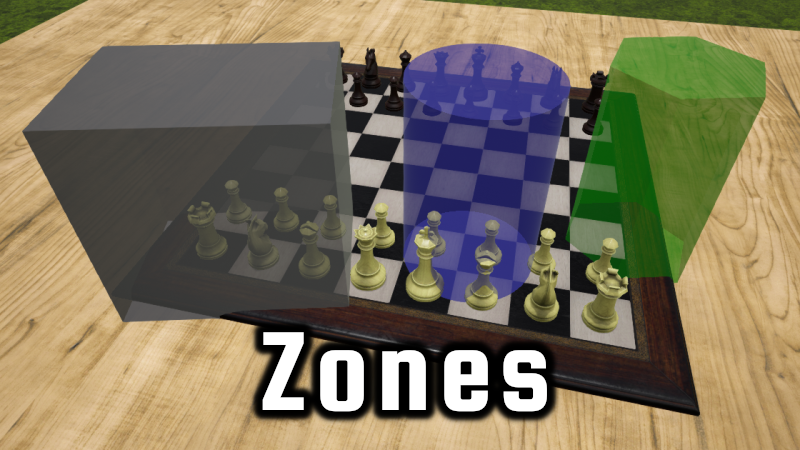
New feature available: Zones
Zones are now available! They allow you to change behavior in restricted parts of the playing area. Each zone behavior can be set to affect everyone, nobody, or only owners of the zone. You can set any player color to be an owner, and zones can have multiple owners. The available behavior switches are:
Object visibility: Objects in the zone can be hidden. Object interaction: Objects in the zone can't be interacted with (but they remain visible). Cursor visibility: Player cursors in the zone can be hidden from other players. Snapping: All snap points within the zone can be deactivated. Stacking: Adding cards to stacks within the zone can be disabled. Inserting: Inserting objects into containers within the zone can be disabled.
Find out more in the knowledge base: https://tabletop-playground.com/knowledge-base/zones/
Changes • A new cursor mode allows you to create zones by dragging and edit existing zones by clicking or right clicking. You can enter zone mode through the player options or with a new keybinding (default 'U') • The Zone coordinates window allows you to change position, rotation, and size of zones. It also activates a gizmo tool on the selected zone and works like the regular object coordinates window. • In the zone properties window, you can switch shape and color of zones. • The zone behavior window is where you define the owners and behavior switches of your zone. • Zone mode can be forbidden in the session permissions. • A new Zone object is available for scripting. You can get zone objects by using world.getZoneById, world.getAllZones, or world.createZone
---
These new updates we've added are just some of the many features on our early access development roadmap for Tabletop Playground, which you can check out on our Trello HERE.
Don't forget to join our community Discord to chat with the dev team and give us your suggestions for new features for the game!
Gizmos and custom actions
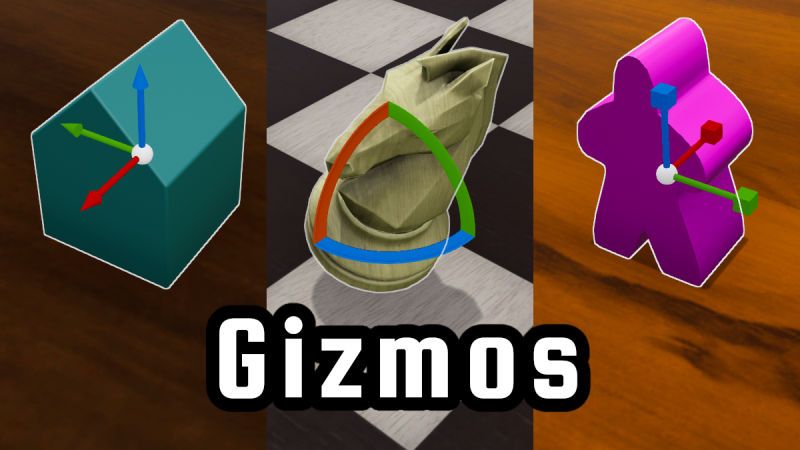
The latest update is now live and brings positioning Gizmos, custom scripted object actions and many more scripting and convenience improvements!
• Transform Gizmos: When opening the object coordinates window for a single object, a gizmo appears: it can be switched between move, rotate, and scale modes and allows you to quickly change each using the mouse. • Allow moving camera while UI is open • Turn off physics for objects while coordinates are modified • You can now add favorite directories in the file browser • New option for camera angle snapping: in the game settings, you can set an angle increment (like 60° or 90°) to which the camera will snap when it gets close. • Don't allow flipping cards in stack for image shape cards (can lead to visual issues)
Scripting • New `GameObject.addCustomAction` and `GameObject.removeCustomAction` methods and `GameObject.onCustomAction` callback for using context menu items from scripts • Add `Widget.setEnabled` and `Widget.isEnabled` to allow disabling user interaction with widgets • Flipped the `hideAnimation` parameter to `showAnimation` in `Container.insert`, `Container.Take`, and `Container.takeAt` to make it consistent with animation parameters at other points in the API. This change can affect how existing scripts behave, but it only changes animations so it won't break any games. • New `GameObject.flipOrUpright` method to flip cards and generally produce the same behavior as a user pressing "F" for a highlighted object • Call `Card.onRemoved` and `Container.onRemoved` when a player removes items in the stack or container explorer • Updated API definition to specify what functions can return `undefined` • Object events are now reset before the global script runs on loading a state, so you can subscribe to events from the global script (object scripts are unaffected) • Add `Container.addObjects` as an alias for `Container.insert`
Fixes • Zoomed view of multistate objects did not update when state changed • Correct too large return values of `GameObject.getCenterOfMass` • Fix problems with using recent mod.io uploads on Mac • Lines on the side to indicate number of cards in a stack were not updated under some circumstances when adding cards from scripts • With the screen cursor, picking up an object the first time immediately after using chat or console did not work properly
---
These new updates we've added are just some of the many features on our early access development roadmap for Tabletop Playground, which you can check out on our Trello HERE.
Don't forget to join our community Discord to chat with the dev team and give us your suggestions for new features for the game!
Blindfolding and extending running games
The latest update brings blindfolds, scripting updates, and convenience features like adding packages to running games, or mouse and motion controller shake events:
• You can now put on a blindfold from the player options or by pressing a key. Blindfolded players can't see anything that happens on the table, but they can still participate in the chat. Everyone can see who is currently blindfolded. Putting on a blindfold also works in VR. • Every player can now add packages to a running game. Previously this was only possible for the host. In addition, you can now add packages that other players don't have yet, they will be asked to download it. Once all players have the package installed, it gets added to the game and is available immediately. • Shaking the mouse while holding objects now clumps them together. If you hold card a card stack and shake the mouse, it will be shuffled. Sensitivity can be changed in the game settings. • Added an option in the card editor (also used for tiles/tokens): When using image shapes, flipping the back image can now be turned off • Allow changing gravity in the session options • A new option in the advanced game settings allows you to use the object zoom on ground objects even when the cursor isn't in ground mode • Allow showing names in container explorer, show and filter on template name if objects have no name • Don't allow taking from or dropping to the underside of card decks when peeking is not permitted • Duplicating a package in the editor now keeps template filenames if they are different from the template GUID.
Scripting • Widgets can now be added again to containers (like Canvas) after they've been removed • Added Player.isBlindfolded and Player.setBlindfolded • Added Card.onInserted and Card.onRemoved callbacks • Added World.getGravityMultiplier and World.setGravityMultiplier • Removed deprecated Player.setPosition and Player.setRotation methods, use Player.setPositionAndRotation instead
Fixes • Remove slight aliasing for tokens and cards with one card per texture when the image had different colors on opposing borders • Remove typos in tooltip for cursor types (#45) • Fix: The object zoom for some objects (like dice and books) did not move with the player camera • Fix: Card front image was sometimes not updated immediately when combining cards from different decks into one stack • Fix: On Mac, "Browse Games" in main menu did not open web browser
---
These new updates we've added are just some of the many features on our early access development roadmap for Tabletop Playground, which you can check out on our Trello HERE.
Don't forget to join our community Discord to chat with the dev team and give us your suggestions for new features for the game!
Mac version, character sheets and scripting UI
The Mac version is now out of beta and officially available!
The new update also adds more options to create complex user interfaces through scripting. It features a new category of UI widgets that group other widgets. `VerticalBox` and `HorizontalBox` give a quick way to create lists of widgets, and `Canvas` gives you complete freedom about where you want to position your widgets.
As an example of how the new widgets can be used, we've implemented a Dungeons & Dragons character sheet! Check it out here: https://tabletopplayground.mod.io/dnd-character-sheet-example. If you want to create your own complex UIs, have a look at the new tutorial: https://tabletop-playground.com/knowledge-base/advanced-ui-character-sheet/
Scripting
• Add `VerticalBox` container widget • Add `HorizontalBox` container widget • Add `Canvas` container widget • Add `MultilineTextBox` widget • Allow setting font size on all widgets that contain text • Execute `On...Changed` callbacks on widgets when the respective values are changed from scripts (with player parameter `undefined`) • Text boxes with number input types are now allowed to be temporarily empty while editing, making it easier to enter new numbers • Removed "Reload Scripts" action because it could lead to confusing states and even crashes. Renamed the "Reset Scripting" action to "Reload Scripting" to emphasize that modified scripts are reloaded. Removed `GameWorld.reloadScripts`.
Fixes
• Fixed crash that could occur when playing with more than two players and players who joined first left the game • Script UI buttons now play sound when pressed • Latest Unreal hotfix version for Windows and Mac (can help with Unreal related issues)
---
These new updates we've added are just some of the many features on our early access development roadmap for Tabletop Playground, which you can check out on our Trello HERE.
Don't forget to join our community Discord to chat with the dev team and give us your suggestions for new features for the game!
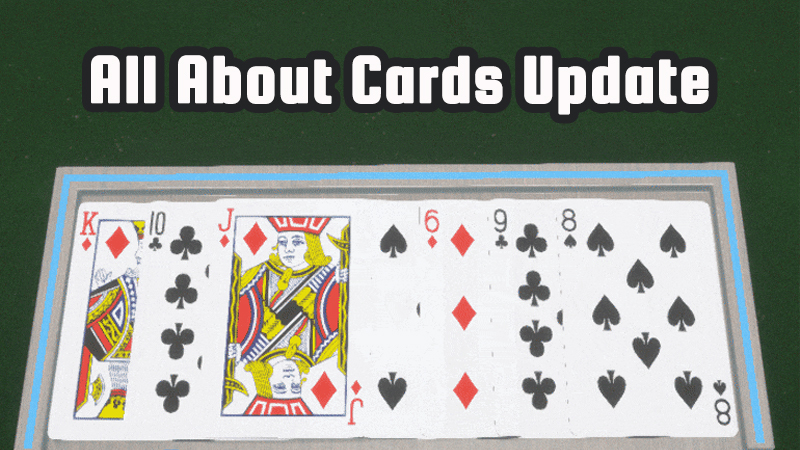
All About Cards Update
A new update is here for Tabletop Playground and it is all about cards! With web textures and flipped stack cards come two highly requested new features, and several further convenience improvements:
• Web textures for cards: You can now configure card-type objects in the editor to allow overriding their front image in-game by an image URL on the internet. The scripting API for cards also has new methods to work with texture overrides. This can be useful for loading maps during an RPG session, or creating a package that automatically loads card images from the internet using scripting.
• New standard object: The web image object is now available in the object library. It uses the web texture functionality to offer an easy way to add online images to a running game.
• Flipped cards in stack: You can now configure card stacks in the editor to allow flipped cards within the stack. Instead of auto-rotating to the stack rotation, cards dropped on such stacks will remain face up or face down as they were. You can't mix cards from decks that allow and don't allow flipped cards in the same stack. The scripting API for cards has been enhanced to allow working with flipped cards in stacks.
• The "Peek / Slide Under" key now also works when holding it while dragging from a card stack or "stack" type container: you will draw from the bottom instead of from the top.
• Support rotating the object zoom in 90° increments with the keys for rotating highlighted objects (Q/E by default). Does not rotate the zoom for objects that auto-rotate.
• The object zoom key now works while using the card stack explorer to instantly show the large image tooltip
• Allow even thinner measure lines in the settings, and lower height of the lines depending on their size
Fixes • Cards didn't show changes in editor when changing texture • Object zoom for cards did not take into account changed scale • Objects with shapes generated from images were not copied properly in the editor • Objects with collisions generated from images did not work correctly with containers • Remove crash when trying to load an invalid texture • Mac: Ask for permission to use Microphone to make in-game voice chat work
---
These new updates we've added are just some of the many features on our early access development roadmap for Tabletop Playground, which you can check out on our Trello HERE.
Don't forget to join our community Discord to chat with the dev team and give us your suggestions for new features for the game!
Changelog March 25 - Mac Beta!
This includes several enhancement and fixes, but the most important change is that a Mac beta version is now available! We're not advertising it on the store yet, but if you already own the game and you have a Mac, please check it out and let us know if you find any issues! All features from the Windows version, except for the Steam overlay and joining through the friends list. The TTS Importer application is also included.
• Mac beta version • Update to latest Unreal Engine version • Faster load times for card textures • Larger mouse cursors for high DPI screens (like 4k monitors) • Key input guide contains some additional actions • Warn when trying to upload a package without saved states • VR: Use main hand stick left/right to switch states for multistate objects in object zoom • Fixed: For scripting, assignment operator didn't work for delegates (also causing issues with the `fetch()` function) • Fixed: Duplicating packages did not copy hidden card or image shape textures • Fixed VR object zoom size changes not working correctly • Fixed crash for shape generation from some images with very detailed shapes
Create 3D Models From Images Complete Update
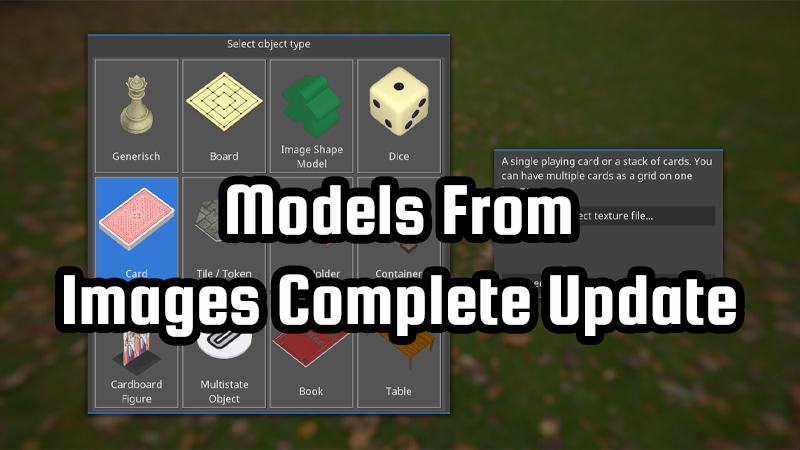
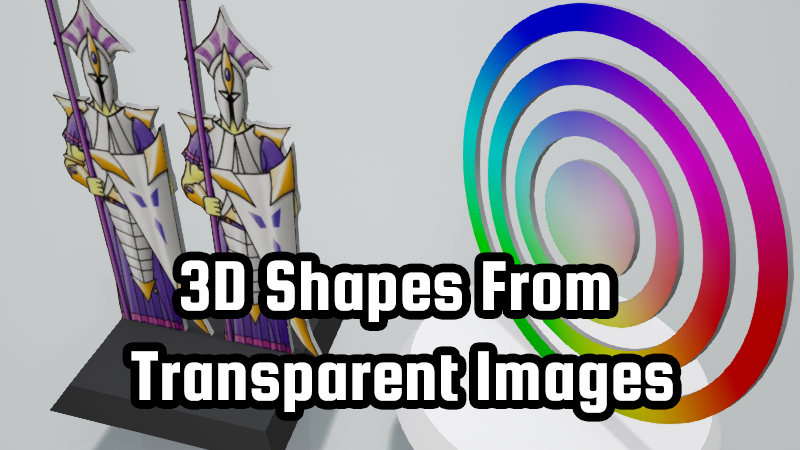
The latest update completes the models-from-images feature: you can now use transparent images as shapes for almost anything: figures, cards, multistate objects, and regular objects. This allows you to use any card shape you want, create tokens with complex silhouettes, or quickly make your own kinds of meeples, all without any 3D modelling!
To make the new feature easier to use, we also redesigned the dialog for creating new objects in the editor. You now get basic options for each kind of object when selecting it, giving you a quick start on what you want to create before going to the full editor screen.
• 3D Shapes from transparent images are now available for cards, multistate objects, and regular objects • The TTS importer can now import "Token" type objects properly • Overhauled new object template screen • Improved shadow quality • Added small acceleration to camera movements
Fixes • Figures did not mirror the front texture on the back side of the figure • Cards sometimes didn't flip properly when using the flip key with cards on the table • Container explorer didn't show custom colors of objects • Container explorer didn't show objects with non-uniform custom scale correctly • Don't disable start game button for previewing packages from the editor when multiplayer isn't available
---
These new updates we've added are just some of the many features on our early access development roadmap for Tabletop Playground, which you can check out on our Trello HERE.
Don't forget to join our community Discord to chat with the dev team and give us your suggestions for new features for the game!
Creating 3D Shapes From Transparent Images
This update brings the first part of a long anticipated feature: creating 3D shapes from transparent images. You can now use images to create cardboard cutout figures with depth in any shape. Next step: custom shapes for cards, tokens, and tiles!
• Figures with alpha textures now get 3D shapes • New option for changing 3D cursor size in the interface settings • New option when creating objects in the editor: automatic straighten up on grab. Now activated by default for figures and for the chess pieces.
Scripting • Add Container.remove and Container.removeAt • Add GameWorld.setShowDiceRollMessages and GameWorld.getShowDiceRollMessages • Add GameWorld.updateUI, GameWorld.removeUIElement, GameObject.updateUI, GameObject.removeUIElement, GameObject.addUI, GameObject.getUIs • Don't call tick functions or advance timers while the game is paused (when a new player joins)
Fixes • Switch off scripting UI interaction while holding objects • Loading option for non-stacking cards correctly • Sometimes the wrong object was dragged out when using the card stack or container explorer • Removed crash when pressing escape while using drag and drop in container or stack explorer
---
These new updates we've added are just some of the many features on our early access development roadmap for Tabletop Playground, which you can check out on our Trello HERE.
Don't forget to join our community Discord to chat with the dev team and give us your suggestions for new features for the game!
Update notes February 8
This update brings the first part of a long anticipated feature: creating 3D shapes from transparent images. You can now use images to create cardboard cutout figures with depth in any shape. Next step: custom shapes for cards, tokens, and tiles!
• Figures with alpha textures now get 3D shapes • New option for changing 3D cursor size in the interface settings • New option when creating objects in the editor: automatic straighten up on grab. Now activated by default for figures and for the chess pieces.
Scrpting • Add `Container.remove` and `Container.removeAt` • Add `GameWorld.setShowDiceRollMessages` and `GameWorld.getShowDiceRollMessages` • Add `GameWorld.updateUI`, `GameWorld.removeUIElement`, `GameObject.updateUI`, `GameObject.removeUIElement`, `GameObject.addUI`, `GameObject.getUIs` • Don't call tick functions or advance timers while the game is paused (when a new player joins)
Fixes • Switch off scripting UI interaction while holding objects • Loading option for non-stacking cards correctly • Sometimes the wrong object was dragged out when using the card stack or container explorer • Removed crash when pressing escape while using drag and drop in container or stack explorer