Happy New Year Tabletop gamers 🎆 Following the holiday break, it is time for a new update!
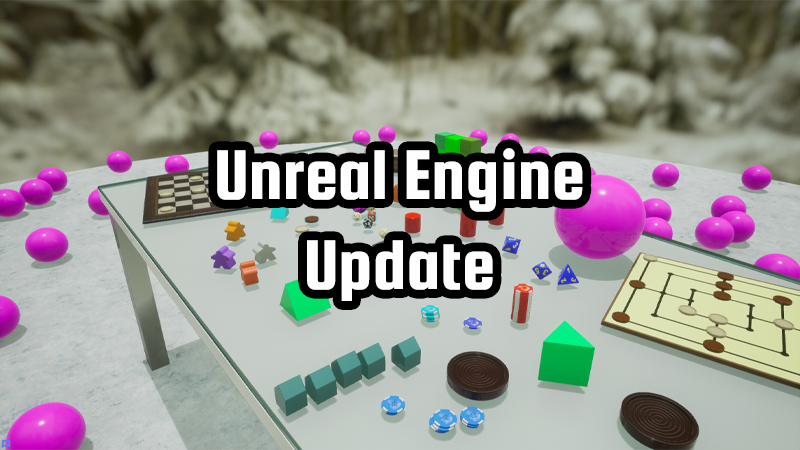
Although the changelog for this update isn't very long, under the hood this is our biggest update yet: we've upgraded to a new Unreal Engine version, which gets rids of a few longstanding issues that couldn't be fixed before. We've also completely overhauled the multiplayer backend, which will allow cross-platform multiplayer across all launchers and stores in the future.
While implementing these changes, we also squeezed in some new options and convenience features:
Enhancements • New dialog when joining games through an invite or the Steam friends list. Finds missing packages and offers to download them before joining the game. • Joining a game through Steam without the game running now works • Increased physics tick rate for smoother and more stable simulation • Improved physics replication for smoother gameplay on clients • Improved dragging cards from stack with motion controllers • New option for card holders to show card front instead of grey blur or card back for hidden cards, effectively not hiding cards • New option for card-type objects (in editor) to disable stacking • New option for smooth turning in VR
Fixes • SteamVR doesn't start anymore when launching the game without VR (#44) • Snap preview appeared at the wrong height for some angles of composite objects • Removed crash on startup with recent Intel processors that required the OPENSSL_ia32cap environment variable to be set • For clients using 2D or screen cursor mode, cards ended up in the wrong location when drawn from the on-screen hand • Clients in screen cursor mode did not see cursors of other players • When creating a snap point grid in the editor, the center position was a factor of 3 too small • ScriptSlider had issues with values above 1000
We hope you enjoy these new improvements and fixes, but we're also open to suggestions from our community. So please leave a comment here and we hope to see you online!
---
These new updates we've added are just some of the many features on our early access development roadmap for Tabletop Playground, which you can check out on our Trello HERE.
Don't forget to join our community Discord to chat with the dev team and give us your suggestions for new features for the game!
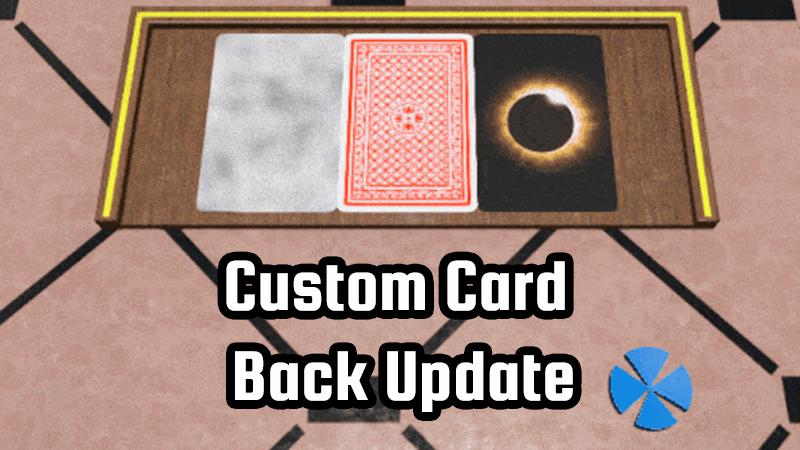
Custom Card Backs
Our latest update brings new options for card backs and the package directory, as well as a number of convenience improvements for the editor and scripting.
General Updates
• Cards can now use a custom image to indicate that they are hidden (for example when in another player's hand), instead of the default grey blur. In the editor, you can set part of the front image or a separate texture to be the hidden image • The "Size" text fields in the editor are no longer read-only. You can set the size of any object directly now, with toggleable uniform scaling. • A new "Flip" checkbox in the card editor allows you to show card stacks with the front facing upwards • Thumbnails for flipped cards are now cached, removing loading stutters in the object library when showing flipped cards. For existing packages, flipped thumbnails can be cached by opening the package in the editor and clicking the "Card Fronts" checkbox. • The directory where created and downloaded packages are stored can now be configured in the settings • Added knowledge base link buttons in a few placed in the editor • TTS importer: Fix snap point positions on regular objects • TTS importer: Sort save file names starting with a number numerically
Scripting
• Added SnapPoint.getSnappedObject to find the object snapped to a snap point • Text boxes have two new properties: maximum length and input type (either any strings, or only real/whole numbers) • Added GameObject.toJSONString method, deprecate GameObject.toJsonString
---
These new updates we've added are just some of the many features on our early access development roadmap for Tabletop Playground, which you can check out on our Trello HERE.
Don't forget to join our community Discord to chat with the dev team and give us your suggestions for new features for the game!
Mod Converter Update
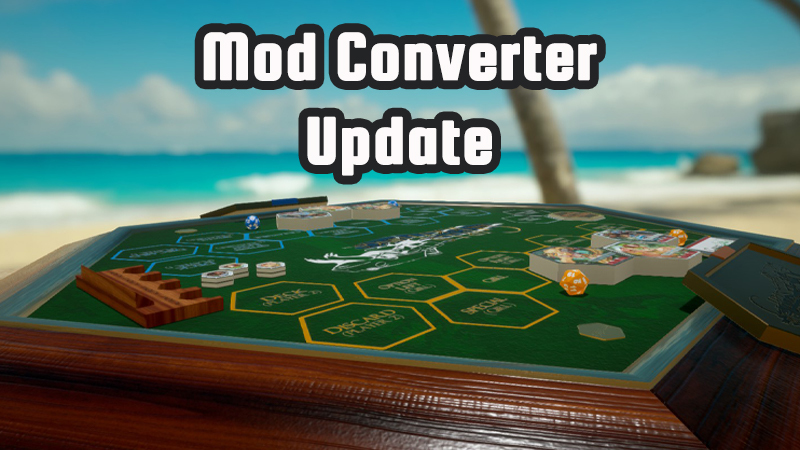
We've got a new update available! Although it's a smaller one, it includes a new tool that will be of huge benefit to modders.
We've often had questions from creators on how to convert their games from Tabletop Simulator to Tabletop Playground. This update introduces a new tool to make the conversion process much easier.
Further improvements: • The editor now has Undo/Redo buttons on top of the screen. You can also press Ctrl+Z or Ctrl+Y to undo or redo changes • The sounds for inserting into and taking objects from containers have been updated • Physical properties (friction, bounciness, density) of card-like objects can now be changed • Improved performance and fixed rare crash when rapidly switching PDF pages
---
These new updates we've added are just some of the many features on our early access development roadmap for Tabletop Playground, which you can check out on our Trello HERE.
Don't forget to join our community Discord to chat with the dev team and give us your suggestions for new features for the game!
Our Biggest Discount Yet And Welcome Dominos!
We're excited to be part of the Steam Digital Tabletop Festival over the next week and to be running our largest discount yet! You and your friends can grab Tabletop Playground for 33% off!
The discount will run until the end of the festival on the 26th. So get in quick and grab some copies for your friends, so they can join you for some board games.
Speaking of games, a whole new classic game has been added in our latest update. Along with knocking off another two items from the development roadmap and several other improvements!
Check out all the details for the update below, and be sure to check out all the other great games on sale as part of the festival:
• You can now switch to a "screen" style cursor in the interface settings: the 3D cursor isn't shown and you only use the regular hardware mouse cursor. You can select multiple objects using a rectangle on the screen instead of a 3D box.
• The lower right corner of the screen now has a switchable dynamic input guide: click on the keyboard icon to toggle hints on what actions you can do using hotkeys in the current context.
• Containers can now have an owner, similar to card holders. The container will show the color of the owner, and only the owner can use the container explorer to look at the contents. This allows you to use containers as hidden storage for players, similar to card holders but for any type of object.
• You can now set snap points for an object to global from the object properties in the editor. When snap points are global, they cursor does not need to be on the object in order for its snap points to be active. This is useful for tile laying games when you use snap points that are not on the object, for example with Domino pieces.
• When an object has a fixed zoom direction for the object zoom (also set in the object properties), the direction will be reversed when the object is lying upside down. Also, the "Below" key allows you to look at the opposite side, like with cards. This is useful for 3D objects that are used in a similar way to cards, with an open and a hidden side, like Domino pieces.
• You probably saw where this is going: Domino is now part of the included games!
• Added object thumbnails for all included games so the object library loads a bit faster
• Added some missing German translations
• Fixed a bug where items in a container could get duplicated when the same game was loaded multiple times
---
These new updates we've added are just some of the many features on our early access development roadmap for Tabletop Playground, which you can check out on our Trello HERE.
Don't forget to join our community Discord to chat with the dev team and give us your suggestions for new features for the game!
Enjoy More Color Options In Our Latest Updates!
After a well deserved holiday and break for the main developer of Tabletop Playground, we're back with a couple of new updates.
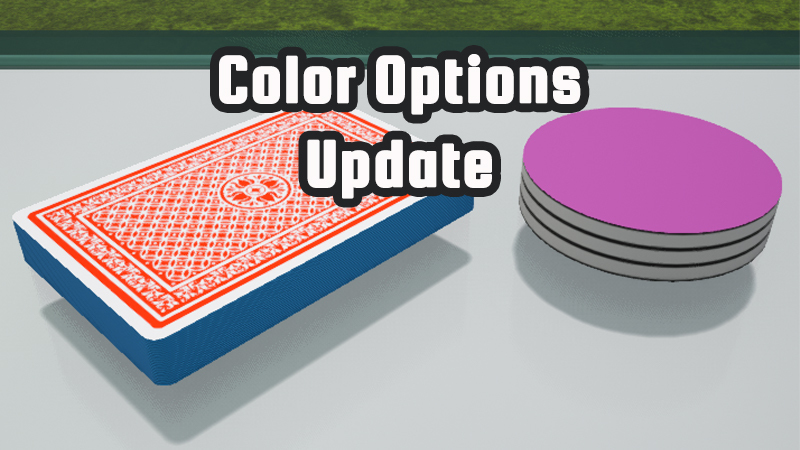
The first was the more players, more colors, more customization update, which came out a couple of weeks ago. There are now 18 available player colors, and the maximum number of players per game has been increased from 8 to 16.
The default set of colors is optimized so players with color blindness are able to distinguish between them, but you can also set your own colors: While creating or playing a game, you can now change the player colors from the session options. Modified colors are stored in the game state, so you can decide what colors the players in your game should have!
While the newest completes another two items from the roadmap: You now have more flexibility with using colors for cards and card-like objects, and scripts are able to access the internet!
• Card objects now have an option in the editor to use their primary color for the sides of the stack. If enabled, the color can be changed in the editor and in the game. Cards with different side colors cannot be stacked. • You can now create cards without a texture: The primary color is used as the front of the card, the secondary color is used as the back. • Scripting: HTTP requests are now supported using the HttpRequest class and the fetch() function. Players will be asked to allow internet access from scripts. • Fix: Could not select no resource in editor (e.g. resetting texture to no texture) when using German translation
We'll also be taking part in the upcoming Steam Digital Tabletop Festival later this month, with the biggest discount we've ever done for Tabletop Playground! So if you have some friends you want to join you for games, let them know about the upcoming sale.
---
These new updates we've added are just some of the many features on our early access development roadmap for Tabletop Playground, which you can check out on our Trello HERE.
Don't forget to join our community Discord to chat with the dev team and give us your suggestions for new features for the game!
PDF Support Has Arrived
The next update for Tabletop Playground is live! The main feature this time is PDF support: you can now use PDF files with multistate objects to easily create rulebooks, guides, and similar objects. We've also added a few other enhancements, which you can check out below.
Enhancements • Multistate objects now support PDF files: you can select a pdf instead of a texture, and each page will become a state • New object type "Book": When you create a new object, select Book and choose a PDF file to create a new Multistate object with the correct size for the PDF.
Scripting • GameObject.attachUI and GameWorld.addUI now return the index of the added UI element • UI elements that have been removed can now be added again
VR • New setting to allow enlarging or shrinking free cursor orb
---
Adding PDF support to the game is one of the many features on the early access development roadmap for Tabletop Playground, which you can check out on Trello HERE.
Don't forget to join our community Discord to chat with the dev team and give us your suggestions for new features for the game!
New Update Featuring Card Deck Splits And More!
A new version is up! It includes two items from the roadmap that are now finished: card deck splits and saving/loading data from scripts.
Enhancements • Add new context menu option for splitting card decks: you can take a number of cards from the top, split into a number equal sized decks or into decks with a fixed number of cards. • Improved physics stability for object stacks • Added snap points to poker chips to make them easier to stack • Add chat message when player is peeking at the underside of a card • When editing a card template in preview mode, don't reload the stack so you can edit a partial stack without resetting it to full size. Don't allow editing single cards in a card stack from preview mode because it gives inconsistent results
Scripting • Add SetSavedData and GetSavedData methods to GameObject and GameWorld. These methods allow you to store arbitrary information in game states. • Add Card.Split and Card.Divide for splitting card decks
VR • Separate bindings for grabbing and UI clicks, allowing you to bind them to different buttons. By default, they remain on the same button. • Allow scrolling in UI using the main hand analog stick
Fixes • Context menu did not show the correct state when changing multistate object state on clients • Standard chat message (e.g. player using card stack explorer) were displayed in the configured language of the player who caused the message, instead of the locally configured language. • Object UI remained after changing object script • Objects that were flipped while in hand while directly on top of the table (with minimal hold height) were dragging against the table
---
Adding card deck splits to the game is one of the many features on the early access development roadmap for Tabletop Playground, which you can check out on Trello HERE.
Don't forget to join our community Discord to chat with the dev team and give us your suggestions for new features for the game!
Latest Update Includes Undo/Redo Feature!
Our latest update went live last week, featuring several enhancements and most importantly a Undo/Redo feature.
The main highlight is the new Undo/Redo buttons, that allow you to jump backward/forward in time, coupled with much better performance when loading states while in-game.
If English is not your mother tongue and you'd like to see Tabletop Playground in your native language, you can join the translator community and help to make it happen - and you can earn Steam keys for a Tabletop Playground and a number of other games as rewards!
We have activated French, Portuguese, Russian, and Spanish as additional languages for now, let us know if you want to translate to the game to another language!
Enhancements • A new button bar appears when moving the mouse cursor to the center of the upper screen edge. It has an undo and a redo button which load the previous/next autosave. • Autosave interval reduced to 10 seconds • Loading times when already in game drastically reduced, especially in multiplayer • Containers now have a maximum number of items. The number can be set in the object properties or using scripting.
Scripting • Throw exceptions instead of printing a warning for invalid function calls • Adding a new UI element does not rebuild the whole UI for that object anymore (making creating objects with many UI elements faster) • Colors now default to alpha=1 (instead of 0) when no value is given
VR • Virtual keyboard is now shown for scripting UI text boxes
Fixes • Fix memory leak when using .dds textures for cards
The new Undo/Redo feature in action!
---
Adding a Undo/Redo feature to the game is one of the many features on the early access development roadmap for Tabletop Playground, which you can check out on Trello HERE.
Don't forget to join our community Discord to chat with the dev team and give us your suggestions for new features for the game!
UI Scripting For Tabletop Playground Is Now available!
This time there's not a long list of changes, just one big new feature. The long requested feature UI Scripting feature is now available!
You can use scripting to create user interface elements like buttons or text fields in the world. When players interact with the UI elements, they generate events that you can subscribe to.
Fixes • Fixed visual issues when highlighting objects that have multiple components, some of which are transparent and some aren't
---
Adding UI Scripting to the game is one of the many features on the early access development roadmap for Tabletop Playground, which you can check out on Trello HERE.
Don't forget to join our community Discord to chat with the dev team and give us your suggestions for new features for the game!
Tabletop Playground Goes International!
Tabletop Playground is going international: we've worked on making the game ready for translations, and we've completed the German translation! We're also aiming to introduce a platform soon for the community to help with translating to more languages.
As always our latest update also includes a number of other improvements and fixes based on recent feedback:
Enhancements • German translation can now be activated in the interface settings. It will be automatically selected when the game is started for the first time and Steam is set to German. • Change color of selected text for better contrast • Automatically select all text when clicking small text boxes • Allow snapping when pasting objects • Add version field to mod.io upload dialog • When trying to upload a new version of a deleted mod, notify user and upload as a new mod instead • Scripting: Add Player.setPositionAndRotation, deprecate Player.setPosition and Player.setRotation
VR • When dragging a card from a stack using the free cursor, keep it at the offset where the drag started instead of centering it on the cursor • Ensure that grabbed object doesn't overlap with controller model when switching cursors • Add haptic feedback when highlighting objects (configurable in VR settings)
Fixes • Don't show an error message when loading a package from mod.io that was edited locally (when subscribing to own package). Ignore the downloaded pacakge instead. • Width and height were reversed when creating snap point grids • Don't add new objects to existing object groups when pasting or spawning from the object library. Create new groups instead. • Make context object selection for copy and delete consistent with other actions (highlighted object takes priority before object selection) • Resolution settings weren't working properly since the previous update • Notes were not formatted correctly for one frame (#6)
---
Adding more translations to the game is one of the many features on the early access development roadmap for Tabletop Playground, which you can check out on Trello HERE.
Don't forget to join our community Discord to chat with the dev team and give us your suggestions for new features for the game!