Genre: Platform, Strategy, Hack and slash/Beat 'em up, Indie
Tallowmere
Tallowmere now has Full Controller Support
12 April 2015 – Version 318
Controller improvements:
Tallowmere now has Full Controller Support.
The pre-game launcher has been removed as it is no longer needed.
(note for existing Mac users: you may need to tick the "Only show this window when..." option if the launcher still shows)
Whether you're using Windows, Mac, or Linux, if you turn your controller(s) on and then launch Tallowmere, your controller(s) should work right off the bat — no more need to configure the pre-game launcher.
Added controller rumble/vibration support for Windows users that have XInput-compatible controllers. On by default. Toggleable under Options > Input > Allow Controller Vibration.
Added an on-screen keyboard during local co-op setup so you can enter your names without using the keyboard.
Improved controller hot-plugging support for Windows.
During local co-op, you can now reassign who's using which controller under Options > Input > Assign Controllers.
Note: In singleplayer mode, if a controller doesn't seem to be working at first, ensure either Xbox or PlayStation Gamepad is selected under Options > Input > Device Type.
Other changes:
The Options menus have been reorganised with Video, Audio, Input, and Game Options categories.
Anti-aliasing has been set to 0x by default, but can now be changed under Options > Video.
Acid traps now only trigger if they have clear line of sight to the hero.
Added further enhancements to ensure enemies don't slip through the cracks.
You can no longer get hurt when a room is phasing out.
13 April 2015 – Version 318.1
Renamed "Automatic Controller Selection" to "Automatic Device Selection".
In singleplayer mode, improved the way controllers are automatically detected and selected (or not) as the input device type to use.
Manually selecting Keyboard & Mouse under Options > Input > Device Type now sets Automatic Device Selection to Off.
Manually selecting either Xbox Gamepad or PlayStation Gamepad under Options > Input > Device Type now sets Automatic Device Selection to On.
14 April 2015 – Version 318.2
Added support for a USB GameCube controller adapter for Windows.
Tallowmere changelog for v317
7 April 2015 – Version 317
Changes:
Fixed the Left Trigger, Right Trigger, and D-Pad Up/Down/Left/Right controller axes not being mappable in the Edit Controls menu in some cases.
Keys/buttons assigned to the Previous Item and Next Item actions now move your menu selections up and down respectively.
Tallowmere changelog for v316
6 April 2015 – Version 316
Changes:
Fixed an issue with fast-moving things getting stuck between blocks.
Added a "Local Keyboard Co-op" mode where only keyboard input can be used; useful for home-made arcade setups where joysticks and buttons use keyboard mappings instead of gamepad input.
Tallowmere changelog for v315
3 April 2015 – Version 315
Changes:
Added an option to make the Up/Down weapon-switch behaviour use your Weapon Wheel item order instead of the default main inventory item order. Available under Options > Up/Down Behaviour.
Added an option to toggle the existing feature of automatically using controller input if a controller is detected. On by default. Toggleable under Options > Automatic Controller Selection.
Fixed the Weapon Wheel not replacing a sold weapon that was slotted on the Wheel with the next best available weapon of the same type in your inventory.
Renamed the "Highest Room Cleared (with all kittens alive)" leaderboard to "Highest Room Cleared (with all kittens alive) - All Time".
When your run comes to an end, your room score will be submitted to both the current monthly leaderboard and the All Time leaderboard.
Other changes:
Tallowmere is now built with Unity 5.0.0, up from 4.6.3.
Improved handling of submitting leaderboard scores.
Gave the High Scores and Edit Controls interfaces a bit of paint.
Fixed treasure chests never containing axes.
Fixed an issue with the kidnapping scene.
Tallowmere changelog for v313
26 March 2015 – Version 313
Changes:
Added a "quick restart" option to the end of the You Have Died sequence; after the scoreboard is shown, you can now press your Interact key or button and have the game restart in Room 1, or you can press any other action to return home like normal.
Changed the Weapon Wheel so that slot items now swap places if you assign an item to an already-occupied slot, rather than overwriting the slot. Slots are now only overwritten if your currently-equipped item is not on the wheel and all slots are full when you enter edit mode before selecting a slot.
New weapon: Spiked Club
25 March 2015 – Tallowmere – Version 312
A bit of knockback:
Lady Tallowmere has crafted a Spiked Club for you to knock some heads with. If you manage to find this new weapon, press your attack button to raise the club, then release to land a blow. The more hurt an enemy is, the more damage they take. Extra knockback is also applied. You are unable to move left or right while your club is raised. Attacking with the club also propels you downwards with great force. (click here for a longer animated gif)
Other notes:
Lady Tallowmere has been meaning to keep an eye on you, so newly-formed apparitions of her now appear in most event rooms.
Added a "Coins Leftover" column to the local highscores list.
Added descriptions to all items, viewable when browsing your inventory or visiting a merchant.
Added new equipment attribute type: +Spiked Club Damage.
Added console command: "give club"
Added console command: "spawn chest with club"
Damage you receive is now coloured red in the combat log.
Improved button-press detection during cutscenes for speeding up the text.
The first event room is now usually found in Room 7 instead of Room 6.
Fixed potions being automatically equipped when looted from chests.
Fixed a Weapon Wheel sound being played whenever you clicked.
Fixed hero stats not being written to save files.
Fixed combat log timestamps not calculating your previous saved game's time played value.
Fixed Anti-stun Potions not having a voiceover.
Tallowmere changelog for v311
20 March 2015 – Version 311
Patch notes:
Added new option: "Auto-equip & Item Comparison"; lets you enable or disable auto-equipping better loot, and lets you specify which attribute to use for the item comparison calculation.
Decreased the Weapon Wheel keyboard number press-and-hold assignment time to .3 seconds, down from 1 second.
Conductors now only spot you when their head and torso are in full view.
Fixed an issue with the katana.
Introducing the Weapon Wheel
18 March 2015 – Version 310
The Weapon Wheel Update:
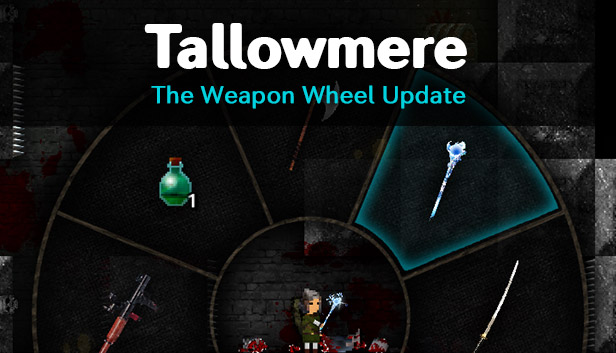
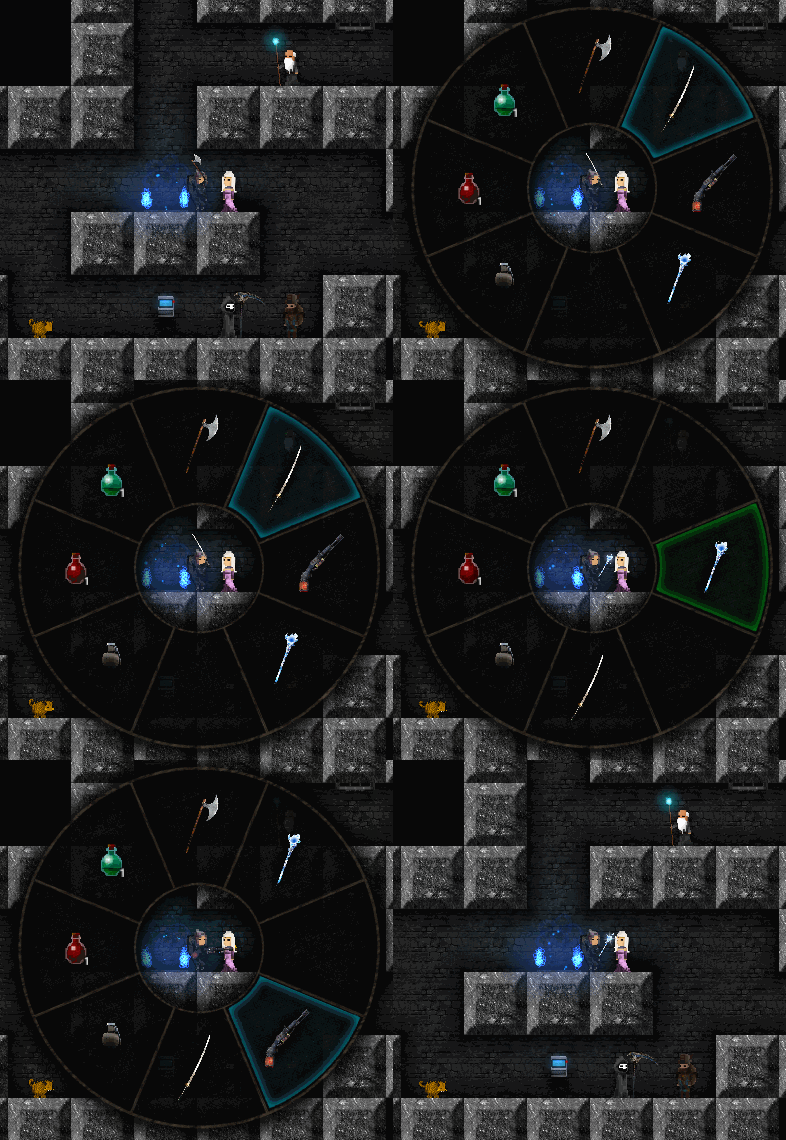
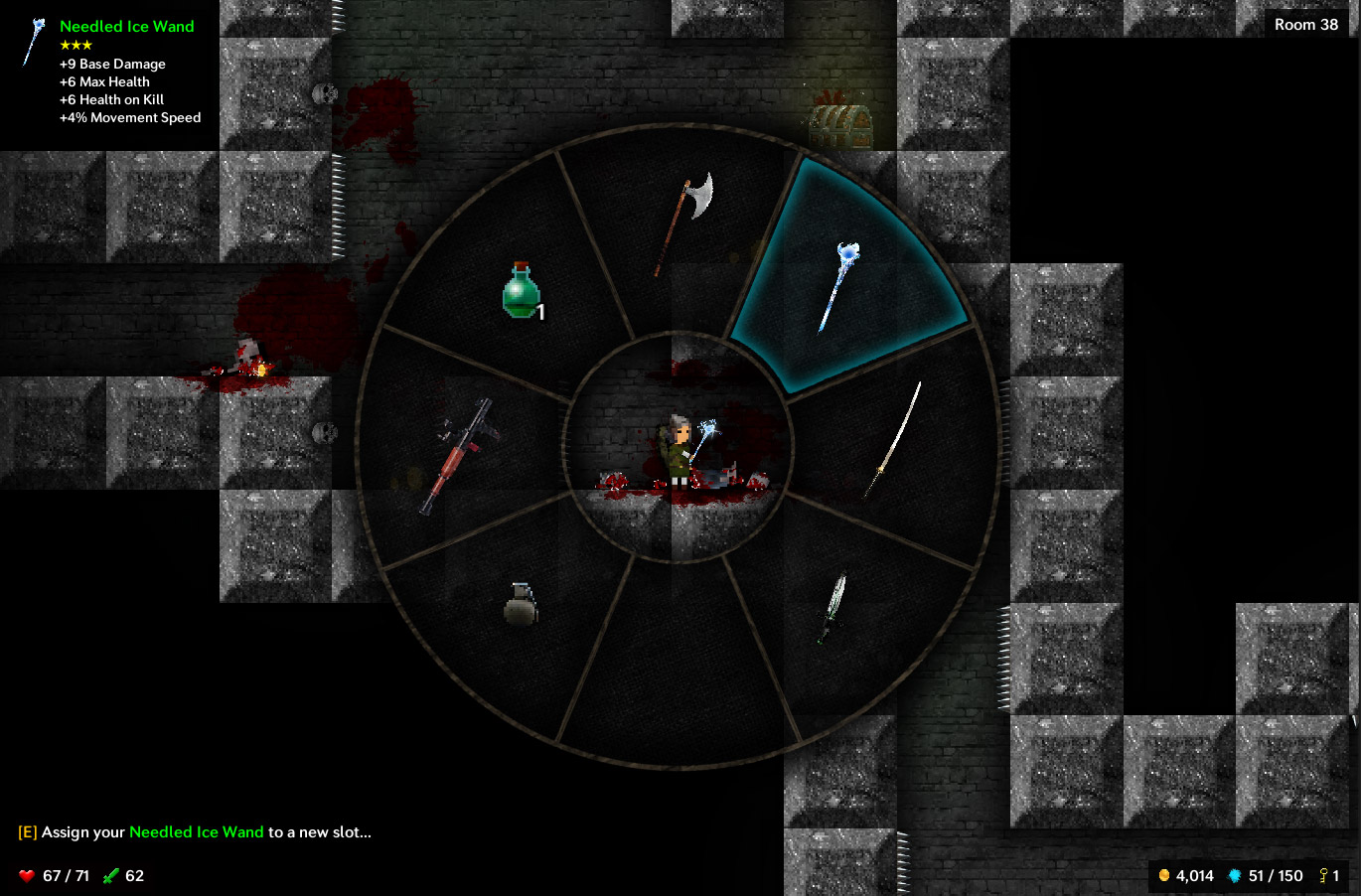
Lady Tallowmere is pleased to introduce the Weapon Wheel to assist you on your adventures. The Weapon Wheel contains 8 slots to let you quickly and precisely equip the weapon or consumable you desire.
To open the Weapon Wheel:
Keyboard: Press and hold Left Shift.
Mouse: Press and hold the Middle Mouse Button.
Xbox 360 controllers: Press and hold B.
PS3 controllers: Press and hold Circle.
To select a slot:
Keyboard: Use your movement keys (WASD) or Arrow keys.
Mouse: Move your mouse around.
Xbox 360 and PS3 controllers: Use the Left Thumbstick or D-Pad.
As soon as a slot is selected, the item in that slot will be equipped.
Further notes:
Your shield must be lowered to use the Weapon Wheel.
If you loot a weapon and there's space for it on the Weapon Wheel, the weapon will be added to the Weapon Wheel automatically.
If you loot a weapon that is an upgrade of a weapon type you already have, the new weapon will replace the old weapon on the Weapon Wheel automatically.
To assign your currently-equipped item to a new slot, press your Interact key/button (or left-click) while the wheel is showing; the slot glow will turn green. Then navigate to a new slot, then press your Interact key/button (or left-click) again.
If one of your items is not on the Weapon Wheel and you'd like it to be, make sure the Wheel is closed, equip the desired item by either pressing Up and Down, then open the Weapon Wheel, press the Interact key/button to enter edit mode, then select a slot. (make sure you press the Interact key/button before attempting to select a slot)
Please note that the Weapon Wheel is only available in single-player mode for now.
Keyboard shortcuts:
In addition to the Weapon Wheel, keyboard users can now equip items by pressing the 1-8 number keys on the top of the keyboard, corresponding to the position of items on the Weapon Wheel. Slot 1 is the North slot, Slot 3 is the East slot, etc.
You can also assign your currently-equipped item to a new slot:
Windows: Either hold down the desired number key for one second, or quickly hold Alt and then press a number (eg Alt+3).
Mac: Either hold down the desired number key for one second, or quickly hold Command and then press a number (eg Cmd+3).
Linux: Hold down the desired number key for one second.
Please note that these keyboard shortcuts are only available in single-player mode for now.
Other changes:
Tallowmere is now built with Unity 4.6.3, up from 4.6.1.
Added an input entry for the Weapon Wheel in the Edit Controls menu.
Added basic weapon wheel instructions to the tutorial.
Increased the low health warning threshold from 33% to 50%.
Items looted from chests that are upgrades are now automatically equipped; weapons are only automatically equipped if your currently-equipped weapon type matches the weapon type in the chest.
The hydra grew a thicker skin and now only flinches at most once every 2 seconds.
Added console command: "give axe"
Fixes:
Fixed an issue where the game would stutter for a moment the first time a green or red item comparison indicator would be shown.
Fixed an issue with the savegame system.
Fixed elite/boss treasure chests not losing their golden glow after being looted.
Fixed elites being able to spawn with the enemy-respawn mechanic.
Fixed some text issues with the Edit Controls menu.
Fixed the kidnapping boss being able to continue attacking you if you had left the room.
Fixed tutorial text being off-centred.
Tallowmere changelog for v309
12 March 2015 – Version 309
Fixes:
Fixed an issue from version 308 where local high scores weren't being saved nor loaded.