Introducing the ModPack, an upgradeable, modular backpack
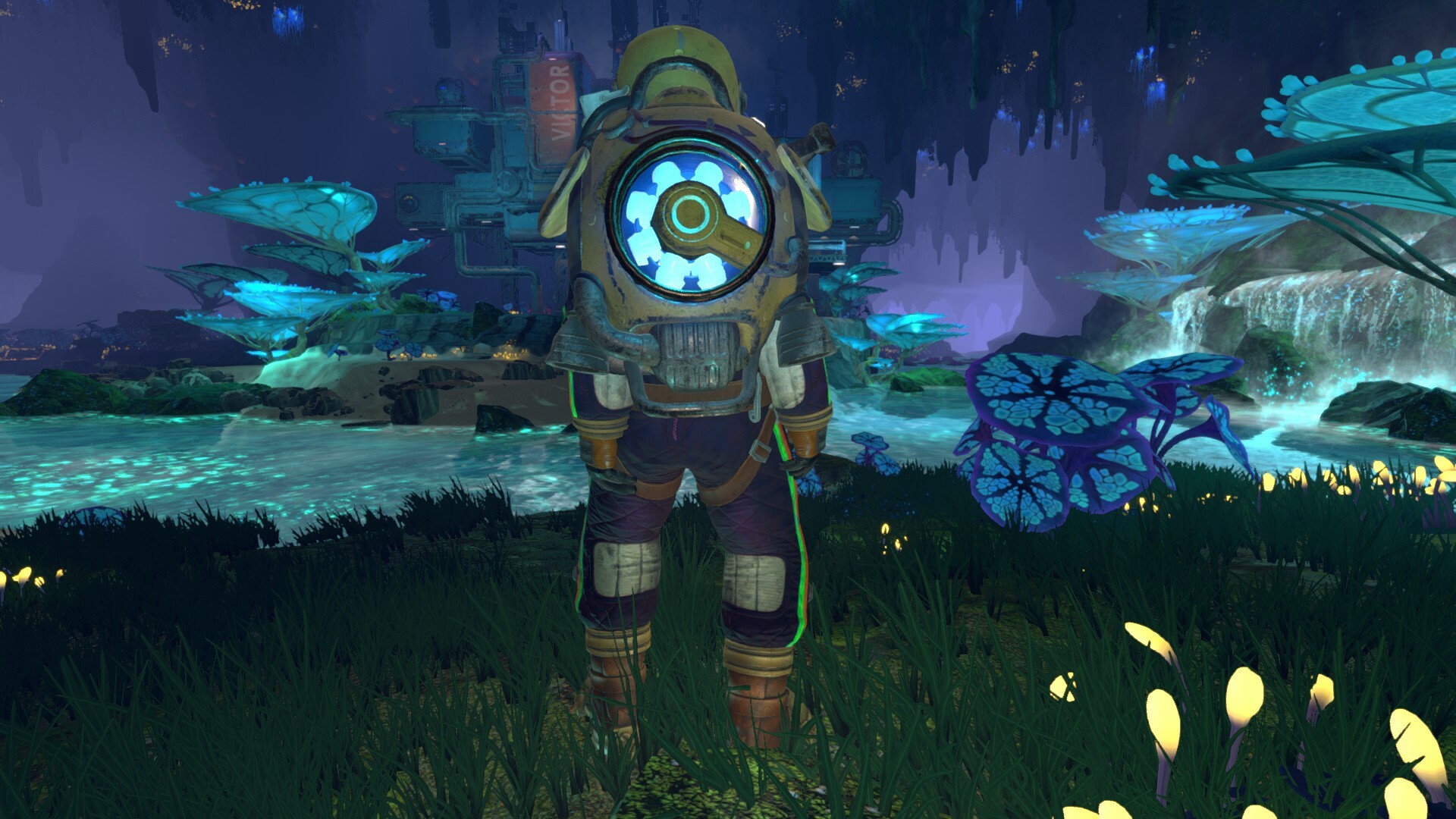
Say hello to your ModPack!
This modular backpack is worn by all Groundbreakers on Calyx, and you’ll be able to enhance it with upgrades like the Hover Mod.
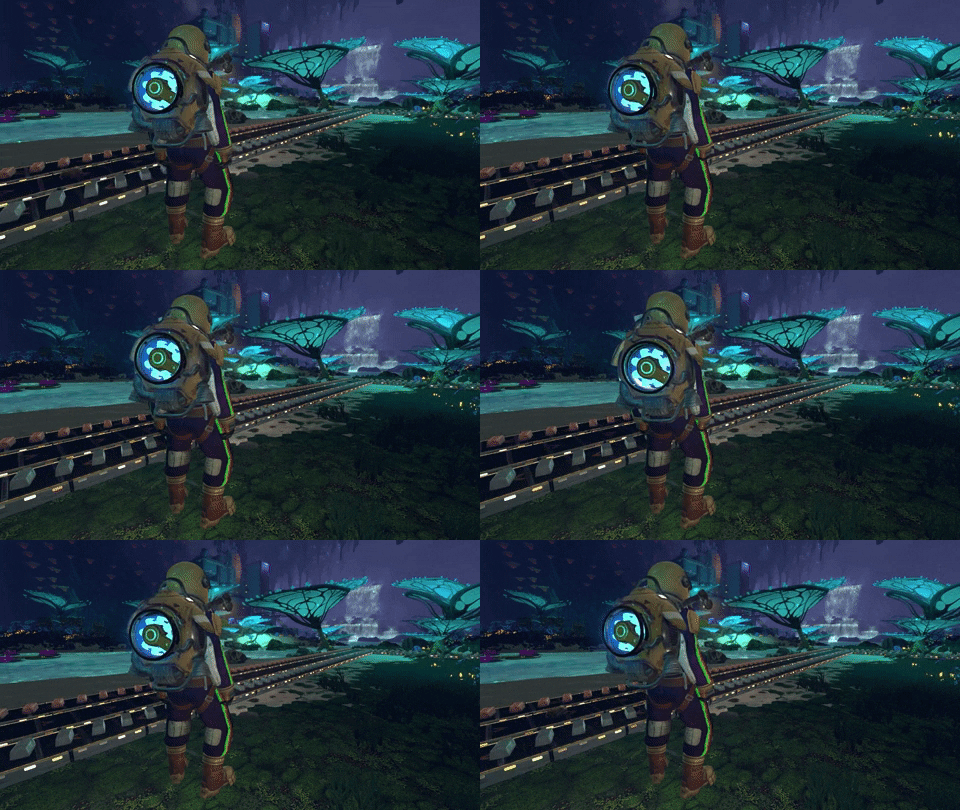
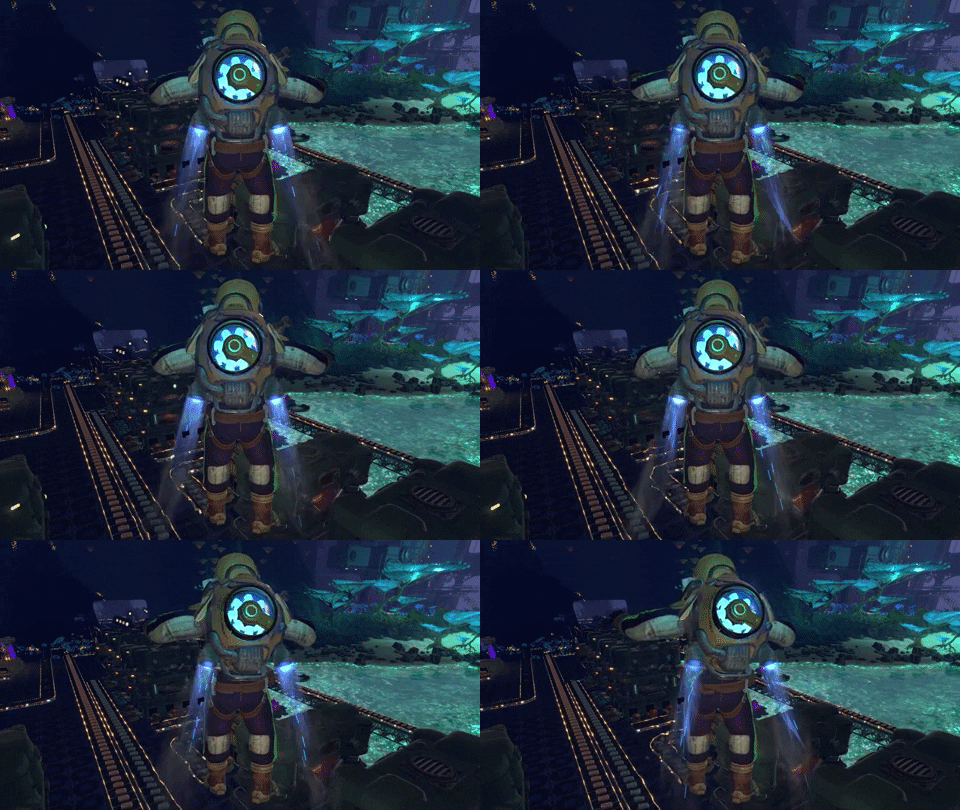
In today’s post, we’ll share screenshots and GIFs of the ModPack. We’ll talk a bit about how it functions and fits into the universe of Techtonica. And, of course, we’ll share some concept art to highlight the development process.
As always, Techtonica is in active development. The ModPack’s design and effects can change over time.
Let’s dig in!
Your ModPack’s alive with science!
The ModPack in Techtonica is home to all sorts of functionalities for the Calyxian-bound Groundbreaker.
Here’s how the pack looks in Techtonica. It’s rad.
The ModPack is a standard issue all-in-one backpack for ANEXCAL’s Groundbreakers. It’s a power supply for equipment, it holds the Groundbreaker’s lamp, and it’s the bottomless inventory system.
It’s also extensible with mods you’ll find throughout Calyx. The Hover Mod upgrades the ModPack’s thrusters, for instance, to enable flight at a consistent elevation above the ground.
A backpack was always intended for the complete design of the character. You can't have a Soviet-inspired, atomic-age video game cosmonaut without one.
How did we get here?
Concepting the shape and feel of the backpack
Early in development, the ModPack was just going to hold your inventory. It evolved to also act as a generator for the M.O.L.E.. Then it became the way we allow players to hover and travel short distances quickly. We figured the sky (or cavern ceiling?) was the limit from there.
Here’s a look at some very early concepts.
We always look for ways to add emission (glow) and motion that align with our story and aesthetic. Arc and fusion reactors combined with old-school radial engines have a cool, sci-fi, industrial look that helps us tell the story of Techtonica's mysterious and powerful technologies.
As the ModPack evolved, we got to work with these elements.
A future of ModPack add-ons
Over time, the ModPack worn by Groundbreakers will change with add-ons.
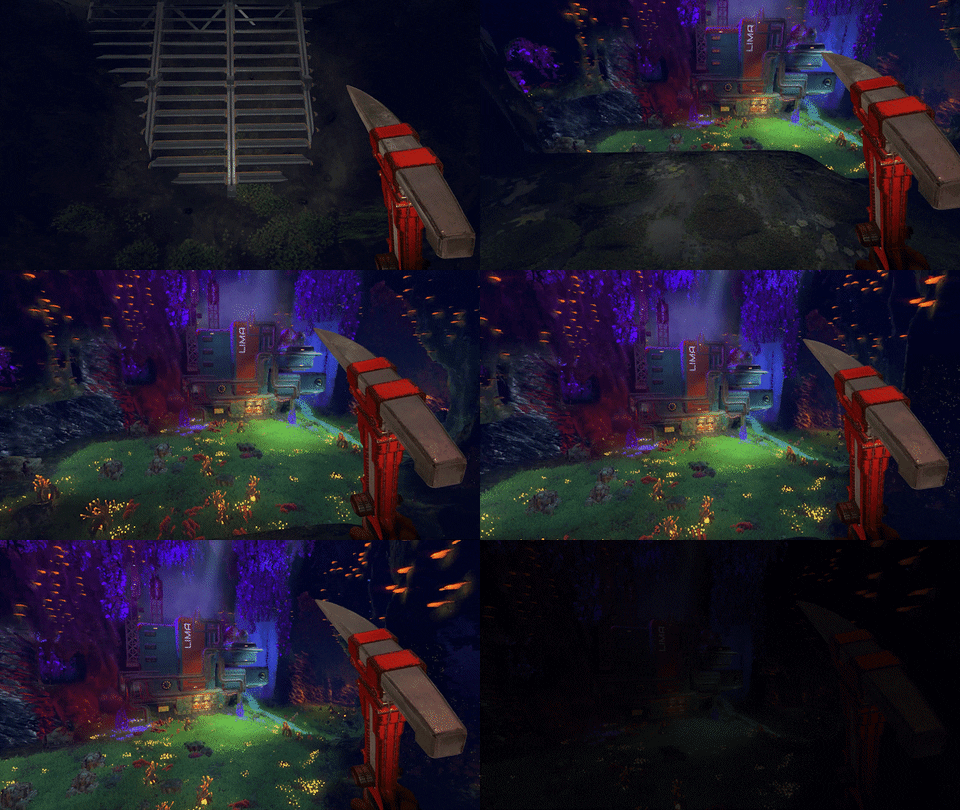
Here’s some concepting for how the RailRunner will work as a ModPack add-on.
The RailRunner (how players ride on the Monorail System’s rails) will be incorporated directly into the ModPack’s equipment set, just like the lamp and Hover Mod. It looks cool, first of all, and it makes a heck of a lot of sense in the context of the game.
We can’t wait to see you parading around Calyx with your own ModPacks once Techtonica hits Early Access later this year.
Techtonica’s UI overhaul features a new Notification Center
Building the User Interface in a game like Techtonica is its own unique challenge.
There’s so much information happening all at once in a factory automation game as players explore, research, build, and upgrade their factories.
Add in multiplayer? Well, that introduces a whole host of fresh challenges for how and where to place information.
Today, we’ll dive a little deeper into the evolving UI for Techtonica, touch on what was present in the demo, share how we’re showcasing information today, and give you a glimpse into the UI of tomorrow.
Before we start! This is all super work in progress. Understand that Techtonica’s UI is in-development and that a lot can and will change both before release and during Early Access. Cool?
Let’s dig in.
But first! A look at the Notification and HUD UI from the demo
If you’ve played Techtonica’s demo, then you're familiar with the temporary UI that’s in place. We know it’s cluttered and a bit hard to digest. We poke fun at ourselves about it, too, but programmer art UI is how games get up and running.
Let’s take a look at a screenshot that gives us a good chuckle. Here, we’ve just scanned our first Smelter and are greeted with what’s basically a dump truck of on-screen information.
Yikes.
The demo was essentially the Alpha of Techtonica. It’s early days stuff, so we totally get it. There’s too much on screen, and it’s hard to really parse what matters and what doesn’t. If we let that stand as our baseline, how do we improve?
Well…
Addition by subtraction
We start with reduction and simplification. All of those notifications that flew through the center of the player’s view during the demo? They have been pushed up below what we’re calling the Notification Center (more on that in a second).
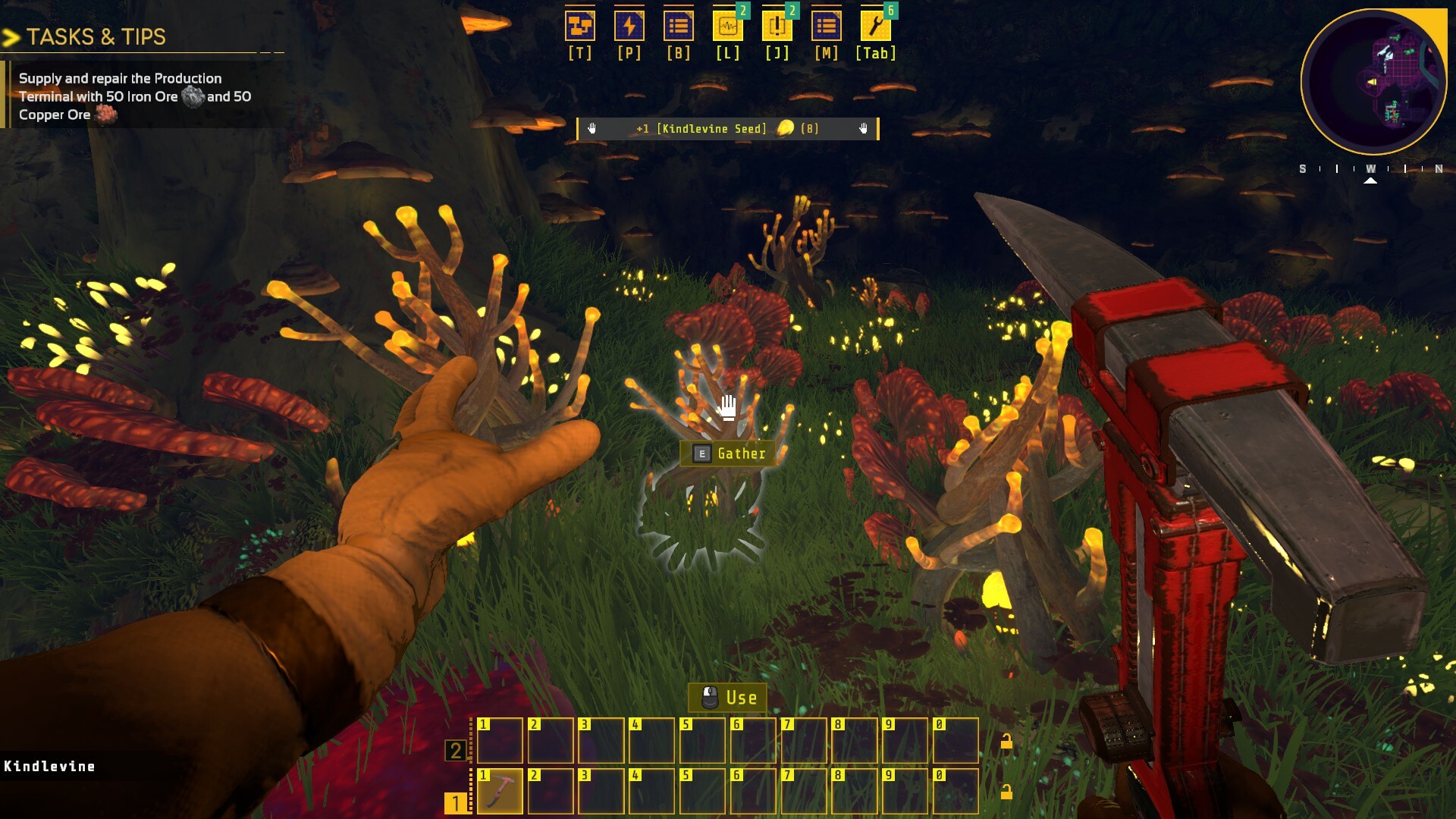
This single, convenient stream of information is a hub for all of what each player is actually doing. If you’re gathering plants, we detail what and how much in a small notification. If another of your friends scans and unlocks new equipment, we share that information along with their Steam name.
It’s so much cleaner.
This reduction in clutter makes it easier to spot notifications and pick up on bigger, more important cues.
Easier access to what you care about most in a given moment
You’ll notice at the top of the refreshed HUD is a collection of icons and shortcuts. Each icon will have a notification counter on it as Groundbreakers unlock new tech, dialogue, and quests. Hit the shortcut key, and you’ll dive directly into the menu with the notification.
We wanted a way to gather waiting notifications for players without pestering them. Now, when you want to explore what’s new in your journal, you can do it at your leisure without a massive block of text flying over the middle of the screen.
Those shortcuts, of course, will change if you ever rebind your keys. Don’t worry.
More urgent notifications will get priority billing beyond just a number above one of those icons. We’re looking to expand the roster of urgent notifications, too. Power failures, for instance, will be easier to spot as we continue to improve the UI.
A peek at the HUD in Techtonica’s tomorrow
We have more coming in the UI, too! Our art team mocks up additions and changes as we design and concept new machines and functionalities.
Here are a couple of those mock-ups for you to peruse and consider. Not all of this stuff will come to Techtonica, but it is cool to see what we’re cooking and trying on for size as development moves into and through Early Access.
Thanks for reading, Groundbreakers!
If you’d like to chat more about the UI or what’s coming to Techtonica, join our Discord.
Understand your factories at a glance with Overlay Mode
Factory automation games like Techtonica are about making things work as well as they possibly can. Efficiency. How do you eke out more efficiency?
These games are also about on-the-fly solving of logistics puzzles that you, the player, create. You create these puzzles as you plan and build your factories.
As makers of a factory automation game, it’s our job to get you info in a quick, digestible fashion. We’re constantly improving the UI that delivers that info.
Today, we’ll showcase Techtonica’s Overlay Mode, which relays critical factory information and enables rapid problem diagnosis in a 3D, massive factory space.
Before we start, remember that a lot of this art is temporary! Techtonica will launch as an Early Access game this year, and elements of the game’s art and UI are regularly changing.
Let’s dig in.
Hello, Overlay Mode!
Activating Overlay Mode is simple: press the Alt key on your keyboard, and boom, it’s there.
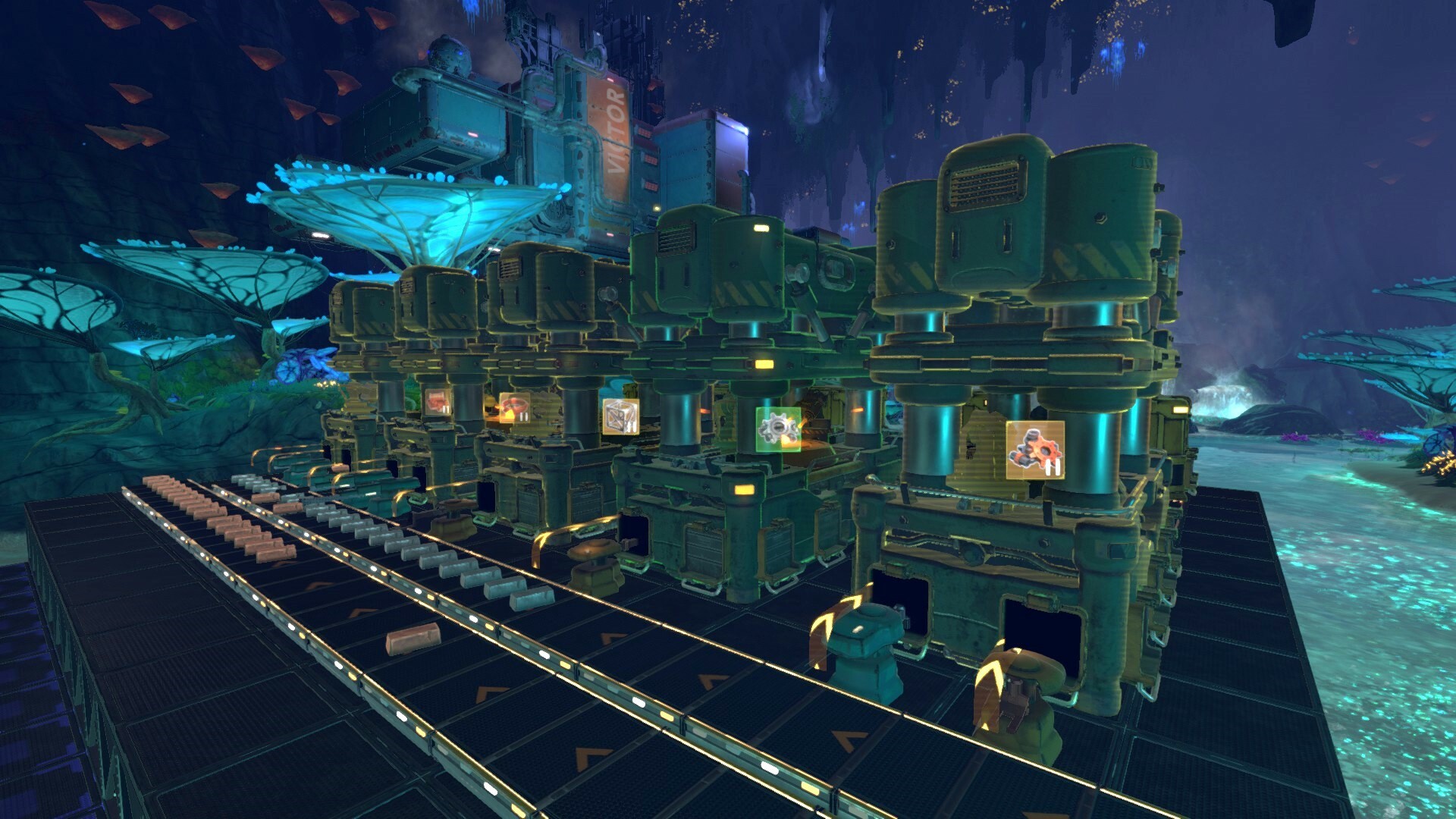
You now have an overlay on all machines, from Inserters to Smelters and Assemblers. This overlay contains critical information. On Inserters, for instance, you can immediately tell which way the Inserter is operating. On Assemblers, you can see what the currently selected recipe is at a glance. On Smelters, you can see which ingot the machines are producing.
We also color machines based on their operational status. Green means everything is good. Yellow means the machine is paused and waiting (perhaps an Assembler that’s configured correctly but just waiting for the goods). Red means something is wrong.
With Overlay Mode, even larger factory floors become instantly legible. In the example screenshot above, Overlay Mode immediately tells me which side of my Smelting operation is copper and which is iron.
Some folks at Fire Hose leave Overlay Mode on constantly. I use it whenever I need to rapidly understand my layouts or am returning to an older save, confused and lost. (This happens often.)
Rapid problem diagnostics with big red icons
In the spirit of making sure that Groundbreakers have immediate, highly-visible information about the status of their factories, major problems will show over machines regardless of Overlay Mode being on.
If your machines are out of fuel, if an Inserter is trying to insert the wrong resource type, or if your Crank Generator needs a fresh crankin’, we’ll tell you with a red status icon over the machine.
This means that your factories let you know about problems as soon as they happen. It’s super convenient when you’re working to keep large-scale operations running smoothly and an error shows up that you wouldn’t have otherwise noticed.
Overlay Mode concepts and the future
It’s time for some concept art! ...And practically ancient in-game screenshots.
Look closely and you’ll notice old versions of the Assembler and Inserters. You’ll also notice that Overlay Mode has been with us for, literally, years as our team drew on stuff like the Inserter directions.
What about the future? The icons are all changing to be cleaner, easier to read, and to feel like they're a better fit for the Techtonica universe. Here are some of the new concepts that we're picking from.
Techtonica drops later this year. Add it to your wishlist!
If you want to chat with some like-minded factory automation fans, join our Discord!
The power obstacles and tools at your disposal in Techtonica
Power production in factory automation games is critical to scaling your factory. How do you meet shifting power demands as your factory grows? What new tech can help?
The power system in Techtonica will evolve throughout Early Access, but at launch, we’ll have several tools for players to harness and obstacles for them to overcome. Today, we’re talking about the Accumulator and Power Spikes.
Let’s dig in.
Powering your factories
At Early Access launch, electricity-based power generation will happen through Crank Generators, whether connected to Water Wheels or activated manually by Groundbreakers.
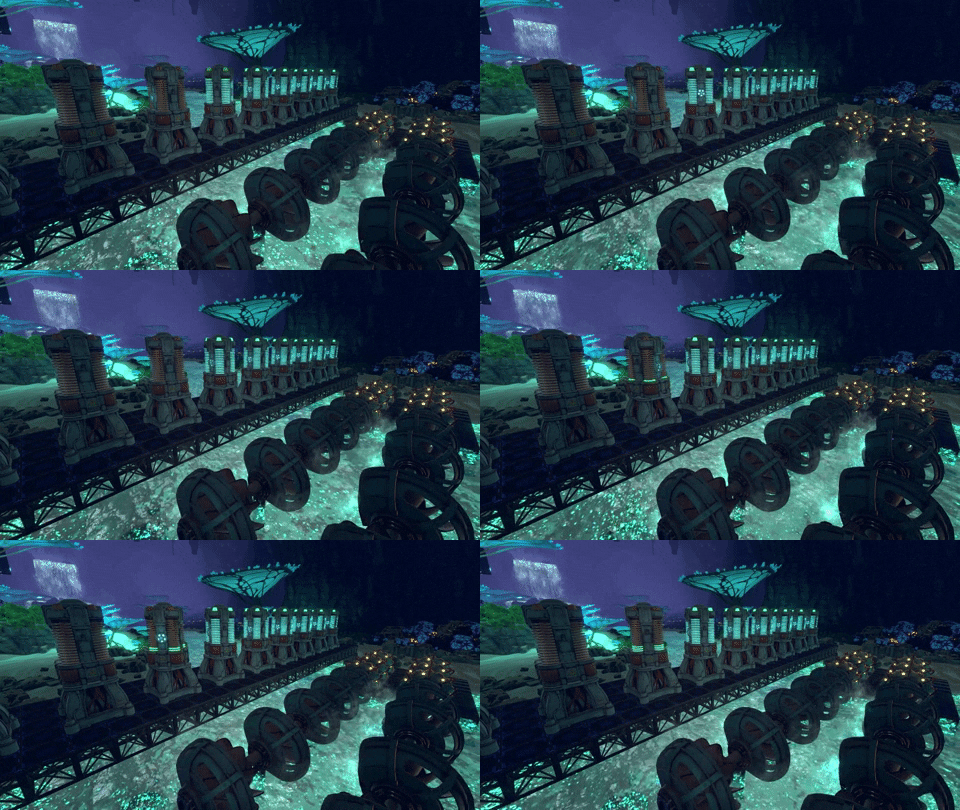
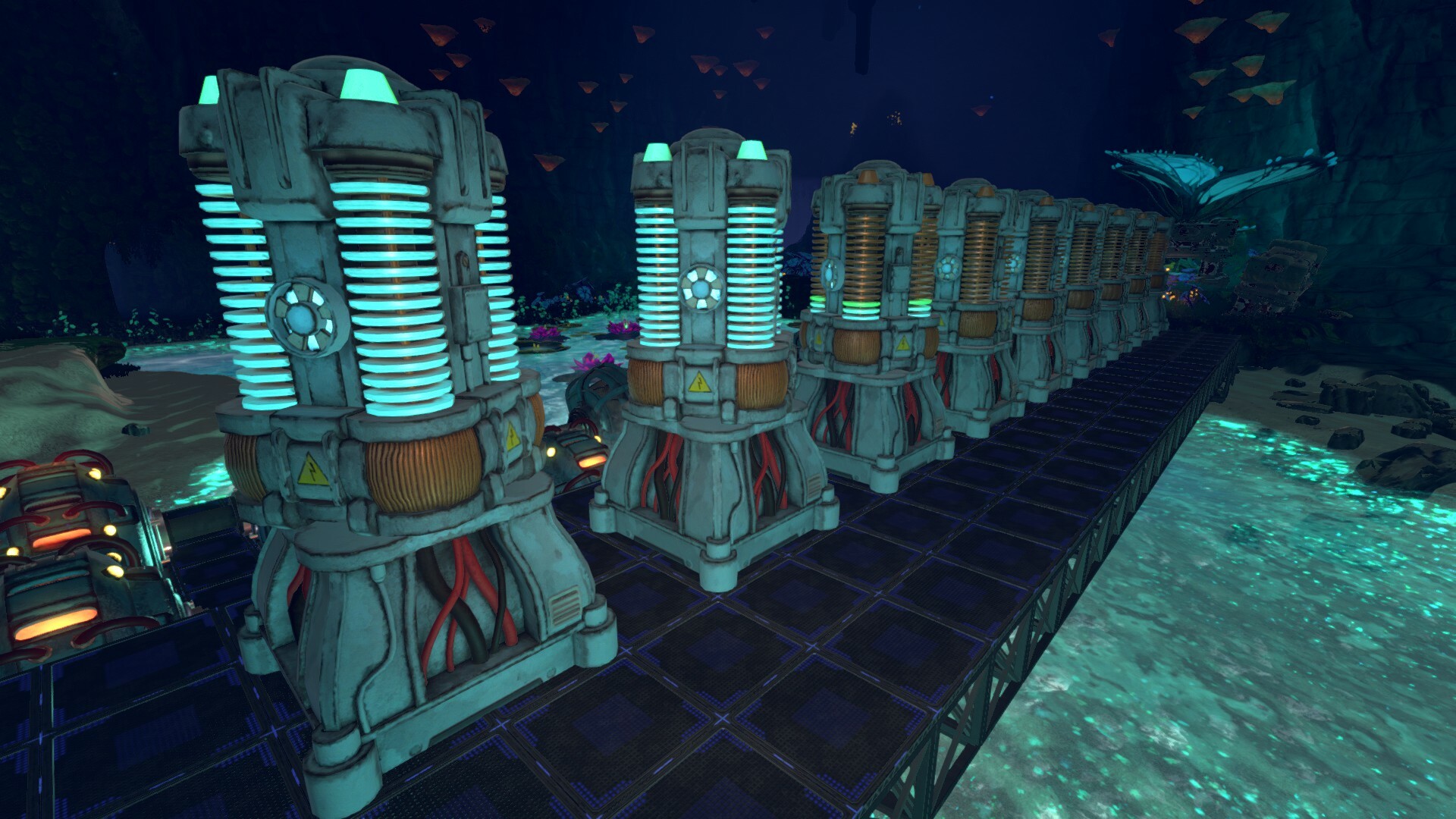
Groundbreakers will also quickly gain access to Accumulators, which capture and store energy output by generators. That energy then flows into machines like Planters, Threshers, and Assemblers to power your automation chain.
A great bank of Accumulators and Crank Generators can get you pretty darn far when it comes to factory output. But what happens when power demands evolve?
Creating a power challenge for late-game factories
As your factories evolve and you explore more of Calyx, your power requirements will change. Some mid- to late-game machines require massive power spikes to operate.
The Monorail Depot is one such machine: you need the stored power in Accumulators to handle the energy spike that launches each train.
We’ll also challenge you with power surges for researching late-game tech. This creates a sort of power-check system to validate that your factories are big enough and efficient enough to handle the technology you’re about to unlock.
We’ll push you to generate lots of power, and Accumulators hold on to that power until your factories make use of it.
Powerful concept art
When we were working on designs for the Accumulator, we wanted a better way to visualize their charging status than, say, a light bar.
That’s when we landed on spinning. The Accumulators spin when charging up. Once they reach capacity (or power stops coming in), they’ll stop spinning and the lights will indicate how full they are.
Here’s some early design work.
Obviously, we’ve broken away from the blocked bank in favor of single Accumulators, but the angled sketch mid-rotation remains. You can also see that we tend to sketch players into our concepts to get a sense of machine scale.
Finally, here’s the Accumulator after our art team iterated on the initial sketch work with some 3D models.
Techtonica is a factory automation game, in case this wasn’t abundantly clear yet.
This growing genre is relatively fresh, and one bit of fairly untrodden ground is narrative. That is, factory automation games don’t typically have stories at their center, letting players pull at plot threads as they expand their factories.
With Techtonica, that’s exactly what we’re trying to accomplish.
If you’ve played the demo or watched the trailers, you likely already know that Techtonica features voice acting. That voice work is part of our broader narrative, and today we’d like to take a moment to look at another of our many narrative devices.
Facilities.
Before you split, take note: we won’t spoil anything in this post. We picked a facility that’s specifically spoiler-free. Have no fear and dig in.
Welcome to the Warehouse
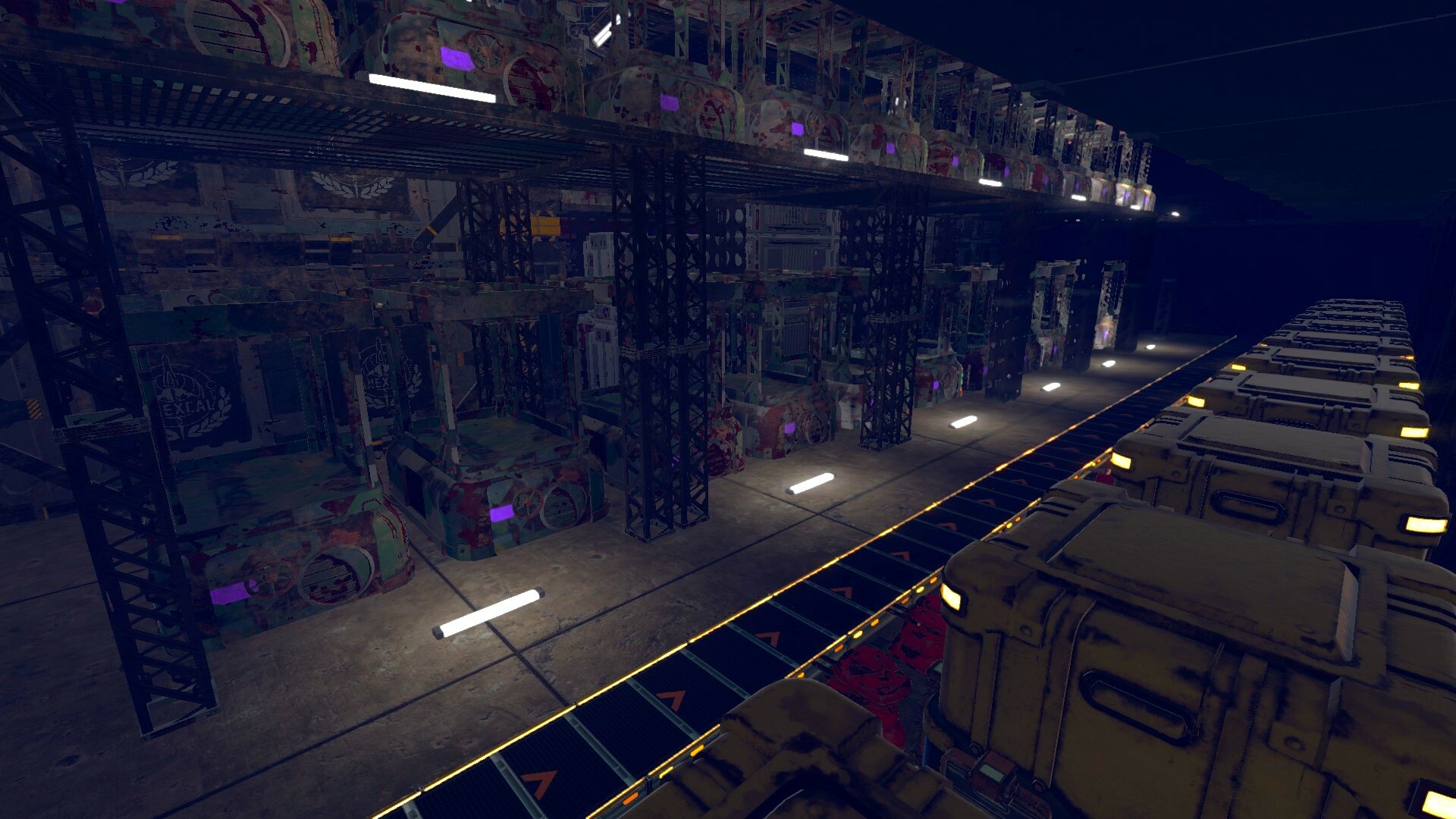
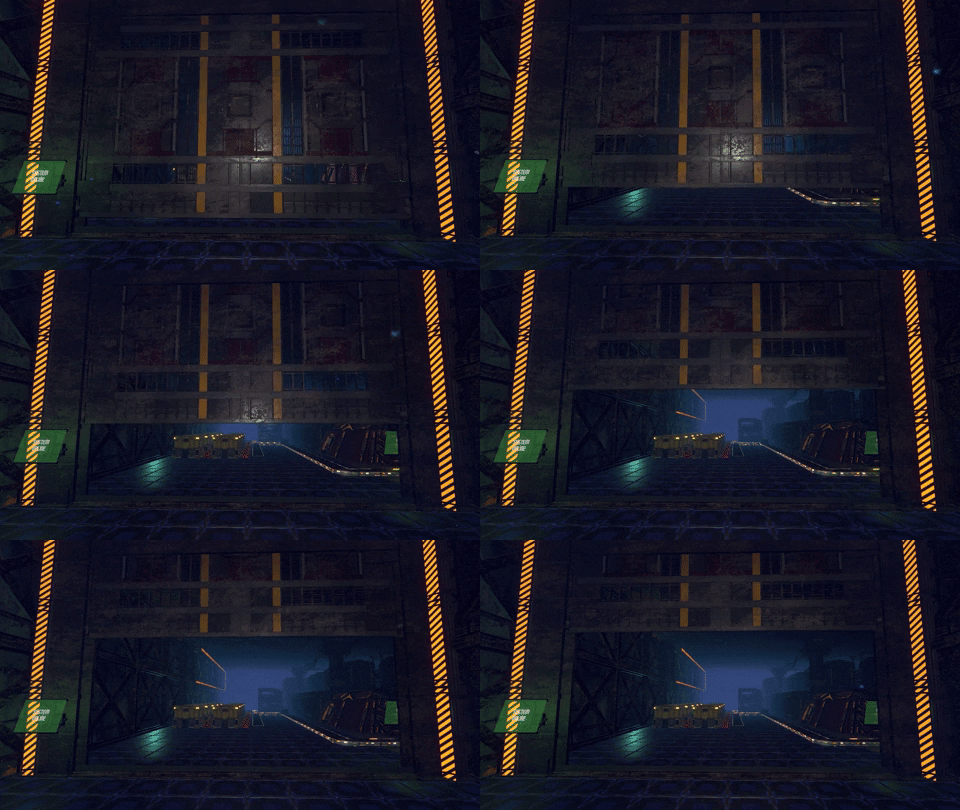
Hidden west of Butterfly Cove is a gate. Behind that gate? A treasure trove. The Warehouse is a storage facility on Calyx, and it contains tech that you’ll need to scan to progress to the next tier of unlocks on your Tech Tree.
Facilities like the Warehouse also feature scannable objects that won’t yield an unlock, instead revealing tidbits of information about what happened on Calyx. This is one of the narrative devices in Techtonica that rewards curiosity and exploration with breadcrumbs of story.
The Warehouse is one of many facilities, and others will feature lots more lore and discovery. As I said, we picked the most spoiler-free facility for this showcase, so expect to unearth plenty of Techtonica’s tale in the others.
You’ll need a little more to unlock the doors, Groundbreaker
Some Facilities are going to require a little technological muscle to enter. For instance, the Warehouse demands a Crank Generator's placement to power the gate. Once inside, there’s another door that requires some advanced tech to unlock.
Locking narrative and equipment scannables behind doors like these gives us a way to motivate players to iterate on their factories, make them more efficient, and yield specific products and components.
Farm fresh concepts
As always, we have a piece of concept art that I think is pretty cool. Andrii, our Game Designer, had a vision for the Warehouse that he sketched up before everything was made in-game. It wound up being pretty darn close to the playable version on the development build today.
There’s something intriguing about the isometric view of the Warehouse space. My favorite part? Andrii’s homage to Cranky, which is what we call the Crank Generator internally.
Our Assemblers were missing a key feature until recently
World-building in games is tough! Establishing a sense of visual, aural, artistic, and narrative consistency can really help make a game feel alive, a world fleshed out, and accomplishments more rewarding.
As you can probably tell based on past updates about Techtonica, we’re working hard to establish that sense of “life” in our game.
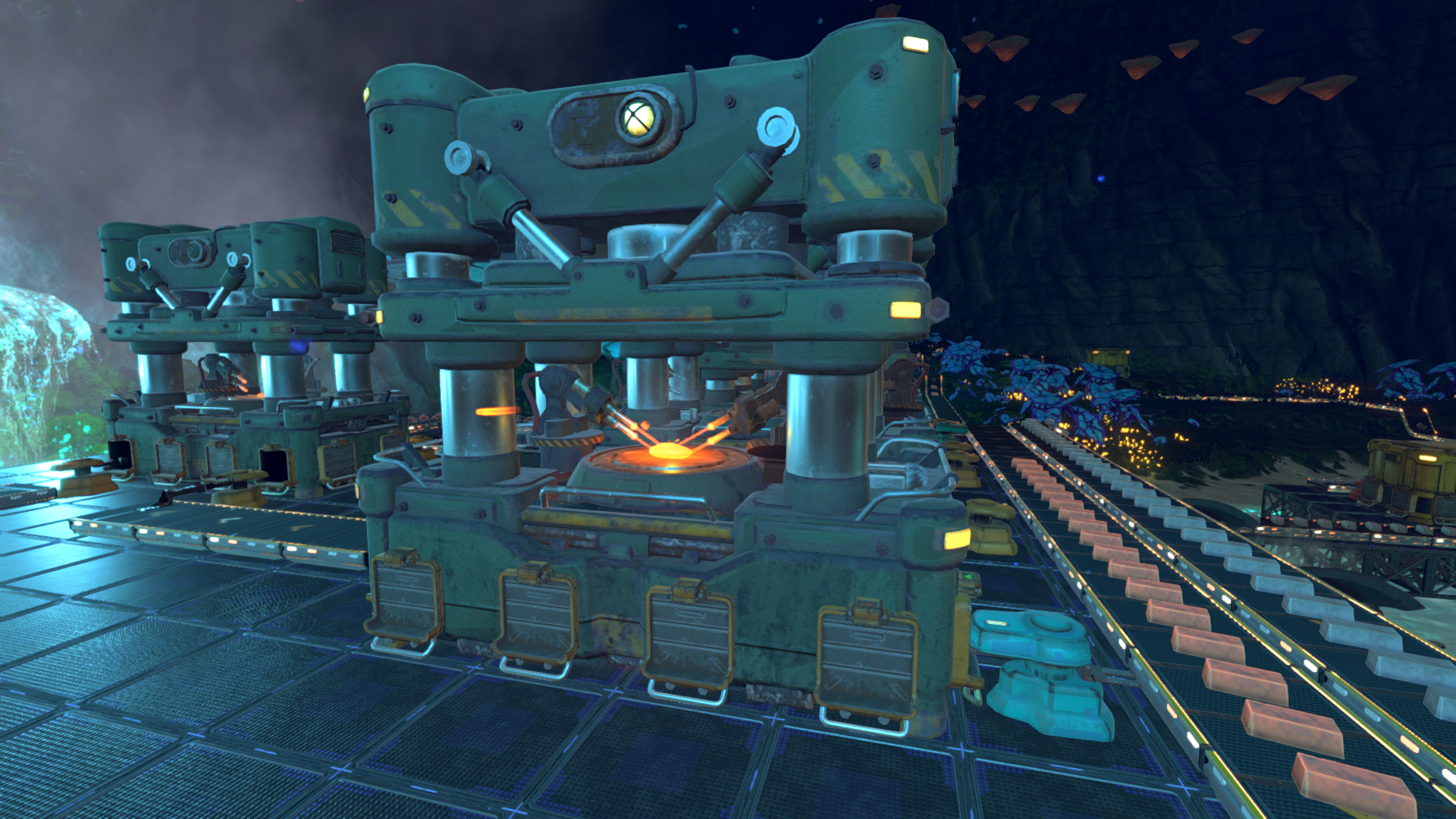
Our team recently achieved another notch on the belt of world-building in Techtonica… we got the Assemblers to animate the construction of the thing they were actually assembling.
Assemblers, ASSEMBLE!!!
I promise that’s the one and only comic book joke in this post.
Obviously, a factory automation game like Techtonica aims to deliver a rewarding feeling of accomplishment after players devise solutions to massive logistical undertakings. That rewarding feeling can come from a nice audio cue, an unlocked mechanic or machine, or even a juicy animation.
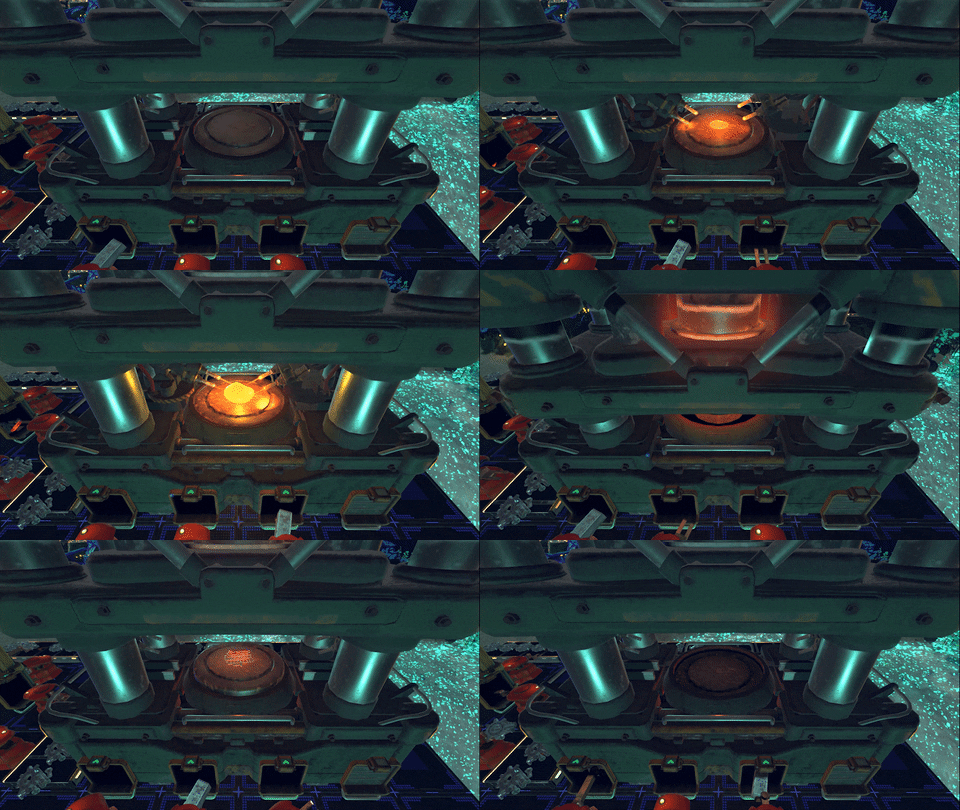
Here, we wanted to reward players for their work by showing their intermediates come together in a rush of molten metal and lasers on the pedestal of the Assembler. Here’s a GIF to show you how it looks.
That’s right, the iron components that the Assembler was set to construct are what players will see appear on the plater during construction.
The animation syncs up with the crafting time the item requires, too. That means complicated stuff like memory cores takes a while to assemble, and animation time matches that assembly time. For simpler recipes, like iron frames, the craft time is much, much faster, so we only run the animation once every three times the intermediate is complete.
I’ll admit, I’ve stared at this for too long a few times already during our internal play sessions.
Finding the right animation
Assemblers are a super important machine in Techtonica. They represent the core of automation, and they are required to make specific items. We knew we wanted them to look and feel really hefty.
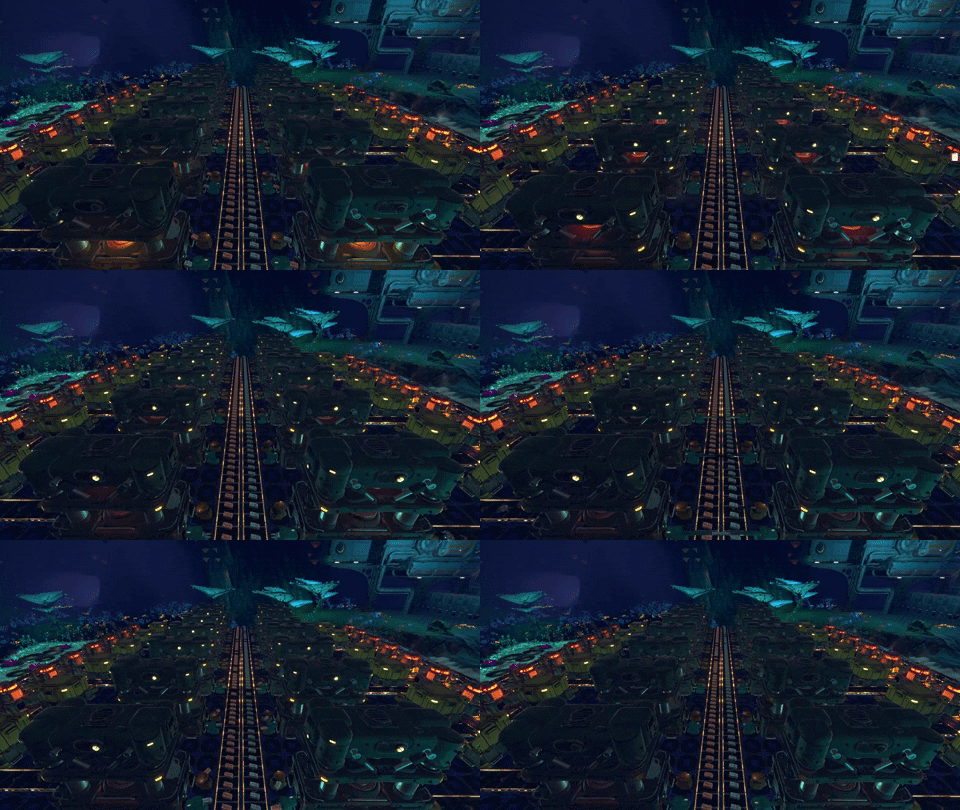
Part of that heft comes from the animation. The Assemblers chug, and a group of them looks like a series of pistons on an engine block. Unless they magically all drop at once like they did for me while grabbing the GIF below.
The chugging animation was built to look satisfying from far away, and the big motions really work.
But, that granular, detailed animation we were after? We knew we wanted it to deliver a satisfying vibe, and that’s how we iterated through these designs and animation efforts.
We actually have a timelapse of the assembler animation, at least an earlier iteration, coming together in dev.
Oh, also... This might be some of my favorite concept work done during the animation discussion process. Can you tell that it wasn’t done by one of our artists?
If you want to chat with the devs about the intricacies of world-building and minor touches in Techtonica, then you should join our Discord! Come hang out with like-minded factory automation folks.
Today, we’ll show and explain a little of the process of iterating on a space in Techtonica's map in response to new flora, expanding art, and winding terrain. What’s west of Butterfly Cove? Western Butterfly Cove, clearly.
A change based on plant life diversity
Butterfly Cove is a large, open cavern with a waterfall, pooled river, and massive Waterglass Monarchs. That look was set to continue throughout the full Terminal VICTOR space when we started designing the level.
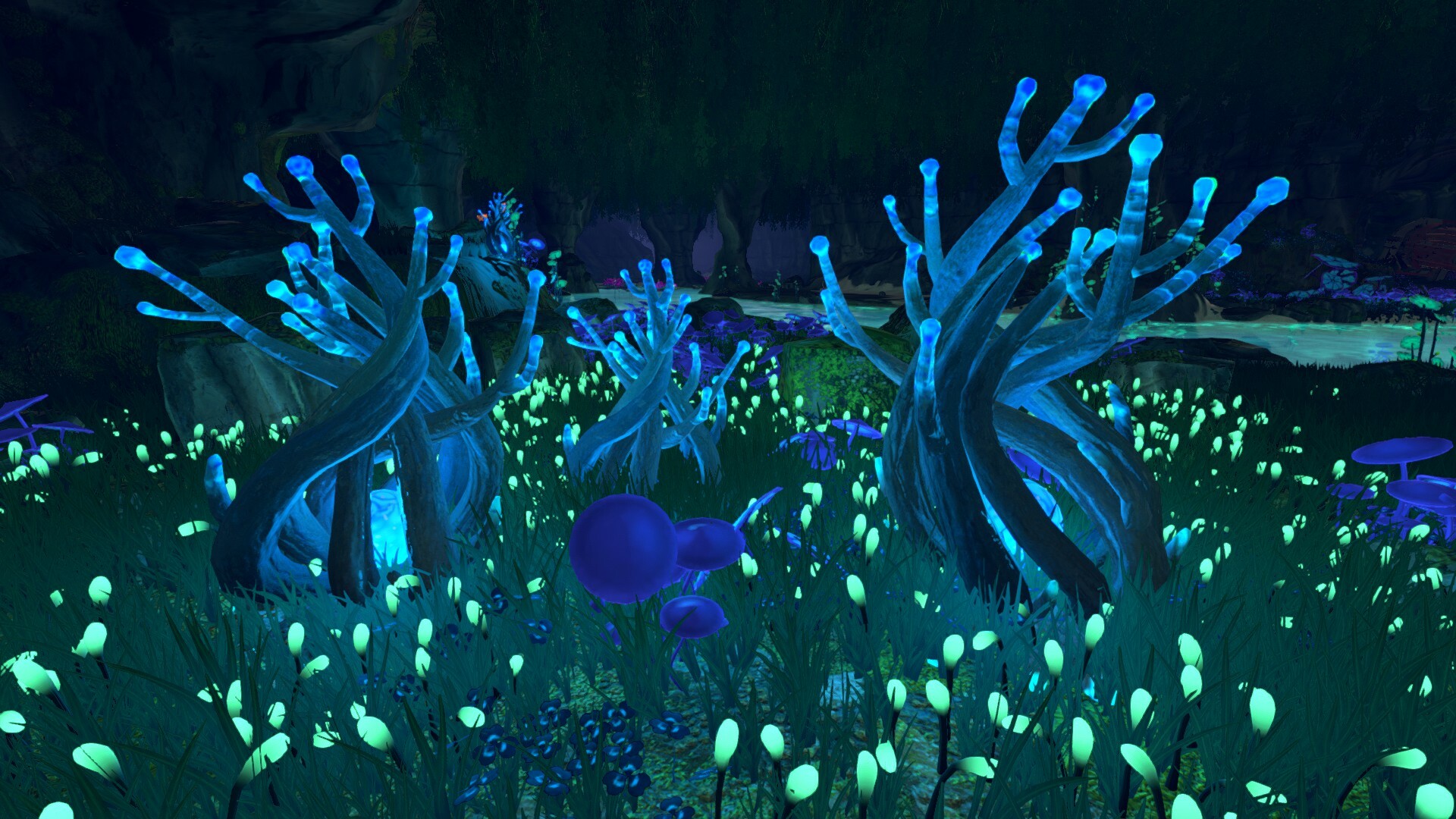
We changed our minds, though, with the introduction of a new plant. Meet the Shiverthorn.
The Kindlevine, if you’re not familiar, is the orange plant found all over the River Biome in the demo (and what will launch with Early Access). The Shiverthorn packs some different materials, and it's found initially in Western Butterfly Cove.
As the plant was introduced, our artists and level designers decided to reign in the space around it, bring the ceilings down, and introduce a new feel to the Western Butterfly Cove. Now? It’s tighter, more intimate, and evocatively cold, much like the Shiverthorn that inspired the change.
Bending the environment to a fresh mentality
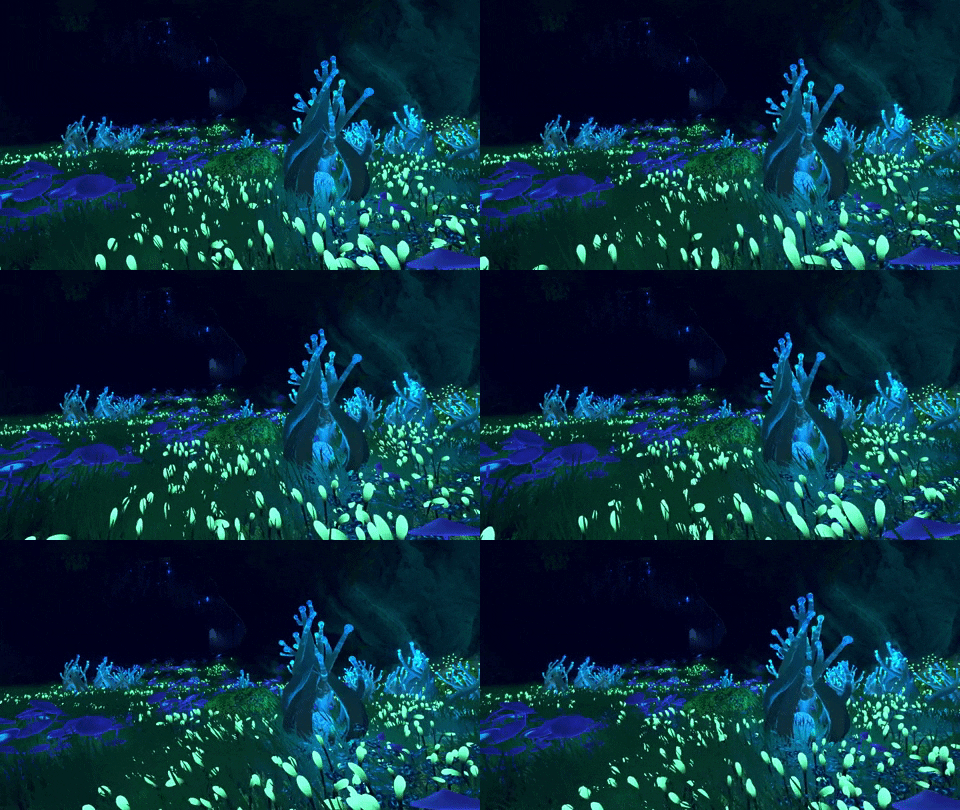
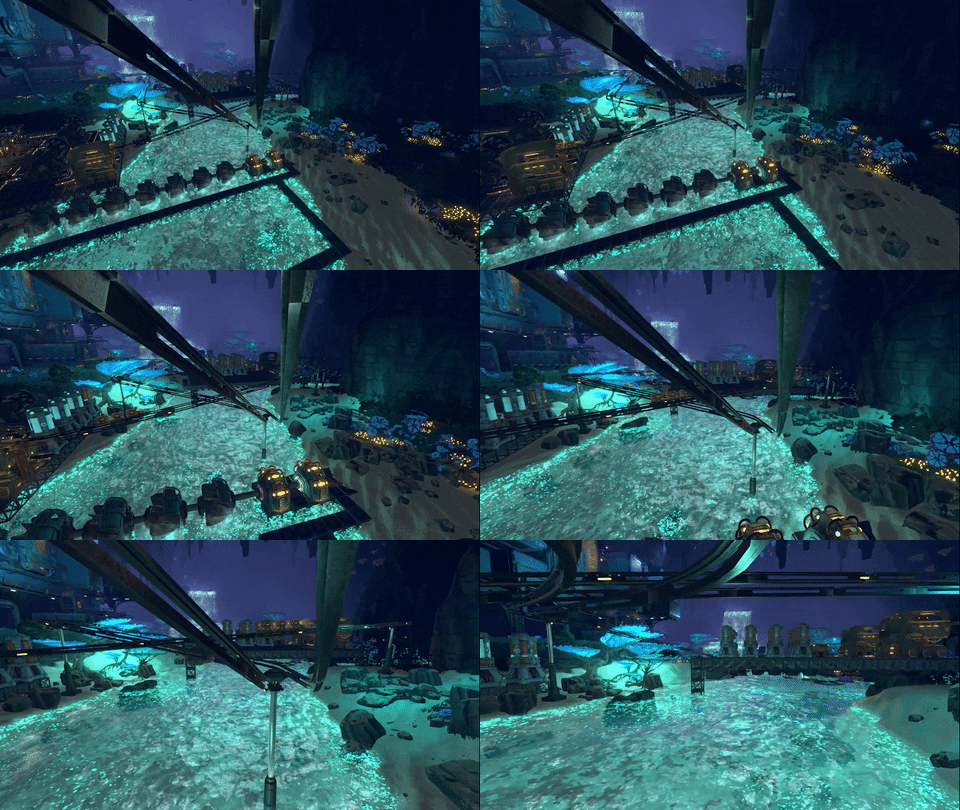
Nothing really highlights the differences between Butterfly Cove and Western Butterfly Cove quite like a brief fly-through of each. Here they are labeled in a single GIF.
Hello, iterative level design
This process of slowly reworking and reshaping a space in a game is iterative level design, and it’s a pretty common practice in game dev. That iterative process can seem slow but brings vast, sweeping changes over time.
The introductions of the Shiverthorn, water plants, ivy, facilities (more on these later in February), stalagmites, and stalactites turned what was once a repeat of a nearby space into something completely different.
Monorails? Yes! Introducing Techtonica’s Monorail System
Greetings, Groundbreakers.
We’ve been looking forward to sharing this update with you for the last few months. Mass transport systems are pretty awesome in factory automation games, and we’re excited to finally showcase our take on the mechanic with Techtonica’s Monorail System.
Read on to learn more about how the Monorail System works, see how you can ride it, and explore some of the concept and design work that brought it to life.
Let’s ride.
Please keep your hands and feet clear
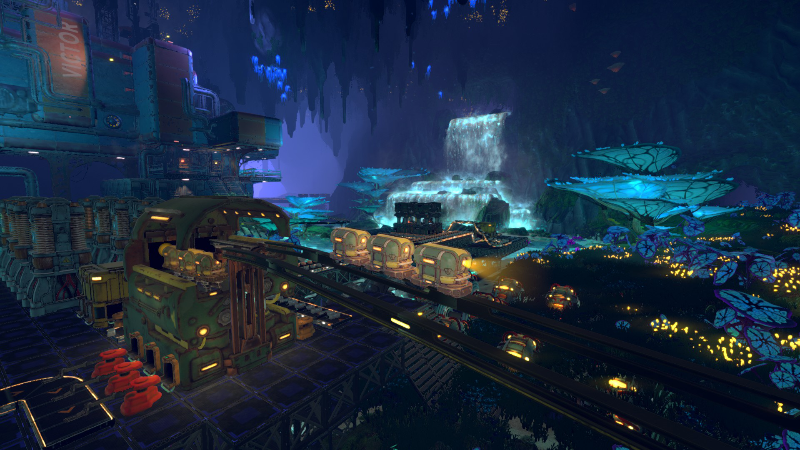
The Monorail System is a collection of buildable machines, components, and equipment that serves as Techtonica’s mass transit system for cargo (and, occasionally, Groundbreakers). It consists of Monorail Depots, Poles, Haulers, and the Railrunner.
Groundbreakers place two Monorail Depots some distance apart on powered Powerfloors with Accumulators. They connect those depots with tracks built by placing Monorail Poles. Then, it’s all about loading, packing, and shipping.
The Monorail Depots also feature ports to ensure this mass transit serves its purpose in furthering that sweet, sweet automation process.
Hauling items over cavernous distances
The Monorail System is meant to come in handy when you need to get lots of products or materials across vast distances in Calyx.
We love those wild and large buses, too, but they are expensive and rather painstaking to build.
Instead, the Monorail System is put in place by much simpler means. Sure, the Depots are more expensive than Conveyor Belts, but they’re loads easier to afford, manage, and deploy when you consider the scale required to reach factory outposts.
More on the Railrunner… soon
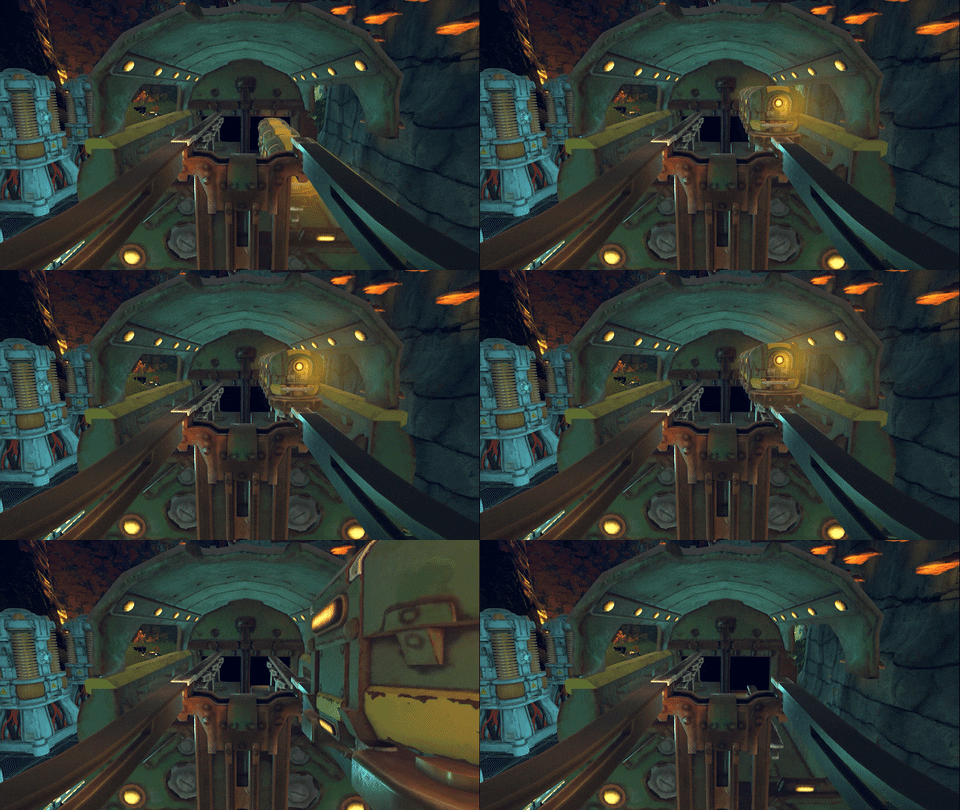
We mentioned the Railrunner above and even showed a brief glimpse of it in the video, but we’ll have loads more to share regarding how it works in the future.
For now, we have a GIF that we genuinely enjoyed snagging.
Sketches and graybox animations of early Monorail concepts
Whenever we show off a new big feature, mechanic, or machine, we try to include some of our concept work.
We had plenty to choose from for the Monorail System.
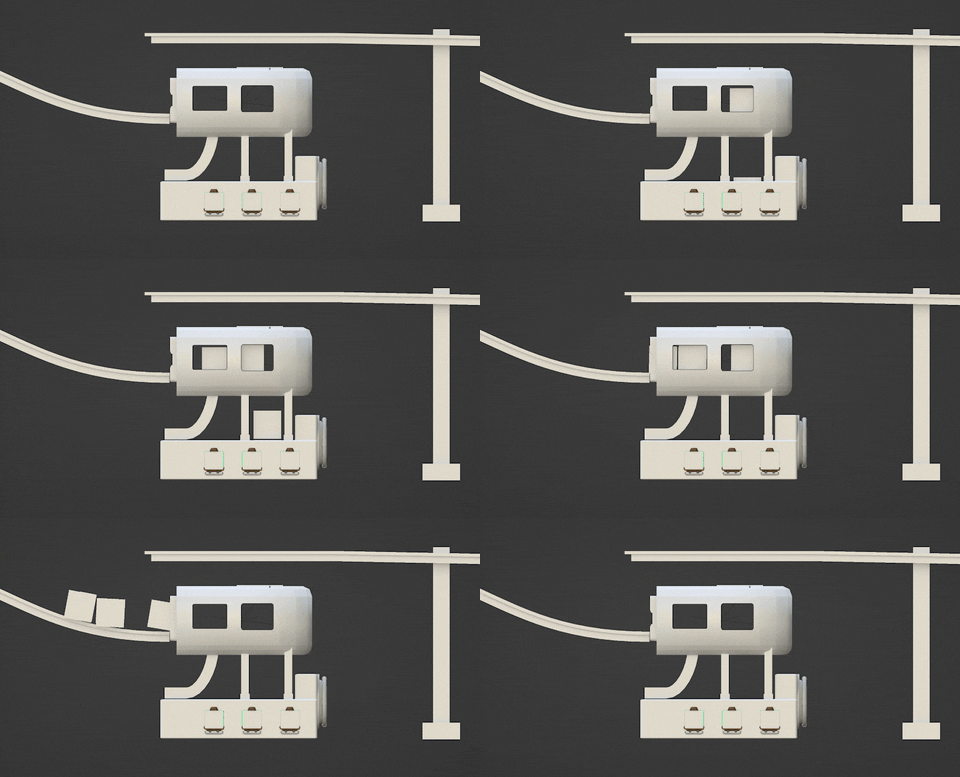
First, this early sketch of the Monorail Depot reveals some interesting development tidbits. We knew we wanted ports to ensure automation, and we also knew we wanted to make sure players could see the Haulers–which we called crates back when this was drawn–as they load, but we weren’t quite sure what the transition would look like.
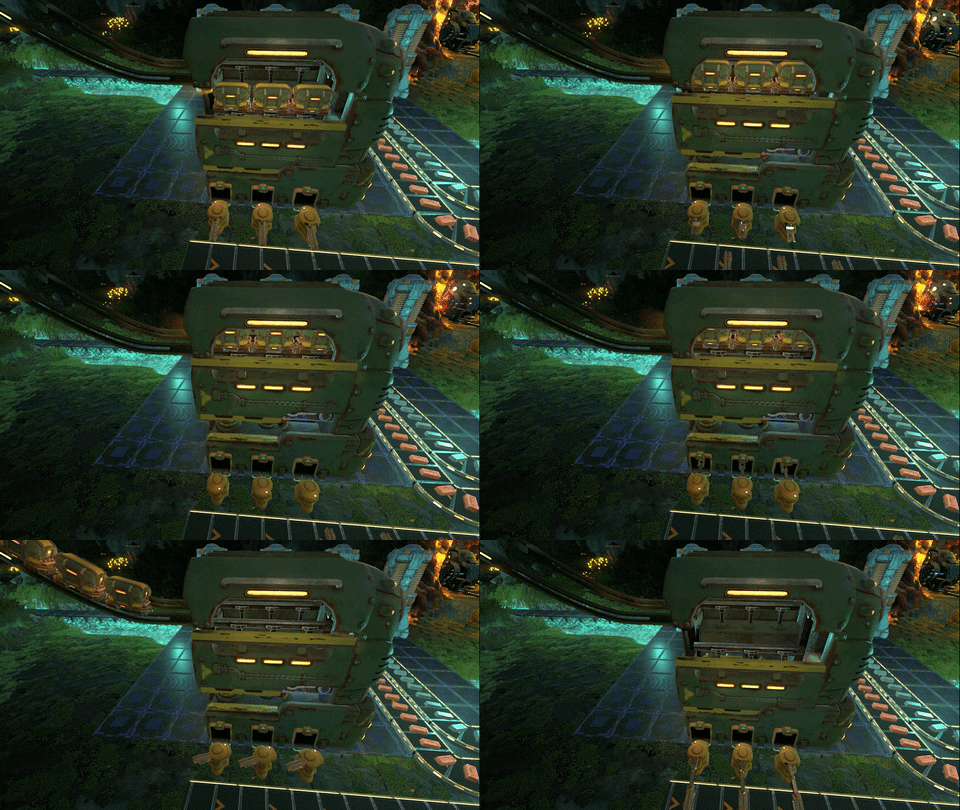
Obviously, we solved that, but here’s an early mock-up of the animation process for the Haulers as they were loaded and shipped.
What we wound up with isn’t too far off from what you see in the GIF above.
Now, if you’ll excuse me, I have to update my avatar for our Discord.
Techtonica’s releasing into Early Access this year. Thanks for reading, Groundbreakers!
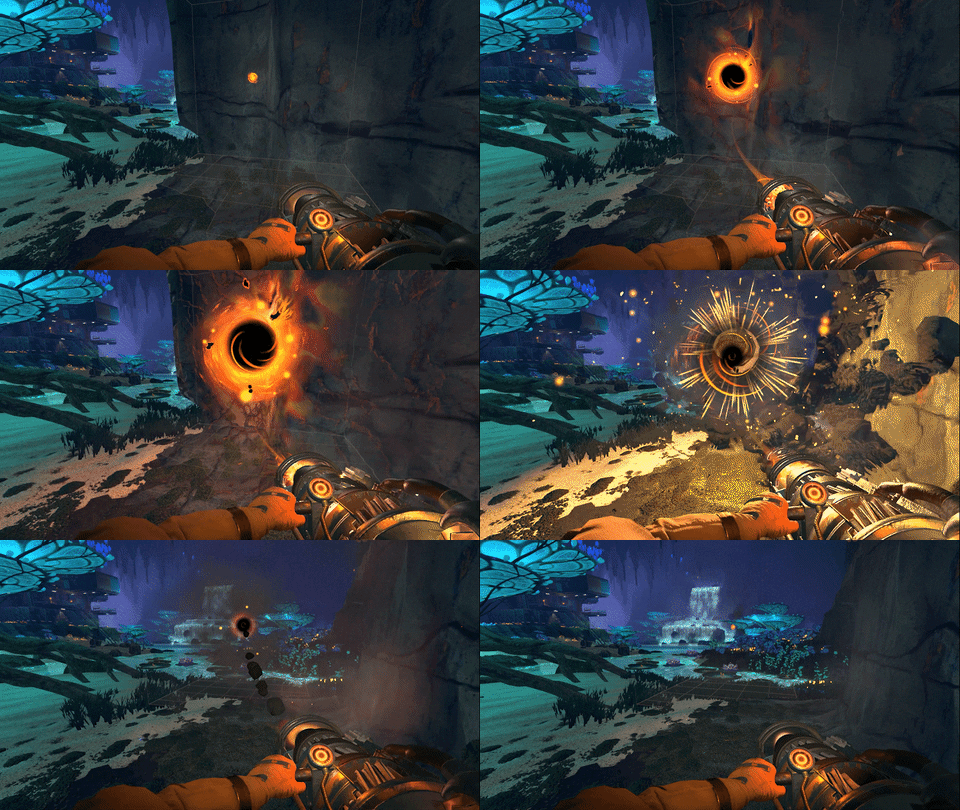
New black hole gun upgrade? Flatten terrain in Techtonica
The M.O.L.E. doesn’t just dig. No, this upgradeable black hole gun will do lots more as Techtonica’s development continues.
Today, we’re unveiling a M.O.L.E. feature that will be live with our Early Access launch this year. This is Flatten Mode.
A quick note: Much of what you see with Flatten Mode in today’s post will likely change or get tightened up as development progresses. Don’t consider this final!
Right, what’s the M.O.L.E.?
M.O.L.E. stands for Material, Obliteration, Leveling, and Excavation. We kicked lots of names around before landing on this one, but we think it’s a fun representation of one of the things at the heart of Techtonica–underground terrain manipulation.
Once unlocked, built, and fired, the M.O.L.E. shapes the Calyxian terrain by focusing black hole energy into a single point. Gears crank and churn as Groundbreakers fire the M.O.L.E. at cavern walls to clear obstructions and open fresh factory floors.
We love the M.O.L.E.. It’s crunchy, alien, destructive, and industrial. It feels and sounds good.
In the demo and Alpha, the M.O.L.E. clears a 5x5x5 section of voxels. That’s its default firing mode. Today, we’re unveiling something new.
Say hello to Flatten Mode
Groundbreakers that crave industrial organization and clean factory layouts may want nice, flat cavern floors. Once unlocked and upgraded, the M.O.L.E. makes quick work of varied terrain by turning it into a consistently smooth surface.
It’s also super, super satisfying in motion. The Calyxian rock that surrounds the target rushes in place as the black hole forms and collapses into a flat surface, and it feels fantastic when done en masse.
Have a look!
Wait… it flattens up?
Yes! If the GIF above didn’t make the M.O.L.E.’s flattening functionality clear, we’re using the black hole gun to bring terrain to the same level as the Groundbreaker who fires it.
The elevation in Techtonica changes, with some caves offering gradual slopes and others featuring sheer cliffs. You may want to reshape those spaces to suit the needs of your factory layouts better.
With the M.O.L.E.’s Flatten Mode, you stand at the level you wish to flatten, and the terrain will level up to meet you where you are.
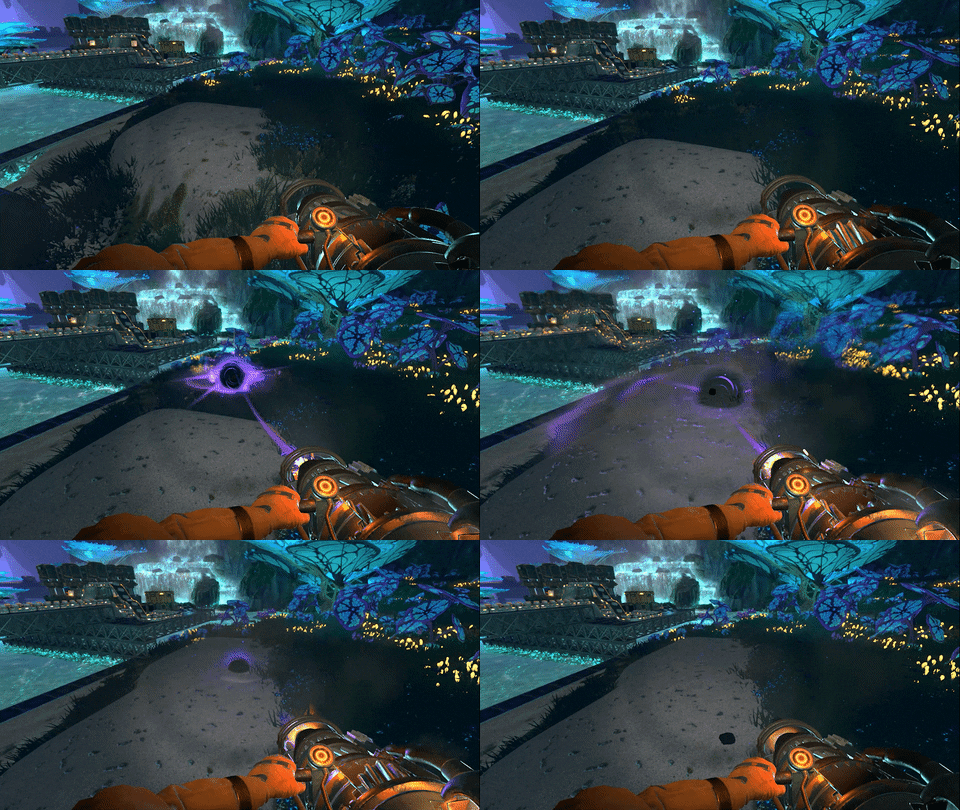
We made quick work of this small space near Production Terminal VICTOR, for instance, to add a mini Kindlevine harvesting farm. Check the before above and the after below.
It’s super easy to use the M.O.L.E. to turn unfriendly building terrain into something more hospitable. With Flatten Mode, you can get really creative about layering factory floors with the terrain.
You ever design a black hole before?
We knew, effectively, how we wanted the M.O.L.E.’s Flatten Mode to work for a while before it came time to implement it. We weren’t sure, however, how it should look.
During the concept and design phase for Flatten Mode, we started kicking around five-ish unique ideas on how the M.O.L.E. should visually level space before landing on the hybrid final design. Four of those (informally referred to as the Seismic Target, Rock Blast, Energy Hammer, and Lightning Pillar) were sketched and considered.
Once we landed on the more seismic rock blast approach, we worked up the stages of M.O.L.E. Flatten as the gun warms up and fires.
From there, we landed on the M.O.L.E. Flatten Mode design you’ll see in Techtonica once we launch into Early Access this year.
Thanks for reading, Groundbreakers! If you have any questions or thoughts, sound off in the comments or join our Discord!
We’ll see you next week with something new and special.
Meet the beautiful, new Production Terminals, home to automation in Techtonica
The first few moments of a game matter, don’t they?
What are you doing? How does it feel? What sounds do you hear? How’s the view?
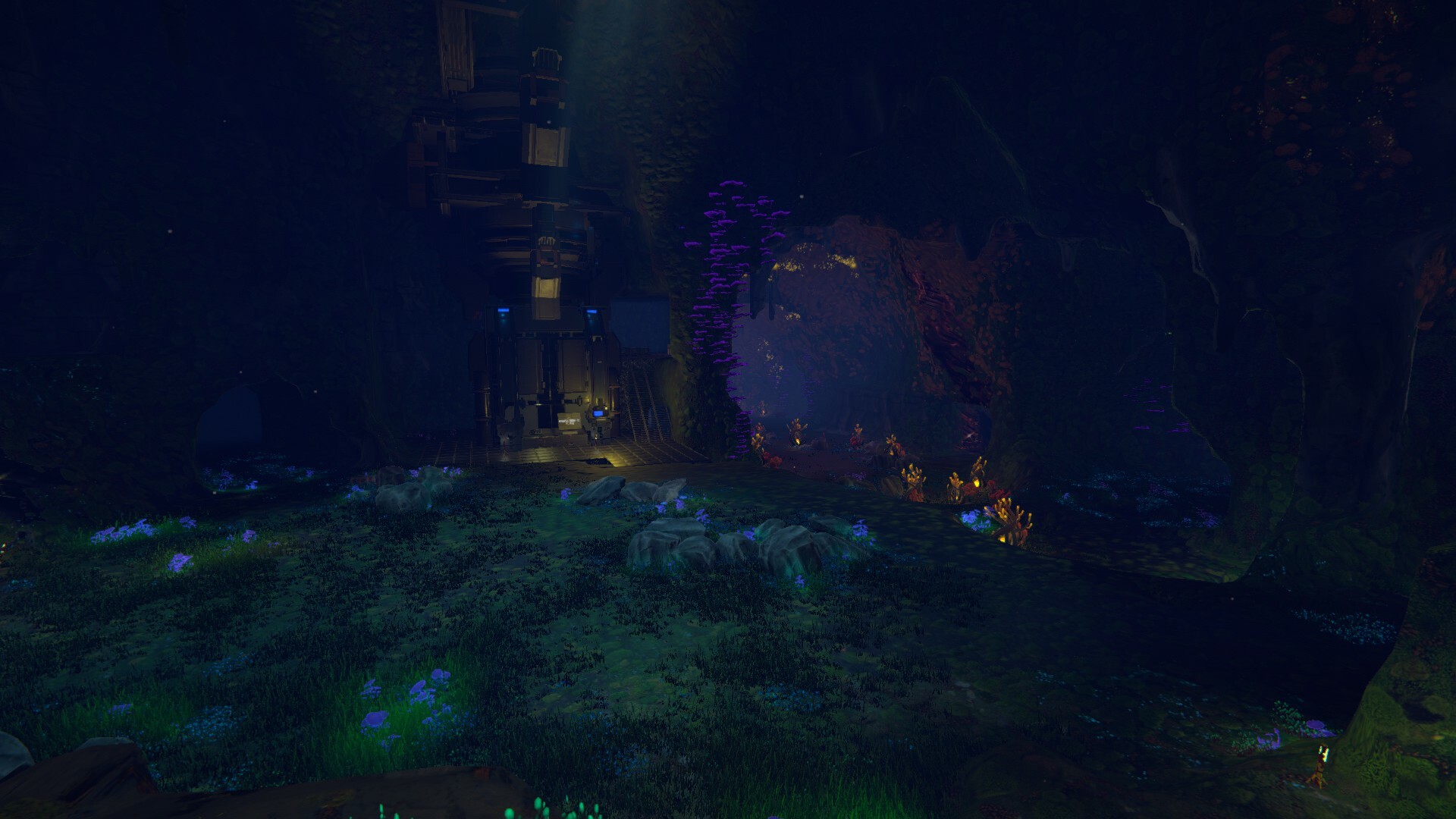
In the Techtonica demo, there’s this moment when you break out of the buried facility and make your way into a small, open floor in front of a big machine. This whole place was temporary, a proof of concept space put together specifically for the alpha and demo that we knew we’d eventually change.
Here’s a screenshot of that moment in the demo to jog your memory.
That big machine at the front of the dark cave? That’s Production Terminal LIMA, or PT LIMA for short. Production Terminals are a big portion of Techtonica. They’re where you feed materials to earn upgrade levels on your Tech Tree, and they serve as outposts pushing you further into the cavernous world of Calyx.
In this week’s update, we’ll explore the brand-new Production Terminal LIMA space and what makes LIMA (and all PTs, for that matter) special.
Let’s dig in…
Emerging to a beautiful moment
As for that moment when you leave the buried facility… Here’s what it looks like with the new Production Terminal LIMA and its surroundings.
The smoke above the terminal, its hulking scale, the way we guide players to the panel with lighting and plant placement, it’s all done to give players a really nice feeling when they see LIMA for the first time. I love it, personally.
My favorite part is the label on the front of the PT, “LIMA.” They’ll all bear their names with a similar mark, making distinction among players much easier.
Making a Production Terminal focused on production
PTs have ports. These ports accept materials on Conveyor Belts delivered via Inserters, and they facilitate the automation of PT upgrades when demands get really, really large later in Techtonica.
The ports are essential to a positive player experience, especially for Groundbreakers who expect pure automation. Why carry things and dump them when machines can do it for you?
Production Terminal LIMA and VICTOR only featured three ports in the demo. Each PT will feature different counts in the Early Access version of Techtonica. PT LIMA features six ports…
…and PT VICTOR features lots, lots more.
The counts of ports on later PTs will change in conjunction with the scale of industry required for repairs or upgrades. Interestingly, changing port counts required a modular approach to Production Terminal design, as you’ll see throughout the caverns of Calyx.
Finding inspiration in ruins and brutalist design
Production Terminals are massive relative to the other machines. They had to be modular to allow for various combinations, unique footprints, and silhouettes based on design and narrative needs. They also needed visual consistency regardless of scale, footprint, or location.
We wanted Production Terminals to be like lost industrial temples–mysterious structures full of latent energy waiting to be tapped.
For inspiration and reference, the art team looked at the cantilevered structures of Frank Lloyd Wright’s Fallingwater, the imposing silhouettes of Brutalism, and the exotic aspect of ancient ziggurats.
From inspiration to concept and modeling
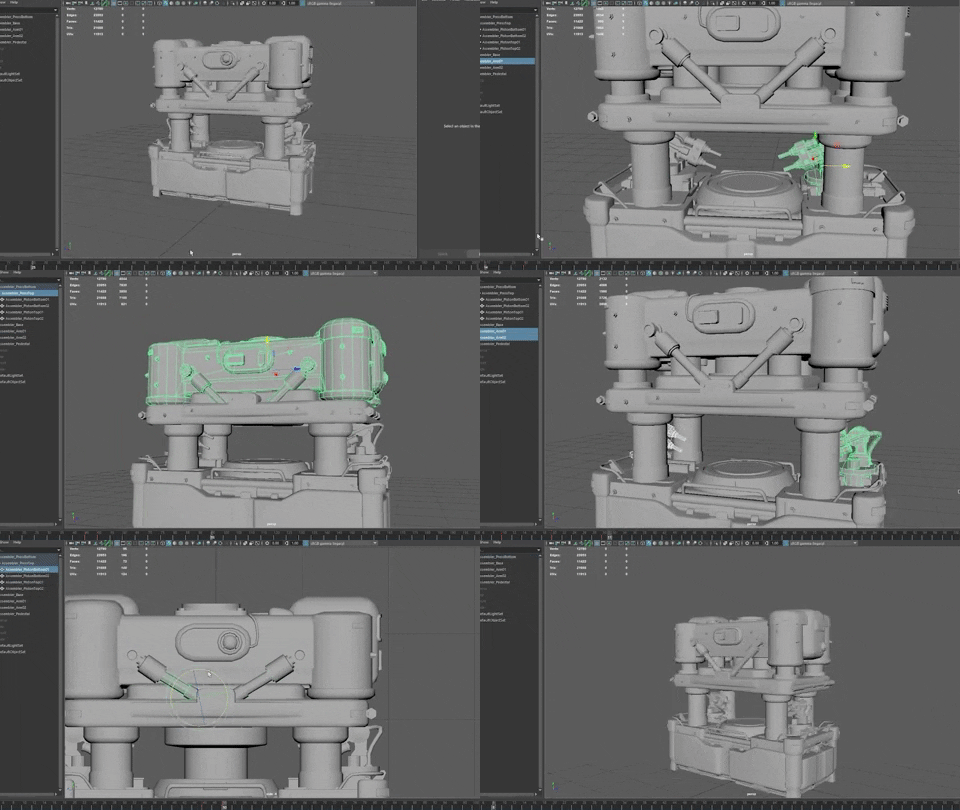
After landing on an inspired look and feel, there’s lots of work to bring things like Production Terminals into Techtonica. That includes experimenting with gray box shapes and playing with scale.
Here’s some work done way back during the summer of 2022 while we were still in the concept and design phase for the Production Terminals.
Finally, here’s a paintover for what is now PT VICTOR and Butterfly Cove.
And here’s a recent screenshot of the same space in the development version of Techtonica.
Thanks for reading, Groundbreakers!
Wishlist Techtonica, and we’ll see you in next week’s update focused on the M.O.L.E.’s upcoming flatten mode.