That’s right! The M.O.L.E. can do more than just tunnel in a single dig size.
You might already know about Flatten Mode, an upgrade that makes the M.O.L.E. level the Calyxian terrain around you for flat factory floors. Today, we’re introducing the unique bit sizes that take the M.O.L.E. from useful to absurdly powerful.
Let’s dig in!
Wait, what’s the M.O.L.E.?
For the new Groundbreakers among us, there might be some lingering questions about what, exactly, the M.O.L.E. is. We’ll touch on that quickly.
Techtonica is a factory game with destructible terrain. You’ll need to dig out ore veins, hidden chests, buried facilities, and paths to massive, open caverns. You’ll also want to clear space in the terrain for your factories, of course!
You can use your pick to do some digging, but that doesn’t work on all materials and is rather slow. The M.O.L.E., then, is one of our terrain manipulation solutions (to be expanded through Early Access!).
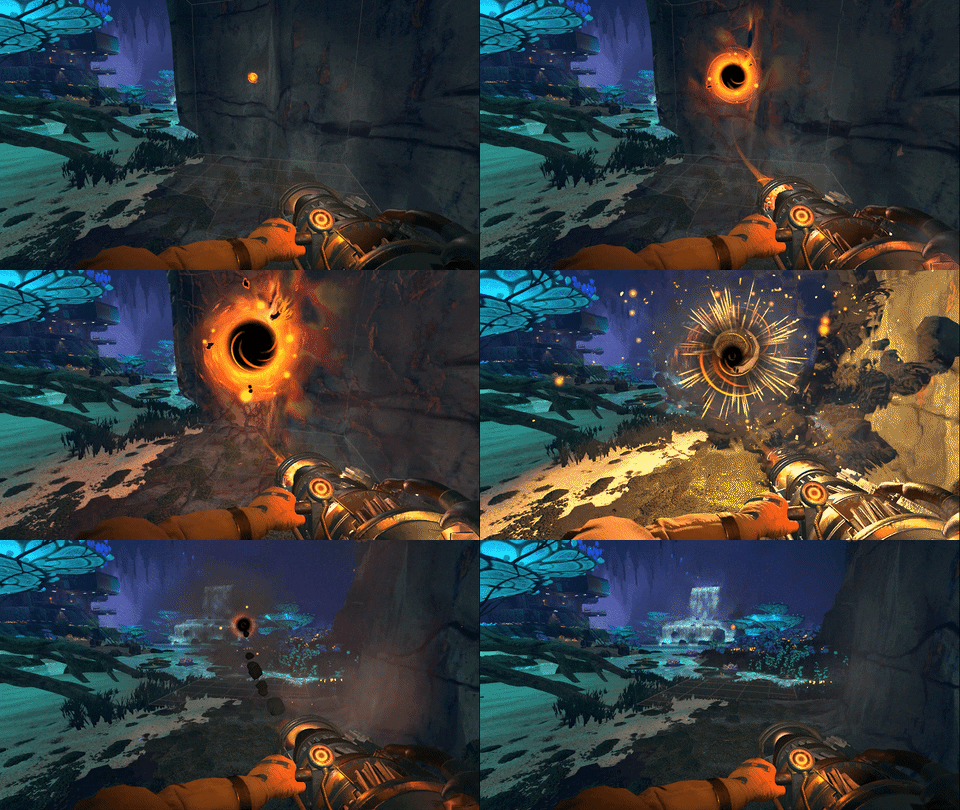
The M.O.L.E. is a black hole gun that digs in a 5x5x5 cube with its default mode.
Massive M.O.L.E.’ing with upgradable bit sizes
As you upgrade PTs and build and place Research Cores, you’ll slowly unlock additional M.O.L.E. bit sizes, and these are super useful for bigger or more precise digging.
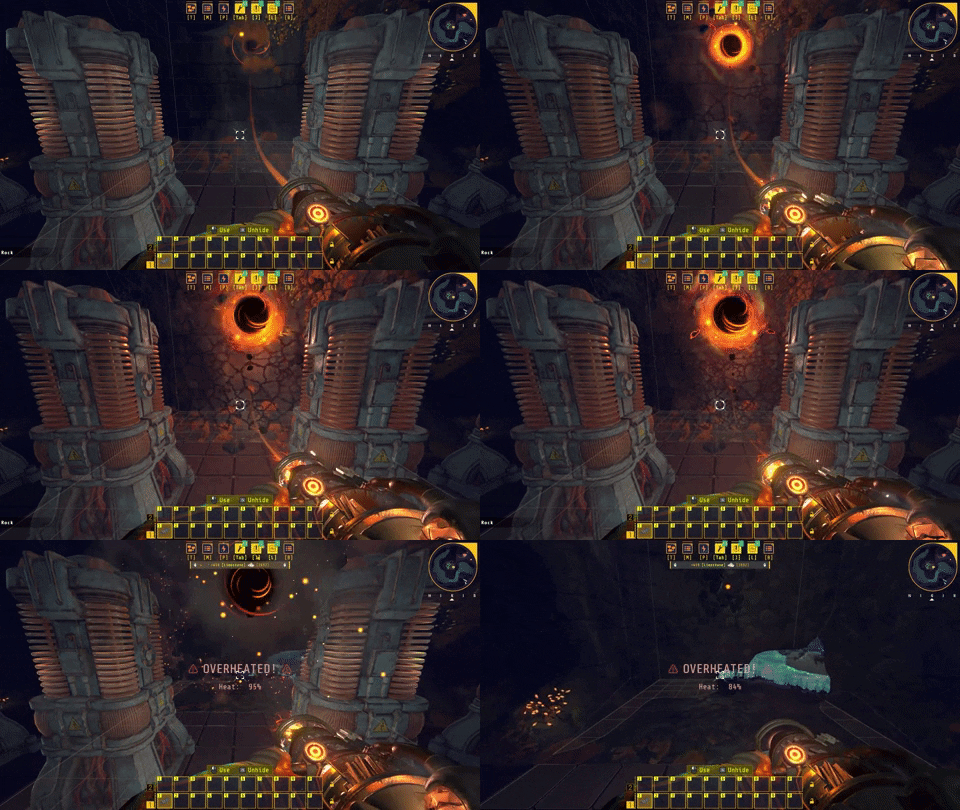
Aside from the default 5x5 bit size, you’ll be able to unlock 5x9, 3x3, 9x9, and, eventually, the massive 12x12.
I took a quick GIF to give you a sense of the 12x12 bit’s scale.
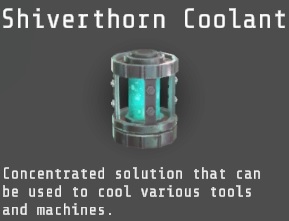
Invest in Coolant!
The eagle-eyed Groundbreakers among us likely noticed that the M.O.L.E. overheated in a single shot with the 12x12 bit size in operation. My advice? Invest in Coolant. To get that, you’ll need Iron, Shiverthorn, Miners, Power, Planters, Threshers, and Assemblers.
You’ll need a factory. Are you ready to get to work?
With every update, we’re getting closer to the Early Access launch of Techtonica this summer.
Wanna chat with the devs, watch live streams, and learn more about the game before anyone else? Join our Discord!
Automate your research with the beautiful Core Composer
In Techtonica, our intention is to give players the tools they need to automate virtually every process. From mining to terraforming, farming, and production, we want you to automate it all.
The tools to enable the automation of these systems will grow over the course of our Early Access journey, but we’re ready to reveal one final machine for our 0.1 launch this summer.
This is the Core Composer, and it automates Research Core placement.
To understand why the Core Composer is essential, you’ll need to understand how Research Cores work.
How do Research Cores work?
Techtonica features a Tech Tree that’s upgraded with three key methods: Production Terminal Upgrades, Scanning Artifacts, and Research Core placement.
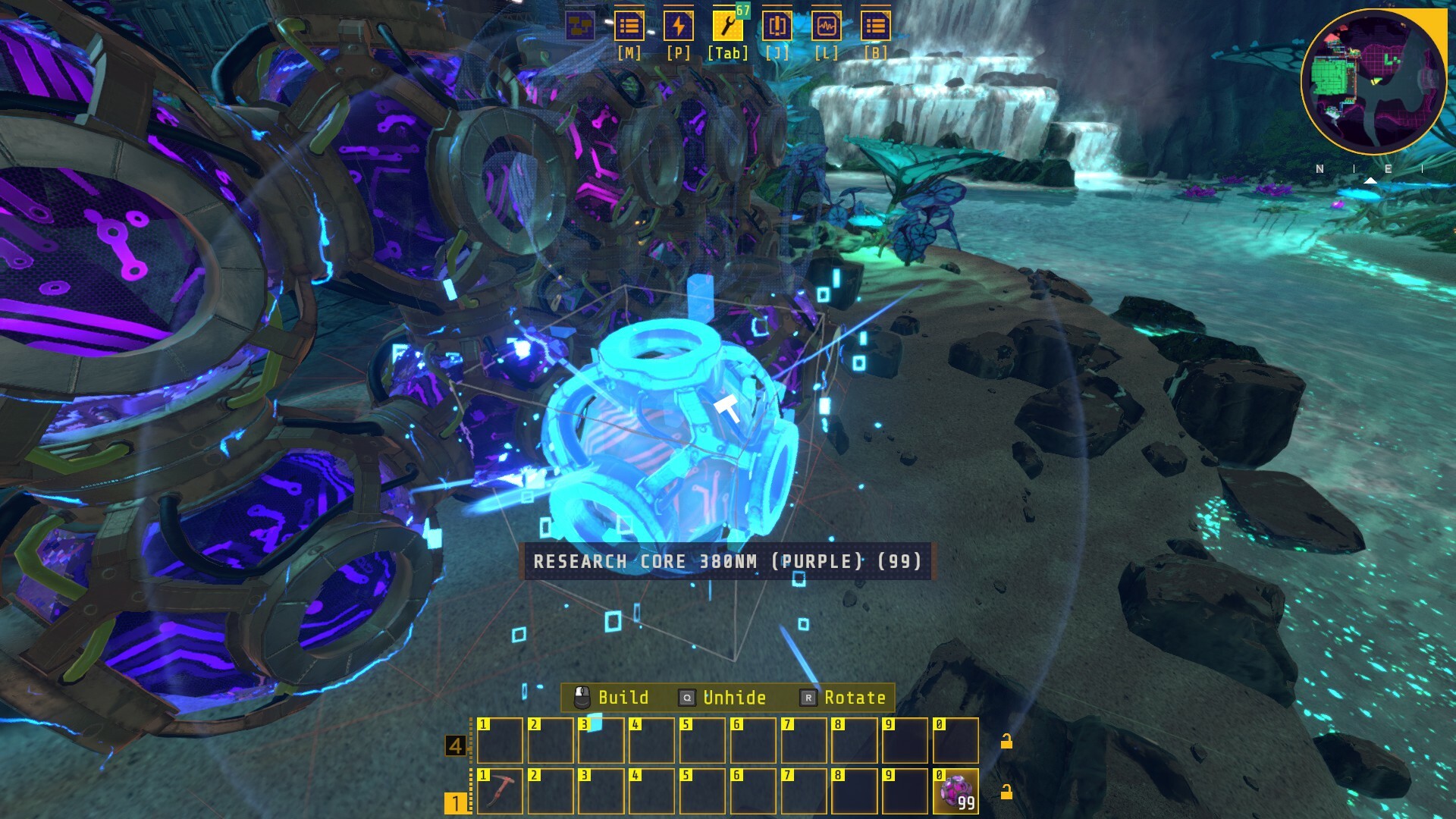
Think of Research Cores, seen above, like points. These Cores come in different colors, and tech unlocks require increasing amounts of Cores. Some things may require 10 Cores to unlock, while others require hundreds. The power of the tech involved correlates to the placed Core cost.
You can manually place hundreds of Cores if that’s your jam, but we wanted to give you a tool to automate Core placement. That’s where the Core Composer comes in.
Automating Core production and placement with the Core Composer
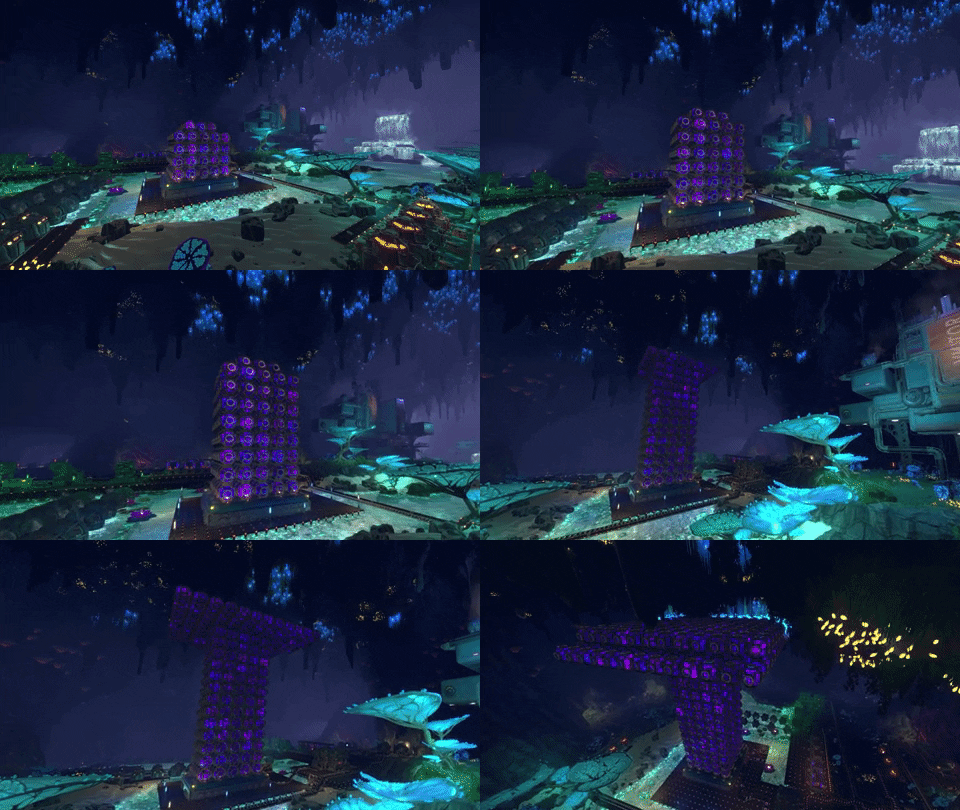
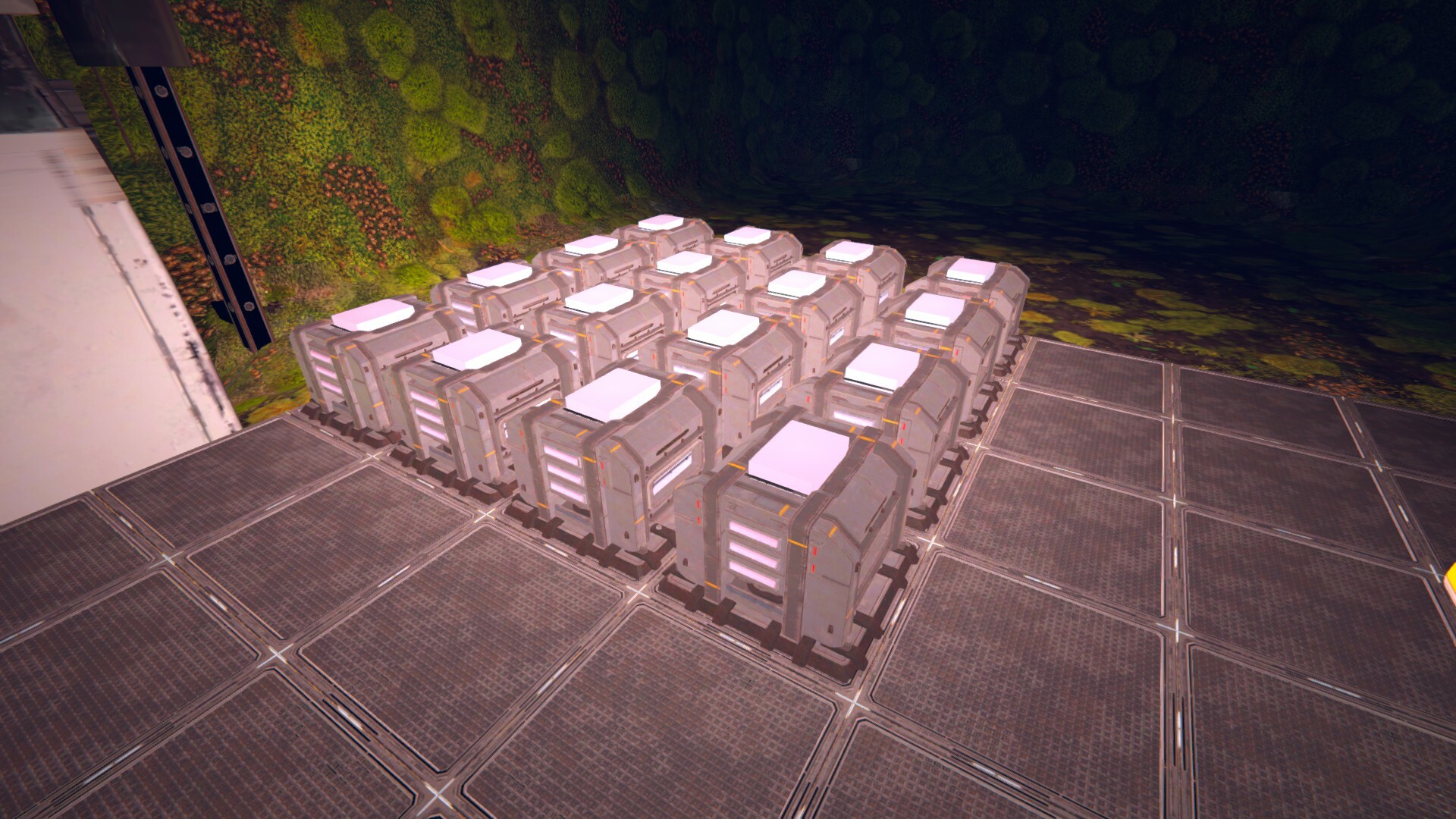
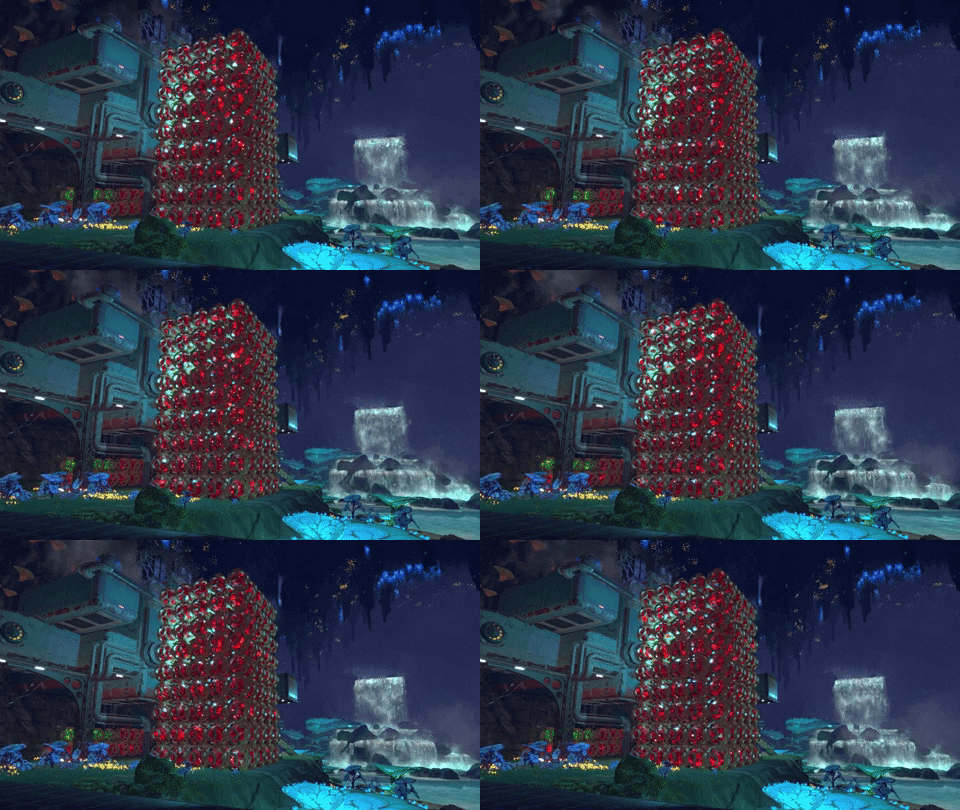
The Core Composer features eight ports on each of its four sides, sits on Power Floors, and automatically builds Cores fed via Belt and Inserters. Depending on how fast you feed it Cores, this massive machine can create a tower of research potential rapidly.
Here’s a timelapse to give you a sense of how it builds.
Once the Core Composer reaches a certain height, the five-by-five build pattern expands on all sides, and the Core Tower turns into a sort of Core Tree. The Cores themselves rotate, hum, and pulse, giving the Core Composer’s work a hypnotic, breathing vibe.
Designing Techtonica’s largest machine
Designing and building the Core Composer meant establishing a massive machine for the world of Techtonica that offered an open top for Core placement. How, then, did the art team avoid a machine that essentially looked like a pizza box?
They started by looking at the design already established by items in the game’s universe like the Production Terminals. The rounded profiles and piped and lit exteriors make for a clean, almost mid-century vibe. The machine would be modular, too, allowing for more rapid production and implementation, much like our PTs.
The Core Composer is immediately readable from the sides and at a distance, and its open design allows for the Cores themselves to be the star of the show once they begin forming on its surface.
Thanks for reading this week’s update, Groundbreaker! We’ll be back next week with another batch of info as we march towards our Early Access release this summer.
We gave Conveyors and Power Floors a redesign ahead of Early Access 🏭
Did you know that the Conveyor Belts and Power Floors in Techtonica have been purely placeholder for the last year or so?
It’s true. And it was something we wanted to address before we hit our Early Access launch this summer.
The differences between the old and new Conveyor Belts are subtle, but the Power Floors have received a major overhaul that helps with legibility and gives us the option to let players customize them in the future.
I’m getting ahead of myself. Let’s start by comparing the old models to the new ones.
Dig in, Groundbreakers!
Compare and contrast
Right, let’s start with the Belts. The differences between the old Belts and the new Belts are relatively minimal. First, the old belts.
We played around with many changes to these before finding a happy middle-ground between adding new stuff and retaining the visual clarity we'd already established. Here are some of the concepts we toyed with.
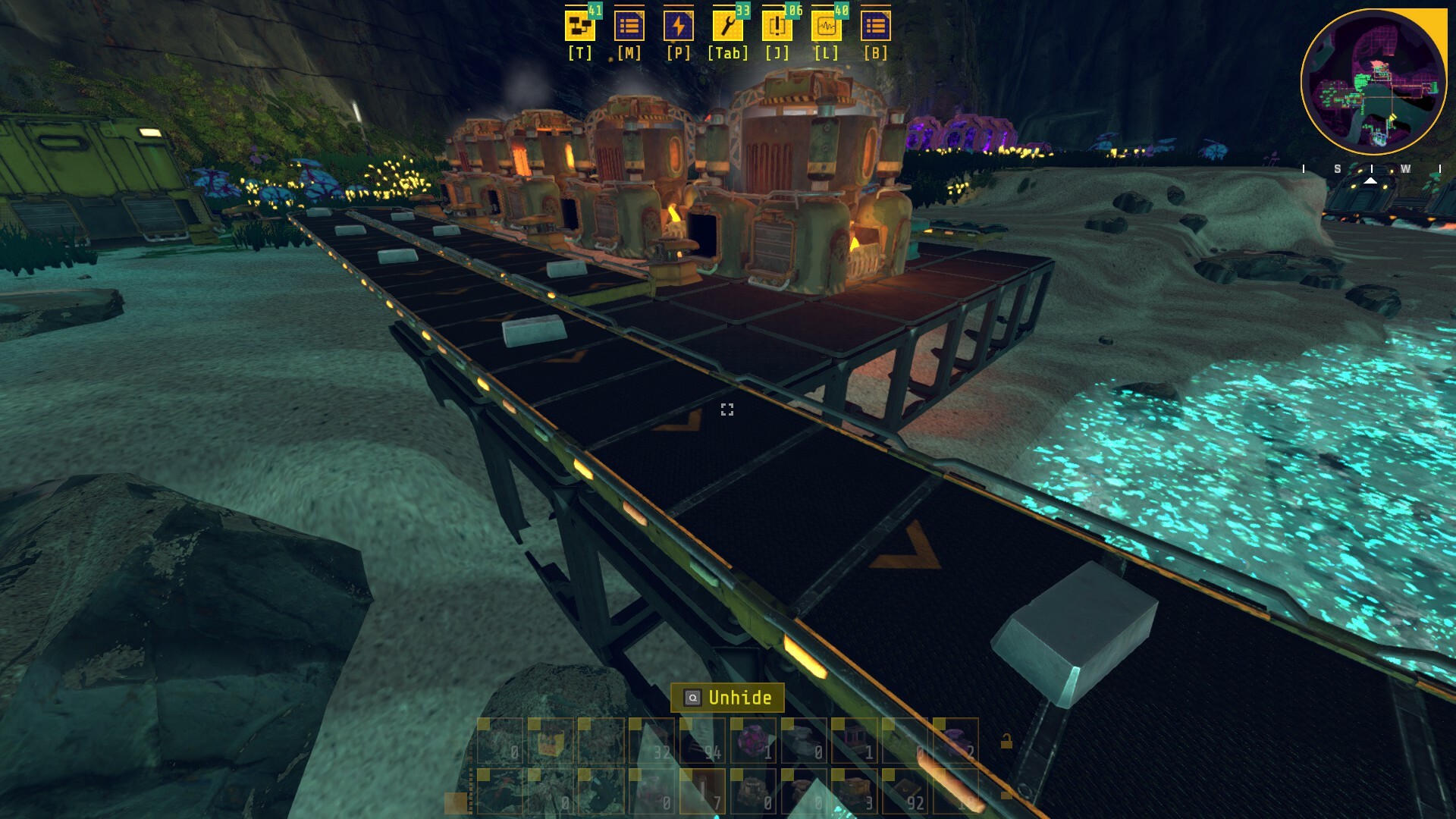
Now for the new Belts, and then I’ll get to the subtle changes.
Okay, the new Belts have more grime and grit without sacrificing visual clarity. You can still tell they are belts, and the chevrons on top signal their direction. We’ve also retained the flowing lights on the side to help spell out direction when you’re viewing them from a distance, too. If you’re looking closely, you’ll also see that belts now have rails along the side to better fit into the Techtonica universe.
Like I said, subtle changes.
The Power Floors, then, are way more apparent. Let’s start with the old ones once more.
You’ll immediately notice that they are dark and hard to read. They also don’t really match the materials available to the player during the beginning of the game. They look too futuristic when they should, instead, match the grittier feel of ANEXCAL’s aging outfit on Calyx.
How about the new ones?
Much, much better.
The old Power Floors signal that they are powered by adding hard-to-see blue-ish lights to the top. The new Power Floors add bright lights to their corners, and being able to tell when they are on or off is way, way easier. We also opened the sides so that players could see through them and maintain sightlines when the Floors rise to higher levels in more vertical builds.
Plus, we’ve done a bit of future-proofing
When we were concepting the Power Floor updates, we wanted to ensure we were ready for eventual customization. Yes, some customization options will come to Techtonica. This won’t be ready at Early Access launch, but down the line, we’ll be giving folks the ability to paint floors, and the new designs make that possible.
Here are some art mock-ups to give you an idea of what I mean.
The tops are free from significant design elements to allow for eventual painting. Again, this won’t be with us at Early Access, but it’s coming soon™.
That’s it for this week’s update. We’ll be back next week with, potentially, a longer developer commentary video.
Techtonica launches into Early Access this summer. We’ll see you then!
Techtonica will include Ultrawide Support at Early Access launch
We heard you loud and clear. Techtonica will support ultrawide displays.
Say goodbye to the black bars on the sides of your display that hang out as you’re sculpting the alien caverns of Calyx.
Say hello to fullscreen.
Ultrawide support will be available at Early Access Launch
While the ultrawide community represents a relatively small slice of the massive Steam player base, it tends to be vocal and passionate about the enhanced display resolution. We get it. You want games to fit your setup; it makes sense.
The fact is several of our team members have ultrawide displays. They’ve wanted this for a long time, too.
While we knew this request was out there, we weren’t sure when we’d tackle it. Building an Early Access game like Techtonica means shifting priorities and juggling feature requests. Whether it’s a design overhaul that rebalances in-game recipes or demand for a feature like UW support, we have to figure out how to dedicate our small team to build the game we want players to enjoy.
We listen to players, we read forum posts, we try our best to gauge what’s important, and we go from there. We also have to balance that action with building and testing the game itself. Sometimes, those two things are at odds with each other.
Ultrawide got reprioritized this spring, thanks to your feedback, and we’ve made sure that it’ll be ready for Early Access Launch this summer.
In addition to ultrawide resolutions, players will also be able to set their FOV. This is an oft-requested feature, too, for reasons including the prevention of motion sickness for some folks.
Did you hear? Our Discord was recently overhauled and now features weekly events like streams, Q&As, and more. Come hang out!
If you haven’t already, Wishlist Techtonica on Steam!
Greetings, Groundbreakers! We’re thrilled to share that we’ve officially narrowed the release window for Techtonica.
Techtonica will launch into Early Access in Summer 2023.
What are we working on right now?
Now that we’ve narrowed our Early Access release window down to this summer, we’re only a few months away from getting Techtonica 0.1 in your hands.
The focus right now for the bulk of our small studio is on performance enhancements. We’re working to lower the minimum required specs as much as we can for Techtonica ahead of launch, and that includes adding behind-the-scenes tech like the occlusion culling we described in last week’s update.
While we’re essentially content locked for 0.1, there are a few surprises that we’re polishing up for our Early Access launch, too. We’ll save those for later, so stay tuned.
What’s coming after the 0.1 launch?
The bulk of our tech team’s working on optimization for 0.1. But, we have artists and designers hard at work on what’s next. We’re not ready to reveal that quite yet, but we have plans to start showcasing what’s coming soon.
Techtonica’s Early Access launch comes first.
We have years of content planned for Techtonica. A lot can and will change over the course of development, so we’re not ready to share what we have planned for the far-off future.
The near-term stuff, though? We’ll publish a roadmap in the weeks ahead of Early Access launch that offers cursory details for what’s coming in the near future, such as milestone updates (0.2, 0.3, etc.).
Until then, thanks for reading, Groundbreakers. We can’t wait until your adventures below the surface of Calyx begin this summer.
Want to chat about the trailer and release window? Have questions for the devs? Join our discord.
You can play the Techtonica demo right now on Steam. We’re keeping it up until we’re closer to launch, but…
…it’s not entirely representative of the game experience players will have when we launch into Early Access this year.
We’ve made tremendous gains in level, art, narrative, and progression design. The gameplay loop in the demo is a close approximation to the Early Access launch version of Techtonica, but the stuff that surrounds it has seen a lot of updating.
One of our main focuses as of late has been optimization work. Today, we’ll share some footage of the demo against the current in-dev build, and we’ll dive deep into the occlusion culling system we have in place for big optimization enhancements.
Let’s dig in.
Early framerate gains
We put together a quick video pitting the demo against a recent in-dev build of Techtonica. You’ll see Steam’s FPS counter running in the top-left corner. Here are some things to note before you watch.
Performance in our demo was solid, but...the level was barely decorated and a lot smaller.
This video compares the demo to the still in-dev, Early Access version of the game.
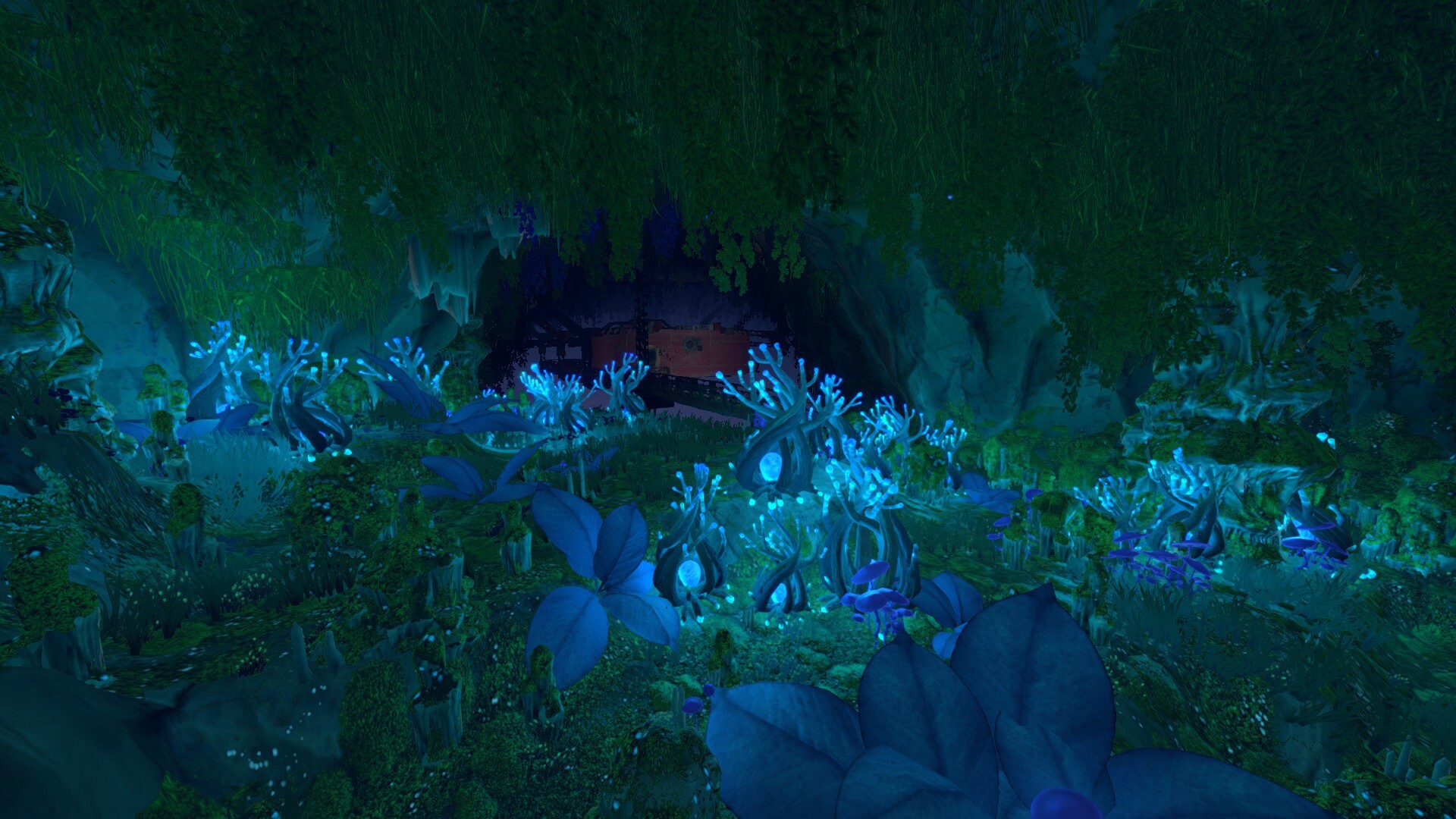
The Early Access version is 10x bigger, and it features enhanced elements like more lush plant life, facilities, and waterfalls. Put simply, it runs better even though there’s a ton more to load.
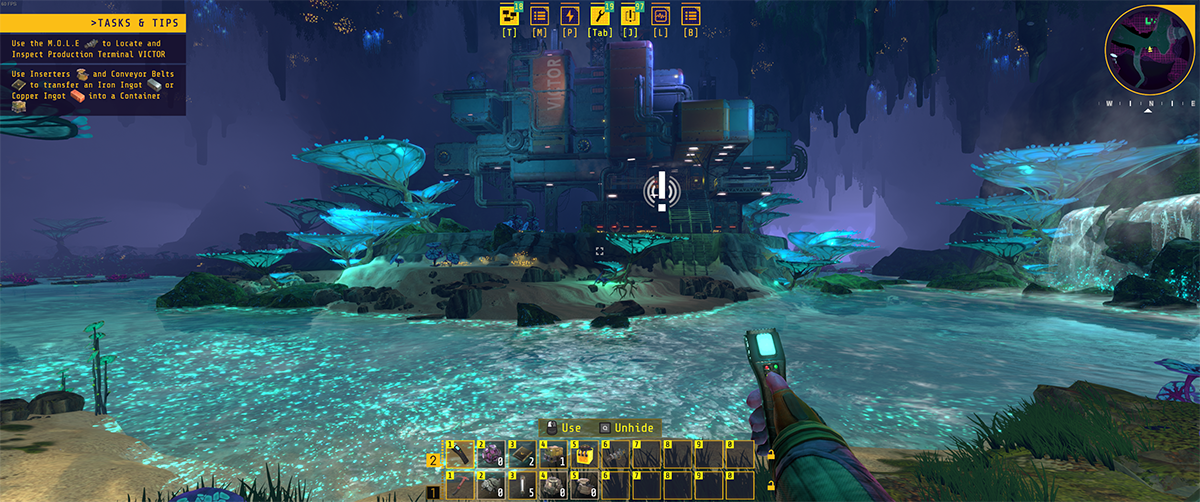
The optimization work isn’t done! In fact, we captured this footage in front of PT VICTOR, which itself hasn’t been optimized. This will improve!
The first half of the video is the demo, the second is the in-dev version of the game as of April 2023.
It’s important to note that we’re still improving performance and optimizations. These gains really took off over the last couple of months as our team shifted focus to optimization work.
How did we do it? Well, let’s dive into one of the bigger ways…
What is occlusion culling, and how are we using it?
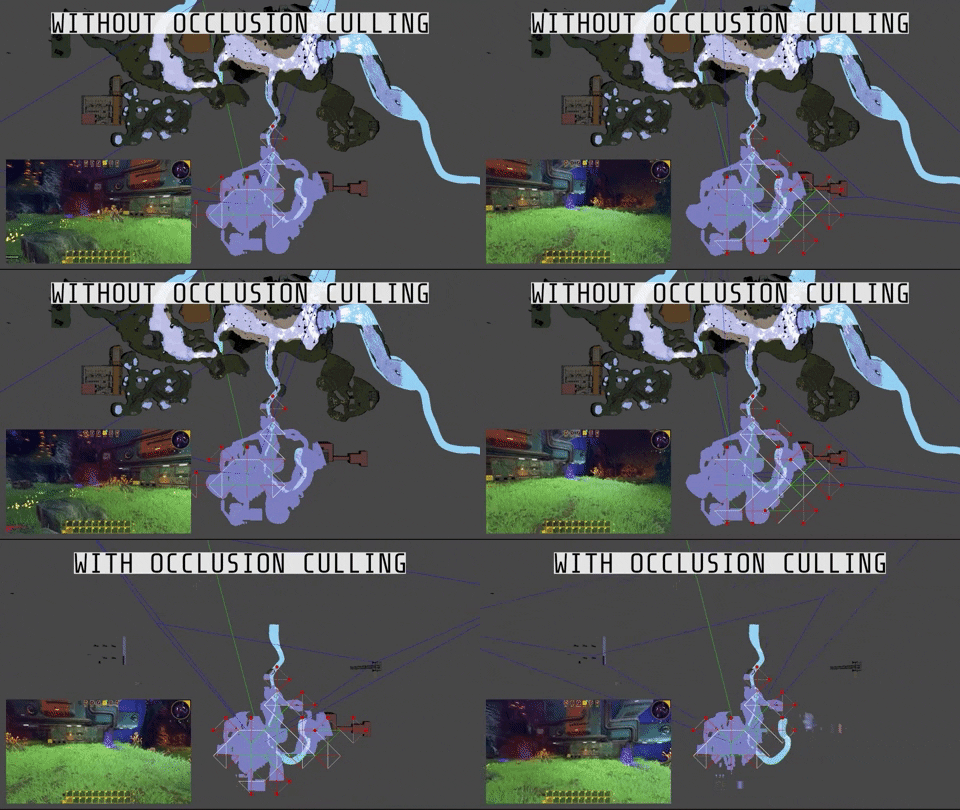
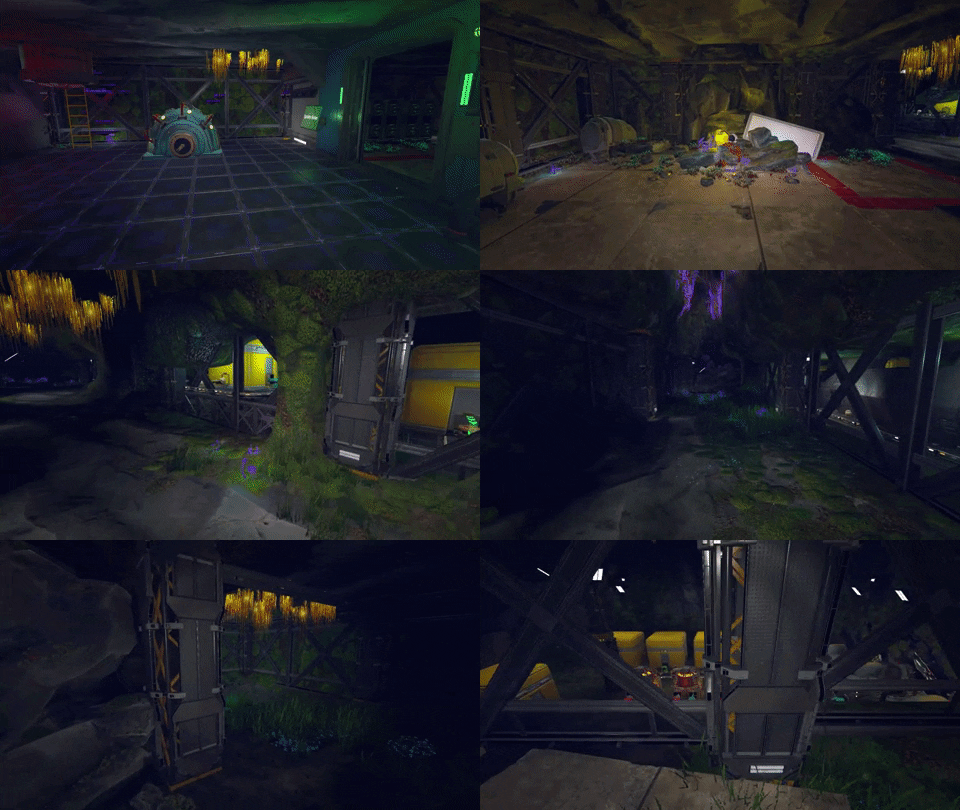
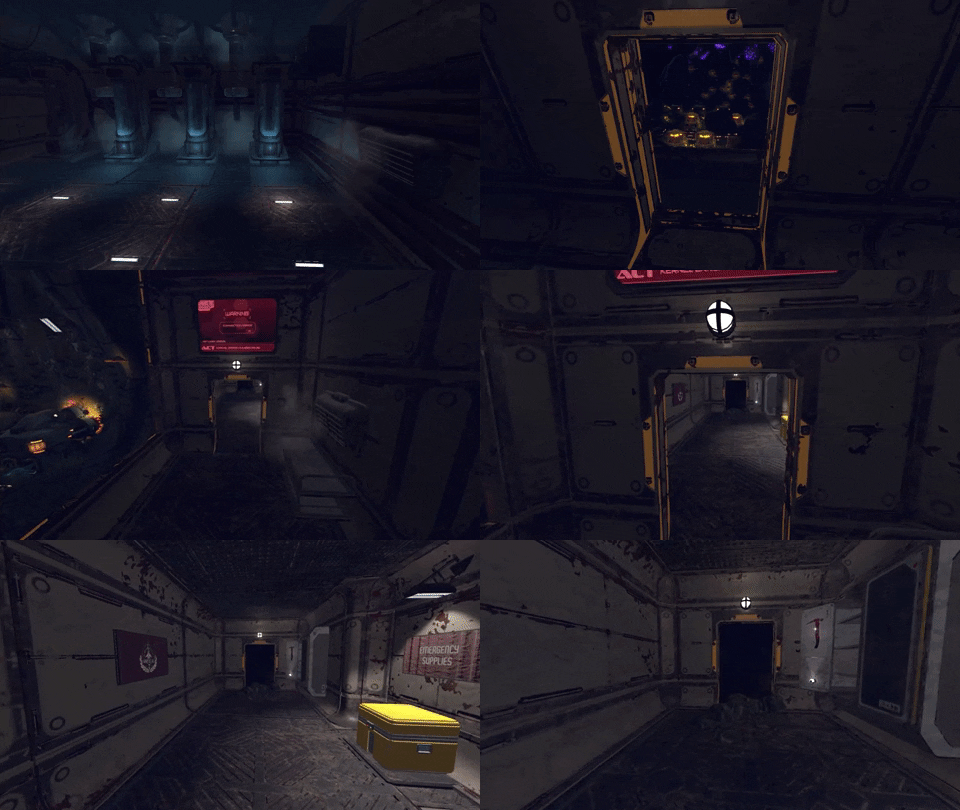
The terrain and all props in Techtonica are split into 30m x 30m columns. We call these columns "chunks." We used to keep everything within visible range of the player loaded in all at once, but there are so many cave walls that block players' vision of everything behind them.
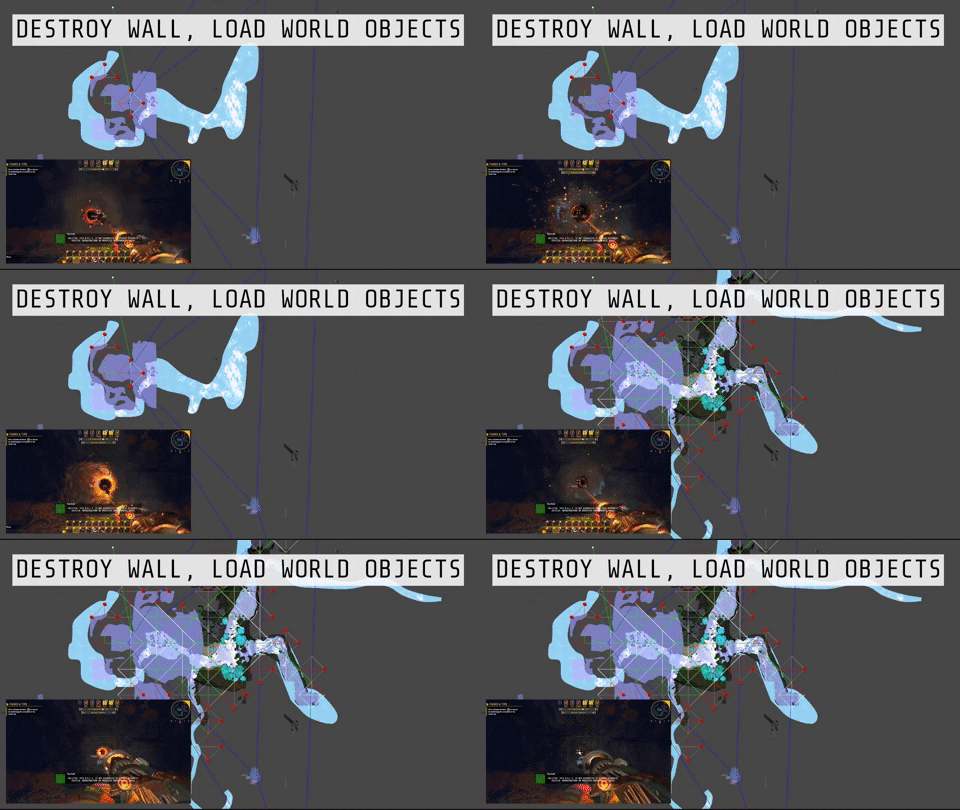
For example, you could be in a small cave, but there might be a huge cave behind a wall in front of you. You can't see the big cave because of the wall; but, if that wall didn't exist, you’d be able to see everything. Our old system would have rendered everything behind this wall. This can amount to tens of thousands of plants and machines and other expensive landmarks, like Production Terminals and Facilities, all getting rendered when they don't need to be.
In most games, you can pre-compute information about when to hide those objects since the position of the big props in the game never changes. However, in Techtonica, you can destroy just about everything in the game, so we cannot pre-compute that data. A wall hiding your view of another cave might get M.O.L.E.d away in a few minutes.
To solve this, we've rigged up a system to detect when those 30 x 30 "chunks" are blocking the visibility of another chunk or if they’ve been dug out with the M.O.L.E..
Using a simple search algorithm combined with this data, we can evaluate quickly which chunks are not visible to the player, and we can hide everything in those chunks (machines, belt resources, plants, rocks, facilities, etc.).
Below, you’ll see two GIFs.
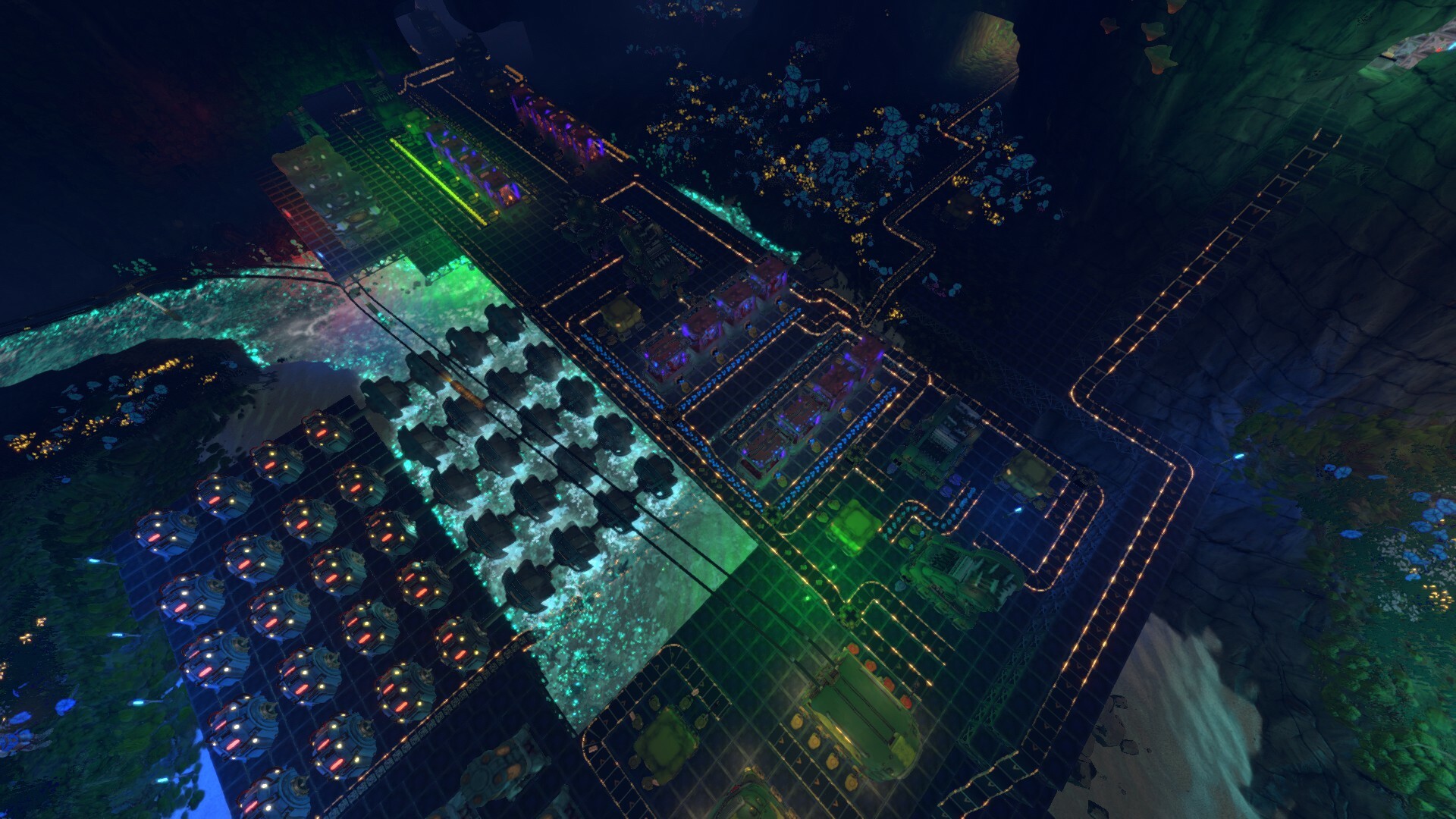
First, we have a player panning back and forth with an overhead of the map. The front half of the GIF features no occlusion culling. The second half features occlusion culling, and you can see the map space load in and out as the player pans.
In this next GIF, we show you the moment when a player bursts through a wall with the M.O.L.E.. The map loads as the line of sight is established.
This is a really big win for us as we more or less cut down the amount of stuff rendered and visually simulated to a tenth of the original amount in most cases!
That’s it for this update. See you next week!
P.S. We totally overhauled our Discord and are now hosting community streams and events all in one place. Come hang out! discord.gg/Techtonica
We have a brand new member of the community and marketing team.
Over the last several weeks, the Fire Hose Team quietly welcomed its newest member, Lauren, into the fold. Lauren’s been hard at work learning the ins and outs of Techtonica, our community, and our future plans to serve players as the Community Marketing Manager.
Say hi to Lauren!
This week, Lauren’s overhauling our Discord with a fresh onboarding experience, server enhancements, community events, Discord-exclusive stream announcements, and loads more.
You’ll see lots of Lauren on the Steam forums, too, but the best place to connect with fellow Groundbreakers, developers, and our Community team is our Discord.
We’re hosting a livestream with Lauren later this week on Discord (check the #📅-events channel in Discord that stays updated with all announced events), but! We thought we’d kickstart the conversation and offer readers a small chance to get to know Lauren a bit better before then with a quick Q&A.
What is your favorite game, and why is it Techtonica? I love building games! Not only is there a great story in Techtonica (hehe), but the mechanics of building a factory are very intuitive, alongside a really beautiful glowing landscape.
Okay, seriously, do you have a favorite game or genre? Besides open-world survival craft games, I truly adore large-scale RPG games with deep lore & magic. The Dragon Age series is a favorite!
What’s the most interesting game you’ve played so far in 2023? I enjoyed playing DARQ as it had really unique level design and mechanics! A great indie horror game with fantastic music and art design.
How did you hear about Techtonica? What made you apply for this gig? I actually wishlisted the game long before seeing the job posting! I’d been looking to switch from the music industry to gaming full-time, and Fire Hose seemed like the perfect team to join.
How do you spend your free time when you’re not gaming? I read a lot of fantasy books and like to cook recipes inspired by them! I have a fully stocked medieval fantasy kitchen, and I like to spend time DIY-ing stuff around the house.
Finally, dogs or cats? Why not both? I have two dogs and a cat and refuse to choose between them.
—
We’re excited to have Lauren on the team.
In two weeks? We’re sharing another bit of big news.
This week’s post is a little on the lighter side compared to our usual, but we hope you find it illuminating.
I can’t promise that those will be the last of the horrible puns in this update, but I will apologize for them. I’m sorry.
As we march towards the Early Access launch of Techtonica, we’re making lots of updates to stuff like optimization and tweaking items and basic recipes. At this stage, we’re not really adding new content to what will be available at the launch.
But! We did want to take time to update the light sticks before the game’s ready for players. That’s what we’re exploring today. We’ll showcase the new lights, compare them to the old lights, and talk a bit about why we wanted to get them upgraded ahead of launch.
Let’s dig in!
Hey, who turned on the lights??
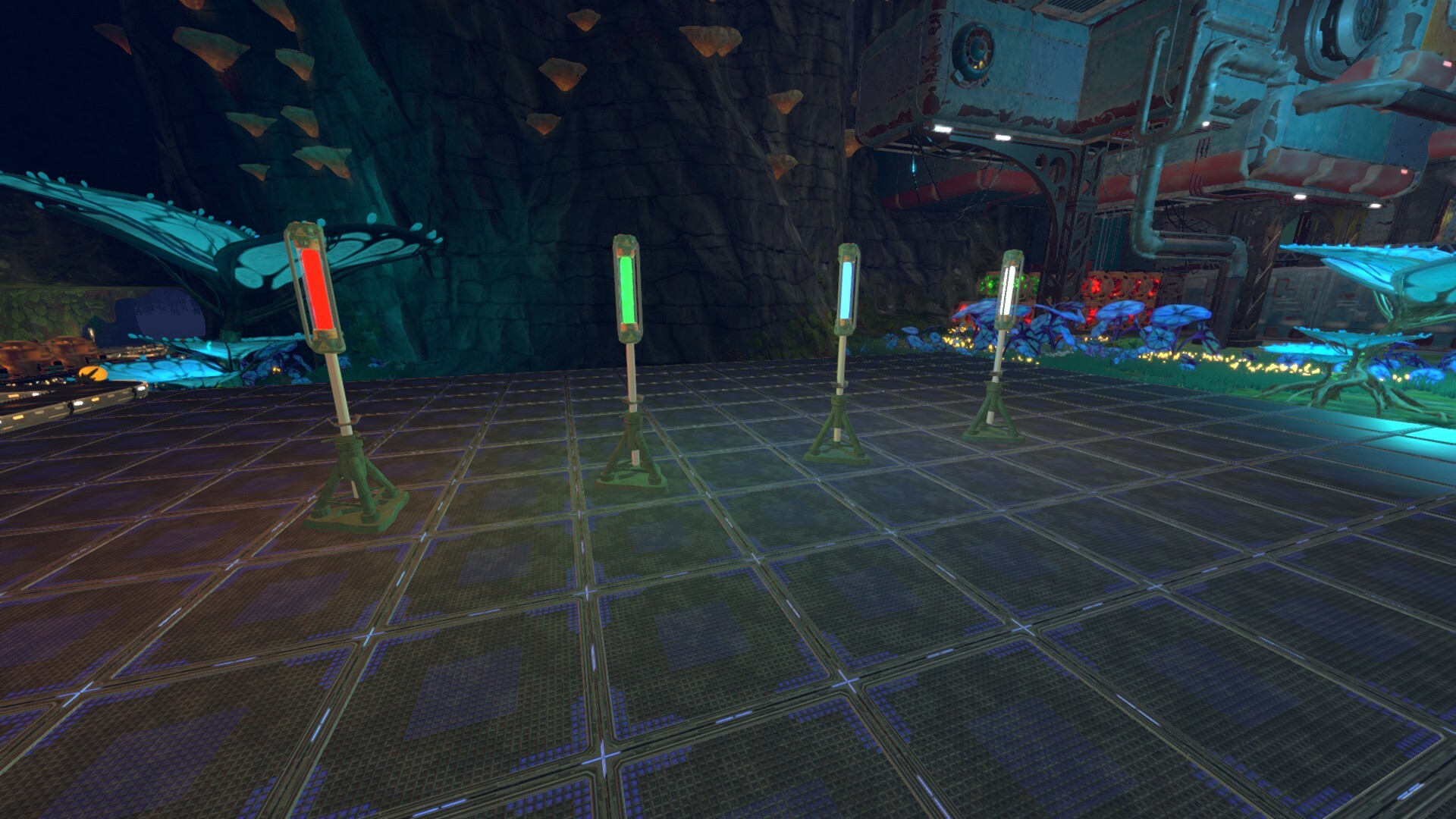
These are the new light sticks in Techtonica.
The light sticks stand at two voxels high and one voxel wide. They come in white, red, blue, and green (for streamers, of course), and they are additive in nature.
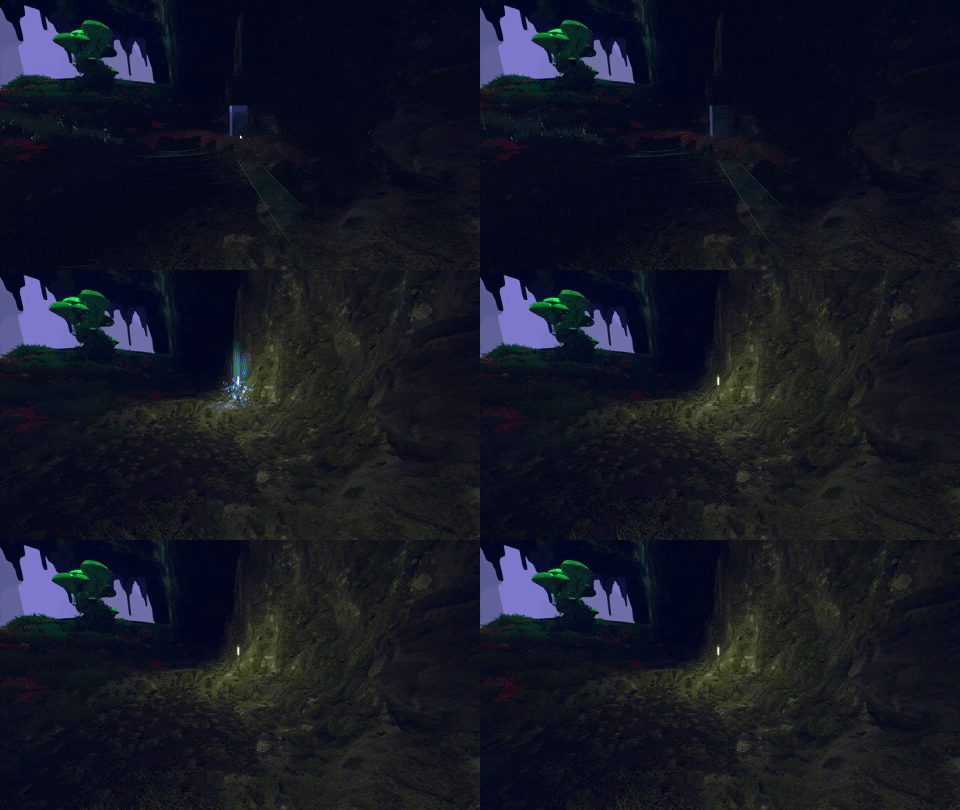
What do I mean by additive? The colors of the light that shines off of the sticks change based on the light mix nearby. Combine blue and red light sticks in a close area to get a purple shine. See that below.
The lights we lost…
The light sticks that these fresh ones replace were, much like other things early in development, placeholder lights. The asset was temporary, as you can tell, and the design work done on them was incredibly basic.
Here’s what the lights looked like before this internal update.
Why the rework?
Oftentimes, teams like ours have limited resources when it comes to tackling projects like updating light sticks. As we move towards Early Access launch, there are some elements of Techtonica that we’re comfortable with releasing in a work-in-progress state. These elements function as intended, but they will be improved as development progresses.
So, why did we tackle the light sticks ahead of launch? The main sources of light in Techtonica are plants, machines, and bioluminescent water. With Power Floors down, plants harvested, and factory construction in far-off corners, the subsurface world can get dark, quickly.
We overhauled the light sticks because we know players will want to replace the natural light with something they physically build and place. We wanted a strong set of options for lighting at Early Access launch, including a selection of colors.
Techtonica will evolve through Early Access, of course, and we have so many plans for lighting and factory decoration that we can’t wait to share.
Thanks for reading, Groundbreakers!
While you’re here, don’t forget to Wishlist Techtonica!
Your feedback improved Techtonica's opening moments
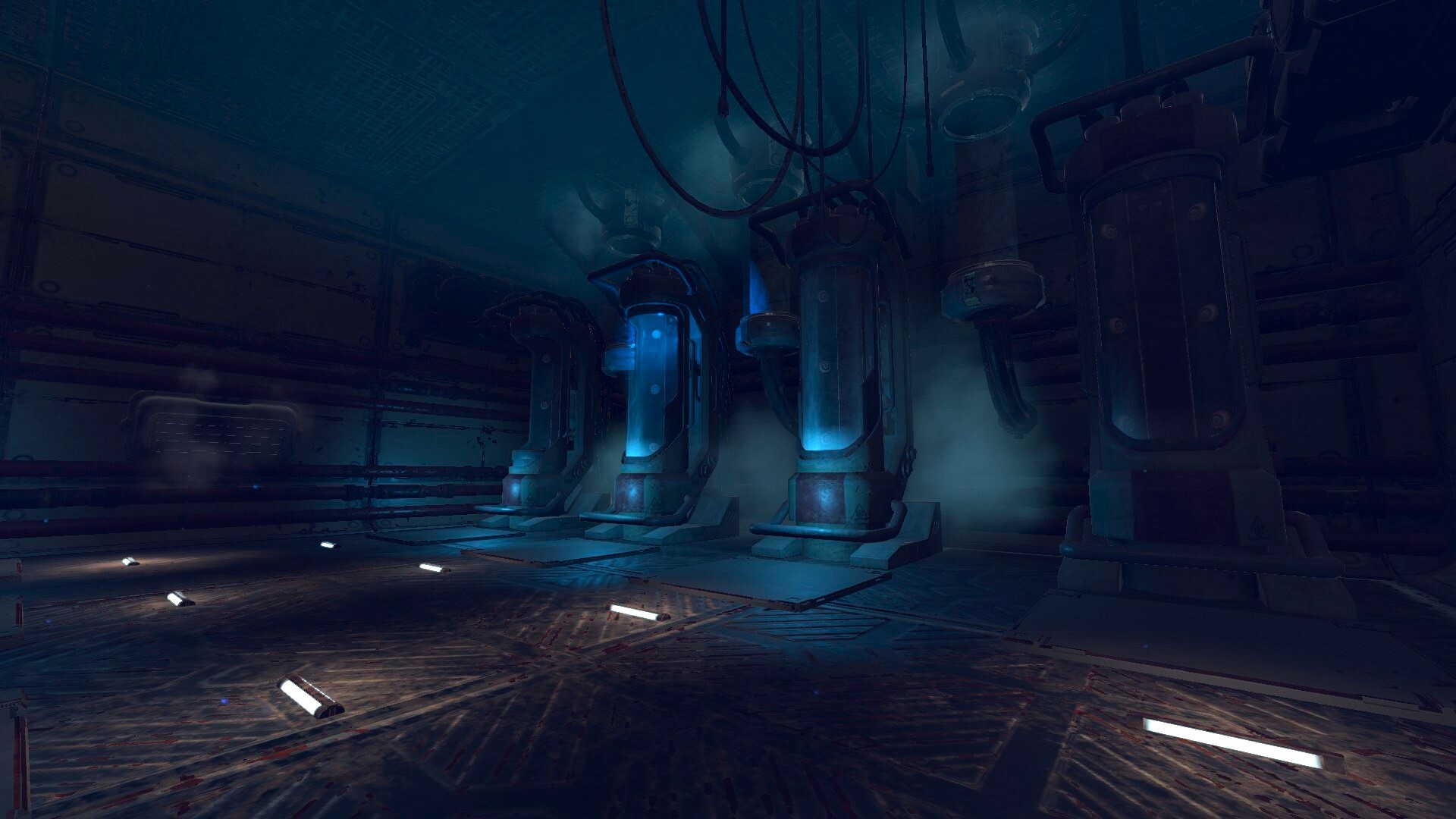
Wake up, Groundbreaker. While you were sleeping, we completely changed your cryo pod. In fact, we’ve changed a ton about Techtonica since the demo, especially where you wake up.
Lots of this happened after we took a good look at the player feedback from in-person demos and across places like the Steam Forums and our Discord. The central theme was that the opening section tried to do too much over a short span.
In today’s post, we’ll briefly explore the starting area of Techtonica as it stands in the demo. Then, we’ll move into the starting area that you’ll see at Early Access launch later this year.
This new area features a complete overhaul, and we’ll detail how we shaped this new space and share some of the basic modeling and asset work required to get it right.
Let’s dig in.
The demo space is old news
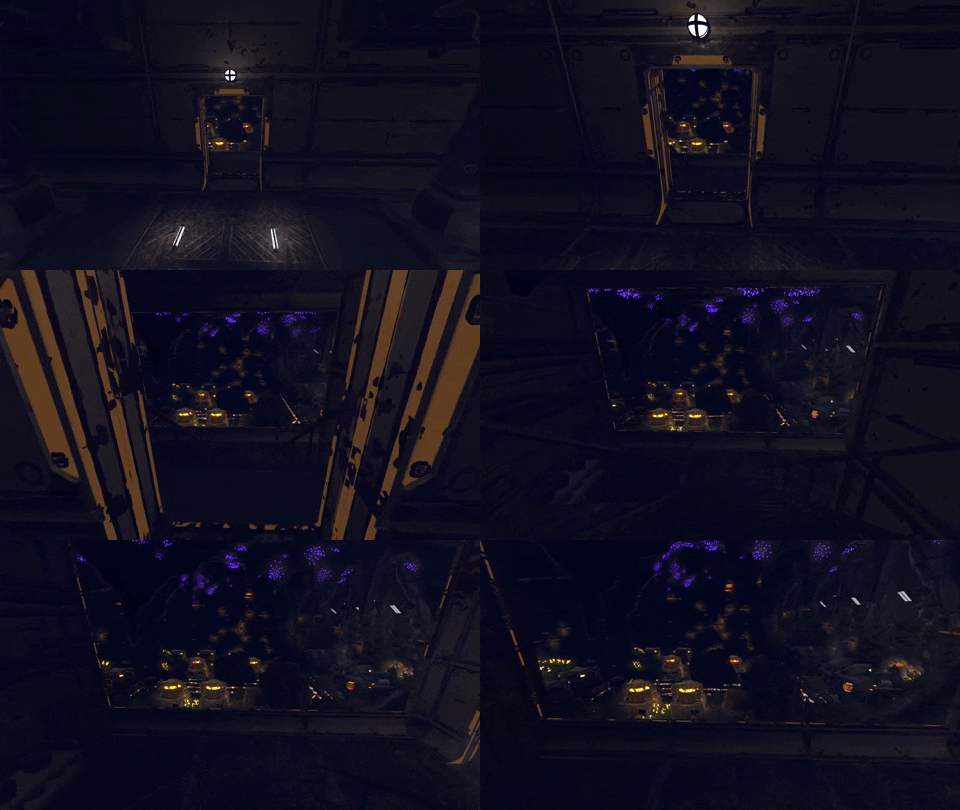
Here’s a quick flythrough of the space as it exists in the demo.
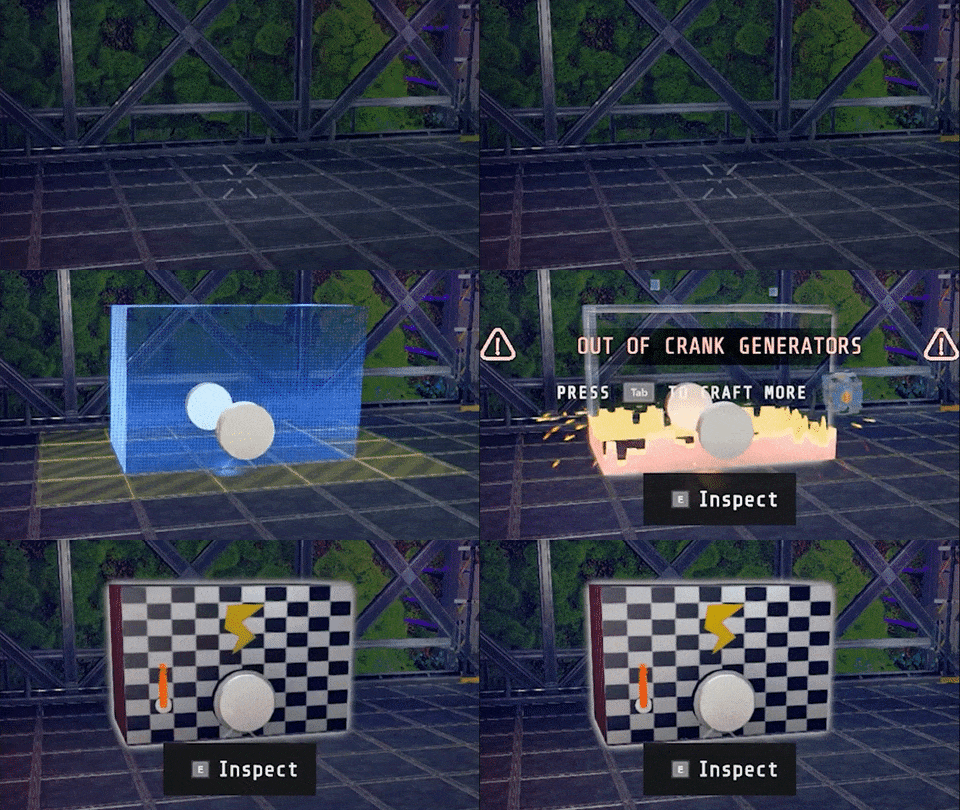
Notice the basic cryo pods, the Crank Generator placement tutorial space, picking up Sparks, the voice-activated door, and the example factories? All of that has changed.
We wanted to cut down on the time it took to get into the real gameplay of Techtonica, and that happened thanks to a drastic redesign of this opening moment.
And here’s where you’ll wake up at launch
You’re still waking up from cryostasis, but the facility around you has completely changed. It’s smaller, has no Sparks, no Crank Generator puzzle, no voice-activated door, and the distance between where you wake and PT LIMA is much shorter.
The result is a tighter tutorial area that quickly brings players up to speed with the story before setting them free.
If you remember the demo, then you remember the long hallway of small example factories that you walk by on your way to the Pickaxe and the locked door. That hallway was put in place thanks to some very, very early playtest sessions.
The early testers weren’t necessarily fans of factory games, just games in general. Without a broader sense or understanding of what Techtonica is, they’d go into the game without knowing that they should be building Miners to mine, Inserters to grab, or Conveyors to transfer. We created these example factories to bring players up to speed quickly.
And it worked really, really well.
So, you’ll see an example factory that you absolutely cannot miss once you leave the cryo pod, but the moment is much faster and more obvious.
Finding the right frozen look
This is very inside baseball, but we figured you’d like a look at how teams like ours sometimes use pre-made assets to get a headstart on work and make development move a little faster.
The art team was tasked with polishing the tutorial experience. We wanted a cryo pod that we could position vertically, so all the player has to do is step out of it. We also wanted an asset that we could retexture to bring more in style. After we bought the asset, we did some layouts to test.
With the layout approved, the art team did a texture pass to get the cryo pod in line with the color scheme and materials of the facilities. We also did work to get a frosted material on the cryo pod glass to sell the cold environment, in addition to some color tweaks. Here’s more of that process.
Redesigning our Research Cores to be 👀mesmerizing👀
One of Techtonica’s core (pun intended) gameplay pillars is unlocking and upgrading tech. You do that through scanning and research. Research Cores are the research currency in Techtonica.
In order to unlock tech on your tech tree, you’ll need the right count and color of Research Cores. They must be built and placed to count toward your tech tree, too.
We had these Research Cores in the demo, too! But the asset back then was temporary, and we knew we needed to overhaul them before launch.
What do they look like now? How did we get here? Do we have any hints about the full functionality?
Dig in, Groundbreaker.
Remember the Cores from the demo? Well...
The Research Cores players built in the demo were pretty basic! They were a placeholder asset that we leaned on to get the Alpha and demo out the door for player feedback.
We wanted these things to do lots more, but here’s what they used to look like.
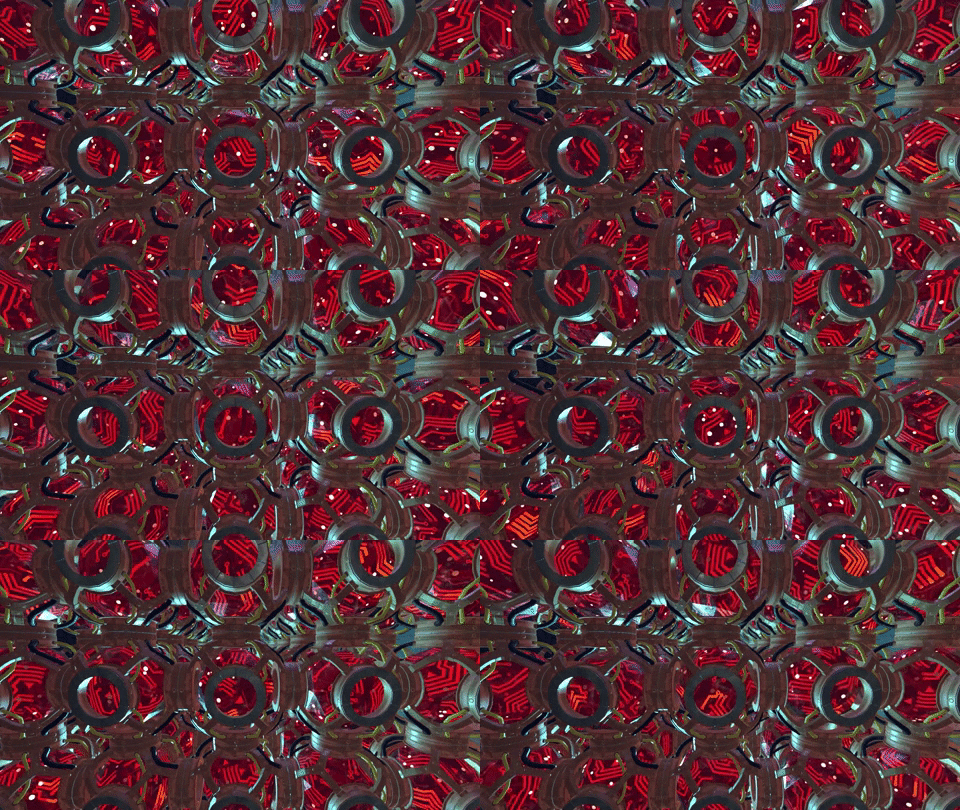
And here’s what they look like now.
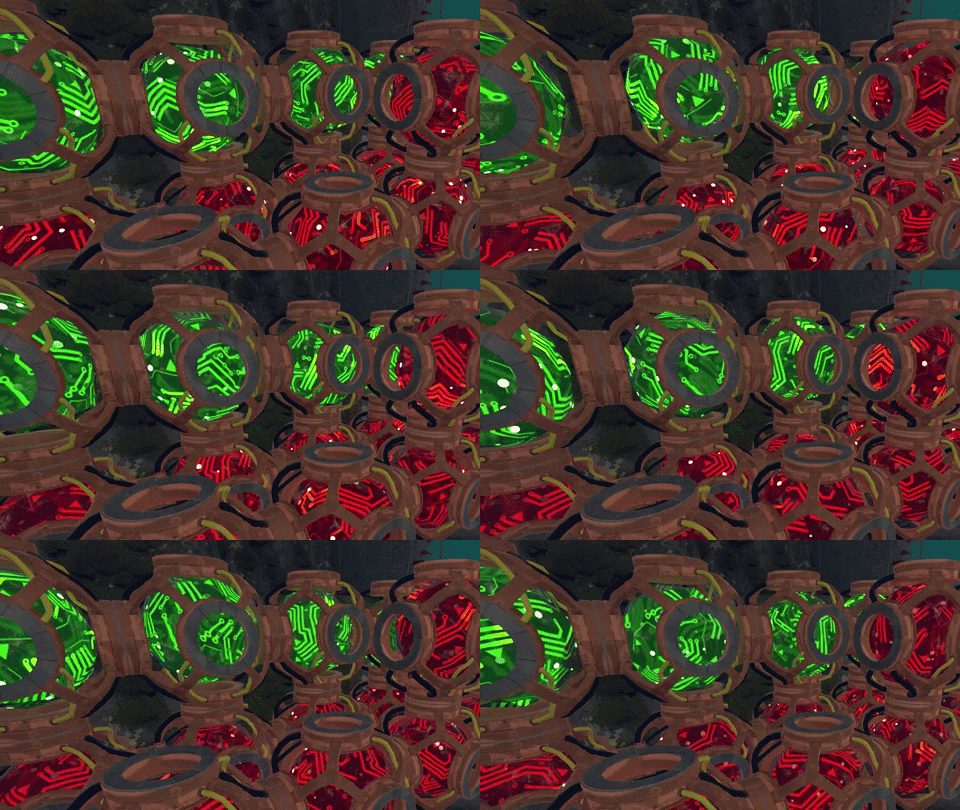
Research Cores are bigger, have a completely distinct look and feel, and we worked to give them a mesmerizing motion.
Yes. We upgraded the thing that you’ll use to make your own upgrades. The irony is not lost on us.
Finding the right look and feel for Research Cores
We started designing the look for the Research Cores with a relatively straightforward desire in place. We wanted a framework design that showed off the core and provided a six-way connection. Here are some early 2D takes.
We wanted the Cores to feature a glowing circuit pattern that was super pleasing to look at for players. So we took some of these illustrations and worked them up in 3D.
We landed close to version E in the sketch above.
A hint at what’s to come…
We’re not really ready to share all the fancy things that come with the Cores. We will say this, though.
We want to enable players to eventually automate just about everything in Techtonica. That’s true for Research Cores, too, and there may be one more machine in the relatively near-future pipeline.
We’ll share this new machine in a post as we get closer to launch.
Thanks for reading this week’s update, Groundbreakers! We’ll see you next week with more.
Want to talk Techtonica and factory games in general? Join our Discord.