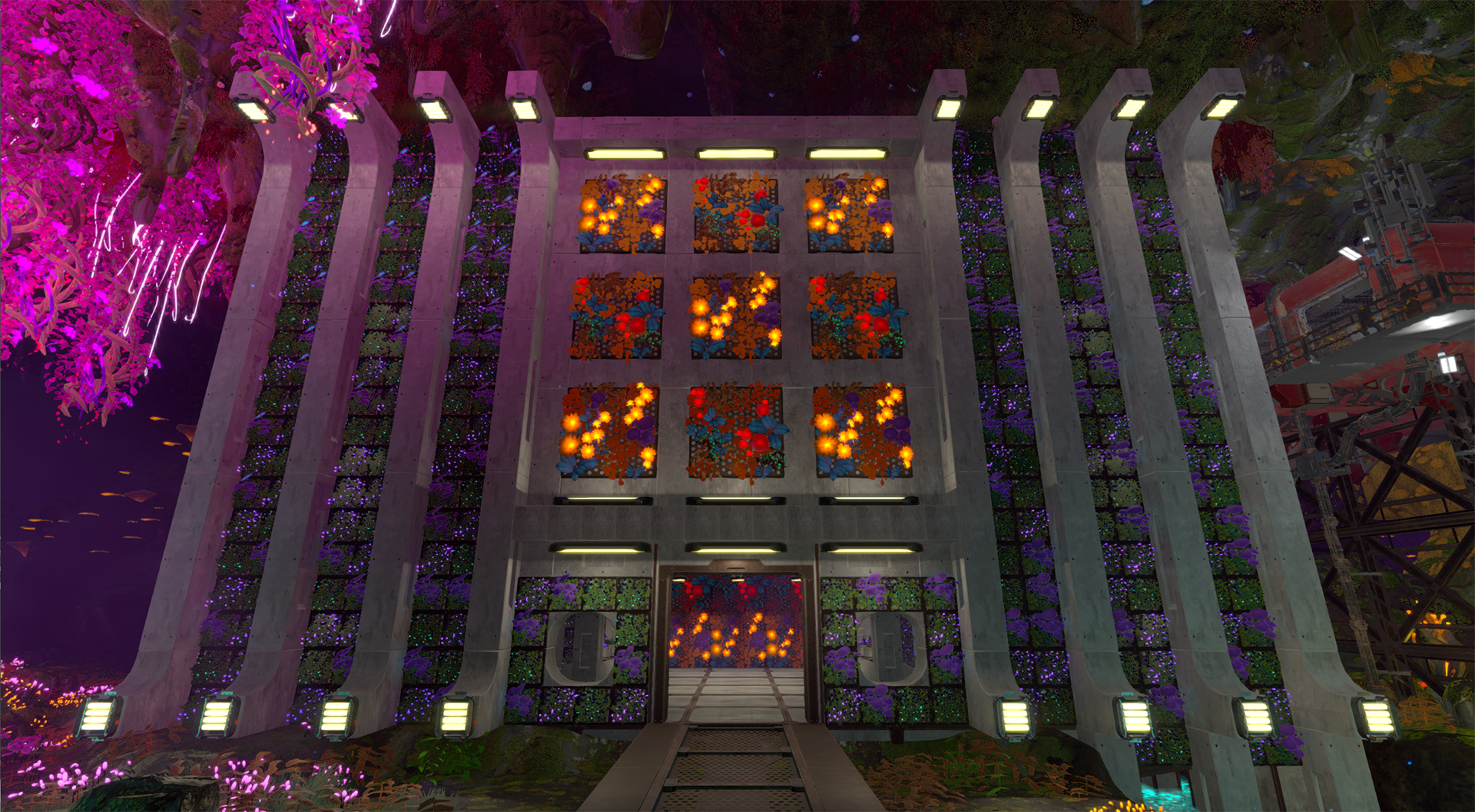
Hello, Groundbreakers, The Cozy Plants Update Pack is here!
Transform your factory into a lush oasis with 9 unique wall and ceiling plants. This plantastic update adds vibrant colors and lets your creativity blossom. Warning, there are a lot of puns in this. Sorry, not sorry?
Behold... the magic of plants.
The Cozy Plant Update Pack comes ... packed ... with vibrant wall and ceiling plants to decorate your bases.
Below is an assortment of the 3x3 and 1x1 Wall Plants available to decorate with. The 3x3 Wall Plants come in two cool color variations and the 1x1 Wall Plants have three funky choices.
These beauties add a delightful burst of color to your factories.
Ceiling Plants also come in two sizes - 3x3 and 1x1 - and two colors. Above are the big boi 3x3 Ceiling Plants, and below are the 1x1 Ceiling Plants.
You'll be able to attach these throughout your factories to add in some decor. Get ready to leaf your mark on the world of Calyx with the power of plants.
Building these plant pieces is pretty simple. Just unlock them on the Tech Tree and you're good to go, no scannables required. You'll also find a smattering of them to scan throughout the abandoned facilities on Calyx. And when you add them to buildings, it looks amazing.
We have had an absolute blast playing around with these pieces and adding them to our facilities!
Some new 3-D models
Eagle-eyed players may have also noticed that some of our items have new 3-D models.
Aren't these just adorable? Yes, the answer is yes. Here's one more pic of plants before we get into the Patch Notes, just because it's rad.
The Complete v0.2.2 - The Cozy Plant Pack Patch Notes
Mechanics and Feature Changes
Green-thumbed Groundbreakers roaming Calyx will be delighted to learn that we’ve added nine new, beautiful wall and ceiling plant decoration objects.
Ceiling Plant (1x1) - Purple Creeping Hydra
Ceiling Plant (1x1) - Blue Creeping Hydra
Ceiling Plant (3x3) - Purple Creeping Hydra
Ceiling Plant (3x3) - Blue Creeping Hydra
Wall Plant (1x1) - Violet Emberstalk
Wall Plant (1x1) - Seafoam Emberstalk
Wall Plant (1x1) - Plum Parashroom
Wall Plant (3x3) - Blue-Red Flora Mix
Wall Plant (3x3) - Purple-Orange Flora Mix
Please note: You won’t need to scan these pieces to unlock them on the Tech Tree. Just unlock the item and start building.
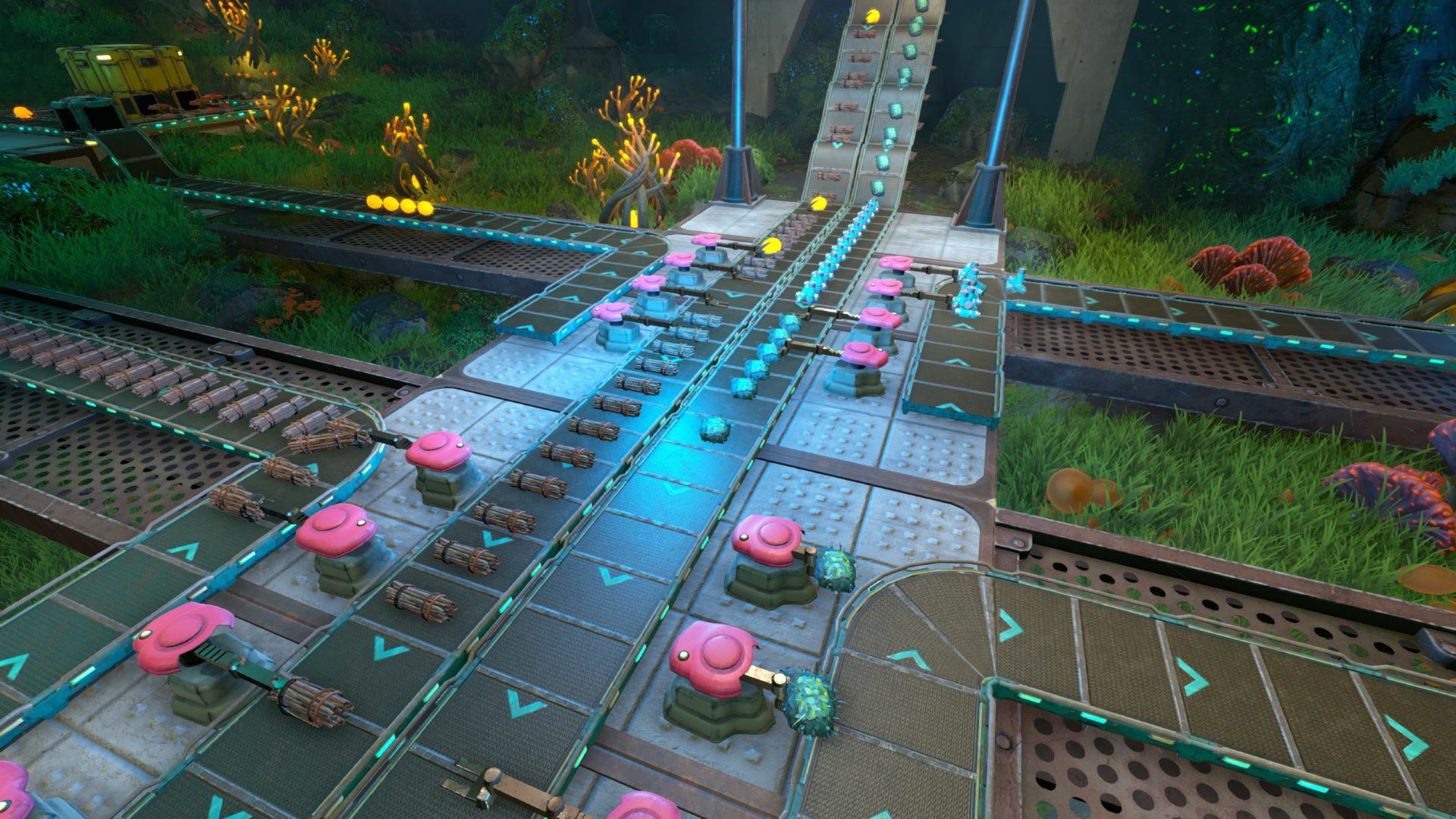
We’ve also added new resource models for multiple items so they show up on Conveyor Belts and in Inserters properly instead of looking like very strange space pancakes. Those new models are:
Purple Research Cores
Blue Research Cores
Mining Charges
World Changes
Our design team played Johnny Appleseed as they sprinkled fragments of our new plant decorations throughout abandoned facilities all over Calyx. Find them, scan them, build them.
Bugfixes
Please note that this list is not exhaustive and does not include all minor bugfixes.
We fixed an issue with the voxel system that should improve late-game performance for some players.
We fixed an annoying autosave bug. We have an autosave system that keeps 30 autosaves spread, logically, across old and more recent files. This bug broke the autosave logic and always overwrote the 30th autosave instead of recycling older autosaves. Players should now see mostly recent autosaves alongside a handful of older autosaves ranging from 30 minutes old to 10 hours old.
We fixed an issue that caused the file size of Techtonica to bloat to around 10GB with v0.2.1. Something, something, concrete is heavy, something, something. It’s fixed now, sorry about that!
We fixed several localization bugs that caused some UI breaks.
Known Issues
These are the known issues shipping with v0.2.2 that players should keep in mind.
3x3 Wall Plants can only be multi-placed in an East-West or West-East direction. They refuse to multi-place in an North-South or South-North direction. Why? You’ll have to ask them.
Breakers may experience some difficulty snapping 3x3 Ceiling Plants when not placed underneath floors and ceilings.
Graphics settings will not fully take effect until you either exit to the main menu or fully exit Techtonica and reload the game. Graphics settings applied from the main menu will work.
The Cozy Plant pack is out now for Techtonica! It's thyme to add some greenery and make your factories sprout with life!
Thanks for reading and watching! Join our Discord and share your botanical masterpieces and see what other Groundbreakers are building.
See you soon!
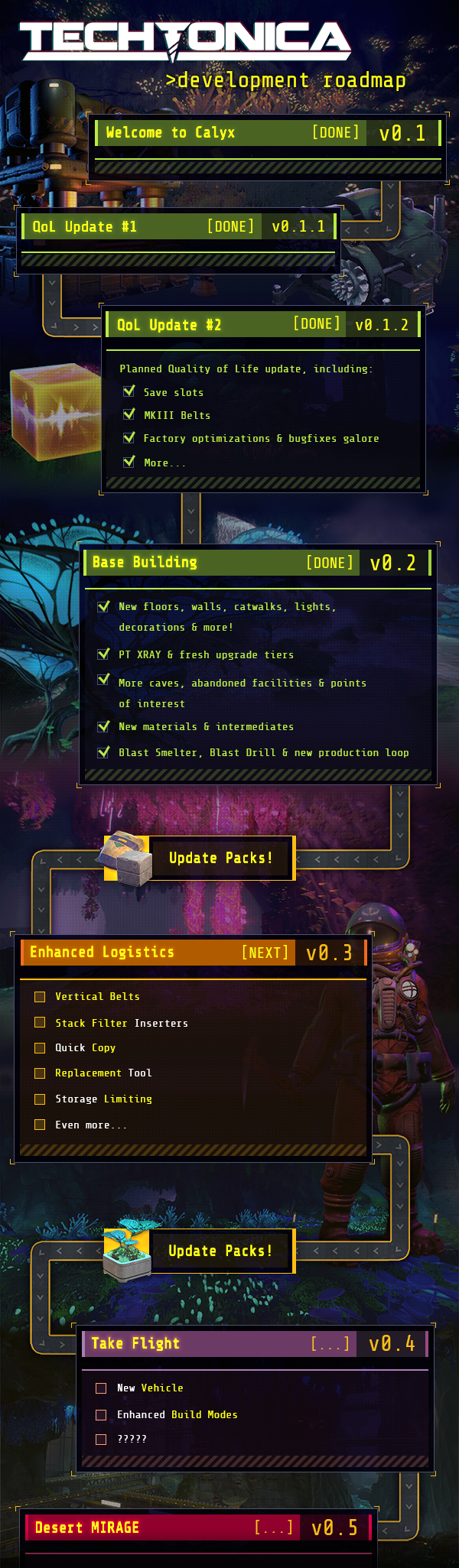
Techtonica is going vertical in v0.3
As we approach the v0.3 launch, we're delving into some of the new features on the horizon. Today, we’ll explore Vertical Belts and the new Quick Copy feature.
As a reminder, here's a brief overview of what's coming in v0.3:
Stack Filter Inserters
Vertical Belts
Quick Copy
Replacement Tool
Storage Limiting
So let’s dive in!
Techtonica is going vertical
Brace yourselves, Groundbreakers, because Vertical Belts are about to take your resource management to new heights.
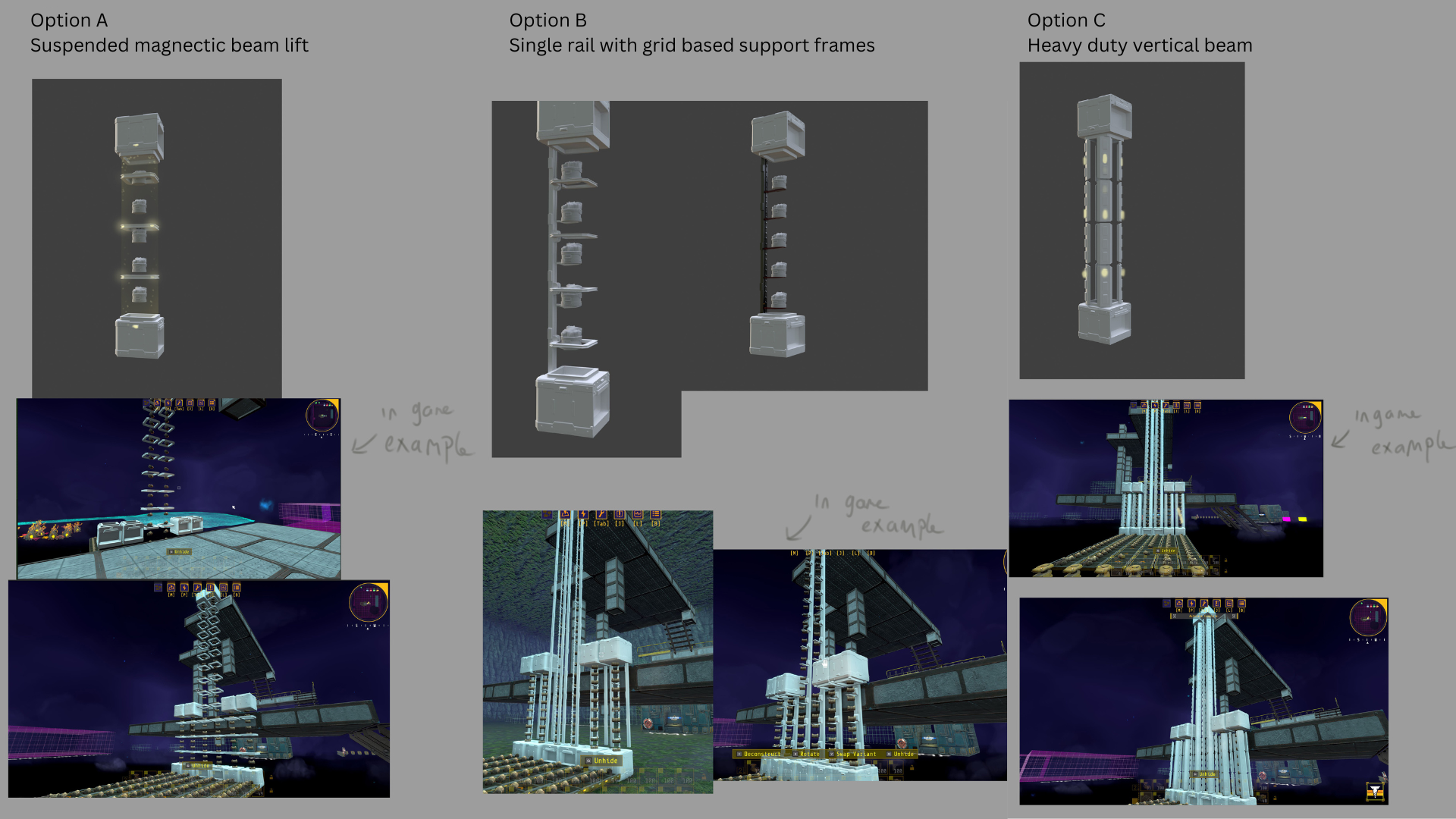
Let’s take a look at the art concepts for Vertical Belts before we dive into the functionality, because they look rad.
Bill began concepting with three different ideas for Vertical Belts; a more enclosed vertical tunnel, a hovering tube, and mini platforms. The goals with this design were to make it look super cool, clearly display the belt contents, and interact cleanly with inserters.
We went with a combination of Options B and C. The main drivers for that decision were that floating intermediates and resources reduced clutter but broke the style of the game and would have needed a lot more VFX to communicate. Option C fit the industrial style, but there was too much visual clutter, so we settled on removing two pillars and keeping the 'ribs' to hang the lights on for communicating direction.
We also opted for the asymmetrical dual rail design with chunkier rings, which allowed us to convey what tier the belt is through the paint scheme, and accommodate the conveyor-style lights. Bill also refined the middle piece to be symmetrical on the corners for seamless rotation.
Below are some options for the input/output design and some early iteration on the dual rail design. The big change we made from this version of the design was the removal of the back of the ring to create a U-shaped frame.
The inputs and outputs also got a full design treatment. Inserters will work with these on all sides.
We’ve not only added Vertical Belts for v0.3, but we’ve revamped the belt-building experience with five new build modes.
Horizontal Mode: This is the classic belt-building experience we all know and love. Now you can also rotate belts seamlessly between vertical and horizontal orientations using the V or LB keys. Just remember, if you go vertical, the subsequent horizontal belts will follow Fixed Height rules.
Fixed Height: Say goodbye to the days of awkward belt drooping! With Fixed Height mode, belts maintain a consistent level, bending only upwards to avoid obstacles but never dipping below the original line segment height.
Hubs: You can flip between automatic Belt Hub placement or fine-tune your factory by placing them manually. We deep-dived the new Belt Hub features in last week’s post!
Vertical Up: Get ready to defy gravity! Hit V or LB to seamlessly transition to building Fixed-height horizontal belts.
Vertical Down: With Vertical Down mode, construct vertical belts to guide resources downward. Just like Vertical Up, you can switch to Fixed-height horizontal belts with a simple keystroke.
Vertical belts use the same resources as normal belts, so there's no need to craft anything new. They’re unlocked after activating the technology in the Tech Tree. Resources flow along them just like they would on traditional belts, ensuring seamless integration into your existing setups.
Additionally, post-construction, vertical belts can be rotated at the top, middle, and bottom sections to control the flow of resources. Inserters can also retrieve resources directly from vertical belts, not just the top and bottom hubs, facilitating automation.
Quick Copy
Quick Copy’s functionality is threefold. When you’re looking at a machine or inserter, you’ll see the Quick Copy icon pop up.
If the machine or inserter you look at has a recipe it gives you both if you click, if you hold when the item has a filter setting or recipe, then it takes only the setting. You’ll see the machine and the recipe pop on your screen to let you know what you’ve copied.
The biggest debate about this tool internally was the name. Its initial name was the eyedropper, but the icon was not an eyedropper, which threw everyone off. Agreeing on the name Quick Copy was the fastest I’ve ever seen the team agree on a name for anything, which was impressive.
Please note that in Techtonica’s UI, the feature just says “Copy” because Quick Copy is longer and takes up more screen space. Official name is Quick Copy, but in practice, it’s Copy. Why?
General Update News!
For the coming weeks, we’re going to switch to bi-weekly updates. We aren’t releasing less content, just combining it into larger updates to free up some internal time.
We also have an Update Pack on the horizon, so keep your eyes peeled for that! Eagle-eyed players might have even spotted it in some of our past updates.
In the meantime, hop on over to our Discord for some memes, dreams, and to lend a hand to our fellow Groundbreakers.
Until next time, let’s get to work!
Splitters and Mergers and Storage Limiters... Oh my!
As we get closer to v0.3 launch, we’re deep diving some of the new features within. Today, we’re going over the Belt Hubs overhaul, plus taking a look at the new Storage Limiting controls.
As a quick overview, here are the features coming in v0.3:
Stack Filter Inserters
Vertical Belts
Quick Copy
Replacement Tool
Storage Limiting
So let’s dive in!
Belt Hub Changes in v0.3
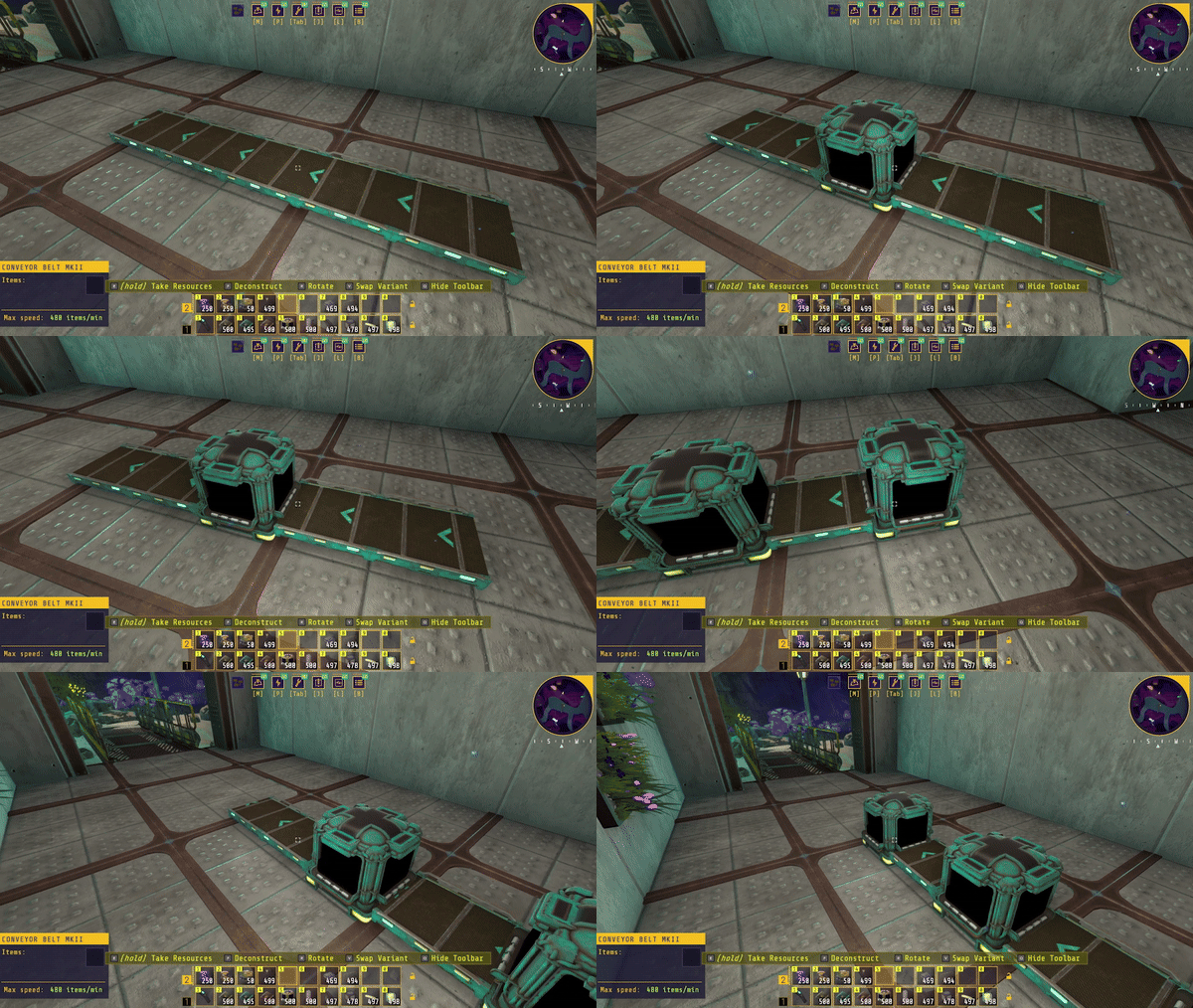
There are two ways you can build belt hubs - the boxes that merge belts together and split belts apart - in v0.3, depending on if you’ve placed the conveyor belt already. Splitters and Mergers will now appear in the variants menu for belts, and you can simply swap over and place them manually for fine-tuning.
Laid down a belt but want to add a Hub? Conveyor Belt Hubs are the first of all our buildables to be able to change the variant after they have been placed. Aim at the belt you want to change, and hit the variant button to add a Hub to your belt.
Code-wise, Hubs are still just belts under the hood. I'm sure there's a rotating belt in that black void the resources go into, and it’s definitely not some little hamsters pushing stuff around. Techtonica is animal cruelty-free. I think.
While we were adding in the ability to build stand-alone Hubs, we realized that stand-alone Hub have no purpose and sit there in existential contemplation until neighboring belts arrive.
beltCurrentState = BeltState.ExistentialContemplation It's right there in the code (it's not, but Lesther said it is, so take that with a grain of salt). Once you place belts on multiple sides of the Hub, it automatically sends items along the belts that connect to it.
In the current version of Techtonica, you can’t place a Hub next to a curve in a belt. The exact reasoning from days of old escape the tech team. But whatever it used to be, curves in and out of Hubs are now supported. This will make sending fuel to drills a heckuva lot easier (if you know, you know).
Hubs still take their personal space seriously when it comes to other Hubs, so you’ll need at least one regular belt in between them.
Storage Limiting
In v0.3, Storage Limiting is pretty easy to implement. Open the chest you want to limit and drag over the boxes you want marked “closed”.
Storage limiting doesn't clear the prior contents of the container! Inserters are still able to move things out of those restricted slots, but will never be able to add things back in (until you change the setting again).
Storage limiting also doesn't affect dragging and dropping items by hand. This only affects inserters and "bulk transfers," so you can safely try to move all your limestone to a chest without it going over the set limit. If you decide to drag and drop into the container, it's assumed you're engaging the manual override.
Storage Limiting was a highly requested item from our Feedback Website and Discord, and we’re stoked to implement it in v0.3.
And that's a wrap for this week's update, folks! We're buzzing with excitement for the Factory Efficiency Update, and we know you're itching to dive into all the fantastic quality-of-life upgrades coming your way.
Another Update Pack is gearing up for release in the coming weeks, so keep your eyes peeled!
In the meantime, hop on over to our Discord for some memes, questions, and to lend a hand to our fellow Groundbreakers.
Until next time, let’s get to work!
Stack Filter Inserters are coming to Techtonica
Hello, Groundbreakers!
Last week, we showcased the updated roadmap for Techtonica. The updated roadmap includes a much closer look at v0.3, which we’re now calling The Factory Efficiency Update. Here’s a quick rundown of the features we’ve announced for v0.3.
Stack Filter Inserters
Vertical Belts
Quick Copy
Replacement Tool
Storage Limiting
The features listed above represent a large chunk of what you, our community, have been asking for on Steam, in our Discord, and on our Feedback site since, basically, launch.
So! Over the coming weeks, as we implement, test, and balance each of these new features behind the scenes at Fire Hose, we’re going to take a much closer look at these big efficiency and quality of life upgrades here in the blog posts and video updates.
That starts today with the new Stack Filter Inserter.
Meet the Stack Filter Inserter
The Stack Filter Inserter is easily one of the two most requested items for Techtonica. The other is Vertical Belts, but we’ll talk more about those between now and v0.3’s launch.
What is it? As factory automation fans know, the Stack Filter Inserter does exactly what it says on the tin. It grabs three user-selected items at a time, quickly, and transfers these full stacks into machines, storage, or belts.
We already have the Stack Inserter, of course, but the filtration functionality is the big new addition here. The Stack Filter Inserter will bring a lot more speed and throughput to late-game setups, including the Thresher.
Oh, you want exact stats? Sure!
Here’s the Stack Filter Inserter at its base upgrade level.
The Stack size upgrades that you’ll unlock on the tech tree also apply to Stack Filter Inserters, and that will get you up to 12 items in a stack, bringing the max speed to 600 items per minute.
Colors, am I right?
Is the Filter Inserter pink or purple?
No, really, I’m asking. Because we had whole Slack threads dedicated to this argument internally. Richard, who is not accepting hatemail at this time, indicates that they are pink. Ryan, who’s always accepting hatemail, says they have “no color relationship,” which felt really weird and intrusive to me.
Lauren posted charts, which drew big eye rolls from everyone involved.
The Stack Filter Inserter has a gray base and a definitely more pink top to be associated with the Filter Inserter while offering a unique read in the factory setting.
Let’s talk about the Stack Inserter logic that was revised with v0.2
If you’re new to Techtonica or you haven’t played since the v0.1 days, we thought it important to include some information about the updated Stack Inserter logic that will also apply to Stack Filter Inserters when v0.3 drops.
In v0.2, we tweaked the Stack Inserter logic so that it would give up on waiting for items to transport before turning. Players, especially those with sushi belts, found that their late-game factories would clog and stop functioning as the Stack Inserter stood and waited for exactly three resources before turning. Some sushi belts meant this turn never happened.
Here’s the precise patch note of what changed in v0.2.
The ANEXCAL Engineers have reworked the Stack Inserter logic a bit. Now, Stack Inserters have an increased maximum throughput and will give up on waiting too long for material and dump what they’ve got in queue instead of sitting static, forever.
That’s it for this week’s update! We’re really excited for The Factory Efficiency Update that arrives with v0.3, and we know you folks can’t wait to get your hands on all the quality of life upgrades headed your way.
We’ll also have another Update Pack for you in the coming weeks, so stay tuned for that.
Roadmap update: these new features are bound for Techtonica
Now that Oops! All Concrete has launched into the Techtonica void, it’s time for a roadmap update! Below, you’ll find the updated roadmap and a brief overview of each item. We’ll go into much further detail over the coming weeks regarding how these tools look and function.
Without further ado… The updated roadmap!
Let’s dive into what’s coming in v0.3. Several of these items were upgrades that you, the community, requested. We really value your feedback and we’re doing what we can to implement it!
Vertical Belts
Techtonica is going vertical! Conveyor Belts will go from the floor to the ceiling and will be able to pivot in multiple directions at either end.
Stack Filter Inserters
They stack, they filter, they make everything go brr. You asked for ‘em, we’re delivering.
Quick Copy
Quick Copy will be a …quick copy and paste of machines, machines and recipes, and just recipes. This is a big quality of life feature, and we’re excited to show it off over the next few weeks. The gist? Look at a machine that’s been built, push a button, open a buildable of that machine and/or its recipe to be built again. All without scrolling through your toolbar or opening your inventory. This makes setting up a large factory much easier!
Replacement Tool
Instead of deleting a MKI Belt and manually replacing it, you can drag a box to upgrade belts and machines to a higher tier. This will work on Belts, Drills, Smelters, Inserters, and even some Base Building pieces.
Storage Limiting
Tired of having so many open slots in a chest? With v0.3, you’ll be able to block off storage slots in containers!
–
We’re adding even more to this update! Over the coming weeks, we’ll explore all the new features and upgrades coming to v0.3.
Several of these items were the top upvoted posts on our Feedback Website. Have an idea for Techtonica? Submit your own post and cruise for others to upvote!
Some Update Pack information
The response to Oops! All Concrete has been really great! This is the first of our upcoming Update Packs, which are slotted between the larger banner updates like Base Building and v0.3.
These Update Packs are designed by our art team based on player feedback and internal ideas for content. They’re focused on smaller content pieces that require little-to-no engineering time, so development can chug along on our larger updates. This means you get more content for Techtonica while not impacting our production schedule for the game.
Let us know your thoughts in the comments on what we’re adding to Techtonica! And join our Discord to share your factory, debate which setup is best for Threshers, and laugh at some memes.
Techtonica v0.2.1 Patch Notes - Oops! All Concrete
Welcome, Groundbreakers, to the first Update Pack for Techtonica: Oops! All Concrete.
That’s right, we’re giving you All Concrete variations across beams, pillars, walls, and wall cutaways. Let that clean brutalism reign supreme on Calyx.
You can learn more about our plans for these Update Packs and how we’re delivering them alongside our regular, large updates here.
What’s in this update, exactly? Let’s dig in.
The Complete v0.2.1 Patch Notes
Mechanics and Feature Changes
We’ve added All Concrete variations to the following pieces for your virtually seamless building pleasure. No need to scan or build anything new, these all live in the Variants menu of pieces you already have. + Calycite Beam (1x1) - All Concrete + Calycite Beam (3x1) - All Concrete + Calycite Beam (5x1) - All Concrete + Calycite Pillar (1x1) - All Concrete + Calycite Pillar (1x3) - All Concrete + Calycite Pillar (1x5) - All Concrete + Calycite Wall (3x3) - All Concrete + Calycite Wall (5x3) - All Concrete + Calycite Wall (5x5) - All Concrete + Calycite Wall Cutaway (2x2) - All Concrete + Calycite Wall Cutaway (3x3) - All Concrete + Calycite Wall Cutaway (5x3) - All Concrete + Calycite Wall Cutaway (5x5) - All Concrete + Calycite Angle Support (3x3) - All Concrete
World Changes
Lack of base building pieces giving you the early-game blues, Groundbreaker? We went ahead and added some new chests to PT VICTOR that contain more than enough base building parts to get you started. You’ll find them there regardless of whether you’re picking up an old save or starting a brand-new game.
We’ve added some All Concrete fragments to facilities for your exploration pleasure, too.
Bugfixes
Please note that this list is not exhaustive and does not include all minor bugfixes.
Fixed a set of issues that broke the Freight Elevator UI making it impossible to repair by hand. Groundbreakers should now be able to fix the Freight Elevator however they like.
Fixed an issue that would cause Calyxian flora to wink in and out of existence, specifically inside Atlantum Geodes, which was totally bizarre.
Fixed an issue that caused the Calycite Beam (1x1) to not show up in the Assembler or Schematics menus.
Groundbreakers may have noticed the description for Clay indicating it was a byproduct of threshing Atlantum Ore. This has been corrected to say Atlantum Ore Chunks.
Known Issues
We have two larger known issues standing with v0.2.1 that players should keep in mind.
To ensure your game progression is not broken, please do not skip the PULSE Room cutscene. We intend for this cutscene to be skippable without error as of 0.2.2, but skipping it currently may affect your ability to experience post-cutscene events. If you do skip the cutscene, that's okay! You can replay it from your log in order to continue progression.
There's an annoying autosave bug that we're working on that still exists as of v0.2.1: playing for more than 30 minutes in a single session will cause autosave to overwrite the same file again and again until you restart. For example, if you play for 10 hours straight, you'll have autosaves for the first 29 minutes and then one at the 10-hour mark. For now, be sure to manually save at regular increments.
Techtonica is 25% off for a limited time
Techtonica is officially 25% off here on Steam, which is the biggest discount we’ve ever had! Oops! All Concrete (v0.2.1) drops tomorrow, so it’s the perfect time to get Techtonica for some pure concrete perfection.
Pick up the game, grab some friends, and experience 4-player co-op. Together, you’ll build your factories, dig into the terrain, and debate if concrete or metal pieces look better.
Let’s get to work!
Techtonica v0.2.1 Patch Preview: Oops! All Concrete
The first Update Pack for Techtonica will arrive tomorrow, January 16th, 2024, with v0.2.1.
That’s right, it’s Oops! All Concrete, and we’re here today to preview what’s coming in this small update. We’ll also get into how and why we’re doing these updates in addition to our larger milestone updates like v0.2 and the future v0.3.
Let’s dig in.
All concrete pieces to play with
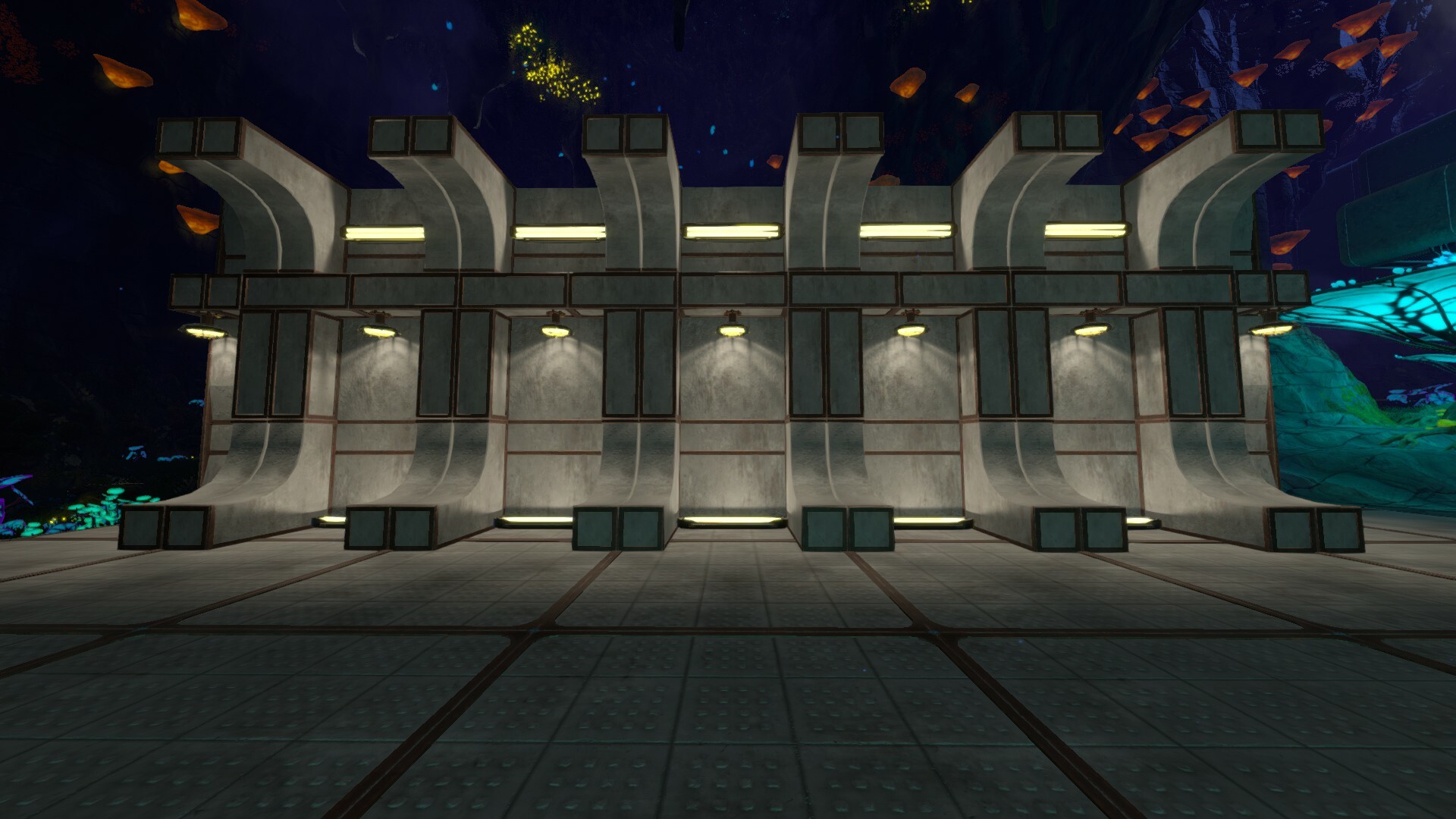
As Lauren shared last week, the Oops! All Concrete update is all about giving players some metal-less pieces to build with. Those metal seams can look weird or off in some places, so we’ve created variants for walls, pillars, and cutaways that are immediately accessible in the variants menu without any unlocks once you have the pieces in question.
What does this look like? Here’s the same wall done two different ways to show you how the All Concrete variations feel. We’ll start with the standard base building pieces.
And now for the same wall with All Concrete variations.
Much cleaner… I love it.
A trove of base building parts presented much earlier
Lauren also talked about this in last week’s update, but we’ve added several chests to VICTOR’s front porch (as I often call it in my mind whenever I play). Inside these chests? A treasure trove of base building pieces for you to play with.
We understand that players want to interact with these pieces earlier in-game, so we’ve given you enough to build a small base near VICTOR before you head off into the wilds to scan, upgrade PT XRAY, and construct pieces of your own.
Here’s a sample of a small base that can be built with the parts in the chest at PT VICTOR.
Will you need to start a new save to get these parts? No! Boot up an old save or start a new one, you’ll find the new chests waiting for you at PT VICTOR. Enjoy!
What’s up with these Update Packs?
As we’ve already said elsewhere, v0.2.1 marks the first small Update Pack we’re doing for Techtonica. We wanted to take a moment to clarify why we’re doing these and how they’re impacting our production schedule.
Let’s start with the latter.
Game development doesn’t happen all at the same time. That is, it’s not normal for art, design, engineering, and QA to be working on the exact same thing at the exact same time. Teams like ours rely on a producer to coordinate production schedules and divy out tasks, and that means an engineer may be working on something an artist finished a month ago.
What does that have to do with these packs? We build a lot of systems in Techtonica. Base Building, for instance, is one such system. Once the system is built and launched, it’s a lot easier for our team to make changes and additions to it. We know players want more stuff to play with, and our production schedule means that we have artists with time to spend on making extra elements for existing systems without impacting engineering time as that team works on building bigger projects in Techtonica.
So, that’s where Update Packs come in! We have production time available to push out these smaller updates that both introduce new content and provide minor design changes and bug squashing while we cook the next milestone update.
As for why we’re doing it? We want to give players more new stuff at a constant rate while staying responsive to their immediate bug and design needs. This smaller update in between bigger update structure means we can be faster for our fans and slower for our engineering team, so both parties win.
That’s it for the preview of v0.2.1, Oops! All Concrete. Reminder: the patch is slated to drop tomorrow, January 16th, 2024.
Thanks for reading and watching. Build something cool, join our Discord, and share it.
Hello Groundbreakers, we’re back from winter break and feeling rested, relaxed, and ready to reveal our first Update Pack!
Without further ado… (drumroll please)
Oops! All Concrete
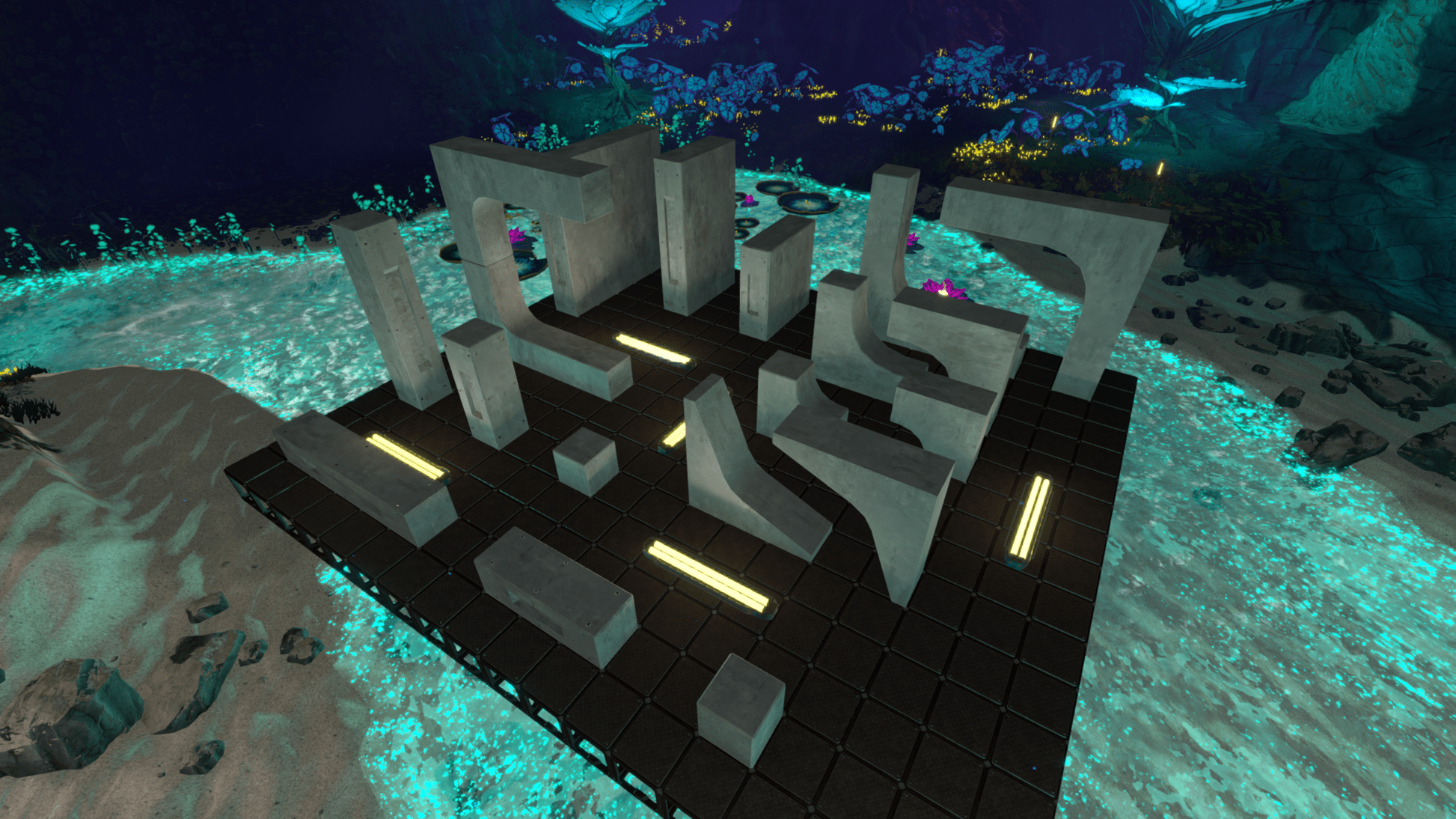
Including pillars, beams, and walls, Oops! All Concrete allows you to build seamless expanses of smooth concrete. It’s pretty satisfying to build with, and we’re stoked for you to play with it.
When we announced the updated Techtonica Roadmap in December (insert a joke about that being last year here), we briefly mentioned our new release cadence will include monthly Update Packs, and this is the first!
Designing with all concrete
For the all concrete pack, the art team wanted to come up with a unique treatment that differentiated these pieces from the existing Base Building parts, further than just removing the metal outlines. In addition to removing the chunky metal frames, they added recessed areas and metal rebar detailing on the sides.
And here’s a prototype of the texture on the models:
The rebar actually existed on the original assets for Base Building, but once the metal frames were added, it made more sense to remove it. So, some of the concrete texture is actually bringing back the original mockups!
All these concrete pieces are able to be built together, or blended with the existing Base Building parts.
Building bases, faster
Another big bonus with this update pack? We’re adding all new chests at PT Victor with Base Building parts.
Base Building OST
All the new songs from the Base Building update are out now on Steam! The full OST, including 6 brand new Base Building bops, is available as a bundle on our Steam page.
That’s it for this week folks! We’ll be sharing bits and pieces of the Oops! All Concrete pack over the coming weeks, so stay tuned.
As always, join our Discord for memes, dreams, and to share your factory setup. See ya next week!
Techtonica v0.2.0h Hotfix - Fixing a late-game progression blocker
Groundbreakers, a hotfix for the PULSE Room is here.
Please note: this hotfix is limited to the late-game progression blocker discovered in the PULSE Room. We’ll have a more comprehensive patch in the new year, but we wanted to get you a fix for this progression blocker before we leave for the holiday break.
What was the problem?
Some players worked through the new Base Building content introduced in v0.2 of Techtonica only to find themselves locked in the late-game PULSE Room as they neared the conclusion of the new narrative and quest lines. These players could respawn, but they couldn’t complete the remaining objectives.
What was fixed?
Groundbreakers who previously visited the PULSE Room and had its door shut on them will now find that the door has opened again. A similar issue with the initial door aboard the Excalibur (leading to Paladin) shutting itself should also be resolved. Signage for both doors might be slightly off, but this will not impact your experience.
Lingering issues and workarounds
Players who skipped the Freight Elevator cutscene may still experience issues, but there is a workaround. If you first replay the skipped cutscene from your Log menu, you can walk into the waters around the elevator afterward and trigger the next part of the story.
If you have finished the Freight Elevator cutscene, paid an initial visit to PT XRAY, and discovered the Mining Drill MKII but have not yet received a signal to the PULSE Room, make sure that you return to PT VICTOR.
Ah! If you’ve built a truly massive base, please stand somewhere in front of VICTOR that isn’t too high off the ground. The radio can’t see you up there, Breaker.
Once you return to the PULSE Room and witness the cutscene that follows your final interactions in that room (no spoilers!), you will have reached the end of narrative content for 0.2.