Techtonica v0.1.2 Patch Preview: MKIII Belts, Save Slots, added ore, and more
Techtonica v0.1.2 drops this week! This is the second of two planned Quality of Life updates, and it features changes based on community feedback.
Today, we’ll preview the patch in video form ahead of the complete patch notes that will arrive with the official update.
So, what can you expect from Techtonica v0.1.2?
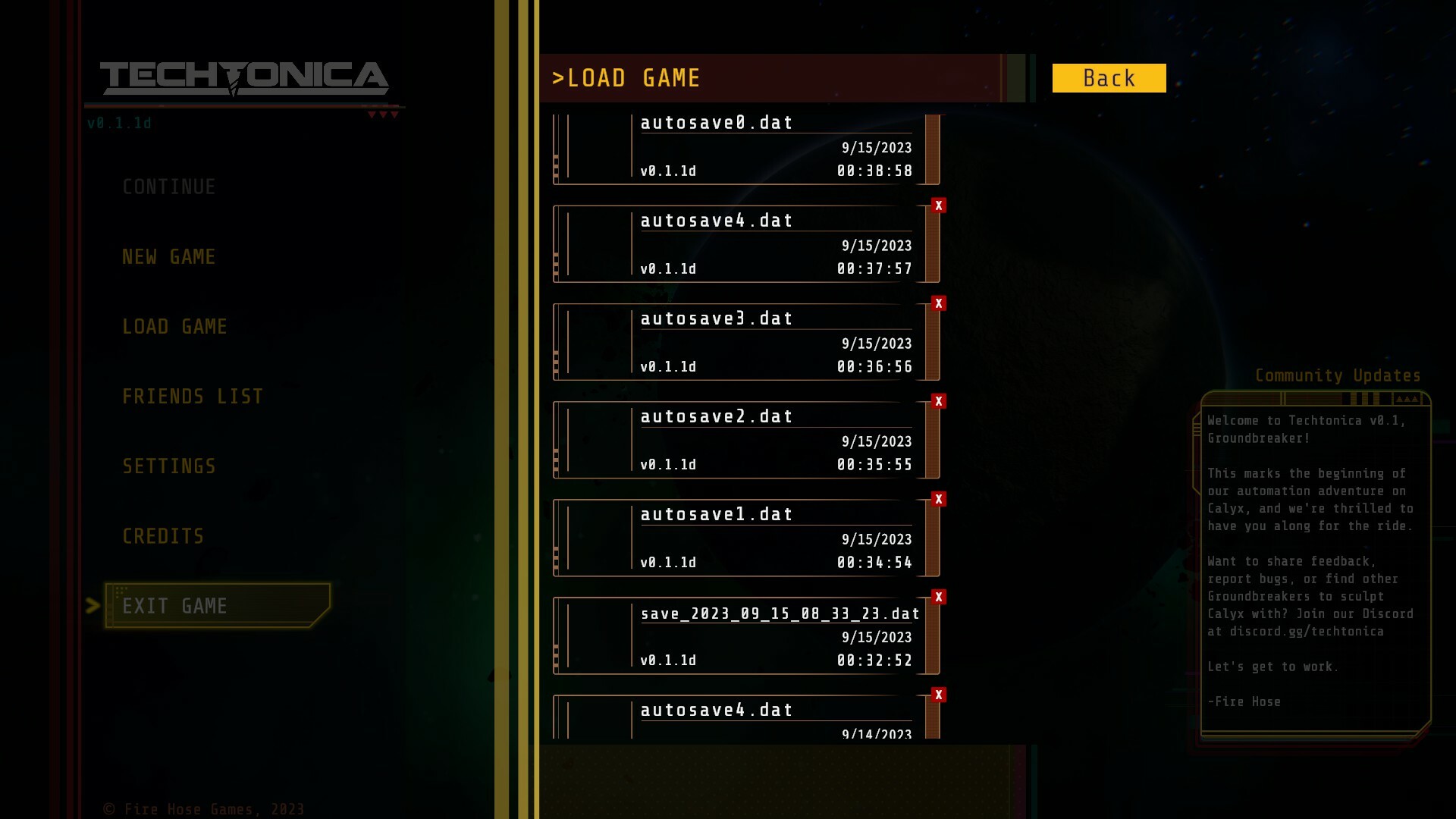
Save Slots
More ore voxels
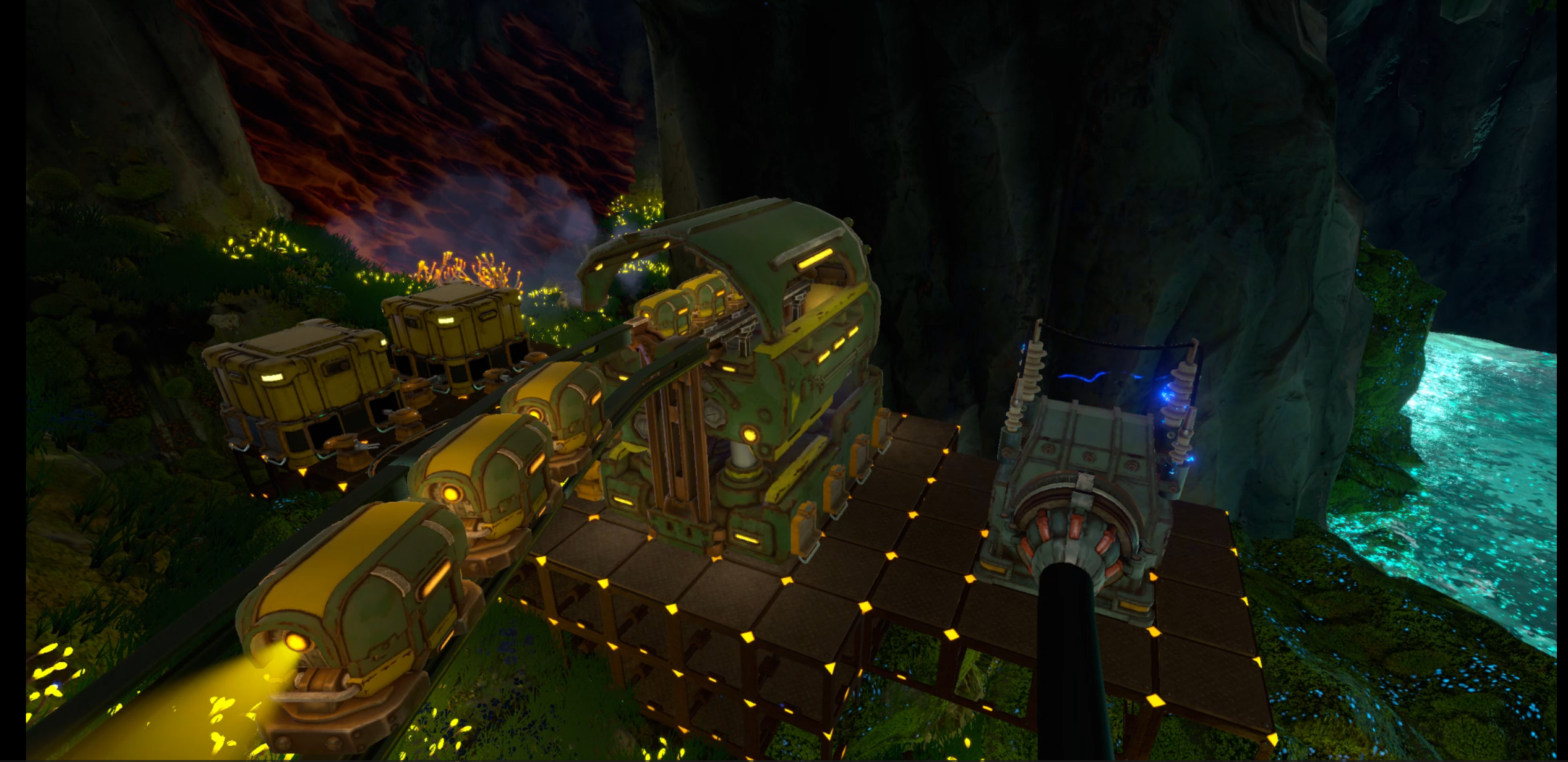
HVC & Monorail bug fixes
In fact, a lot of bug fixes
MKIII Belts that are ridiculously fast
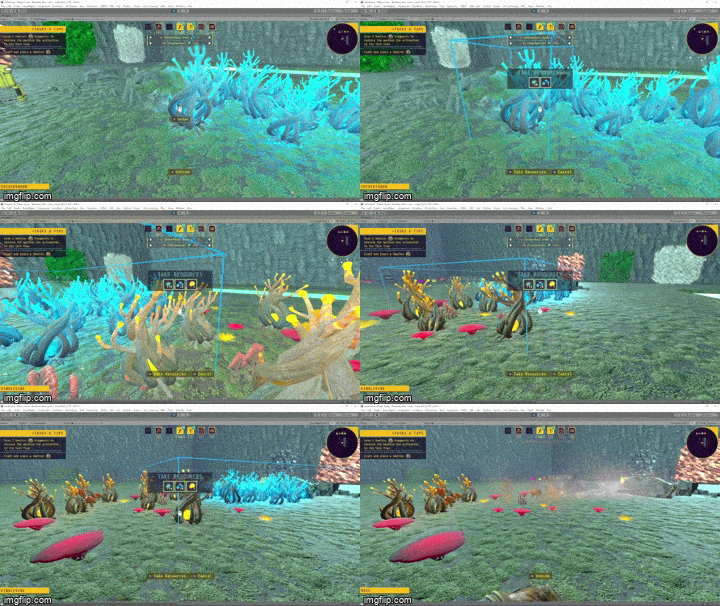
Plant mass gathering made way more accessible
Performance enhancements
Overhauled fog and color system that creates an even more vivid Techtonica
And loads more…
Let’s dig in!
Have questions? Want to chat about the update with devs and the community? Looking for a place with like-minded factory builders? Join our Discord at https://discord.gg/techtonica.
See you soon!
Techtonica & Desynced bundle now available
We have a bundle to announce!
For those who don’t know, we brought Techtonica to Tokyo Game Show this year. We were hanging out at the booth, showing the game to fans, when the Desynced devs introduced themselves. Within a few minutes of chatting, we decided we wanted to partner up for a bundle.
So, you can now grab Desynced and Techtonica together on Steam at 12% off.
This is a Complete The Set bundle, and that means you’ll still get the discount if you buy the game you don’t already own through the bundle.
Ready to get to work?
Save Slots are coming to Techtonica with the next update
Hey, Groundbreakers! We’re back with another weekly update for Techtonica.
Today, we’re showing off the new Save Slot feature that’s coming with v0.1.2. This update, in case you don’t know, is the second of two planned Quality of Life updates. We added these updates to our in-flux roadmap right after we launched as a response to our community’s feedback and requests.
Save Slots were a hotly requested addition, and they are officially coming very soon. When? v0.1.2 remains slated for a late October or early November release, so this stuff is only weeks away.
https://www.youtube.com/watch?v=7ZF3n37LJT4
How do Save Slots work? Let’s dig in.
About the old, current save system
Before we get into how the new system works, let’s briefly touch on the current (soon-to-be old) save system.
There are no slots. It’s a pile of saves with, at first blush, hard-to-read names and time stamps. Yes, you have a pile of your saves organized from newest to oldest. You can, technically, access everything in this pile. The process, though, is really difficult.
The dev team didn’t like this one either, for what it’s worth! We often juggle lots of saves as we test and implement new stuff in-game. On the marketing side, we absolutely have unique saves with purpose-built layouts for screenshots, trailers, whatever. Our current save system makes it super, super tough to juggle this stuff.
Here is the new save system, featuring Save Slots
Instead of a pile of saves arranged from newest to oldest, the improved save system that’s coming with v0.1.2 features Save Slots.
Save Slots are started every time you create a new game. Think of each slot as its own world or instance in Techtonica. Every auto-save or manual save that occurs in that world or instance will stick to that single slot. We’ve also made some adjustments to how we store autosaves, keeping some older ones around longer so players can go back an hour or two in addition to the recent ones done every couple of minutes.
Oh, and your old saves will automatically merge into this system, too, with their own instance-based slots.
The Save Slots are sorted by the most recently accessed and saved, too. So, if you have an old slot that you re-visit, that’ll appear at the top of your list next time you go to load a game rather than sit buried at the base of the growing list.
What about naming saves?
It’s the obvious question, right? Players want to be able to name saves. It’s on our list, but it’s something we’re saving until we’re ready to overhaul the UX/UI for Techtonica.
It’s not as simple as adding a text field. We need to account for controller support on Steam and Xbox, and that’s not as quick and easy as this Save Slot upgrade was. It’s coming! But not yet.
More v0.1.2 detail added to the roadmap
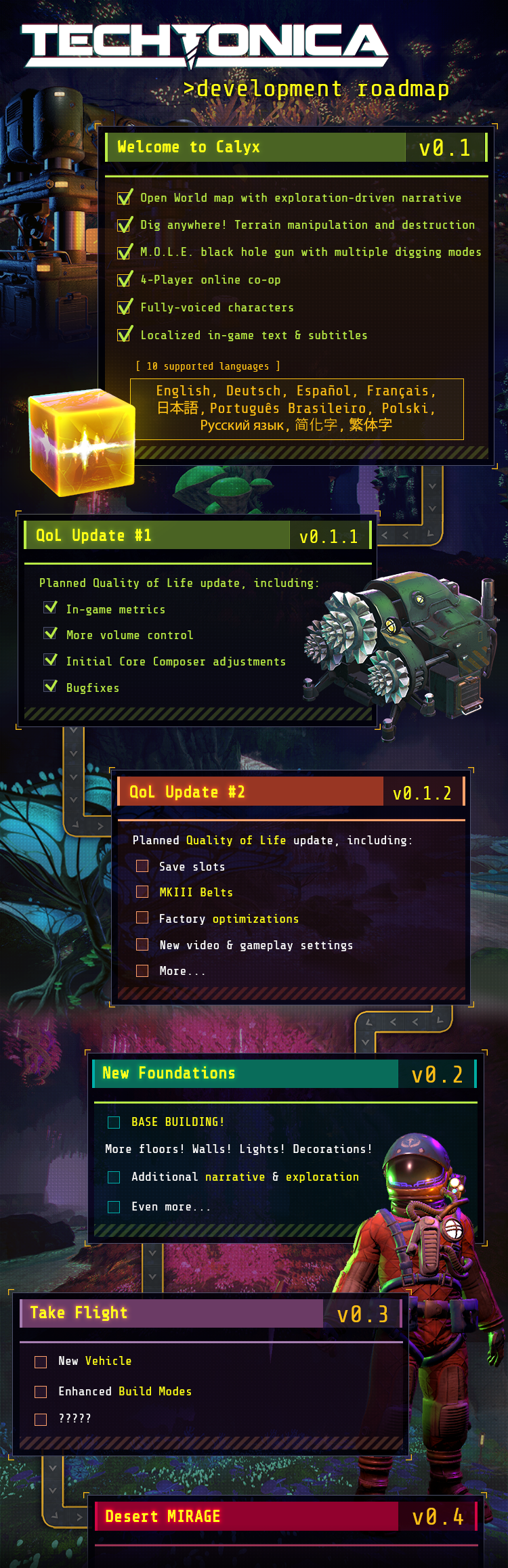
If you check our store page, you’ll see that we’ve updated the roadmap to include some more clarity about some of the changes bound for the second Quality of Life update. Here’s a shot of that section in particular.
You’ll notice that we’ve included the mass gathering for plants that Lauren details list week, along with more bug fixes and news of thousands of new ore vein voxels. We’ll get into that information when we drop the full patch preview.
Heads up! You won’t hear from us next week…
That’s right! The Fire Hose team is hosting its annual summit next week. We’re a remote studio, and we don’t have the opportunity to connect in person too often. So, we make it a point to meet up once a year for a week of bonding, big team conversations, and in-person mockery.
That’s happening next week, so we won’t share an update.
However! We’re looking to share the complete preview for v0.1.2 when we return, so get ready!
Lastly, in community news, we officially have our first speedrun time for Techtonica! Viktoriahhh made it through the freight elevator in just under 17 hours.
Techtonica is officially 20% off here on Steam. This sale comes in honor of Programmer’s Day (you’ll see us in the special event this weekend), and it will last from October 3rd, 2023, until October 10th, 2023.
Grab the game, tell a friend, and experience 4-player co-op. Together, you’ll plan your factories, dig into the terrain, and argue over who gets to carry Sparks.
Let’s get to work!
Mass gathering for plants will be in v0.1.2!
As we get closer to v0.1.2 QoL update–launching at the end of October or early November–the team is finalizing more features and bug fixes!
This week, we enabled mass gathering for plants, a hotly requested accessibility feature. Today, we’re going to deep-dive mass gather implementation, game balancing, and frobbable objects. At the end, I’m (Lauren!) going to explain why we bundle patches, just for some extra info.
Several people from the Fire Hose team chimed in on this week’s blog–Allie, the tech wizard who implemented mass gather, Richard on balancing, and Sharat and Ben for some frobbable chat.
Mass Gathering for plants is in for v0.1.2!
Mass Gathering is primarily an accessibility feature based on the feedback we got from players asking about having to repeatedly press 'E' so many times. It's unlocked right from the start of the game, since we don't want to gate accessibility behind in-game upgrades.
To use mass gather, look at a plant and press interact. Instead of releasing, hold the interact button and look at other collectible plants. While held, the player will automatically continue to collect until the button is released. There is a short cooldown between collects (mostly for the animation to catch up) but you should just be able to vacuum plants up easily now, without repeatedly smashing the keys.
Why didn’t we just use the Mass Gather tool?
So, Allie actually implemented this first.
We aren’t using Mass Gather for plants, because balancing the beginning of the game matters.
First, the feature isn’t really something to be called Mass Gather, it’s an accessibility feature for holding down gather instead of mashing gather while harvesting. We didn't want to make gathering plants by hand faster or easier, just more accessible. Gathering plants by hand is meant to be tedious.
The M.O.L.E., planter and thresher, an exploit with building floors, and more items to come are meant to make gathering plants and fuel easier, so we don't want to introduce something extremely powerful that the player can do from the very start of the game. Finishing your farming machines for the first time is a much better reward when it's tedious to gather plants by hand. We spent a while balancing how much time is necessary to spend gathering plants before the player can automate fuel.
The implementation in code is interesting…
So, the code changes were to add an extra alternate TakeResourceMode to machine mass collection, internally called "FrobbableMultiGather," frobbables being collectible plants. That name predates me, and I cannot explain it (lol).
We do a raycast to determine what the player camera is looking at, and if it's interactable and the input is a long-hold, we determine if we should enter any multi-gather mode, and based on if it's a Frob then we enter FrobbableMultiGather mode. From that point, whenever we detect a new frobbable object via raycast, we check a timer. If enough time has elapsed, we interact with it (i.e., collect it as a plant), play the collect animation, and then restart the timer.
This state continues until the button is released, setting the mode back to none.
Frobbable? Is that a typo?
While this word also broke my brain, it is the actual term coined for an interactable object in game development. I Googled it, it’s a real word.
A frobbable object, also called a frob, is a usable object in the game. If a player or another game object can interact with it, it’s frobbable.
This sent me down a rabbit hole, so if you’re curious, the word originated around 1958 at MIT’s Tech Model Railroad Club. A frobnitz was a gizmo or other object you could use. This club at MIT also coined the term hacker. They really had a gift for weird words.
Why do we bundle patches instead of releasing content as we fix it?
This was a question asked in our Discord this week, and I wanted to go further in-depth than my reply there.
Getting a build of Techtonica that is stable and balanced is not trivial. It takes us many days of thoroughly looking at the same build we are about to release to be sure we're not introducing some awful bug for players. When we go through this process, we wind up needing to do last-minute fixes to make sure the build we ship is good to go. The time it takes to ensure everything in the game is in a shippable state is high.
With all that in mind, we're all working on tons of fixes in parallel and don't have the bandwidth to constantly run through the process of making sure everything in the build is in a shippable state. We want QA helping us with new features and checking bug fixes, etc. And we want the dev team to be focused and not worried about making sure we're ready to ship which is a drain on the whole team.
Finally, the build also needs time for certification for Microsoft (for Xbox/Game Pass). We need to send them a stable, final version of a patch for cert, versus piecemeal pieces of code.
Also, when we show things working in dev blogs, that doesn't always mean they don't still have dependencies elsewhere that still need to be fixed. For example, we might show off new content that hasn't been localized yet, or that still has UI updates coming to support it elsewhere. So something appearing in a blog or a video doesn't always mean it would be ready to ship right then, even if we wanted to.
As a result, we try to put things into bundles to maximize the best use of our time while still getting fixes out to you all in a timely manner.
That’s it for this week, folks! Below is our streaming schedule for October.
This week, we’re pulling out the big guns, because we’ve fixed a big bug. The nastiest HVC (High Voltage Cable) and Monorail bug has been fixed for 0.1.2!
As we continue to improve and fix bugs for QoL update 0.1.2, we’re posting more info about the bugs we’ve squashed and improvements we’ve made. Reminder, this update will launch sometime around the end of October or early November.
In case you missed last week’s update with Joey, we’ve worked on a slew of Machine Streaming improvements for 0.1.2 that we’re really excited about. This week is all about tackling a big, big bug.
I (Lauren) spoke with Sharat, Lead Engineer for Techtonica, about what caused the HVC and Monorail to fight each other and how they fixed it.
What bug are you talking about?
In case you never encountered this bug, it appeared to be pretty simple. If you tried to attach the HVC to the monorail, you would get no power. Y’all flagged this as a really frustrating error to encounter, so our team pushed hard to get it fixed.
And, we totally understand that it was frustrating! But it was a complicated bug across systems, which meant it took some time on our end to solve.
So, what caused it?
The bug with monorails using power over HVC's had to do with the way our power networks are set up. Simple power networks are created for contiguous sets of power floors. They get updated whenever you build and erase floors. Voltage Steppers allow you to connect multiple of these simple power networks together via HVC cables and splitters.
We have a separate HVC network concept that we use to check if two Voltage Steppers are connected to each other by a chain of HVC's. The way we track those connections is by linking together any simple power networks that have Voltage Steppers on matching HVC networks.
When we connect the networks this way, we're marking one of the simple power networks as a "child network" and another one as the "parent network". For normal power usage, we run everything through the parent network, checking the power needs, power supplied, and accumulators across all of the child networks. And that system all worked fine for our initial 0.1 launch.
So what's special about monorails? Well, monorails require power in two different ways. First, in the same way as assemblers, they consume some small amount of power every tick in order to run baseline operations such as unloading and packing batches of resources. However, monorail depots require an instantaneous burst of stored accumulator energy in order to send out a new cart of resources. We use accumulator energy directly in a few other cases, such as when upgrading a production terminal or activating late game techs. When the monorail wants to send out a new batch, it sends a request to its associated power network to find energy to use.
The bug came up when that power network was a child network. The bug caused the child network to not properly forward that request to its parent network, which would result in the energy request never being granted to the depot. In 0.1.2, we've fixed it so that the parent network now handles all the requests in all of its child networks now. Editor’s Note: I did suggest trying a therapist, too, to resolve their issues. But it turns out it was actually tech related.
But wait, didn't I say that there were other cases using the accumulator energy? Why weren't they broken in the same way? Well, it turns out that all the other cases were already special cases. When using energy to activate a tech, we currently just draw from all build accumulators directly, ignoring connectivity. For upgrading the production terminal, we're checking directly for networks connected to specific HVC ports on the terminal. It's using a different flow since it's searching for parent power networks from the HVC connection instead of from the floor connection. So in the end the monorails were the only case where the bug would show up.
Does the monorail still have other bugs?
Yes, this only fixes the power issue - which was the biggest one. We've noted that there seems to be some complicated cases for monorail bugs with save/load. We've added a few more safety measures in 0.1.2 to help avoid those issues from breaking the save completely. However, we still haven't solved the root problem, so there may be some issues with some mid-transit monorail batches getting lost or duplicated when loading a save. That’s a larger code refactor than could fit into this update.
As always, you can join our Discord to hang out with our community and chat with our team. Find us at https://discord.gg/techtonica.
Machine Streaming improvements bound for Techtonica v0.1.2
Greetings, Groundbreakers!
This week’s dev update will be centered around more of an in-the-background element of what’s coming in v0.1.2. It’s an important one that will help with performance, so we thought we’d get a little closer to it for a look at exactly what we’re providing and improving. Richard, our Game Director, helped me (hi, it’s Joey!) draft this post.
Before we get there, just a reminder: Techtonica v0.1.2 is still slated for a late-October or early-November release. We’re closing in on that date with each passing weekly update, so stick with us as we slowly pull back the curtain on what’s included. Last week, we detailed some of the video and gameplay settings inbound with the update.
Today? Today we’re talking Machine Streaming.
“What’s Machine Streaming?” Great question! Let’s dig in.
“Really, stop dodging the question; what’s Machine Streaming?”
Hang on, okay. Let’s start with problem #1…
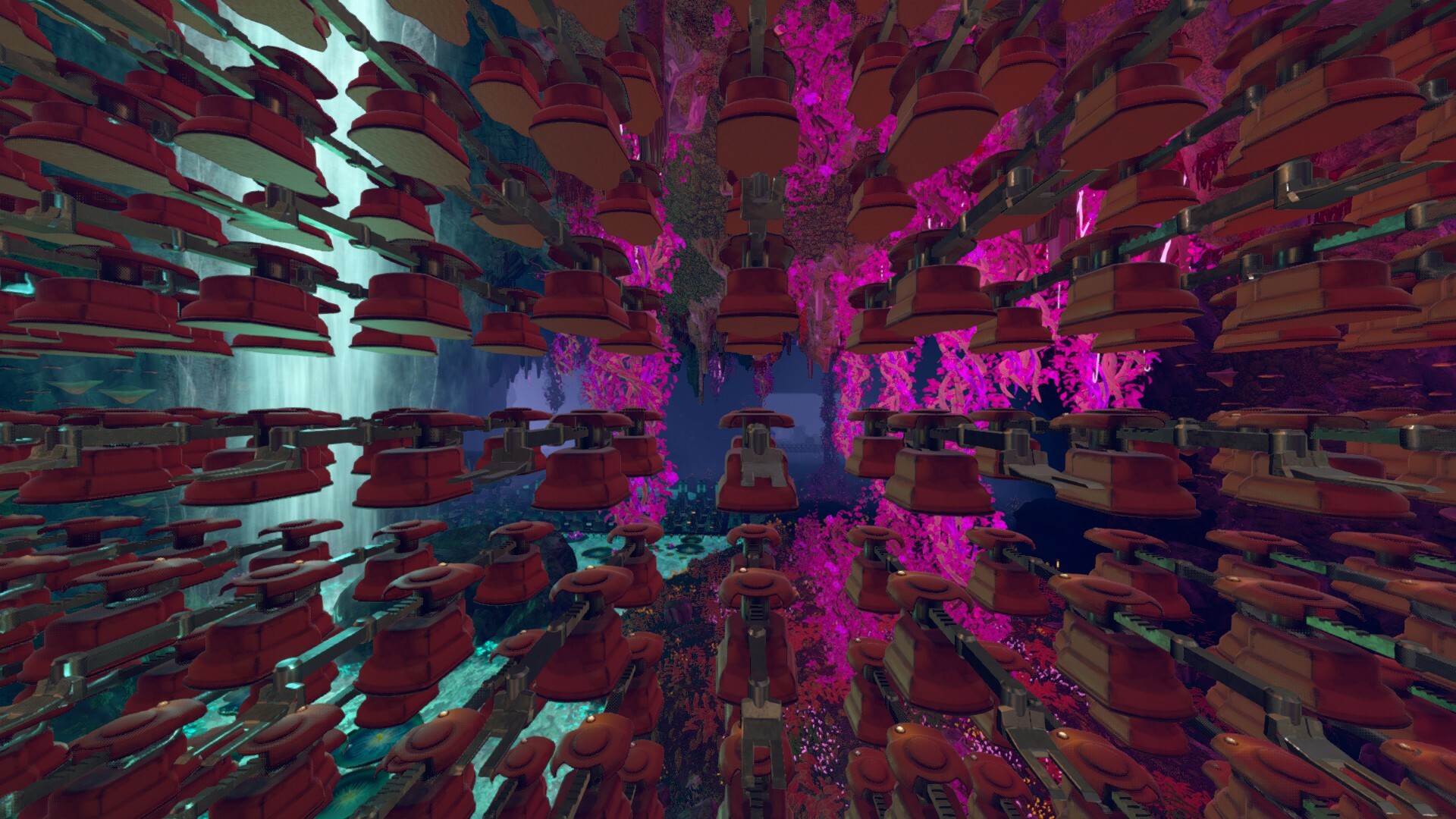
In the river biome alone, there are about 180 million voxels of space. That’s space players could fill with 180 million stack inserters if they wanted (please don’t do this). It’s cheap to render and animate inserters; but, do anything 180 million times, and things might get out of hand.
Let’s continue this thought experiment of placing 180 million stack inserters. Now you, a player standing near PT VICTOR, will see only about 800k inserters in front of you. That’s only 0.5% of the total.
So, why bother animating or rendering the rest?
The factory simulation runs independently of the visuals, and we, therefore, only load in and process the visuals for the inserters that are actually on the screen. We refer to this trick as Machine Streaming, and it has been mostly in the game since v0.1.
But there’s more!
Okay, but how does Machine Streaming improve in v0.1.2?
To understand how we’ve improved things, we need to talk about problem #2…
Unity (boo, hiss!) is designed to tether just about everything you see in the game to a piece of data called a game object. Game objects come with a lot of stuff that can be useful in various scenarios, but when you don’t need all that information or extra processing, there isn’t a way to get rid of it. This isn’t usually an issue for many games, since we’re talking about very small amounts of overhead, but even with machine streaming, we’ve still got 800k inserters on screen, and each inserter comes with 14 game objects, so we’re talking 11 million game objects!
Multiply all that tiny Unity overhead times 11 million and now we’re looking at a very large amount of wasted RAM and CPU time.
But fear not, we don’t need 11 million game objects; we actually only need 14 of them.
The new and improved Machine Streaming in v0.1.2 skips past the Unity overhead and only uses the original inserter objects as a template. Everything else we need to render and animate 800k inserters goes into a giant list of precisely engineered data to only use up the RAM and CPU necessary to render and animate each Inserter. We don’t need to store the data for where to render the inserter map markers, how big the collision bounds are, what material the inserter uses, what mesh it uses, the color of its lights, and much more 11 million times. We only need to store it once. The new and improved Machine Streaming does exactly this.
Now when you make a ginormous factory, we do not have tons of wasted RAM and CPU overhead over managing and spawning these objects!
And it gets better! Every game object in Unity comes with what is called a Transform. Transforms are pieces of data that just store the position, rotation, and size of the objects in the game. Transforms are rather expensive to update in Unity, but the new and improved Machine Streaming in v0.1.2 does not use transforms! Instead, we efficiently store all of this data in a way that is super fast to update and stream in and out. This vastly reduces the amount of hitches you may experience as you wander around your factory.
Previously, Techtonica would be working quite hard to update all the game objects and transforms as we stream in the visuals for the machines that you can see, but now we’ve cut all of that overhead out!
Additional wins include being able to do things like separate collision detection from the machine animations. Now, instead of there being a collider for the floor 100m away that you cannot interact with at all, we only load in the collision data for the machines within range of player interaction!
How many FPS will players gain with Machine Streaming in v0.1.2?
That’s an incredibly nuanced question with many answers. The new and improved Machine Streaming is primarily targeted at two things: reducing the hitches players experience while walking and the RAM consumption of large factories. It is not simple to measure how much Unity overhead we have cut out when we don’t have access to their API, but players should experience higher frame rates in large factories. Reduced RAM usage should also reduce the likelihood of crashes on Xbox platforms.
I want to reiterate: this is not an optimization to improve performance on smaller factories. These Machine Streaming updates are an investment we have made in our systems before we start giving players tools to build really massive factories and give them new places to build those factories. Yes, it comes with some performance improvements in large factories, but most importantly, this optimization lays the groundwork for many future performance improvements we’re planning to make that were impossible without this new Game Object-less Machine Streaming system.
So, what’s next for simulation system improvements?
Now that we have Game Object-less Machine Streaming, we can start talking parallelization!
The factory simulation must be done (mostly) sequentially, but the same is not true for updating the visuals to match the simulation. It doesn’t matter whether we animate a Smelter or an Assembler first, so why not let them happen at the same time with multi-threading? Previously, using Game Objects and Transforms would have made this task quite challenging, but our new Machine Streaming system is set up such that parallelization is a possible upgrade we can make in the future!
And this is just the tip of the iceberg. As we continue to add more content to the game, we are constantly working to push more and more of these optimizations so that players can build bigger and bigger.
We’ve been really inspired by all of the factories we have seen so far, and we are very motivated to keep improving the game to see what you all can do!
By the way, we’ll be at Tokyo Games Show!
Yes! Techtonica was selected to participate in the TGS 2023 Indie Select 80. If you’re reading this and you plan to attend the show, stop by our small spot and say hello. I (Joey) will be there!
That’s it for this week’s update. We’ll be back next week with more detail on Techtonica v0.1.2.
As always, you can join our Discord to hang out with our community and chat with our team. Find us at https://discord.gg/techtonica.
Techtonica & Captain of Industry Bundle now available
Hey folks! We know you like factory games. We also like factory games. Now you can get two factory games, bundled, at a 12% discount on Steam.
We’ve partnered with the Captain of Industry team to bundle Techtonica and Captain of Industry.
Own one of these games already? This is a Complete The Set bundle, so you’ll still get the discount if you buy the game you don’t already own through the bundle.
Ready to get to work?
Framerate limiting, Belt riding, and more QoL settings bound for v0.1.2
Settings!
I mean this with complete sincerity, but I love that detailing Settings functionalities for Techtonica means so much to our community. You care about the gameplay experience you’re getting, and we’re really happy to be making so many Settings-based changes in v0.1.2.
Selfishly, I care a lot about these, too. I’m most excited about Fullscreen Borderless Windowed support, but there’s lots in here to love.
In case you missed last week’s update from Lauren (which you can read right here), v0.1.2, the second Quality of Life update, is slated for late October or early November. We’re taking the time between now and then to showcase what’s coming.
So! Let’s dig in. Oh, and before we get started, make sure to read ahead for a special partnership we’ve put together with another awesome factory game.
Belt Riding and Smart Snapping
There was a call on our team a few months before the launch of Techtonica where we took a look at how much time we had left and what features (big and small) we wanted to get in before launch. Lots of stuff was on that list, like Ultrawide Support, cloud saves, and a screen shake toggle. So was riding Belts.
It’s true! We wanted players to be able to ride on Conveyor Belts before we launched, and it was a super easy add for us to include.
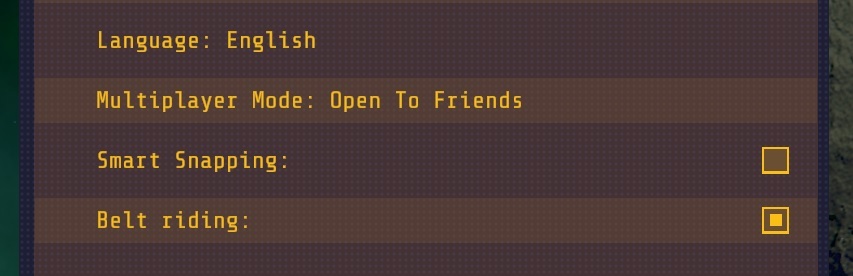
It turns out that not everyone wants to ride on Belts, though. So, we’re adding the No-Fun Belt Riding Toggle with v0.1.2. Tick the box off and you’ll no longer accidentally move while standing on a Belt in, say, build or deconstruct mode.
We’re also adding a Smart Snapping toggle with this update. It won’t be super important until Base Building comes in v0.2, but for now it’ll prevent stuff like Miners from auto-spinning toward the closest ore vein. When Base Building gets closer, we’ll detail more about how the Smart Snapping toggle may help you build your bases.
Limit those frames and other video settings changes
Techtonica features Vsync support. When Vsync is turned on, the framerate is automatically limited to the refresh rate set for your display. But, maybe you want something lower? With v0.1.2, we’ll add a framerate limiter that will aid performance and GPU temps. You’ll be able to tweak your desired framerate from a dropdown of options in the Video Settings menu.
We’re also adding Borderless Windowed Fullscreen with v0.1.2. This is great for multiple-screen users like me! Anecdotal aside, I find my webcam hangs when I use fullscreen but runs smoothly with windowed and borderless windowed for most games. Might be a hardware allocation issue, but who knows?
The FMOD update that only affects some folks
Finally for this week’s update, we have news regarding audio fixes that will likely only affect a small portion of our users. Some Groundbreakers have, since launch, been having some more significant audio issues. In relatively rare instances, this includes no audio at all.
We’ve made an update to FMOD, the audio engine we use, that should fix these issues. This was a hard one to reproduce, so please let us know if you had the problem and it persists.
As always, you can start threads on Steam or join us on our Discord at https://discord.gg/techtonica.
We’ve been chatting with the Captain of Industry team, and we decided to put together a Complete the Set bundle for Techtonica and Captain of Industry. Get the games together and save 12%. If you already have one, you can complete the set and get the other for the discounted price.
Hit our store page to snag the bundle!
See you soon, Groundbreakers.
Techtonica v0.1.1 is out; where's v0.1.2?
Now that our v0.1.1 Update has been launched into the void of your computers, let's talk about what’s next: v0.1.2!
We’ve updated the Roadmap with a few items that we’re ready to confirm. Well, as ready as possible. The Roadmap, remember, is a living document that can and will change over time. In this week’s update, we’ll deep dive into production planning with our producer, Lexi, and explain what our current timeline looks like.
This week's video deep dives production with thoughts from our producer, Lexi, if you prefer video format!
So, how do we choose what’s in an update?
Our producer, Lexi, is the timeline overlord and in charge of planning for our entire team. Below are her thoughts on production planning (summarized and commentated by me, Lauren) and how we plan for Techtonica’s updates.
To plan production timelines and updates, there are several factors that must be balanced, both external and internal.
Before we get into that, The Roadmap
Tada! We’re really excited to (tentatively) confirm that these items (and more) will be in v0.1.2. We will have more details on the current roadmap items in the coming weeks, but for now, this is what we’ve got planned!
We're working on a fix for the HVC / Monorail bug
Oh yeah, it’s time. Fixing the HVC and Monorail bug has been high on our list for a while now, but community sentiment really pushed it to the top. Rob already detailed our process for choosing what is important in a previous blog post about this bug if you’d like to deep dive it, but the TL;DR is that it bothered everyone a lot so we decided to fix it faster.
Previously, fixing the monorail and HVC bug was slated for v0.2, but after reading all the feedback you have given us, we’ve decided to take a shot at getting it ready for v0.1.2.
Here’s the thing: We’re not putting this on the roadmap just yet. We’re not sure that we’ll be able to fix it quickly enough. We will decide in early October if it will be fixed by 0.1.2, so keep your eyes peeled then!
What are the external factors?
First, how often do players need updates so they keep playing and don’t fall off? This is a guessing game until you get data. Techtonica has not been around long enough–we’re only on our first patch!–and we have a small team, so we’re doing a bunch of guessing. We are using community cues to see if players are bored and need smaller, more frequent updates. Right now, we are listening to the community a lot to see how they feel and making guesses for the first few updates as to what our cadence should be.
We also take into account Steam sales that will increase our visibility. While we can’t always launch an update before a sale, it’s a good practice to try and time them together to capitalize on the increased visibility.
How about internal?
The big one is the content; what are we trying to put into the patch/update?
We also need to factor in team velocity–how long it takes the team to build and finalize features and bug fixes. There’s a lot that factors into team velocity.
Leads in charge of teams do planning and support for their teams, but also do work for the game. That affects the velocity of those team members, depending on the extent of their responsibilities.
When you calculate your team velocity, you have to add buffer to every timeline. You can’t say, “This is how long it is going to take us,” as there is no certainty in game development (or life, in general). You need to add more buffer the more complex an issue is. For example, the monorail and HVC bugs are super complex, so more buffer has been added to fixing those.
For small things, such as adjusting localization or adding a toggle or setting, those items are more well understood so you need less buffer. Lexi’s basic rule is to add 20% of buffer to a timeline for planning. For quick fixes that have a high level of complexity (for example, “Hey this should take me only a few hours but I don't know how to do it”), Lexi rounds up to a full day. This ensures that we aren’t constantly pushing back patches or updates, because we’ve planned for uncertainty.
QA testing timelines are another internal factor, which we deep-dived with Rob, so I’m not gonna explain it again here.
And finally, team members are humans. They have vacations, days off, holidays, and need to onboard new team members. This has to be taken into consideration when planning as well.
How far in advance do we start working on new content?
Our team is currently working on features and fixes for the end of October, but Lexi’s goal is to be working several months in advance. This allows more time to make sure everything works and to make sure it’s fun, it works really smoothly, and we have the time to put it through all of Rob’s QA cycles.
When we design a feature, we want to talk it over with all of the disciplines involved to make sure there are no hidden obstacles–such as a coding issue or a required workaround needed–so we won’t have a feature blocking implementation. We want to make sure an idea is really sound before we start working on it. After we have a prototype, we want to use it internally and play it to see if it’s fun.
For example, with base building, we want to build bases internally and make sure we have fun playing and iterate on that! We’re taking input from the entire team, artists, designers, tech and even marketing. We encourage interdisciplinary feedback to get eyes from all angles, which takes longer to generate, but it makes it fun holistically.
Once we’ve validated feedback across the team, we need to actually build the stuff. We are currently ramping up the team for base building, but we have a small team and things take time. Unless someone wants to buy us a time machine, which, hey, we’ll take it.
So, the important part, when will v0.1.2 release?
v0.1.2 is slated to release at the end of October or early November.
There are no major sales around those times, but we did, however, want to release somewhere between our planned v0.2 release and our v0.1.1 release. That time falls roughly in the month of October. We also have our company summit planned for October, which is our big internal factor in pushing to the end of the month. We want this to fall after the summit so we aren’t trying to fix bugs or help the community right before we leave. This allows more time for QA testing, more time for extra eyes, and release when we return!
Over the weeks between now and v0.1.2, we’ll pull the curtain back on what we’ll have ready for the second Quality of Life update for Techtonica, so stay tuned.
Have questions? Want to chat with us directly? Join the Discord at https://discord.gg/techtonica.