How I made 'Bad Apple !! in The Colorful Creature'
By devcey
Greetings!
If you're reading this blog post, you've most likely seen my video on YouTube where I have recreated the entirety of the music video of Alstroemeria Records' 'Bad Apple !!' (feat. nomico) inside the Level editor of Infiland's game 'The Colorful Creature'. If not, then feel welcome to do so right here!
With this little blog post I want to explain how I got to the idea of actually doing this and describe all the individual steps of this project. I hope you'll enjoy reading along!
How did I get this idea?
Sometime around late January/early February I had the itch to challenge myself with a little coding project that felt doable. I would still consider myself a fairly novice coder/programmer despite already slightly engaging in those fields for a couple of years by now. I stumbled upon the thought of implementing Bad Apple !! anywhere and upon expanding on this thought, I had decided to notify Infiland that I was going to start working on this. By promising him that I clearly wanted to make sure that I would actually get this done as one of my biggest problems with projects like these is that I don't complete them many times (slight foreshadowing of what is going to happen).
Procedure
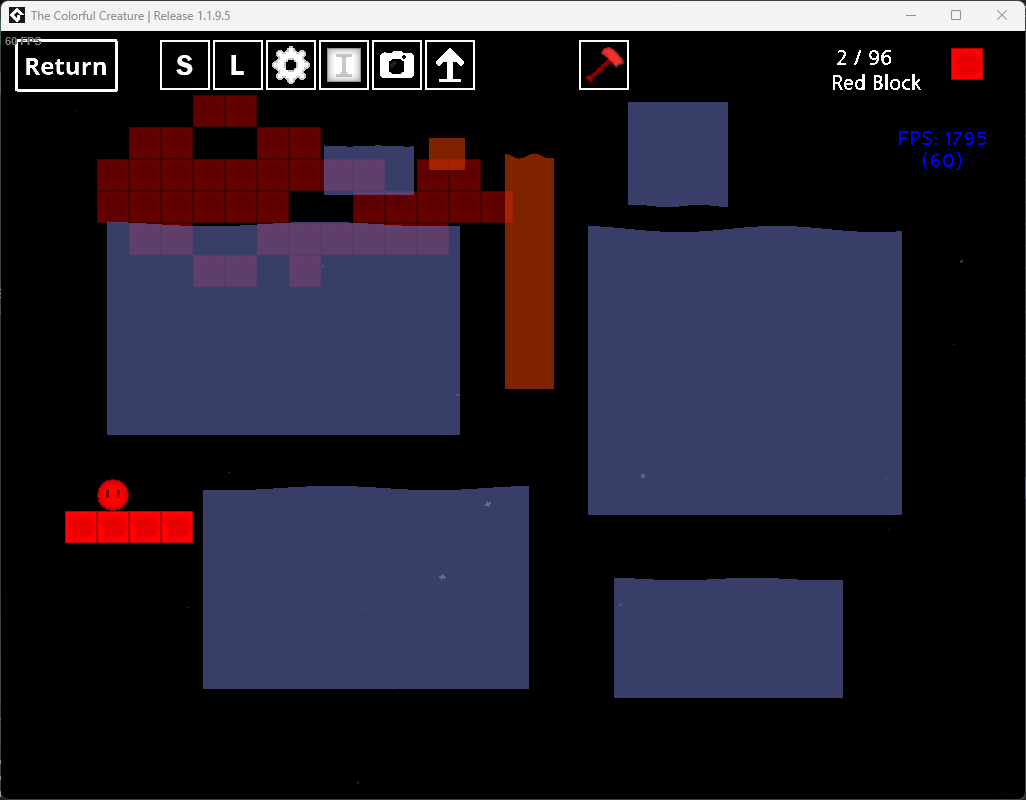
My rough idea was the following: I would use the Level editor as it can be used to display a level the size of 32x22 blocks. Since the background is black, black pixels can be displayed with no block, white pixels with white blocks. As simple as that. With a python script I would somehow generate a valid level file that can be loaded in the level editor, one for each frame of the video. Then I would load each level after level and speed up a recording of this process.
Preparing the frames
I started out with extracting all 6473 frames from an .mp4 file with the music video that I had already downloaded sometime ago. For this I used ffmpeg and ran this simple command:
ffmpeg -i .\badapple.mp4 frames\frame-%04d.jpgThis essentially extracts each frame and saves it as a .jpg file in a seperate dictionary called 'frames'. Every frame is appended by a 4 digit number of it's index. E.g.: 0001, 0002, ... 0727, 0728, ... 6472, 6473.
Next up those frames had to be converted to sharp images that fit on the TCC level editor (32x22px in size), like this:

I had modified each frame using ImageMagick. This process took a lot of trial and error, but these following commands generated what I needed:
magick.exe mogrify -resize 32x22 *.jpg //Used to simply downscale each image.
magick.exe mogrify -colors 2 -colorspace gray -normalize -format png *.jpg //Used to apply a constrast of 2 grayspace colors, in order to eliminate any gray pixels
With this completed, the frames have been prepared.
Converting frames into readable TCC levels
Ok slight warning, this may become a little technical.
The next step was to create a script that would read those frames and create a file resembling the TCC level format. For this, the algorithm would have to read each pixel and based on its color and position, place a white block or leave it empty.
For this we need to understand the TCC level format a little:
LevelEditor.sav:
{"ROOT":[
{"x":448,"obj":"o_whiteblock","y":192},
{"x":448,"obj":"o_whiteblock","y":224},
{"x":480,"obj":"o_whiteblock","y":192},
{"x":480,"obj":"o_whiteblock","y":224}
]}
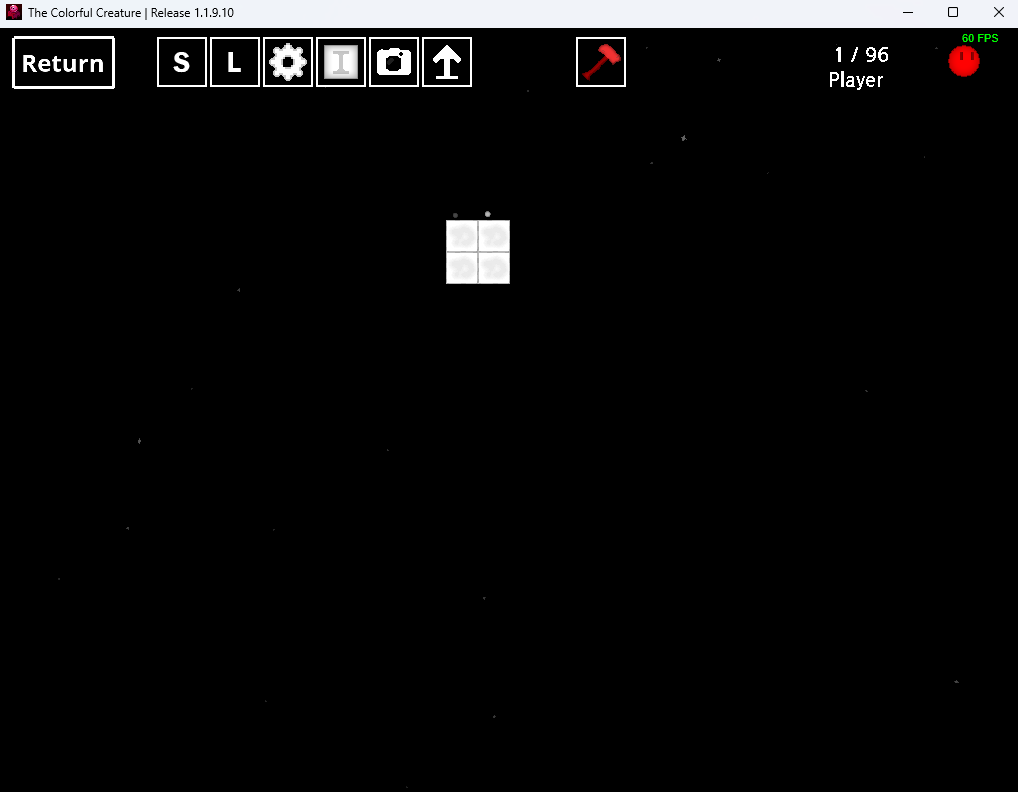
Judging by this file (frame-5874) it becomes very clear that the LevelEditor.sav file is just one big .json file listing each block using their x- and y-coordinates and the type of object it resembles. Because of this, we just need to write the basic structure into a .json file using our algorithm.
And this is exactly what I did:
import os
from PIL import Image

frameDirectory = "frames"
jsonDirectory = "json"

for file in os.listdir(frameDirectory):
    jsonFile = open(f"{jsonDirectory}\{file}.json", "w") #create the json and start writing.
    jsonFile.write('{"ROOT":[') #append to the file

    frame = Image.open(f"{frameDirectory}\{file}") #instantiate as image

    for x in range(29): //max width. even though its at 32x22, this was set to 29 to keep the aspect ratio!
        for y in range(22): //max height
            pix = frame.load()
            if pix[x,y] >= 100:
                x_coord_int = x*32
                y_coord_int = 64+y*32
                x_coord = str(x_coord_int)
                y_coord = str(y_coord_int)

                #{"x":x-coord,"obj":"o_whiteblock","y":y-coord},
                jsonFile.write('{"x":')
                jsonFile.write(x_coord)
                jsonFile.write(',"obj":"o_whiteblock","y":')
                jsonFile.write(y_coord)
                jsonFile.write('},')
                #print('{"x":', x_coord, ',"obj":"o_whiteblock","y":', y_coord, '},')

    jsonFile.seek(jsonFile.tell() - 1, os.SEEK_SET)
    jsonFile.write('') # Intentionally empty to remove last comma if needed before closing bracket

    jsonFile.write("]}")
    jsonFile.close() #finish writing.
It's not the cleanest code but what this file essentially does is to loop through every image in my frames folder, create a valid LevelEditor.sav for it until there are no frames left to process. For reading the image, I imported PIL from the Image library. It checks through each pixel using an if-statement which checks for the brightness of the respective pixel. If it is bright enough, an object is added.
There is one bug in this script - if one frame is completely dark (as in, there are no white pixels) then it creates an invalid file. This is because an object is always created with a comma in the end, however this comma must be removed for the last object. So I made the script always remove the last symbol before closing the list of objects. This causes a syntax error and requires a manual fix. -
Why didn't I add another if-statement regarding the type of symbol the last symbol is? I don't know, I was just lazy, haha.
Looping through all level files
What was essentially left was to load all the level files we just created into The Colorful Creature. At first I would have believed I'd have to create a sort of cursor macro which clicks on the load button and selects the correct level, which would have constantly made the screen darken and light up again.
Fortunately, Infiland stepped in and updated The Colorful Creature JUST for my sake. By adding the CTRL+L shortcut, you can now reload your currently loaded level instantly. This means that essentially we only need our reload macro to press CTRL+L and we're good.
So I created load_levels.py:
import pyautogui #used to mouse click
import shutil
import os
import time

levelDirectory = "json"
tccLevel = r"C:\Users\devcey\AppData\Roaming\The_Colorful_Creature\LevelEditor Files\Badapple\LevelEditor.sav"

pyautogui.keyDown("ctrl")
for file in os.listdir(levelDirectory):
    start = time.time()
    shutil.copy(f"{levelDirectory}\{file}", tccLevel)
    end = time.time()
    elapse = end - start
    time.sleep(0.3 - elapse) # Ensure consistent timing, original value was 0.03, might need adjustment
    pyautogui.typewrite("l")
    #pyautogui.click(955,265)

pyautogui.keyUp("ctrl")
What this does is to essentially loop through every LevelEditor.sav we've created, copy it into the TCC level directory while keeping its name "LevelEditor.sav". While it constantly holds CTRL, it presses L after each paste. In order to keep it constant, a sort of timer is applied which makes sure the same amount of time passes between two levels, as copying and pasting a level that is 110 bytes small needs less time than one that is 15 kilobytes large.
So all we need to do is to run this file, focus the TCC window and let it do it's job, all while recording our screen. Then we need to edit the recording by speeding it up to match the original video.
Except, the game would constantly crash. I've not been able to figure out the issue so what I did is to just redo the level loading process but with starting at a later frame that I've already loaded before.
So by mixing together multiple recordings and speeding them up, we receive the end result. Please do not look at the clock in my recording :)
Conclusion
So there we have it. The music video of Bad Apple !! inside the video game The Colorful Creature. It's not like this project is intended to save the world, but hopefully someone had a good chuckle about it. I surely did! Goodbye and I'll see you when we get Bad Apple !! in Asteroids++!