We are excited to announce a limited time promotion we are running on the DRL Sim. For the next 2 weeks, the DRL sim will be on sale for $9.99. Take advantage of this opportunity to download the simulator and learn to fly like a pro.
Update 3.3 Hotfix OSX
Hello Pilots,
We updated the game with a fix for issues related to OSX users being unable to start the game.
If you were affected by this error, please ensure that you have updated your game and try and launch the game again. If you encounter the same error, you may need to uninstall and reinstall the game.
If you continue to have issues after trying all the of the steps listed above, please let us know in the comments or in the discussions board here on Steam.
DRL SIM 3.3 Release Announcement
Hello Pilots,
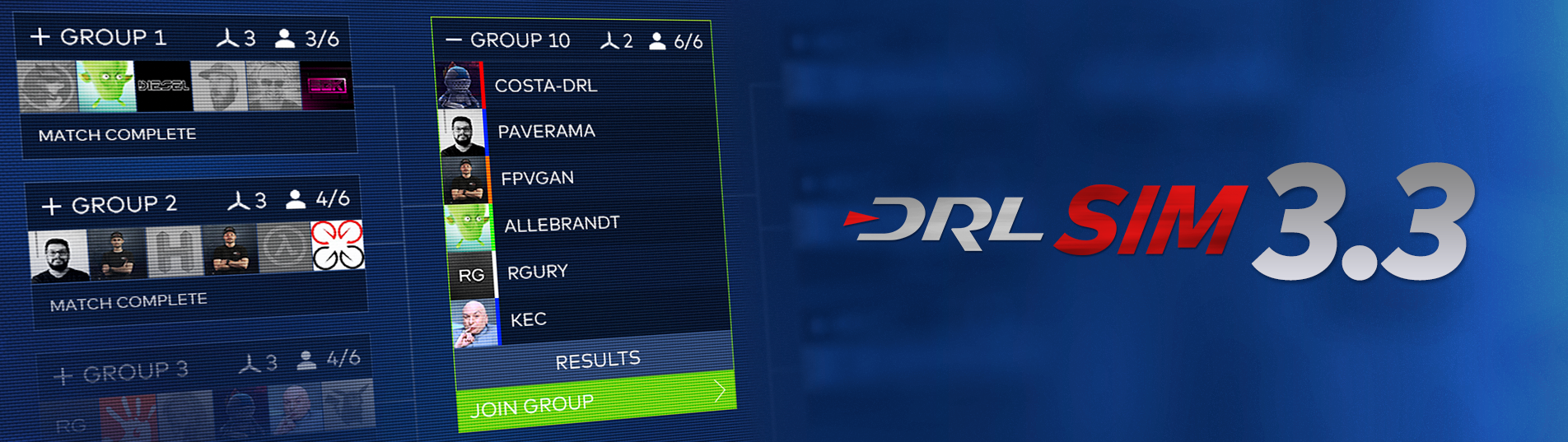
We are excited to bring you our latest update which brings you our Tournaments feature that will allow you to see how you stack up in bracket style competition against other pilots.
The Tournaments feature, which will be operated by DRL hosts, is the culmination of a lot of hard work and we hope that you find this style of competition fun and engaging. You will see this feature used across a number of our online broadcasts going forward.
This update also includes a number of performance improvements, a new camera noise feature in-game, and 16 new colors that you can apply to objects in the Map Editor. Lastly, the update includes a number of bug fixes that are detailed in the release notes below.
We thank you for your on-going support of the sim as we constantly strive to improve. We welcome any feedback you have.
Release Notes:
Game
- Added new Tournaments feature - Major Performance improvements, players should notice an increase in FPS. - Added camera noise effect in-game, toggle is in Settings. Camera Noise does not work when Graphics settings are low.
Map Editor
- Added 16 new colors that can be used on assets, this includes Geometric objects and Neon.
Bug Fixes
- Resolved issue with occasional in-game chat lag spikes - Fixed instance where a player could gain a headstart in a race - Resolved issue when clicking buttons on map voting screen - Addressed issue with drone selection button flashing on room screen - Fixed problem with beeps not being audible after intro video during startup - Resolved issue with drag numbers with the Mode 2 Ghost frame. - Addressed issue with being able to hover on in-game chat when invisible - Fixed issue with being able to copy non-public drones - Resolved problem with podium placement causing issues in Gates of Hell map - Addressed issue with staying on podium with timer on - Consolidated “Community Maps” card, it will now be found under Solo Race and Multiplayer Map selection menus.
If you want to join the community, please feel free to join our Discord server or Facebook Group via the links on the bottom bar of the Sim. If you have any issues or just need some help, feel free to reach out via the Steam Discussion Boards or on our Zendesk.
DRL SIM 3.2 Release Announcement
Hello Pilots,
We are excited to bring you our latest update. This update features a new spectator and replay mode with new camera tools, which create a professional look for your racing experience.
This new spectator/replay system offers fixed and wire cameras that can switch automatically during race and several parameters to make your racing experience a TV show.
The new camera tools give you the ability to add several different nodes to produce a TV show of your track utilizing your own recording software. With these additional tools, you will be able to produce videos with a more professional look to them to show off your skills.
This update includes the introduction of lap counter functionality, which is a feature that was requested by the community. Lastly, we have a number of bug fixes in this update which are detailed in the release notes.
Please let us know what feedback you have on this release. We are always striving to deliver the best sim that we possibly can and appreciate all of the community feedback and support that we receive. Don’t forget the premiere of the 2019 Allianz World Championship season can be seen on NBC and Twitter at 2pm EDT on Sunday, August 11th.
Release Notes:
New Spectator/Replay Mode
- Improved UI behaviour to facilitate video recording;
- New Camera Modes AUTO and MANUAL;
- Enabled when Camera Tools exists in the track;
- AUTO will leverage the camera tools and let the system switch cameras automatically;
- MANUAL lets the user choose the camera node;
- Improved Keyboard Shortcuts with better documentation in it;
- Trail Length Selector;
- Lap Counter.
Map Editor
- Small improvements to the user experience;
- Now testing Races on your maps will store the replays locally;
- These replays can be used to debug the Camera Tools or make videos.
Camera Tools
- Expand the default camera modes with a series of multi-featured camera spots;
- Add several camera nodes and produce a TV show of your track;
- Choose different settings for each node;
- Static: Camera keeps looking to same direction;
- Look: Camera snaps its orientation to the target drone;
- FPV: Camera switches to FPV upon activation;
- Wire: Add 2 nodes and the camera will follow the drone along of its line;
- Infinite combinations allowing professional video editing for your game experience.
Race
- Lap Counter UI for Race, Replays and Spectators;
- Fast Race Restart can now be toggled in Game Options;
- Improved Rating Screens for Track Rating.
Bug Fixes
- Corrected respawn issues;
- Fixed bug involving editing drone copies;
- Corrected issues with motor noises;
- Fixed issue with blank screen showing while loading solo freestyle;
- Resolved issue where changing drones during solo restarts race with pause menu open;
- Corrected chat issue where submitted messages weren't shown;
- Resolved problem in Map Editor with snap rotate not working;
- Fixed issue with "Y" button opening chat window but not being able to put text in it;
- Resolved issue with gate markers getting stuck on screen;
- Adjusted trails in Map Editor to not be as long;
- Fixed issue with "double chat";
- Resolved issue with controls not coming back up on screen after watching a replay;
- Corrected issue where user was getting race complete screen with no UI;
- Fixed issue with timer pausing when chat is open;
- Addressed problem with stuttering that happened when FPS was increased above limit;
- Resolved issue with some drones not displaying on House map;
- Fixed problem with replays not saving;
- Corrected issue with overlapping text on standings page.
If you want to join the community, please feel free to join our Discord server or Facebook Group via the links on the bottom bar of the Sim.
If you have any issues or just need some help, feel free to reach out via the Steam Discussion Boards or on our Zendesk.
DRL Simulator 3.1 Hotfix
Hello Pilots,
We have a hotfix deployed to fix a few reported issues.
This hotfix is aimed at resolving the intermittent crashing that has been reported, in addition to a notification error which could cause the Map Editor to freeze. This hotfix also addresses issues with rivals and opponents not being found in solo races along with a few bugs with race resets and the chat.
Please let us know of anymore issues you encounter either here on the Steam Community Hub Discussion Board or on our help desk
DRL SIM 3.1 Release Announcement
Hello Pilots,
We are excited to bring you the DRL Sim's latest update. As we continue to strive to make the DRL Sim as realistic as possible, this update includes a number of physics enhancements. We also finished validating most parts and part combinations in order to get the garage fully stocked up again. You will also notice 3 brand new frames.
This update includes a number of new features including one of the more popular community requests - directional gates in map editor. Beyond that, this update includes a transparent chat system and a new global notification system to invite players to a Multiplayer race.
You will also find many new 2019 MultiGP tracks. We also went through and added simple tracks to most of DRL's maps.
Lastly, the update includes a number of UI/UX improvements including an improved map selection screen as well as a number of bug fixes.
We always welcome feedback from the community and thank you for your on-going support of the Sim.
Release Notes:
Social Features
- Created global notification invite system to notify players of open matches;
- Improved chat visibility with transparency.
Map Editor
- Directional gates added;
- UI/UX improvements including autosave toggle for manual saving and and save button;
- Added smart selection of objects in field of view only.
Single player
- Added Quick Race Restart feature.
Multiplayer
- Added ghost drones/bots to Multiplayer;
- Included “Featured” maps as a voting option in MP lobbies.
Maps
- Added MultiGP tracks;
- Created simple tracks for most DRL maps.
Garage
- Added back most parts including Frames, Motors and Props;
- Updated drone naming scheme to require drone names to be entered upon modification versus creating duplicates;
- Updated antennas;
- Rendered front props in FPV;
- Added Dolphin1, SuperG, and Ghost v2 frames.
Physics
- Additional refinement to physics model and incorporation of bench test data to bring back parts.
UI/UX
- Added ability to toggle on/off crosshair in game;
- Added new map selection screen;
- Swapped position of Physics card and Training card.
Bugs
- Corrected issue with prop rotation;
- Updated antennas on a number of drones;
- Resolved issue with cameras clipping batteries;
- Corrected issue with prop rotation;
- Fixed issues with physics panel UI/UX;
- Resolved issue with players being respawned in the air;
- Corrected issue with drones briefly getting stuck on podium;
- Fixed issue with connected res-wan points.
Note: We are aware there is a known issue with directional mode on dive gates, the fix for this will be coming at a later time. Thank you for your understanding.
If you want to join the community, please feel free to join our Discord server or Facebook Group via the links on the bottom bar of the Sim.
If you have any issues or just need some help, feel free to reach out via the Steam Discussion Boards or on our Zendesk.
DRL Sim Hotfix for Update 3.0
Hello Pilots,
This hotfix has been released to address an issue with spectator mode performance.
Thanks for all of your feedback and continued support of the Sim.
If you find any other issues, please let us know in the comments, discussion forums, or by submitting a ticket.
DRL SIM 3.0 Release Announcement
Hello Pilots,
The team has been hard at work on the DRL Sim 3.0 update for a while now and we hope that the wait will have been worth it. Few quick things to address before we move on though:
- The Leaderboards will be reset as a part of this update, New Physics, New Life.
- A few of the drones will be made unavailable until we finish collecting and implementing physics data in order to achieve the best experience.
- We are still looking into fixing the issues involved with Steam Input system, so for the time being please remember to set your Steam Input Per-Game to Forced Off .
Physics
- New physics based on Georgia Tech and Optitrack data;
- Added Prop Wash effect (can be adjusted in Settings -> Options);
- Resolved camera orientation issues;
- Corrected camera tilt staying on screen when pausing sim to change tilt.
Input/Controllers
- Calibration improvements to speed up and refine calibration process;
- Added warning message for when controller is not detected.
Graphics
- FPS limit increased to 1,000 with VSYNC OFF.
Maps
- Championship Kingdom Map.
UI
- Added new drone selection screen;
- Created new “Featured Tracks” section to highlight featured tracks from the simulator team and the community;
- Changed Open Class Leaderboards default to “Default Physics” instead of “Custom Physics”;
- Made several tweaks to Map Voting UI;
- Completed background optimization on “Race Complete” and Map Editor pause screens;
- Updated Tryouts card to link to Swatch Tryouts broadcast and results;
- Corrected Missions typographical issues;
- Added settings button for Race Complete screen.
Multiplayer
- Resolved issue with ESC key not working in spectator;
- Added “Timeout” label;
- Resolved issue with pagination in room list;
- Improved visual of room time limit counter;
- Resolved issue with player standings in spectate mode;
- Hid Nano Class.
Other bug fixes and tweaks
- Fixed issue with crashing and resetting causing drone flip instead of respawn;
- Resolve issue with restart/reset switches ;
- Fix issue with Camera FOV and tilt sliders remaining visible on pause menu.
Leaderboards reset
Due to the large changes in Physics all leaderboards have been reset. Additionally, all custom drones have been reset because we are validating the bench tests and aerodynamic profiles of all the parts in the game outside of the ones that are not included with this release. Expect more parts and more frames to be added back into the game in regular intervals.
As always we would like to thank your for your continued support of the Sim and we hope to make it even better as time goes on. It was great seeing so many of you out in Vegas for Tryouts and we hope to have even more events in the future. If you want to join the community, please feel free to join our Discord server or Facebook Group via the links on the bottom bar of the Sim. KaNoodle and FPVgan stream almost every day on our Twitch channel and are happy to help new and perspective users. If you have any issues or just need some help, feel free to reach out via the Steam Discussion Boards or on our Zendesk.
DRL Sim Hotfix for Update 2.10
Hello Pilots,
This hotfix is to reflect that 2019 Swatch DRL Tryouts qualification phase has been completed as of February 1st.
Thanks to everyone who participated.
See you in Vegas!
DRL Sim 2.10 Release Announcement
Hello Pilots,
In this update we’ve mostly focused on improving optimization, performance, and a few graphical updates. We’ve completed our Race2Vegas event and we hope to see some of you in person at The Luxor on Saturday February 9th on the Strip. For those that can’t make it, worry not, we will be streaming all the action on our Twitch channel.
Physics
The following changes are being made to all non-Tryouts related content in order to keep things fair for the event. We’ve fixed issues with PID adjustments and saving custom PIDs, along with some overall performance improvements.
Multiplayer
We’ve spent some time working on fixing stuttering that can occur when players leave multiplayer lobbies in addition to a few other performance hiccups for an overall smoother experience.
Art
We’ve added some more MultiGP assets and props to the Map Editor and improved visibility of the Raceline a bit. We’ve polished up our drone rendering in addition to our grass texturing on The Field map. So if you’re like me and fly your drone more like a lawnmower on some of the MultiGP maps, you have something new to look forward to.
UI
Selecting ‘New Drone’ in Make Drones will now allow you to select any of your custom drones in addition to the DRL Default drones to use as a starting point.
Tracks
A release wouldn’t be complete without a new track. You can find our latest new track called “A Walk in the Park” under “Simple Courses.”
Misc
We’ve fixed an issue with Exclusive Mode changing to Windowed Mode on some computers.
Optimized the Sim to use less memory where possible.
Fixed an issue where the the first checkpoint wouldn’t activate properly when restarting races.
Resolved issue with Leaderboard standings not updating post race when flying against ghosts.
Full Release Notes
Physics(Changes only made to non-Tryouts modes)
Fixed issue with PID adjustments counting as custom physics
Fixed issue with PIDs not saving
Performance improvements
Track
Added new track "A Walk in the Park" to Simple Courses
Multiplayer
Worked on improving performance issues happening when players leave lobby
UI
Selecting "New Drone" in drone builder UI opens the menu to select any default or "my drones" build as a starting point
Art
Added new MultiGP assets to Map Editor
Adjusted red line race path brightness
Improved drone rendering
Improved grass texturing on the field map
Overall
Fixed issue with exclusive mode changing to window mode in some computers
Optimization to make the simulator consume less memory where possible
Resolved issue with first checkpoint validation if restarting a race
Optimized performance in Garage mode during drone selection
Fixed issue with standings not updating when flying single player with ghost drones
Thank you for your feedback and support for the Sim, it really means a lot to us. If you want to give more suggestions or just want to hang out with other racers, check out our Discord Server by selecting the Discord Icon in the Main Menu. If you have any issues, feel free to make a ticket on our Helpdesk or just check out our Steam Discussion board.. We’ve got a lot more content coming up after the conclusion of Race2Vegas and DRL Tryouts, so stay tuned!