

The Last World
Update v.0.2.331 (07/20/2023)
Changes:
1) Technology research result icons have been replaced in the technology pop-up window
2) In building tooltips, the location of indicators for the consumption of liquids has been changed (for example, Water Power Plant). Now it is displayed in an intuitive way (maximum quantity/current quantity).
3) Now on the location map at the maximum distance, the icons of buildings will be replaced by white squares (for optimization purposes)
4) Technical Drone Station - now the station will send all free drones to containers to collect resources after the destruction of buildings
5) Now the maximum charge of units' Energy Cells will slowly decrease. Charge degradation occurs, and the maximum capacity will decrease. Recovery is not subject.
6) Reduced by 2 times the default number of drone slots for buildings - Technical Drone Station, Drone Factory, Crusher, Sawmill
7) Localization and text, some edits
8) Drones must now be present at the Sawmill to plant vegetation
9) Now the icons of pipelines in the Building Window will be divided into Input and Output
10) Technical Drone Station - service area reduced from 45 units to 40 units
Added:
1) Trading floor - an indicator has been added to the slots of the queue, which indicates which process the slot belongs to (sale or purchase)
2) Location map - on the icons of buildings, the display of the components or resources that they produce at the moment has been added
3) Technical Drone Station - functionality of work priorities for drones has been added. By default - construction, repair (not yet available) collection of resources. If you set the value to [-1], the operation of this complex will be suspended.
4) Added the functionality of Disassemble complex components and modules. To open the Disassembly Window, call the context menu on the component you want to disassemble, and then click the Disassemble button. Or use the shortcut button located under the Back Trunk icon in the unit's inventory next to the Sort Items button.
There will be a small penalty when disassembling the components. This means that you will receive fewer resources than when you create it. This fine may be reduced in the near future.
The disassembly window has 6x6 cells, in which resources will be created after the component is disassembled. You cannot place other items in this window, you can only pick it up! If a resource does not stack during disassembly, then it will be created in the amount of 1 pc.
5) Added a button to call the Disassembly window. Found next to the Sort Items button in the Back Trunk
Corrected:
1) Fixed a problem with the reverse timer of traders, when they turned yellow with a large amount of time left
2) Fixed a problem with the loud sound of the Drone Factory
3) Technical Drone Station - fixed a bug when not all drones were sent to build buildings
4) Technical Drone Station - fixed a bug when drones did not take resources from containers
5) Technical Drone Station - fixed an issue where the drone would disappear when approaching a container that was close to the Technical Drone Station
6) Technical Drone Station - fixed the problem when the drone could not go to the building in order to transfer the required amount of resources to the building. The building already had a certain amount of resources, so the drone could not collect the required amount.
7) Trading floor - fixed a bug when the total cost of the items could become negative
8) Trading floor - fixed a bug when the resource icon was white in the buy window
9) Location map - fixed a problem when, at the maximum distance, no tooltips were created on the icons of buildings when hovering over
10) Location map - fixed a problem when, at the maximum distance, the icons of buildings did not change to white squares (to optimize performance)
11) Planting Vegetation - fixed a problem when new trees were not added to the list for production in the Sawmill if they fell into the Mining area
12) Location map - fixed a bug when a resource icon (Stone) appeared on all building icons
13) Location map - fixed a problem when the icons of buildings had an incorrect orientation after the building was rotated
14) Fixed a bug - when trying to move non-stackable items from a unit's inventory to a building (or vice versa) using the [Shift] key pressed, the items created their copies, after which the inventory hung
v.0.2.243 (06/02/2023)
Changes:
1) Now, when a unit is selected, sounds will sometimes be played
2) Building window - changed the appearance of debuff slots
3) Now the technology description window in the Technology Tree window can be moved
4) Localization and text, some edits
5) The result of technology research is duplicated on the technology slot
6) In the technology information window, instead of the general icons of the result of technology research, the correct icon of the component will be displayed
7) Now the trees that were planted by the Sawmill will be automatically added to the list for mining by drones if they are in the cutting area
8) Now the battery charge interface will not be shown in drone tooltips
9) In the building window, the interface for setting links between buildings is duplicated (relevant for the Local teleport and Matter Transponder)
10) Now in the sell or buy window, the icon of the tool will correspond to reality (with all the modules that are attached to it)
11) Reduced the chance of Sandstorm spawning in the Desert and Savanna
12) A delay has been introduced before displaying the collection radius at Storages
Added:
1) Added the effect of dust and flying stones when mining Rock or Mountains
2) Added the sound of a falling tree
3) Introduced a new debuff factor for component production time. If the strength of the building is less than 95%, then it will be taken into account when calculating the production time of the component. The maximum production time of a component can increase by 2 times.
4) Introduced a new debuff factor for resource clearing time. If the strength of the building is less than 95%, then it will be taken into account when calculating the time to clear the resource. The maximum resource cleanup time can increase by 2 times.
5) Added new sounds to buildings - Factory, Drilling Stations, Hydro Well, Water Pump, Water Converter
6) Now technologies will keep their progress after canceling the research, which will be indicated by a special indicator on the technology slot.
7) Global location map - now the icons of buildings will match the appearance of the building (there were white squares before)
Corrected:
1) Technology queue - fixed a bug when, after removing a technology from the queue, the queue was not rebuilt (there was a gap in the queue)
2) Fixed an issue where Tankers didn't render the resource gathering area
Organic - items#5
Organic is a substance related to hydrocarbons. The sticky substance is widely found in nature.
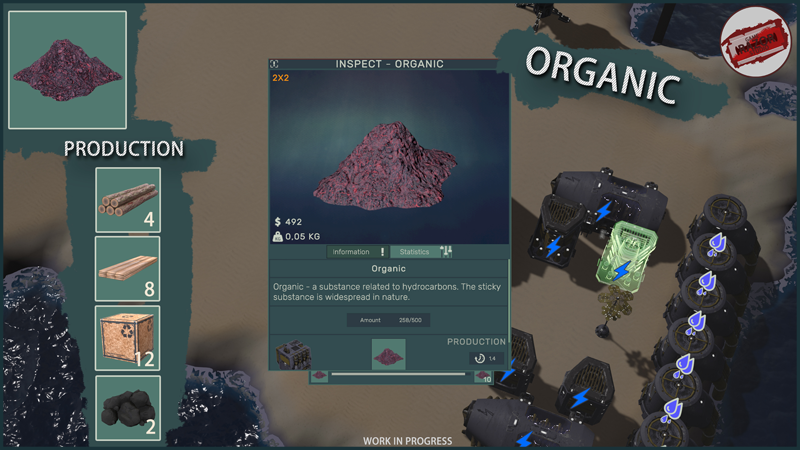
Produced in the Component Factory from Wood (x4) or Logs (x8) or Pressed Sawdust (x12) or Coal (x2). Can be found in the location in the form of growths on Stones (minor resource).
Name: Organic
Max stack: 500
Dimensions: 2x2
Iron ingot - items#4
An iron ingot obtained by smelting iron ore or iron structures.
Produced in the Component Factory from an Empty Barrel (x1). Can be obtained at Ore Refiner Station from Iron Ore (x1).
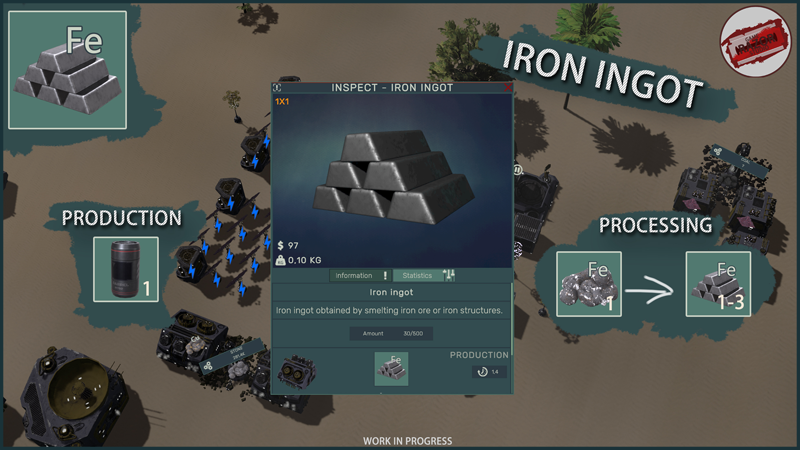
Name: Iron ingot
Max stack: 500
Dimensions: 1x1
Join to Discord
Friends, the game is constantly evolving and I need your support. Leave your comments and feedback about the game. Let's raise her to Olympus together!
Kind Regards,
Erochin Semyon
v.0.2.151 (05/15/2023)
Changes:
1) Improved tree planting animation. Now they appear more smoothly than before.
2) Changed the logic of restoring vegetation on the location. They can now spawn when the player's camera is directly in the landing area. Trees used to spawn out of view of the player's camera. This also applies to the evolution of vegetation.
3) Now the icons of buildings on the Location Map will be created along with the placement of the building. Previously, they were created only after their final construction.
4) Now the buildings will receive durability damage (0.5 units) for overloading the web in which they are located. The ratio may be changed in the future.
5) Building window - uranium slots have been moved to a separate panel at the bottom of the window
6) Building window - power cell charging slots have been moved to a separate panel at the bottom of the window
7) Now messages that the building is not connected to one of the webs will not appear in the tooltips of the building if this web is not yet available (not opened, not researched)
Added:
1) Wikipedia - added the section "Can be mined" to the buildings
2) Wikipedia - added the section "Can be mined in ..." to the resources
3) Building window, control section - for warehouses and tanks, a new parameter "Radius of gathering resources in the web" has been added. By default, a warehouse or tanks can request resources from the entire web when setting a collection radius. Buildings that are outside this radius will not be counted.
4) Units added a holographic eye shader
5) Building window - added display of debuffs that reduce the strength of the building (temporary location, in the future it will be moved to a separate window with a detailed description)
6) A message has been added to the tooltips of the building that the building is not connected to the pipeline web
Corrected:
1) Fixed the issue where after researching a technology, the next technology in the queue would not start researching (Testing is required! Clear the queue and cancel the technologies that were sent for research.)
2) Fixed a bug when building tooltips displayed a message that the building was not connected to the conveyor web (although the building was connected to it)
3) Fixed an issue where it was not possible to cancel technology research, it would hang and the queue would not continue
Spare parts - items#03
A set of spare parts required for the production of components of varying complexity.
It is produced at the Component Factory from Iron ingot (x10), Copper ingot (x20) and Steel ingot (x1). It is widely used in the production of unit modules and various kinds of structures.
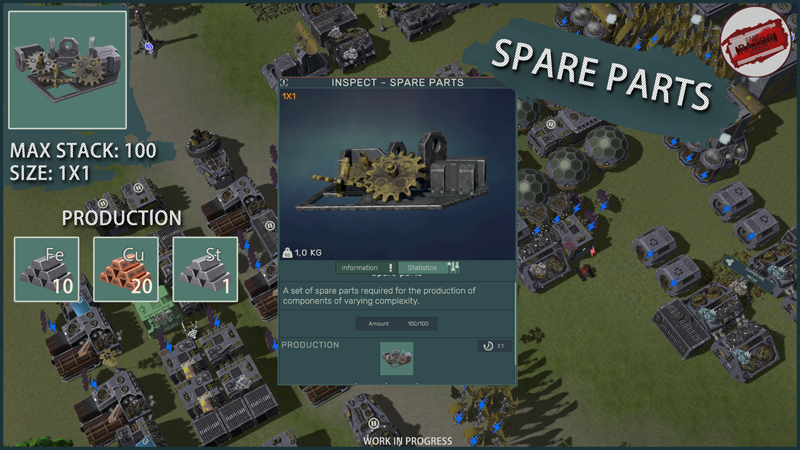
Name: Spare parts
Max stack: 100
Dimensions: 1x1
Join to Discord
Friends, the game is constantly evolving and I need your support. Leave your comments and feedback about the game. Let's raise her to Olympus together!
Kind Regards,
Erochin Semyon
Glass - items#02
Ordinary glass obtained from stones or sand.
Produced in the Component Factory from Stones (x5) or Sandbag (x1).
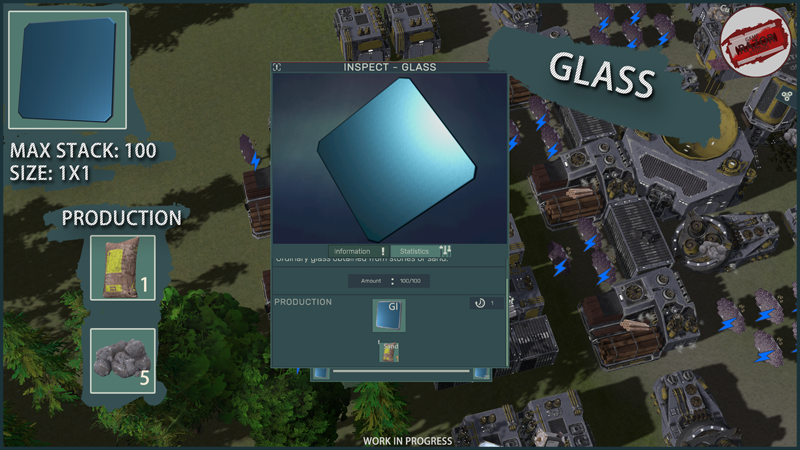
Name: Glass
Max Stack: 100
Dimensions: 1x1
Join to Discord
Friends, the game is constantly evolving and I need your support. Leave your comments and feedback about the game. Let's raise her to Olympus together!
Kind Regards,
Erochin Semyon
Sulfur - items#01
One of the chemical element that is widely used in the industrial sector is sulfur. It is used in the production of sulfuric acid and can be found in rock.
Produced in the Component Factory from Coal (x10), Water (x50) and Natural gas (x20). It can also be found in some rocks scattered throughout the area.
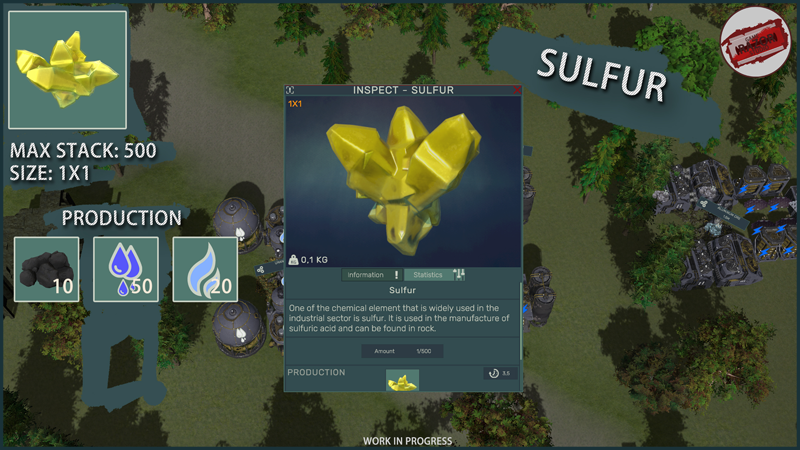
Name: Sulfur
Max Stack: 500
Dimensions: 1x1
Join to Discord
Friends, the game is constantly evolving and I need your support. Leave your comments and feedback about the game. Let's raise her to Olympus together!
Kind Regards,
Erochin Semyon
v.0.2.102 (04.05.2023)
Changes:
1) Localization and text, some edits
2) Wikipedia, Technology section - now the icons of unlockable buildings, mechanics, items, etc. will be shown in the Unlockable panel (previously the general icon was shown)
3) Wikipedia, Technology section - now when you click on the icon of an opened component, its Wikipedia section will be opened
4) Now the Add to Virtual Container button will not be created in the context menu until the Virtual Container technology is researched
5) Now the volume of the building tank will also be displayed in the main Building Window
6) Now in the save load confirmation window the names of the world will be displayed
7) Many small changes
8) The recipe for building the Liquids-Gases Clearing Station has been changed. Increased the amount of Armored Glass in the recipe by 3 times
Added:
1) Wikipedia - added tutorial material on the Web System
2) Added informational text when generating large planets (generation may take some time)
3) Many small additions
Corrected:
1) Fixed an issue where the Sawmill could plant trees while being an inactive building
2) Fixed a problem when a tooltip with text could be behind the cursor
3) Fixed a problem when it was impossible to select the created preset in the character selection window due to an error that the character did not have the required modules
4) Many small fixes
5) Fixed an issue where the Resource Scan Station did not play the sound of the first wave
v.0.2.051 (04/22/2023)
Changes:
1) Slightly changed the appearance of the Reader window
2) The Hydro-well, Wind Power Station and Drilling Station will now look for resources in an area of one square from the center of the building when placed. The maximum value will be selected as the reference point.
3) Now in the analysis mode of the Electricity grid, you can activate or deactivate buildings through the context menu
4) Localization and text, some edits
5) Now all buildings will have the lowest possible priority (by default)
6) Virtual container is now disabled by default. To gain access to it, you need to study the technology
7) Adjusted the cost of the Ran tool's Energy Cell
8) Now the number of resources in the web of the Reader window will be updated in real time
Added:
1) Added new dialogues to the unit after completing the work (for example, loading fuel into the furnace)
2) Display of the price of the item has been added to the Item Inspect window
3) Wikipedia - tool compatibility indicator added for tool modules
4) Added a new tech tree - Buildings
5) Added 3 new technologies - Virtual container 1, 2 and 3 levels
6) In the tooltips for buildings, the display of the contents of the tanks (if any) has been added
7) Wikipedia - added statistics to Ran and Mjolnir tools
Corrected:
1) Fixed a bug when the visibility area of some buildings disappeared when double-clicking on them
2) Fixed incorrect display of the Landing technology description
3) Fixed the problem of the lack of a picture of a unit in the character selection window
4) Fixed the problem when the Reader window did not close after removing the reader
5) Fixed a bug where Hydro-well could be attached to water resource deposits
6) Fixed a bug when some elements of the web were not shown when Dronatization was enabled in the Grid mode
7) Fixed a bug when after updating the amount of produced resources, the text in the production result icon was not updated
8) Fixed a bug when a link was not created when building a new Electric Tower with a selected building (Short Range Power Tower)