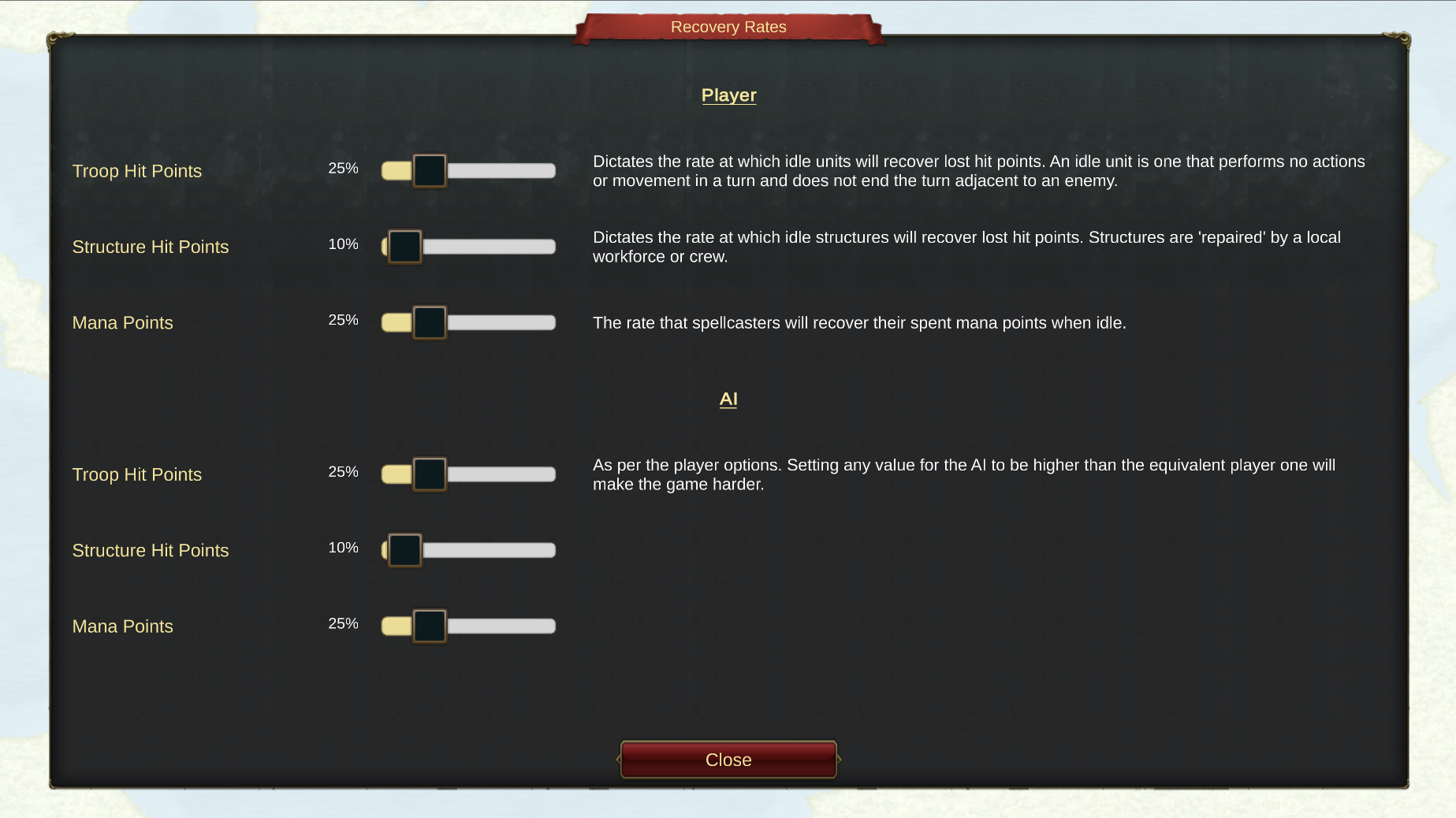
The last post in this series covers option 5 on the 'New Campaign' menu which deals with 'Recovery Rates'.
A unit 'recovers' when it is idle. If the unit does not move or act in a turn and it ends the turn not adjacent to any enemies, it will regain a percentage of lost Hit Points. In the case of a Spellcaster it will also regain spent Mana Points.
The screenshot shows how you can vary these percentages.
(Click to download)
There is a set of sliders for both the player and the AI. So if you want to ramp up the difficulty, set the AI troops/structures/spellcasters to recover quicker than your own units.
Happy Recovering!
Ian & Jann
Setting Up a New Campaign (4)
Hi All.
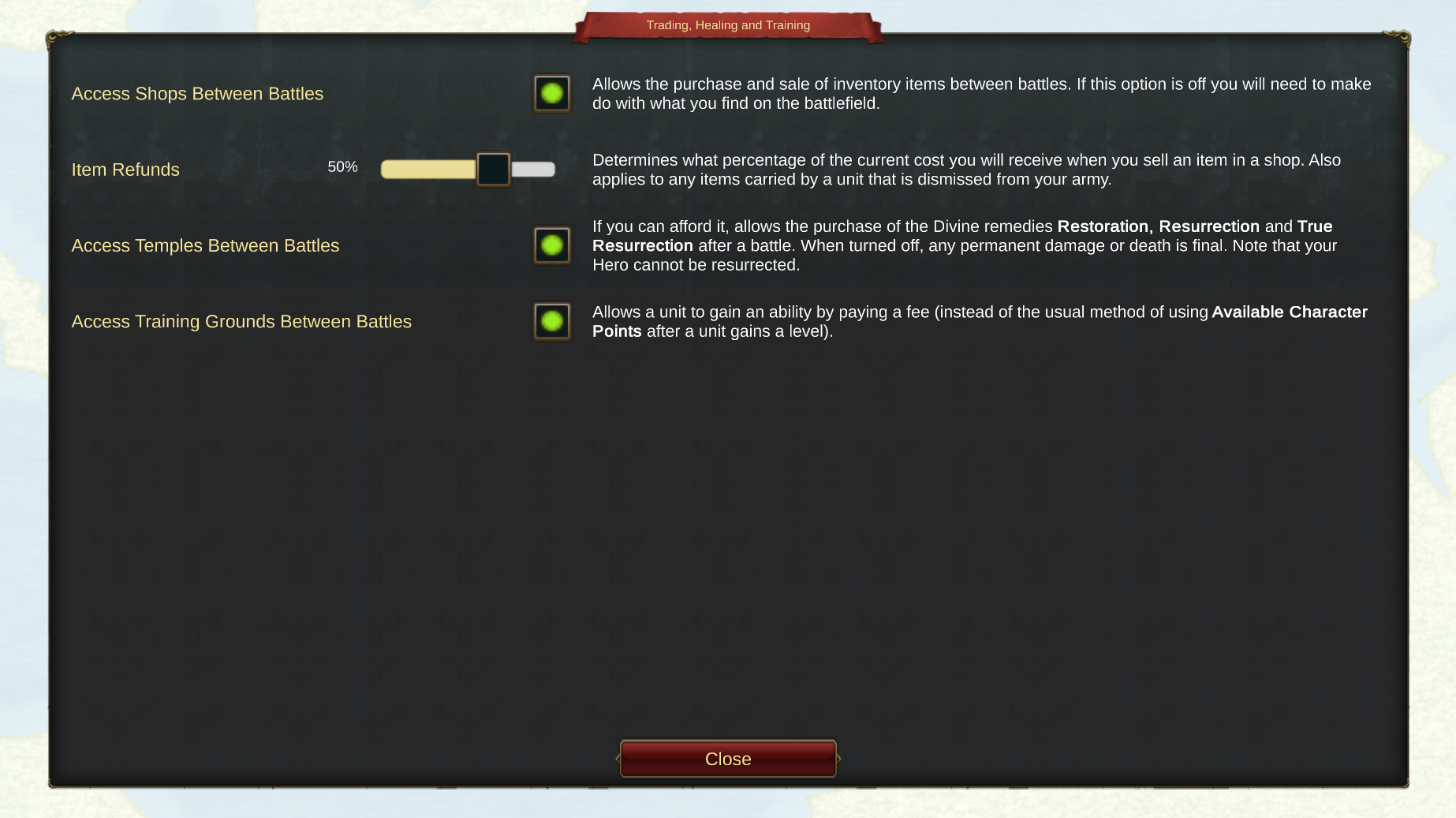
It's the turn of 'Trading, Healing and Training' today (button 4 on the 'New campaign' menu).
(Click to download)
The settings you can modify here are all about managing your army between battles. During this part of the game you can have access to 3 areas:
- The Shop (buy and sell inventory items)
- The Temple (buy cures for certain ailments)
- The Training Grounds (buy abilities or experience to improve your troops)
You earn Qaedi (the global currency) by completing battles and looting fallen enemies. You can also sell any equipment you have looted and don't need to raise some extra cash.
Any of these areas can be turned off to change the way you play. So for example, if you turn off the Temple you will only be able to Resurrect fallen troops if your Clerics have the appropriate spell.
Happy Shopping!
Ian & Jann
Setting Up a New Campaign (3)
Hi Folks.
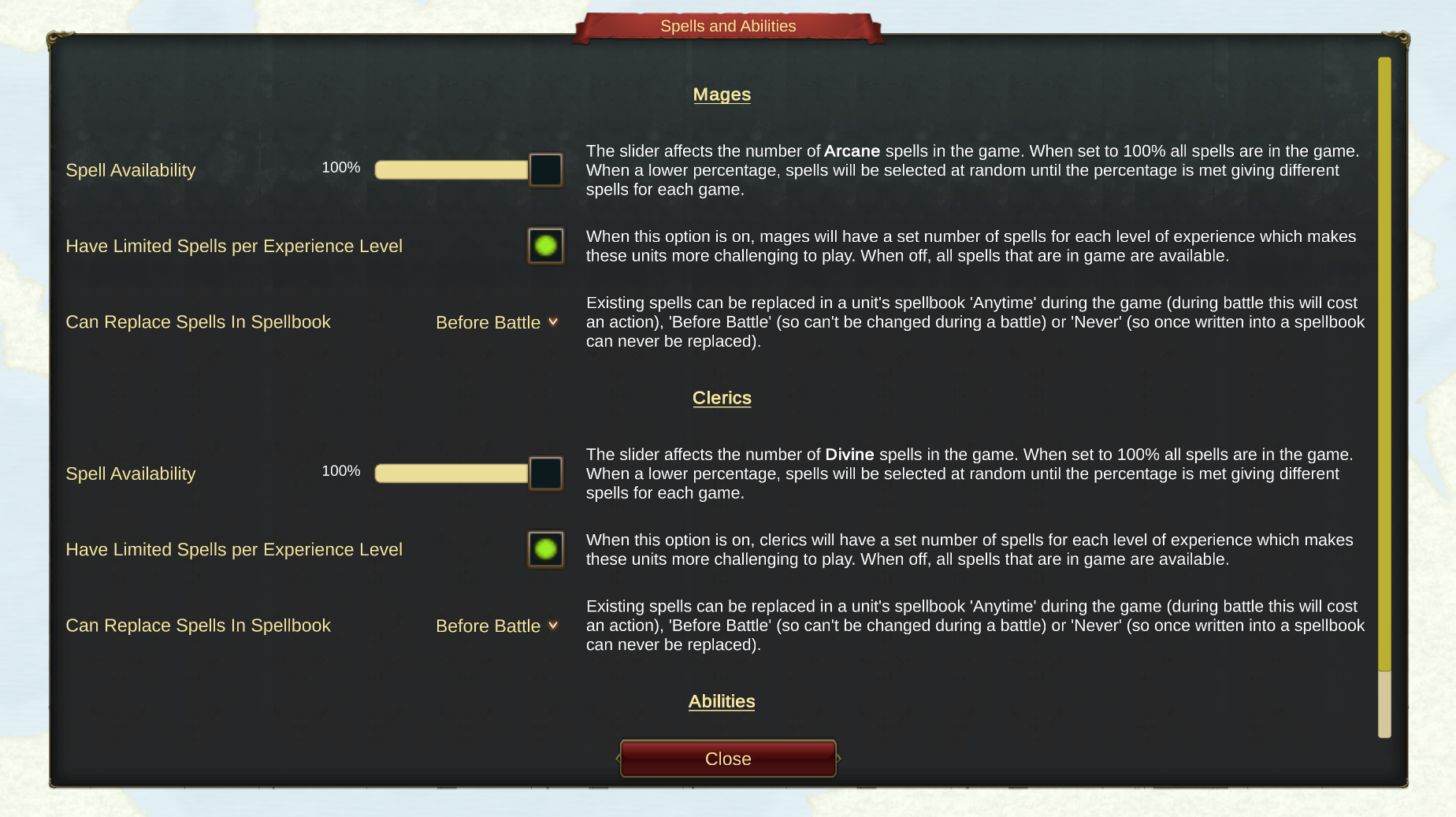
You guessed it, today we will take a quick look at option 3 on the 'New Campaign' menu, 'Spells and Abilities'.
We built these options so you can have more fun with your spellcasters (Mages and Clerics). The idea is that you can make them more or less powerful as you see fit. So for example you can limit the number of spells that a spellcaster has in its spellbook (the same way as D&D and this is the default by the way).
(Click to download)
Another option is when you can update the spellbooks for your units. The default is that you take in to battle whatever is currently in the spellbooks and can't change the spells during a fight. So for example if you come across a Giant Tarantula and none of your Clerics is carrying a Cure Poison spell, you could be in a spot of bother!
The other possibilities are that once written into a spellbook a spell can never be changed or alternatively a spell can be changed at any time (even during battle). This last option makes spellcasters very much more powerful as you can nerf a spellcaster to deal with any situation you come across.
New spells are added to a unit's spellbook by finding/buying scrolls and then 'using' them. We will do a video on this another time.
Good Casting!
Ian & Jann
Setting Up a New Campaign (2)
Hi All.
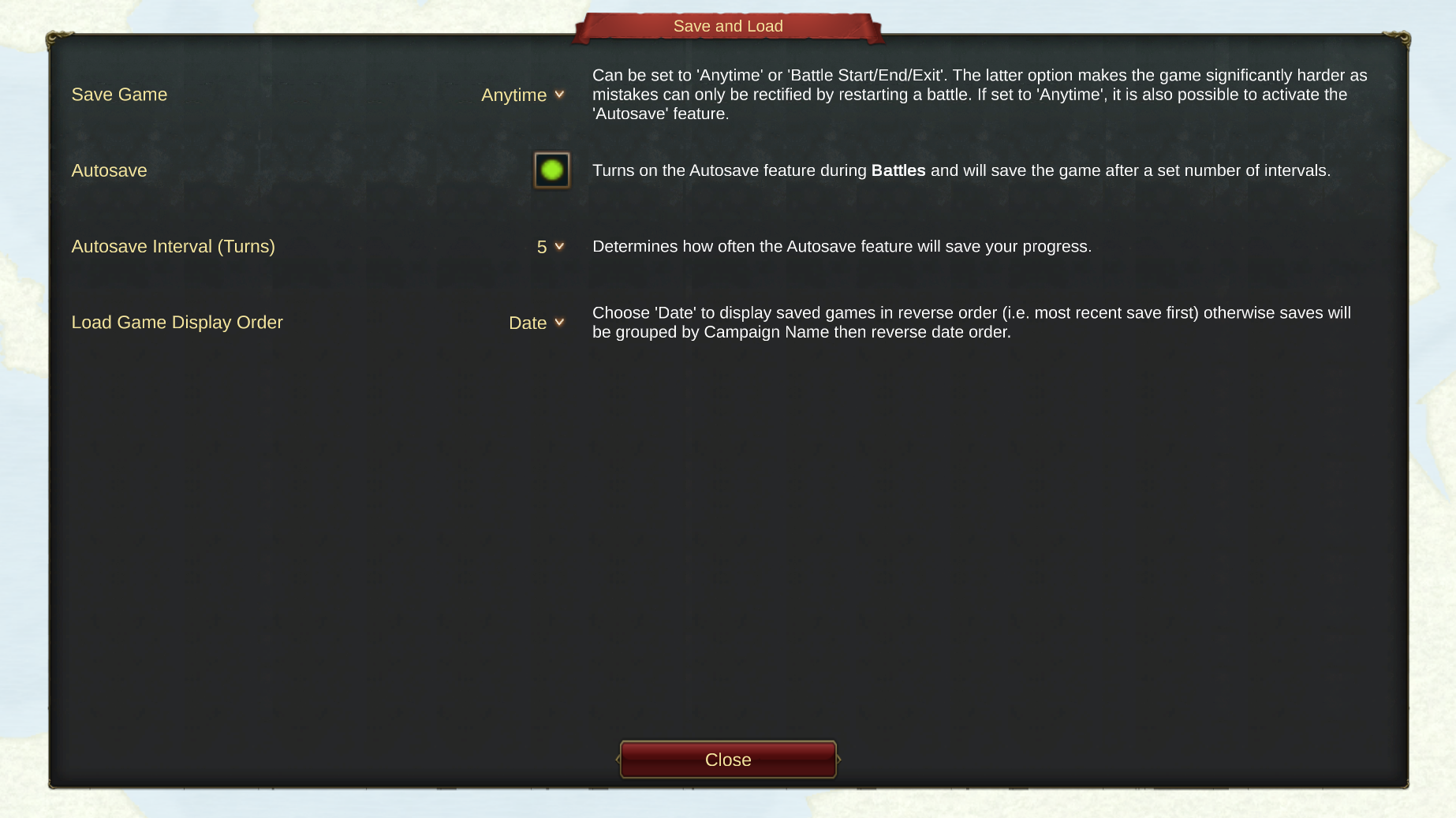
Following on from yesterday's post, today we are sharing info about option 2 on the 'New Campaign' menu. Namely 'Save and Load'.
(Click to download)
With these options you can decide to save the game 'Anytime' and also invoke the 'Autosave' feature during battles where the game will save your progress every X turns.
If you would like more of a challenge, turn this off and set to 'Battle Start/End/Exit'. This makes things a bit tougher as mistakes can only be rectified by restarting the battle.
Cheers!
Ian & Jann
Setting Up a New Campaign
Hi Folks.
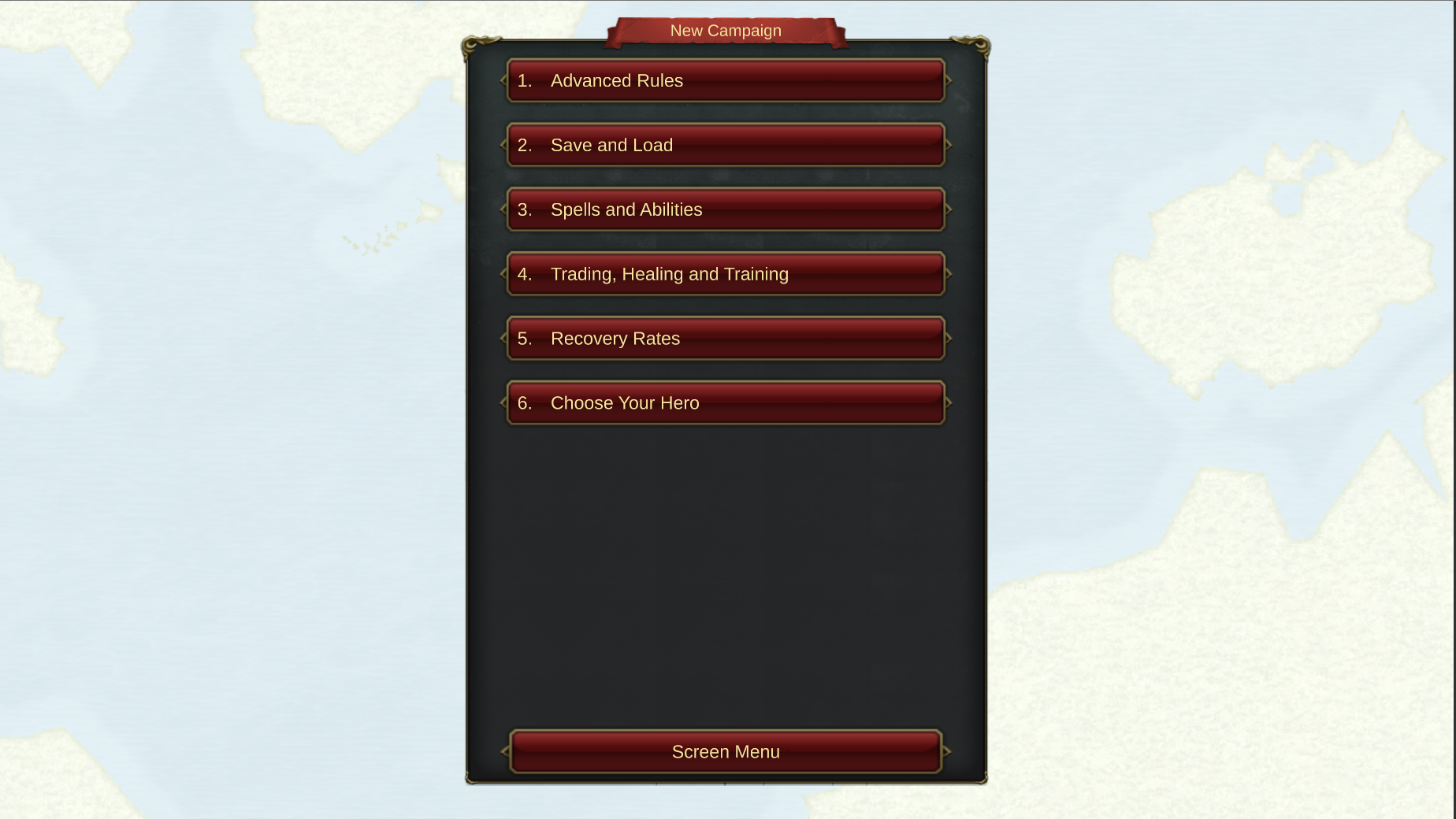
Just thought we'd share with you some info on setting up a campaign. When you select 'New Campaign' from the Main Menu you are presented with the following screen:
(Click to download)
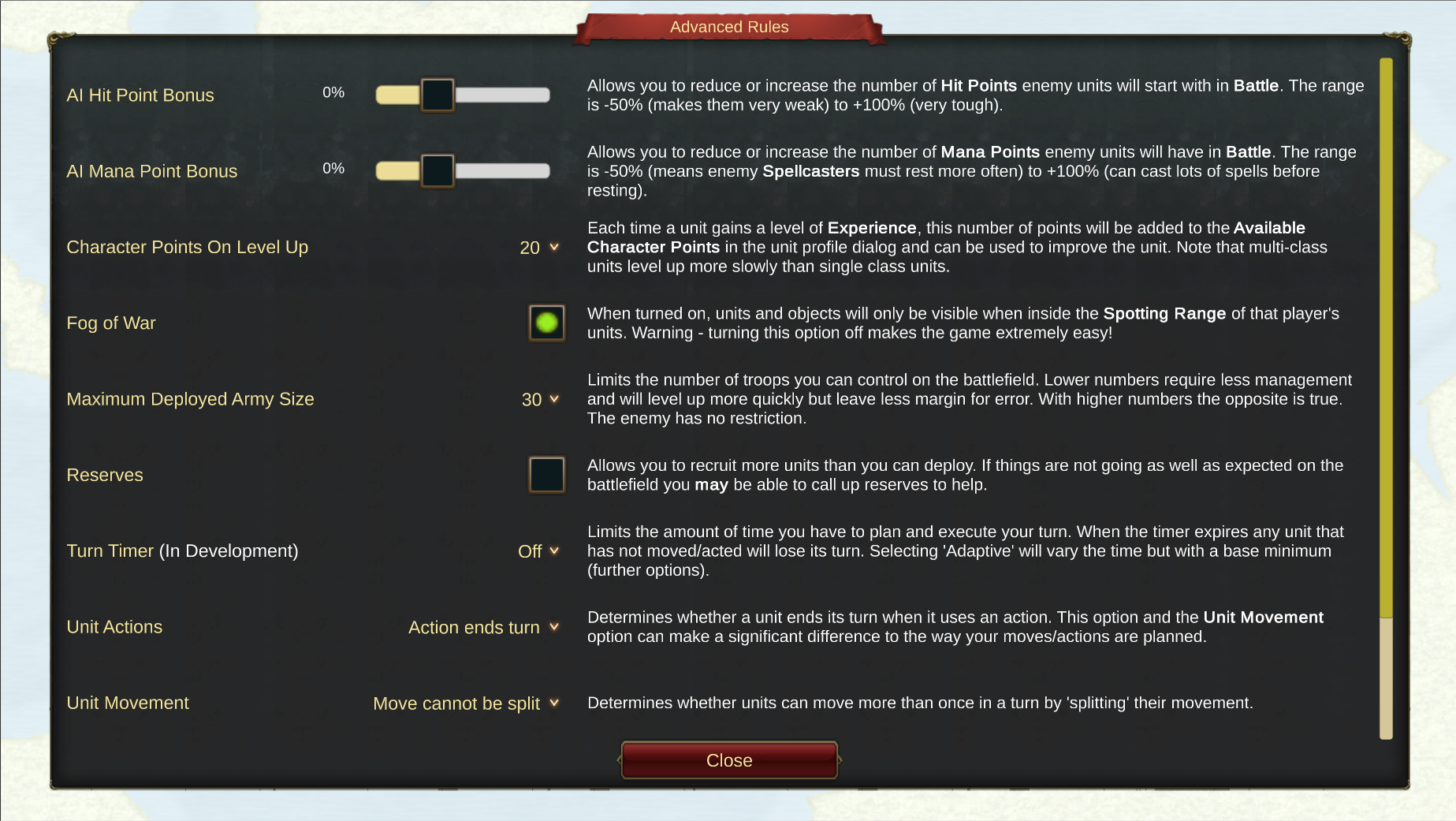
The first five buttons give you a whole host of options to customize your gameplay. The 'Advanced Rules' button is probably the one that has the greatest impact. Selecting this will give you this screen:
(Click to download)
The Help text on the right of the screen should explain the rule but if anyone would like further info, please leave a comment.
Cheers!
Ian & Jann
Our First Announcement.....Our First Game.
Bit scary doing this for the first time! Anyhoo, hello folks and thank you for your interest in our game.
We have a tentative Early Access release date of November 8th but we will keep you informed on progress (although we don't think it will move much either way).
We will posting as many screenshots/videos as possible over the coming weeks to try and give a bit more information about the game. We would be delighted to receive your feedback on all things Qaedon as we go along.


 (Click to download)