Hello everyone! It's finally time for another devlog again. It's been a hot minute since the last one, but there's a good reason for that: We've been hard at work getting The Children Update™ finished for all of you!
Let's walk you through what exactly that means, including some new promotional art, a new trailer, some new screenshots, and a whole heap of new content.
Children
Children are a new age group, which can be selected when creating a new person (or when using the EditPerson cheat).
They are controlled the same, but behave slightly differently from the adults you know and love. Here's a basic rundown of what they can and can't do:
They can't make their own food, but they can ask an adult to make food for them.
They are (locked to being) primary school students, and have to do homework regularly to do well in school.
They are smaller in appearance, and very cute. This also means that they have their own clothing, hair and accessories.
They can't do some stuff that adults can, like repairing, cleaning, mopping the floor, and they cannot die.
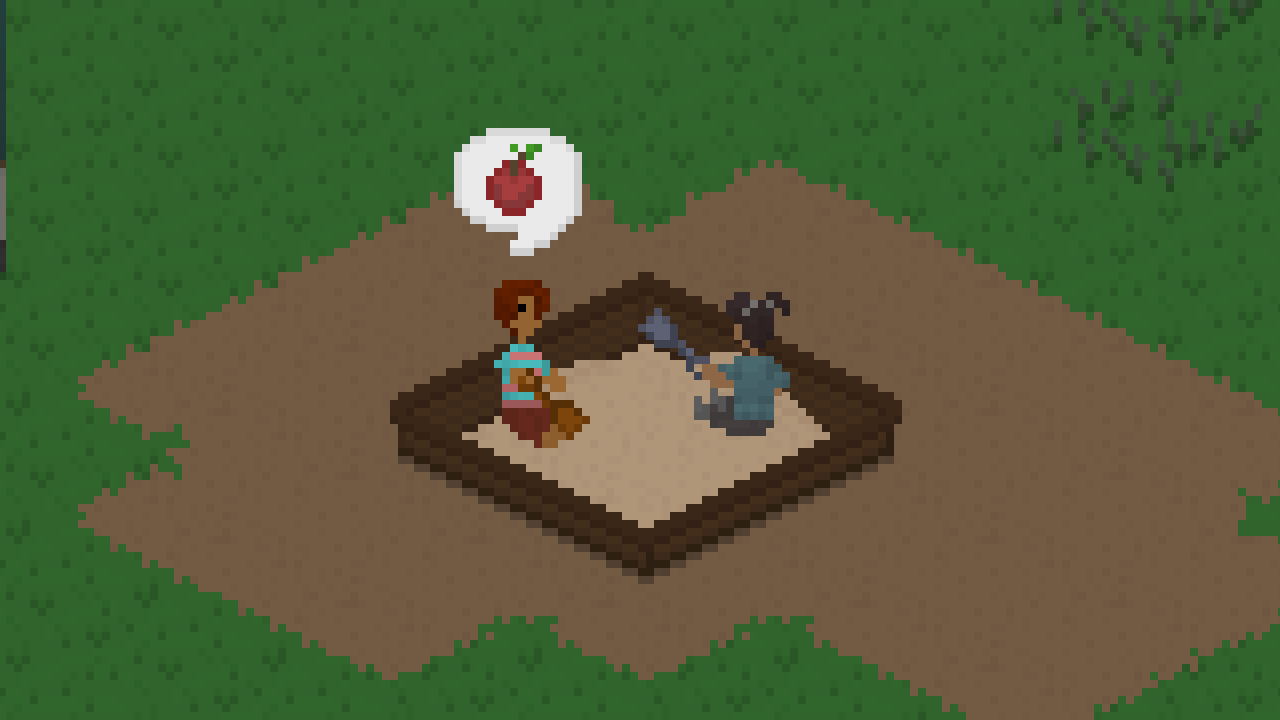
They can do some stuff that adults cannot do, like playing with toys and using a sandbox.
They gain relationships with other people much more easily, but they also get objects dirty much more easily.
This isn't nearly all the stuff that makes children different from adults, but you'll be sure to find out more about them while playing with the update for yourself.
New Stuff
Along with the children, there are also a ton of new objects, lots and households that you'll get to check out. The lots and households were created by the community member Vortis, who did an amazing job on them. One of them is also an empty starter home, so that is the perfect place to start a new save or a new household if you're not a huge fan of building your own houses.
Familiar Attire
There is also a new set that is being introduced into the game: Familiar Attire by the lovely, and by this point very well-known, [url=https://www.instagram.com/tectorpixel/]Tector, who previously created the art for the Fitness Set, as well as the game's logo.
Familiar Attire features a ton of new clothes for both adults and children, and it also comes with a lot of new hairstyles and accessories (some of which are in categories that didn't even exist before!)
New Voices
For a long time now, Tiny Life has had the lovely, indecipherable mumbling that people use when communicating with each other. Eagle-eyed players will have noticed, however, that there was only one voice available so far. Today, this is finally changing!
There is now a new, more feminine speech style (that is actually called "sweet" in the game as to avoid the unnecessary gendering), spoken by the lovely SyrinixSoul of Twitch and "having a lovely high voice" fame.
In addition, there is also a new voice style for children, spoken by the friend-of-a-friend (actually, son of a friend) of ours, who did an amazing job creating a gender-ambiguous, adorable (you probably don't want to hear that it's adorable, I'm sorry), voice. The person in question is Tyler V, who also has a YouTube channel where he uploads gameplay videos.
You can hear the new voices in the game, as I don't think itch and Steam allow me to upload videos directly. Soz. If you want to change the voice of the Tinies you already have, you can always use the EditPerson cheat, as previously mentioned.
New Promo Art
Along with this update, it felt fitting to finally create some new promotional art for the game, as the screenshots that we were previously using were getting pretty old and outdated. So feast your eyes on some of the new screenshots we took, featuring new stuff from this update!
There's also a new trailer, which you should definitely check out.
[previewyoutube="iw-D7queVUI;full"]
The Full Changelog
And, last but certainly not least, here is the full changelog in all of its glory. As always, you can also check it out in-game by clicking the little button in the bottom-right corner of the main menu. It's a lot this time.
It's also worth mentioning that you can always tweet @TinyLifeGame on Twitter when you upload any videos or stream any content from the game, as that means that we'll not only be able to check it out, but also be able to shout you out. We love seeing content about the game, so don't be shy! ❤
Additions
Added the Children age group, which includes several new gameplay features, including new interactable furniture items, school, homework and the start of parenting interactions
Added the Familiar Attire set with art by [url=https://www.instagram.com/tector
pixel/]Tector, which includes several new clothing items and accessories for children and adults <*> Added multiple new furniture items, including three plants, two decorative objects, a smaller picnic table, a sandbox, a jigsaw puzzle, a stove for kids, and a toy box <*> Added a top hat clothing item <*> Added two new personality types: Family-Focused and Hates Children <*> Added a speech type system which includes a more feminine voice style spoken by SyrinixSoul <*> Added an option to allow complex social relationships between AI Tinies <*> Added a grid to build mode (which can be toggled using the G key) <*> Added keybinds to move the camera (arrow keys by default, but can be changed to WASD in the controls menu) <*> Added a crash detection system which displays a notification when the game starts up the next time <*> Added a world selection to the "New Game" menu
Improvements
Added the "failed joke" emotion modifier to all jokes
Organized the gameplay options menu better
Increased the default brightness increase to 25%
Moved the notification history button to where options and build mode are
Display a warning when a save is loaded with missing mods
Bundle all errors into one notification when loading or saving
Display the reason that actions in a subcategory are unavailable straight away if they are all the same
Made accessories less likely to be randomly generated on newly created people
Some memory usage improvements
Ordered the furniture tool's "All" tab by the category that furniture items are in
Added notifications for when cheats are turned on or off
Allow Tinies to get jobs automatically if important actions are enabled
Display which color scheme is currently selected
Allow using ALT for objects that are attached to walls
Display the loading progress in the loading screen
Allow stoves to get dirty
Allow editing and changing outfits at mirrors
Fixes
Fixed a rare exception when people grabbed a serving of food
Fixed camera rotation buttons not having a highlight color
Fixed a crash when trying to talk to a person who just died
Fixed an exception that occurred when there was no mailbox on a residential lot
Fixed lot imports breaking if the import button is pressed too many times in a row
Fixed the household preview being too wide for large households
API
Added Harmony, allowing for mods to inject custom code into the game
0.19.0: Ui, Sound and Improvements Abound
Happy new year, everyone! Unfortunately, over the holidays, and since the main developer (me, hi) is moving soon, development on Tiny Life has been a little slower than usual. This means that the update that adds children into the game is still not finished yet. What we do have, though, is a fun update that spices up a lot of the existing parts of the game. Take a tour with me!
What's in a name?
Tough question. In this situation at least, there's quite a lot in a name! The people in Tiny Life have always been called just that: "people". But that's a bit boring, and it becomes harder to understand when text in the game (or outside of it) is also referencing the players, which are, mostly, people as well.
So, the people (see?) have decided that the official name for the inhabitants of Tiny Life should be: Tinies! Or Tiny if it's just one. Yay!
UI transitions
In the last update, we got a lot of UI animations, but there was one big thing that was still missing: Transitions between the various game states, including the main menu, the map selection screen, as well as the character creator. So now, we have some fun transitions!
We tried a lot of styles, but settled on this fun swipe transition since it fits the fun aesthetic of the game pretty well. I hope you agree!
If you want to disable these for whatever reason, you can do so in the options menu, of course.
Auto-tiling
A lot of games have it, and for good reason: It looks a lot prettier! Up until now, the tiled nature of Tiny Life's ground was very apparent, which is fine for rough, smooth tiles like concrete, hardwood and roads, but looked a bit odd for more organic and natural tiles like paths, dirt and grass.
Now, these tiles will automatically display a smooth transition to neighboring tiles, making the area look a lot less rigid.
Occasional improvements
Up until now, the occasions that clothing items were used for were decided automatically by the game. It was a clunky system. We don't know what we were thinking, to be completely honest with you.
Starting now, you can head into the character creator (using a chest of drawers, or when creating a new household) and, for each outfit that your Tinies have, select a set of occasions that you'd like them to wear it on. Once you do, they'll automatically put it on for the occasion, and switch back to the previous outfit once they're done.
Small new things
To get in the spirit of the children update (which is hopefully coming soon!), here are some new wallpapers and tiles that you can use to decorate with. Well, it's really just one each, and then there's also a simple carpet tile, since a lot of people have been asking for that.
The full changelog
As you're probably used to by now, here's the full changelog as well. You can also find this in the bottom right corner of the game's main menu, as always.
Additions
Added carpet and puzzle piece floorings
Added a cloud wallpaper
Added UI transitions when switching between game modes
Added ambient sounds which play based on where the camera is
Added sounds for fireplaces as well as lamp, trash can and woodworking interactions
Added additional colors for skin, eyes, as well as pastel and modern furniture and clothes
Added a "Store in Household Storage" action to paintings
Added a splash screen at the start of the game
Improvements
Changed all cases of "person" and "people" in the game's text to "Tiny" and "Tinies", respectively
Display a fade animation when a person dies
Allow setting desired occasions for each outfit manually
Made natural tiles (dirt, path, grass) connect to grass smoothly
Only spawn particles if they'll be visible on screen
A lot of performance improvements in various areas of the game
Fixes
Fixed unfinished woodwork items escaping the action preview area
Fixed additional VRAM being used the more tiles are edited during a single play session
Fixed the high bun hairstyle not having the workout set icon
Fixed colors overflowing out of the character creator screen for complex clothing items
Fixed an exception when trying to fool around in occupied beds
Fixed some actions throwing an exception when their action object is removed before the action starts
0.18.0: Animations, Food and Sources
Hey everyone! It's been a hot minute since the last update, but now we're back, and we're... more updated than ever. I still don't quite know how to introduce these posts.
The 0.18.0 update features a ton of smaller things, and not so many bigger things. That's fine, though, because a lot of smaller things kind of amounts to a few big things, right? Let's get started.
Ui Animations
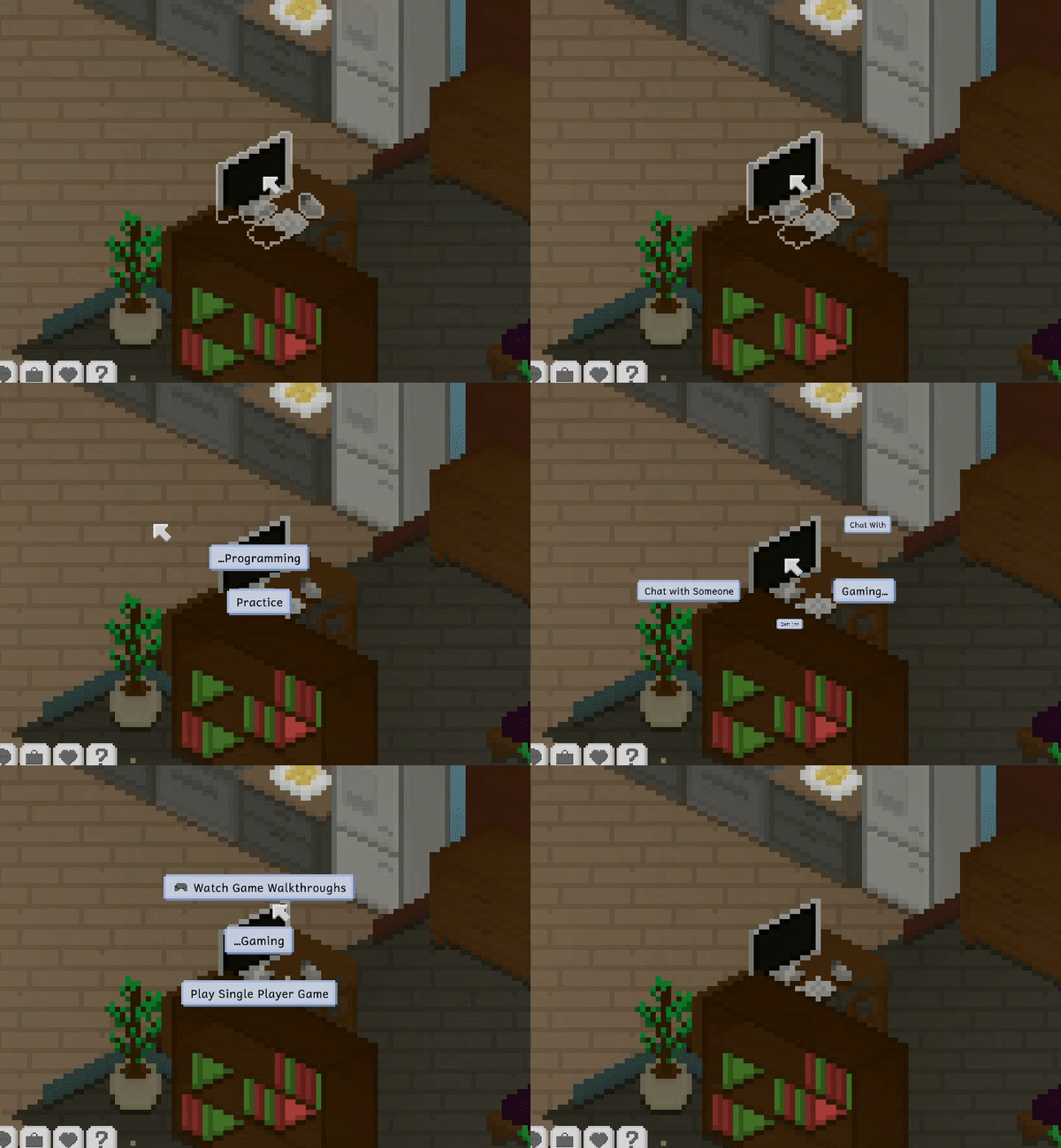
This is the biggest new feature in this update. We've introduced some super flashy and really fun Ui animations, both for opening and closing menus, and for opening the interaction ring menu that I'm sure you're very used to by now.
Check out this somewhat low-quality gif of the new animation, which actually displays at a higher frame rate in game. I promise.
If you don't like your ui to be animated, or you have an accessibility-related reason, these animations can be turned off in the options menu with a single click.
As a side note, this update also stops interaction menus from opening partly off-screen when clicking something close to the edge of the screen. Yay!
Emotion Sources
Have any of your people ever had an emotion modifier, and all you did was wonder "Where the heck did they get that?"
Well, not anymore!
Almost all emotions will now display the action, personality type or need that they originate from if you hover over them in the emotions tab. Very useful.
New Content
There's a few new content items that made it into this update too. Here are some screenshots of them!
Tasty breakfast foods.
Tasty flowery grass. This is actually a new tile, not a new flowery furniture piece. Did you eat flowers as a child, or was that just me?
Have you ever missed a hint? Or... read a hint and then immediately forgot what it said? Well, never fear, because this update also includes a hint history menu that you can find in the options. It even orders hints by category!
Upcoming Content
I don't usually do this, but here's a little outlook on some upcoming content for the game. If you're following the twitter, this won't actually be news to you.
The Full Changelog
As always, here's the full changelog for your enjoyment. You can also look at it in the main menu by pressing the button in the bottom right corner, as always.
Additions
Added emotion sources that display when hovering over an emotion modifier
Added cool UI animations
Added a hint history menu to the options
Added a tab to the character creator which allows writing custom descriptions for people and households
Added a scientist job
Added keybinds for zooming in and out
Added a button to delete a household entirely
Added some more emotion modifiers that trigger in social situations
Added some more breakfast foods
Added a lovely flowery grass tile
Added a cute scarf
Improvements
Made skill building activities fun if the skill level is high enough
Improved memory usage in various cases
Improved the way relationships between imported people are handled
Dispose raw versions of packed textures, which reduces VRAM usage
Limit the length of the notification history to 1024 entries
Added the website's scrolling background to the main menu
Replace all natural tiles with concrete when creating a room (not just grass)
Replace alpha-based particles with scale-based particles to avoid rendering issues
Also allow AI skill building when a person's job requires it
Rebalanced job payouts and bills slightly
Allow loading mods from a zip archive
Made sounds in hidden rooms quieter
Improved the look of the mouse cursor
Fixes
Fixed daily job tasks not working correctly in some cases
Fixed introverts being happy about being at home when they're not actually at home
Fixed interaction menus displaying partly off-screen when opened sometimes
Fixed chatting with people displaying the friendship particle constantly
Fixed particles being lit from the outside despite being inside in some cases
0.17.0: Life Goals, Reward Personalities and Daily Tasks
Hello everyone! It's that time again where we release a Tiny Life update, and with it, a fun devlog post that features a bunch of descriptions and images of the new stuff.
First though, some self-promotion.
Twitter
You heard that right: Twitter! Tiny Life now has a twitter account that gets hit with a bunch of cool information, sneak peeks and screenshots.
If you've been following the Twitter for a while, you already know about a very exciting upcoming feature in the game: Children! They're not here yet, sadly. But they will be, soon. If you're interested in them, you can check out the information that was already posted on Twitter over the last few weeks!
Life Goals
A lot of people struggle with setting their own goals in a sandbox game like Tiny Life. Not only that, but even people who do set their own goal can sometimes start to feel like they don't know what to do in the game.
Well, not to worry, because Life Goals are here! Life goals are a new system in Tiny Life, which can be found in a new tab at the bottom of the screen.
As you can see, a person can select a life goal for themselves, and there are quite a few to choose from right now. Of course, as development goes on, more will be added, though!
Each life goal features multiple stages, each stage containing one or more challenges that a person has to complete to complete the stage.
Once each stage of the life goal is completed, the life goal itself is also completed. Nice!
Reward Personalities
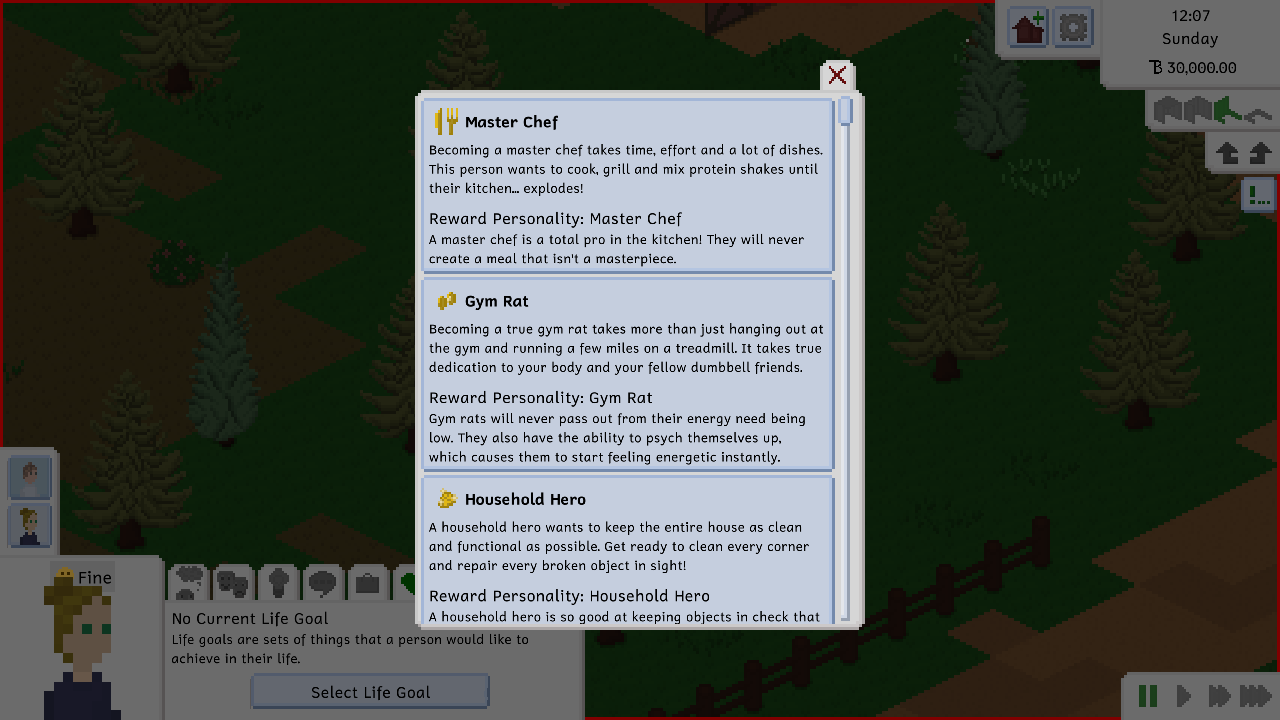
Upon completing a life goal, each person can unlock a unique hidden personality trait for themselves. These personalities usually have to do with the life goal itself, and they're supposed to make life easier for the people that have them.
Here's the one you receive when completing the Gym Rat life goal, for example.
Daily Tasks
Work is terrible. We all know this. But what's even more terrible is coming home to even more work. We decided that this terribleness would fit perfectly into Tiny Life itself, which is why this update also includes daily tasks for some jobs (currently only teacher and firefighter, but more to come, as always).
Daily tasks can be completed for a little boost in job performance over the course of the following day. If the daily task is not completed, performance gain will be a little lower, but still good enough to get that promotion you've been working towards.
The Full Changelog
As always, here's the full changelog for this update. You can also view this in-game by clicking on the little arrow button in the bottom right corner of the main menu.
Don't forget to follow the Twitter account for updates and sneak peeks about the game, too!
Additions
Added Life Goals
Added 5 new personality types that can be obtained by completing life goals