Tiny Life cover
Tiny Life screenshot
Linux PC Mac Steam
Genre: Role-playing (RPG), Simulator, Indie

Tiny Life

Tiny Life at Steam Next Fest

Hi everyone! It's been a wild ride for us since the demo released a while ago, and we've gotten some great feedback and some useful bug reports from yall. As we mentioned in our last post, the demo is here to stay throughout Tiny Life's Early Access release and onwards. It'll allow new players to try out the game before committing to purchasing the full game. There's something else we want to talk about today, though.

Steam Next Fest


Yes, you heard that right! Tiny Life will be participating in the upcoming Steam Next Fest, which will take place between February 6 and February 13. The times it starts and ends are 10am PT, which is 18:00 UTC for us European folks.

During Next Fest, we hope to be able to gather some more feedback and bug reports from seasoned and new players alike through the demo. We'll publish another short post once Next Fest starts that gives a brief overview on how to play, how to report bugs, and how to give feedback. Until then, just know that it'll be through the usual channels, including the feedback form and the Discord.

If you have friends that haven't checked out Tiny Life yet, but you think they'll enjoy it, this is a great time to let them know about Next Fest and Tiny Life's appearance!

0.29.0: Say Hi to the Demo

Today is finally the day you've all been waiting for. Well, okay, it's not that day yet. It is, however, the day that we're releasing the official Tiny Life Demo, for free, for everyone, forever!

The Tiny Life Demo will be replacing the public beta both on itch and on Steam for now, as we discussed in our previous post about our plans for the demo. You don't have to read that post if you missed it, though, because we'll be summarizing everything in as much detail as we can here.

The most important thing that we want to say about the public beta is that you won't be able to download it on itch and Steam anymore. It also won't be receiving any more updates until the game's official Early Access release a little later this year. Since the Tiny Life Demo doesn't allow playing in Maple Plains City (more on that later in this post), we've decided to still allow players to download the last version of the public beta (0.28.0, specifically) for a little while, so that they can continue playing in their old saves until the Early Access release. When the Early Access version is released, you'll be able to continue playing in your old saves from the demo and the public beta as well, if you like.

Anyway, let's get on with what we have for you today!

Welcome to Demoville


Demoville is the first new world that we're adding into Tiny Life after our initial, and still very beloved, Maple Plains City. While the full version of the game will feature both maps on Early Access launch, the Demo will only come with Demoville.

Demoville features some beautiful creations from some of our amazing community members, who have volunteered to work on the world with us. We want to show off the full world here, as well as the community-created lots, as we think they deserve some extra spotlight.

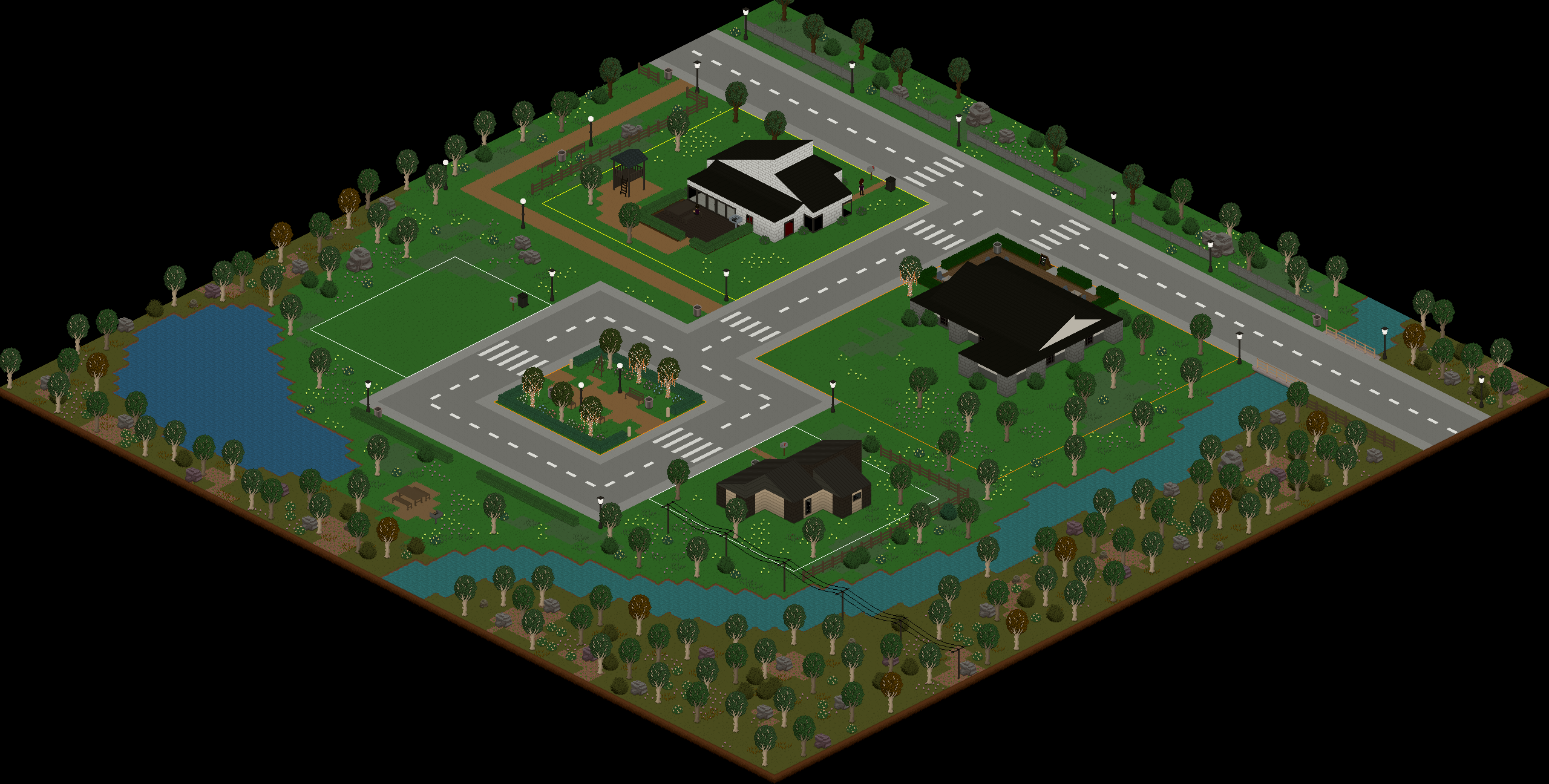
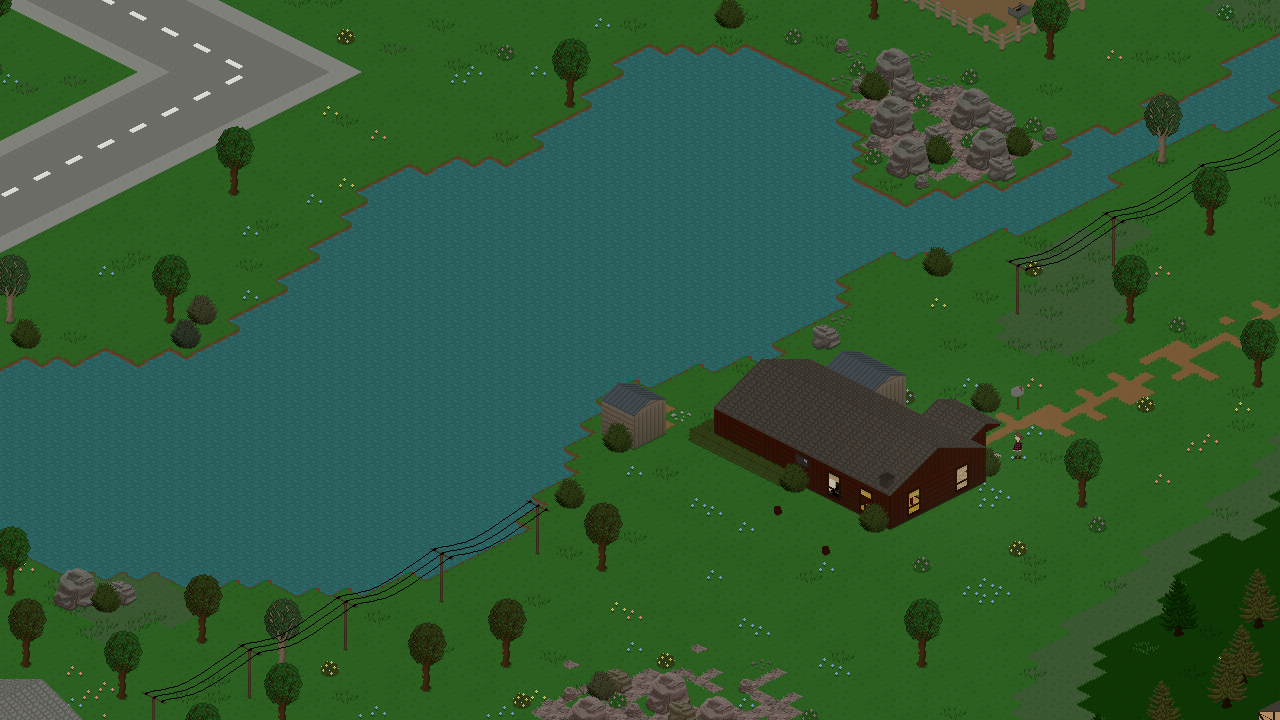
Here's all of demoville, first and foremost.


This beautiful house (that is inhabited by the Nicholson household) was created by CringePotato.


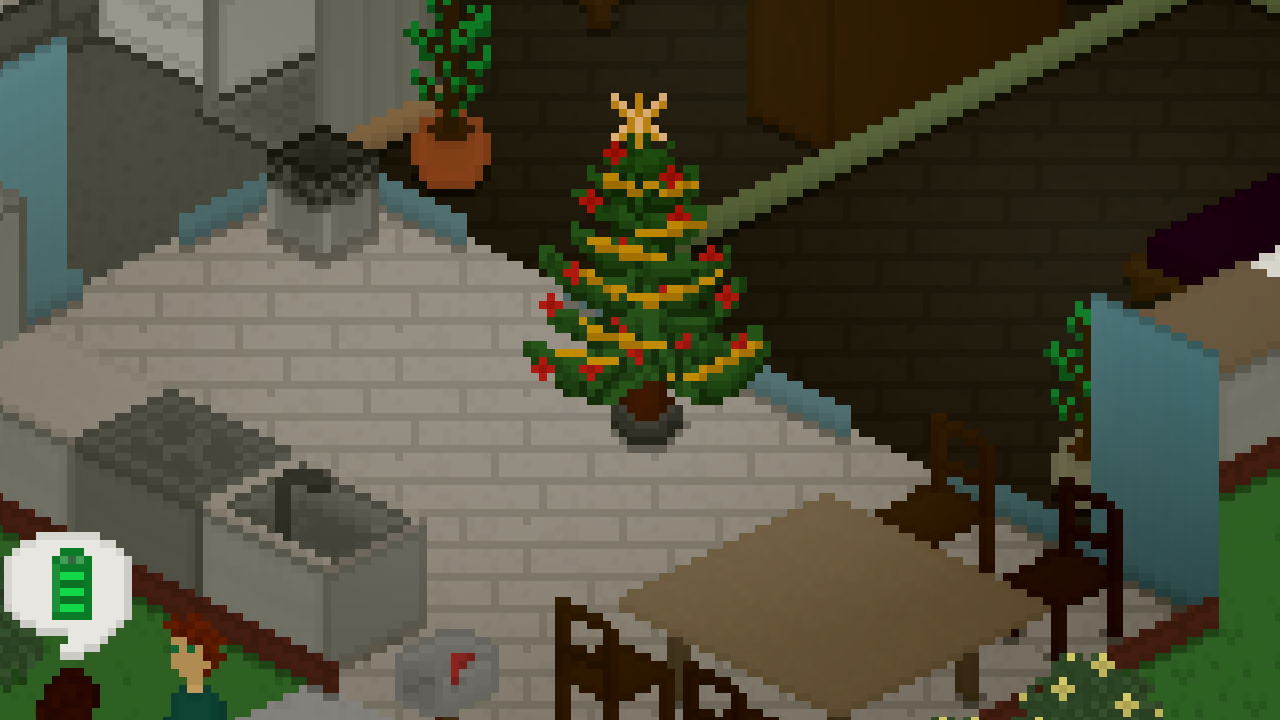
This is Bluebird Café, which a lot of Tinies will frequent, maybe even including you! It was created by 8dat, who also created its barista, Liam Lungo.


And lastly, this is Demoville Square 2, which is a small starter home that you can move into when starting a new save if you don't feel like building your own house. It was built by DonZekane.


A Demoville Native


Along with Demoville, we're also introducing a new life goal to the game that'll only be available in the demo. The cool thing about that is that the reward personality, City Dweller, will persist with your Demo tinies if you decide to move into the full game with them.


As you can see, all of the other life goals are unavailable in the demo - more on that now.

What the Demo Has


As you might be able to tell from the screenshot above, the life goals menu looks a little lackluster compared to what you're used to from the public beta.

As discussed in our previously mentioned announcement, the demo will feature most of the game's regular content, with a few caveats that are meant to incentivize buying the full game if you're enjoying the demo enough to warrant spending money on Tiny Life. Here's a brief summary of what those differences are:

  • The demo only features one world, Demoville.
  • The demo does not feature any of the build mode and character creator items from the three Sets that the game has, or any future Sets that will be added to the game after the Early Access release. For those of you who aren't in the loop, Sets are groups of themed content whose art was created by a member of the community. The sets currently in the game are the Woodlands Set, the Familiar Attire Set, and the Fitness Set. The Early Access version will ship with all current and future Sets included without any additional downloads or payments necessary.
  • The demo only features one (demo-exlucsive) life goal, Exploring Demoville.
  • The demo does not allow importing or exporting any custom content or mods, and it does not allow editing Demoville outside of existing lots.


As previously mentioned, once the game's Early Access release is out, you'll be able to continue demo save games in the full release, or export households and lots from your demo save games and move them into Maple Plains City or custom maps.

We've taken care to explicitly state what content is missing from the demo in-game in all the places that it is missing from. While playing, look out for these little purple boxes that'll tell you what you can expect when buying the full game.


The Full Changelog


As with every update, there are a few new features and improvements to existing features as well, but we really wanted to use this post to highlight the content that is specific to the Tiny Life Demo. If you want to know more about what changed since the last public beta version, though, here's the full changelog that contains all of the info you need!

Additions
  • Added the Demoville world, including its community-made lots and households
  • Added the Exploring Demoville life goal to the demo
  • Added a default long hairstyle for children
  • Added a progress arrow display to skills, relationships, job performance and needs
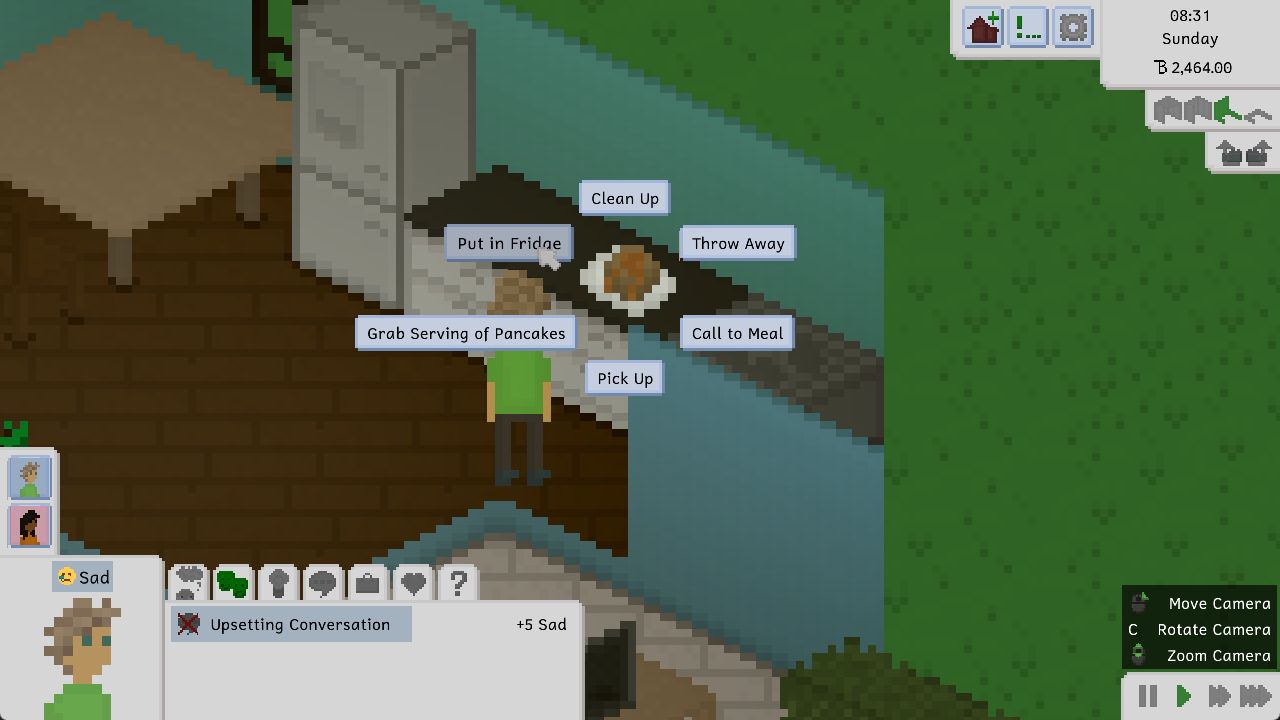
  • Added the ability to clean out all of a fridge's empty or expired items
  • Added the ability to view a lot's opening hours by hovering over the café sign furniture item


Improvements
  • Made TVs play sounds when they're on
  • Improved performance when first drawing a map's static objects
  • Render with anti-aliasing on low zoom levels to create a mipmap-style effect
  • Made cafés require a food display case
  • Don't draw room content that isn't visible, improving performance on maps with houses that have a lot of rooms
  • Made it much more likely for people to go home when their needs are low
  • Preload emotion sting sound effects to mitigate lag when the first one is played
  • Improved the way a skill's max level looks
  • Enable gamepad repeats to allow holding buttons to press them multiple times
  • Made food in the fridge last much longer
  • Allow children to order food from cafés
  • Hide clothes occasions that were unused
  • Added a maximum amount of money for a household to have
  • Made it a bit more likely for choice prompts to be successful
  • Display a tooltip when there's not enough money to copy an outfit


Fixes
  • Fixed various crashes when loading save files with missing objects or clothes
  • Fixed the tile tool not drawing previews properly in some locations
  • Fixed a crash when importing a lot that was exported on a bigger map
  • Fixed tiles not being visible when using the lot movement tool
  • Fixed a texture region bleeding issue on chairs
  • Fixed an exception when trying to talk to someone who is at the border of the map
  • Fixed keybind names being moved into multiple lines even though they have enough space
  • Fixed lighting causing artifacts on some older graphics cards
  • Fixed color selection in the character creator not working correctly with a gamepad
  • Fixed no elements being selected after switching a person's age using a gamepad
  • Fixed cakes with candles being able to be put into the fridge
  • Fixed long life goal titles going under the abandon button
  • Fixed a crash when a duplicate object is added to a map and the map is loaded

The End of the Beta (and Start of the Demo)

With the last ever beta update releasing at the end of last year, a sort of new era has started for Tiny Life and its development: The release era, if you will. Steam Next Fest is also coming up in February, and Tiny Life will be taking part in it. With all of these things happening, there are a few pieces of news we want to share with you to prepare you for what's ahead.

The Tiny Life Demo


Up until now, you were able to download the game's public beta on itch (for a price of your choosing) or on Steam (as the demo application that was linked to the Tiny Life store page). However, over the last month or so, we've been hard at work getting the actual true Tiny Life Demo ready for you.

The demo will feature most of the game's regular content, with a few caveats that are (obviously) meant to incentivize buying the full game if you're enjoying the demo enough to warrant spending money on Tiny Life. While this is not 100% final yet, here are some key differences between the Tiny Life demo and the Early Access version, which will release some time after Steam Next Fest.

  • The demo will ship with a single, very small world called Demoville. Demoville has five lots available, four of which have pre-built content on them. You'll be able to shape and edit each lot as you want, just like in the full game, though.
  • The demo will not feature the ability to access any custom content or mods. The demo won't allow exporting or importing custom lots, households, or worlds. However, once you get the full game, you'll be able to transfer your demo save files to it and continue working on the lots and households you started in the demo.
  • The demo will not contain any content from current or future Sets. For those of you who aren't in the loop, Sets are groups of themed content whose art was created by a member of the community. The sets currently in the game are the Woodlands Set, the Familiar Attire Set, and the Fitness Set. The Early Access version will ship with all current and future Sets included without any additional downloads or payments necessary.


While designing the demo, we wanted to make sure that players can still enjoy playing the demo without any time restrictions (which is a popular model for demos). Instead, we decided to limit the amount of content available compared to the full game. We hope this'll strike a good balance between the demo being too lackluster and too similar in scope to the full game.

The End of the Beta


With Steam Next Fest coming up in February, it'll soon be time to retire the public beta for good. Right now, you can still download it on Steam (by downloading the demo-it's really just the public beta in disguise, as previously discussed) or on itch.

This won't be the case for much longer, though. We plan to replace the public beta on both platforms with the official demo before the end of January.

The exact time we do this will probably be revealed a few days beforehand on the game's Twitter and Discord, so if you want to keep up to date with it, those are the places to do so. Once the demo is released, there'll also be another devlog post on itch and on Steam, as well as another newsletter e-mail as always.

After this switch, the public beta won't be publicly available anymore. Like, ever. If you want to be able to still play the public beta until the game's Early Access release (and the demo isn't good enough for you), you should download it now and keep it safely.

The Store Situation


Tiny Life is currently available on itch and on Steam, and this won't change when we publish the beta or when we release the Early Access version. Our current plans are as follows, though again, we can't guarantee that it'll happen exactly like this until it actually does.

Steam


  • Tiny Life Early Access will be available (for a price we're not ready to disclose) through the game's Steam page, which is the same page that the game currently has.
  • The Tiny Life Demo will be available for free, from the same Steam page, by clicking the "Download Tiny Life Demo" button, in line with other Steam titles that have demos.


itch.io


  • Tiny Life Early Access will be available for the same price as on Steam, with the added ability to pay more if you're feeling generous.
  • The Tiny Life Demo will be available to download for free.
  • People who bought the game on itch before it was available on Steam will get a Steam key added to their itch account automatically when the Early Access version is released. This behavior won't continue after release.


We realize the current store situation is a little confusing, especially since the public beta is currently masquerading as the game's demo on Steam. Unfortunately, we had to do it this way due to Steam-internal limitations. However, when the beta is switched out with the demo, and when the Early Access version is released, everything should go back to being pretty simple to find, buy and download.

0.28.0: The Last Beta Update Ever

Hi everyone! We just released version 0.28.0 of Tiny Life, and with it, a bunch of cool new stuff. This is a pretty big update, and we think that this devlog definitely reflects that.

Be sure to stay tuned until the end, since we also have a pretty big announcement to make!

'Tis the Season


It's winter! Well, on some parts of the earth. It's Christmastime! Well, in some cultures.

We want to celebrate this time, regardless of its cultural and religious ambiguity, because regardless of whether and what you celebrate, it can be a beautiful time to spend with your (chosen or original) family and other loved ones.

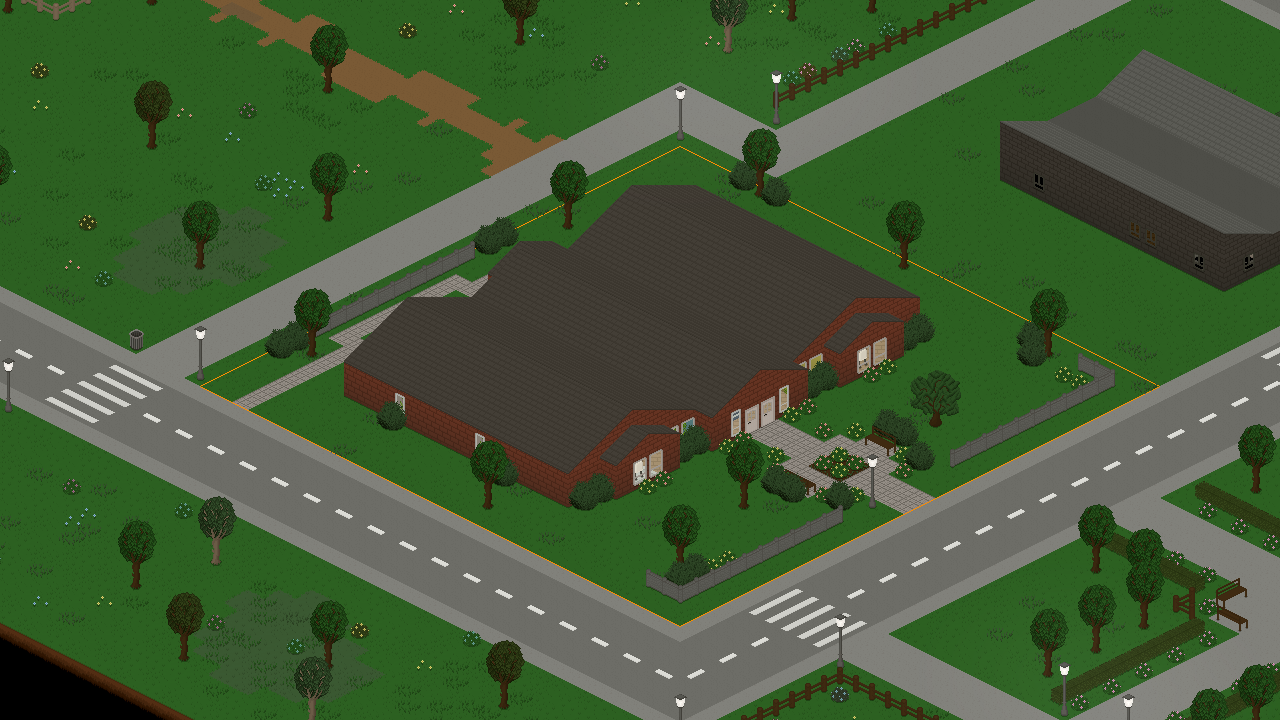
To symbolize this aforementioned celebration, we added a cute new furniture piece into the game, which also serves as a light source: the Festive Tree!


In addition, we've also added some other furniture items and objects that are pretty cool in our opinion. First, there's a jungle gym (slash climbing frame, whichever term you prefer) now, which is a perfect addition to the sandbox and which allows children to have some additional fun!


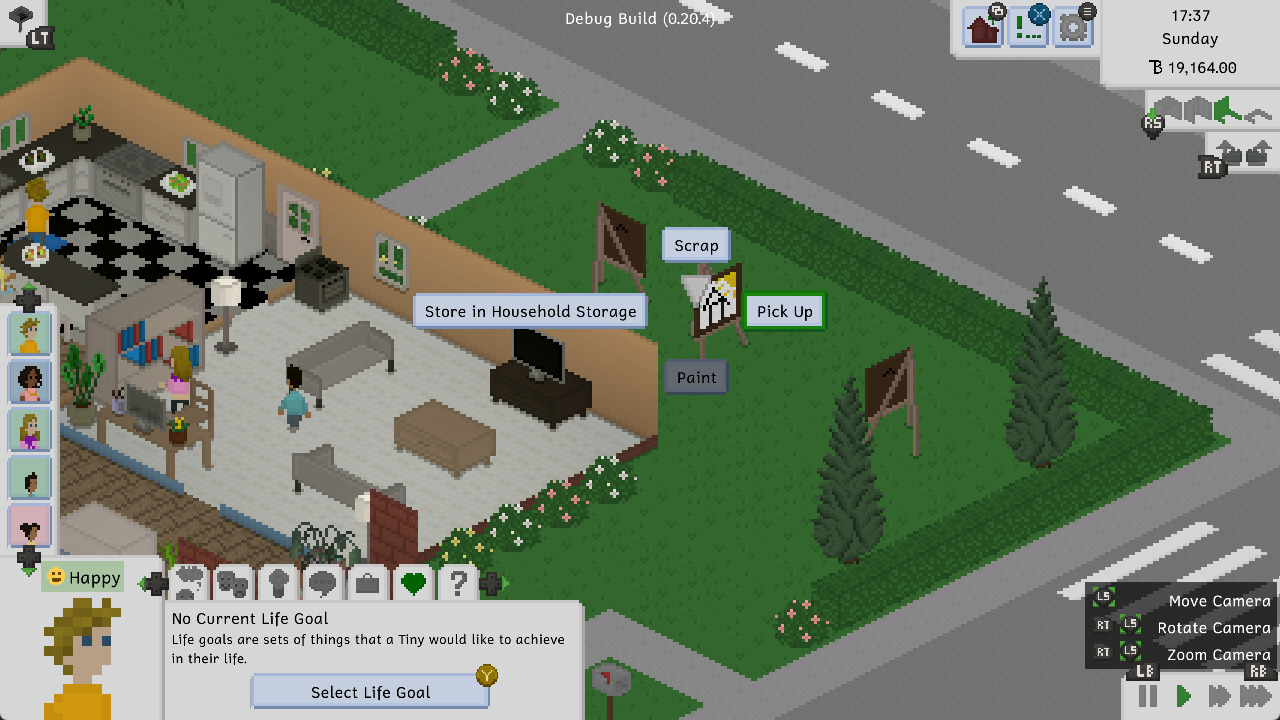
Second, you can now get relaxed (or up your painting skill as a child or an adult!) using the new coloring book. Coloring books are a great tool for all ages to become relaxed and gain some additional precision staying in those lines.


Here's Joe trying one out for you.

I Feel So Many Things


As part of this update, we added a new personality type and two new emotion types! Along with this, some existing emotion modifiers have also been changed to match the new emotions better. As always, our friend Jamal Green has created some beautiful sting sound effects for them, which you'll be able to hear in-game.

The two new emotions are Goofy and Confident. The former is especially useful for children and those whose Entertainment needs are a little low. The latter can be very helpful when you're trying to rekindle a relationship (more on that later), because it really helps get those friendship and romance points up.

We also added the Thrifty personality type, which is an idea we recently had that'll help to make build mode more of an active gameplay element for those who enjoy that kind of thing. Households with a thrifty Tiny in them will get random price reductions on items in build mode and the character creator each in-game day. Checking them might be a good idea if you want to save some of those Tiny Bucks.


This is also the perfect example to see the Confident emotion in action!


A Load of Changes


Those of you with an older or a slower computer might especially know this feeling: some games load most of their content before their window even opens, and when that takes a little while, you may start to wonder if the game even opened correctly in the first place. Well, we're sorry to admit that Tiny Life used to do this too.

But not anymore! There's now a loading screen when first starting up the game, so you'll know exactly what the game is doing in those first few seconds. Yay!


A Crowded Place


This is a smaller change, but it's one that has a big impact on gameplay: we've increased the default amount of regular visitors that will visit your town occasionally! It used to be set to 15 by default, but we increased it to 25.

Keep in mind that you can always increase this number in the gameplay options to further populate your public spaces like parks, cafés, and libraries. If the game runs out of exported households, it'll start randomly generating new regular visitors instead. When changing this option, keep in mind that the more people run around your world, the more performance intensive Tiny Life will be. Feel free to play around with the option and see what works best for you!

Here's Coffees and Trees Café on an average day with the regular visitor amount set to 100.


Easy Access


Lastly, we finally added an accessibility menu. The game has always had a fair few accessibility-related options, but they were always scattered throughout the options tabs. In addition to adding this new, dedicated menu, we've also added some more accessibility options that should help those of you with vision or movement impairments navigate the game a little better.


Of course, please don't hesitate to let us know if there are any more accessibility options you'd like to see in the game.

The Last Beta Update Ever


So, this might come as a bit of a shock to some of you, but 0.28 will be the last beta update we ever release. We're not stopping development by any means, so please don't worry about that!

Tiny Life is slowly reaching a point where we're confident that it's ready for Steam Early Access, which is a topic we've talked about, and conferred with you the community with, multiple times before. Now, it's finally happening! Tiny Life will release into Steam Early Access with the remaining pre-release roadmap features within the first half of 2023.

Because there are quite a few features on that list left to add, namely pregnancy, babies and marriage, we want to take this remaining time before release to get those features right. Of course, if any major bugs appear before release, 0.28 will get one or more bugfix updates, but there won't be any more content updates before the Early Access release.

We haven't set an exact price yet, but we expect Tiny Life's Early Access price to be somewhere between $10 and $20. Additionally, anyone who has paid for the game on itch will likely receive a free Steam key for the game when it releases. If you want to keep up to date with information about the game's release, you can follow on Twitter, join the Discord, or subscribe to the mailing list. You can find links to all of those places on the website's social section.

The Full Changelog


As always, here's a copy of the full changelog for your perusal. There's some features in here we haven't talked about in this devlog, so definitely check this one out!

Additions
  • Added jungle gym, coloring book, and festive tree objects
  • Added the thrifty personality
  • Added goofy and confident emotions
  • Added the perfect painter life goal
  • Added an accessibility menu with some new options
  • Added the ability to ask someone if they're single
  • Added the ability to cheat, admit to cheating, and possibly be broken up with as a result
  • Added more emotions for existing interactions, such as children seeing adults kiss
  • Added some more painting types to the easel and some more woodworking recipes
  • Added a gym trainer to gym lots that occasionally encourages people who are working out
  • Added some more of Leiss' songs
  • Added a proper loading screen so that the window doesn't stay closed while loading the game


Improvements
  • Made romantic actions less likely to go well if the partner is already dating someone else
  • Also use pixel-based selection for roofs, allowing more intuitive roof selection and removal
  • Improved pathfinding by considering multiple locations for when driving to a goal, which should mitigate unnecessary driving
  • Improved the visuals of the Tiny Bucks logo
  • Improved some AI priorities for certain actions
  • Display a green background for items that are cheaper in build mode and the character creator
  • Tinies will now try to avoid walking over gravestones and puddles
  • Increased the default and maximum amounts of regular visitors
  • Made it less likely for randomly generated people to wear helmets for their daily outfits
  • Introduced some memory and CPU usage improvements
  • Made held items swing less wildly during the walking animation
  • Display a warning when a lot employment has to be removed due to a lot import


Fixes
  • Fixed an incorrect border when drawing auto-tiles next to concrete
  • Fixed the "Toggle All Lights in Room" action being available for lights that are outside
  • Fixed people who are out of town still displaying particles
  • Fixed homework books getting stuck on the ground if the action fails early
  • Fixed some z-fighting issues with objects on desks, as well as hanging lamps
  • Fixed the game sometimes staying open in the background after being closed
  • Fixed the incorrect emotions being added when friends and family members die
  • Fixed people being able to cross double doors diagonally
  • Fixed paintings contributing to the Capable Carpenter life goal
  • Fixed chimney particles being affected by indoor light and hiddenness
  • Fixed lag when pressing the Steam cloud sync button
  • Fixed abandoned vehicles sometimes being left forever
  • Fixed a rare exception when quitting to the main menu while a notification is being displayed
  • Fixed regularly visiting children not having the student job
  • Fixed being able to store others' creations in the household storage
  • Fixed a rare exception when loading a skill book action from disk
  • Fixed a rare exception when closing the move tool while an item is on the cursor


API
  • Improved the ActionBehavior pattern by merging MultiActionBehavior
  • Added the ability to add custom data to relationships
  • Added ActionPriorities cheat that prints every action priority for a person

0.27.0: Trashy Techie Library

Hi everyone! It's that time again where we share a lovely little update that we made for you all. We're still working hard on secret release features in the background, so this is another somewhat smaller update. It's still very nice, though, so get ready for some neat stuff.

The Library


Libraries have been one of the most requested lot-related feature so far. I guess there's just something about us nerds wanting a cozy place to hang out. So now you have one!

Not only have we added the library lot type, which features a librarian staff position, but we've also added a beautiful library lot created by Vortis, who has previously created some lovely lots and households for the game.


Part of the cute interior, as eagle-eyed players might have already spotted, are two new furniture items: A bookshelf that is double-sided (i.e. open on the back), allowing for it to be placed in the middle of a room, as well as a cute book cart that also doubles as a bookshelf interactable.

There's also a librarian position for each library, with the default one for Maple Plains City being filled by the lovely Barbara Bookerson, who likes to go by Barb. While Barb is at work, you can ask a few questions about books to get your Tiny excited about them.


While you're not interacting with them, librarians will simply idle around the library and walk from bookshelf to bookshelf, inspecting the books they have stocked.

The Trash


Listen, we could make a lot of jokes about Tiny Life and trash here. But instead, we're going to make some proclamations: Trash is gross! Trash cans are too far away! Having to go outside to throw something away is a hassle!

Let's fix all that. Indoor trash cans!


These trash cans will fill up similarly to the existing outdoor trash cans, with the difference being that the trash collector doesn't come and empty them for you. You have to take the trash out yourself. Doing so will cause your Tiny to deposit it in the nearest outdoor trash can, where the trash collector will eventually come to pick it up. Keeping this in mind, it's a good idea to keep your lot's trash can in an accessible location, and not behind any locked doors.

Oh, also, you're now required to have a trash can on your residential lots. Once you first enter build mode after installing this update, you'll be forced to place one before you're allowed to exit again. Sorry, it's city policy!

The Techies


This devlog already called you a nerd earlier, so we don't think it's too unreasonable to call you one again. Of course, we do this very lovingly; we're all nerds here, right?

If you're a very specific kind of nerd, you can now share that truth with your Tinies by giving them the new Techie personality type.


This personality causes Tinies to enjoy using tech, including TVs and computers, but they'll also get quite cranky if they've been away from their computer for a while. Isn't that a mood?

There's also some excellent insults that Techie Tinies can use. Not that we encourage insulting people or anything. We're just very proud of the jokes.

The Full Changelog


That's pretty much it! As we said, it's a bit of a smaller update again this time around, but we're really gearing up for releasing the game into Steam Early Access early-ish next year, so there's a lot of stuff going on in the background that we're not sharing with you all yet.

Anyway, here's this update's full changelog, as always, for your enjoyment!

Additions
  • Added a double-sided bookshelf, a book cart, a small indoor trash can, an outdoor wheelie bin, a vertical planter box, and a simple nightstand
  • Added a library lot type with a librarian Tiny, as well as the Maple Plains Library by Vortis
  • Added the techie personality type
  • Added the ability to take out the trash from indoor trash cans
  • Added a lot more emote images
  • Added the ability to short-press the right mouse button to rotate objects


Improvements
  • Display particles when children are playing in the sandbox
  • Display smoke particles when someone is angry
  • Display particles when using a sink
  • Display an "Are You Sure" panel when changing lot types if there's staff on the lot
  • Made roofs have a maximum size so that they don't cause issues on big lots
  • Made some food types more friendly to other diets
  • Slightly improved the espresso machine's steam wand texture
  • Children now gain skills at school based on an internal schedule
  • Force residential lots to have outdoor trash cans on them (they have to be added upon first entering build mode after this update)


Fixes
  • Fixed skill books giving skill points while still walking with the book
  • Fixed an exception when a food item gets removed while someone is eating it
  • Fixed being able to attempt to kiss strangers
  • Fixed households not being removed properly when everyone dies, causing issues later on
  • Fixed some ground items (like books and gravestones) being non-walkable, causing Tinies to get stuck
  • Fixed some static objects not being drawn properly after the map is updated to a new version
  • Fixed a possible stall when a map is updated with custom lots present


API
  • Added the ability to specify clothes depths based on the layer
  • Archive projects instead of fully removing them when they don't pay out anymore
  • Removed TypelessAction in favor of allowing normal actions to be typeless

0.26.0: Lights, Camera, Music

Hi everyone! We've been busy recently working on a lot of things that won't be released for a while, so this update is a little smaller. Nevertheless, it still adds some cool features, and finally introduces music into the game, courtesy of our lovely musician Leiss!

Lights, Camera, Music


Except for sounds and the lovely, ambient forest soundscapes, Tiny Life has been all but silent, which was especially noticeable in build mode and the character creator. Well, not anymore! Our lovely musician Leiss has been working on Tiny Life's Soundtrack for a long while now, and she's been posting updates and sneak peeks about it on her Twitter occasionally.

Now, the music that we added into the game so far is not the full extent of the soundtrack. There are still a lot more songs to come!

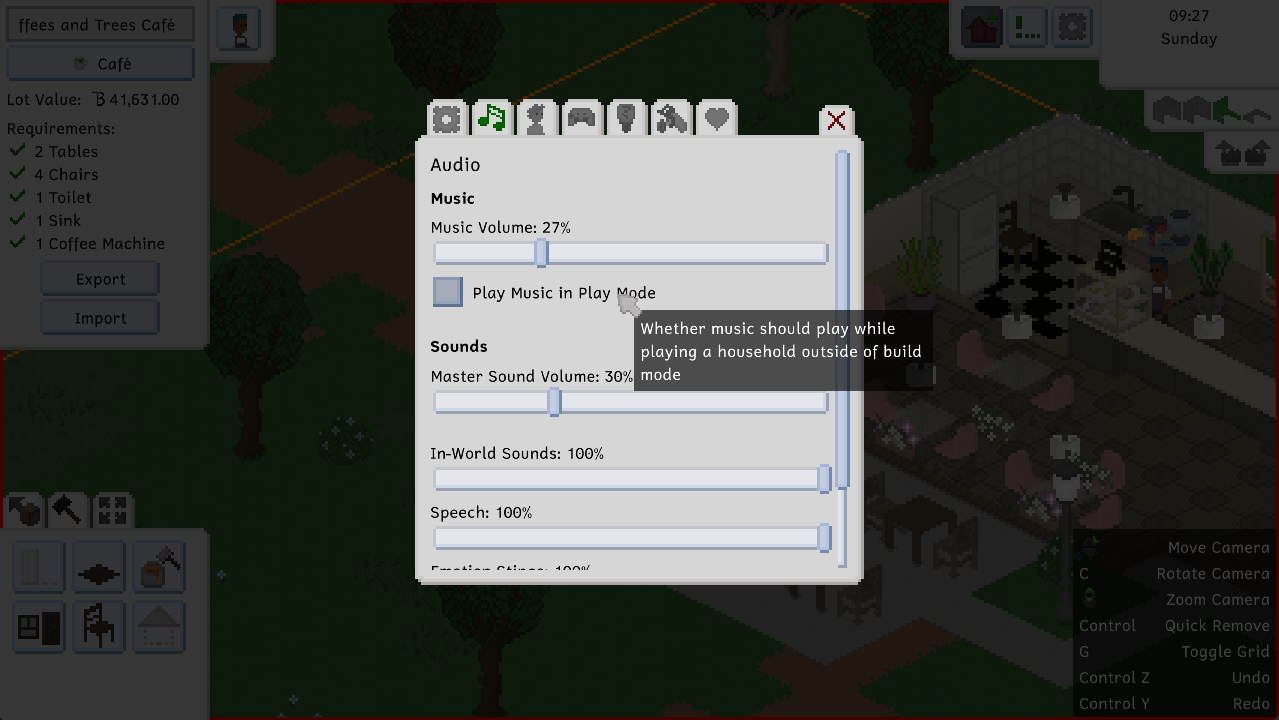
By default, there will be music playing in the game's main menu, the character creator, the household selection, and build mode. If you want there to be music while controlling your Tinies, too, you can tick this little box in the options menu's sounds & music section.


Feeling Outdoorsy


There's a new personality type in this update as well: The Outdoorsy personality! The in-game description reads as follows:

A Tiny who is outdoorsy just can't get enough of the outdoors. They feel better while they're outside, especially when visiting parks, and they might start feeling a little cooped up if they're inside for too long.


Along with this, we've also been making an effort to add some more personality-based actions into the game, especially in the social category. There are now additional actions for the charisma, writing and humor skills, which allow for higher success rates and friendship or romance gains at higher skill levels.

Some UI Polish


The household and lot import and exports menus have gotten a bit of a makeover in preparation for the game's Early Access release next year. The release will ship with Steam Workshop support, which is currently in very active development, and so we've decided to clean up the menus involved a little bit.


While you'll be getting these menu improvements in this update, please note that Steam Workshop support is not publicly released yet, and won't be publicly released until the game's official Early Access release.

Cool Clothes


Last but not least, we added two new clothing items into the game: Headscarves!


While the looks and feels of these headscarves are heavily inspired by hijabs, they're able (and supposed) to be worn by anyone who likes having their head and/or hair covered for any reason! You can find them in the Head Accessories category of the character creator.

In the future, we plan on adding a lot more clothing items that celebrate the styles and items of various cultures, including some of the player suggestions we collected a while ago on Twitter. Please don't hesitate to give feedback on the items we add, especially ones that you regularly wear or know more about, since it's important to us to get these items right.

The Full Changelog


As you're probably used to by now, here's a copy of the full changelog for your perusal. You can view this changelog from the game's main menu's bottom right corner, as well.

Additions
  • Added the first of many of Leiss's songs for the Tiny Life Soundtrack
  • Added the outdoorsy personality type
  • Added two headscarves
  • Added some more skill-related socials


Improvements
  • Improved custom content import menus
  • Automatically update import menu content if underlying files change
  • Change a lot's name to the imported lot's name when importing
  • Ask for a name when exporting a lot or a household
  • Children without a complete household are now added to the adoption pool instead of being exported
  • Made choice prompts also be influenced by a Tiny's skills
  • Hide small updates in the main menu's changelog panel by default
  • Made the old computer a bit more square looking
  • Cooking shows will now have a chance to yield the baking skill in addition to the cooking skill
  • Made Tinies meet and gain friendship with their coworkers while they're both at work
  • Mark visually held items (like sponges and spanners) as fake so they don't inhibit action queueing


Fixes
  • Fixed diagonal keyboard camera movement being too fast
  • Fixed failed undo/redo attempts crashing the game
  • Fixed a crash when getting up out of bed after a Tiny's outfits have been edited
  • Fixed a crash when a modded personality type was removed since the last session
  • Fixed an ignored exception when exiting the character creator
  • Fixed the mouse cursor still activating the UI while it was hidden
  • Fixed Admire being called Admirar (for some reason)
  • Fixed food item effects not being applied if the eat action is not completed fully
  • Fixed a crash when multiple emotion modifiers run out at the same time


API
  • Added a clothes compatibility system to allow for certain clothes to be automatically removed if others are selected
  • Added Ben.Demystifier to make stack traces more legible

0.25.0: Water, Stuff and Skill Books

Hi everyone! It's been a little over a month since the last update, which isn't really the update schedule we try to stick to, but it is what it is. We've been doing a lot of internal changes, as well as a lot of planning related to Tiny Life's Steam Early Access release, which is currently planned for the first quarter (Q1) of 2023. Of course, we'll keep yall updated about any changes and plans related to that.

Anyway, let's get to the update!

Water Fun


There's water in the game now! Well. There was water before, but it was severely limited in terms of what you could do with it, mainly showering and drinking. But now, there's water tiles that you can place using the tile tool, and it allows you to create cute little lakes and rivers!

Maple Plains City got updated as well and now features a bunch of watery places, including a little river that feeds into a bigger lake in the center of the map. Along with the lake, a house by Macy with a matching household by Vortis have been added.


As always, opening a save file you created before this update will cause the map to be updated and the new stuff to be added to your save file, without any of your stuff being removed.

New Objects


We also added a bunch of new objects in this update, including some tiles, siding, bigger windows and doors, as well as the rocks and big bushes you can see scattered around the map.


As you can see, the siding features some more colorful... colors, and these colors have also been added to some existing siding, wallpapers and furniture. All the sofas in the game have also gotten a small upgrade: they now feature some more colors as well!

Skill Books


This is a feature that people have been requesting for a long time, probably heavily inspired by the fact that The Sims series also has books like this.


However, it's always bugged us that, in The Sims, you can become a full-on expert in a skill by simply reading a bunch of books on the topic. If you've ever tried to learn something like programming, writing or woodworking, you know that that's not how it works; you have to actually get your hands dirty and put the skill you're learning into action!

So, in Tiny Life, skill books will help you increase the progress of the current level that you have in the skill. Once the green skill bar is filled up fully, you'll be unable to continue reading the skill book until you make use of the skill and level up to the next level. At that point, you'll be able to go back to reading a skill book until the level progress bar fills up again.

We think this strikes a good balance between skills books being too overpowered and removing any requirement for making use of a skill, and skill books being completely pointless. As always, we'd love to hear what you think about this, though!

Early Access


A while back, we did a survey that allowed players to give feedback on the current state of the game, when they think it should be released, and what they would pay for it. Unfortunately, surveys like this generally have a high likelihood of only being filled out by people that don't think the game is ready for release. However, this one still gave us some insight into what people think and what features they think are missing, or required, before release.

So we've decided that we'll be making use of Steam's Early Access system for Tiny Life upon release, rather than going for a "full" release straight away. As I pointed out in the introduction to this post, we'd like to make this happen in Q1 2023.

Here's the Early Access description for Tiny Life, which is already available on the Steam page, which explains some details and the reasoning behind this decision.

Why Early Access?
Tiny Life is an open-ended sandbox game, which is a genre perfectly suited to Early Access, in our opinion. Early Access allows players to play the game during development, give feedback on existing and upcoming features, and see the game grow and develop. We want Early Access to be an opportunity for the game to grow with its community, through active involvement, custom content and modding, and frequent surveys for community feedback.

Approximately how long will this game be in Early Access?
We hope to be able to implement enough features to comfortably deem the game ready for a full release by 2024. We don't want to rush the game's full release, and we want to grasp its readiness through the community's response to the game during Early Access.

How is the full version planned to differ from the Early Access version?
The roadmap for Tiny Life can be seen on its website, and contains plenty of small and large features alike. We plan to implement all of these throughout development, but not necessarily during Early Access. Since Tiny Life is a sandbox game, there is no final feature or story element at which the game will be finished. Throughout Early Access, more objects, clothes, skills, and other gameplay features will be added continually.

What is the current state of the Early Access version?
Tiny Life's Early Access version already features hours of in-game content and near-infinite replayability due to its sandbox structure. Each Tiny is unique, from their looks to their personality to their skills and relationships. Each lot and house you build or get from the community can feature hundreds of items with unique interactions and abilities.

Will the game be priced differently during and after Early Access?
Throughout Early Access, as more and more features and gameplay elements are added, Tiny Life's price will probably be raised gradually. Upon leaving Early Access, we don't plan for the price to change drastically, and so it will stay in the same region as it is now.

How are you planning on involving the Community in your development process?
Tiny Life already features plenty of ways to involve the community. This includes the ability to share custom mods, lots, households, and maps with the community, a public feedback and issue report form, and frequent surveys that involve the community in decision-making for the game's upcoming features and changes.

Full Changelog


As always, here's the full changelog for this update. Enjoy!

Additions
  • Added the ability for primary school students to study at a bookshelf
  • Added the ability to get raises after reaching level 10 of a career
  • Added some decorations, including maple fairy lights, three rocks, a shelf with three layers, big bushes
  • Added some wooden siding wallpaper
  • Added water, grassy dirt and stone ground tiles
  • Added large glass windows and a large glass door
  • Added skill books for every skill in the game
  • Added businessperson, retail worker, doctor, and scientist daily tasks
  • Added required promotion skills for primary school students
  • Added icons for jobs
  • Added the ability to disable newspaper deliveries at mailboxes
  • Added a keybind to change wall modes


Improvements
  • Extended the map with a house by Macy and a household by Vortis
  • Adjusted death emotions to be less severe for acquaintances
  • Adjusted the introvert personality to get less overstimulated less quickly
  • Slightly rebalanced energy and entertainment need gain
  • Made higher job levels require higher amounts of performance to be promoted again
  • Expanded the color palette for sofas and some wallpapers
  • Made lot boundaries display with proper depth related to objects intersecting them
  • Improved rendering performance by drawing some objects in a static batch, rather than every frame
  • Order keybind menu by name
  • Display a notification when a lot can't be imported due to an error
  • Display portraits of people who are out of town as slightly transparent


Fixes
  • Fixed an exception when trying to load mail from disk
  • Fixed being unable to put the homework book away
  • Fixed a rare exception when creating a painting
  • Fixed undo/redo hints not displaying in keyboard mode
  • Fixed various objects still executing an in-world action when in the household storage
  • Fixed a rare exception when a Tiny tries to pick up an object that has been removed
  • Fixed visitors not going home properly after being out of town sometimes
  • Fixed an exception when trying to make fun of people who don't have a job
  • Fixed an incomplete options file causing the game to crash on startup
  • Fixed border tiles not being added to the static sprite batch properly, causing rendering issues
  • Fixed an exception when trying to take an object from the fridge that has already been removed
  • Fixed keyboard camera movement not allowing diagonal movement
  • Fixed the feedback form not working when the log file is large and a lot of info has been input
  • Fixed the job tab displaying a dollar sign in addition to the tiny bucks sign
  • Fixed the ability to place walls without enough money


API
  • Allow furniture to specify whether it should fit in an object spot or not
  • The game version that a save was saved with is now stored

0.24.0: Undo, Redo, Fridge Achievements

At least for the ones of us who reside in Central Europe, it's been a tough couple of weeks with the constant, devastating heat. However, in our everlasting pursuit to give you new content to play with, the heat has not stopped us from working on this update.

Granted, it took a lot longer than we would've liked, and it doesn't actually contain everything that we planned for it to contain, but here we are.

Here's some of what we did do, though.

Fridges and Leftovers


For a long time now, players have been asking us to add the ability to store leftovers in the fridge, where they'll go bad much less quickly than out in the open. You can now do exactly that.


After storing some leftovers in the fridge, you can select the fridge to Get Leftovers, which will automatically cause your selected Tiny to grab a random food item from the fridge. You can also look at the contents of the fridge and tell a Tiny to take out a specific item, which is especially useful if the fridge starts filling up with empty platters from all the food they ate.


Right now, fridges are bottomless, meaning you can store as much food in them as you like. You can't store anything else there, though. Sorry.

Undo and Redo


To a non-programmer, it might sound incredibly easy to just add an undo-redo feature into a thing. You do a thing, you go back to a previous state, you do the thing again in reverse. What's the holdup?

As it turns out, the holdup is quite a lot. Not only do you have to take care that stuff is undone and redone in the right order, but you also have to make sure that funds are deducted and re-added properly. That undoing and redoing doesn't lead to impossible states. That there aren't gaps in the undo-redo feature that allow stuff to slip through the gaps while other stuff gets undone. That you don't weep in a corner while infinite recursion is causing your computer to explode. That sort of thing, you know?

We did it, though. But it might also be a little broken at the start. Hopefully not, though.

Look at this cool GIF that shows this feature in action!


Achievements


Tiny Life now has achievements! There's only eleven of them as we speak, but throughout development and until release, we'll be adding quite a few more.

Achievements are unique per save file, meaning you can try your hand at re-completing all the achievements whenever you start a new save file. Achievement progress will always be made by the active household you're currently playing with, but if you switch between households in the same save file, achievement progress will be maintained and made with the new household you selected.


The achievements are also already integrated with Steam, but only with the release version of the game, so anyone who's playing the demo (which is everyone right now) won't have access to the Steam version of the achievements. Sorry!

Adoption


Unfortunately, we didn't get a chance to add pregnancy to the game for this update like we'd originally planned. Instead, we decided to settle for something a bit less spectacular that still allows you to get new children into your household without cheats or exported merges: adoption!

You can click on the computer to adopt one of twelve children. We're not going to get into the lore of where these children come from, because there isn't one yet. They're randomly generated, okay?


As a side note, we also added a lot more random first and last names in this update, especially a lot of international ones. Currently, the first and last name's source nationality won't be matched, which is why some names sound a little wacky. To see it positively, these r names give us a reason to believe that Tiny Life is set in a universe where society has come far enough to allow anyone to have any name without fearing to be discriminated against. Right?

The Full Changelog


As always, here's the full changelog for your perusal. This time around, we also tried to include a more in-depth API changelog, since the game's API is starting to be somewhat stable, so hopefully modders will find this useful for updating their mods.

Additions
  • Added the ability to store leftovers in the fridge
  • Added the ability to undo and redo actions in build mode
  • Added achievements
  • Added a paper lantern furniture item
  • Added the reasoning skill
  • Added some facial hair
  • Added the ability to adopt children using the computer


Improvements
  • Display a notification when first acquiring a new skill
  • Display a button in the job panel for going to work
  • Clarify when you can click on a person to head to work
  • Randomly generate new people for regular visitors and lot employments if exported ones run out
  • Allow children to be regular visitors too
  • Added a lot more random names, including various international ones
  • Improved performance of saves with a lot of people in them
  • Automatically set transitive genealogies when changing the genealogy of a relationship in the character creator


Fixes
  • Fixed an exception when getting a job from a newspaper after it has already been removed
  • Fixed lot employment navigation on lots being incorrect when using a gamepad
  • Fixed new notifications not being added to the top of the notification queue
  • Fixed a rare exception when displaying interactions with multiple pages
  • Fixed death notifications not having an icon
  • Fixed keyboard camera movement not clearing the following person
  • Fixed children being able to get the capable carpenter life goal
  • Fixed ordering from lot staff not working correctly
  • Fixed being unable to click in the world when the cheats menu is open


API
  • Objects in a person's hand or in the household storage will now also have their Update methods called
  • Improved auto-goal triggering system
  • Added the ability to change an action spot's main direction
  • Made time a map-based property rather than a game-based one

0.23.0: Job Choices, Aging Up and Furniture Fun

Hi everyone! Between our Twitter hot takes and a few smaller updates, it's been a while since the last devlog post. We apologize for that, but to make it up to you, here's a pretty big devlog for a pretty big update. Enjoy!

Baking The Cake


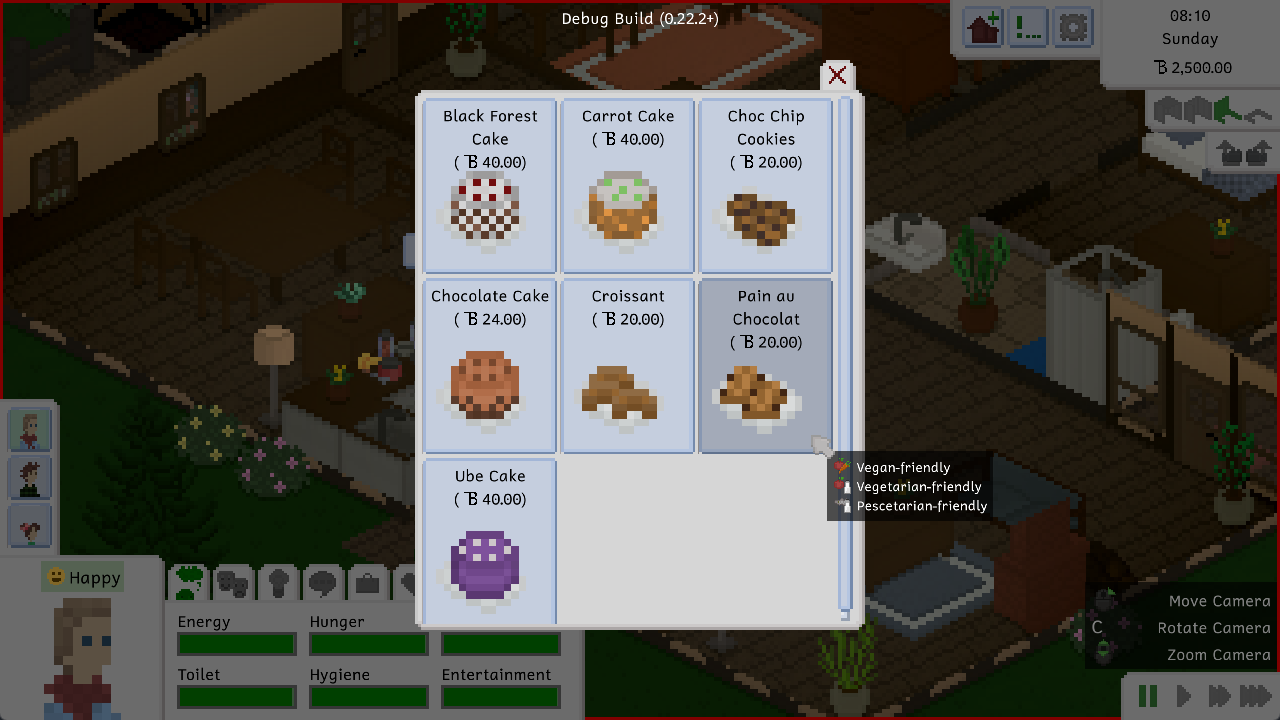
We added baking! Not only that, but we added a ton of new baked goods along with the feature. What baked goods, you ask? These!


Baking can be done from the fridge, just like cooking, but it's a different skill altogether. Children can also level up in the baking skill by using the small stove and making cookies on it. Tasty!

You can use cake on someone's birthday (more about that in a bit) by adding candles to one, which then allows the birthday Tiny to age up then and there, similarly to how it works in The Sims.


Choices For Jobs


Something that a few players have been requesting in the past has finally been added to the game: While a Tiny is at work, and they're part of the currently played household, there is now a chance that an interaction menu called a choice prompt will show up, which poses the player with a problem that has two or three possible courses of action.


Each one of these actions has a chance of being successful, and they each affect your job performance in different ways. Each job also has a different set of choice prompts available, so if you're into the choice prompt lore, you can try out different jobs to see them all!

New Furniture


Since the previous update, we've taken some time to add a bunch of new furniture items. None of these are new types of furniture, but they're new variations of existing items: Chairs, decorative vases, lamps, and more! Check out this screenshot which features some of them:


We also added some decorative power poles that make Maple Plains city look a bit more like a place that might exist in the real world. They don't do anything, and you can only get them using cheats, but they look nice, and that's what matters!


Rummaging Through... Trash?


Yea. This is a weird one. It's kind of cool, though.


You can now rummage through trash cans that have previously had stuff thrown into them, which allows you to retrieve that very stuff. Of course, if it's just an empty platter or some food that's gone off, it's not necessarily the most useful thing. But a discarded painting or an unfinished woodwork? Those might be valuable to some!

Every other day, however, the town's trash collector will come by and empty every trash can that has had stuff thrown into it. So you have to be quick if you want to find that hidden trashy treasure!

Politics, And What Mods Can Do


This part isn't necessarily related to this update, but we want to talk about it here anyway, because it is very important to us. We already mentioned this in our aforementioned tweet, but there's some extra information we'd like to share with you all.

There is absolutely no doubt in our minds that abortion is something that people in real life, as well as Tinies in Tiny Life, should be able to receive legally and easily if they need or want it. The right to control what happens inside your own body should not be questioned, or be able to be questioned, and we are appalled to see that that is exactly what is happening in the USA as we speak. Tiny Life will, once pregnancy is added to the game in one of the next updates, have the ability to end a pregnancy if the player desires.

There will be no option to permanently disable this feature. This is a really important point.

Tiny Life has, for a long time, had a Modding API that allows players to add custom content to the game, and change the content that the game offers. Additionally, the game will have various official ways of distributing these mods, including Steam Workshop support, once it is officially released. However, there will be a stern moderation policy in place that removes any mods, and bans any mod creators, that involve or suggest removing or hiding features from the game that promote body positivity, freedom of control, queer people, gender equality, and racial diversity. This includes mods that remove the ability to end a Tiny's pregnancy.

If you play video games to "escape politics", or you're upset with our decision to feature "queer propaganda" heavily in our game, then you fundamentally misunderstood what these issues are about. They're not "politics" or "propaganda", they're representation of millions of people that actually exist, and whose stories deserve to be told just as much as yours does.

The Full Changelog


Anyway, in case we distracted you enough to forget that this was originally a post about a Tiny Life update, here's the full changelog for your perusal. As we said, there's a lot of stuff this time around.

Additions
  • Added choice prompts for jobs and students, which appear randomly and allow the player to influence the situation
  • Added the ability for children to age up into adults
  • Added a baking skill and several food items that can be baked
  • Added the ability to add candles to cake to celebrate someone's birthday
  • Added a bigger version of the fitness rug
  • Added a cheaper computer
  • Added two new chairs
  • Added four new flower vases
  • Added two new small lamps
  • Added a taller wooden fence
  • Added a small coffee table and a new TV stand
  • Added two new roof textures
  • Added the ability to rummage through trash to dig up thrown away items
  • Added kissing
  • Added a search bar to the hint history menu
  • Added more actions for people that have diet personalities
  • Added decorative power poles to the default map


Improvements
  • Clarify that puddles on natural ground can't be mopped
  • Allow wall sinks to get dirty
  • Display some important tooltip information properly when using a gamepad
  • Disallow sleeping when stunned
  • Go back to the starting location after jogging
  • Improve the action variety screen when other people are involved by increasing the size of their portrait
  • Allow using WASD to control the camera by default
  • Made trash cans fill up with trash
  • Order action varieties by name
  • Display learned recipes and woodworking recipes when leveling up the cooking and woodworking skills
  • Display a security disclaimer when enabling mods
  • Play sounds for broken objects


Fixes
  • Fixed people's shoes rendering above the picnic table when sitting
  • Fixed lights being clipped early, causing them to disappear visually
  • Fixed people sometimes putting objects down on surfaces with the wrong rotation
  • Fixed some issues on the default map, including walden household duplications and a missing chair
  • Fixed diet personalities not being incompatible with each other
  • Fixed issues with the smoke particle displaying behind objects
  • Fixed people doing the walking animation while their pathfinding is still calculating
  • Fixed people sometimes not leaving a lot when asked to
  • Fixed "got food somewhere else" notifications being displayed for every household
  • Fixed emotion stings playing if the same person is selected again
  • Fixed children being able to tinker with stuff
  • Fixed being unable to place rugs under tables that have something on them
  • Fixed lamps in storage lighting up the place they used to occupy when reloading a save

0.21.0: Two Years of Tiny Life: Cafés, Gamepad Controls and More

To celebrate two years of Tiny Life's development, and to finally relieve the tension that all of you have been feeling after over two months of new update, here's 0.21.0, which marks Tiny Life's move from alpha to beta, and comes with a ton of awesome new features. This devlog contains all the information you need, as well as a full changelog for this update.

Gamepad Controls


With the Steam deck having arrived a while ago, and REDACTED on the horizon, we thought it is the perfect time to add the ability to control the entire game with a gamepad. All you have to do is pick up and connect a controller of any kind to your computer, launch Tiny Life, and use it to control the game!

Since there are a lot of available interactions in the game at any given point, we've opted to use the left and right triggers (or bottom shoulder buttons) as modifier buttons of sorts. This means that, to access some actions, you have to hold down one of the triggers and then press a button that normally has a different action. Neat!

In case you forget any of the controls, there's also a neat new hint area in the bottom-right corner of the screen that displays some useful controls. If you're too cool for school, you can disable this in the game's options, too.


Additionally, for all users of wacky controllers out there, there are some options to improve the handling of the game's controls when using a gamepad.


Cafés


Everyone loves public lots, right? Social gatherings that happen on accident, people falling asleep on the side of the road, some rude person called Joe walking up to you and insulting you. That's the stuff. You can now do all of that stuff at the new café lot type, and associated "Coffees and Trees Café" in Maple Plains City!


At these places, a new barista employee will greet you and assist you with coffee and delicious food. To do this, all you have to do is click on the barista employee and select "Order Food" or "Order Coffee". The barista employee will then go ahead and prepare it for you, and call you out of the café crowd when it's done. Mmm, tasty.

New Items


This update also features a bunch of new items, including furniture, outdoor decorations, and a new door. Here are some screenshots of that stuff. Enjoy!


Along with the coffee machine (which you can also use at home, if you don't like heading out to cafés), there's also a useful new item that players have been begging for: a newspaper! The newspaper will be delivered every other day by the local mail deliverer, and it can be used to get a job, read the news, or read some very funny jokes.


Misc. Stuff


There are also some new actions coming at you, mainly related to a new personality type: the Foodie personality! As a foodie, you can talk about food, discuss the pros and cons of putting fruit on your pizza, and you'll be first in line for using a new action that comes with level 8 of the cooking skill: "Adding a Little Something" to food, which increases its quality!


As a side note, this update also marks the transition from Tiny Life's alpha into the beta. This really doesn't mean much, other than that the game sounds closer to being done than it did before. Which it is. Yay?

The Full Changelog


As always, here's a full version of the changelog for your perusal. Of course, you can also look at this in the bottom-right corner of the game's main menu.

Additions
  • Added the ability to control the entire game using a gamepad
  • Added newspapers, and the ability to get jobs from them
  • Added two street lamps, a stone wall fence, a coffee machine, a food display case, a staff-only door, a café sign, big and small glass dinner tables, a small wooden dinner table, a modern chair, a coat rack, a wall-attached shower
  • Added a café lot type, a playground lot type, and a barista lot employment
  • Added the Coffees and Trees Café to Maple Plains City
  • Added some additional sweet speech sounds
  • Added controls hints, which display useful controls in the bottom right corner (and can be disabled in the hints options)
  • Added the ability to tinker with objects to increase repair skill
  • Added the foodie personality
  • Added the ability to "add a little something" to food with cooking level 8 or higher
  • Added the ability to create and share custom maps with the community (this is not documented yet, however)
  • Added the ability for children to run around for fun
  • Added the ability to add a second binding for each keybind
  • Added the ability to clear the notification history


Improvements
  • Hide the mouse cursor after five seconds of movement inactivity
  • Reduced the tooltip delay from half a second to a quarter of a second
  • Made grass tiles have visual variations
  • Moved portraits down to avoid them being hidden by the emotion name
  • Improved the way wall-hanging objects are rendered, causing them to look wrong less often
  • Show the amount of items in the household storage on the icon
  • Added particles for grilling, being stinky, chimneys, and breaking things in build mode
  • Added an option to allow or disallow loading mods (which is disabled by default)
  • Added a tooltip displaying who claimed a bed
  • Made stunned emotion go away when showering rather than sleeping
  • Added a deselect button to the move tool
  • Display a link to the game's roadmap in the main menu
  • Added a protective wear clothes intention that gets used when driving on an e-scooter for kids


Fixes
  • Fixed a crash with regular visitors if there are broken exported households
  • Fixed debug food items crashing the game
  • Fixed children being able to do lot employments
  • Fixed the game crashing when the OS doesn't allow opening folders in the explorer
  • Fixed large benches occluding walls
  • Fixed a crash that sometimes occured when deleting the last tiny in the character creator
  • Fixed people trying to sleep in beds that other people had claimed
  • Fixed some issues with Vortis' households and lots
  • Fixed people holding paint brushes wrong in some rotations
  • Fixed a rare crash when grabbing a serving from a nonexistent platter
  • Fixed notifications forgetting their icons when quitting and reloading a save


API
  • Converted a lot of enumerations to other types, allowing for custom values to be added
  • Allow openings to have multiple layers