
- [p]Added Machinist as an advanced class of Tinkerer: The Machinist is designed to automatically summon a Mechanasle at the start of battle so that scrap debris can be obtained more smoothly. It can also detonate the Mechanasle using the Kill Switch skill to deal damage to enemies.[/p]
- [p]Added Philosopher as an advanced class of Alchemist: The potion crafting abilities of the Alchemist’s skills have been enhanced, and a new Elemental Jar crafting skill has been added. The Transmute potion crafting skills now allow the player to choose one potion from several possible potions to create.[/p]
- [p]Added Elemental Blade as an advanced class of Spellsword: Elemental Blade has the class skill Knowledge is Power, which grants an INT-based damage bonus when performing melee weapon attacks.[/p]
- [p]Improved Corsair skills and added the advanced class Gambler: The Corsair’s Blade and Gun Mastery now performs an additional gun attack when a one-handed weapon attack succeeds and a gun is available. The Gambler is a class that uses cards, dice, and coin tosses. It uses passive skills that increase the new stat Luck:LCK. As LCK increases, the critical hit rate and the probability of succeeding at gambles also increase. In addition, as a final skill the class can learn Cheating, which allows all skills to hit and all gambles to succeed for one turn.[/p]
- [p]Improvements to the nature attack mage line: The advanced class Hermit has been added for Nature Mage. Since many of the Nature Mage’s attack skills had strict tile requirements, some tile restrictions have been relaxed. For example, skills that previously required dirt tiles or rock tiles were changed so that they can be used on any tile without water, or their tile restrictions were removed entirely. A new attack skill that produces different elemental attacks depending on the tile type was also added. In addition, Tornado, the ultimate offensive nature spell, has been added.[/p]
- [p]Advanced classes for the lancer line: Dragon Slayer, the advanced class of Lancer, possesses dive-type skills that leap into the sky, deal melee damage to enemies, and return. Rune Knight has been changed to an advanced class of Lancer, and an automatic weapon retrieval skill has been added so that spear-throwing skills can be used more effectively. Centurion, the advanced class of Phalanx, has also been added.[/p]
- [p]Dark magic classes: Necromancer was considered too strong compared to other classes, so its class skills were nerfed in order to change its concept. Demonologist had its class skills strengthened so that when it receives buff skills, the buffs are also applied to its summons. Enhanced Blood Magic abilities, Blood Shield and Blood Overdrive, were also added. Meanwhile, the witch-type classes had their demon summoning skills removed and instead received new or improved poison and curse related skills.[/p]
- [p]Class skills were added for the subclass Twinblade. Dual Wielder: when a one-handed weapon skill is used, the character automatically performs an additional attack with the weapon in the opposite hand. In addition, the dual-wield skill Heavy Dual Grip (which allows two two-handed weapons to be equipped) was added.[/p]
- [p]Added Greatsword as the advanced class for the knight who uses two-handed swords.[/p]

Transfinite Dungeon
Class Reinforcement Update (v3.2.0)
v3.0.25 Update
Steam Workshop Support
- [p]You can now enter the Workshop through the Steam client and subscribe to any mod you want. When the game starts, the subscribed mod files are copied into the in-game mod folder (\[install directory]/mods/).[/p]
- [p]Subscribed mods are not automatically deleted from the in-game mod folder when you unsubscribe.However, when a Workshop mod is updated, the game compares the version information in the in-game info.json file and applies the update accordingly.[/p]
- [p]If you place a mod you created yourself into the in-game mod folder, you can upload it to the Steam Workshop.[/p]
- [p]For reference during mod creation, we have uploaded a data mod that includes all game information except for art and sound assets.After subscribing to this mod, you can open it from the in-game mod folder to see how the game data is structured.You can also modify any desired values or information and apply the mod, in which case the data in the mod will be applied and will overwrite the original in-game data.[/p]
Steam Deck Launch Issue Fixed
The cause of the crashes on Steam Deck was that, for unknown reasons, the game was not launching with the Linux native build but instead running the Windows build through Proton. When a gamepad was connected in this state, the game would crash. The issue has now been fixed so that the Windows build runs correctly under Proton, allowing the game to launch on Steam Deck without any additional action. However, to avoid potential performance issues, it is recommended to check the game compatibility settings and switch the runtime to Linux Runtime if it is set to Proton before launching the game on Steam Deck.
v3.0.6 Update
Bug Fix: Fixed an issue where the ally defense stat limit set in difficulty settings was not applied in-game.
Bug Fix: Fixed an issue where units that could not be hired were shown when there were two or more Taverns.
Bug Fix: Fixed an issue where terrain elevation skills did not increase their duration when leveled up.
Change: Increased the number of transferable portals in towns from 8 to 10.
Bug Fix: Fixed an issue where the Continue button did not appear on the main menu and the Quick Start button was shown instead, even when a game was in progress.
Bug Fix: Fixed an issue in Quest Mode where, if all members died, the next quest battle would immediately result in a defeat.
Bug Fix: Fixed an issue in Quest Mode where the game would not trigger Game Over if all units died during an invasion defense event.
Bug Fix: Fixed an issue in special events where, after a battle, newly generated events would not trigger immediately and required clicking the NPC to appear.
Bug Fix: Fixed an issue where, after entering a town and then re-entering a dungeon, the skill window in the bottom-left corner would always remain hidden.
Bug Fix: Fixed an issue where the immovable property of weapons was applied to the equipped unit instead of the attack target.(Existing weapons are unaffected;only newly generated weapons were impacted.)
Bug Fix: Fixed an issue where mapping an existing Cancel button during keyboard key mapping would close the window.
Bug Fix: Fixed a crash that occurred in Quest Mode when selecting the Hall of Experience while no members were present.
Bug Fix: Fixed an issue where Shock Mines could not be placed.
Bug Fix: Fixed an issue where Hawkman showed abnormal movement when traveling between rooms.
Change: In Quest Mode, if all members are dead and the Tavern cannot be constructed, a confirmation window to give up the game will now appear.
Change: Increased the hiring limit in Custom Mode from 9 to 17.
Change: Increased the starting mercenary limit in Custom Mode from 9 to 13.
Crawl Tactics Final v3.0.3 Bug Fix (Attention: Please read)
Attention: If your save files are not visible after the update, please move the files from [Game Install Folder]/saves/offline/ to [Game Install Folder]/saves/[numeric Steam ID]/
Crawl Tactics Final Official Release
If you enjoyed the game but have not yet left a review, please consider doing so, and help spread the word so that fans of turn-based tactics and rogue-likes can discover Crawl Tactics :D
Since this is the final major update for Crawl Tactics, I wanted to look back on the journey of making it.
Start
Development of Crawl Tactics began in 2018. Influenced by the combat of Tactics Ogre and the roguelite progression of FTL, the aim was to create a game where each new battlefield offered fresh interactions and strategic combat. It followed a similar direction to my first game, SFD, but was intended to address the limitations and regrets I had with SFD. In particular, I wanted to implement verticality like in Tactics Ogre and improve the rough graphics.
Next fest Demo and Beta
Looking back, the biggest mistake during development was implementing whatever I wanted without a clear direction. Because this was a solo project, development dragged on and the game grew overly complex. For example, verticality was difficult to implement in a 2D isometric view, leading to delays and bugs. Yet for players, verticality ended up interfering with trap usage and making maps feel inconvenient. It also obscured vision, causing confusion for many. During the first demo playtest, many said they found SFD more enjoyable.
I also participated in Steam Next Fest, but the game lacked polish and failed to draw attention. Since you can only participate once, I missed a major promotional opportunity.
One memorable improvement afterward was receiving help from a pixel artist named Raseya, who worked on character pixel art. The quality was far better than my programmer art, but due to my strong personal direction and interference, we gradually drifted apart after the initial work. I want to express my gratitude and apology to Raseya.
Official Release
The game officially launched at the end of 2022. Exhausted from the long development, I wanted to release it as soon as possible. However, the rushed release caused issues with quality, balance, and usability. Difficulty was also a problem; in trying to avoid making the game too easy, I made it overly difficult in ways that frustrated players. For example, since archers were too strong, I added an arrow-count mechanic to weaken them, but this only made archers hard to use and difficult to understand. Because of issues like these, the game’s reception was weaker than SFD, and sales were lower than expected. There was also friction with members of the Discord community, who disliked updates they felt were hostile to players. I even banned a user who ignored warnings, and my relationship with the person who had offered free German translation also deteriorated. Afterward, I realized the importance of feedback and made a genuine effort to listen and improve the game. I want to apologize again to Kampy.
v2
The launch results were disappointing, and although I improved issues step by step through player feedback, the constant small fixes made me want to create larger changes. I did not want to abandon the game in an unfinished state, and although not many, there were players who supported the game, so I planned a major update. I began in 2023, not intending for it to take long, but once again development went on as I kept implementing desired features, delaying v2. The v2 beta began in June 2024 and released on August 31.
The focus of v2 was removing unreasonable mechanics and inconvenient systems that caused unnecessary frustration. I removed the cumbersome arrow mechanic, allowed spells to ignore certain terrain restrictions, and replaced delayed-cast spells with a new ultimate-style system called Rage Magic. I also improved graphics and added new content, including endgame content. The biggest addition was Quest Mode. Dungeon Mode had overly long floors, so I wanted to shorten the flow and allow easier character growth, as leveling and progression are core SRPG fun. Early Quest Mode had too little resource gain (souls) and bosses were too hard, so I adjusted the difficulty. I also added Dungeon Mode events into Quest Mode. To encourage ongoing play, I added the Abyss Gate and multi-run Quest Mode. On the UI side, I added rotation animations so the camera wouldn’t feel confusing, and refined the pie menu previously used only for controller support so players could select functions without moving the mouse too much, keeping the UI centered.
Final
The last major update aimed to address balance issues such as thieves being too strong due to AGI and AP advantages, or Fireball wiping out enemies too easily, along with fixing cards that had little use. I also implemented modes I had long wanted to add and upgraded the battlefield generation algorithm to make battlefields feel more organic. Following player feedback, I added interactions such as pushing trees or statues to topple them onto enemies, and improved demi-human freedom of play. Near the end of the final beta, a player suggested a large-scale battle mode, and after considering it, I added Defense Mode, which allows deploying most Quest Mode units and freely constructing traps. Some players wanted Simplified Chinese translation, but I could not hire translators, so I added Simplified Chinese and Japanese using AI translation.
Update List
* Mod Support:
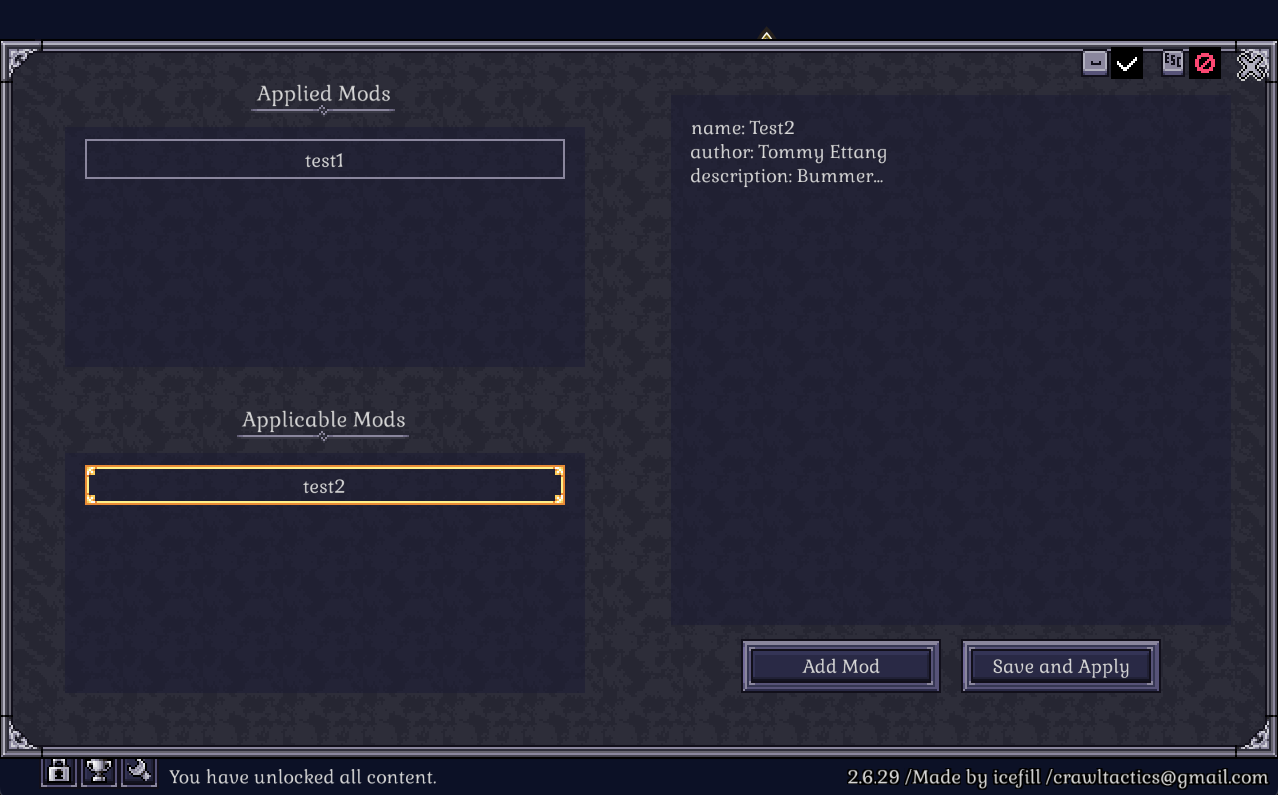
- You can now create and modify game content through mods. From the Mod menu at the bottom left you can generate and edit mod templates to create your own mods and each mod can be applied individually.
* Added siege/defense events
- In Dungeon Mode, new special events let you capture a well-defended enemy fortress or defend against waves of attackers.
- In Quest Mode, the Doomsday Counter is replaced with periodic invasions, where you place defensive weapons like cannons to fend off continuous enemy waves.
* Battle Diversification:
- When starting a new run, you can adjust various parameters such as battlefield size, total dungeon count, and trap density.
- Some enemies will now advance while taking advantage of terrain or defend strategic points. This is intended to move away from a purely camping-based strategy.
- Environmental hazards such as rockfalls and wildfires have been added. They occur with a certain probability during battles and attack random tiles each turn.
- Totems have been replaced by standard-bearers. Now enemy auras that enhance allies come from standard-bearers instead of totems. Their auras can grant traits like fear immunity magic immunity or magic reflection compensating for enemy weaknesses.
- Support-type enemies that inflict debuffs have been added.
- A wider variety of bosses has been introduced.
- Hawkman and robot enemies now appear on battlefields and in Quest Mode you can construct Hawkman Fel and robot mercenary camps as rewards and hire them.
- Added a race selection option in custom parties.
* Terrain / Trap Interaction:
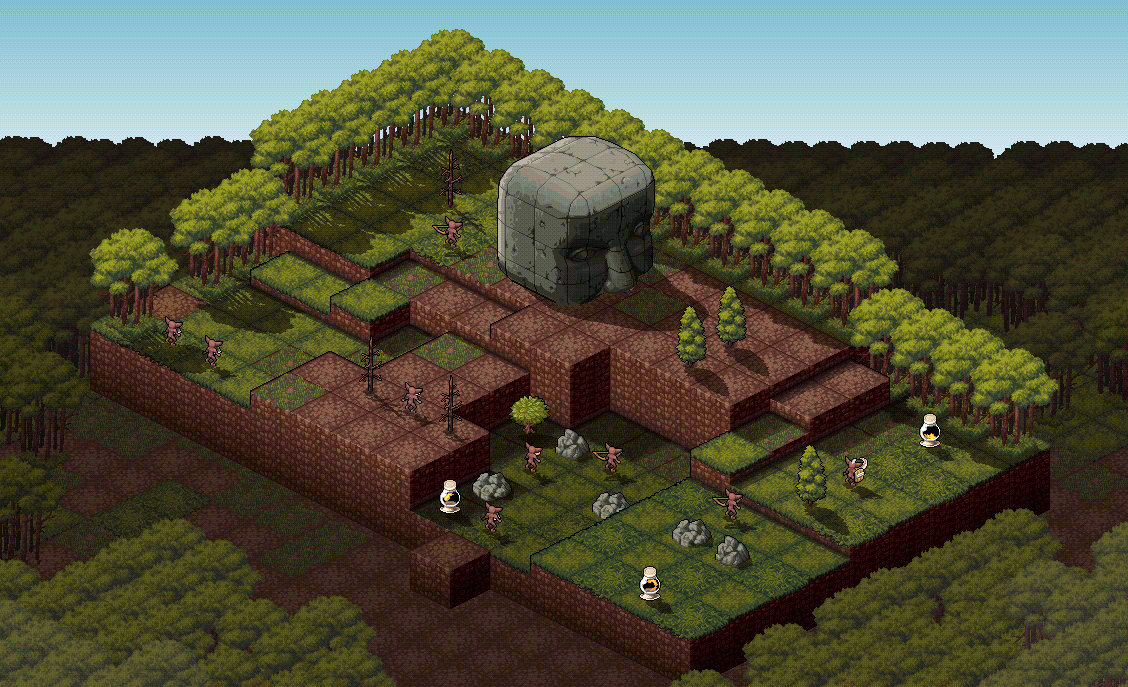
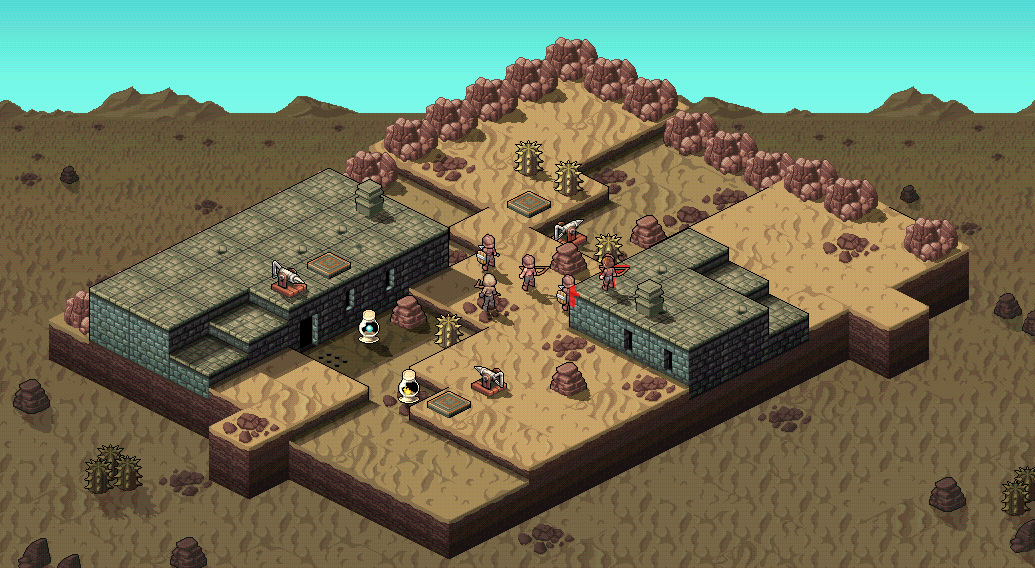
- The algorithm for terrain generation has been modified to allow greater height differences and decorations have become more varied. Large structures such as tree stumps and statues have also been added.
- Previously indestructible obstacles like rocks and statues can now be destroyed. Statues and trees can be attacked and toppled to damage enemies and statues can be pushed off hills to cause damage.
- A new type of trap jar has been added which alters temperature or weather when destroyed. The generation algorithm for existing traps such as cannon traps has also been improved so they aim more effectively toward enemies.
- Now you can adjust battlefield generation parameters before starting the game.
* Card Enhancements:
- Cards have been made more useful. For example a trap that used to change the position of one obstacle can now move up to three.
* Balancing / Stats:
- The base movement range has been increased from 3 to 4 and jump value from 1 to 2.
- Passives that increased AP without any cost have been removed.
- The bonus movement distance gained from AGI has been reduced. The effects of stats have been revised: STR now increases critical chance DEX increases evasion and CON increases debuff resistance.
- The accuracy bonus gained from improving bow mastery has been increased.
- The range of certain ranged magic spells has been reduced.
* Quest Mode / Abyss Mode:
- After clearing Quest Mode once starting a second run now resets special events allowing new ones to occur.
- The blacksmith no longer simply upgrades weapon stats; instead you must dismantle an item to obtain its core then merge it with another weapon.
- When hiring undead units the AI will no longer control them—you can now command them directly.
- Before entering the Gate of the Abyss you must now increase one difficulty element to proceed.
- Upon defeating the final boss you can choose one of three items as a reward.
* Crawlpedia:
- Enemy information has been added.
* Game Settings:
- The game speed can now be adjusted not only between normal and fast but from 75% up to 300%.
- Font settings can now be changed without restarting the game.
* Unit Appearance:
- Some unit appearances have been changed.
- Customization is now available not only for humans but also for demi-human units.
Control scheme improvement update (v2.6.37)
- [p]Save file selection menu simplified / Open menu with cancel button: [/p][p]Previously, you had to select the slot and then press the start button again, but many players considered this one of the most negative control experiences when first starting the game. So now, clicking the slot will immediately start the game. Also, in most PC games, pressing Esc during gameplay opens the menu, but Crawl Tactics didn’t follow this, causing confusion. Now, if there’s no cancelable function, pressing cancel (default Esc) will bring up the in-game menu.[/p]
- [p] Basic keyboard shortcuts reorganized for left-hand use. Default mouse wheel button set to toggle screen panning: [/p][p]The previous keybindings were considered unintuitive and too spread across the keyboard. So, screen control/rotation keys have been reassigned to the left-hand side of the keyboard. Skill hotkeys are no longer assigned by default; instead, you can use them through the pie menu, which will be described below. Also, because many found screen panning inconvenient, the standard control of pressing the mouse wheel button now toggles screen panning.[/p]
- [p]Mouse buttons and their functions can now be remapped: [/p][p]Default mouse functions have been changed, but since preferences vary by player, each mouse button can now be assigned a different function. Additionally, if the mouse has back and forward buttons, you can assign functions to them as well.[/p]
- [p]Added equipment window button next to quickslot when using keyboard/mouse. Pressing the selected unit again now opens pie menu instead of equipment window: [/p][p]Initially, I thought it was convenient to open the equipment window by pressing the selected unit again. However, based on gameplay footage and feedback, many didn’t know how to open the equipment window. So a separate button has been added for it. Now, pressing the selected unit will bring up the pie menu instead. A dedicated button has also been set to open the pie menu when using keyboard/mouse controls.[/p]
- [p]Pie menu improvements:[/p][p]The pie menu, previously used only in gamepad mode, was inspired by FPS games like Quake Remastered. However, the hold-to-select method caused confusion. Now, the pie menu appears when you press the button and disappears when you press it again. Also, with keyboard/mouse controls, moving the mouse to the bottom of the screen every time to use skills was inconvenient, so the pie menu is now available in keyboard/mouse mode too. In relation to this, when using gamepads in handheld UI mode, the bottom quickslot and skill slots no longer appear on the screen. In exploration mode, buttons were added to the pie menu for map and moving to another room. This was added because room transitions were often hard to see, obscured by terrain, or troublesome to click on. In combat prep mode, a card use button has also been added to the pie menu.[/p]
- [p]Added ability to move cursor with D-pad / Use analog stick like a mouse / Analog stick bindings now customizable: [/p][p]For gamepads, many players—especially fans of classic tactics games—prefer to use the D-pad for movement. So a default binding for D-pad movement has been added. Analog stick movement remains the default, but you can switch to D-pad movement in the settings.[/p][p]You can also freely assign movement or panning to the left/right analog sticks, and by request, a mouse mode has been added that allows the analog stick to be used like a mouse.[/p]
Crawl Tactics Dev Update: What’s Changed and What’s Next
Summary of Updates Since Version 2.6
Since version 2.6.0, updates have mostly focused on UI/QoL improvements and balancing based on player feedback, rather than major changes to the game.
- CrawlPedia Improvements:
Many pointed out that while the idea of the CrawlPedia was good, it lacked necessary information and was difficult to navigate. Now, you can access the CrawlPedia not just from the main menu but also during gameplay. A search bar was added to look up each entry, and we’ve included info sections for each stat and resource. - Enhanced Info on Proficiency/Knowledge:
Proficiency and knowledge were often confused conceptually, and players lacked reference material. Now, small icons distinguish them. Clicking relevant stats in the stats window or the CrawlPedia will show you the list of skills that can be learned with that knowledge and all info on penalties/bonuses based on proficiency.
Also, when skill books are quest rewards, the game will show which allied units can learn the skill. For equipment, units that are proficient with the weapon will be shown. When equipping a weapon with low proficiency, a confirmation message appears to reduce the frustration and confusion from unknowingly equipping poorly-suited weapons. - Improvements and Bug Fixes in Town Buildings:
There was a bug in the tavern where hired units were always level 1, now fixed. Also, many found it inconvenient to manage unused skills, so we added a skill-selling feature to the Magic Research Lab.
In dungeon mode, skills sold at the barracks scaled with dungeon difficulty, making it impossible to buy low-level skills in the late game and resulting in only level 7 summon spells spawning.
To fix this, we changed dungeon mode to behave like quest mode, so skill levels in the barracks no longer scale with dungeon difficulty. A level cap was added to prevent only level 7 skills from appearing late game.
Now, rare rings will also grant bonuses to non-summon spells, including melee skills and others.
Skill scrolls can now be viewed not just by knowledge level but also by skill level (the basis for barracks spawns), and we added a button to view this info from the barracks. - Unit Appearance:
Many requested the ability to customize the appearance of hired mercenaries. You can now change their appearance from the equipment screen. We also added a checkbox to hide armor if it doesn’t look good. - Combat:
As the number of units increases, the fixed battlefield size became an issue. Now, the battlefield size changes based on the number of allied units.
From watching gameplay videos by streamers, we noticed that familiars like wolves would rush into battle without hesitation, causing problems for players. While you can change familiar AI mid-battle, many are unaware or forget to do so.
To fix this, AI units now act after the player ends their turn, so they don’t act first. Their strategy is displayed above their HP bar, and it flashes during battle prep to catch the player’s attention.
We changed the default strategy from neutral to defensive, so they’ll only move if there are enemies to attack. A retreat strategy has also been added, where units move away from enemies. - Unlocking:
Previously, new units were unlocked only upon game over. Now, units are unlocked whenever you reach town based on the number of soul stones collected. Soul stones can now also be used for unlocking in quest mode, not just dungeon mode.
Final Major Update Roadmap
The final update won’t bring as big changes as v2 but will focus on improving areas that felt lacking, with mod support being the main goal. The plan is to complete the major update by the end of this month, conduct a short beta test, then release the full update.
- Mod Support:
The goal is to allow players to play how they want, beyond debug parties or custom difficulty. The game’s data is stored in pseudo-JSON files, so simple mods can be made by editing values.
You’ll be able to create custom classes and skills, and multiple mods will run independently.
However, due to resource constraints, there won’t be a dedicated GUI editor; mods will be edited via text files.
We’ll provide example mod files and upload them to the Steam Workshop for players to follow. - Combat Variety and Interesting Battles:
Currently, enemy AI just rushes the player. We’ve developed patterns like retreating or defending from high ground to encourage varied strategies and break away from kiting-dominated gameplay.
Undead enemies revive after a few turns, but are vulnerable to healing magic. Since most healing scales with max HP, late-game enemies—especially final bosses—are too weak to healing spells.
We plan to introduce support enemies that make allies immune to holy magic to prevent parties from becoming too overpowered.
Depending on dungeon type, we’ll also add enemies that are immune to specific magic or grant immunity auras, encouraging use of a wider variety of skills. - Balancing:
AP (Action Point) increase mechanics have been problematic from the start. AP increase is too strong compared to other benefits, so players always prioritized it.
We’ve decided to remove AP increases for all characters rather than trying to balance it for every class.
Instead, we’ll introduce skills that increase AP only under certain conditions, like the old Nightside Burst.
AGI (Agility) increasing movement range was also an issue. While removing AGI-based movement boosts entirely is an option, we’re leaning toward exponentially raising the AGI required and capping max movement.
Since complex terrain makes movement feel restrictive, we plan to increase base unit movement from 3 to 4 and jump height from 1 to 2. - Terrain/Battlefields:
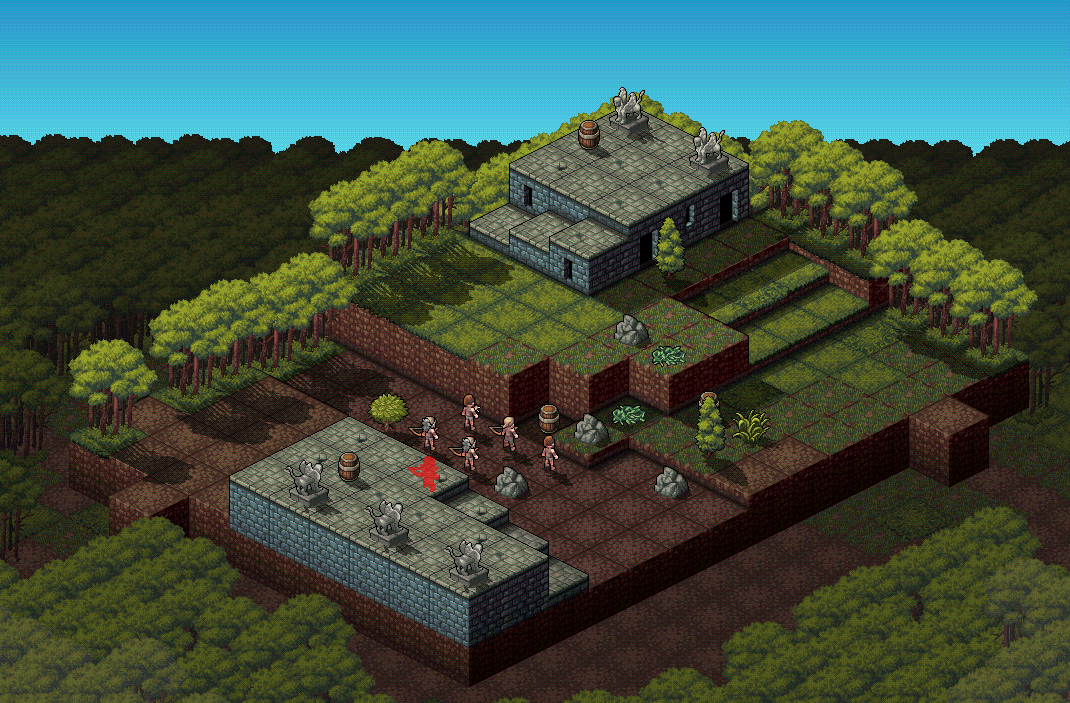
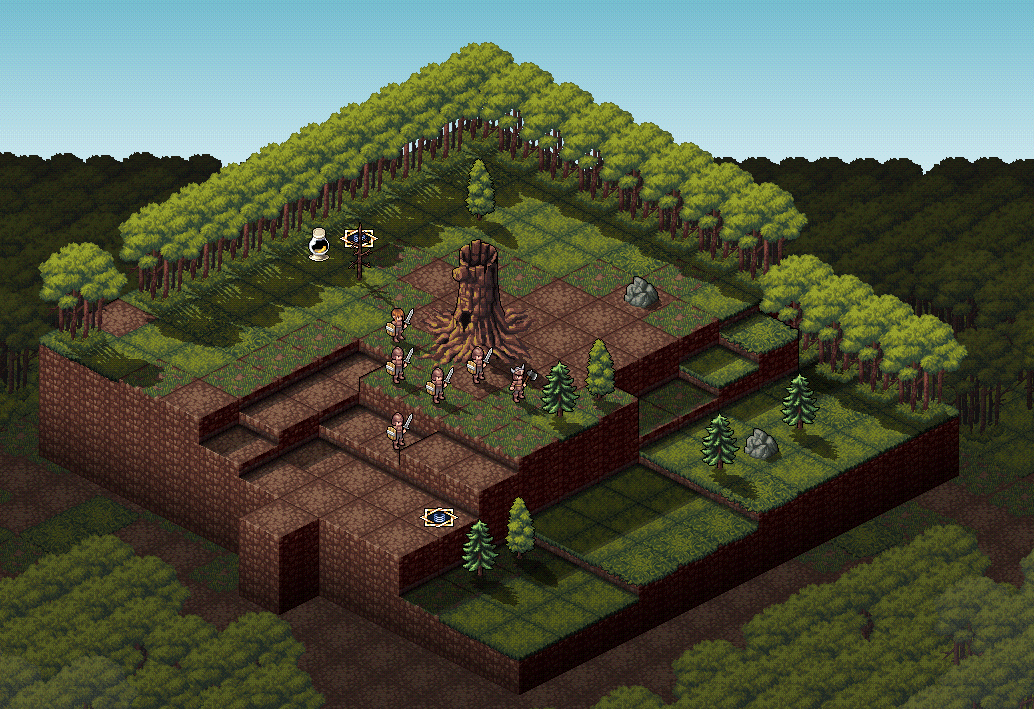
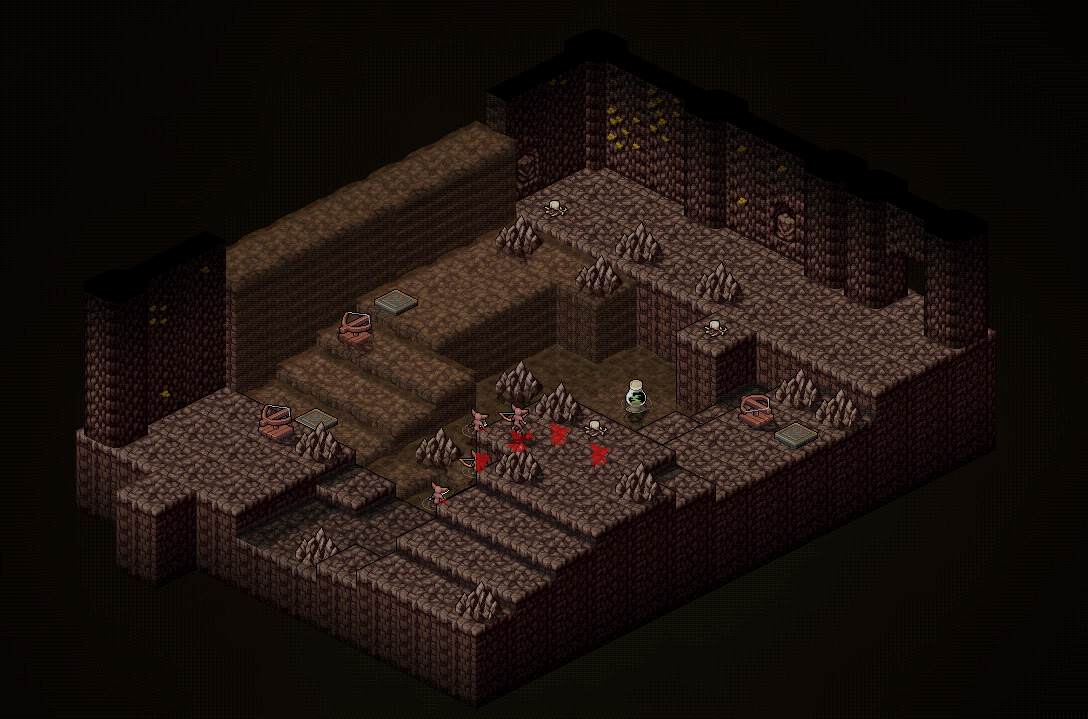
We revised the terrain generation algorithm to produce more natural-looking maps. Current maps have awkward visuals and contribute to movement-related issues.
We’re testing a new battlefield generation algorithm.
We also received many requests for trap placement improvements and new trap types.
While not yet implemented, we’re considering improving the trap algorithm and adding new traps.
However, we’ve added pots that change weather or temperature, such as causing rain or random lightning strikes each turn, and are testing such environmental hazards.
If you have feedback on the balancing direction or methods, please feel free to leave comments on this post, the discussion board, or Discord. As mentioned earlier, we plan to open a short beta build to gather more feedback.
Mod window:
New battlefield:
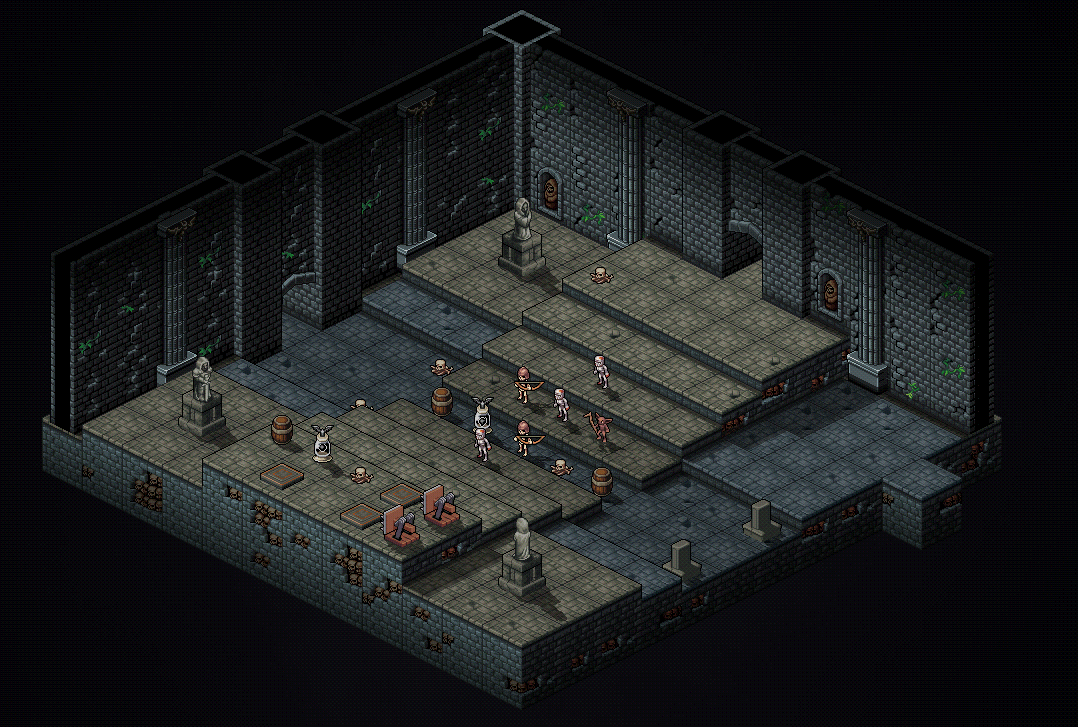
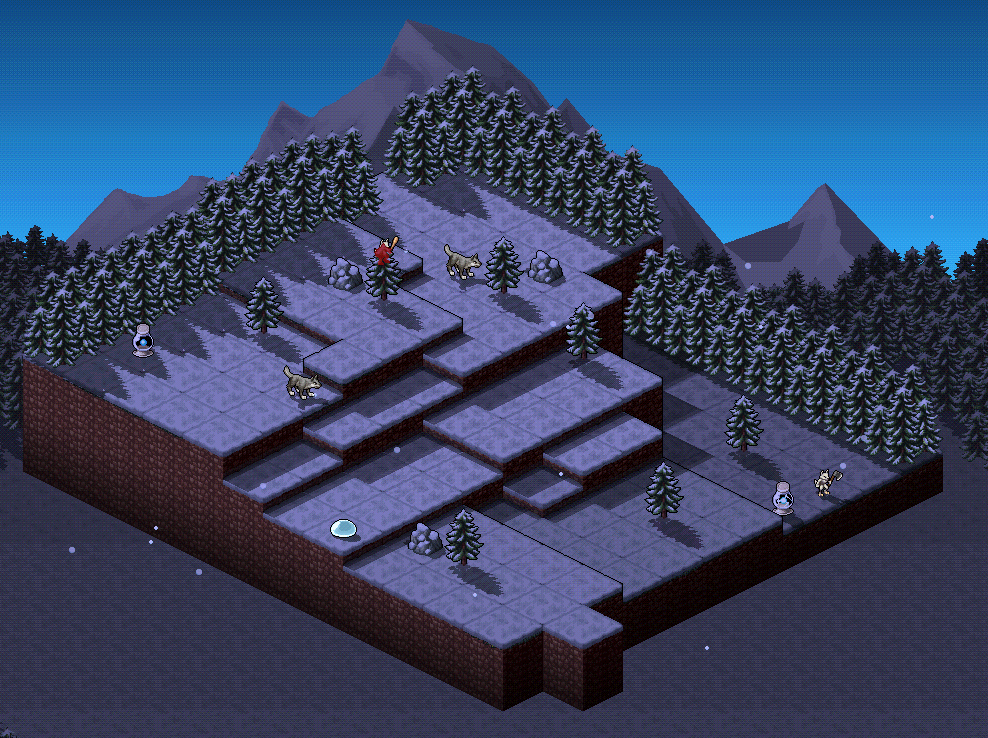
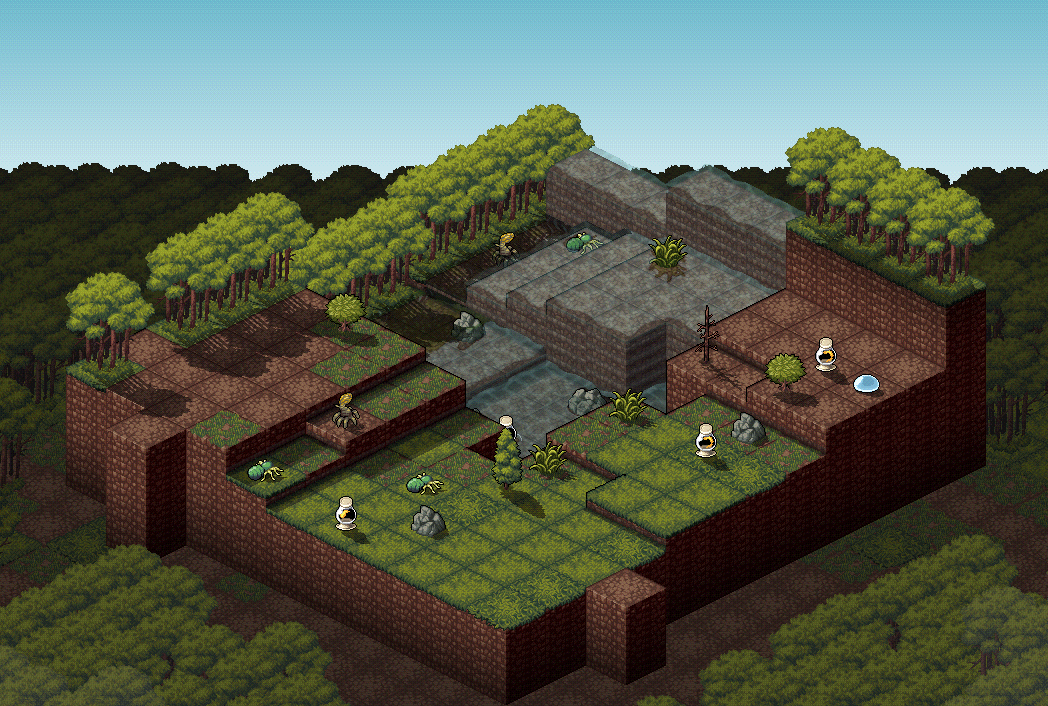
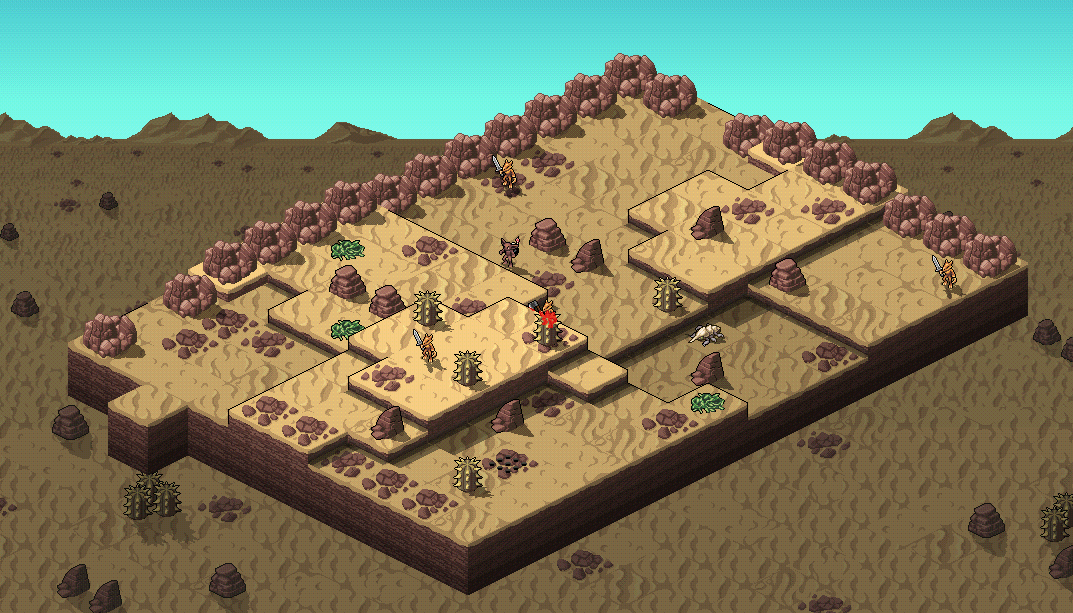
v2.6.0 Custom Difficulty / Debug Party / Subclass Update
Custom Difficulty
Break free from predefined difficulty levels and customize the game to your liking. For example, you can face stronger enemies while recovering health after battles.
Debug Party
Similar to Custom Party, but without financial restrictions, allowing you to freely test party configurations.
Subclass
Subclasses grant access to skills from another job but require more experience points to level up. This feature enables strategic play by combining skills from two different classes.