Hello Tricksters! Thanks for all your feedback over the week! This hotfix addresses feature improvements that players brought to our attention, alongside a couple of bug fixes!
If you’d like to offer feedback on how we’re running this beta do consider leaving a Steam Review. If there's anything you would like to see changed in a future update, let us know on the Steam Discussion Forum or in Discord!
You can get involved with the Workshop Beta by following this link, unlocking functionality in Trivia Tricks that lets you create, share and play custom questions!
This hotfix to the Workshop Beta addresses the following issues...
New Features & Fixes
The Update menu for updating Workshop items no longer defaults to "Public" visibility. It now defaults to the current visibility of the pack being updated.
It is no longer necessary to choose an image when updating a Workshop item, instead you can keep your existing image!
Fixed a bug where the Workshop question-picking algorithm for selecting never-before-seen questions was not taking into account the questions that clients had seen, and would instead base its decision-making on the host's question history only.
Fixed a bug where, when uploading or updating a Workshop item, file paths containing letters with accents or non-English alphabet characters would cause a "Folder could not be found" error.
Fixed a bug where, when uploading or updating a Workshop item, letters with accents or non-English alphabet characters in the "Title", "Description" and “Update Notes” boxes would become question marks when uploaded.
Fixed a bug where, if a Workshop pack title contained letters with accents or non-English alphabet characters, those letters would be shown as question marks in the Categories menu.
Fixed a bug where, in the Categories menu when using gamepad, pressing left/right at the start/end of the first row of Workshop categories would focus an unexpected item.
Fixed a bug where long Workshop names would be pushed out of UI elements like the Question/Answer UI, TV Screen, Category Screen and Update menus. The text will now resize properly.
In addition, there is now character truncation above 30 characters on the display text for Workshop names in space-restricted areas such as the Categories menu. During gameplay the full name will still be shown!
Fixed a bug where pressing the A button on a gamepad would make a sound when downloading Workshop items in the lobby, despite it not doing anything.
We've noticed that sometimes people forget to remove the "3-Tricks" credit from the Example Workshop Pack when creating their own packs, so a credit of "3-Tricks" will no longer display in-game. We don't want to take credit for something we didn't make!!
If you’re interested in what our previous beta releases fixed, check out our previous patch notes here!
The following “known issues” have been logged and we are actively looking at resolutions before the beta is over. Thanks to all players who took the time to report bugs and help grow this list!
Known Issues
We are aware of issues where the Workshop Create/Update will sometimes fail and needs to be retried. We're looking at methods to increase the reliability of these actions.
We are aware of an issue where client and host category menu 'allowed' numbers become desynced if the host is subscribed to Workshop packs clients cannot see.
We are investigating if it will be possible to give more useful feedback if the host tries to play with a Workshop Pack that not all clients can see.
Thanks again for following Trivia Tricks!
Workshop Beta Hotfixes Wave 2 (Version 0.9.20.12)
Hello Tricksters! Thanks for all your feedback over the weekend, including during Saturday Night Trivia! This hotfix addresses several key areas of improvement that players brought to our attention.
If you’d like to offer feedback on how we’re running this beta do consider leaving a Steam Review. If there's anything you would like to see changed in a future update, let us know on the Steam Discussion Forum or in Discord!
You can get involved with the Workshop Beta by following this link, unlocking functionality in Trivia Tricks that lets you create, share and play custom questions!
This hotfix to the Workshop Beta addresses the following issues...
New Features & Fixes
In response to player feedback about the time it takes to deselect the standard categories, we’ve added a new button that turns off every category (Including Workshop).
The "Friends Only" tick-box in the Create & Update menus has been replaced with a new selector that allows for three options; “Public”, “Friends Only” and “Hidden”.
Workshop packs that have already been downloaded to the player's machine will no longer be redownloaded every time they are used, significantly speeding up game start time.
In addition, Trivia Tricks has less of a wait between downloading each Workshop file, which will also improve the speed of the download process.
While being asked a question from the Workshop, the UI will display the name of the Workshop category as it is titled on the Workshop rather than the name of the csv file.
Fixed a bug where the Workshop Update Pack “visibility” setting did not work, and was instead using the visibility setting set of the last uploaded Workshop pack.
Potentially mitigated a crash that could be caused by joining multiple lobbies that had been playing with Workshop packs within the same game session.
Fixed a bug where players had to click twice to use the textboxes in the Create & Update menus.
Fixed a bug where the player's caret would move to the end of the textbox if they tried to type in the middle of the text. This fix applies to all textboxes in the game.
Fixed Mr Tricks' thinking sound ignoring the players volume settings.
Fixes Resolved In a Previous Beta Release
Fixed an issue where, after subscribing to five or more Workshop Categories, a random Workshop Item would be missing in the categories menu.
Added a validation check so exact copies of the Example Workshop pack cannot be uploaded.
Fixed an issue where Trivia Tricks would save the player's game after a Workshop question was asked, instead of at the end of the round.
The following “known issues” have been logged and we are actively looking at resolutions before the beta is over. Thanks to all players who took the time to report bugs and help grow this list!
Known Issues
We are investigating an issue where, if your Workshop Image contains an underscore or accented character, that the Workshop pack will fail to upload with a message that Trivia Tricks “Couldn’t find a folder to upload”.
We are aware of issues where the Workshop Create/Update will sometimes fail and needs to be retried. We're looking at methods to increase the reliability of these actions.
We are aware of an issue where client and host category menu 'allowed' numbers become desynced if the host is subscribed to Workshop packs clients cannot see.
We are investigating reports that Workshop questions sometimes repeat between game sessions.
We are investigating if it will be possible to give more useful feedback if the host tries to play with a Workshop Pack that not all clients can see.
Thanks again for following Trivia Tricks!
Workshop Beta Hotfixes Wave 1 (Version 0.9.20.8)
Hello Tricksters! Thanks for all your feedback from these first 24 hours of the Workshop Beta, this hotfix addresses some of issues that have been brought to our attention so far! You can get involved with the Workshop Beta by following this link, unlocking functionality in Trivia Tricks that lets you create, share and play custom questions!
This hotfix addresses the following issues...
Replaced the checkbox to create a 'Hidden' Question Pack to instead mark the Question Pack as 'Friends Only', as 'Hidden' packs can only be played by the individual who uploaded it.
In a future update we will reintroduce the 'Hidden' option, alongside adding the option to upload your pack as 'Unlisted'.
Fixed an issue where, after subscribing to five or more Workshop Categories, a random Workshop Item would be missing in the categories menu.
Added a validation check so exact copies of the Example Workshop pack cannot be uploaded.
Fixed an issue where Trivia Tricks would save the player's game after a Workshop question was asked, instead of at the end of the round.
The following known issues have been logged and we are actively looking at resolutions before the beta is over. Thanks to all players who took the time to report bugs and help grow this list!
We are aware of an issue where client and host category menu 'allowed' numbers become desyned if the host is subscribed to Workshop packs clients cannot see.
We are aware of an issue where the Workshop Create/Update fields will keep shifting the typing caret to the end of the textbox.
We are aware of an issue where the Workshop Create/Update fields must be clicked twice to swap focus between the Title and Description
We are aware of issues where the Workshop Create/Update will sometimes fail and needs to be retried. We're looking at increasing the reliability of these actions.
Thank you for all your feedback during this beta so far! If you've noticed a bug in Workshop, or there's anything you would like to see changed in a future update, let us know on the Steam Discussion Forum or in Discord! If you have more detailed thoughts, then please consider leaving a Steam Review letting us know what you think. All feedback is valued, and thank you for following Trivia Tricks!
Create, Share & Play with Custom Questions TODAY! ⚙️
Today is the day! Steam Workshop Support for custom question packs is now available in open beta!
HOW TO JOIN
This is an open beta, so anybody can join by following these simple steps!
In the Steam Library view, right click ‘Trivia Tricks’
Click ‘Properties’
Click ‘betas’ in the left-hand panel
Change the dropdown to ‘workshop_beta’
Wait for the small download to finish
You’re ready!
Create Question Packs on any subject matter you can think of! Preview your creations in Trivia Tricks, and upload them when you’re happy. Get started with creating packs using our official Steam Guide.
Share your questions with Steam Workshop. You could release a pop-culture pack to the whole world, or make something more personal and keep it private among your friends.
Play seamlessly with default and Workshop categories, with only the lobby host needing to subscribe. Mix and match with Trivia Tricks’ default categories, or make the entire quiz yours.
How do I create a Question Pack? - If you visit the Workshop menu in Trivia Tricks you’ll get an example Question Pack created in Documents\TriviaTricks\Workshop that you can edit in Microsoft Excel, LibreOffice Calc or even Notepad! Check our our official Steam Guide on creating question packs for more information!
Why is this a beta? - To put it simply, we want to make sure custom questions match the quality Trivia Tricks is known for! This is the most functionality a single Trivia Tricks update has ever added, we want to get it right before the full launch! A lot of gaming ‘betas’ are just demos in disguise, but we want to be transparent here that things could go wrong.
How long will this be running in beta? - We plan to run this beta for 2 weeks. Afterwards we hope to release Workshop to all. It’s possible the beta may be extended based on feedback we receive over the next fortnight.
If I’m on the Workshop Beta can I play with users who are not in the beta? - All players in a lobby must be in the same state of beta participation. If somebody who hasn’t opted into the beta tries to join a Workshop-enabled lobby, or vice versa, players will be informed that they must swap branch. You can see if a public lobby is in the beta or not because the ‘Categories’ field in the server browser will say ‘Workshop’ instead of ‘Standard’.
Oh no! I found a bug! What shall I do? - That’s not all bad, that means we can fix the bug before the beta is over! The fastest way to get help is by posting the issue in our Discord. Us devs will be particularly active over the next two weeks to track any user-raised issues. If necessary we will be in contact to help!
I haven’t found a bug, but I have some feedback! - That’s great too! The best places to give us feedback are the Steam Discussion Forum or Discord! Over the beta period we’ll be prioritizing bugs, but we’re actively looking for direction to take Workshop through updates we’ll be releasing over the next couple months. If you’ve got a killer feature on your mind then let us know!
If you’re waiting until the beta is over before joining the Workshop fun, this update includes some new features for everyone!
Instead of being forced into Chance Round, Twitch now gets to partake in the democratic process by entering just a single letter. Twitch now gets to vote if they want to join Chance Round!
We promised we’d remove the veto limit on the Standard Trivia when Workshop became available to all, but we’re happy to deliver this change early! You can now play with just a single category! Who in your friends knows the most about history? Video games? Anime?! Only one game to find out!
Phew, that’s a lot! Here’s the full patch notes!
The following changes are included for all players:
Twitch characters can now vote whether or not they want to take part in the Chance Round! Previously they were forced to always join.
All your viewers need to do is send "Y" if they want to join and "N" if they want to skip!
Each viewer can only vote once, and majority wins!
The voting results of each Twitch chat can be seen on the bottom of the screen throughout the duration of the voting time.
If the votes are equal, then that Twitch character has a 50% chance of joining.
When playing with Twitch, the Chance Round voting section will take 25 seconds to accommodate for streamer lag.
You can now play with just one category when playing in Standard Trivia!
If you turn off all of the categories before playing a game, a single random category will be turned on. Pot luck!
This doesn't apply to Co-Op Vs Boss Mode, which retains restrictions on category amounts for balance purposes.
When in the Server Menu, normal player lobbies will show their categories as being "Standard". beta participants will display their categories as "Workshop".
You may only join a Standard lobby if you do not opt into the beta. An error message has been added to inform the player of this.
You also cannot join a Standard lobby when participating in the beta. An error message has been added to inform the player of this.
All bosses (Excluding Negative) have been given a small accuracy buff to account for balance changes made in the last update.
The chance of King spawning a 1/2 Chance Round ball has been halved to make him more 'fair' as King is generally first boss that players face.
Previously, when playing against Dash and Sakura and not turning any extra categories on, Trivia Tricks would alternative between the two enabled categories every question. Now, specifically when playing with just two categories, it’s possible for the same category to be picked multiple times in a row.
The non-beta Workshop Menu buttons for “Create”, “Update”, and “Get More Categories” will now link users to these patch notes so they know to join the beta!
Fixed some typos and cleaned up the wording on a variety of questions. Thanks to all of you who took the time to report these to us directly!
Added even more questions across all categories, many suggested by the Discord community! Thank you to everyone who has suggested questions so far!
Fixed a bug where, if someone disconnected specifically as a result of them losing internet connection, the lobby would become unjoinable for all players.
Fixed a crash when trying to “Preview” a Workshop pack that had an empty row.
Fixed a bug where, when checking if Workshop packs were valid, duplicate unique IDs were not being detected.
The following changes apply to the Workshop Beta branch of Trivia Tricks:
You can play with Steam Workshop in both online and offline modes!
You can play with both Standard and Workshop categories, and enable a maximum of 20 categories!
When everyone readies up, the Workshop categories to play with are automatically downloaded by each player in the lobby.
The Categories menu will show the categories that the host has subscribed to! Any clients who join the lobby can see what the host is subscribed to in their own Category menu as well.
You can click the new "Add more Categories" button to take you to the Steam Workshop page, where you can subscribe to more!
As per the standard categories, you will not be asked the same Workshop question more than once per lobby unless you have been asked all of the questions in that pack.
As per the standard categories, of the Workshop packs that have been chosen to be played, Trivia Tricks will ask the questions that everyone in the lobby has seen the least. Workshop questions that you have seen are recorded in a "WorkshopQuestionCache.sav" file in the Trivia Tricks save folder.
If an error occurs during download, all players are informed of the Workshop category that caused the problem so that you can choose to untick the category or try again.
When you access the Workshop Menu ("Manage Workshop" on the Main Menu), you will see that the "Create", "Update" and "Download More Categories" buttons are now active!
The "Create" button takes you to the Create Menu, where you can upload Workshop categories.
The "Update" button takes you to the Update Menu, where you can release updates to your existing Workshop packs.
The "Download More Categories" button takes you to the Trivia Tricks Workshop page to subscribe to any categories you’re interested in.
In this menu you can upload a category to the Steam Workshop!
"Select File" lets you choose a Workshop file to upload.
"Select Image" lets you choose the image that will be used on the Workshop page, AND inside Trivia Tricks itself to represent your category. If you’d like to include any additional screenshots they can be uploaded from your category's Workshop page.
"Category Title" - this is what your category will be called on the Steam Workshop and inside Trivia Tricks in the categories menu.
"Item Description" - this is a description on what your category features. This information will not be displayed inside Trivia Tricks itself, but will show on your Workshop page.
"Hidden" - this tickbox allows you to choose the visibility of your Workshop pack. Unticked means it is public, while ticked means that it is hidden from all users.
Please note that you must agree to the Steam Workshop's terms of service before being allowed to upload a Workshop Item. Click the link at the bottom of the menu to accept these terms.
You can update a category that you've already uploaded to the Workshop from this menu!
Most of the fields here are the same as the "Create" menu and behave in the same way!
The Update menu has one extra field called "Update Notes" - here you can write what you changed in this update and users will see those as patch notes.
The dev team at Trivia Tricks have uploaded some small categories to play with, and we can’t wait to see what you create!
Meet Sakura, the Anime Boss & Idol! + Workshop Beta June 30th!
The moment you’ve all been waiting for, introducing the pop icon of the Trickster world, Sakura!
Sakura is the biggest idol in the Trivia Tricks universe and Mr. Tricks is more than a little star struck to bring her on the show! Her specialist subjects are Anime and Video Games, but you can even the playing field by adding two categories of your own!
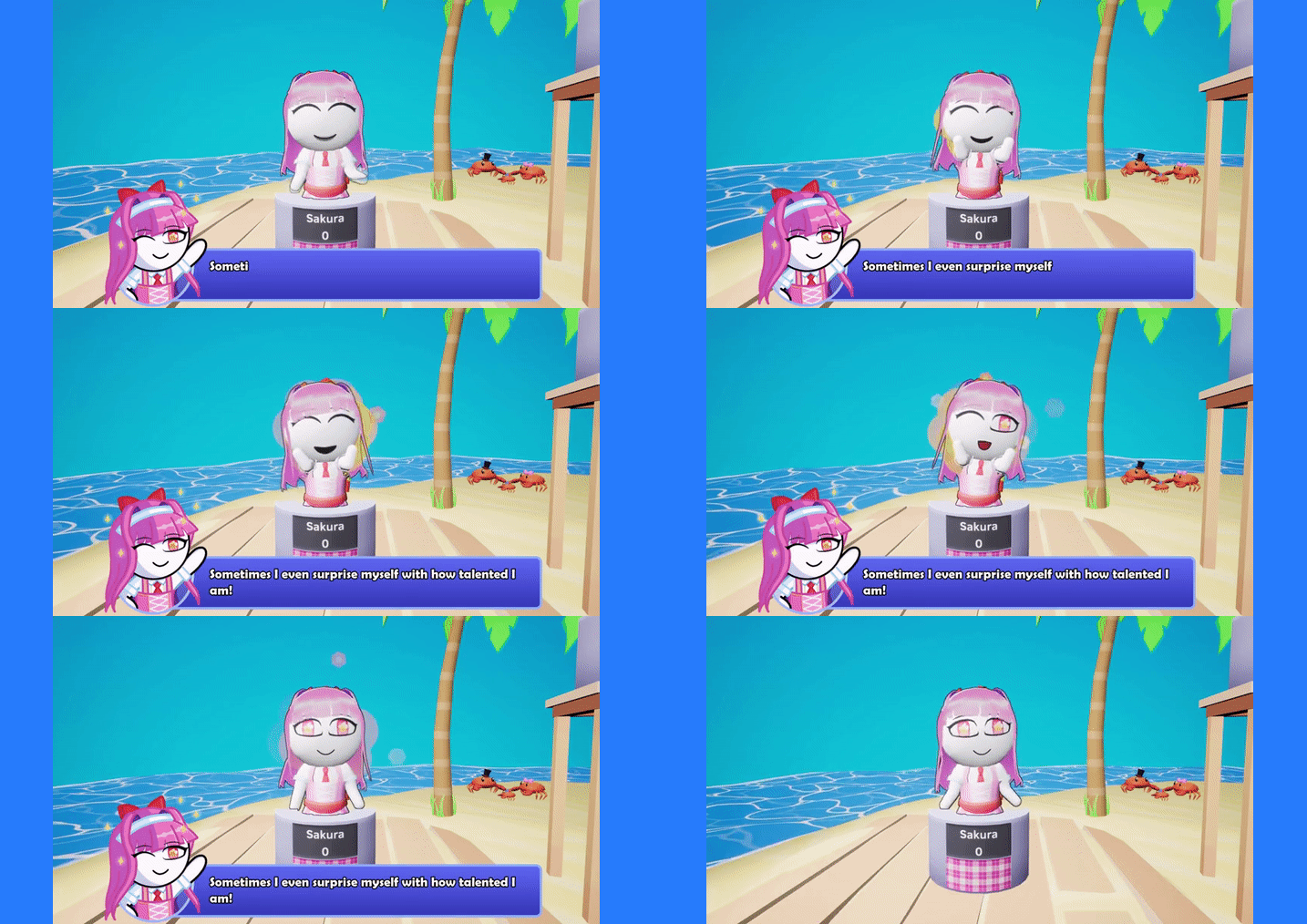
Followers of Trivia Tricks will recall our previous update overhauled dialogue to be more expressive. This was in preparation for Sakura who, true to her anime roots, is our most animated boss yet. We hope you’ll enjoy seeing all the extra touches we took to make her true to her source material!
It wouldn’t be a new boss without a wardrobe extension, and a trendsetter like Sakura only accepts the best. You can match Sakura’s style by purchasing her outfit in the Character Creator with your earned TriviaBucks! Plus, if you outsmart Sakura on stage she’ll teach you how to get her iconic hairstyle in a variety of colors!
Before we get to that Workshop release date, we’d just like to bring attention to our revamp of the AI that standard CPU use. From today you’ll find your leaderboard placement will feel more ‘fair’ in games with many AI players, final AI scores will be much more consistent between matches, and characters now have categories that they’re better at! For example, Lyle loves Geography, but really is clueless when it comes to Animals! Try to figure out each AI’s individual quirks and report your findings in the Discord!
We’re happy to announce an open beta for Steam Workshop will launch on the 30th June, allowing anybody interested to get an headstart on sharing their own categories! Then, based on the results of this beta we hope to bring Steam Workshop to all players on the 14th July. We will make a news post in the coming weeks showing how the experience works and details on how to join the beta. You can prepare your question packs for the beta today by using the ‘Preview’ option under the Workshop Management menu and our Steam Guide! We can’t wait to see what you create!
Like what we’re doing? Hit the thumbs up below this news post! Have more detailed thoughts? Consider leaving a Steam Review letting us know what you think. Or come chat with us devs in the Discord. Thank you for following Trivia Tricks!
Without further ado, here’s the full patch notes!
This update sees the debut of our newest boss, the #1 idol Sakura, who specializes in Anime and Video Games!
Sakura is similar to Dash as you can add two of your best categories to help you out, but Anime and Video Games cannot be turned off! Of course, you could try to take her down with just your Anime and Video Games knowledge (but good luck with that)!
Some of Sakura's idol-themed cosmetics can be bought in the Character Creator! Purchase the “Idol Eyes”, “Cartoony” mouth, “Idol Dress” and “Idol Bow” with your hard-earned TriviaBucks!
Beating Sakura will unlock the “Idol Hair” in the character creator, alongside a new achievement!
With the release of Sakura, all of Trivia Tricks' categories are covered by specialized bosses! I wonder what the next boss challenge will be?
The difficulty of the AI characters in Standard games has been massively rebalanced!
At the start of a game AI characters are now internally allocated Easy, Medium and Hard difficulties proportional to the number of AI in the game.
Our testing shows that the characters assigned ‘Hard’ perform closest to pre-patch difficulty, meaning games against 7 AI are much more fair.
Each AI character has categories that they're good and bad at, start speculating who knows what!
AI characters now have the same reverse-rubber-banding system that was introduced to bosses to prevent AI characters from running away with unreasonably high scores.
AI characters now have greater variety in how fast they can answer, meaning they will not always get speed bonuses.
Bosses will now apply the reverse-rubber-banding system when they are asked about their “best categories”. Ganymede's difficulty will now be more comparable to the difficulty of Nigel and Robin due to his proficiency in Math.
The accuracy boost that boss characters receive from being asked their "best category" has been reduced. Dash has been rebalanced so he is best at Sports and Geography and worse at other categories (Similar to Sakura).
The Speed Bonus has been updated - in order to achieve this bonus you must now answer within the first 8 seconds of a question.
While the Speed Bonus was originally supposed to be achieved by answering within 6 seconds certain question timers were altering this calculation. This bug has now been fixed and the Speed Bonus is now the same across all timers.
Standard AI characters and Boss AI characters are now much less likely to achieve a speed bonus than they were before.
The Rules screen on the TV has been updated to reflect the updated Speed Bonus.
The buttons to add and remove AI have been made much more responsive, allowing AI to be removed and added much faster.
Clients can now navigate the Categories menu when playing online. This is to prepare for the release of Workshop support.
A message has been added to the ‘Add Twitch Chat’ page to make clear that the streamers details should be entered, not the details of a user in Twitch Chat.
The size of the Trivia Tricks Save file has been heavily reduced. New save files should now be under 100KB instead of just under a MB. Existing save files will clear this unnecessary data during gameplay.
Following feedback from users creating Workshop content some new validation has been added to the preview menu for character limits and open brackets.
Each field of a Workshop file now has a character limit. You will be informed when you exceed the character limit when you try to preview your question pack! This will catch most cases of malformed CSV’s with missing quotation marks or commas.
A new check has been added for open brackets, due to how certain CSV editors treat them as “Quotes”. Any cells with an open bracket must now contain a closing bracket. Additionally, commas cannot be used within brackets.
Added a specific error message if users try to preview a CSV that is already open in another program (Such as Microsoft Excel).
More descriptive error messages have been introduced to signify the row or uniqueId where a validation error has occurred. This should help you track down issues within your Workshop Packs much easier.
General error messaging has been rewritten to be clearer.
Trivia Tricks will no longer stutter when loading question packs, and a loading screen has been added while a Workshop Pack is ran through validation.
Fixed a bug where the wrong answer would sometimes be highlighted as the ‘correct’ one when multiple answers are identical in everything but their capitalization.
Increased the file size limit of a Workshop Pack from 1MB to 4MB, and additionally fixed the file size check not working correctly
Fixed a bug where trying to load an empty Workshop folder would give the error that there were "too many files" instead of "no file being found".
Fixed a bug that would show the Question Credit from the last question when loading a new pack.
Fixed displayed file paths sometimes using "/" rather than "\".
Fixed some typos and cleaned up the wording on a variety of questions. Thanks to all of you who took the time to report these to us directly!
Added even more questions across all categories, many suggested by the Discord community! Thank you to everyone who has suggested questions so far!
Over the past month Workshop development has become code-complete, and we’re now in the final design cleanup and debugging phases before the beta release on the 30th June!
The functionality for players who join a game in progress to download any relevant Workshop items of that lobby has been implemented.
Gamepad support was added to the Categories menu to allow clients to browse Workshop categories as well as the host.
Workshop categories are now disabled when playing in Co-Op Vs Boss games.
Fixed a bug where characters would sometimes not appear on the ending podiums in games with many online players.
Fixed a bug where the arrows left/right on certain menu selection boxes would adjust with the size of the containing text. Now the arrows will remain in the same position, making them easier to navigate with a mouse.
Fixed a bug where characters from certain alphabets would not display correctly on character podiums (for example, "さくらchan" would only appear as "chan" on the podium).
Fixed the chat's background still being visible when the chat has been disabled in options.
Fixed a UI bug in the statistics menu where the 'Points Earned in Chance Round' statistic could go outside its text box.
Fixed a bug where the menu displayed when joining midgame did not fully cover the screen for all aspect ratios.
Fixed a bug with the Categories Menu's navigation on gamepad when a seasonal event such as Halloween is active.
Fixed some stage elements having collision that didn’t need to.
Fixed some possible stuttering when opening the Categories menu when Trivia Tricks is started without Steam.
Dialogue Overhaul! + A Peek at an Upcoming Boss! 👀
Hey everyone!
This week we have an update that brings some neat features to our dialogue system! Now all characters in-game are much more expressive with the way they animate and talk! Character speech will now change color and size to highlight key information as well as appear with different speeds to give dialogue more personality! To further this, multiple animations are also chained together throughout a sentence instead of only at the beginning of a line. Finally, we've made some game flow improvements by reducing the amount of dialogue seen during a Trivia Tricks game. This makes speech much less robotic! Additional dialogue will be added in future updates to all characters (Including bosses) that will make full use of these features. So stay tuned!
This update brings the final set of category reviews! This time we've improved the ‘Language’ and ‘Art & Literature’ categories. Both feature new questions, alongside the removal of any that were overly niche or complicated, and we have standardized the question format between them and other categories.
We'd also like to share some information about things to come in the near future! Our next regular update will include a new (highly-requested) boss! They will play in a similar fashion to Dash by specializing in a category, but are kind enough to allow you to bring in your own specialist subjects too!
The release of Steam Workshop support for custom question packs will follow in an update shortly after this boss, giving everyone access to custom question packs that we've been talking about for a while now. With a lot of new content on the horizon we thank you for being patient!
Like what we’re doing? Hit the thumbs up below this news post! Have more detailed thoughts? Consider leaving a Steam Review letting us know what you think, or join our ever-growing Discord. Thank you for following Trivia Tricks!
Here's the full patch notes!
The dialogue system has been overhauled!
Mr. Tricks will now emote at any point during his dialogue. This allows him to be more expressive in delivering his lines! Previously all characters could only animate when they first started speaking - very robotic!
Portrait art also changes while speaking with multiple emotions in one dialogue box!
Mr. Tricks' dialogue now has different colors, sizes and fonts!
The dialogue box can now shake if the character is shouting.
The text speed sometimes speeds up or slows down depending on what is being said!
Mr. Tricks' break lines no longer play if Chance Round has just taken place to improve the flow of the game.
When a round has a points bonus, Mr. Tricks will now state it has a bonus of "30%" or "50%" rather than "1.3x" and "1.5x".
When a round has a points bonus, Mr. Tricks takes less time to introduce the next round.
Dialogue will no longer move to a new line mid-word. If the next word would make the text go onto a new line, the word will now appear on the next line immediately.
Various lines have been updated/improved and some new lines have been added for Mr. Tricks.
Expect more dialogue lines for Mr. Tricks and bosses soon!
The ‘Language’ and ‘Art & Literature’ categories have been quality reviewed!
Particular attention was paid to the 'Language' category to ensure the difficulty is fair for a global audience.
We've reviewed the popularity of the media in the 'Art & Literature' category to ensure all questions are based on popular and culturally significant works.
We've standardized the wording and punctuation in the ‘Language’ and ‘Art & Literature’ categories to match the standards set in other categories.
Fixed some typos and cleaned up the wording on a variety of questions. Thanks to all of you who took the time to report these to us directly!
Added even more questions across all categories, many suggested by the Discord community! Thank you to everyone who has suggested questions so far!
AI will no longer spawn with the same name as another player in the room to stop character duplicates when playing with the pre-made characters. For example, if someone is playing with the name "Trinity", Trinity will not be spawned in.
When playing with Twitch, speed bonuses have always been deactivated at game start as it was not possible for chats to achieve the bonus. To alleviate player confusion a message now appears during the intro dialogue to inform the players that speed bonus has been automatically turned off.
In preparation for the upcoming workshop release, we have developed a system to allow players to use standard categories and Workshop categories at the same time!
We have developed a system whereby connecting players will NOT need to manually download the same Workshop Packs as the host.
The performance of Workshop has been greatly improved when Trivia Tricks attempts to identify if a Workshop question has already been asked in the current lobby.
We have added a menu which tracks the host and client Workshop download and verification progress.
Error handling now occurs when downloads fail to allow players to resolve any issues that may occur!
The Categories menu will only show categories that the host has subscribed to, including for clients.
Our next focus is resolving issues that occur when players join mid-game while Workshop categories are active.
Thank you for your patience! We can confirm that Workshop support is now nearing completion!
'Film & TV' + 'Science & Tech' Category review! + An update on Workshop
Hello everyone!
This update brings another category review! This time, it’s the ‘Film & TV’ and ‘Science & Technology’ categories that have been improved. Both feature new questions, alongside the removal of any that were overly niche or complicated. The ‘Film & TV’ category has been given additional questions about recent shows from the last 6 month, while the ‘Science & Technology’ category has been updated to include more trivia about the human body.
Workshop continues to be the focus of development. This week we’ve made performance improvements so categories much larger than the default ones in Trivia Tricks will load within a reasonable time frame. We anticipate players will create some huge question packs, and we wanted to support that when Workshop launches!
Like what we’re doing? Hit the thumbs up below this news post! Have more detailed thoughts? Consider leaving a Steam Review letting us know what you think, or join our ever-growing Discord. Thank you for following Trivia Tricks!
The full patch notes for Regular Update 35 are as follows!
The 'Film & TV' and 'Science & Technology' categories have been quality reviewed!
New questions have been added to the ‘Film & TV’ category focusing on popular shows and films from the last six months!
The ‘Science & Technology’ category has been given additional questions on the human body.
Questions about overly niche TV shows or films have been removed in the ‘Film & TV’ category.
Specific attention was given to remove extremely obvious questions from the Science & Technology category.
More well-known anime have been given additional questions in the ‘Anime’ category!
Fixed some typos and cleaned up the wording on a variety of questions. Thanks to all of you who took the time to report these to us directly!
Added even more questions across all categories, many suggested by the Discord community! Thank you to everyone who has suggested questions so far!
Workshop development has continued behind the scenes!
We encountered an issue where large question packs would cause performance issues when the algorithm was deciding what the next question should be - this has now been resolved, which will allow players to create and share very large question packs when Workshop support launches!
Our next focus for Workshop support is to ensure players can play with both Workshop Packs and the default categories.
Thank you for your patience as we continue to work on Workshop support!
Fixed a bug where, following a Co-op Boss' reaction to answer reveals, the boss would sometimes hold their pose into the chance round.
Dash's portrait during dialogue is no longer cropped on the left side.
Steam Deck & Controller Support + Video Games Category Review!
Hello everyone!
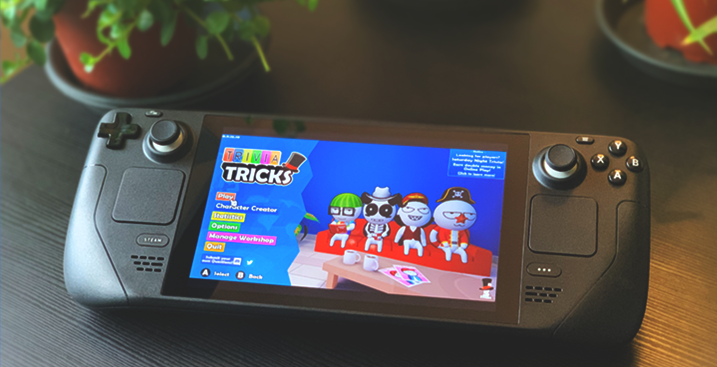
With this update we’re shipping improvements so that Trivia Tricks plays better on Steam Deck, with benefits to all controller users! On Steam Deck, you’ll now find relevant controller prompts, native support for the on-screen keyboard and several visibility improvements to the UI. We hope you enjoy playing Trivia Tricks on the go!
For the rest of you, we’re happy to announce Trivia Tricks now displays the relevant icons for controllers such as PlayStation DualSense, Nintendo Switch Pro and Steam Deck instead of always defaulting to Xbox. This even removes keyboard prompts if all players are using controllers, and intelligently accommodates player groups who mix-and-match controller types! Finally, every menu is now controller compatible, including the online chat box and Twitch Menus!
Our final headlining addition this update is the continuation of our efforts to remove overly niche, complicated and poorly worded questions from our database, with both the 'Geography' and 'Video Games' categories now being fully reviewed! For Geography, particular care was taken to ensure the questions are appropriate for a global audience, not just the US. We also collected stats on the particular Video Games we asked about and found that we needed to create additional questions on PlayStation exclusives and history. We hope you'll notice the difference!
April is that time of year where things get a little... unbelievable. Well you better believe that if you launch Trivia Tricks before April 7th you'll receive a Jester hat, as well last year’s Lootbox hat. Are there any other April Fools surprises in store? Who nose?
Like what we’re doing? Hit the thumbs up below this news post! Have more detailed thoughts? Consider leaving a Steam Review letting us know what you think, or join our ever-growing Discord. Thank you for following Trivia Tricks!
Got all that? Great! The full patch notes are as follows!
Every menu in Trivia Tricks is now fully accessible with a controller! In addition the controller prompts have been totally overhauled!
Players will now receive relevant prompts depending on the controller type being used, instead of always showing Xbox prompts.
You can now ready up and drop out on the Character Select screen by using a mouse.
The in-game chat can now be opened by controller when using Big Picture or Steam Deck by pressing the left stick, which will bring up the on-screen keyboard.
The character name textbox can now be opened by controller when using Big Picture or Steam Deck by pressing the left stick, which will bring up the on-screen keyboard. Previously characters could only be given random names on controllers.
You can now open the Twitch menu by pressing the right stick on controller - previously this required a mouse click - and all Twitch Menus are now controller compatible!
There are now prompts for Steam Deck, PlayStation, and Switch Pro!
Switch Pro Controller users will now see prompts that accurately match the display of the Switch Pro's face buttons (such as A and B being reversed),
When multiple controller types are in-use, prompts will now fade between the connected controllers
Prompts on the Main Menu will change to represent the last used controller. In lobbies, they will display prompts relevant to Player 1's controller type.
When just using a keyboard and mouse common-sense prompts will be hidden to make menus less cluttered.
If the player loads the Controls menu, the controls shown will represent the current controller option.
The 'Select A' prompt is no longer present on menus where you cannot 'Select' anything.
If Trivia Tricks can’t figure out what controller is being used, or Trivia Tricks is started without Steam, prompts will default to Xbox.
The 'Video Games' and 'Geography' categories have been quality reviewed!
The 'Geography’ category has had questions that may be too difficult or may be too US-centric removed.
Questions about overly niche video games, or questions about very specific aspects of a video game have been removed to improve the overall quality of the category.
After tallying up our Video Game questions, we’ve added more questions about PlayStation games and history to improve the category’s variety.
Some now-outdated questions have been updated due to developments in the modern day.
Fixed some typos and cleaned up the wording on a variety of questions. Thanks to all of you who took the time to report these to us directly!
Added even more questions across all categories, many suggested by the Discord community! Thank you to everyone who has suggested questions so far!
The Jester Hat and Lootbox Hat will be given away to players who launch Trivia Tricks before April 7th. Hop on!
Trivia Tricks’ internal start time for the Saturday Night Trivia EU timeslot has been updated to accommodate daylight savings. You can double-check the times on this forum post.
Bosses now have reactions depending on if they answered a question correctly or incorrectly.
The Room Code search box in the Server Menu is no longer hidden while the player searches for games.
The Secret Code text box in the Settings Menu now has an 'Enter' key prompt next to it.
Trivia Tricks will no longer show the Installation Wizard on first load.
The Title Screen copyright date has been updated.
Progress has been focused on improving the design of the menu used when searching for Workshop items, as well as the menu for loading Workshop items uploaded by the player.
These menus are now considered complete as of this update, however they will not be made available to players until Workshop support launches.
The next focus of Workshop development is support for Trivia Tricks’ question-picking algorithm to include Workshop Questions.
Fixed a bug where the boss buzzer did not play the correct sound.
Fixed a bug where the boss buzzer did not play for online clients.
Fixed a bug where phone icons would not appear in the Character Select Screen when a Steam Remote Player joined using a phone.
Fixed a bug where the Server Menu stated the player was on page '0/0' if no lobbies were found.
Fixed a typo in Mr. Tricks’ “Smart Cookie” dialogue. 🍪
US Saturday Night Trivia Daylight Savings (Hotfix 0.9.15.2)
Howdy! Hope y'all are having fun pitting your trivia teams against Dash!This is just a small hotfix which moves Trivia Tricks' internal start time for the US Saturday Night Trivia event to accommodate US Daylight Saving Time.
The team is hard at work at our next regular update, which brings improvements to controller compatibility, better Steam Deck support and more! Stay tuned!
The internal US Saturday Night Trivia time slot has been adjusted for summer time. As a reminder, the US Saturday Night Trivia time slot is...
1am - 2am UTC (Sun)
1am - 2am GMT (Sun)
9pm - 10pm EDT (Sat)
8pm - 9pm CDT (Sat)
6pm - 7pm PDT (Sat)
As a reminder, the EU Saturday Night Trivia time slot is...
7pm - 8pm UTC (Sat)
7pm - 8pm GMT (Sat)
3pm - 4pm EDT (Sat)
2pm - 3pm CDT (Sat)
12pm - 1pm PDT (Sat)
Please let us know what you think on our Steam Discussion Forum or join our ever-growing Discord. Thank you for following Trivia Tricks!
Meet Dash, the Sports Superfan! + More Cosmetics & Questions!
Hello Tricksters!
A major update is available for Trivia Tricks now! Inside you'll find more cosmetics, an overhaul of the anime category and a whole new boss!
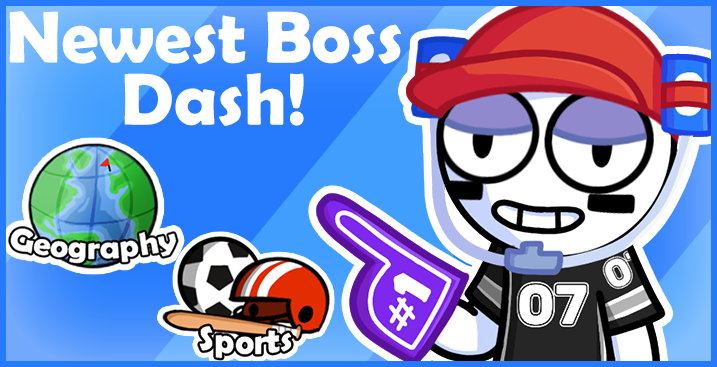
Introducing Trivia Tricks' latest boss, Dash! An expert Trickster on all things fitness! Dash locks in the Sports and Geography categories, but you can give yourself a fighting chance by adding two additional categories to the pool, so pick your favorites! Outsmarting Dash will earn you his Soda Hat, drinks included. Good luck!
Additionally, this update adds over 65 new questions to the Sports category about game rules and terminology, with the intent of making the category more suitable for a global audience. Give it a try and let us know what you think!
Of course, new boss means new wearables! You’ll find a sports jersey, several face paint designs and even a foam finger in the Character Creator! We can't wait to see the characters you'll create!
Our final headlining addition this update is the continuation of our efforts to remove overly niche, complicated and poorly worded questions from our database, with both the 'Food & Drink' and 'Anime' categories now being fully reviewed! Extra attention has been given to ‘Anime’, with over 110 additional questions to give the category more focus on popular shows such as ‘Attack on Titan’, ‘One Punch Man’, ‘Hunter X Hunter’ and dozens more!
Behind the scenes, Workshop support continues to be the primary focus of development with the user interface for uploading and updating Workshop categories being complete in our dev builds. We've already began work so those categories can be selected in a lobby and we are building the infrastructure so questions will be properly selected and displayed in-game. Thanks for your patience, and stay tuned for more exciting updates!
Like what we’re doing? Hit the thumbs up below this news post! Have more detailed thoughts? Consider leaving a Steam Review letting us know what you think, or join our ever-growing Discord. Thank you for following Trivia Tricks!
Got all that? Great! The full patch notes are as follows!
A new boss who specializes in Sports has been added, meet Dash!
Dash has locked in his two favorite subjects, Sports and Geography, but you can add two categories of your own!
Beat Dash to unlock the new achievement and his Soda Hat!
The rest of Dash's drip has also been added to the Character Creator!
Relaxed Eyes
Chill Mouth
Jersey Shirt (in a variety of team colors!)
Foam Finger (also in a variety of team colors!)
And Face Paint (with a variety of designs!)
The Sports category has also received a boost in questions, with over 65 new questions about sporting rules and terms added!
To improve the diversity of bosses, King no longer has the History and Geography categories locked in.
The 'Anime' and 'Food & Drink' categories have been quality reviewed!
The Anime category has received the biggest overhaul yet – with over 110 new questions having been added based on more popular previously-underrepresented series, such as 'Naruto', 'One Piece' and 'Dragon Ball', as well as popular shorter series like ‘Death Note’!
Anime questions about niche shows, or about specific yearly awards, have been removed.
Anime questions that involve multiple characters from different series now have their respective series placed next to the answer.
The Food & Drink category has had changes aimed at improving the readability of questions, as well as shifting the category's focus to global brands.
Food & Drink questions involving dates have had the date range extended to make them easier.
Alongside this, due to Dash's inclusion and received feedback about the American focus in the Sports category, over 65 new questions about sporting rules and terms have been added, which will be more globally accessible!
Some now-outdated questions have been updated due to developments in the modern day.
Fixed some typos and cleaned up the wording on a variety of questions. Thanks to all of you who took the time to report these to us directly!
Added even more questions across all categories, many suggested by the Discord community! Thank you to everyone who has suggested questions so far!
Workshop support has continued to be the primary development focus.
This update adds extended validation to ensure uploaded Question Packs will meet Trivia Tricks' requirements. These changes can be seen in the Preview Menu, where incorrectly formatted csv files will result in a more detailed error message.
Many incorrect validation checks have also been fixed in this update, such as checking for empty unique IDs, checking the question count, and others!
We have also added compression to Question Packs when they are uploaded to Steam.
While not accessible to players in this update, the Create and Update menus have been worked on and are considered dev-complete as of this build. Going forward, Workshop development will be focused on downloading and playing with Question Packs.
Fixed a bug where the lobby would stop updating its player count and sometimes become stuck at 8/8 players, which would prevent new players from being able to join.
Fixed a crash when loading a Question Pack containing an empty unique ID in the Preview Menu.
Fixed player podiums floating slightly above the ground.
Fixed the Pause Menu not being covered by the screen wipe when leaving a game.
Fixed a bug where some of the Twitch user interface could be seen when joining mid-game.
Fixed a bug where you could force Trivia Tricks to load an invalid Question Pack in the Workshop Preview Menu by pressing back and accept at the same time.
The background is now properly blurred when the How to Play Menu is visible.