Hey folks! This is a small update containing a number of bug fixes that we’ve finished over the last week while making progress on larger features, including more items! The full patch notes are below!
Like what we’re doing? Hit the thumbs up below this news post! Have more detailed thoughts? Consider leaving a Steam Review letting us know what you think. Or come chat with us devs in the Discord. Thank you for following Trivia Tricks!
The Saturday Night Trivia US timeslot has been adjusted for daylight savings.
From this update onwards Trivia Tricks will auto-detect daylight savings - the Saturday Night Trivia times will adjust automatically without the need of hotfix patches.
The Waiting Room on the Main Menu has been returned to normal to prepare for the end of the Halloween event later today.
If a player uses a Crystal Ball, they can no longer be Dazed by the Anvil.
Fixed a bug where using the Crystal Ball did not always remove the Dazed status, if the player had been Dazed before using it.
Fixed a bug where the Crystal Ball would not disappear from the podium if the player had another negative status while using it.
Fixed a bug where players who were Dazed and then used the Crystal Ball would sometimes not receive the benefits of the Crystal Ball.
Fixed a bug where clients could fill the Categories Menu with their own subscribed categories, instead of the menu being limited to the host's subscribed categories.
Fixed a bug where, during the Magnet’s steal effect, the numbers on the podium would start from 0 instead of their current score.
Fixed the Swap Ball playing the wrong sound effect.
Potentially fixed a rare bug where the Dazed effect over Tricksters heads would last longer than intended.
Introducing the Latest Trivia Tricks Item 💫 THE ANVIL! 💫 + Item Polish!
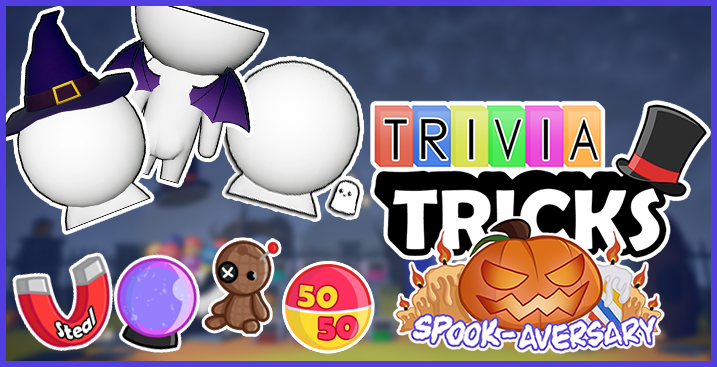
The Spook-Aversary continues! You’ll find when using items Tricksters have new animations, improved particle effects and better sound effects! Not only have we improved those items introduced in the Spook-Aversary - we're introducing another item into the pool: the Anvil!
Using the Anvil will instantly bonk all other contestants over their head causing them to be dazed! While Tricksters are dazed the answers will fly all over the screen making it difficult to find your answer. This effect will only last for a single question, so make sure you time it right to take full advantage of your opponents confusion!
Like what we’re doing? Hit the thumbs up below this news post! Have more detailed thoughts? Consider leaving a Steam Review letting us know what you think. Or come chat with us devs in the Discord. Thank you for following Trivia Tricks!
More items are already in active development, so stay tuned! The full patch notes are as follows:
A new item has been added to the Chance Round, the Anvil! Use the Anvil to "Daze" your opponents and make it harder for them to answer!
When you've been Dazed the answers will move across the screen, you’ll have to pay close attention to find your answer in the chaos!
New music has been added that will play when an item has been used that requires a Trickster to be selected (such as the "Magnet" or "Voodoo Doll")
New animations have been added when the Magnet, Voodoo Doll and Crystal Ball are used.
The 50/50 ball will now grey out the two incorrect answers, in addition to removing the text.
A new effect has been added when points are transferred by the Magnet.
Tricksters who are cursed by Voodoo will now slump and generally be sad about being cursed. :(
The "Curse" effect also contains more particles, making it more obvious when Tricksters are cursed.
When a negative status effect (such as curse) has expired from Tricksters will play an animation.
Fixed a bug where the game wouldn’t ‘time out’ if the player let the timer run out when using the Magnet or Voodoo Doll twice in the same lobby.
Fixed an issue where the question's Credit would not reappear after an Item had been used.
Fixed a bug where the TV was not accurately displaying earned speed bonuses when using a question timer length other than 20 seconds.
Fixed an issue where the Playtime Stat in the statistics menu would lower if the player saved their game before midnight and then saved after midnight without closing the game.
If a player has a negative Playtime Stat it will now be reset.
Fixed a bug where the "Super Streak" and "Vision" statuses obtained in Summer's Chance Round would only last for 1 question, rather than the intended 5.
Fixed an issue where the leaderboard Tab Menu did not update immediately after the Magnet had been used.
Fixed a bug where the text chat box couldn't be clicked for the remainder of a question after an item had been used.
Fixed a bug where the player's podium light did not turn off upon receiving an Item or Swap Ball during Chance Round.
Fixed a bug where, in rare conditions, items that were not intended to spawn when local players were in the lobby could appear.
Fixed a bug where the Twitch player could receive items from the Chance Round, despite not being able to use them.
When a Twitch character is voting to participate in Chance Round the bar chart has been improved to update more smoothly.
The in-game timer for the EU Saturday Night Trivia event has been updated to accommodate Daylight Savings.
NEW! Use SPOOKY Items 🔮 & Outwit your Foes! + Limited-time Halloween Cosmetics!
It’s Halloween, and nothing is scarier than the passage of time! October 27th marks Trivia Tricks' second year and for this Spook-Aversary we’ve decided to extend Chance Round with usable items that inflect statuses on opposing players!
Today we’re introducing 5 new Chance Round balls, 4 of which take the form of usable items! Use the Crystal Ball to see how other players are answering a question or use a Voodoo Doll to curse a player to earn less points!
That’s not all you can find in the Chance Machine now! Use 50/50 to ask the computer to take away two wrong answers leaving you the right answer and one remaining wrong answer or use the ‘Magnet’ to steal 1,500 points away from any player of your choosing. Finally, there’s a new Swap ball in the Chance Machine which will swap the scores of the two random players who receive it.
These balls are all permanent additions to the ‘Chaotic’ and ‘Normal’ Chance Round settings. These rather hectic options are excluded when Chance Round is set to ‘Tame’, but we have made it possible to draw the Lose 1/2 and 1.5x Points balls in all modes to preserve the previous Chance Round feel.
Finally, we have even more Chance Round items in-testing that we hope to release in the coming weeks! Plus, we are open to suggestions, so hop into our Discord to share your ideas with the team!
It wouldn’t be a Seasonal Event without a makeover and some limited-time goodies! Complete a new set of missions to unlock a Ghostly Buddy, full Ninja Cosplay, a Witch Nose or your Third Eye! Of course, last year's missions also return, alongside a wide array of cosmetics that can be bought with the Candy you'll earn at the end of games.
The Main Menu has also had a redesign, the Halloween Stage is now the default and the seasonal ‘Halloween’ category has returned! These goodies will be available until November 8th, so grab ‘em while you can!
New feature: USABLE ITEMS!
Items can be obtained from the Chance Round and can be used mid-question to help you find the answer or hinder your opponents!
The '50/50' Item will remove two wrong answers from the list of options, and allow the user to change answers regardless of its setting.
The 'Crystal Ball' Item will grant the user the ability to see the answers of other players (including AI), and allow the user to change answers regardless of its setting.
The 'Magnet' Item allows the user to steal 1,500 points from a player of their choosing!
The 'Voodoo Doll' allows the user to inflict a "Curse" on any player of their choosing, which will halve the amount of points they earn for 5 questions!
The AI characters have been updated to also use these new items if they get one!
Some items can only appear in games where each player is playing on their own copy of Trivia Tricks - this is because some items could give an advantage to someone other than the user when using Remote Play or local play (with more than 1 human player), such as the 50/50 item.
Keep an eye out for even more Chance Round items coming soon! 👀
Chance Round
A new ball has been added, the Swap Ball! The Swap Ball will spawn twice and will swap the points of the two players it moves to!
As of this patch, 'Normal' Chance Round will now be enabled by default!
The odds of the Normal, Tame and Chaos settings for Chance Round have been adjusted due to the addition of Items and the Swap Ball. Tame does NOT feature 'Swap' or the new items, but now can spawn Lose 1/2 and 1.5x Points
Halloween
The Halloween event has returned!
6 new missions have been added which will allow you to unlock 6 new cosmetics!
Three of these items make a full Ninja cosplay, including a Katana!
Other item inclusions are your own ghost buddy, a witch nose and a third eye! (Spooky!)
The cosmetics from the previous Halloween events have also returned in the Character Creator! Get them while you can!
The Halloween category is also back for a limited time!
The event will run until the 8th of November!
Bug Fixes
Fixed a bug where clients who opened the Browse Workshop menu while in the lobby would see two sets of Workshop results.
Like what we’re doing? Hit the thumbs up below this news post! Have more detailed thoughts? Consider leaving a Steam Review letting us know what you think. Or come chat with us devs in the Discord. Thank you for following Trivia Tricks!
Discover Your Next Favorite Workshop Pack with the New Browse Menu!
Hello Tricksters!
With the 42nd Regular Update, it’s now easier to discover Workshop packs thanks to the new Workshop browse menu and tagging system! While you won’t find the Ultimate Question of Life, the Universe, and Everything, you might just find your next favorite trivia pack!
From today, the ‘Add new categories’ button will open a new in-game browse window instead of the Steam Workshop web UI. This lets you…
Filter packs by ‘Subject’! Only want to see packs created on ‘Mythology’, ‘Video Games’ or ‘Internet Culture’? Firstly, you sound very cool and should definitely join our Discord, and secondly, you can now do that!
Filter packs by their ‘Language’, as part of our continuing efforts to increase the accessibility of Trivia Tricks
Filter packs by the ‘Number of Questions’ they contain, useful if you like to pick a single category for your games and don’t want to see any repeats!
Sort packs by ‘Trending’, ‘Newest’, ‘Popular’, ‘Most Likes’ or ‘Most Played’, with the option to limit some to time periods. This’ll come in handy if you want to see what's been getting attention in the last week or last months!
With this tool you can create some very powerful search queries within seconds. Like, ‘All the packs with a subject of ‘Fandom’ or ‘People’ with over 200 questions sorted by most played in the last 3 months’ then add any packs that interest you with just one click! Nifty!
Of course, if you like the Steam Workshop website that will continue to work as it always has, with the addition of the new ‘Subject’, ‘Language’ and ‘Question Count’ tags. For ‘Subjects’, we’ve included all of the Categories you’d find in the base game, alongside...
General Knowledge
Fandom
Fashion
Hobby
Internet Culture
Joke
Mythology
People
Other
Think there’s an obvious category we missed? Let us know, we’re open to adding more subjects by popular demand!
How does all of this tagging work for Workshop Creators? Whenever creating or updating a Pack you will now select up to three subjects and a language. We’ve taken the time to review all the packs on Workshop and have added the subjects we believed were most relevant to each. If you want to change the tags associated with your creation you can always do so from the 'Update' menu. The Question Count tag will be automatically applied, so you don’t have to worry about that one!
Lastly, we're happy to share that Steam Trading Cards will be arriving soon! Look out for them automatically popping into your inventory when they go live!
Phew, that’s a lot! Here are the changes in bullet-point format!
Trivia Tricks now has a built-in Workshop browser!
You can subscribe, unsubscribe, and browse all Workshop packs here!
You can search based on subject, language, question count and more!
The ‘Add more Categories’ button in the Lobby Categories Menu will now open the Browse Menu, as will the ‘Download More Categories’ button in the Manage Workshop Menu. Previously they opened the Steam Workshop page in Steam Overlay.
You can still add packs using the Steam Workshop webpage, if you prefer!
You can now tag your Workshop packs during the Create and Update process with subjects and languages!
Tags that display how many questions your pack has are automatically added during the Upload process too!
You might notice we have already gone through and tagged all the packs that have been previously uploaded - you can change your tags by selecting ‘Update’ from the Manage Workshop menu in Trivia Tricks. (We won’t be offended!)
You can now rate Workshop packs in the Statistics Menu!
You can also see what rating you have previously given Workshop packs in the Statistics Menu.
The generic error message when failing to upload a Workshop file will now suggest users check their anti-virus and firewall settings, as we have found this is a common cause of pack upload failure.
For clarity, the "Chat Enabled" option in the Settings Menu has been renamed to "In-Game Text Chat".
The 'Press A to join Chance Round!' text is now only displayed once.
Fixed a bug where the Lucky Kitty & Unlucky Kitty achievements were not unlocking when achieved in offline mode.
Fixed a bug where opening a Workshop item in the Steam Overlay would also open an empty tab.
Like what we’re doing? Hit the thumbs up below this news post! Have more detailed thoughts? Consider leaving a Steam Review letting us know what you think. Or come chat with us devs in the Discord. Thank you for following Trivia Tricks!
Hey all! Hope you're having fun with the Summer Splash Event! This is a small hotfix to ensure that the Summer event will end smoothly! If you’ve got any Shells remaining make sure to get them spent before the event is over on the 1st September 18:00 UTC! (19:00 BST / 14:00 EDT / 13:00 CDT / 11:00 PDT)
Mission progress will no longer be cleared at the end of each seasonal event - the progress you've made toward the Summer missions will be there when it returns next year!
Seasonal currency will no longer be set back to 0 at the end of a seasonal event.
Seasonal events now use Steam's clock to determine when the event should start and finish, and will no longer fall back to the player's computer clock if there is no connection to Steam.
Fixed an issue where the spotlight was turned off on the Title Screen when no seasonal event was taking place.
Over the last year we’ve been making behind-the-scenes changes to ensure Trivia Tricks’ seasonal events will automatically start when the appropriate time of year rolls around. This update makes further changes so that after September 1st the in-game logo will automatically update and that King will swap between his Trident and Scepter as necessary.
We have removed the Summer furniture from the Waiting Room on the Main Menu. A future update will reimplement them so they will automatically appear when Summer returns next year!
Like what we’re doing? Hit the thumbs up below this news post! Have more detailed thoughts? Consider leaving a Steam Review letting us know what you think. Or come chat with us devs in the Official Discord. Thank you for following Trivia Tricks!
Trivia Tricks 0.9.23.4 (Stage Loading Hotfix)
Howdy! Hope y'all are enjoying the Summer Splash Event so far! This is a small hotfix fixing an issue related to player joining!
Fixed an issue where clients joining a lobby that didn't have the Isle del Trickster Map selected would see and hear Isle del Trickster Map elements alongside the selected map.
Like what we’re doing? Hit the thumbs up below this news post! Have more detailed thoughts? Consider leaving a Steam Review letting us know what you think. Or come chat with us devs in the Official Discord. Thank you for following Trivia Tricks!
Summer Splash Event! New Challenges, Cosmetics + Workshop Updates!
Hello Tricksters!
We're heading back to Isle del Trickster for another holiday getaway!
The Trivia Tricks Summer Splash event has returned and is better than ever! The event will be available from now until September 1st!
First off, you’ll notice The Isle is looking a bit different! Since the Tricksters discovered it last year they’ve made the space much more homely. There’s also suitable summer music on the stage now, meaning all levels have unique music. We hope you'll enjoy some quality time at the beach, and don't forget your sunscreen!
Of course, Summer Splash includes some limited-time challenges and exclusive cosmetics! Some challenges will reward you with Summer Shells that can be exchanged for cosmetics, while others grant exclusive items!
As well as returning challenges, there’s a new set inspired by the recent addition of Steam Workshop support. If you need help with a challenge don't hesitate to make use of the Trivia Tricks Discord! As always, all of the cosmetics from last year have returned too, so grab them while you can!
We’ve also got some UI additions to share! Trending Workshop packs will now appear in the main menu and can be subscribed to! Additionally, after players have seen enough questions in a pack, they will be asked if they want to submit a rating. We think this will reward creators for their hard work and help players find the highest quality packs that are being uploaded! We’re also experimenting with pack tags, filter options for question count and an expanded search tool. Watch this space!
Oh! One last thing! Achievement hunters will find a new achievement tracking menu in the Statistics page. Have you reached 100% completion yet? There’s also a new button in the Workshop Preview menu to ‘reload’ your question pack so you can quickly review your edits. Hopefully this will make adding those final polishing touches to your packs much faster!
Like what we’re doing? Hit the thumbs up below this news post! Have more detailed thoughts? Consider leaving a Steam Review letting us know what you think. Or come chat with us devs in the Official Discord. Thank you for following Trivia Tricks!
The full patch notes are as follows...
The Summer Splash event is back! From now until September 1st complete limited-time challenges to unlock exclusive items!
The Isle del Trickster stage has been revamped with more visual flair, and has an exclusive soundtrack!
The missions from last year have returned, along with 6 new missions focused on the Steam Workshop!
Alongside the 16 returning cosmetics, unlock 6 new summer-themed items, including a Mermaid Tail and Tiki Mask!
For the duration of the Summer event, bosses will also be dressed for the occasion!
When you've seen 10 questions in a Workshop pack, Trivia Tricks will ask you to rate the pack when the game is over
Alternatively, you can just skip this if you haven’t made up your mind yet!
If you've enjoyed the questions in a Quiz Pack, give it a Thumbs Up to help other players discover it!
A new section has been added to the Main Menu that shows you trending Workshop packs.
Packs with the most subscriptions, high popularity in the last 7 days and a lot of thumbs up can appear here.
You can subscribe to these packs from the main menu by clicking the "Subscribe" button.
A new page has been added to the Statistics Menu, which shows the achievements that you've earned so far!
Every achievement in Trivia Tricks also unlocks a cosmetic when it has been achieved - in this list, you can easily see which achievement unlocks which cosmetic!
You can also see the progress to unlocking achievements in one place, without needing to navigate the statistics menu!
A "reload" button has been added to the Workshop Preview Menu to make it faster for you to review any edits that have been made to the pack.
A new widget has been added when players are prompted to join the Chance Round, to make it more obvious on how to join it.
The Twitch characters will now throw Bits again!
Improved the rate at which the Twitch Chance Round Voting progress bars update on user votes.
Added a message informing streamers when they select to leave the Twitch Menu without adding a Twitch Character.
When no lobbies are found in the Server Menu, Trivia Tricks will now explain that there are no games being hosted.
Fixed some typos and cleaned up the wording on a variety of questions. Thanks to all of you who took the time to report these to us directly!
Added even more questions across all categories, many suggested by the Discord community! Thank you to everyone who has suggested questions so far!
Fixed a bug where some players were seeing blank Workshop questions if pack they were not subscribed to had been updated since they first downloaded it.
Fixed an issue where Workshop packs with the "Unlisted" setting would show a red "!" in the Categories Menu despite being playable.
Fixed a bug during Chance Round where Twitch Chatters who typed something other than "Y" or "N" would count as having ‘voted’, and therefore would not have their vote counted that round.
Fixed a bug where Seasonal events that have multiple pages of missions would briefly load the wrong page before skipping to the desired page.
Fixed an issue where a STRANGE MAN would appear when Trivia Tricks failed to load a Workshop pack image's thumbnail on the Categories Menu.
Regular Update #40 - Workshop & Twitch Polish!
Hello Tricksters!
We're hard at work on our upcoming Summer Event, but we’ve been listening to player feedback on some of our more recent features and wanted to deliver some extra polish that you’d been asking for! Following this update you’ll have faster Workshop downloads and Twitch connections that will be more reliable and responsive!
Like what we’re doing? Hit the thumbs up below this news post! Have more detailed thoughts? Consider leaving a Steam Review letting us know what you think, they help us a lot! Or come chat with us devs in the Discord. Thank you for following Trivia Tricks!
Here’s those patch notes in full!
Players told us that the Workshop “Download” step could do with some performance and usability improvements, so that’s what we’ve focused development on this week!
Previously all players in a lobby had to finish downloading a pack before any players would move onto downloading the next pack, this has been change to allow players to download at their own pace. This should hugely decrease the time before a game starts, especially in lobbies where many Workshop packs are enabled.
The "Download taking a while?" message was showing up too soon for players on slow connections downloading large packs, so we’ve extended the time before it appears.
Added a "Retry" button which appears at the same time as the "Download taking a while?" message. This allows downloads to be retried without having to return to the lobby and ready up again.
Fixed a bug where the ‘verify’ step could take place before downloads were fully complete, causing verification to fail.
We’ve added automatic retries when the ‘verifying’ step fails on issues that can be resolved in time, this means verification should be more reliable.
The progress bars in the Workshop Download menu are now animated when they increase and decrease instead of suddenly filling. Nifty!
Twitch Chat will now attempt to reconnect when connection to Twitch is lost. This may address some problems where Twitch Chat answers would stop being registered by Trivia Tricks mid-game!
When playing with Twitch, the timer during Chance Round voting will now use the same timer length as what the host selected for questions instead of defaulting to 25 seconds.
The Twitch Chance Round bars now update faster, and have smooth animations when they increase or decrease instead of zipping to the new percentage. Double nifty!
Due to a bug discovered just before this patch launched we’ve had to stop Twitch characters throwing bits with donations. We will add this feature back in a future update when we’re able to resolve this issue and we are sorry for the inconvenience!
Workshop question packs in the categories menu will now be ordered by subscription date, with recently subscribed packs appearing first.
Steam Workshop’s ‘played’ tab will now show Workshop packs you’ve played a game with.
Workshop Full Release! Custom Question Packs For All!
Hello Tricksters!
The big day is here! Workshop support is now available to all players!
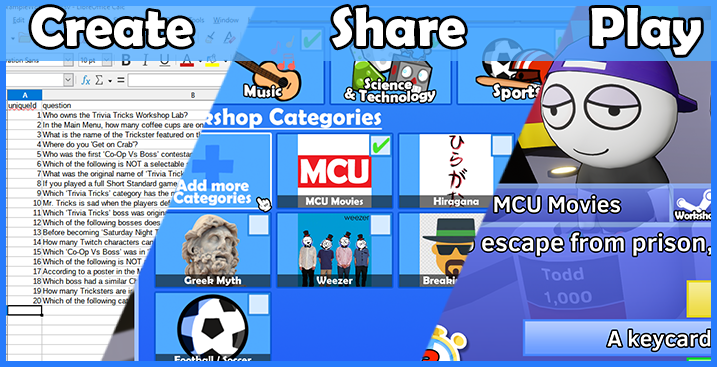
Create packs easily in any spreadsheet software of your choosing!
Share them to the entire world, or just among your friends!
Play with created packs, with seamless integration between official and Workshop categories.
We’re delighted to share that, after a 2-week open-beta, we’re enabling Workshop for all players from today! During the beta creators filled the Workshop with an excellent variety of question packs. From historic myths, fandoms and even languages to learn there’s already loads to test your brain matter against!
In addition, we releasedmultiplebetaupdates to address user feedback and fix reported issues. Some of the feedback we addressed includes...
Creators told us that they wanted to share packs privately with their friends, so this option can now be set within Trivia Tricks! Additionally, you can also set packs to be totally “Hidden” or, of course, “Public”!
Players told us that unticking every category when they wanted to just enable a few packs was taking too long, so we’ve added a shortcut which turns every enabled category off.
Players told us that they wanted to know the ‘size’ of a Workshop category, so the statistics menu now displays the total questions in a pack and has information on the questions answered in each.
Of course, we’re far from done with Workshop! As our beta shows we’re all ears, so let us know what you want to see in future Workshop updates!
Speaking of ‘far from done’...
Workshop marks the end of our original roadmap, but we’re happy to announce we’ve extended our Early Access plans to include an additional feature. We’ll be keeping this one under wraps until it launches, so stay tuned for more information!
Like what we’re doing? Hit the thumbs up below this news post! Have more detailed thoughts? Consider leaving a Steam Review letting us know what you think. Or come chat with us devs in the Official Discord. Thank you for following Trivia Tricks!
The full patch notes are as follows...
Workshop for all!! The Workshop has left open beta and is now available to all players now!
We’ve added a "Workshop" section to the Statistics page, allowing users to see how many questions total there are in a Workshop Pack, how many questions have been asked and how many questions have been answered correctly! There’s also a link to the Workshop page of the pack.
Workshop questions now count towards the player's total questions, meaning they now count towards several achievements they didn’t before!
In the Server Menu, lobbies that are playing with at least one Workshop category will display their categories as "Workshop". Lobbies that are not playing with Workshop will display their categories as "Standard".
Added a message to inform players to retry the download if we detect an item download is ‘stuck’. We’re investigating methods of manually retrying failed downloads.
In response to player feedback about the time it takes to deselect the standard categories, we’ve added a new button that turns off every category (Including Workshop).
The "Friends Only" tick-box in the Create & Update menus has been replaced with a new selector that allows for three options; “Public”, “Friends Only” and “Hidden”.
Workshop packs that have already been downloaded to the player's machine will no longer be redownloaded every time they are used, significantly speeding up game start time.
It is no longer necessary to choose an image when updating a Workshop item, instead your existing image can be kept.
If a Workshop pack can't be played due to its visibility settings making it unavailable to some clients of a lobby it will be moved to the end of the Categories menu and have a red "!" in front of it. It may still be selected, but may give a warning when trying to download for players that can’t see it.
If you’re interested in the list of bug fixes that were released during beta, you can find them in the following links!
Once again, thank you to all players who partook in the open beta and offered their feedback!
Fixed some typos and cleaned up the wording on a variety of questions. Thanks to all of you who took the time to report these to us directly!
Added even more questions across all categories, many suggested by the Discord community! Thank you to everyone who has suggested questions so far!
Fixed a bug where the player's caret would move to the end of the textbox if they tried to type in the middle of entered text. This fix applies to all textboxes in the game.
Fixed the wrong error message being shown when verifying a pack in Workshop Management when "AnswerA" exceeded the character limit. Previously, it was erroneously stating that the "Question" had exceeded the character limit.
Fixed a bug where empty Workshop items were being created when the player was prompted to accept the Legal Agreement.
Fixed a rare bug where the attempt to verify a Workshop pack would sometimes occur before the download was fully completed, causing verification to fail.
Fixed a bug where the question cache would be updated in the middle of question rounds rather than the end.
The "Honk" achievement can no longer be obtained when playing with Workshop categories.
Fixed Mr Tricks' thinking sound during dialogue ignoring player volume settings. 💭
Workshop Beta Hotfixes Wave 4 (Version 0.9.20.15)
Hello Tricksters! Thanks for all your feedback over the weekend! This hotfix addresses feature improvements that players brought to our attention, alongside a couple of bug fixes! Currently the plan is to end the beta and release Workshop to all players on Thursday!
If you’d like to offer feedback on how we’re running this beta do consider leaving a Steam Review. If there's anything you would like to see changed in a future update, let us know on the Steam Discussion Forum or in Discord!
You can get involved with the Workshop Beta by following this link, unlocking functionality in Trivia Tricks that lets you create, share and play custom questions!
This hotfix to the Workshop Beta addresses the following issues...
New Features & Fixes
Resolved a crash that would occur if you joined an in-progress Workshop lobby while having a high latency to Steam. Sorry to all impacted players!
If a Workshop pack can't be played due to its visibility settings making it not available to all clients of a lobby it will be moved to the end of the Categories menu and have a red "!" in front of it. It may still be selected, but may give a warning when trying to download.
If a Workshop pack fails to download due to the visibility settings of the Workshop pack this will now be stated in the error message upon download fail.
Fixed the wrong error message being shown when verifying a pack in Workshop Management when "AnswerA" exceeded the character limit. Previously, it was erroneously stating that the "Question" had exceeded the character limit.
If you’re interested in what our previous beta release fixed, check out our previous patch notes here!
The following “known issues” have been logged and we are actively looking at resolutions before the beta is over. Thanks to all players who took the time to report bugs and help grow this list!
Known Issues
We are aware of issues where the Workshop Create/Update will sometimes fail and needs to be retried. We're looking at methods to increase the reliability of these actions.
We are aware of an issue where client and host category menu 'allowed' numbers become desynced if the host is subscribed to Workshop packs clients cannot see.