

Virtual Race Car Engineer 2018
Virtual Race Car Engineer 2020 released
Virtual Race Car Engineer 2020
VRCE 2018 owners will be presented with a 50% off (or more) discount to upgrade via a Steam Bundle. Thank you all for your continued support.
https://store.steampowered.com/app/1220160/Virtual_Race_Car_Engineer_2020/
June 2019 update
- Streamlined the startup (removed launcher and intro text)
- Fixed blurry font issues in report
- Minor corrections to some advice
- New options menu accessed by top-right hamburger
November update
- Adjusted launcher layout (PC only) to better work with larger resolutions
- Tweaks to some of the newest Italian transation text
Anniversary sale
The Virtual Race Car Engineer app was released one year ago this week. To celebrate the app’s birthday, Virtual Race Car Engineer is 50% off for the remainder of the calendar month of October. This would be a great time to grab it if you were on the fence, or maybe send a copy to a team mate as a gift.
Sept 20th update
- All advice now sorted by weight of impact. The higher on the list of advice, the larger the change will have on your setup. For more subtle changes, see advice lower on the list.
- Moved car setup options from Corner Wizard to SELECT menu
- Button placed on Corner Wizard to easily access car setup options
- Car options that are specific to a car type are hidden until that car type is selected (Touring Car, Stock Car)
- Increased size of top-menu and items for easier use on phones
- Added top-menu item "?" to access learning database (articles, glossary, discussion, etc)
- Minor fixes to font sizing and scaling
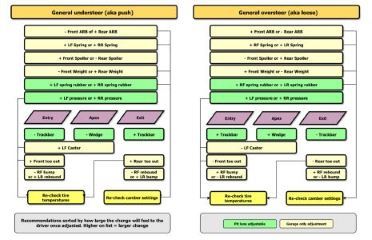
Setup tuning flow charts available
- Includes oval and road racing flow charts
- You get both full-corner and corner-phase specific advice (entry, apex, and corner exit)
- Color coded recommendations for what changes can be made in the garage, and which can be done in pit lane gives you the ability to quickly make setup changes during your race.
- Recommendations are sorted by level of impact to the problem at hand. The higher on the list, the greater the impact to the problem you are having. For subtle changes, see the recommendations lower on the list.
- Includes recommendations on how to prepare your setup for a qualifying session
Grab them today! - https://www.virtualracecarengineer.com/racing-setup-flow-charts/

June 12th Update - The small stuff
- Other minor bug fixes noth worthy of noting each
May 11th Update - Adjust Resolution, Fullscreen, etc
VRCE2018 Changes:
- Added ability to change language (Menu top-right of main screen)
- Added Resolution choice display at startup (press ALT immediately after startup of program)
- Added ability to toggle fullscreen and windowed (top-right menu)
- Added exit confirmation screen (only after using exit button at top-right)
- Added simple session report in exit confrimation screen, if you entered lap times
- Added credits screen (they deserve it, thank you)
- Fix font scaling to lessen the blurry text on some Android devices (still more work to do)
- Fix auto-size of digits in tire temp input fields (larger)
- Fix tire temp fields alignment
- Fix Touring Car button alignment
- Fix Tires and Laps button scaling in Lap Wizard
- Fix Facebook share was not working
- Fix after lap time entry, program will no longer focus on lap time field, allowing the Android keyboard to minimize out of view.
April 16 Update - Logs and Filters
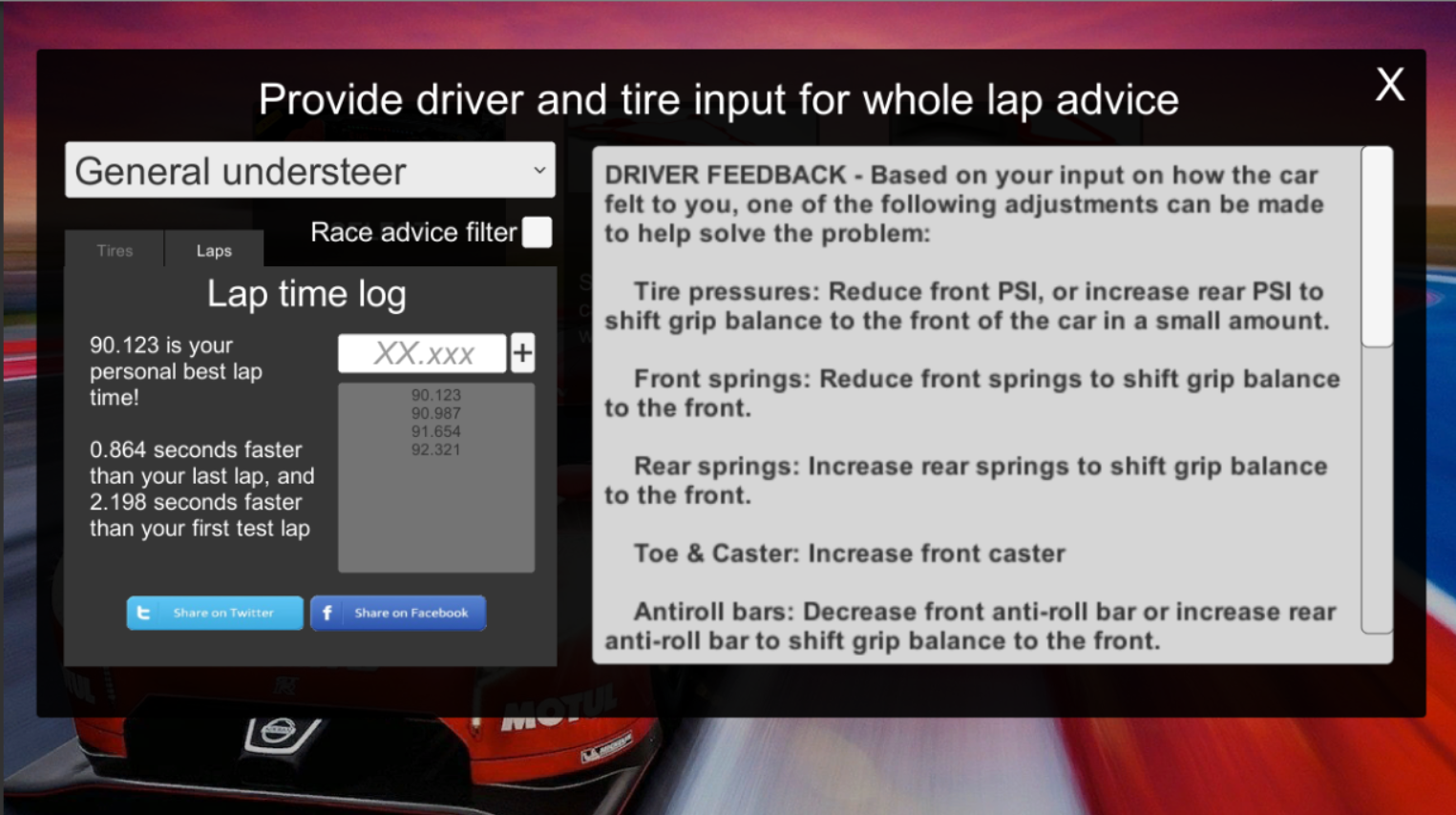
There are some nice additions to the Virtual Race Car Engineer software this time around. I hope that you will find them useful in your setup development process.
- Added tab to track user lap times and progress during testing
- Added race session advice filter in Lap Wizard (when enabled VRCE advises only changes to setup that can be altered during a race pit stop)
- Added Front Wheel Drive option to Touring Cars (in SELECT menu from main screen)
- Added intro dialog to better welcome new users
- Added basic front/rear damper advice to Lap Wizard
- Added Spring rubber advice for Stock Car / Oval track (must have both Stock Car and Oval track selected)
- UI more responsive to different resolutions
- Other minor tweaks to UI to make it more friendly
- More code cleanup for better performance
- Fixed wrong text for Lap Wizard advice on "Rear Springs"