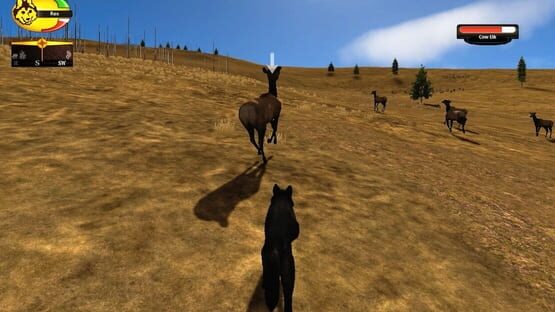

WolfQuest
Zeno's WolfQuest (Devblog)
Today’s devblog is a progress update of sorts, looking at various things that we’re wrangling with as we try to get the game ready for Early Access. This stage of game development always reminds me of the paradox postulated by the ancient greek philosopher Zeno: “Suppose Homer wishes to walk to the end of a path. Before he can get there, he must get halfway there. Before he can get halfway there, he must get a quarter of the way there. Before traveling a quarter, he must travel one-eighth; before an eighth, one-sixteenth; and so on.” (Wikipedia). So even though we are getting closer and closer, some days it does feel like we can’t quite reach our destination! That said, we continue to make lots of progress, fine-tuning and getting all the systems to play nicely with each other.
We continue to be grateful for our amazing team of developers and diligent beta testers. Thank you to everyone for your continued positivity and patience! Finally, a shout out to the folks who have donated to WolfQuest game development at fundly.com/wolfquest. Your extra support means a lot to us!
As we said before, we don't have a release date yet but we are getting closer! Our plan is to release the first episode, Amethyst Mountain for PC/Mac on Steam and itch.io, as Early Access. That will be followed by Slough Creek some months later, then followed by the mobile versions. We’ll then resume development of the next episode, Tower Fall!
Remember, WolfQuest 3 will be a free update to players who own WolfQuest 2.7. If you are buying WQ 3 for the first time, the cost will be more than the current game 2.7 (so it's cheaper to purchase it now and get WQ 3 as a free update). The Tower Fall expansion will be an in-game purchase (DLC).
WolfQuest Monthly Giveaway Contest! (February 2019)
JAN 15 @ 1:51PM - PEPPER
It's time for WolfQuest's monthly contest to win a free copy of WolfQuest 2.7! Four lucky winners will receive a free copy of any version of the game (Mac/Windows, Android, iOS, Kindle). Enter on the WQ forum at WolfQuest.org/community or https://www.wolfquest.org/bb/viewtopic.php?f=31&t=84780
I've Been Working on the River (Devblog)
The expanded maps in WolfQuest 3 encompass not only more grassland and forest, they also now include more creeks and rivers. The Lamar River is the most known example, but two other “significant” creeks (i.e. they have names) wind their way down the slopes of the mountain: Amethyst Creek and Chalcedony Creek. Happily, we now have much better tools to create realistic waterways than we did with the old game so we think you will be as excited as we are about WQ 3 water. This video looks at the process of creating Chalcedony Creek.
Tools shown in this video:
* Unity3D: Game authoring tool
* River Auto Material (R.A.M.): Used to create river spline and carve riverbed in terrain.
* Lux Water: Gorgeous water shader
* Vegetation Studio Pro: Powerful tool for spawning and rendering vegetation as well as rocks and other small objects.
We will also create the small ponds up on Specimen Ridge that you may recall from the old game — and yes, you’ll be able to drink from any of these bodies of water. Drinking will give you a small health boost. (And no, we won’t be adding a Thirst Meter.)
We don't have a release date yet but we are getting closer! Our plan is to release the first episode, Amethyst Mountain for PC/Mac on Steam and itch.io, as Early Access. That will be followed by Slough Creek some months later, then followed by the mobile versions.
Honing Performance (Devblog)
It’s one thing to make a big, complicated eco-simulation game like WolfQuest 3. It’s another thing to make it run fast enough to play smoothly on a wide range of computers. So lately, we’ve been spending time on optimization: analyzing the performance (speed) of each element of code and graphics and figuring out ways to make it perform better. This week we’ll look at three things we’ve been optimizing.
Games use both the CPU (Central Processing Unit) and GPU (Graphics Processing Unit), and using Unity’s built-in Profiler, we can analyze the load on both CPU and GPU in great detail. Here are a few things our team has been doing, as explained by two of our amazing developers, Tommi and Nick, and then myself, Dave/loboLoco.
Tommi on Animals
For the last couple of weeks I've been neck deep in Unity's Profiler feature, which breaks down what's happening in the game frame-by-frame, operation-by-operation (broadly speaking). The main issue has been the spikes caused by spawning animals as you get close to the flocks. So far, I've been prioritizing the ease of editing the animals over the speed of spawning, so there was a lot of expensive calls that add new scripts onto them every time they spawn etc. (so I don't have to manually edit every type of animal every time I add or remove scripts). But now I employed the following strategies to reduce the time (without making editing too much harder):
- Pooling: This means that whenever an animal is despawned, we don't destroy it but instead hide it and put it in a "pool" from where it can be reactivated later. This is much quicker than creating a whole new animal. We can also create a few animals into the pool during the initial load so even the first spawns will be quicker.
- Baking: I created a system that automatically adds all those different scripts on the animal in the editor so they don't have to be added during the game. This is a bit risky since if the system has a bug the animal setup may get out of alignment when I later make changes, but I'm reasonably confident it's all solid.
- Plain old optimizing: There were a few places where I was doing unnecessary calculations, or where shortcuts could be created.
In addition to these spikes, I've also been trimming the CPU consumption that happens every frame. The main suspects here have been floating scents and animal AI / physics. This mainly involves:
- Considering if we really need to do a thing.
- Considering if we really need to do a thing every frame.
- If we need to do something frequently, try to at least spread that burden even over different frames to avoid spikes.
- It's been a challenge trimming the CPU cycles, while keeping all the cool things we want to do and also not making the codebase full of shortcuts and hacks, as that can create new bugs. But it's coming along, step by step… :)
Nick on Pathfinding
With Wolfquest 3.0's greatly increased map size comes new technical challenges, one of which was Pathfinding (wayfinding): the system that allows our animals to move through the landscape in a believable manner. More obstacles to avoid means more computation, which means we had to develop whole new techniques to speed up the process and keep the frame rate high.
To this end, we developed a new system of pathfinding. It is similar, in theory, to the 'Level of Detail' Systems used by our rendering pipeline to allow the highly granular (and computationally intensive) obstacle avoidance near the animal, and high level "Fuzzy" Path Generation that is done much more cheaply.
To give an example, let's say the highest detail map in this system has 30,000 Nodes. That means the computer has to search across all of those nodes multiple times to discover the most correct path from point A to point B. 30,000 isn't that much to a computer but if it has to do this maybe 100 times, suddenly that 30,000 Nodes becomes 3,000,000 Nodes…quite a bit larger! So, instead of searching those 30,000 Nodes, we can instead use a lower level of detail. Let's say the next map down only has 5,000 Nodes. Then, if we have to do that 100 times, we're only looking at 50,000 nodes.
For long distance pathfinding, we use a lower level of detail, and only use the highest level when we need to pathfind a very short distance, perhaps as short as 100 meters or so. This means more computational power can be devoted to rendering gorgeous landscapes, and less to more invisible gameplay functions.
Dave on Graphics
With the original version of WolfQuest, and again for WQ 2.7, we developed the graphics to run decently (30 fps) on a mid-range computer. That made optimization relatively easy, but it also limited how good the graphics could be on more powerful gaming computers. For WQ3, we’ve been focused on creating the most realistic and immersive 3D environment that we can, using a Windows gaming computer with Nvidia 1060 GPU as our development rigs. So now we have to find ways to optimize the graphics to run on weaker computers, and as necessary, reduce the fidelity of the graphics for lower quality levels. We’re using some state-of-the-art tools for terrain and vegetation rendering, but even so, the dense forests of Yellowstone pose major challenges for optimization. Unlike most games, we can’t design our forests with performance in mind. Further complicating the challenge is the fact that we’ve got a dynamic day/night cycle, which means we can’t “bake” the lighting and shadows into textures, which gives a huge performance boost. Instead, the game has to render shadows on every frame, since the sun moves slightly from one frame to the next. So we have our work cut out for us. We’ve been making progress, but it’s too soon to say what the final system requirements will be for computers and mobile devices.
_________
WolfQuest is available for Mac, Windows, iPhone, iPad, Android & Kindle. So yes, WolfQuest 3 will be available for mobile phones and tablets...at least some of them, and/or in some form. Bigger maps and more animals may be too much for mobile devices with limited RAM memory. We'll do our best, but there's a good chance that some mobile devices won't be able to get it, and/or we will have a simpler version of it for some mobile devices.
For the PC/Mac version, we want to ensure that a wide range of computers can run WolfQuest: Anniversary Edition. We are adding more quality levels so we can boost the visual quality much further than it is now, but we will do our very best to make the game run decently on older computers. However, since we are adding so much to the game (bigger maps, better graphics, more animals), we can’t yet say how well we can attain this goal. We don’t know exactly how much storage WolfQuest: Anniversary Edition will require, but probably about 5 GB.
Herd Any Good Names? (Help us name the elk herds!) (Devblog)
Elk have always been the mainstay of a wolf’s diet in Yellowstone (though that’s started to change in recent years as the bison population increases….but that’s a story for a future episode). About 7,500 elk live in the northern part of Yellowstone and adjacent area in southern Montana — that number once was much higher, over 15,000 before wolves were reintroduced to Yellowstone in the mid-1990s. With the new predators in the area, elk population dropped year by year, all the way down to about 5,000 — but in recent years, it has begun to increase, and the 2018 survey counted 7,579. (These surveys don’t find every single elk, of course, so there is a margin of error.)
What does that mean for the game? We want elk to be reasonably easy to find, but not so common that you don’t need to use your scent view to track down a herd. We began with just a few herds on the map and found it usually took waaaay too long to find a herd. So we added a bunch more herds, and now have about 18 of them, of varying sizes and compositions, living on on Specimen Ridge and the slopes of Amethyst Mountain.
That adds up to about 300 individual elk. We may tune this more, but based on beta testing so far, it seems about right — for gameplay, that is. But how does it compare to the real world?
The area in question (Northern Range of Yellowstone, extending into Montana) is about 1500 square kilometers, and if about 7500 elk live in that area, that means the elk population density is about five elk per square kilometer. Our map is 49 square kilometers, which means to be accurate, we’d have 245 elk in our game-world. That surprised me, as I thought we’d exaggerated the density much more than that for the sake of gameplay. So…not bad!
(And if you’re wondering how many wolves live in that area nowadays: the most recent numbers are from the 2018 Yellowstone Wolf Project report, which counted 33 wolves in Yellowstone’s Northern Range — but this doesn’t include wolves outside the park but still on the Northern Range, so the area is smaller, about 1000 square kilometers. So wolf population density is a mere 0.033 per square kilometer — or one wolf per 30 square kilometers. We’ve got some 40 wolves in our Amethyst game-world. Although most of those have territories which extend well beyond the edge of our map, we clearly have exaggerated the wolf population for the sake of gameplay, far more than the elk population. Knowing this, and seeing how easy it is to find a stranger wolf (or for them to find you), we may reduce those numbers a bit.)
Anyways, back to elk: one thing we’ve found when playing the game is that it can be a bit confusing to have so many elk herds out there. You pick up one scent trail, but those scents might intermingle with scents from another herd, and it’s hard to know which one you’re following. To solve this, we’re thinking of giving each herd a name. Of course, elk herds are not coherent groups in the same way that wolf packs are. Herd size and composition shifts over the seasons. But for the few months on Amethyst Mountain in the fall, it’s plausible that wolves become familiar with each group of elk and learn their habits. A name is simply our way to build this into the game.
But what kinds of names should we give these herds? The elk roam around quite a bit so placenames wouldn’t be meaningful for long….so then what kinds of names? We’re very interested to hear what our players would like to see for elk herd names, so if you have an idea, please post it in the comments! We do want names that fit our theme — the life and ecology of Yellowstone wolves — so please keep that in mind. We look forward to reading them and, we hope, finding some great names to use in the game.
Related Devblog Posts:
* Energetic Elk: Balancing elk energy and exhaustion https://youtu.be/dR0QQsClMbA
* Bite Club 2: The Elk Kicks Back: Refining the elk bites https://youtu.be/G5EBSumIk0Q
* How to Bite an Elk: New biting mechanics in development https://www.youtube.com/watch?v=KntTJjeI3vw
* Herding Calves: New elk calf behaviors https://www.youtube.com/watch?v=UgXWceqaVdw
* Where the Wild Elk Are: New elk spawning systems https://www.youtube.com/watch?v=jIz9tKv90S4
I Do...Do You? (Devblog)
We’ve had the new courtship gameplay working for quite awhile, but over the past month, we’ve revised and refined it, based on our own testing as well as feedback from beta testers. Today’s video shows highlights from this entire mission, from finding possible mates out in the wilderness, engaging in initial courting activities using emotes, to the trial period where you and your prospective mate spend some time together to get a better sense of each other’s personalities and capabilities before finishing the bonding process and becoming mates. Once chosen, you and your mate are loyal (although we are considering a future option for your mate to die in the game).
This mission is a huge expansion from the original game and, as with the rest of WolfQuest 3, our goal was to make it more naturalistic and realistic — while still being intuitive and straightforward enough for novice players. While we’ve retained the emote-based interaction from the original game, it’s now more fluid and freeform, allowing you to meet and interact with several mate candidates — and if you take time to observe their responses, you’ll gain insights into their individual personalities. We also really wanted to incorporate hunting — a vital activity for wolves, and it only makes sense to evaluate the hunting abilities of prospective mates. And it isn’t all up to you. As in real life, potential mates may not say I do!
Other related videos:
* You Had Me at Playbow at https://youtu.be/x5zKz_MSyaQ
* For Better or For Worse at https://youtu.be/bRQsAh1ENKc
* Genes Behind the Scenes at https://www.youtube.com/watch?v=wV-Dd_ror8g
Beta Testing WolfQuest
This week, I’m handing the devblog video over to JayPlays. She began playing WolfQuest way back in 2008, and has over the years been an active member of the WQ community, as well as a moderator, a beta tester for WQ 2.7. She also has a YouTube channel, with hundreds of gameplay videos featuring WQ and many other animal and nature games. She has been beta testing WQ3 for a few weeks, and now will give you a peek at what that involves.
I really appreciate Jay stepping in to handle the devblog video this week! Beta testers are an essential part of the development process and Jay is adept at explaining things as she navigates! I am also gratified for her assist this week, because I’ll be in the Grand Canyon, hiking down to the bottom with my son…and then hopefully hiking back up and out again. Check out JayPlay's channel: http://youtube.com/c/jayplays535 )
What is Beta Testing?
Beta testing is done by a small group of people who play and help de-bug the game before release. WQ beta testers are our development team members and experienced volunteers (many of whom have been beta testers for previous versions of the game). Generally, we recruit our volunteer beta testers from active WQ community forum members who have excellent attention to detail and communication skills. If you think you might be a good future beta tester, join the forum and participate at WolfQuest.org/community.
WolfQuest Monthly Giveaway Contest! (January 2019)
http://www.wolfquest.org/bb/viewtopic.php?f=31&t=84739
You're Getting Veeery Sleeeepy... (Devblog)
We’ve continued to iterate on the wolf physiology system, and what information to show to players in the wolf badge/HUD. Initially we designed the new badge to show health and energy, as always, but with a key change: After eating your fill, your wolf will need to digest that food, so max-energy will drop for awhile, then slowly climb again after some hours. This was designed to discourage mass killing sprees as well as model a wolf’s physiology more accurately.
Back then, I strongly resisted the idea of adding a hunger meter. I didn’t want to add a meter for each function. (And I still don’t plan to add a thirst meter, for that reason. While you will get a modest energy boost from drinking, you won’t have to worry about running down to the river every day to get a drink.). But then after playing the game for awhile, I realized that we really do need something to tell you that you’re getting hungry. There are various ways to do that, but a meter seemed like the simplest.
Furthermore, with the new continuous day-night cycle, we felt it was important to include sleep in the wolf’s physiological model. Wolves sleep 15-16 hours a day, and so that is a major way that they pass the time, so making it optional (as it is in the old game) felt not only inaccurate but truly less immersive. So today’s video looks at how these meters all work together to create (we think!) a better, more sophisticated model of wolf physiology that doesn’t impede gameplay but does help players go deeper into the mind of a wild wolf — which is our central goal with the entire project.
__________________
We don't have a release date yet but we are getting closer! Our plan is to release the first episode, Amethyst Mountain for PC/Mac on Steam and itch.io, as Early Access. That will be followed by Slough Creek some months later, then followed by the mobile versions.
Fight or Flight (Devblog)
Stranger wolves are all around the game maps in WolfQuest 3, and it’ll be important to know when to fight and when to flee — not only for players, but for the strangers as well. In hostile confrontations with strangers, as well as when confronting other competitors like grizzlies and cougars, both parties must constantly evaluate the situation, comparing strength and numbers, and weighing other factors like personality as well. All these come together in our new Fight or Flight meter, which displays above every competitor. You can use it to gain some insight into their mindset: are they on the verge of fleeing, or are they worked up and ready to fight? Your actions will also affect their mindset, so you can try to intimidate them into fleeing — but you may instead provoke them to fight instead. Today’s video shows how the Fight or Flight meter works, along with some other unintended aspects of the game.