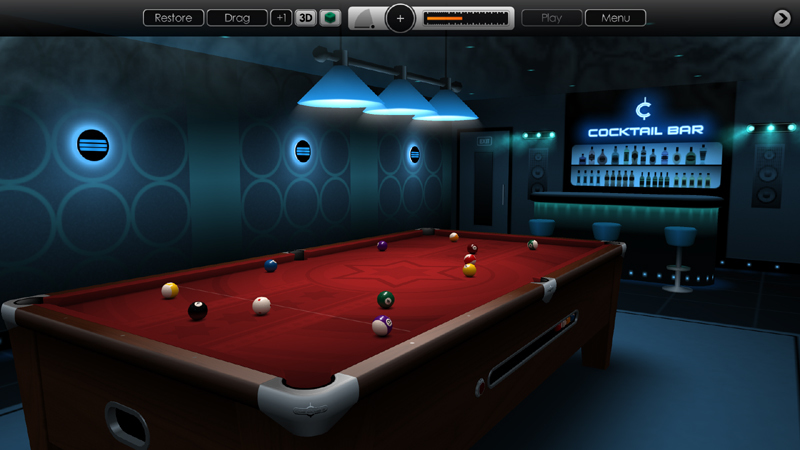
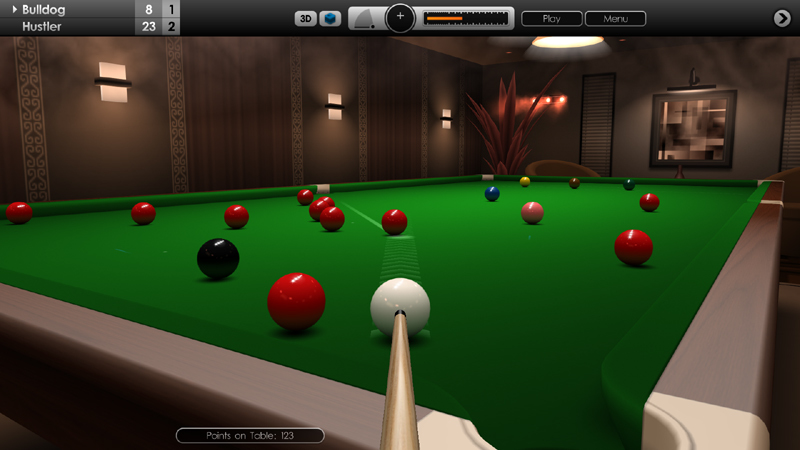
We're pleased to bring another exciting new update to Cue Club 2 today with refinements to ball physics and graphics to further increase realism, plus we have made more improvements to simplify game setup in Quick Match mode. We hope you enjoy these revisions and please continue to share your feedback with us.
Increased maximum cue power by approximately 20%, for more powerful break-off shots and playing long shots on larger tables.
Increased the amount of spin that can be applied to the cue ball (both side spin and top / back spin), for greater ball control and more effective trick shots.
Cushion dynamics has been improved, and sliding friction of the table cloth has been reduced for smoother and more realistic ball movement. Please note there are settings to customise this at Options > Tables > Global Settings.
Visual improvements to Quick Match, Bar Challenge and Tournament opponent screens.
Game difficulty setting has been moved to Options > Match Settings > Difficulty Level. This is now a global parameter and affects Quick Match, Bar Challenge and Tournament modes. There are 5 settings: Novice, Amateur, Intermediate, Expert and Pro.
Fixed an issue in Killer Pool whereby the same AI player could appear more than once in a 3 or 4 player game.
A random AI player setting has been added to Quick Match setup menu. To select this, scroll left through the 'Default Opponent' options.
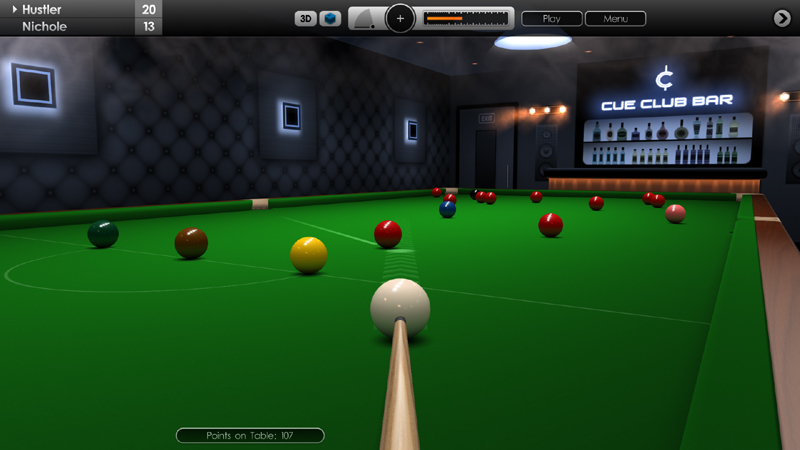
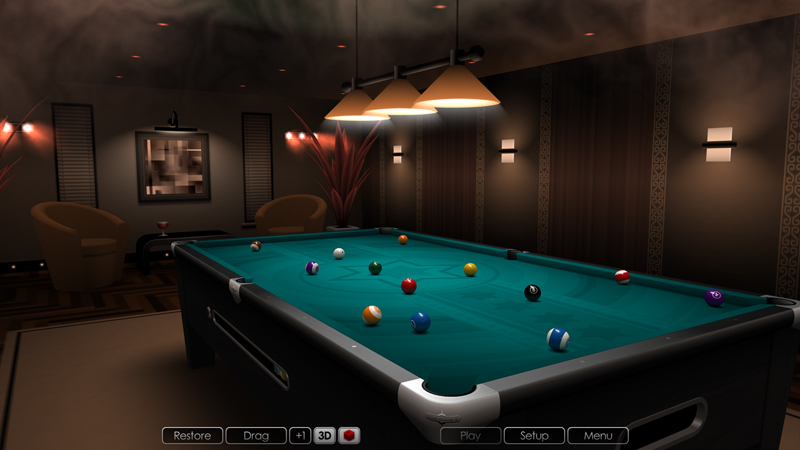
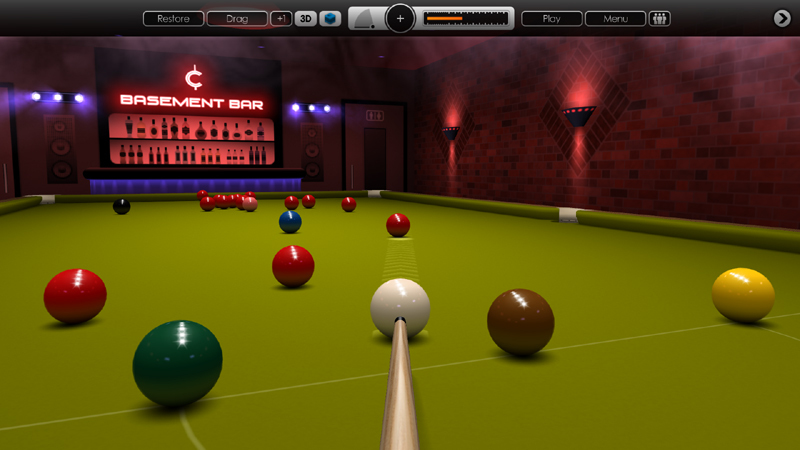
Improved illumination and lighting effects in both Bar and Theatre venues.
Other minor fixes and enhancements.
Cue Club 2 Update #63
Hi everyone,
Today we've released another new update with enhancements to Quick Match setup and opponent selection, with more options to customise the difficulty settings for AI players, to better suit your own skill levels. As always, your feedback is very much appreciated so please keep sharing your ideas and suggestions with us here and on the forums.
Added 5 difficulty settings for Quick Match games ranging through Novice, Amateur, Intermediate, Expert and Pro. See 'Play Game > Quick Match > Game Rules > Difficulty'. Default setting is Intermediate. Please note: difficulty settings also exist for Tournament and Bar Challenge modes, see 'Options > Match Settings', then select Tournament or Bar Challenge.
Added graphic images for all 15 AI opponents in Quick Match mode. The above difficulty setting will be applied to the selected opponent, which will affect how well they play. 1 Star players are easiest to defeat, 5 star players are the hardest to defeat.
The default player is Sebastian from the Basement Bar, and your preferred opponent is auto-saved for next time.
We have also fixed an issue in tournament saving at the end of matches, which prevented existing files from being overwritten. This should now work correctly.
Saving games locally to hard disk now works consistently, and as before Steam Cloud is also supported for saved games and tournaments.
Other minor fixes and improvements.
Cue Club 2 Update #62
Hi everyone,
We're pleased to release another new update for Cue Club 2. This update focuses on adding more save game options, with further improvements to match setup, graphics and AI. Thanks again for keeping us informed with your ideas and suggestions.
Increased save-game capacity. Previously only 1 game could be saved, and now up to 36 games can be saved simultaneously. This allows you to exit mid-game and store your progress in multiple matches, and also store and reload different practice and trick-shot situations, without having to setup the table each time.
Up to 6 tournaments can now be saved at the same time. Compete in several tournaments at once and play as little or as much as you want before saving, to continue again later.
Saved games and tournaments can also be deleted by going to 'File Management > Delete Saved Data' and selecting the appropriate option.
New option to force AI opponents to 'play on' in snooker and not concede a frame if they are behind on points. This gives you a better opportunity to clear up the table before a win. See 'Options > Match Settings > Virtual Players > Tactics (Concede game)'. This can be turned on or off. Default is 'on'.
Added a quick menu shortcut for 2 player games (human vs human). Go to 'Play Game > Two Player'. There are also shortcuts for 3 and 4 player Killer Pool matches.
Further visual refinements to in-game neon wall lighting and overhead table lighting in both Bar and Theatre venues.
Various improvements to menu graphics.
Other minor fixes and enhancements.
Please note, after installing this update any previously saved game or tournament will be temporarily located at 'Play Game > Load Game > Page 1 > Game 1'
Cue Club 2 Update #61
Hi everyone,
Today we've released another new update with a collection of tweaks to further enhance graphics, audio and gameplay within the game, with extra controls to customise audience behaviour in theatre venues. Thanks again for giving us your feedback and we hope you enjoy these latest revisions.
Visual enhancements to Membership Cards and menus.
New mouse pointer graphic with option to switch between 2 styles and 4 different sizes. See Options > Display Settings > User Interface (Pointer Style and Pointer Size).
Audience sound options to control applause and noise level have now been moved to Options > Audio > Audience. Also available in-game.
New option to change the level of audience whistling when playing in a theatre venue. Go to Options > Audio > Audience > Whistling. There are 3 graduated settings or it can be turned off. These will occur with applause in response to a good shot, high snooker break or at the end of a frame or match.
Ultra-glossy ball setting has been given a slightly more polished appearance. See Options > Ballsets > Global Settings > Ball Finish.
Anisotropic filtering now automatically applied according to graphics card capabilities, with enhanced rendering of in-game textures.
Improved rendering of the overhead table lamp in 3D mode with a more realistic bloom effect, that varies with the lighting level set.
Better rendering of fine table lines in 3D mode when camera is zoomed out or low on table.
Fixed a graphics issue where Steam user avatars were not displayed in the multiplayer lobby after using ALT+TAB in fullscreen mode.
Fixed a controller issue where the right thumb-stick could accidentally change camera height when playing in 2D overhead mode.
When resuming a saved tournament, clicking on the Tournament menu option now returns you directly to the saved match instead of presenting a new tournament.
In 3D mode during a game of snooker or 9-ball pool, the ball value indicator is now displayed in the top left corner to avoid obstructing the line of sight.
Other minor fixes and enhancements.
Cue Club 2 Update #60
Hi everyone,
We have another new update today with some nice enhancements to graphics and audio. The visual improvements focus on adding further realism to venue and table lighting in both 2D and 3D modes, with more options to customise the gameplay experience too.
New stylish neon glow effect on wall signs in 3D mode.
Improved global room illumination in Bar and Theatre venues.
Pockets and rails now have more realistic shading when lower lighting levels are used.
Refinements to pool pocket metallic reflections in 2D mode.
New end-of-game sound effect. See Options > Audio > Sound Effects > Game Over. Also available from the in-game menu. There are now 3 settings available or it can be turned off.
New menu selection sound effect. See Options > Audio > Sound Effects > Menu Selection. Also available from the in-game menu. There are now 3 settings available or it can be turned off.
2 new stylish menu colour theme options: Burgundy & Green, plus Cool Grey & Blue. See Options > Display Settings > Menus > Menu Colour. These can also be selected as a colour scheme for the Cue Club Bar and Theatre venues. Total of 8 custom themes now available.
Option to change the in-game button and text size. 2 settings (small / large). See Options > Display Settings > User Interface > Text Size.
Other minor fixes and enhancements.
Cue Club 2 Update #59
Hi everyone,
In this latest update we have focused on further refinements to gameplay, graphics and audio with some nice new feature additions too. Thanks again for the support and feedback.
Option to select a preferred A.I. opponent in Quick Match mode or have a random opponent. From the main menu, select Play Game > Quick Match > Opponent. Once set this is auto-saved and ready to use next time.
Initial first-round tournament pairings now offer a greater range of opponents.
Secondary aiming-line now hidden and aiming circle turns red when hovering over a ball that should not be played. Applies to both 2D overhead and 3D first-person views.
New alternative end-of-game sound effect. See Options > Audio > Sound Effects > Game Over. Also available from the in-game menu. There are 2 settings or it can be turned off.
New blue & orange menu theme option. See Options > Display Settings > Menus > Menu Colour. This can also be selected as a colour scheme for the Cue Club Bar and Theatre venues.
Other minor fixes and enhancements.
Cue Club 2 Update
Hi everyone,
There is another nice new update today with the addition of some larger table size options, plus a few extra improvements and fixes too. Thanks again for your continual support and feedback, more updates on the way soon.
New 10ft pool table option. This is bigger than a standard championship table but should provide an interesting challenge for seasoned players! The full range now includes 6, 7, 8, 9 and 10ft tables.
New 11ft snooker table option. There is a big jump between a 10ft and 12ft table and so we decided to add an in-between option to make it a smoother transition. Range now includes 8, 9, 10, 11 and 12ft tables. The full size table has also been enlarged too.
Added V-Sync settings for smoother frame rates on fast PC's. The 'Variable' option is recommended for older machines, and 'Constant' setting is recommended for powerful PC's and monitors with fast refresh rates such as 144 Hz and above. Go to Options > Display Settings > DirectX > V-Sync.
Fixed an issue in Killer mode whereby if a foul was made on clearing the table, the player was not eliminated if they had no lives left.
Default control panel transparency is now set to 50%. To adjust this go to Options > Display Settings > User Interface > Control Panel (opacity).
Snooker under-table lighting effect is now on when playing in both the Bar venues and Theatre venues with audience.
In-game aiming circle now changes to a red colour as a warning when hovering over a ball that should not be played.
New smaller pointer arrow option, ideal for playing on larger tables where more precision is required. There are 3 size settings available (small, medium and large). Go to Options > Display Settings > User Interface > Pointer Size. Please note: after the update this option might need resetting.
Adjustments made to user interface graphics to better fit when using the larger table sizes.
Other minor fixes and enhancements.
Cue Club 2 Update
Hi everyone,
We're pleased to add another new Cue Club 2 update today with more nice additions to the game. Thanks again for the support and feedback and hope you enjoy it.
Top 100 online community records for high snooker breaks added to the achievements menu. See Achievements > Snooker Breaks, and click the large page arrow.
Top 100 online community records for fast speed pool times have also been added to achievements menu. See Achievements > Speed Pool Times, and click the large page arrow.
In-game compact control panel can now be given a graduated semi-transparent effect to reveal more of the 3D world view. Go to Options > Display Settings > User Interface > Control Panel (opacity), and select 50, 75 or 100% Default is 75% opacity.
New victory sound effect added to frame and match winning screens.
Solved an issue in multiplayer that could very occasionally prevent a game from starting.
Other minor fixes and enhancements.
Cue Club 2 Update
Hi everyone,
We've just released a nice new Cue Club 2 update today with a few more refinements to the game.
Frame rate is now smoother and faster over a greater range of settings from 60 to 240 Hz.
Improved wall lighting effects in bar and theatre modes.
Enhanced ball reflections when using ultra-glossy setting.
Added a new under-table lighting effect in snooker.
The AI response speed when playing and making choices has been re-balanced for more fluid gameplay.
Fixed an issue that could occasionally halt the game in 3D mode when the AI was selecting a pocket for the 8-ball.
Various engine performance optimisations.
Other minor fixes and enhancements.
Thanks again for your valuable feedback and support.
Cue Club 2 Update
Hi everyone,
We have another update today with some exciting new features to CueClub 2. The main change is the addition of new replay cameras in 3D mode which are good fun to experiment with. Plus more tweaks and improvements to gameplay, graphics and audio, and a few fixes too.
New replay cameras allow you to watch a shot from almost any angle. From the in-game menu, go to 'Replay Shot > Change Camera', or select a saved shot from the main menu. You can choose between 4 cameras: 2D Overhead, 3D First Person, 3D Static and 3D Mobile. There are further options to customise these cameras, to move them around and define how they track balls. You can also attach and save different camera settings for each shot.
Improved table shadows and ball specular reflections in 3D mode.
Option to select a smaller pointing arrow, for more precise navigation, especially when playing on larger tables. See 'Options > Display Settings > User Interface > Pointer Size'. Default size - small.
Option to disable the right mouse button and joypad 'B' button when playing shots, in favour of exclusively using the 'Play' button on the control panel. Go to 'Options > Controls > Cue Settings > Cue Control', and set to 'Button' mode.
Added a separate volume control for the theatre audience. From the main menu, go to 'Options > Audio > Audience > Volume', or select from the in-game menu.
Option to modify the frequency of audience applause and noise with 3 settings. See 'Options > Match Settings > Venue' then select 'Audience Applause' and 'Audience Noise'.
New 15% brightness option for the overhead table lamp, offering a very low atmospheric light level with strong vignette effect. See 'Options > Display Settings > Visual Effects > Table Lamp' from the main menu. Also accessible in-game.
Solved a rare issue that could occasionally halt the game when switching camera views between 2D and 3D during gameplay.
Multiplayer male / female avatar is now always correctly displayed.
Further refinements to multiplayer connectivity.
Various visual improvements to tournament screens and menus.
Other minor fixes and enhancements.
Thanks again for passing on your valuable feedback and helping us to further refine the game.