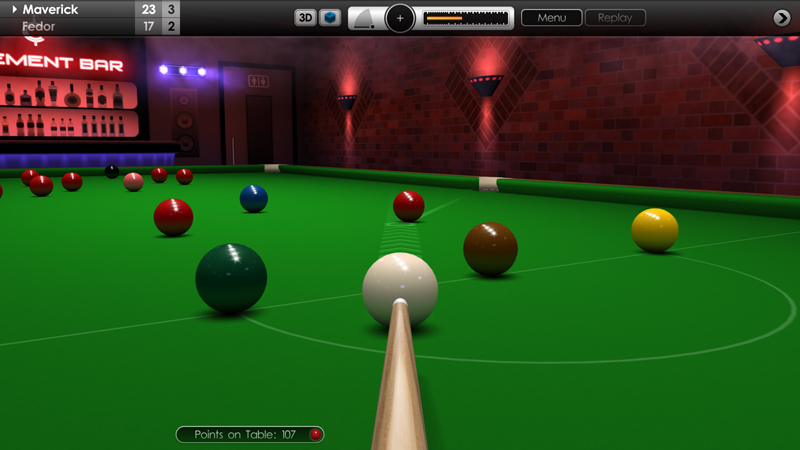
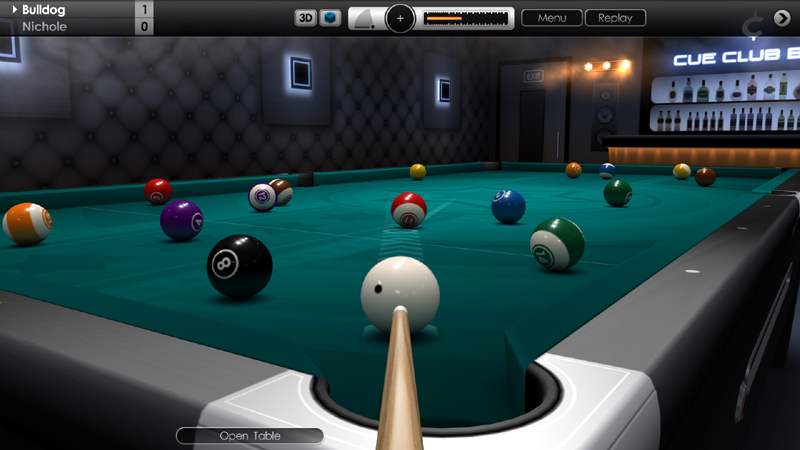
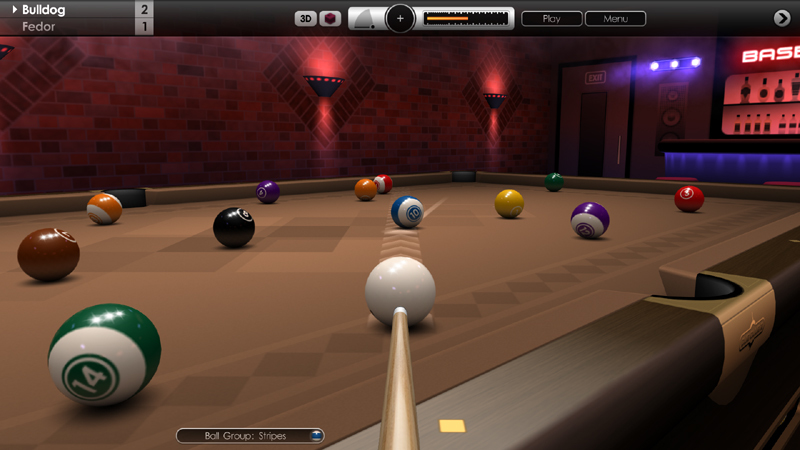
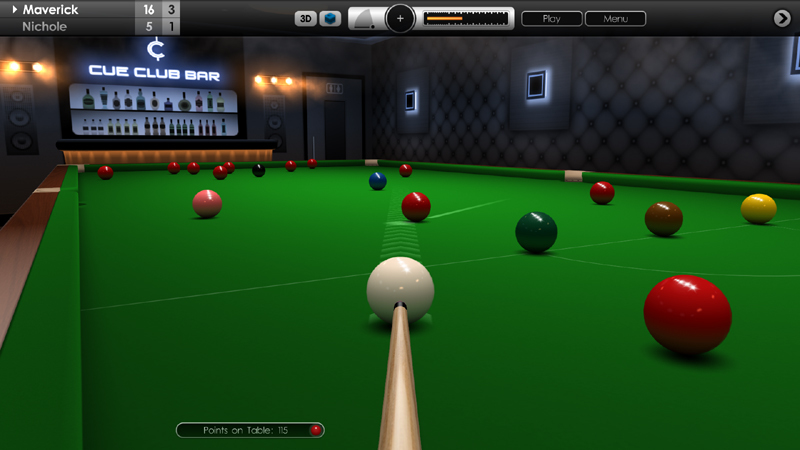
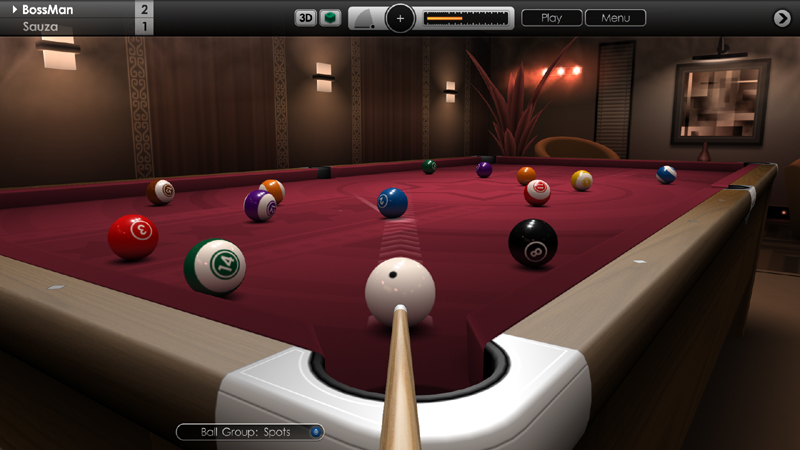
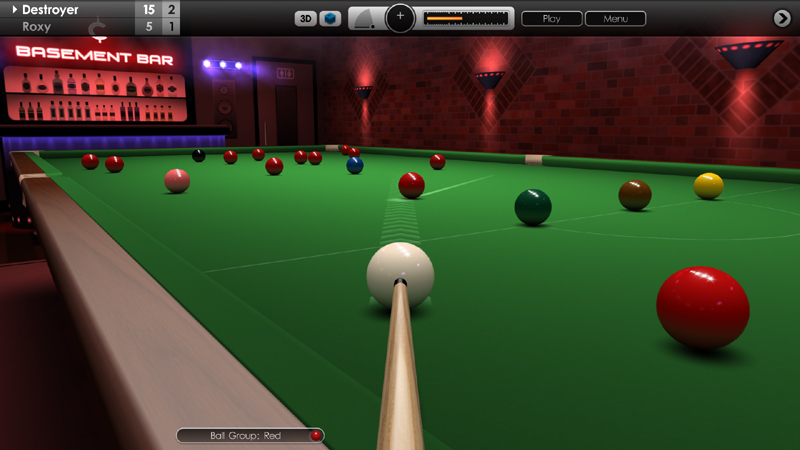
In today's update we have a collection of new features and improvements to Cue Club 2, focusing on cameras, game rules, keyboard input, graphics and multiplayer, plus some fixes and general gameplay enhancements. As always we hope you enjoy these tweaks and please keep sharing your thoughts and suggestions with us here and on the forums.
Added a TV-style camera for watching opponent gameplay and replays. This new 3D view is located behind the end of the table and is available in standard and elevated height. See 'Options > Camera > Default Camera (Opponent)'. It can also be selected for instant replays and saved shots, plus snooker breaks and speed pool replays. The first-person camera mode is still available as an option if you prefer this view for your opponent.
Improved 3D first-person camera tracking after a shot is played. On all shots following the initial break, the camera now automatically tracks the cue ball and then follows the first ball contacted, to capture more of the action. As before, clicking the middle mouse button or gamepad left shoulder button can be used to quickly zoom out after a shot is played.
Improved keyboard input with left / right cursor keys and delete key now supported for easier and faster editing of chat text, filenames and so on.
Virtual keyboards in the menus have been improved and expanded to accomodate the above keys. There is a also clearer input window and text is shown left-aligned.
Multiplayer matchmaking and chat messages from other real players are now enabled when you're playing against AI opponents from the lobby. To turn on these notifications go to 'Options > Match Settings > Multiplayer' and set 'Receive Alerts' to ON, or enable them in the lobby using the toggle switch at the bottom-right of the page.
In snooker, making 3 consecutive fouls now results in a loss of game, in accordance with the official rules. The player must not be snookered when committing the fouls for this rule to apply, and a warning is given after the second offence.
On the cue selection menu, the various cue sizes are now described in inches or cm, with an option underneath to toggle between the units of measurement.
Cue elevation adjuster has been modified to show a ghost line representing where the true cue angle is, complimenting the solid line which shows the target angle. This has been added to give the player a better idea of cue elevation when obstructing balls occasionally force the cue upwards.
Primary aiming line now fades out close to the cue ball and appears less distracting from the 3D first-person view.
Fixed an issue that sometimes prevented the referee from re-spotting balls on the table after they had been potted. This applies mainly to snooker colours and the cue ball.
Fixed a problem that could freeze the mouse pointer after clicking on the 'Restore Balls' button during saved replays.
Fixed an issue in Killer pool, whereby if the table was cleared and the cue ball was potted at the same time, the balls would not be re-racked.
Solved an issue that prevented the circular aiming target from being displayed in 3D mode when aim lines had been turned off in the menus.
Smoother target navigation around the edges of the table in 3D mode when using a game controller.
Other minor fixes and enhancements.
Cue Club 2 Update #73
Hi Everyone,
We're pleased to release another new update today for Cue Club 2 with more tweaks to controls, graphics, gameplay, AI opponents and performance tuning. We hope you enjoy these enhancements, and we would like to say thank you for your support and send best wishes to all our players from around the world during these unusual times. As always please feel free to share your thoughts and ideas with us.
There is a new shortcut added to quickly move the cue ball when the player has ball-in-hand and 'Fast Aiming' control method is selected. Press and hold the 'B' key whilst moving the mouse, or if using a gamepad press the 'B' button whilst moving the left thumb-stick. To enable the fast aiming feature (or to turn it off), go to 'Options > Controls > Basic Settings > Fast Aiming'.
Quick Match setup has been simplified, and all 15 computer opponents can now be played over a greater degree of difficulty from Novice to Professional, over 5 increasing levels. See 'Games > Quick Match > Game Type'. Please note: the difficulty level for Quick Match is now separate from the setting used for Tournament and Bar Challenge modes. To adjust the latter, see 'Options > Match Settings > Difficulty Level'.
Pressing ALT + TAB no longer pauses action at the table. So you can safely tab-out to do another quick task while your opponent is playing shots. If you still wish to pause the game, press the escape key to bring up the in-game menu before tabbing out.
Added support for different keyboards including QWERTY, QWERTZ and AZERTY layouts. See 'Options > Controls > Advanced Settings > Keyboard Layout'. This feature allows WASD keys to map to ZQSD for players using a French-style keyboard.
In the ball set selection menu, the ball finish option has been moved from global settings to the main page, for easier navigation. There are 4 settings of shine: 'Matte, Satin, Gloss and High Gloss'.
Visual improvements have been made to ball shading and shadows in 2D overhead mode for increased realism.
Added an option to limit frame rate (capped at the selected refresh rate), which may be useful to control game speed, optimise performance and improve compatibility with G-Sync monitors. See 'Options > Display > Graphics Settings > Limit Frame Rate'.
Fixed an issue that occasionally displayed the cue in Slam mode.
Solved some isolated issues surrounding gamepad navigation.
Other minor improvements and fixes.
Cue Club 2 Update #72
Hi Everyone,
We hope you are all keeping safe and well during these unusual times. Today we released a major update to Cue Club 2 with many new features, fixes and enhancements to various aspects of the game, covering the control system, graphics, gameplay, menus, AI and multiplayer. Thank you for the continued support and we hope you enjoy the improvements, and as always please continue to share your ideas and suggestions with us.
Introduction of a new control system called 'Fast Aiming'. This method allows you to navigate quickly around the table and line up shots more easily than before, by simply moving the mouse or gamepad left stick, then pressing the left mouse button or gamepad 'A' button to shoot. The control system is similar to that used in the original Cue Club, and has been carefully expanded to work with the 3D first-person camera mode. Existing users will need to enable this feature to try it out, and for new users it's the default setting. To activate, go to 'Options > Controls > Basic Settings' and turn 'Fast Aiming' to on. Please note, this option is only compatible with the 'Compact' control panel setting, and with mouse input or game controllers. For touchscreen devices, the original control setting is recommended (Fast Aiming set to off).
There is a new mouse acceleration option for more rapid positioning of the aiming target. See 'Options > Controls > Advanced Settings > Mouse Acceleration'. It ranges in sensitivity from 25% to 100% or may be turned off. The default setting is 50%. We do recommend experimenting with this to find what works best for you.
Menus have been reorganised and optimised for simpler navigation. Tables, ball sets, cues and chalk have been grouped together and can now be found in 'Options > Tables and Equipment'.
Practice mode has been moved up a level to the 'Games' menu, for easier access. DirectX settings have been relocated to 'Options > Display Settings > Graphics Settings'. The 'Controls' menu has been expanded with 'Basic' and 'Advanced' sub-menus, and the in-game 'Save Shot' option has been moved to the 'Replay' menu.
The graphics menu has a new option to change screen resolution from all the available settings, plus an option to auto-select the native resolution at start-up. You can now also select the refresh rate in Hz, from whatever settings are available for the chosen resolution.
Most menus now feature a 'Reset' option to restore the local settings back to default values.
In-game 'Minimise' button has been moved to the bottom right of menu, to simplify navigation up and down the page when using a gamepad.
New option to reverse the menu colour scheme, doubling the amount of custom themes available. See 'Options > Display > Menus > Reverse Colours'.
A new mouse pointer design has been added (3 in total to choose from), with 3 new pointer colours (orange, green and purple) making 6 in total. See 'Options > Display > Pointer'.
AI players now use a different pointer colour to you, or you can define a custom setting. See 'Options > Match Settings > Virtual Players > Pointer Colour'.
Tournament fixtures screen has been improved with a new animated reveal of the match pairings.
Graphical improvements to most menus including leaderboards, game rules screens, chalk selection, and in-game match information screens.
Visual enhancements to 3D cue rendering and shading in-game.
3D aiming circle now uses a discreet hollow disc to complement the target used in the 2D view.
Cue elevation, side spin and shot power can now be set more easily with game controllers using the 'A' button and left thumb-stick or D-Pad.
Solved an issue that caused slight over-correction when using 'Q' key for cue elevation or 'E' key for English (side and top spin).
Keys 1-6 now mimic F1-F6 keys, to make the associated functions slightly easier to access on the keyboard.
Fixed various gamepad navigation issues where the pointer would occasionally jump to the wrong location on-screen.
Using the Zoom feature in 3D mode now moves the camera to a position just behind the cue ball, so you can still see the cue tip making contact with the ball when playing a shot.
Corrected an issue where AI players would sometimes respot the cue ball by picking it up, where the path was clear for the ball to slide to the new position.
Solved a problem in Slam mode that caused the captured ball to swing off-centre towards the edges of the table.
Improved the aiming system on touchscreen devices in 2D overhead mode, to reduce the likelihood of fingers obscuring the target when lining up shots.
Fixed an issue that could prevent touchscreen working correctly in 3D first-person mode.
Online multiplayer has been made more stable with improved connectivity.
Added an auto-correction feature for default level of top spin when the cue ball rolls up close to a cushion and access to strike the cue ball in the centre is limited.
Various other minor fixes and enhancements.
Please note: With this large update user options did need to be reset to default, so existing users should take a moment to re-configure their preferred settings in the menus.
Cue Club 2 Update #71
Hi Everyone,
We're pleased to release our second update for 2020 today with a collection of new features, fixes and refinements to ball physics, gameplay, graphics, cameras and multiplayer. Please continue to let us know your suggestions, we very much appreciate your input in helping us to continually improve Cue Club 2.
Ball physics has been enhanced. At low speeds, top and bottom spin has more effect, allowing you to position the cue ball more precisely between shots. In addition, applying large amounts of power and backspin has less effect on decelerating the cue ball unless the cue angle is raised very high. As before, you can tweak the physics by going to 'Options > Tables > Global Settings' and changing the various cloth and cushion settings. Remember to apply chalk before a shot to give better control of the cue ball !
Maximum cue power has been increased for shots where the cue angle is raised up high, giving greater cue ball travel - useful when playing on the larger tables.
In 3D mode, the middle mouse button can now be pressed after a shot is played to quickly zoom out further, giving a broader view of the action. Use the left shoulder button on game controllers.
Ball and pocket nomination is now handled instantly for your opponent's shots when playing against an AI or in multiplayer, considerably speeding up gameplay.
In snooker matches the referee now makes a better attempt to respot colours on their spots when other obstructing balls are close by.
New option to customise the overhead table lamp. There are 3 settings: Standard, Alternative and Grey. The available colours vary with the venue selected. See 'Options > Visual Effects > Lamp Colour'.
Higher resolution flooring textures have been produced for 3D Bar and Theatre venues for increased realism.
Added an option to display an in-game clock on the control panel. This will show the current time in 12 or 24 hour formats. See 'Options > Display Settings > User Interface > System Clock'. Can also be displayed in the menus or turned off.
Camera transitions in 3D mode have been made smoother when zooming in and out of the table.
The view can now be adjusted when the in-game menu is active (or minimised) to allow players to look around the table. This is particularly useful in snooker, when players must make a decision on whether to continue or make their opponent play again following a foul.
Default field of view in 3D mode is now set to 80 degrees, offering better visibility at the far end of the table. Can be adjusted from 70-90 in 5 degree intervals. Go to 'Options > Display Settings > Cameras > Field of View (3D)'.
Multiplayer has been made more robust with greater connectivity, and several synchronisation issues have been solved.
Various visual and layout improvements to menus.
Other minor fixes and enhancements.
Cue Club 2 Update #70
Hi Everyone,
We hope you're having a great start to the New Year! In our first update of 2020 there are several key improvements to Cue Club 2, with new features, fixes and a collection of refinements to the game. As always, many thanks for keeping us informed with your ideas and suggestions.
New in-game clock, handy if you want to keep a check on your playing time. Displayed at the top right corner of the in-game menu. This can be toggled on or off by going to 'Options > Display Settings > User Interface > System Clock'. There is a choice of a 24-hour or 12-hour formats. Default setting is off.
Menu buttons containing short text have been slightly enlarged, making them easier to navigate to and click on using the mouse.
The compact in-game instrument panel has been given an improved metallic lustre.
When pressing the middle mouse button to step back the from the table in 3D mode, shot information overlay text is no longer displayed to give a clearer view.
Corrected a fault that would occasionally hide the cue when switching from 2D to 3D mode.
Fixed a bug where pressing left and right mouse button together could halt the game when setting up a shot with the large user interface setting.
Solved an issue whereby snooker break and speed pool replays were skipping the first shot. This has been fixed for all new saved games following this update.
Corrected an issue where the ball nomination marker did not always appear over targeted balls in 3D mode.
Online leaderboards now updated to accept new 2020 player records.
In multiplayer against AI, the player to break is now chosen at random unless an override is selected in 'Options > Match Settings > Start Player'.
AI players now use greater variation in their break-off position, leading to a better and more random spread of balls, from one frame to the next.
Other minor fixes and enhancements.
Cue Club 2 Update #69
Hi Everyone,
For the final big update of 2019 we have a series of enhancements to Cue Club 2 covering gameplay, graphics, controls, cameras, audience behaviour, and multiplayer. We hope you enjoy these new features and thank you for your continued support this year in helping us continually refine the game.
Multiplayer servers have been made more robust and reliable, and online games have substantially improved connectivity.
In 3D mode the camera now raises up higher when the player peers over the table using the mouse wheel or gamepad right stick, to give a better view of the table and aim lines.
'X' key can now be used to reset the horizontal camera angle back to the centre position.
Top spin and side spin limits are now unhindered, and the game automatically adjusts vertical cue angle when nearby cushions or obstructing balls restrict access to the cue ball.
When moving object balls around in practice mode, the cue now withdraws from view and returns when the balls are placed.
Improved graphics for ball and pocket nomination markers.
Fixed an issue where fast moving balls could occasionally drop into the pocket and then force themselves outwards away from the table.
Solved an issue where the cue would sometimes penetrate the cue ball at certain cueing angles, before a shot was played.
Fixed a rare issue where sometimes the audience would mistakenly begin applauding an impressive shot, when in fact a foul had been committed.
When a good shot is played in Theatre venues and the audience start clapping, the camera now tilts vertically to simulate the player 'looking up' to watch and acknowledge the applause.
Visual enhancements to menu option screens, Bar Challenge access screens, and initial loading screen which now uses the Championship green cloth instead of purple.
Improved atmospheric room lighting effects in Bar and Theatre venues for increased realism.
Enhanced Multiplayer trophy graphics.
Other minor fixes, refinements and optimisations.
Cue Club 2 Update #68
Hi Everyone,
We're pleased to release another new update today before Christmas with more fine tuning to graphics, cameras, gameplay and audio. We hope you enjoy the latest revisions and as always please keep us informed with your feedback.
The number of settings for the first-person camera distance behind the cue ball has been increased from 3 to 5. See 'Options > Display Settings > Cameras > Distance to Ball (3D)'. This gives you more control to fine-tune your playing position, allowing you to get up close to the cue ball or further back along the cue.
Improved anti-aliasing on cues in 3D mode, giving a smoother, more realistic rendering effect.
The timing of audience applause has been improved when playing in Theatre venues, and spectators respond more quickly to a good shot being played.
Metallic pool pocket enclosures have been given more detailing in 3D mode, and diamonds around the edge of the table have more clarity.
Pressing the Right Thumb-stick on a game controller now resets the horizontal camera angle back to centre position, and left-right axis sensitivity has been slightly reduced to prevent accidental sideways movement when adjusting vertical camera angle.
We have noticed that larger tables are becoming more popular, and so the default size is now 7ft for pool and 9ft for snooker. However, you can still select the smaller 6ft pool table and 8ft snooker table if you prefer. Bigger versions are also available, including 8, 9 and 10ft pool tables, and 10, 11 and full-size 12ft snooker tables.
The default camera view is now 3D first-person. If needed, this can be changed by going to 'Options > Display Settings > Cameras > Default Camera'. As before you can use spacebar to quickly change cameras in-game, or on a game controller press the 'View' button.
New smaller mouse pointer option added, to give finer control when playing on larger tables. There are now 5 sizes to choose from, and you can also customise the colour of the pointer too (3 settings: white, red and blue). Go to 'Options > Display Settings > Pointer'.
Fixed an issue when loading saved games, where the notifications capsule would sometimes display the message 'Open Table' when ball groups had already been assigned.
Fixed an issue in Detonator mode, where balls were occasionally occluded in 3D mode.
Other minor fixes and enhancements.
Cue Club 2 Update #67
Hi Everyone,
Today we have released a significant update to Cue Club 2 with several further refinements to controls, graphics, audio, cameras and gameplay. Thanks again for the continued feedback and we hope you enjoy these latest additions.
7-ball pool now uses a specially designed striped black 7 ball, as used in TV competition, to make it easier to identify. All 6 patterned US ballsets now use this modified ball.
Added an option to re-select the nominated ball or pocket for pool and snooker, if you change your mind. Simply click on the new ball or pocket to make the switch, and you can do this as many times as you wish before the shot is played.
A small icon showing the current 'on' ball is now displayed in the notifications capsule at the bottom of the screen, as a helpful visual reminder of your selected ball group.
2 new keyboard shortcuts have been added. Hold down 'Q' key whilst moving the mouse to change vertical cue angle, and 'E' key adjusts top and side spin (English) applied to the cue ball.
New 'Extra Long' primary aim line option. This can be useful for players who want more assistance with lining up shots. See 'Options > Aiming > 2D/3D View > Primary Line (length)'. Available from both the main and in-game menus.
If the next ball to be played is known, the 3D camera will now automatically rotate to face the centre of the 'on' ball at the start of a new shot, speeding up gameplay.
Improved modelling and rendering of cues in 3D mode.
Camera angle can now be lowered down even closer to the cue, to assist with lining up shots. Use the mouse wheel or controller right thumb stick to adjust.
The active player at the table now has their name highlighted on screen for extra clarity.
Increased the intensity of the smokey haze effect on overhead table lamps in 3D mode.
Music controls for 'Shuffle play' and 'Repeat track' have been added to the in-game menu.
When adjusting audio effects for the audience, the 'Test' button now cycles through all active samples.
Fixed an issue where the music playlist order was not reset after de-selecting shuffle play.
Fixed a text error in the audio menu (Dutch language).
Improved menu navigation with game controllers.
Other minor fixes and enhancements.
Cue Club 2 Update #66
Hi everyone,
We have a nice update today with further refinements to match setup, game controller support and graphics. Please keep sharing your feedback with us and we hope you enjoy these new features.
Added the ability to adjust behaviour settings for AI players from the in-game menu. You can control the speed that they play, and whether they are allowed to concede matches in snooker. See 'Options > Match Settings > Virtual Players'.
Added option to select which player breaks at the start of a new match. The choices are 'Random' (default setting), 'Human Player' or 'Virtual Player'. See 'Options > Match Settings > Start Player'. Please note this only applies to the first frame of a match. This feature might be useful if you want to practice your break shots more regularly (set to Human Player).
Added option to toggle the chat feature in-game. Go to 'Options > Match Settings > Communication'. There are separate settings for offline games and online multiplayer games.
Further improvements to game controller support to simplify shot setup. Pressing the Y button with D-PAD adjusts top & side spin applied to the cue ball, and Y button + Left Stick adjusts the height of the cue to enable swerve shots.
Help screens for game controls have been improved with better graphics and descriptions. See 'Options > Controls' then select 'Game Controller' or 'Mouse & Keyboard'. Also available from the in-game menu.
Improved atmospheric haze effect on wall spot lights in both Bar and Theatre venues.
Other minor fixes and enhancements.
Cue Club 2 Update #65
Hi everyone,
Today's update offers more useful features including greater fine-tuning of the aiming lines, plus we've added lots more options to the in-game menus, to make it easier and faster to setup the game just as you like it. As always, thank you for sharing your ideas and feedback.
Added a thinner and sleeker aim line option, in contrast to the thicker, full width line. Go to Options > Aiming > 2D/3D > Primary Line (width). This is available in both overhead and first-person camera views.
Added new in-game menus for User Interface settings, Visual Effects, Text and Pointer settings, and DirectX Graphics. See Options > Display Settings. These can all be modified without interrupting the current match and with instant effect.
The difficulty level of AI opponents can now be modified from the Quick Match menu, via a shortcut button at the bottom of the page. A separate menu also exists in Options > Match Settings.
Fixed a rare issue that occasionally would add an extra character to the end of filenames.