Today's update brings a collection of new features, fixes and enhancements to the game. Many thanks for sharing your recent feedback. We hope you enjoy these latest improvements, please see below for a full breakdown.
GRAPHICS / USER INTERFACE
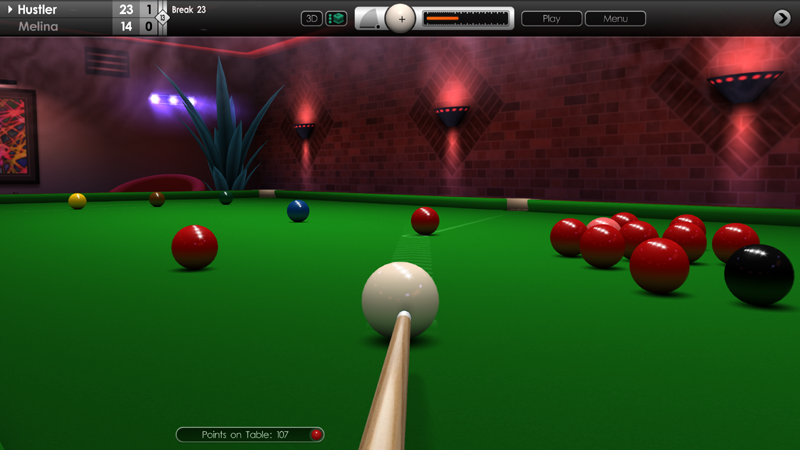
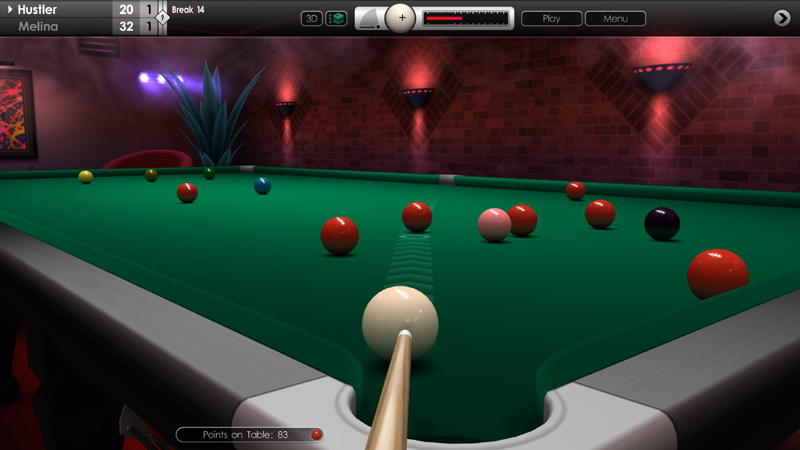
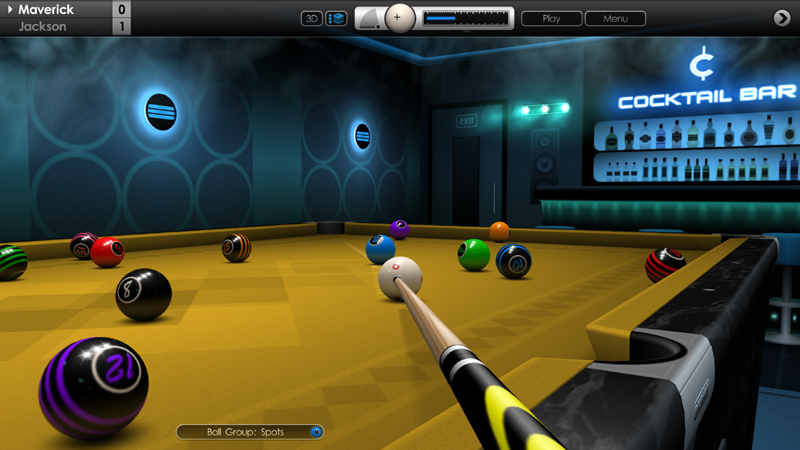
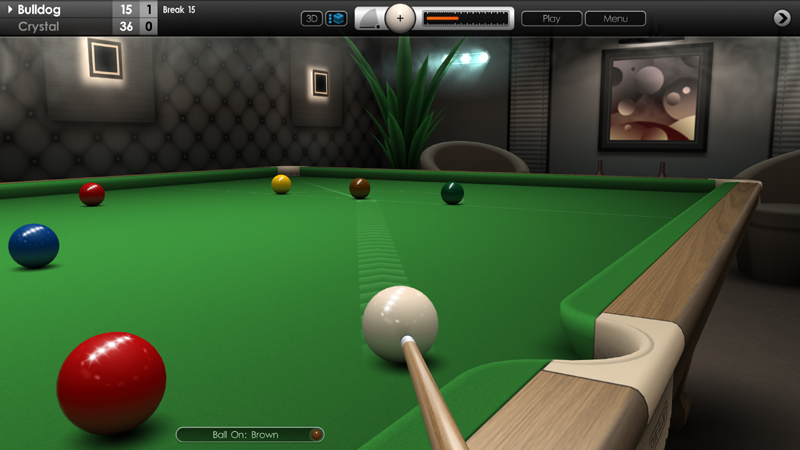
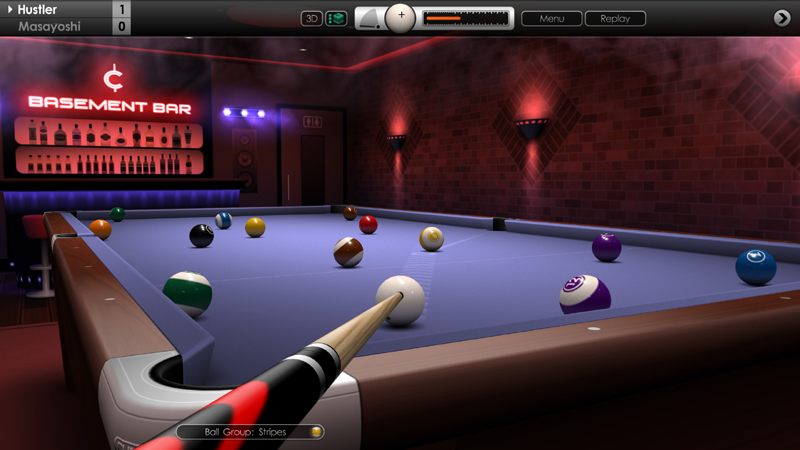
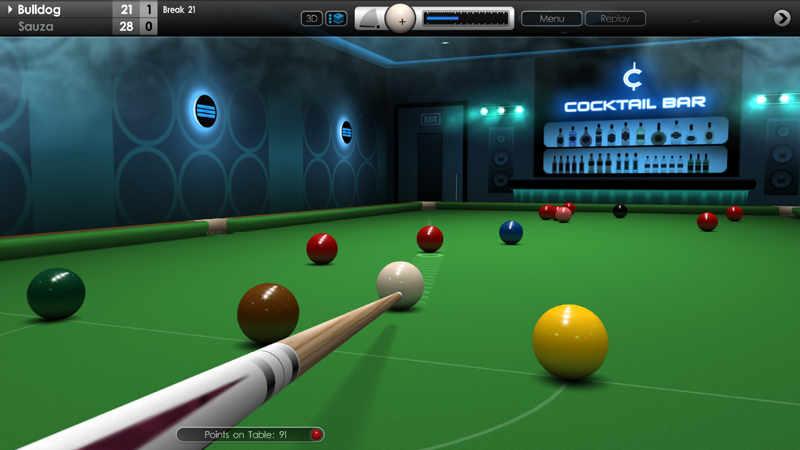
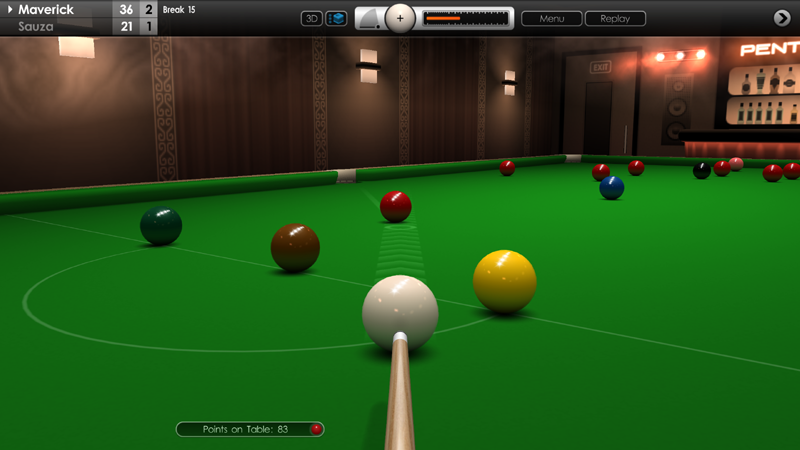
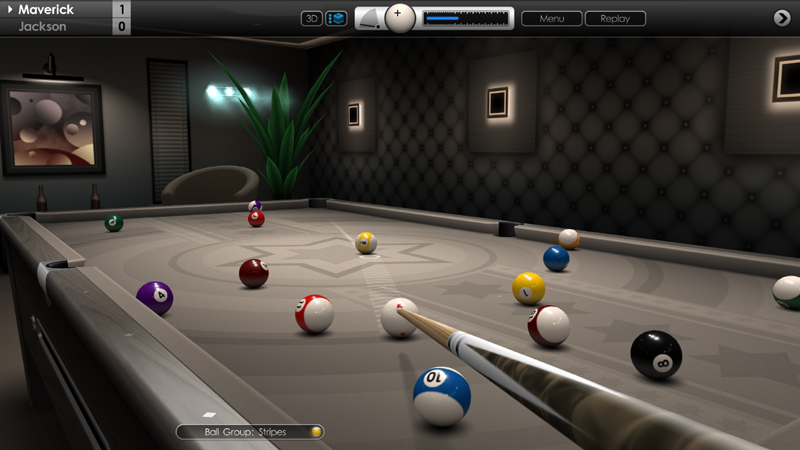
Added display graphic for total number of frames/racks in-game, next to player scores. For US language option, the number follows the format of 'Race to (X)'. For other languages it follows the format 'Best of (X)'.
Improved button graphic for racking balls in games of pool. This is visible shortly after pressing the red ball-release button in practice mode.
MULTIPLAYER
Game invites removed if the player who sent them leaves the lobby or accepts a match with another player. This fixes an issue where sometimes the 'Play' button would not work if the opponent had left.
Doubled the amount of points awarded for a win in online matches.
AUDIO
Added new sound effect for pool balls falling into pockets. The previous sample can still be selected by going to 'Options > Audio > Sound Effects' and changing 'Potted Balls (Pool)' to 'Sound 2'.
Default sound effects for 'Menu Selection' and 'Game Over' renamed to 'Sound 1'.
REPLAYS
Fixed an issue that sometimes caused the 'Reload Settings' button in the saved shot replay menu to be greyed out.
Fixed an issue for saved shots where the 3D camera was not always set correctly.
Fixed an issue for saved shot and game replays that sometimes made the '2D/3D view' button switch to the wrong camera.
GAMEPLAY / CONTROLS
Cue movement distance now same for both auto and manual cueing methods.
Escape key now works on all in-game menus to go back one level.
LEADERBOARDS
Fixed errors in rankings when players shared equal scores for snooker breaks or speed pool times.
Other minor fixes and enhancements.
Cue Club 2 Update 09.11.22
Hi Everyone,
Today's update brings a collection of new features, fixes and enhancements to the game. Many thanks for sharing your recent feedback. We hope you enjoy these latest improvements, please see below for a full breakdown.
GRAPHICS / USER INTERFACE
Added display graphic for total number of frames/racks in-game, next to player scores. For US language option, the number follows the format of 'Race to (X)'. For other languages it follows the format 'Best of (X)'.
Improved button graphic for racking balls in games of pool. This is visible shortly after pressing the red ball-release button in practice mode.
MULTIPLAYER
Game invites removed if the player who sent them leaves the lobby or accepts a match with another player. This fixes an issue where sometimes the 'Play' button would not work if the opponent had left.
Doubled the amount of points awarded for a win in online matches.
AUDIO
Added new sound effect for pool balls falling into pockets. The previous sample can still be selected by going to 'Options > Audio > Sound Effects' and changing 'Potted Balls (Pool)' to 'Sound 2'.
Default sound effects for 'Menu Selection' and 'Game Over' renamed to 'Sound 1'.
REPLAYS
Fixed an issue that sometimes caused the 'Reload Settings' button in the saved shot replay menu to be greyed out.
Fixed an issue for saved shots where the 3D camera was not always set correctly.
Fixed an issue for saved shot and game replays that sometimes made the '2D/3D view' button switch to the wrong camera.
GAMEPLAY / CONTROLS
Cue movement distance now same for both auto and manual cueing methods.
Escape key now works on all in-game menus to go back one level.
LEADERBOARDS
Fixed errors in rankings when players shared equal scores for snooker breaks or speed pool times.
Other minor fixes and enhancements.
Cue Club 2 Update #1.10
Hi Everyone,
Today's update brings a collection of new features, fixes and enhancements to the game. Thanks for sharing your recent feedback, please see below for a full description.
MULTIPLAYER
Game invites are now removed if the player who sent the invitations leaves the lobby or accepts a match with another player. This fixes an issue where sometimes the 'Play' button would not work if the opponent had left.
Doubled the amount of points awarded for a win in all online matches.
GRAPHICS / USER INTERFACE
Added visual of the total number of frames/racks in-game, next to player scores. For US language option, the number follows the format of 'Race to (X)'. For all other languages it follows the format 'Best of (X)'.
Fixed an issue that caused the power bar to change colour on each shot during a saved replay if the 'Random' setting was chosen for power bar colour.
Improved button graphic for racking balls in games of pool. This is visible shortly after pressing the red ball-release button in practice mode.
AUDIO
Added new sound effect for pool balls falling into pockets. This is now the default sound, but the previous sample can still be selected if preferred, by going to 'Options > Audio > Sound Effects' and changing 'Potted Balls (Pool)' to 'Sound 2'.
The game no longer closes if any sound file fails to load, and instead an entry is added to the log file. However, in normal operation this should not happen.
Default sound effects for 'Menu Selection' and 'Game Over' have been renamed to 'Sound 1'.
REPLAYS
Fixed an issue that sometimes caused the 'Reload Settings' button in the saved shot replay menu to be greyed out.
Fixed an issue for saved shot replays that would fail to use the saved 3D camera setting.
Fixed an issue for saved shot and game replays that sometimes made the '2D/3D view' button switch to the wrong camera.
GAMEPLAY
When using the manual cueing method, the default power on the break shot is now 100% in pool and 55% in snooker, which is useful if using the 'Play' button. Note that default power in snooker varies depending on cue and table size.
Slightly reduced length of cue pullback distance when playing a shot with auto cueing method, with increased distance for manual cueing method, giving both modes a similar range.
CONTROLS
Escape key now works on all in-game menus to go back one level.
LEADERBOARDS
Fixed errors in rankings when players shared equal scores for snooker breaks or speed pool times.
Other minor fixes and enhancements.
Cue Club 2 Update #1.09
Hi Everyone,
In this latest update we've brought together an array of improvements and fixes as suggested by the Steam community. Thanks again for sharing your valuable feedback.
MULTIPLAYER
Players now have 90 seconds to reply to invites instead of 60.
Rule variations now displayed within the lobby window.
Inbox now pre-selected when exiting from a game to the lobby after receiving an invite or message.
SPEED POOL
Clock now increments when balls are rolling during a saved replay.
Clock now shown in the potted balls view at the top of the screen, as well as the control panel.
GRAPHICS
Drag ball arrow now rendered in the same colour as the aim line, when fast aiming method is turned on and using first person camera view.
Attempted fix for texture graphics sometimes not loading after extended use of Windows task switching.
CONTROLS
Added extra setting of 20 degrees for maximum cue elevation. This lower value will prevent extreme swerve shots from being performed, which some players may prefer to use. See 'Options > Controls > Advanced Settings > Maximum Cue Angle'.
Fixed an issue where the cue ball would sometimes vibrate when pressing E (for English) and B (for move ball) at the same time.
Fixed issues where the mouse pointer sometimes flickered in and out of view.
Mouse pointer now stays off when referee is busy moving or replacing balls.
SAVED REPLAYS
Fixed an issue where the notification capsule would briefly appear at the end of a shot.
MISCELLANEOUS
Minor tweaks to localised text.
Game compiled using the latest Steam SDK libraries.
Other minor fixes and enhancements.
Cue Club 2 Update #1.08
Hi Everyone,
Today we released an update with new features requested by the community, plus a collection of fixes and improvements. Please see below for a full breakdown. Thank you for the continued feedback and we hope you enjoy these latest additions to the game.
AIMING
Added five opacity settings for aim lines and target circle to offer increased visibility ranging from 10 to 50%. See 'Options > Aiming > Line Opacity'. Default setting is 10%.
Added five colour options for aim lines and target circle (white, yellow, green, blue and purple). See 'Options > Aiming > Line Colour'. Default setting is white. The colours work particularly well on dark cloths.
MULTIPLAYER
Rule variations can now be viewed in the lobby before accepting a match. When you receive a game invite and your opponent's rules are different to yours, go to the inbox and click the button labelled 'Rules' to see these changes which are marked in red.
Fixed an issue in the lobby where game invites would sometimes expire too quickly.
All game invites are now cleared when you press the refresh button in the lobby.
The text entry box is now cleared when you close the chat window in the lobby.
Improvements to game controller navigation in the lobby.
Fixed a ball nomination issue that could cause a multiplayer game to go out of sync.
Added a small animated disc to the in-game notification capsule.
The animated disc on the in-game menu is now positioned around the clock (if enabled).
GAMEPLAY
Referee is now slightly faster respotting the cue ball after a scratch in pool.
Auto ball nomination works faster, speeding up gameplay and helping prevent nomination errors.
Fixed an issue where auto ball nomination did not work correctly if the aiming target was positioned exactly between two balls.
Auto ball nomination now works better when aiming at a distant ball with cue power set low.
Added text hint when attempting to play a shot before nominating a ball or pocket. The fix applies to control method type 1 (fast aiming turned off).
CONTROLS
Added 'TAB' key as a shortcut to toggle the control panel view. In snooker it cycles between two opposite sides of the table before returning to the shot setup view.
Fixed an issue where 'ALT+TAB' did not minimise the window if running the game in 'Full Screen (Windowed)' mode.
Fixed an issue where pressing the '0' or 'F10' key to re-rack balls in speed pool would enable aim lines and turn off leaderboard qualification.
Fixed an issue in practice mode (overhead view) that made it difficult to pick up a ball if it was very close to the top cushion.
PHYSICS
Fixed a rare issue where it was possible to strike a ball very hard and make it pass through the pocket.
Fixed an issue where a ball rolling very softly could occasionally stick to a cushion.
Improved animation of snooker balls as they pass through the pocket nets in 2D view.
MENUS
Fixed an issue where the apostrophe character did not display correctly when using online multiplayer chat.
Improved design of digital clock in the game menu. See 'Options > Display > Clock'.
Other minor fixes and enhancements.
Cue Club 2 Update #1.07
Hi Everyone,
We hope you're all doing ok. Over the last few weeks we've been working on a new update that addresses a number of items covering multiplayer, snooker, speed pool and other areas of the game. We hope you like the improvements and thanks once again for sharing your valuable feedback.
MULTIPLAYER - RULE VARIATIONS
When playing US 8-ball, Euro 8-ball, 10-ball, killer pool or snooker, and you're hosting a match against another human player (you sent the invite) then your chosen rule settings are now used for the match instead of the default rules. Also, your opponent will be shown a notice in the lobby before starting the game if rule changes apply. These can now be viewed in-game at 'Rules > Rule Variations'.
SNOOKER
Implementation of the 'Foul and a miss' rule has been modified, and it can now be customised with 3 possible settings: 'Never called', 'Limit of three' and 'No limit'. The default option has been set to 'Limit of three' which can call a miss up to 3 times in succession. The 'No limit' option allows for potentially an unlimited number of misses (subject to penalty points). The 'Never called' option prevents misses from being declared.
When a miss is given the incoming player has the option for balls to be replaced to their previous positions and making the offending player retake the shot. If either player requires penalty points to win then a miss will not be called. The rule variation applies to both offline and online snooker games. See 'Options > Rules Variations > Snooker'.
The 'three consecutive fouls' rule which leads to a loss of the frame is now only triggered if the player has full-face visibility towards the 'on' ball when committing a foul, and the incoming player makes the offending player retake the shot with balls replaced.
Fixed an issue where the red warning message displayed after the second consecutive foul showed the non-offending player's name and not the offending player.
Added a foul of 7 points if reds are played in successive shots, or a nominated free ball is played followed by a red, in line with snooker rules.
If a player is given a free ball and plays a non-scoring shot but leaves the incoming player snookered by the nominated free ball, then 4 penalty points are now awarded.
Fixed an issue in 2D overhead mode where potted balls would sometimes become visible when rolling along the rail runners. This would occur after pressing the ESC key to bring up the menu.
SPEED POOL
Added a menu screen at the start of a new game which shows the 3 fastest times for player 1. The menu also includes a useful tick box which automatically qualifies the player for online leaderboards by temporarily disabling secondary aim lines. Note that if you already have aim lines turned off then the tick box will not appear.
7 BALL POOL
Fixed an issue that caused the balls to be racked in an anti-clockwise direction instead of clockwise. This occurred when playing with the table in 'Right-to-left' direction. See 'Options > Tables & Equipment > Tables > Global Settings > Table Orientation'.
CAMERAS
Camera auto-switching between 2D and 3D mode is no longer active during replays, and is only used when playing a live shot. See 'Options > Cameras > Auto Switching (2D to 3D)'.
GAMEPLAY
Fixed a bug where it was possible to leave the cue ball suspended in mid-air by dragging it over another ball and pressing the '0' or 'F10' key to re-rack the balls.
Other minor fixes and enhancements.
Cue Club 2 Update #106
Hi Everyone,
We hope you're all doing well. In this new update for Cue Club 2 we've taken onboard more feedback from the community with feature additions, improvements and fixes to several areas of the game. Please see below for a full breakdown.
CUES
Added menu option to allow different cues to be chosen for games of pool and snooker. See 'Options > Tables & Equipment > Cues' and click the 'Pool' and 'Snooker' tabs at the top of the page before selecting your preferred cue.
PHYSICS
It is now easier to perform a standard 3 cushion break-off in snooker, making the cue ball clip an outside red and then travel between pink and blue into baulk. We recommend a dab of chalk plus some left-hand side if playing the cue ball into the left of the reds. Apply right-hand spin if playing into the right of the pack. Check out the AI section below for more info regarding computer players and breaking.
Maximum cue power has been increased slightly for all cue sizes, allowing for more powerful break shots in pool and a better split of the rack.
Default cue power now set to 20% to compensate for power increase. See 'Options > Controls > Advanced Settings > Default Power'.
CONTROLS
Fixed an issue where it was possible to use keyboard input when the screen is transitioning between game and menu (or vice-versa), which could lead to flickering when using the ENTER key, or menu navigation issues when using the ESC key.
LEADERBOARDS
Expanded offline leaderboards for snooker breaks and speed pool times from 100 to 200 entries.
Fixed an issue where occasionally two player's names would display on the same line when viewing online leaderboard scores.
AI
AI players now use the conventional 3 cushion break-off technique in snooker (with 6, 10 or 15 reds). When playing on harder difficulty levels they will generally perform a cleaner break-off than lower ranked opponents.
In snooker, AI players are now less aggressive when clipping the outer reds on the break shot.
Fixed an issue where the AI player would occasionally make a strange shot choice in snooker and play a colour that is not an obvious ball to play, when other easier pots may be available. A similar issue may have occurred in call shot games of 8-ball and 10-ball pool.
MULTIPLAYER
Fixed an issue where a disconnection error would appear if online chat had been disabled in menu options, and no shot had been played for several minutes even though the internet connection was still active.
Exiting a snooker match without conceding when behind on points with snookers required now awards the full match points to your opponent. This applies if your opponent was in the lead and it was the deciding frame of the match.
Other minor fixes and enhancements.
Cue Club 2 Update #1.06
Hi Everyone,
We hope you're all doing well. In this new update for Cue Club 2 we've taken onboard more feedback from the community with feature additions, improvements and fixes to several areas of the game. Please see below for a full breakdown.
CUES
Added menu option to allow different cues to be chosen for games of pool and snooker. See 'Options > Tables & Equipment > Cues' and click the 'Pool' and 'Snooker' tabs at the top of the page before selecting your preferred cue.
When using the in-game menu to change cue size (perhaps to perform a particular kind of shot), the setting is no longer saved to file, and so when a new match is started the cue size is restored to the original setting in the main menu at 'Options > Tables & Equipment > Cues'.
PHYSICS
It is now easier to perform a standard 3 cushion break-off in snooker, making the cue ball clip an outside red and then travel between pink and blue into baulk. We recommend a dab of chalk plus some left-hand side if playing the cue ball into the left of the reds. Apply right-hand spin if playing into the right of the pack. Check out the AI section below for more info regarding computer players and breaking.
Maximum cue power has been increased slightly for all cue sizes, allowing for more powerful break shots in pool and a better split of the rack.
Default cue power now set to 20% to compensate for power increase. See 'Options > Controls > Advanced Settings > Default Power'.
CONTROLS
Fixed an issue where it was possible to use keyboard input when the screen is transitioning between game and menu (or vice-versa), which could lead to flickering when using the ENTER key, or menu navigation issues when using the ESC key.
7 and F7 keys can now be used to restore the previous shot in practice mode before the balls have finished rolling, reducing wait times.
LEADERBOARDS
Expanded offline leaderboards for snooker breaks and speed pool times from 100 to 200 entries.
Fixed an issue where occasionally two player's names would display on the same line when viewing online leaderboard scores.
Fixed an issue that limited the max number of entries to 128.
AI
AI players now use the conventional 3 cushion break-off technique in snooker (with 6, 10 or 15 reds). When playing on harder difficulty levels they will generally perform a cleaner break-off than lower ranked opponents.
In snooker, AI players are now less aggressive when clipping the outer reds on the break shot.
Fixed an issue where the AI player would occasionally make a strange shot choice in snooker and play a colour that is not an obvious ball to play, when other easier pots are available. A similar issue may have occurred in call shot games of 8-ball and 10-ball pool.
MULTIPLAYER
Fixed an issue where a disconnection error would appear if online chat had been disabled in menu options, and no shot had been played for several minutes even though the internet connection was still active.
Exiting a match early now awards points to your opponent for those frames that your opponent has already won. If the exit was made in a snooker match when you are behind on points with snookers required then points shall also be awarded to your opponent for that frame.
Other minor fixes and enhancements.
Cue Club 2 Update #1.05
Hi Everyone,
In this latest update we've introduced more improvements and fixes to controls, gameplay, multiplayer scoring, and menus.
CONTROLS
Added fine aim control to give better precision when lining up shots. Press the left ALT key and move the mouse to activate this feature.
Added option to toggle cue power increments between 0.5% and 1% when using '+' and '-' keys. See 'Options > Controls > Advanced Settings > Power Increment'. Default setting is now 1%. The 0.5% increment (if selected) works in the range of 0.5% to 20% power.
Fixed an issue where pressing the ALT key with 'E', 'Q', 'H' or 'V' could prevent the keypress function from deactivating after the key is released.
Fixed an issue when using ALT + TAB to switch applications. When tabbing back into CC2 the in-game menu would be greyed out if that menu had previously been minimised.
GAMEPLAY
Conceding a frame is now only possible in games of snooker when the player is behind on points and requires snookers to win.
MULTIPLAYER
To avoid a potential exploit, points can now only be earned by winning matches and not by your opponent exiting early.
MENUS
Pool pocket logos are now displayed on the side of the table in the tournament opponent menu, if these have been enabled in table options.
Fixed an issue where the Killer tournament trophy was not labelled correctly in the achievements menu (Polish language only).
Various improvements to localised text files.
Other minor fixes and enhancements.
Cue Club 2 Update
Hi Everyone,
In this latest update we've introduced more improvements and fixes to controls, gameplay, multiplayer scoring, and menus.
CONTROLS
Added fine aim control to give better precision when lining up shots. Press the left ALT key and move the mouse to activate this feature.
Added option to toggle cue power increments between 0.5% and 1% when using '+' and '-' keys. See 'Options > Controls > Advanced Settings > Power Increment'. Default setting is now 1%. The 0.5% increment works in the range of 0.5% to 20% power.
Fixed an issue where pressing the ALT key with 'E', 'Q', 'H' or 'V' could prevent the keypress function from deactivating after the key is released.
Fixed an issue when using ALT + TAB to switch applications. When tabbing back into CC2 the in-game menu would be greyed out if that menu had previously been minimised.
GAMEPLAY
Conceding a frame is now only possible in games of snooker when the player is behind on points and requires snookers to win.
MULTIPLAYER
To avoid a potential exploit, points can now only be earned by winning matches and not by your opponent exiting early.
MENUS
Pool pocket logos are now displayed on the side of the table in the tournament opponent menu, if these have been enabled in table options.
Fixed an issue where the Killer tournament trophy was not labelled correctly in the achievments menu (Polish language only).