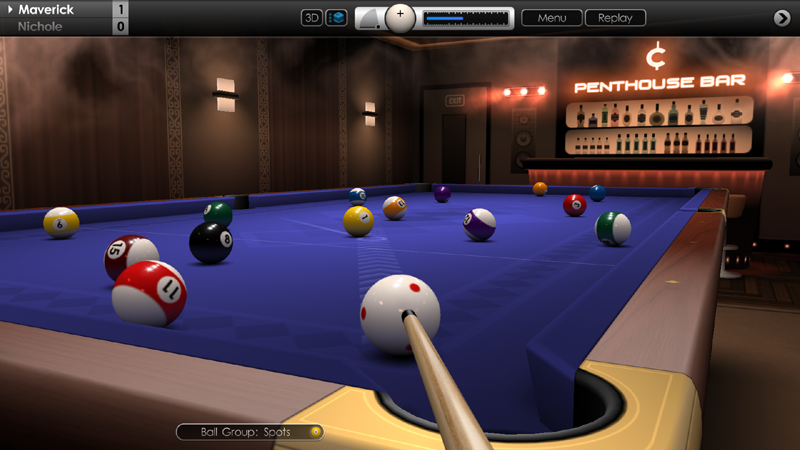
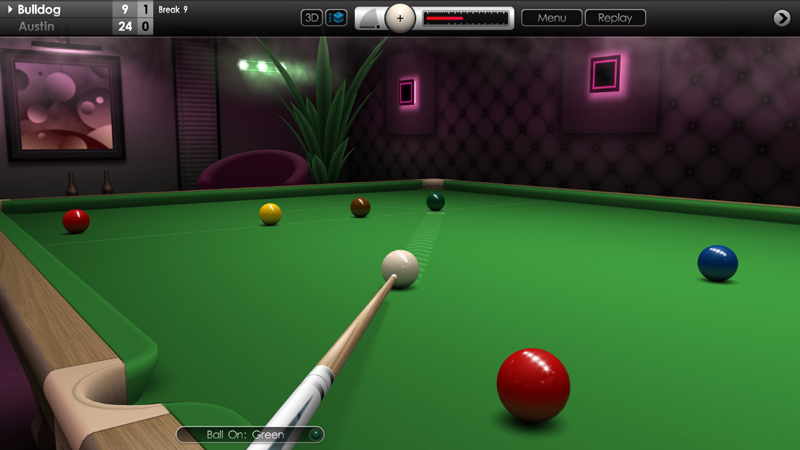
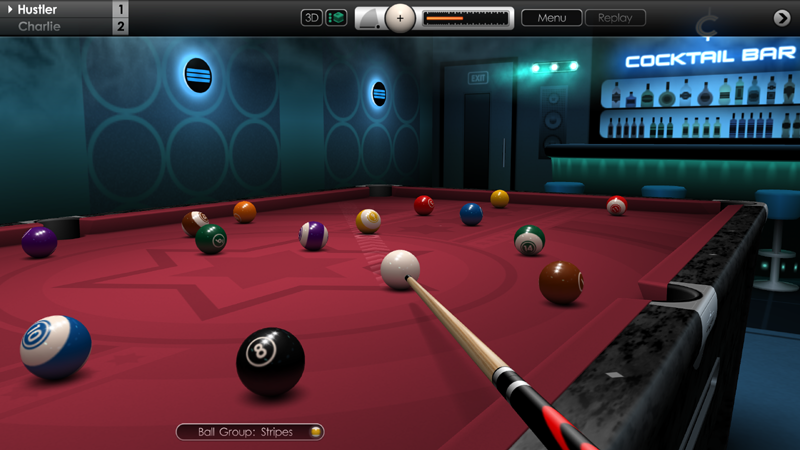
We hope you're all keeping well. Today we're pleased to release another Cue Club 2 update with a range of new features, fixes and improvements. Many thanks once again for the continued feedback and support. Full details of the changes are listed below.
GRAPHICS AND DISPLAY
Improved screen scaling on 4K monitors. This fixes an issue that incorrectly scaled the screen on some hi-res monitors, causing part of the image to be cropped off.
MULTIPLAYER
Added an option to select the pocket shape used on pool tables (angular wide, angular narrow, and rounded jaws). From the multiplayer lobby, click on the round arrow button at the top right of the control panel, then select from the 'Pocket Shape' setting below.
Various improvements to graphics and layout in the multiplayer lobby.
Fixed an issue which could potentially cause a crash in the lobby when sending and receiving game invites.
10-BALL POOL
Fixed an issue where potting the 10-ball last but in the wrong pocket or with a scratch on the cue ball would lead to the red ball-release button flashing after the 10-ball was respotted.
Potential fix for a rare issue that would display a wrongfully pocketed ball notice for a legal shot, when an A.I. player is at the table.
SNOOKER
In 'Snooker colours' practice mode, potting a colour out of sequence (yellow to black) now results in the ball being respotted on the table.
Fixed an issue in snooker practice mode where manually adding and removing reds from the table could lead to problems respotting the colours.
2 PLAYER GAMES (HUMAN VS HUMAN)
Notification bell now sounds when the game is minimised and it's player 2's turn at the table.
GAMEPLAY
Fixed an issue where the in-game control panel would sometimes automatically switch to the potted balls display when the option had been set to 'Manual'. See 'Options > Display > User Interface > Potted Balls'.
Fixed an issue where the ball-spin crosshairs on the control panel would sometimes change position when the cue ball was respotted by the referee.
When playing with table dimensions set to 'Fullscreen', the screen aspect ratio must now be between 16:9 and 16:10, otherwise the default 2:1 table aspect ratio is used. See 'Options > Tables & Equipment > Tables > Global Settings > Table Dimensions'.
CONTROLS
Fixed an issue where the 'Restore' button would deactivate when switching from using 'Compact' to 'Large' user interface.
Fixed an issue where it was possible to adjust the power of an A.I. player's shot using '+/-' or 'shift/ctrl' keys when accessing in the in-game menu.
SOUND
Added ',' and '.' shortcut keys (comma and full-stop) to quickly skip to previous and next music tracks.
Added new menu option to reduce the volume of the music when the in-game menu is activated by the user. See 'Options > Audio > Music > Volume Reduction (Game menu)'. Default setting is off. This feature may be useful when activating the in-game menu to pause the game.
Music volume now correctly sets to default value when 'Reset' button is pressed. See 'Options > Audio > Music'.
A.I.
Improved computer player's ability to avoid sending the cue ball near pockets when playing long shots off the cushion.
AIM LINES & LEADERBOARD QUALIFICATION
Added information to the bottom of aim line menus to show status of online leaderboard qualification. See 'Options > Aiming > 2D / 3D View'.
MENUS
Fixed an issue where changing the colour of the table cloth on the startup-screen would also change the colour theme of the menus. See 'Initial Setup > Startup > Cloth Colour'.
Cue Club 2 Update #93
Hi Everyone,
Today's update brings further customisation to aim lines in multiplayer matches, along with a collection of fixes and improvements. Full details below.
MULTIPLAYER
Added an option to customise the primary and secondary aim line length in MP games. See settings on the far right of the multiplayer lobby, towards the bottom of the control panel. Note the same settings will be used for both you and your opponent, and are picked from the host's settings (the player who sends out the invitation for a match). Note: the lobby aim line settings only apply to human vs human multiplayer games. In other matches, the aim lines will be set from parameters at 'Options > Aiming'.
8 BALL POOL
Fixed an issue where the A.I. would get stuck if the 8-ball was potted on the break, and the computer player had to choose whether to respot the 8-ball or perform a re-rack.
MENUS
Fixed various text errors that appeared in the in-game menus (Polish language).
Fixed incorrect ordering of menu options for 'action camera' settings (Dutch language).
Fixed some instances where menu text overlapped the edge of the in-game menu.
CONTROLS
Fixed an issue where the game controller menu button was disabled when an A.I. player or multiplayer opponent was at the table.
Fixed an issue where the game controller left thumbstick would not move the aim position in slam mode.
Fixed game controller navigation issues when using the in-game virtual keyboard with Russian language setting.
Fixed various menu navigation issues when using a game controller in the multiplayer lobby and keyboard entry screens.
In practice mode, the 9/F9 key (add ball to table) can no longer be used when other balls are still rolling on the table.
Other minor fixes and enhancements.
Cue Club 2 Update #92
Hi Everyone,
We hope you're all doing well. In today's update we've made further enhancements to many areas of the game. Thanks again for the useful feedback and please see below for a full breakdown of the latest additions and improvements.
SNOOKER
Visibility checks when determining if a free ball should be awarded following a foul have been made more precise.
Default snooker table size is now 12ft (also applies to multiplayer games). Other sizes are still available including 8, 9, 10 and 11ft tables.
POOL
In 8-ball, following a foul with ball-in-hand behind the headstring, AI players no longer attempt to play an illegal ball behind the headstring.
Fixed an issue where the red ball-release button would continue flashing after pressing 7/F7 to restore the previous ball position.
Fixed an issue where the ball number (shown in aiming circle) could briefly flash on screen at the start of a new game.
Fixed a rare issue where a freeze could happen at the start of a new game, if another game had just been played before.
In practice mode, pressing the red ball-release button then quickly clicking the restore button, or going to the menu to re-rack balls, or exiting to the main menu, will now halt the audio sample of the balls rolling.
KILLER POOL
Fixed an issue where the number of lives remaining would not always display correctly in the match information screen.
Maximum number of lives now capped at 10 when the rule variation for gaining extra lives is enabled.
MULTIPLAYER
Fixed an issue that could sometimes cause a disconnection during a match.
When choosing the table size in the MP lobby, separate values are now stored for pool and snooker tables.
The progress bar (row of flashing lights) at the bottom of the in-game menu has been replaced with an animated ring at the top right of the menu.
CONTROLS
Game controller now correctly navigates on the tournament fixtures screen when returning from a completed match.
A.I.
Computer opponents are now less accurate when playing off the cushion, and can occasionally miss the object ball, especially on lower difficulty settings.
AIM LINES
Primary aim line is now correctly clipped to edge of table when using high power. Also improved scaling of primary line arrows with power adjustment, and visibility made slightly less opaque.
Secondary aim lines for human vs human multiplayer games are now identical for both players (medium length), to offer a fair and balanced gaming experience. They can also be turned off for both players, if preferred, from the MP lobby.
CAMERAS
Improved transitions of 3D cameras on frame and match winning screens.
GRAPHICS
In-game avatars for A.I. players during chat messages are now slightly smaller and obscure less of the table view.
Tweaked cloth colours for 'Electric Blue' and 'Teal'.
MENUS
In-game menus now accomodate an extra line, allowing some menus to be contained on one page.
Added an extra page and slot for saved games and shots, bringing total saves from 36 to 49. Also added an extra tournament save slot.
The advanced control options in the main menu are now organised over 2 pages instead of 3.
OTHER ADDITIONS AND FIXES
Added a random setting for the start-up screen cloth colour. See 'Initial Setup > Start Screen > Cloth Colour' and click the left button until you reach the 'Random' option.
Added a 'Test' button to 'Options > Display > Graphics Settings' to test current graphics settings using the start-up screen.
Added a 'Recommended' hint to 'Limit frame rate' option in 'Options > Display > Graphics Settings'. Usually this should be set to 'Yes' for smooth and consistent frame rate, but on less powerful machines the 'No' option might give better performance.
Fixed an issue when using the virtual keyboard, which prevented delete key, shift key and cursor keys being used when editing player names.
Fixed an issue when using a dual monitor setup and the mouse has been clipped to the edges of the window. Clicking the minimise button in the menu, then restoring the window no longer freezes the mouse pointer. See 'Options > Controls > Advanced Settings (Page 2) > Mouse Movement'.
Fixed an issue where saved replays would pause when using ALT-TAB to minimise game.
Fixed an issue where the cue would rotate when the ESC key is pressed for the in-game menu, immediately after a shot is played.
Fixed an issue where the cue would return to the table when the ESC key is pressed for the in-game menu, shortly after chalking the cue.
Fixed an issue in slam mode, where pressing 2/F2 (add chalk) would prevent balls from being dragged around on the table.
Similar to above, power adjustment keys (shift, ctrl, +, -) and spin / cue elevation keys (e, q) are no longer active in slam mode.
Other minor fixes and enhancements.
Cue Club 2 Update #91
Hi Everyone,
Wishing you all a Happy New Year! In our first update of 2022 we've put together an array of new features, improvements and fixes covering many aspects of the game. Thanks once again for sharing your ideas here and on the forums and we hope you enjoy these latest additions to Cue Club 2.
CAMERAS
Further improvements made to the 3D camera which tracks balls after a shot is played.
Added a new menu option to select different variations of the post-shot action camera. Four settings are available: 'No tracking', 'No tracking + rotation', 'Auto tracking' and 'Auto tracking + rotation'. The default setting is 'Auto tracking + Rotation' but we recommend taking a few moments to experiment and configure this to suit. See 'Options > Cameras > Action Camera (All Players)'. With all variations, the middle mouse button or gamepad left shoulder button can be used to quickly zoom out after a shot is played.
Introduced a very short delay after striking the cue ball, before the above rotation effect can be used. This is to prevent accidental rotation when using the mouse to shoot, especially with the 'manual' cueing method which requires additional mouse movement.
When zoomed out from the table in 3D mode it is now possible to lower the camera further, to just above the height of the rails (mouse movement down or game controller left trigger).
MULTIPLAYER
Maximum number of games in multiplayer now set at 'Best of 17' (Race to 9).
Increased the maximum number of points earned in all matches of 3 games or longer by 10 points.
Fixed a vulnerability that could potentially cause a multiplayer match to lose synchronisation.
GRAPHICS
Added Steam player and opponent avatar images to frame and match winning screens.
Corrected avatars during in-game chat, which sometimes displayed the default male / female image instead of the user's Steam profile picture.
Improvements made to Bar Challenge membership card designs for Basement, Cocktail and Penthouse bars.
In the 'Tables' customisation menu screen, buttons for previous / next page have been enlarged for visibility and ease of access. See 'Options > Tables & Equipment > Tables'.
Fixed an issue that sometimes prevented the 3D pool table diamonds from rendering when they were near the edge of the screen.
Fixed an issue that sometimes made the stage barriers flicker when switching camera views in a theatre venue.
In Killer pool with 3 players, the end-of-match screen now displays the scores in the correct position.
BALL PHYSICS
Maximum cue power has been increased, allowing for more powerful break shots with all cues. Please note, to compensate for this, the default cue power has been reduced from 30% to 25%. Existing users should go to 'Options > Controls > Advanced Settings > Default Power' to adjust if necessary.
Changing the value for default shot power from the in-game menu now instantly changes its effect in the game, without having to exit and restart.
Small increases made to the maximum amount of side, top and bottom spin that can be applied to the cue ball.
Improved cushion dynamics. Shots with high amounts of top or side spin now play better off the cushion allowing for more effective positional play and trick shots.
Increased the difference between tables with slow, medium and fast cushions by varying the strength of the rebound effect. See 'Options > Tables & Equipment > Tables > Global Settings > Cushion Speed'.
8 BALL POOL
When playing with ball-in-hand behind the headstring, the orange aiming target is now correctly applied to balls behind the headstring that cannot be legally hit unless the string is crossed first.
SNOOKER
Corrected a rule for when a free ball is awarded after a foul and only the colours remain. If the 'on' ball is potted after the cue ball hits the nominated free ball first, then the 'on' ball is scored and remains off the table.
GENERAL FIXES
Fixed an issue that could run the game at a time-accelerated rate on some PC configurations, causing the balls to slow down too quickly.
Fixed an issue related to dual monitor use, where the mouse pointer would not clip to the edge of the screen after minimising then maximising the game window. See 'Options > Controls > Advanced Settings', then advance to page three and set 'Mouse Movement' to 'Restricted to screen'.
Fixed an issue on first run of the game that would exit from the main menu information screen to the player profile screen instead of the main menu.
Fixed an issue that enabled the in-game 'Restore' button to be clicked after loading a saved practice game but before a shot was played.
Fixed an issue that very occasionally caused an object ball to be respotted on the table while it was still spinning.
Closed a loophole that allowed more than one copy of a tournament to be saved, enabling the same match to be played again.
Other minor fixes and enhancements.
Cue Club 2 Update #90
Hi Everyone,
We hope you're enjoying your holidays! In today's update just as we near the end 2021 we've added in a handful of recent suggestions from the Steam community, along with some further tweaks and fixes too.
CAMERAS & CONTROLS
After a shot is played in 3D mode using the first person camera, the camera now gives a better overall view of the cue ball and object ball played.
In addition to above, the mouse or game controller right stick can now be used to rotate the camera left and right immediately after playing a shot. Clicking the middle mouse button or controller left shoulder button zooms the camera out for a wider view.
When zoomed out to walk around the table during shot setup (middle mouse button click or game controller left shoulder button), up / down mouse movement now raises and lowers the camera angle.
Improved clipping of the mouse pointer to screen limits when using a dual monitor setup. To activate, see 'Options > Controls > Advanced Settings', then advance to page 3 and set 'Mouse Movement' to 'Restricted to Screen'.
Improved sensitivity range for game controller left / right triggers when adjusting cameras and shot power.
GAMEPLAY
Primary aim line on 'thick' setting has been made slightly wider to more closely match the diameter of object balls and so help with determining clear paths along the table for the cue ball to travel.
In 8-Ball pool, following a foul where player has ball-in-hand behind the headstring, the aiming circle now turns orange instead of red when hovering over an object ball behind the headstring. This indicates that the object ball is valid, but that the cue ball must cross the headstring before making contact.
GENERAL FIXES
Fixed an issue where the notifications capsule at the bottom of the screen would sometimes display 'Nominate pocket' when not necessary.
Fixed an issue where auto-ball nomination would not always work correctly when aim line visibility is set to 'switchable'.
Fixed an issue where the 'Resume previous game' option in the tournament menu was unselectable if there was an unexpected exit or power-off on the fixtures menu after a match had been played.
Further refinements made to ball visibility checks when deciding if a player is snookered after a shot.
Disabled the use of F2 key (chalk cue) and F3/F4 keys (zoom 3D camera) while moving a ball around on the table, to avoid various conflicts occurring.
Minor text corrections to menus.
Cue Club 2 Update #89
Hi Everyone,
Wishing you all a very merry Christmas! Today we launched update #89 with a large list of additions, improvements and fixes to many aspects of Cue Club 2. A big thank you to the Steam community for your support this year by sharing valuable ideas and feedback, and we hope you enjoy these latest enhancements to the game. Full details listed below.
CONTROLS
Improved range of viewing angles when walking around the table, by adding an adjustable centre of rotation for the first person camera. Position the aiming target to the desired 'pivot point' then click the middle mouse button to zoom out. Use the mouse to spin the camera left or right, with the pivot point marked by a small white dot. Roll the mouse wheel to zoom in or out, use F5/F6 (or 5/6 keys) to lower and raise the camera, and press the middle mouse button to return to the cueing position.
In addition to above, the round aiming target now keeps its position when the middle mouse button is clicked to zoom out from the table and clicked again to return back.
Added a new menu option to support dual monitor setup which limits the mouse pointer to the edges of the game window. See 'Options > Controls > Advanced Settings'. On page 3 there is a setting labelled 'Mouse Movement' which can be toggled between 'Unrestricted' and 'Restricted to screen'. The default option is unrestricted.
When using the 'Manual' cue control setting, the default power reading for a break shot is now the same value as set in the options. For 'Automatic' and 'Button' settings, default break shot power is 100% for pool games, and between 45-65% for snooker depending on table size.
Fixed a controller navigation issue when switching between numbered pages on a menu.
Fixed a controller issue that allowed the right thumbstick to rotate the horizontal cue camera angle immediately after a shot had been played.
GAMEPLAY
Added option to set up the table in the opposite direction. See 'Options > Tables & Equipment > Tables > Global Settings > Table Orientation'. Can go left-to-right or right-to-left. Online multiplayer uses L-R setting when playing another human opponent.
Potential fix for an issue that very occasionally caused breaks to end early in games of pool or snooker.
SNOOKER
Further improvements made to visibility checks on red balls when determining if a player is snookered following a foul.
The warning message to a player when two consecutive 'Foul and miss' shots have been made is now only shown if the other player clicks the 'Replace balls' button from the menu.
A warning triangle now appears next to the name when a player has committed 2 consecutive 'Foul and miss' shots with balls replaced, where a 3rd foul would result in losing the frame.
Default cue power on the snooker break shot now varies for each table size, increasing in power as the table size increases. After the break shot the default power switches to the value set in preferences. See 'Options > Controls > Advanced Settings > Default Power'.
10-BALL POOL
In the rule variations menu, rule 3 has been renamed to '10-Ball must be played last'. Please note, this option has been reversed so you may need to edit the setting or click on the 'Reset' button after the update. See 'Options > Rule Variations > 10 Ball Pool'.
Fixed an issue where the turn ended if the player legally potted the called ball and the 10-ball was potted at the same time.
EURO 8 BALL POOL
In the rule variations menu, the default setting for 'Nominate pocket for the 8-ball' is now off, in line with WPA and WEPF rules.
POOL (ALL VARIANTS)
The money ball is now correctly respotted on the foot spot if potted early in the game.
Added a warning triangle icon next to the player name in 6, 7, 9 and 10 ball pool when 2 consecutive fouls have been made and a 3rd will lead to loss of game.
Corrected an error when playing with ball-in-hand behind the headstring following a foul by your opponent, where the aiming target did not always turn red when aiming at a ball behind the headstring.
In SLAM mode, the cue ball is now respotted by the referee if pocketed.
A.I.
Improved shot selection by computer players, in-particular, when deciding which colour to play next in a game of snooker.
Potting ability of top level AI players has been improved slightly.
Fixed an issue where very occasionally AI players would ignore an obvious pot.
Fixed an issue where sometimes the AI would only move the cue ball a tiny amount when they have ball-in-hand at the start of a game.
GRAPHICS
Added an option to change the colour of screen transitions (fades) between menus and the game. Can be set to either black or white, with default setting black. See 'Options > Display > Menus > Screen Transitions'.
Added 4 more cloth colours to the start screen options ('Orange', 'Gold', 'Camel' and 'Chocolate'). See 'Initial Setup > Start Screen > Cloth Colour'.
Fixed a graphical issue which improves the quality of rendering when running the game in a framed desktop window.
Fixed an issue during a replay where sometimes the table would disappear in 3D mode when the replay ended or was cancelled.
Fixed an issue where the ball nomination question mark could remain over the ball after a shot was played.
Improved rendering of 3D overhead table lights and surrounding light haze.
Improved rendering of spectators in theatre venues.
Enhanced 3D rendered scene displayed after completing 'Bar Challenge'.
In the Basement Bar, the air vents on the end wall have been restored.
Tweaks to loading screens, logos, menus and character artwork.
MULTIPLAYER
Fixed a network vulnerability that could cause a crash or disconnection during match setup or mid-game.
AUDIO
The music player now automatically skips to the next track if the current music file fails to load. This should not happen during normal use, but has been added as a safeguard.
Introduced softer fades between menu and in-game music where different volumes have been set for each zone.
When playing in a theatre venue the audience now only applaud during a match with an opponent, and not during solo practice play.
USER INTERFACE
Solved an issue after loading a saved practice game where the 'Restore' button on the control panel became active after entering then exiting the in-game menu.
After loading a saved practice game of pool when all the balls are pocketed, the red 'Ball release' button is now selectable.
Similar to above, the triangular 'Rack balls' icon is now displayed after loading a saved practice game where the balls have been released from under the table but remain unracked.
Pressing ESC or Enter when the in-game menu has been minimised, now maximises the menu.
GENERAL FIXES
In-game leaderboards for snooker breaks and speed pool times now list records for the current year only.
When attempting to qualify for the online leaderboards with a high break in snooker or fast speed pool time, secondary aim lines in BOTH 2D and 3D mode must now be turned off, even if you only play using one camera mode. A footnote has been added to the menus as a reminder.
Fixed an issue on the 'Player Profile' menu that would hide the text during name entry when using a language other than Global English.
Closed a loophole where a player could save more than 1 copy of a game, allowing a shot to be 'undone' and replayed in a match.
Saved replays no longer display the nominated pocket arrow, e.g when potting the black in 8-ball. Does not apply to instant replays where the arrow is still shown.
Fixed an issue where deleting global game preferences failed to reset all menu options. See 'File Management > Delete Saved Data > Game Settings'.
Small corrections to localised in-game text.
Other minor fixes and enhancements.
Cue Club 2 Update #88
Hi Everyone,
We hope you're all keeping well. Today, we're pleased to bring you another update to Cue Club 2 with a nice collection of additions, improvements and fixes. As always, we really appreciate your comments and suggestions to help keep the game progressing into the future. Please see below for details on this latest revision.
10 BALL POOL
Added a new rule variation to allow the 10-ball to be legally potted at any time during the game for a win. See 'Options > Rule Variations > 10 Ball Pool'. Default setting is unchecked (off).
Calling and potting the 10-ball into a nominated pocket when it is not the lowest value ball still results in it being respotted, but no longer ends the turn for that player.
6, 7, 9 & 10 BALL POOL
When playing in a threatre venue the audience now give applause when playing a successful combo shot (cannon). In 10 ball when a nominated ball is potted into the nominated pocket which is not the lowest numbered 'on' ball, the audience will also offer applause.
8 BALL POOL
Fixed an issue where if referee hand animations were turned off, the referee would still appear to respot the 8-ball if potted on the break shot. See 'Options > Match Settings > Referee > Hand Animations'.
If there is a scratch on the cue ball on the break shot, the incoming player must ensure the cue ball crosses the headstring before hitting any ball behind the headstring. In this situation the aiming target and secondary aim line now stay white if the player decides to swerve the cue ball over the headstring.
SNOOKER
Better checks are now made for determining if a 'free ball' should be awarded following a foul, by close examination of any snookering balls.
BALL PHYSICS
Improved rebounding effects when playing off a cushion, with better modelling of ball spin for more realistic kick shots and bank shots.
GAMEPLAY
The default cue power on the break shot in pool is now set to 100%, since it is common practice to use maximum power. After this it will switch to the standard power setting as set in the menus (default is 30%).
When playing pool in a theatre venue, the audience no longer give applause when a push-out or safety shot is played and a ball is potted, since it is considered accidental.
Fixed an issue where clicking the 'Restore' button during practice mode could sometimes leave the red table button flashing when the ball collection tray is not full.
When ball nomination is required, the selection area has been slightly enlarged to make it easier to click on and lock-in the nominated ball.
Fixed an issue when the player has 'ball in hand', where it was possible to place the cue ball directly over a nearby ball, if the cue ball was tight in the pocket jaws.
Placing object balls on the table mid-game is now more accurately performed by the referee, especially in tight spaces where other balls are nearly touching. This relates to colours in snooker and 'money' balls in pool, when a respot is required.
CAMERAS
In 3D view, when pressing 4, F4 or the right mouse button to zoom the camera in, accessing the camera menu then changing the field of view or resetting preferences no longer makes the camera jump on each click.
GRAPHICS
Stronger edge shading has been added to pool and snooker pocket casings.
Fixed an issue that prevented the 'Random' menu colour option from being selected, which varies the theme at startup. See 'Options > Display > Menus > Colour Theme'.
Visual enhancements made to Bar Challenge menus.
Screen fade effect added to tournament opponent menu.
Improved shading on Basement Bar wall lights.
Fixed a rendering issue on the back row of the audience in theatre venues.
GENERAL FIXES
Fixed an issue that failed to delete a saved game file once it has been reloaded and the first shot was played (allowing shots to be played again). This should now only be possible in practice mode.
Closed a loophole that allowed 2 or more save game files to be saved in a competition match, which would allow a player to 'undo' shots and play them again.
Various improvements to localised text files and font graphics.
Other minor fixes and enhancements.
Cue Club 2 Update #87
Hi Everyone,
We hope you're all doing well. In today's update we have some new additions, improvements and fixes to the game in areas such as gameplay, controls, ball physics, and more. Full details listed below.
GAMEPLAY
When the player has ball-in-hand or during practice play, the cue ball can now be dragged over the top of other balls instead of having to go around them. This also solves a ball-in-hand situation where the cue ball could possibly become trapped inside a cluster of surrounding balls.
When the cue ball is lifted off the table to be moved, the animation of raising and lowering the ball is now smoother.
Added a 'Manual' setting for the 'Potted Balls' display on the control panel, so the view is changed only by clicking the arrow button on the far right of the screen, with no auto-switching. The default setting is 'Automatic' with auto-switching enabled. See 'Options > Display > User Interface > Potted Balls'.
Fixed an issue with Steam avatars where Player 2 had the same avatar image as Player 1 during in-game chat.
After reloading a saved tournament, the save file now stays intact until the first shot is played, giving better protection against an unexpected exit or power-off.
CONTROLS
Fixed an issue where the F1 key would fail to bring up the chat interface in a game of killer with 3 or 4 players.
Fixed an issue that allowed the '+1' Add Ball button to be pressed when the balls were being released from inside the table during practice mode in pool.
Using + and - keys to fine tune cue power now always uses increments of 1 above 5%, and increments of 0.5 below 5%.
BALL PHYSICS
Fixed an issue where the cue ball would very occasionally gain too much speed after colliding softly with another ball.
GENERAL IMPROVEMENTS
Integrated the latest Steam SDK code libraries into the game.
Improvements to localised in-game text.
Other minor fixes and enhancements.
Cue Club 2 Update #86
Hi Everyone,
Today we're pleased to bring you another update to Cue Club 2 with a collection of new features, improvements and fixes to the game. Once again many thanks for all the valuable support and feedback on the forums and by email. Full details of the update are listed below.
CONTROLS
Added a new cue control method. The 'Manual' option has now been divided into Standard mode and Expert mode. Standard mode uses pull-push mouse action to set power, and for swerve shots it is set according to the power-bar at the top of the screen. Expert mode uses pull-push action to set power at all times. As a visual aid, the power-bar dims in brightness when not in use and lights up when active.
Note: if you are using the 'Button' setting, please reselect this option from the menu after installing the update. See 'Options > Controls > Basic Settings > Cue Control'.
SNOOKER
Fixed an issue following a foul where 'foul and a miss' was sometimes incorrectly awarded when full-face contact with the 'on' ball was not possible.
If a foul is made on a colour immediately after the last red was potted, and the offending player is asked to play again with balls replaced, it is now possible for them to change the nominated colour if they prefer.
US 8 BALL POOL
Fixed an issue after a foul is played when the player has ball in hand behind the headstring, where the next shot after this was still required to cross the headstring before hitting a ball.
US / EURO 8 BALL POOL
Fixed an issue where if the 8-ball went down on the break, the AI player could not select an option to either re-spot the 8-ball or restart the game. The fix also applies to multiplayer.
GRAPHICS
Various enhancements to trophy designs and small changes to the colour coding of Tournament and Bar Challenge trophies and achievements, over the 5 difficulty settings. The new order is: Novice (yellow), Amateur (green), Intermediate (red), Expert (blue) and Pro (purple).
Under-table lighting in snooker made slightly stronger.
When running in fullscreen windowed mode, the resolution and refresh rate adjustment options are now fixed to the default desktop setting. If you would like to adjust these values then please set 'Display Mode' to fullscreen. See 'Options > Display > Graphics Settings'.
A minor correction has been made to the calculation of the screen aspect ratio when playing the game in a framed desktop window.
GENERAL FIXES AND IMPROVEMENTS
Added further stability improvements to multiplayer when setting up a new game in the lobby.
Other minor fixes and enhancements.
Cue Club 2 Update #85
Hi Everyone,
We hope you're all doing well. In today's update we've made further refinements to ball physics, controls, game rules, cameras, and more. Please see below for a full breakdown of the changes, and as always many thanks for the detailed feedback in helping us continually improve Cue Club 2.
PHYSICS
Improved the ball physics response for high power shots when the cue ball is in close contact with another ball.
CONTROLS
When playing a strong swerve shot using the 'manual' cueing method, cue power is now set according to the power bar reading, to make it easier to play an accurate shot. With the 'manual' method, straight shots, or shots with only slight curve rely on pushing the mouse forward and back to select power (or gamepad left stick). See 'Options > Controls > Basic Settings > Cue Control'.
Fixed an issue which could make the cue jump erratically when playing a strong swerve shot into the cushion.
SNOOKER
Following a foul on a colour, where balls are replaced and the offending player is asked to play again, the player can now nominate a different colour if preferred.
When playing a 'free ball', if no points are scored and you leave your opponent snookered by a nominated 'on' ball, then it is now classed as a foul, unless only Pink and Black remain on the table.
Fixed an issue where it was possible to select 'claim a win' in snooker when just the Black remained and it was your opponent's turn. For clarity, this option only appears when it's your turn at the table and you have more than a 7 point lead on the last Black.
Fixed an issue where full-face ball contact for consideration of the three-consecutive-fouls rule was sometimes miscalculated.
US 8 BALL POOL
Following an illegal break, selecting the 'restart' option with opponent to break again now works correctly.
Potting the 8-ball and cue ball together on the break shot now gives control to your opponent to decide if the 8-ball is respotted or balls are re-racked.
EURO 8 BALL POOL
Following a foul on the break shot where not enough balls were driven to the rail, instead of a re-rack the incoming player now can play on, with the option to take 'ball in hand'.
Potting the 8-ball on the break shot now restarts the game without an option to respot the 8-ball, and the same player breaks again.
If the 'free ball' rule is enabled, then following a foul where a 'free ball' is awarded the incoming player cannot now be snookered by a ball from the opposing group.
With 'free ball' disabled, then following a foul where the incoming player takes 'ball in hand' behind the baulk line, the referee now examines the baulk area before deciding whether the player is snookered. If they are snookered, the 'ball to rail' rule does not apply for that shot.
CAMERAS
Improved tracking of the cue in 3D first person mode with less camera lag.
In 3D mode, zooming in and out using the '3' and '4' keys is now more reliable.
When watching replays, fixed an issue that would reset the camera to first-person mode when another camera was selected.
GENERAL IMPROVEMENTS
The capsule on the bottom left of screen now always displays the 'ball in hand' message whenever the cue ball can be freely moved around on the table.
Fixed a graphical issue when fading out the cue in 3D mode after a shot is played.
Fixed an issue where zooming in and out quickly could sometimes make the cue jump out of position.
Fixed an issue when resetting the menu option for first-person camera distance, which could cause rendering errors in the overhead table lights.
Starting screen has been redesigned with larger logo and ball set, and can also be customised by going to 'Initial Setup > Start Screen'.
Added 'recommended' hints when selecting refresh rate in the graphics menu. Most settings are supported, although 60 or 120Hz may offer slightly better results depending on your system configuration. See 'Options > Display > Graphics Settings > Refresh Rate'.