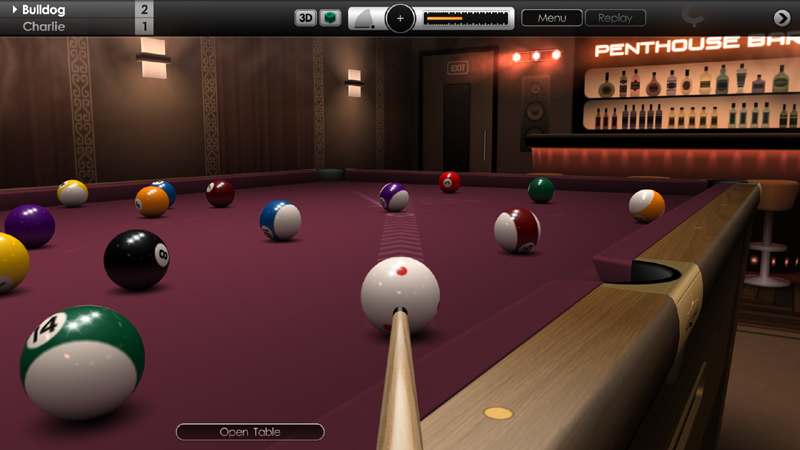
We're pleased to release another new Cue Club 2 update today with a collection of further improvements and fixes to many areas of the game. Please see below for a full description of these changes, and thank you again for the suggestions and feedback.
USER INTERFACE
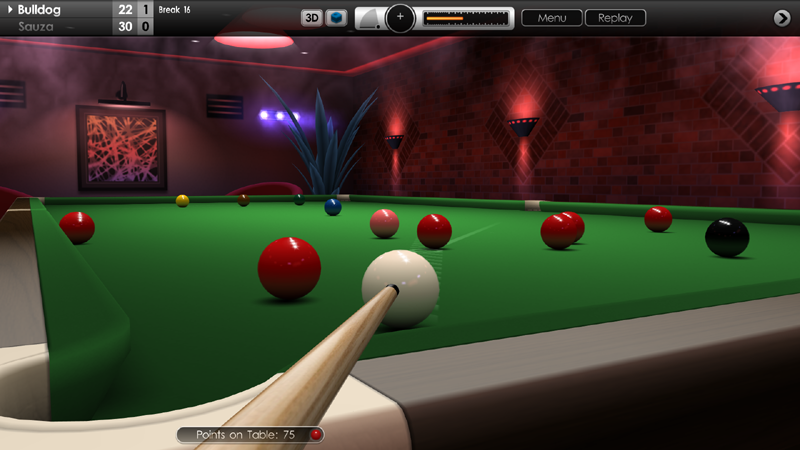
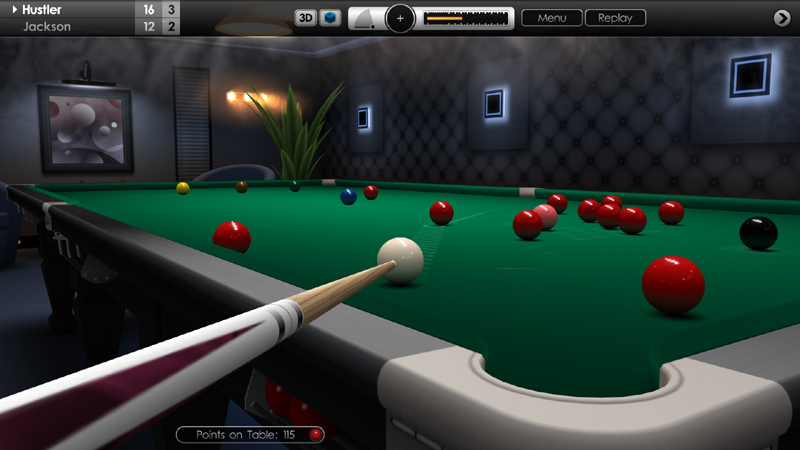
Added a new cue ball graphic to the upper control panel, for top and side spin selection. See 'Options > Display > User Interface > Cue Ball (colour)'. There is a choice between a light and dark setting. Default setting is 'Light', but users can switch back to the dark circle if preferred. This feature is available on both compact and large control panel options.
GRAPHICS
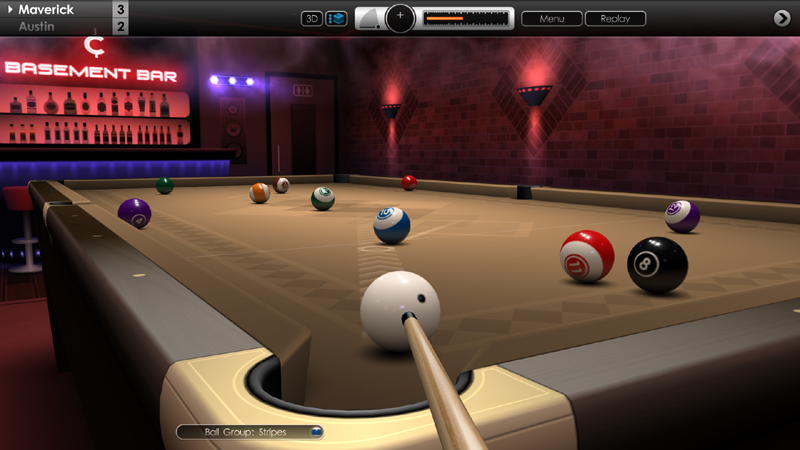
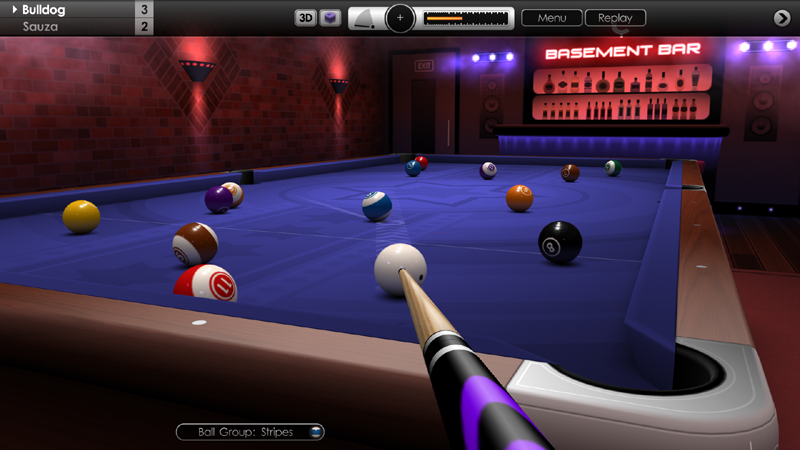
Added a small shadow over the cue ball in 3D mode which appears when the cue tip is near. Designed to help determine how close the cue tip is to the ball, and is especially useful for low-power shots when using the 'Manual' cue control method. See 'Options > Controls > Basic Settings > Cue Control'.
SNOOKER
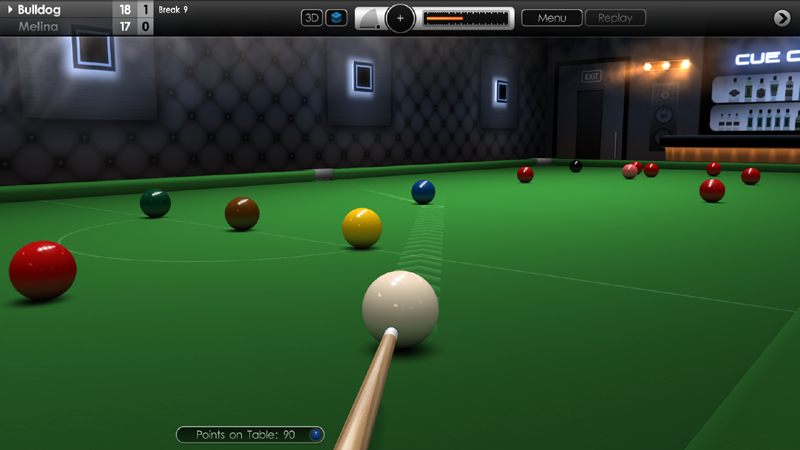
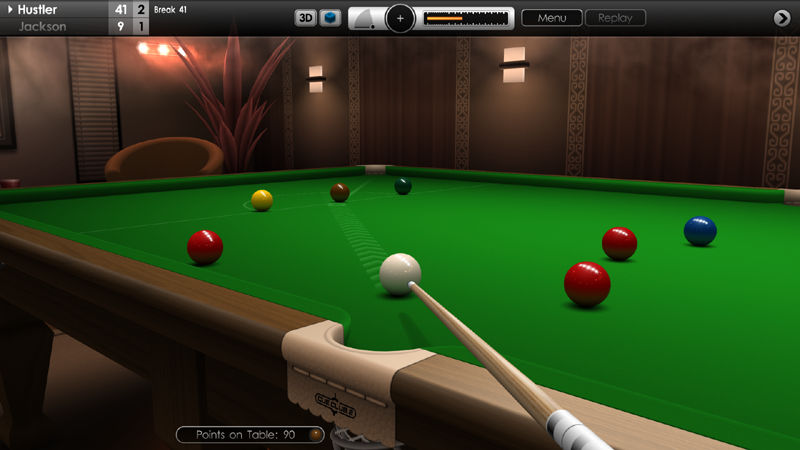
Further improvements to application of 'Foul and a Miss' rule. Following a foul, if there was a clear straight-line path from the cue ball to any part of an on-ball then a miss is called. If full-face ball contact was possible then a miss is called regardless of the difference in scores. Also, after replacing balls twice, a further consecutive miss will result in a loss of the frame, but only if full-face contact with the on-ball was possible at the time of the fouls.
Added an option to claim an early win in snooker if only the black ball remains and the leading player has more than a 7 point advantage. From the in-game menu select 'Match Information' and click the 'Claim a Win' button to end the frame.
For clarity, selecting the 'Replace Balls' option from a 'Foul and a Miss' menu screen now greys-out the continue button, leaving the incoming player to select 'Play Again'.
8 BALL POOL
An illegal hit on the 8-ball now shows a separate foul screen instead of displaying a message indicating that a foul was made on a ball from the opposing group.
10 BALL POOL
Fixed an issue where it was possible to nominate a ball and pocket on the break shot if ball nomination was set to 'Manual' method.
If safety shots are enabled in rule variations, then a safety can now be played immediately after the break shot. The button can be alternated with the 'Push-out' option, by clicking on the small arrow to its left.
Potting any ball during a safety shot now always gives the incoming player the option to continue or pass control back to the opponent.
Fixed an issue when playing and potting the 10-ball, where nominating a pocket then selecting a safety shot would result in game-over instead of the 10-ball being respotted.
Fixed an issue in online multiplayer where playing safety shots could interrupt the game.
MULTIPLAYER
Improved connectivity during matches, and also fixed a bug that might have caused a crash when starting a new game.
Pressing the right mouse button or 'Back' button when in the lobby now goes back one level instead of exiting the multiplayer menu. For example, when reading a player's profile.
GENERAL FIXES AND IMPROVEMENTS
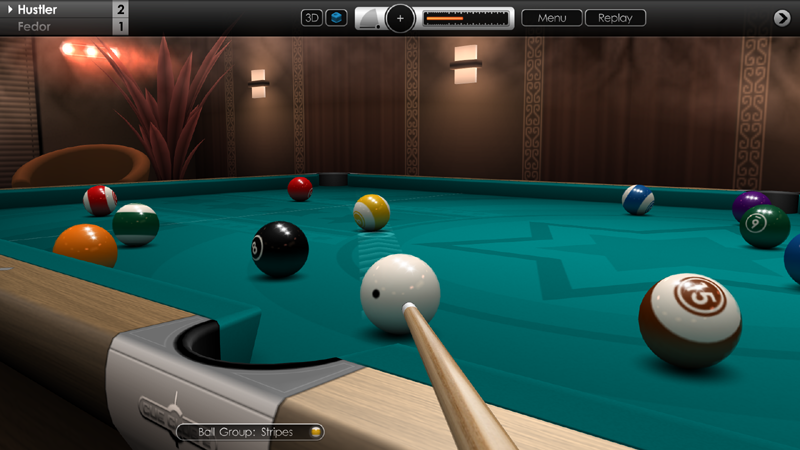
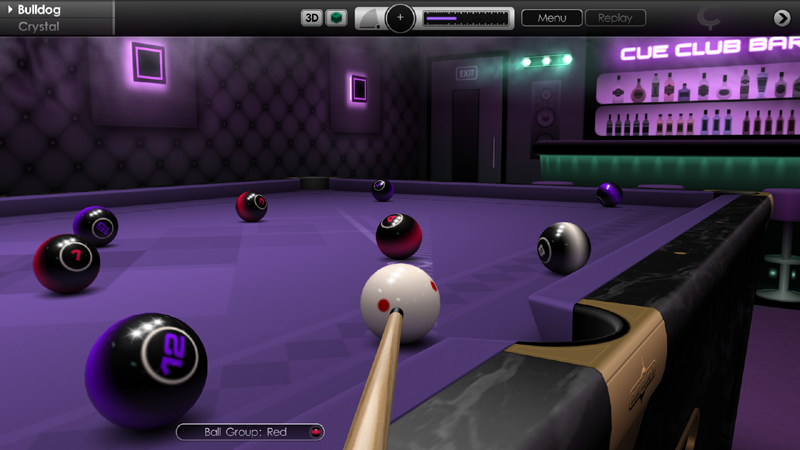
Notification capsule on the lower left of the screen now shows 'Ball On' instead of 'Ball Group' where appropriate.
Fixed an issue when aiming with very low power, where sometimes the secondary aim line would not appear at the correct angle.
Fixed an issue where the 3-consecutive-foul warning would occasionally appear when not necessary.
Fixed a similar issue for the 'ball in hand' notice, and also 'game over' screens which sometimes appeared when not required.
Fixed an issue that could give the player the wrong cue design for the first shot immediately after loading a saved game.
Attempted fix on an issue that could occasionally block snooker breaks and speed pool times from being uploaded to the website leaderboards.
In 3D mode, zooming in (using the right mouse button) no longer overshoots the cue ball and gives a better view of the tip of the cue.
Various graphical enhancements to menus.
Refinements to Polish language text and other localised text files.
Other minor fixes and enhancements.
Cue Club 2 Update #83
Hi Everyone,
We hope you're all doing well. Today we released a larger than normal update to Cue Club 2, with lots of new additions, improvements and fixes to areas such as game rules, multiplayer, saved shots and games, chalking and more. We hope you enjoy the update and thanks again for the comments and suggestions in the forums and by email.
SNOOKER
Improved application of the 'foul and a miss' rule. Performing three consecutive 'foul and miss' shots with balls replaced now leads to a loss of game. Also, the menu now states if a 'miss' was called by the referee.
When playing a colour, hovering the aiming target over that ball and clicking the left mouse button or gamepad 'A' button now locks-in that colour as the nominated ball.
US 8 BALL POOL
If the cue ball is potted on the break, the incoming player now has 'ball in hand' behind the headstring. The cue ball must cross the headstring before making first contact with another ball behind the line, otherwise a foul is called.
Fixed a bug that caused the black to be re-spotted over another ball if there was no free space along the centre-line of the table. This error was unique to the 6ft pool table in practice mode, using a large-sized ball set.
Fixed a bug where playing safety shots for the entire game and keeping the table 'open', would not allow the black to be legally potted at the end.
EURO 8 BALL POOL
Default rule variations tweaked to more closely match WPA Blackball rules.
Baulk line has been relocated to the correct position.
When the table is 'open', ball groups can no longer be determined when the player has been awarded a free ball.
'Ball in hand' is now presented as an option following a foul. Incoming player selects whether to play from the current position or take 'ball in hand' from behind the baulk line.
When playing from a snooker, after first contact with the object ball it is no longer required to drive the cue ball or another ball to the cushion to make a legal shot.
Potting opponent's balls is now only classed as a foul if you fail to pot a ball from your own group at the same time.
Default table design now has baulk line without the 'D', no diamonds, and has an oak finish. This can be customised to suit, and the 'D' can be enabled from rule variations if preferred. See 'Options > Rule Variations > Euro 8 Ball Pool'.
10 BALL POOL
Fixed an issue where not making first contact with the lowest value ball did not result in a foul.
Safety shots are now available as a rule variation. See 'Options > Rule Variations > 10 Ball Pool'. Default setting is 'on' for new players, although existing players will need to tick this box if required.
With called shots enabled, the lowest number ball is now pre-nominated, and may be changed by clicking on another ball with the left mouse button or gamepad 'A' button.
KILLER POOL
Not potting a ball on your turn is no longer classed as a foul, but still results in a loss of one life.
6, 7, 9 & 10 BALL POOL
A 'push-out' shot is now only available if no foul was committed on the opening break shot.
'Ball in hand' over the entire table is now offered to the incoming player if the money ball is hit first when other balls still remain on the table.
MULTIPLAYER
Increased the maximum match length from 'Best of 9' up to 'Best of 25' (Race to 13). Also added Best of 13, 17 and 21 games (Race to 7, 9 and 11). Longer matches will award more points to the winner. Click the 'Info' button in the multiplayer lobby for more details.
Deposits for multiplayer matches are now only taken after the break shot has been played. If you exit beforehand then no points will be taken.
CHALK
Added chalk-level indicator to the control panel, inside the chalking button. Three dots light up to show how much chalk is on the tip of the cue. Also, the effect that chalk has on adding spin to the cue ball has been increased.
SAVED SHOTS & GAMES
Saved game and shot filenames and descriptions can now be longer, with the maximum limit increased to 63 characters.
'Home' and 'end' keys can now be used to jump to the start or end of a line of text when using the in-game keyboard.
Fixed an issue where the 'Resume Previous Game' button was active after completing a tournament round, causing errors if used. Also, if a foul or game-over screen was present when saving, this is now displayed correctly after reloading. Unless attempting to recover a game from an unexpected exit or power-off, please use the 'Load Tournament' menu option to continue a saved match.
GENERAL FIXES
Fixed a bug where pressing the 'shift' key would accidentally adjust cue power when using the in-game keyboard.
Fixed a bug where saved replays occasionally played extra shots past the end of a snooker break or speed pool clearance.
Fixed a bug that would sound the notification bell after each shot if the user had tabbed-out from the game during a saved replay.
Smoother camera transitions after playing a shot from a zoomed-in position in first-person mode, and also when switching between 2D and 3D view.
When player has 'ball in hand', moving the cue ball no longer resets the amount of bottom-spin that may have been previously set on the ball.
Improved positioning of on-screen buttons when using the large user interface display option.
Various graphical tweaks to menus.
Small corrections to Polish language text and other localised text files.
Other minor fixes and enhancements.
Cue Club 2 Update #82
Hi Everyone,
We're pleased to bring you a nice update today with a number of key fixes and refinements to various aspects of Cue Club 2, including Multiplayer, game rules, aim lines, graphics and more. As always thank you for providing feedback and we hope you enjoy these latest improvements to the game.
In the multiplayer lobby, the first player in the list (after yourself) is now closely matched to your ability, and the second player will be of random ability, to offer a greater range of choice when selecting opponents.
Multiplayer scoring has been re-balanced, and if you play an opponent of lower star-rating than yourself and win, you will receive 50% of the bonus points. Defeating an opponent of equal or higher rating to yourself will entitle you to 100% of the points. Click on the 'Info' button in the lobby for more details.
Added a refresh button in the Multiplayer lobby (bottom right of window), which scans for new players if you would prefer a different selection to choose from.
Added a 'Multiplayer' shortcut button to the in-game menu (bottom right of window), which appears when alerts are enabled from the multiplayer lobby. Clicking this button takes you back to the lobby where you can respond to game requests or messages. Press the left mouse button, gamepad 'A' button or ESC key to bring up the menu.
The visual effect of cloth wear is now stronger and more pronounced when the 'Very Worn' setting is chosen from the table options menu (4 settings in total: 'New', 'Used', 'Worn' and 'Very Worn').
Pool table headstring has been moved in line with the second diamond, now in the correct position.
Primary aim line is now visible when the cue ball is tucked in the pocket jaws. Applies to 2D and 3D camera views.
Secondary aim line is now visible when hovering over an illegal ball (line shown in red). Applies to 2D and 3D camera views.
In 6, 7, 9 and 10-ball pool, when a Push-Out is selected, the aiming target no longer turns red when hovering over a ball that is not the lowest value ball.
In 6, 7, 9 and 10-ball pool, when a Push-Out is selected, potting the cue ball now results in a foul.
In 10-ball pool, when a Push-Out is selected, it is no longer required to nominate a ball or pocket.
In 10-ball pool, the 10-ball must now be potted last, and it is replaced on the table if potted when other object balls still remain.
In 8 and 10-ball pool, a foul is no longer issued when a Called shot is not made successfully (ball not potted into nominated pocket, or a non-nominated ball was potted). Play passes to your opponent.
Selecting and then deselecting a Safety shot in 8-ball pool when on the black ball no longer blocks pocket nomination.
Added a rule variation for 8-ball pool to select whether after a foul, 2 shots should be awarded to your opponent if only the black ball remains. See 'Options > Rule Variations'.
Improved terminology for US English language option when describing match length ('Best of ...' is now 'Race to ...'). Note we have included other common differences, e.g. for ball sets, 'Spots & Stripes' (Global English) becomes 'Solids & Stripes' (US English). See 'Initial Setup > Language'.
Various other localisation corrections.
Amendments to game rules documentation.
Small visual tweaks to menus.
Other minor fixes and enhancements.
Cue Club 2 Update #81
Hi Everyone,
We hope you're all doing well. Today we have another Cue Club 2 update with a nice collection of feature additions, fixes and improvements to many parts of the game including avatars, AI, multiplayer, tournaments, game saves, controls, graphics and more. We hope you enjoy these tweaks and please continue to share your thoughts with us here and on the forums.
Players now have their Steam Avatars displayed in the game. Visible in both the multiplayer lobby and during in-game chat.
AI shot selection has been improved, and difficult long pots with fine cuts are now usually avoided by computer opponents if possible.
In multiplayer, to encourage all players to finish games a 10 point deposit is now taken from each player at the start of a game, refunded when the match successfully completes. If you abandon the match then only your opponent has their deposit returned. To safely forfeit a frame please use the 'Concede' option from the match information menu.
In tournament mode you can now be paired with any of the 15 computer players in the first round. Also, AI skills have been tweaked to make it slightly less challenging to win a tournament on the lower difficulty settings.
Improvements made to Steam Cloud saving, and data is now synchronised better when switching between local and cloud storage. See 'Options > File Management > Steam Cloud'.
Added a new menu option to combine achievements that have been stored both offline and in the Steam cloud. See 'Options > File Managements > Synchronise Saved Data'.
Games are now auto-saved to protect data from an unexpected exit or power-off. To resume play after such an event go to 'Games > Resume Previous Game', or for tournament matches see 'Games > Tournaments > Resume Previous Game'. This is a recovery feature only, so please continue to use the Save and Exit option to manually save your progress if you wish to leave a match and resume play later.
When choosing to play a Safety shot in 8-ball pool, it is no longer required to call the ball or pocket.
It is now possible to deselect a Safety shot in 8-ball, if you change your mind or press the button by accident. Simply click the 'Safety' button once again to deactivate it.
Similar to the above feature, it is now possible to deselect a Push-out shot in 6, 7, 9 and 10 ball pool.
The 2D/3D camera view button and chalk-cue button now have a black background to match the other controls, and also to better highlight the Push-out and Safety shot buttons when selected.
Matchmaking in multiplayer has been improved, and if you choose an AI opponent then their skill level will be closely matched to your star rating. Human vs Human multiplayer matches are not affected.
Fixed a bug that could accidentally delete a save file for a tournament in-progress.
Fixed a bug that would hide the difficulty-level text in the saved tournament fixtures menu.
Fixed a bug that sometimes made the table vanish in 3D mode when cancelling a replay after switching camera views.
Fixed a bug that failed to award points to the winner in multiplayer if the other player abandoned the match early.
Fixed bugs that would break gamepad navigation when returning from replaying a saved shot, or when accessing the player profile page to change username.
Better timing of audience whistling with less repetition on successive shots.
Visual improvements to menu graphics and Bar Challenge trophies.
Improved atmospheric lighting and shading in Bar and Theatre venues.
Other minor fixes and enhancements.
Cue Club 2 Update #80
Hi Everyone,
We hope you are all having a nice Easter break. Today's update brings a range of fixes and refinements to graphics, cameras, multiplayer, controls and gameplay. Thanks once again for providing us with valuable feedback, and we hope you enjoy these latest improvements to Cue Club 2.
Multiplayer has been made more stable with improved connectivity and better error checking.
Default option for pool pocket jaws is now the narrower setting, on both single player and multiplayer. For wider jaws see 'Options > Tables & Equipment > Tables' then advance to page 5 and change the 'Pockets' setting to wide.
2D table view can now be zoomed to all 3 levels when running the game in a desktop window (click right mouse button).
Fixed an issue where the mouse would not activate buttons at the bottom of the screen, when running the game in a desktop window.
Fixed an issue with touchscreen where certain in-game menu options could not be selected.
Fixed an issue when adjusting screen resolution in the graphics menu, where sometimes the screen was not resized after a change was made.
Added option to manually select screen aspect ratio, so balls always remain perfectly round. See 'Options > Display > Graphics Settings > Aspect Ratio'. The default setting uses automatic detection, but there are many options to override this if required, to match your monitor size. Supported formats include 16:9, 16:10, 21:9, 32:9 as well as older formats like 4:3 and 5:4.
Solved an issue that sometimes displayed a fine white border around the screen after loading a saved game.
Solved an issue that occasionally made the first person camera suddenly jump between shots.
Game is now fully integrated with the latest Steam API libraries.
Various graphical improvements to menus.
Other minor fixes and enhancements.
A further small update added 15th April brings further connectivity improvements to multiplayer.
Cue Club 2 Update #79
Hi Everyone,
We hope you are all keeping well. Today we have a new update to Cue Club 2 with many further refinements to areas such as game startup, ball nomination, gameplay, graphics, AI, controls, dual monitor setup and multiplayer, plus some fixes too. Thanks again for the detailed feedback and support - and we hope you enjoy these new improvements.
Start screen can now be customised. Go to 'Initial Setup > Start Screen'. Edit table colour, ball set (pool or snooker), character clothing and background lighting. See instant changes by pressing the 'Test' button.
Auto ball nomination now works for pool as well as snooker. Additionally, hovering the round aiming circle directly over a ball and clicking the left mouse button will 'lock-in' the called ball. See 'Options > Controls > Basic Settings > Ball Nomination'.
Removed the need to nominate a ball in pool when it's the last ball remaining, or if it's the last of your chosen group.
Added option to customise the colour of the power bar. See 'Options > Display > User Interface > Power Bar'. There are 6 colours available, including the original orange.
Added new analogue clock setting to complement the digital time display. To enable, go to 'Options > Display > Clock' and change 'Time Format' to Analogue. There are 2 designs available which can be displayed on the control panel or in-game menu.
Mapped 3 new practice mode functions onto keyboard: Restore ball positions from previous shot (7 or F7 keys), switch between drag / drop ball (8 or F8 keys), add ball to table (9 or F9 keys).
At the end of a frame of snooker, the closing break score of the last player at the table is now displayed on-screen.
Improved support for dual monitor setup, and switching between screens should no longer minimise the game. Please ensure you are running in Fullscreen (Windowed) mode. See 'Options > Display > Graphics Settings > Display Mode'.
Added option to restrict the maximum angle of cue elevation. A high angle with side spin will add lots of swerve to the ball (a technique to get out of snookers), so this option is useful if you prefer not to use this method. There are 3 settings: 80, 60 and 40 degrees (default is 80). See 'Options > Controls > Advanced Settings > Maximum Cue Angle'.
Fixed an issue in multiplayer that could halt the game when playing 6, 7, 9 or 10 ball pool and a 'push-out' shot was selected.
Fixed an issue in snooker where auto ball nomination did not always select the intended ball, leading to a foul. Also fixed for multiplayer.
Fixed an issue when using 'E' or 'Q' keys to adjust spin or cue elevation, where it could sometimes cause the aiming target to jump around.
Fixed an issue in Killer pool where the game would halt if the last ball was potted together with the cue ball. The game should now automatically re-rack and play continues.
When an AI player has ball-in-hand, they now avoid lifting the ball off the table if it can slide directly to the new position without obstruction.
During match commentary, AI players will no longer repeat the same comment twice in succession.
Log File setting (basic or advanced) is now a saved parameter. See 'File Management > Log File' from the main menu. Under normal circumstances this will not need to be set, and basic logging is usually recommended.
Introduced option to switch the headline text in the menus to either back or white. Used to display opponent names and leaderboard tables. See 'Options > Display > Menus > Headline Text'.
Various other graphical improvements to menus.
Other minor fixes and enhancements.
Cue Club 2 Update #78
Hi Everyone,
For our first update of 2021 we have an array of new features and improvements to snooker, with tweaks to graphics, cameras, game rules, ball nomination, practice mode, user interface and menus. We hope you enjoy this latest update and would like to send thanks to all our players around the world for your continued support and feedback, as we continue to refine Cue Club 2.
Added ability to make faster ball nomination in snooker, based on the direction of aim. See 'Options > Basic Controls > Ball Nomination (Snooker)'. Default setting is automatic, but this can be switched back to manual nomination if preferred.
Related to above, we have added a text hint on-screen when the player tries to shoot, and ball or pocket nomination is still required.
In snooker (6, 10 and 15 red games), the current player's break score is now permanently displayed at the top of the screen.
In snooker, the 'Replace balls' option is no longer offered following a foul if the offending player managed to successfully hit the 'on' ball. The option is also removed if either player requires penalty points to win the frame, as per the official rules of the game.
Practice modes have been improved, and in snooker the colours are automatically re-spotted to improve the flow of the game. Similarly, in pool practice (6, 7, 8, 9 and 10 ball), the 'money' ball is now replaced on the table if sunk early in the game.
Introduced a new 'Snooker Colours' practice mode with just the six coloured balls on their spots, so players can practice clearing up in the later stages of the game.
New menu controls to adjust the visibility of the round aiming target in 3D mode. Go to 'Options > Aiming > 3D View' and adjust the 'Target' option. There are 4 settings available including a 'Focussed' setting for easy aiming, and 3 levels of blur which offers less assistance for more advanced players.
Added an option to adjust the default level of applied top spin. See 'Options > Controls > Advanced Settings > Default Topspin'. 7 Settings are available from -30 degrees to +30 degrees.
On the Trophy Summary menu the icons now can now be hovered over to reveal the name of the achievement. Clicking on the icons will jump to a 3D trophy view. See 'Achievements > Trophies > Summary'.
Added a new option to allow players to alternate who breaks in games of pool. See 'Options > Match Settings > Start Player'. Default option is that the winner of the previous game breaks off.
Added option to disable use of the 2D camera. This might be desirable if you prefer to play exclusively in 3D mode without the assistance of an overhead view. See 'Options > Cameras > Allow use of 2D Camera'. The default setting is 'Yes' (enabled).
When playing in a theatre venue and the audience applaud after a good shot, the camera now remains focussed on the table to capture the action of the balls rolling, but clicking the middle mouse button or gamepad left shoulder button will zoom out to see more of the crowd's reaction.
Increased the range of settings for the camera in first person mode, allowing the view to be moved even further back along the cue. See 'Options > Cameras > Distance to Ball (3D)'. Ranges from 30cm to 1.5m over 10 settings. Note: increasing the distance over 1 metre will raise the height of the table lamp to reduce potential obstructions when the camera is positioned up high.
Fixed a table lamp artefact in 3D mode that sometimes showed a fine line between the edge of the lamp and the haze effect.
Introduced a menu option to automatically award lower-level trophies in Bar Challenge and Tournament modes if the player wins a trophy on a harder difficulty setting. See 'Achievements > Trophies' and click on the 'Settings' capsule at the bottom of the page. The default setting is off and the option is fully reversible.
Fixed a bug in Slam mode, where the audience would sigh if the cue ball fell into a pocket when playing in a theatre venue.
Fixed a related issue in Slam mode where the referee would sometimes attempt to respot the cue ball twice after being potted.
Solved an issue that sometimes enabled access to Cocktail or Penthouse bar when it had not been correctly unlocked.
Improved overall layout of menu options with better positioning and alignment of text and buttons, and more consistent formatting.
Small visual enhancements to Bar Challenge trophies.
Other minor fixes and enhancements.
Cue Club 2 Update #77
Hi Everyone,
We hope you are all keeping safe and well. Today we have a Cue Club 2 update with a collection of new features and refinements to cameras, controls, graphics, AI, physics, referee animations, membership cards and multiplayer, plus some fixes too. Thanks again for the continued feedback and we hope you enjoy these latest additions to the game.
Added 40 new trophies for Tournament and Bar Challenge modes in each of the 5 difficulty settings from Novice up to Pro level, distinguished by colour. Previous wins before the update are recorded at novice level. Also includes 40 new Steam Achievements to bring the total to 75.
Introduced a new menu screen to show at a glance what trophies you have unlocked. Go to 'Achievements > Trophies > Summary'.
Improved range of elevation for first person camera, to allow you to get down lower on the cue in 3D mode. Use the mouse wheel or gamepad right stick to adjust.
Mouse wheel sensitivity adjusted to give finer control of vertical camera adjustment (see above).
First person camera now looks towards centre table when when zoomed out using middle mouse button, immediately after a shot is played.
Novice and Amateur AI difficulty settings have been made slightly more challenging, and Expert setting has been made a fraction less difficult, to give more evenly spaced progression.
Cloth wear now affects play. Increasing levels of wear will make the table play slightly faster for a more realistic effect. Applies to all game modes except online multiplayer human vs human, where cloths for both players perform as new.
Added an option to turn off referee hand animations for re-spotting balls and moving balls between pockets in snooker. Go to 'Options > Match Settings > Referee' and toggle 'Hand Animations'. Default setting is 'On'.
Membership cards now show more information, including Bar Challenge victories at each level of difficulty. Clicking on them shows the reverse side. See 'Achievements > Membership Cards'.
Improved pocket shading in 2D and 3D modes.
Visual enhancements to snooker trophies and 7-ball pool trophies.
Improvements to tournament fixtures screen.
Fixed an issue that occasionally made music tracks skip during playback.
Solved a problem that could sometimes cause a crash when tabbing in and out of the game to the desktop.
Fixed an issue where colours would not be re-spotted in snooker after a foul was committed on the last red, and balls were replaced.
Improved multiplayer connectivity.
Added difficulty-level adjustment buttons to Bar Challenge menu. Note: after the update you may need to select Novice mode to see previous progress.
Added circular lighting indicators to Bar Challenge menu, to show how many opponents have been defeated in each bar.
New menu option to adjust the default topspin / backspin setting. See 'Options > Controls > Advanced Settings > Default Topspin'. 7 settings available.
Other minor fixes and enhancements.
Cue Club 2 Update #76
Hi Everyone,
In today's update there are more enhancements to cameras, controls and graphics. We have also made further improvements to game stability. Thanks again for sharing your thoughts and ideas, and helping us to further refine Cue Club 2.
Added more settings for adjusting the position of the camera along the cue when playing in 3D mode. See 'Options > Cameras > Distance to Ball (3D)'. There are 9 levels available, with the option to move the camera further back than before.
Added an option to adjust sensitivity of the mouse wheel. Go to 'Options > Controls > Advanced Settings > Mouse Wheel (Speed)'. There are three settings provided.
Improved visual changes between levels of table wear. 'Used' setting shows fewer chalk marks, with 'worn' and 'very worn' displaying an increasing number of chalk marks.
Cue rendering has been improved in both 2D and 3D modes.
Fixed an issue where the game could freeze when a screen-saver was activated and then cancelled, or if the display monitor was switched off and then turned on again.
General improvements to game stability, with additional performance enhancements.
Cue Club 2 Update #75
Hi Everyone,
We hope you are all keeping safe and well. Today, we released another new update for Cue Club 2 with a nice collection of improvements to graphics, user interface, ball physics, multiplayer, controls, AI and cameras. Please continue to share your feedback with us and we hope you enjoy these latest additions to the game.
Introduced a new table wear option. There are four settings and you can select from new, used, worn and very worn cloths. We think these offer an interesting look and feel to playing, and welcome your thoughts! See 'Options > Tables & Equipment > Tables' and locate the 'Condition' option beneath the cloth colours. You can choose individual settings for pool and snooker.
The cue ball is now more effective at splitting the pack on the opening shot when using full force and a direct hit. Balls spread better around the table and due to random variation no two break shots will ever be the same.
Playing a shot along the rail is more realistic. If struck at the correct angle the object ball closely follows the wall of the cushion and is less likely to stray outwards.
Ball trajectories after a collision are more accurately simulated on high power shots.
Topspin and backspin have been given a stronger effect, allowing for better control of the cue ball and more effective trick-shots.
The notifications capsule on the bottom left of the screen now shows the current break in snooker first, making it easier to keep track of the break score for you and your opponent.
When switching between turns in multiplayer, the notifications capsule now rotates between all game information instead of just showing the updating message.
Solved a problem that could sometimes halt activity during multiplayer games when using the TV camera to watch your opponent.
Fixed an error that allowed the cue ball to be moved using the 'B' key when the player stands back from the table and the camera is zoomed out.
Dragging the cue ball close to the cushion when you have ball-in-hand now raises the top-spin crosshairs slightly to allow the cue to assume a better position.
Increased number of settings for 'Navigation Speed' and 'Mouse Acceleration' when using a mouse or touchpad device. Go to 'Options > Controls > Advanced Settings' to raise or lower aiming sensitivity.
Increased default aiming sensitivity for touchscreen input devices when playing in 3D mode.
Various fixes to gamepad navigation in the menus.
Computer players on Pro level have slightly improved potting ability making them a little more challenging to defeat.
The vertical camera angle has been raised a fraction when using first-person camera mode to watch your opponent play, giving a better overall view of the table.
The default 3D camera setting for your opponent is now first-person, but this can be changed to one of two TV-style cameras. See 'Options > Cameras > Default Camera (Opponent)'.
Fixed an issue where zooming in with the right mouse button on 3D view would not always zoom back out after a shot was played.
Added support for ultra high refresh monitors that run at 300Hz and 360Hz. All other refresh rates ranging from 60Hz upwards are also supported, and can be selected from the menu at 'Options > Display > Graphics Settings > Refresh Rate'.