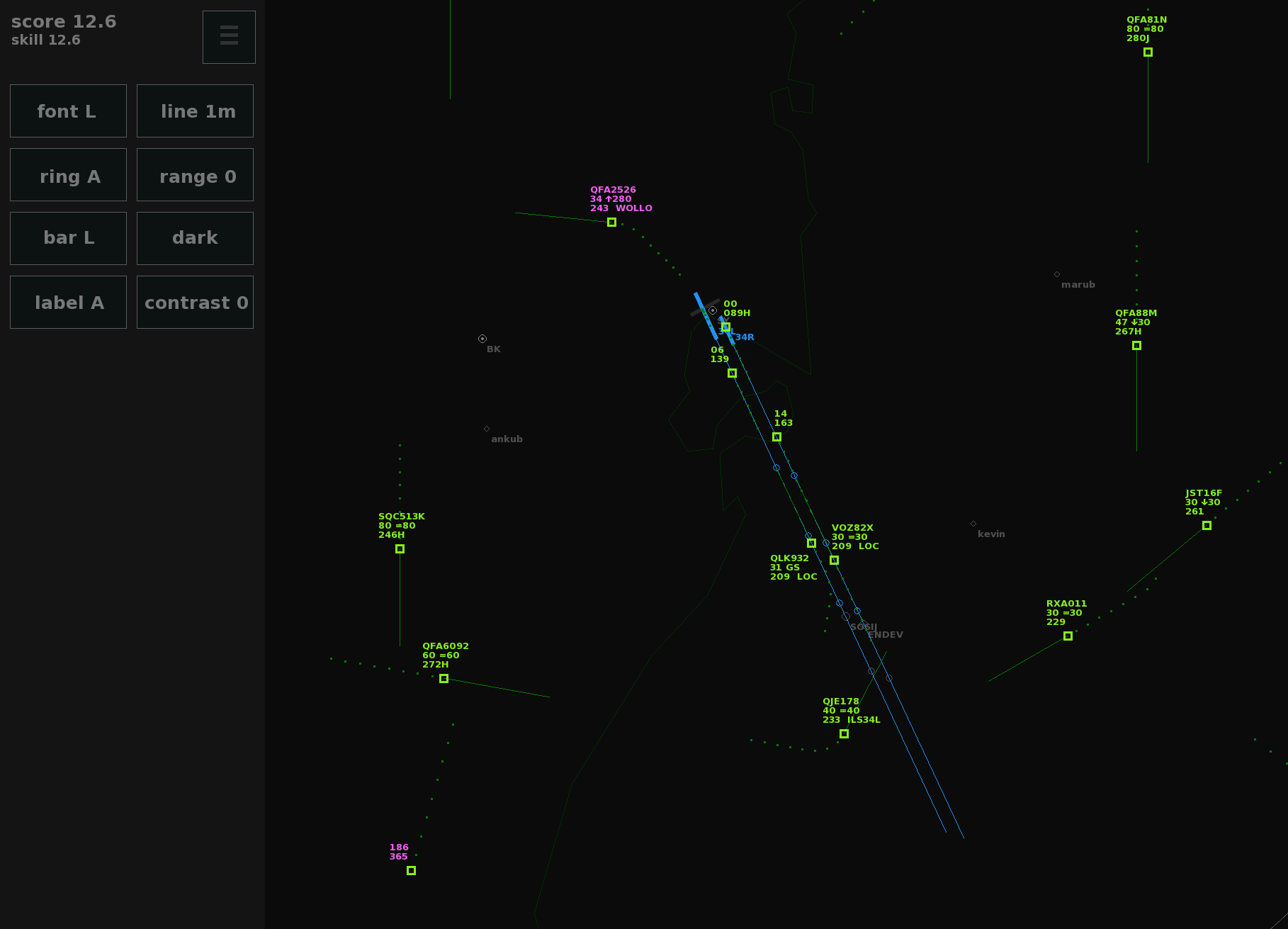
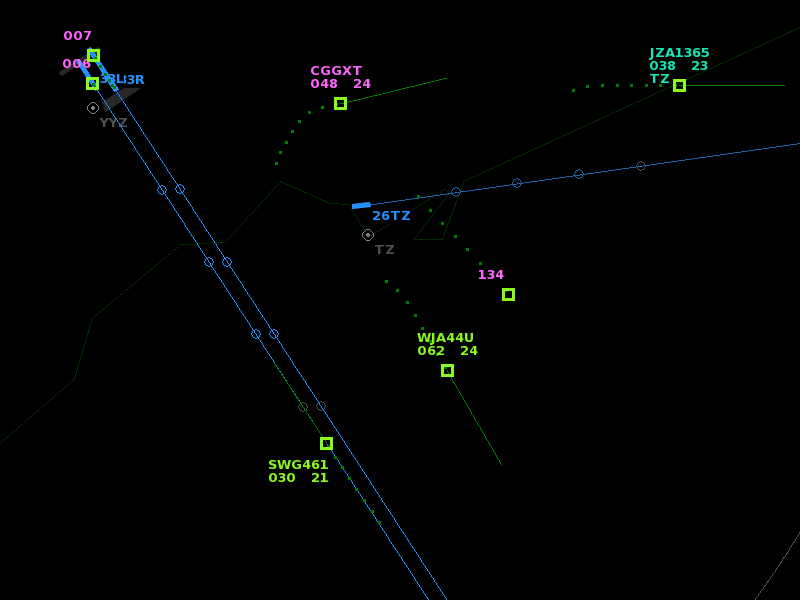
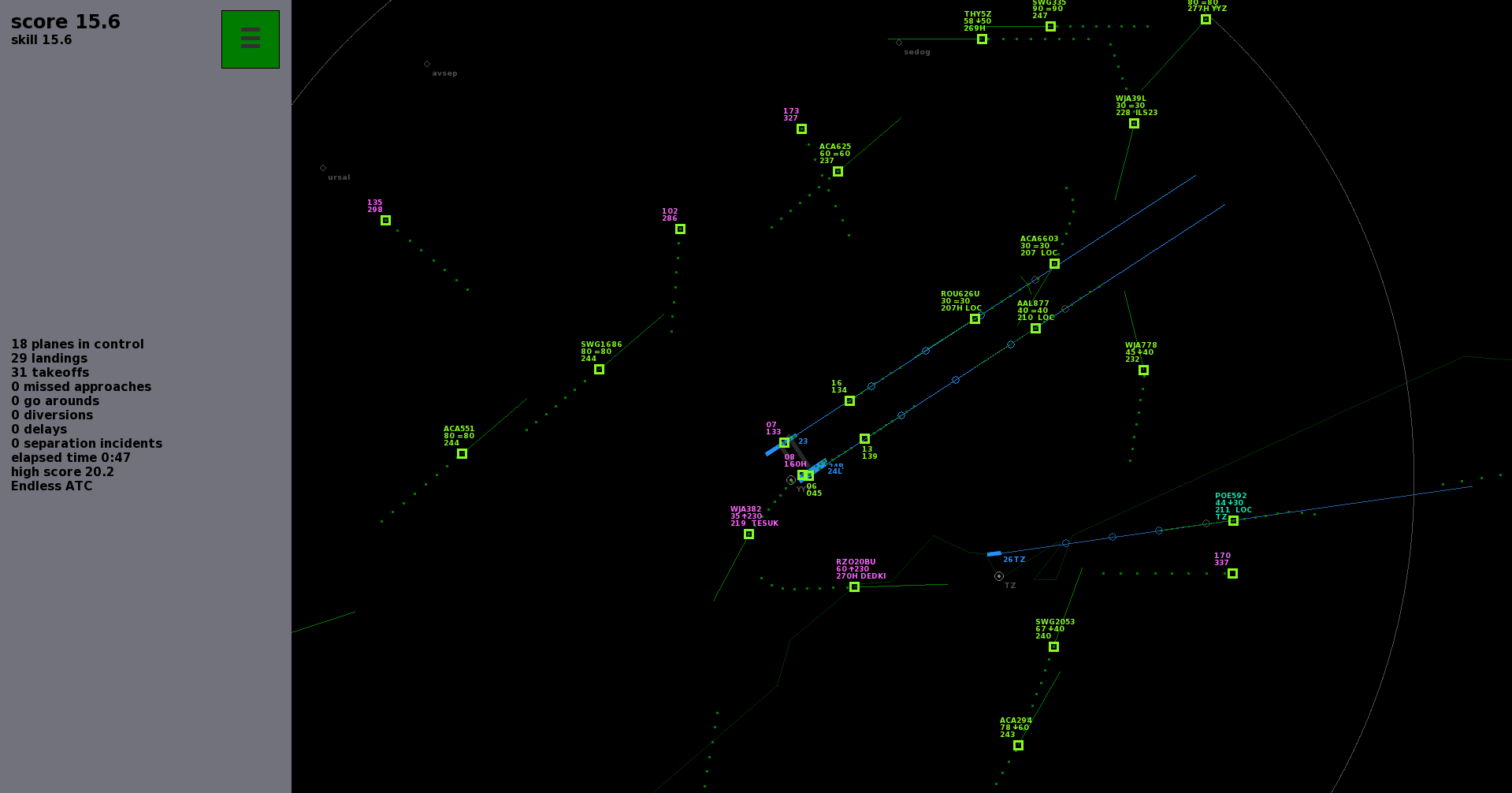
Longpress the ring button in the display menu to double the size of the circles drawn around planes.
APP button is available when planes are holding at an app beacon (in custom airports).
Approach routes can intercept the localizer as low as 500 feet above ground level, or as short as 2 miles from touchdown.
Fix for airlines inbound secondary airports coming from the wrong direction, when directions are given in the airlinelist.
v4.3.2 (7 March) fixes two more bugs regarding approach routes.
v4.3:
Fix to make sure only English TTS voices are used if one of the US or UK languages are missing. Improved radar 'sweep' mode, to allow longer update intervals, and planes will now appear or disappear correctly during a radar sweep instead of any time.
Fixes for the 'APP' mode as used in some custom airports: the approach routes will only be available when the corresponding runway is in use for landings. Planes will also start descending at the right distance from a fix, even if there are multiple other fixes without an altitude before.
Fix to make the game keep loading custom text files on startup, even after one file fails to load (fails can happen due to incorrect formatting, like missing whitespaces at the beginning of lists).
Added more keyboard commands for changing game settings, for example 'SWEEP000' to set the radar rotation speed in tenths of seconds precision, 'DELAY0' for the pilot delay in seconds, or 'SPEED00' to lock the game into a faster speed mode (just like when F11 is 'pressed and hold' to get 20x speed, but now you can precisely set the speed). Fun fact: even the command 'SPEED01' can be used to set the game at 1x speed. It will still be realtime, but the game updates at a higher frequency, making plane movements more smooth, or radar sweeps more detailed. This may look a bit nicer, but is otherwise a waste of CPU/battery usage. SPEED00 sets it to the default rate again, or alternatively press and hold the sweep button.
It seems most issues with the custom airports feature are now ironed out, and it's nice to see many files have already been created and shared by the community. On GitHub, a nice collection of detailed airports is forming. People have also posted their creations on the forum; keep in mind that Steam sometimes removes whitespaces, which can cause files to fail loading (a whitespace or tab is needed at the beginning of each line of a list). Posting the text between [ code] brackets fixes that: it preserves spaces. If you want to create your own airport, this is a good place to start.
Thanks for playing Endless ATC!
V4.2: Small adjustments, and unveiling the new custom airports feature
Changelog for version 4.2:
Adjusted localizer status LOC, which will now only be active when the plane points towards the runway, not when overshooting the ILS. This avoids double penalties during overshoots at parallel runways.
Improved help pages and hints for new players.
Several minor corrections.
Enabled custom airports.
V4.2.3 Hotfix (6 July):
Corrected label position properties.
Corrected and expanded some explanations in the example file.
Corrected transitions property, so it works for both ends of the runway. Note: transitions are optional navigation routes to the ILS (which are not available in the built-in airports, to keep the game easy to play, with the focus on vectors).
V4.2.4 Hotfix (13 July):
Added optional separation item to define the required distance between planes.
Any undefined custom planetypes are now displayed in a message on screen when loading/resetting the airport.
Improved explanations in example file.
Increased the allowed range of several airspace values. Values given outside the range will be automatically capped to the maximum values. The limits are there because of game mechanics and playability. When designing an airport file you may need to make some simplifications to make things 'fit' in format of the game.
V4.2.5 Hotfix (14 July): Fixed a crash that happened when using an incorrect custom runway configuration format. Ideally, any wrongly input properties (like typos, incorrrect arguments) should automatically fallback to a default value.
V4.2.6 Hotfix (22 July): Bug fix for multiple transitions per runway, more departures from runways that intersect other runways, faster startup when using many custom files, wider range of allowed altitudes for various airspace properties.
V4.2.7 (4 Aug): Further adjustments to allow more departures near intersecting runways, mainly for some runway configurations at EDDF and RJTT, fixed transition option for custom secondary airports, updated some SID points for EGLL.
V4.2.8 Update (30 September 2020):
Various small adjustments:
Reduced the distance that triggers the warning message when a plane is near the airspace boundary.
When dragging a heading from a plane that is flying a holding pattern, the plane will now leave the holding via the fix (unless the HOLD button is pressed first to deactivate hold mode immediately). This is somewhat similar to the already available 'after VOR fly heading' functionality of planes on a 'direct'.
Various changes to the recently added custom airports feature, to make it a bit easier to create airspaces and to allow for adding more detail:
In addition to the optional 'transition' routes to the ILS, 'departure' routes can now be added to each runway direction, to create more detailed SIDs. When there are SID routes defined for a runway, they override the default SID points for that runway, and planes will follow one of the routes instead. For clarity, 'transition' is now renamed to 'approach' (but old files will be compatible).
All routes can be displayed on screen at once for easier editing or verification of created routes. This can be enabled by longpressing the custom airport button in the airport menu. Ctrl + click sets (temporary) visual markers on the screen that may be useful for positioning waypoints.
The airspace boundary can now be defined as a polygon instead of a circle.
Restricted areas will now work properly for concave polygons. Before, polygons had to be convex in order to function properly, requiring manually splitting of complex polygons into smaller ones. Now the game does this automatically.
Improved pronunciation of long VOR names.
V4.2.9 Update (22 October 2020) fixes some issues with some new features added in the previous update:
Fixed bug that caused errors when adding multiple departure routes to a runway.
Fixed bug that made airplanes leave and re-enter multiple times when flying near the boundary.
Approach beacons are now highlighted for better visibility to the user.
V4.2.10 Update (1 November 2020) has some more fixes and improvements for custom airports:
Show available route(s) already if an APP beacon is selected.
Fix for decimal values when specifying custom LOC or GS angles.
Removed the limit for the number of approaches/departures/areas in a file.
Optional specific inbound beacons for secondary airports (now similar to the main airport).
Reduced the number of departures right at the start of a new game when many runways are in use.
V4.2.11 Update (17 November 2020) has bug fixes for custom airports:
Fix for unneeded go-arounds when two localizers are crossing each other close to the touchdown zone.
When defining a very high airspace 'ceiling', then departures leaving the boundary below 15000 feet above ground level are not counted as 'diverted' anymore even if the ceiling is defined higher than that altitude.
Fix for issue with case sensitivity when defining custom planetypes.
Custom airports is a new, experimental feature that allows you to add your own airports by editing text files! This (much requested) feature has been in development for quite some time, but as of now it includes all features as seen in the built-in airports, so it's time to make it public.
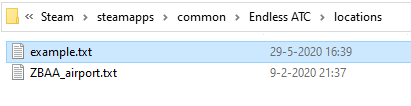
If you want to try it out (and don't mind editing a complicated configuration file), then browse to the local files of the game, where you'll find a locations folder: that's where you can put your custom airport file(s). In that folder is an example.txt file, which contains all the possible properties you can add to your airport file, with some explanation. Use this file as a guide to create your own airport. The file is pretty big, but most of the properties in it are only optional. In theory, just defining a runway and an airport code is enough to create a minimal, playable file. You can always add more detail later.
It may not be easy to look up all properties (runways, beacons, airlines, et cetera) to create an airspace in full detail, so to give you a head start I've created a collection of many (raw) airport files, automatically generated out of databases, containing runway data and coast lines. This can be found here.
Thanks for playing Endless ATC. Enjoy!
Update v4.1: adding more detail
Changelog:
v4.1.3 (29 May 2020):
Faster speech rate when fast forwarding (F11).
Fixed stutter when using flow traffic mode.
More help for beginners.
Resetting the game in the airport menu now requires an extra click, to avoid accidental resets when switching between locations.
v4.1.2 (9 May 2020):
Option to disable panning/zooming by clicking the lock button in the display menu (this may be useful to avoid unwanted zoom events when clicking on planes quickly, or when recording gameplay).
Bug fixes (fixed achievement not triggering, corrected wake turbulence distance for some planetypes, fixed rare issue where planes did not go around properly, but instead continued their descend).
v4.1.1 (23 March 2020):
Bug fix.
Option to quit game by ctrl + Q command.
Per airport elevation. For example Luton airport is now about 400 feet higher than Heathrow, as it is in real life. Before, only one elevation was defined per airspace and applied to secondary fields.
Fast forward the simulation speed (20x) temporary by pressing and holding the menu button, or by pressing F11. A similar function was available before, but now it's more smooth and accessible without a keyboard.
Higher framerates when using monitors with 60+ Hz, for smoother panning.
Added runway configuration at JFK with parallel landings from the north, with a small localizer offset at 22R.
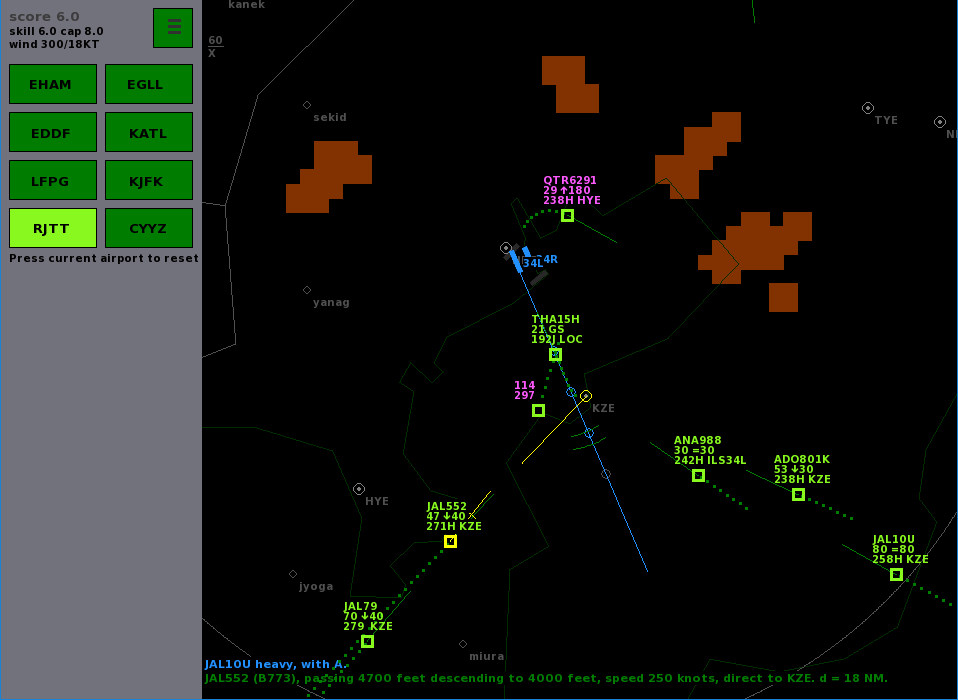
Added runway configuration at Tokyo Haneda with landings from the west.
Corrected departure headings at Toronto to allow for more parallel takeoffs.
Fixed the altitude restriction area at Luton, which didn't trigger incidents for any plane.
Planes in holding patterns correct for the wind on the outbound leg.
Planes near the airspace boundary won't leave and re-enter if they're already turning around. This may avoid some diversions.
If the mouse cursor is somehow not displayed correctly, you can type curs to make the game draw an alternative cursor, as a workaround.
Thanks for playing Endless ATC, and thanks for the feedback in the comments, forum and per mail which help to improve the sim in each update!
V4.0: Added Sydney Airport, dark mode, and more
Added 9th airport: Sydney (YSSY), Australia. The parallel runways there are positioned closely together, so it's recommended to intercept the localizers with vertical separation, for example at 3000 feet from the west side and 2000 feet from the east side. In this way, you can use both runways independently.
Dark sidebar option. You can enable it in the display menu to find out if it looks nicer than the brighter UI style.
Flow indicator in sidebar. It calculates the amount of landings/takeoffs per hour, measured during the previous 20 minutes. It only shows it if there were 5 or more landings/takeoffs in that 20 minute window. Could be an interesting statistic, and it allows you to see what runway capacity you can achieve.
Initial descend level at London is increased from FL80 to 90, so there's a bit more flexibility in using vertical separation: as departures climb to max FL60, there are now at least 2 safe levels (FL70 and 80) to use, for example at the holding positions. Although it's best to avoid holdings as much as possible and try to increase the capacity/efficiency and avoid delays.
Pressing ESC does no longer close the game anymore, it just toggles pause mode.
More reliable wake distance indicator (the arc), trying the guess which plane will follow a heavy plane.
More reliable pilot calls when planes are near a beacon or localizer.
Improved some of the help messages for beginners.
Update v4.0.2 (14 Nov): minor bug fixes.
Thanks for the suggestions! Enjoy the sim!
v3.9.8, v3.9.9 & v3.9.10: New label style option and several adjustments
What's new in Endless ATC:
New option to choose between plane label styles: there's now a 2-line and a 4-line option, in addition to the default 3-line plane label. In real life, radar display layouts differ per country/facility, but in the game you can choose a style in the display menu that may look closer to the real thing. The compact 2-line ('American style') label alternates between current altitude+speed, and mode+type. The 4-line label shows all the data from the default label, plus the plane type, target heading and target speed.
The text at the bottom of the screen has a black background for better readability when plane labels overlap.
Handoffs for departures are now only allowed from 3000+ feet above the ground, to avoid (accidental) early handoffs and to encourage the player to handoff planes when they're high&safe in the airspace. It's the players responsibility to keep the planes separated until planes reach the top of the airspace, so it's best to keep them in control till they're near the top altitude, to avoid future incidents with nearby planes.
Lowered area restrictions at EDDF by 500 feet, to avoid issues with low GA traffic causing incidents that couldn't be avoided by the player. And it's actually slightly more similar to the (more complex) real life situation.
Added some more hints for beginners, to make it easier (hopefully!) for them to land their first plane.
Several minor adjustments.
Update v3.9.9 (18 July): Fixed some issues with the new label styles, improved holding pattern entry behaviour, and set Lambourne (LAM) holding stack to left turns as in real life.
Update v3.9.10 (26 Aug): - added more help for beginners: better hints and feedback from pilots when they go around, plus a help button with more info
- fixed a crash that could happen when a certain hint for beginners was displayed
- several minor bugfixes and graphical adjustments
Thanks for the feedback!
Update V3.9.6: small adjustments and bugfixes
A bit of polishing and maintenance in this small update of the simulator:
increased chance of light category aircraft (L), mainly at North American fields where that's more common, and several traffic and plane type updates
corrected Toronto departure headings, to allow for parallel departures at all runway configurations
added some explanation of the meaning of several buttons (SID, DCT, etc) for absolute beginners
bugfix to avoid a possible freeze when changing traffic mode
bugfix that should fix a crash when the icon file is somehow not found
V3.9.7 (2 June): bugfix for planes that sometimes didn't go around while they were too close behind eachother on the localizer. Also corrected the traffic at Tokyo.
Thanks for the feedback!
V3.9.4: Finetuning
A couple of fixes and adjustments:
V3.9.3 (6 Feb 2019)
Flow limit can be set up to 180 planes per hour. Before, the limit was 120/h, which may not be challenging enough when there are 3 landing runways available (like at KATL). However, the departure flow is unlikely to keep up with very high flow rates, depending on the runway configuration.
More departures from secondary airports when flow mode is enabled. The amount of traffic to secondary airports actually depends on the skill value you have set. If you want high traffic rates at secondaries, set a high skill value before switching to flow mode. Flow mode sets the traffic flow to the main airport.
Added wake turbulence information to the text at the bottom of the screen when the mouse cursor hovers above a near plane.
Added a low contrast option, to reduce display issues on certain monitors (VA panels) with slow black->grey pixel transitions, improving display quality when panning/zooming.
Fixed keyboard command for speed adjustment which didn't work for departures (for example 'S250').
V3.9.4 (14 March 2019)
Wake turbulence distance is more clearly displayed to the user. The arcs have a brighter color for better visibility. The infotext at the bottom of the screen shows the required distance to the next plane on approach, for example 'wake -0.5 NM' if displayed when a plane is half a mile closer than it should be.
Adjusted (increased) the traffic rate to secondary airports. The traffic flow to these airports depends on the skill value, but in the previous version the flow was pretty low even at high (20+) skill values. That is now corrected.
V3.9: Updated wake turbulence categories and minor adjustments
A small update with more wake turbulence categories, graphical adjustments, and bugfixes. Patch notes:
Added three more wake categories, totalling 6 (like RECAT in real life, which is used at several big airports). It isn't really noticable when playing (heavy and superheavy are still labeled H and J) but it's less strict for some combinations of planes, so it allows for more efficient wake vortex separation; fewer go arounds. The heavies and mediums are basically split up into subclasses. This system also allows for less time between departures: better flow rates!
Wake arc on the localizer will now adapt dynamically to the required distance between two plane categories (instead of displaying two arcs for H and M categories, now only one arc is displayed at the required distance).
Planes inbound secondary airports have a slightly different label color, so they're easier to distinguish from traffic inbound the main airport.
Panning/zooming is a bit more smooth.
Bugfix for an issue where planes went missed approach at CYYZ + TZ when a certain runway combination was in use.
Thanks for the feedback!
Update v3.8: More airports
A pretty big update this time, including two more locations! Furthermore, the amount of traffic and the weather can be customized more precisely.
Summary of what's new:
Tokyo Haneda Airport (RJTT).
Toronto Pearson Airport (CYYZ), plus the nearby secondary airport Billy Bishop (CYTZ).
Custom traffic menu, where the skill level, cap or traffic flow can be adjusted.
Weather menu where wind direction, speed and clouds can be specified.
Several bugfixes and adjustments.
In more detail:
RJTT is the busiest airport in Japan and has four runways. In real life flights arrive and depart via the Tokyo bay on the east of the field, with lots of operational constraints, but in the game you have more freedom, although as always you're limited to ILS approaches. CYYZ is the busiest airport in Canada, with five runways (max 2 in use for landings at a time). At the smaller CYTZ field, regional jets will takeoff and land.
Things in the menu are shuffled around a bit: now the top most button is the airport selection/new game button. Right next to it is a new traffic button, where you can switch from normal mode to custom traffic mode. Normal mode is the default game mode, where the amount of traffic adapts to the skill value (while trying to improve your high score). In custom mode, you can set the skill cap (as in earlier versions, this limits the skill value, to avoid extremely crowded airspaces). But now you can also adjust the skill value itself. This allows you for example to start a game with lots of traffic and runways from the beginning, without having to wait for the traffic to build up. It's also easier to set a certain cap value, or close the airspace entirely.
In addition to setting a skill value (which determines the amount of planes to control at a time) you can switch to the new flow mode to set the traffic rate (the number of planes per hour). The flow you set is fixed, so independent of user mistakes. Set it for example at 30/h and you'll see planes arriving every 2 minutes, as well as planes departing every 2 minutes. A maximum and minimum flow rate can be set, to simulate inbound and outbound peaks, which will alternate every 30 minutes. When setting a flow, keep in mind that the capacity of the runways is limited. Each runway should have a capacity of about 40 planes per hour, or perhaps 60 in mixed mode. When the runway capacity is insufficient, the game may not be able keep up with the flow rate, and star will appear next to the flow rate, indicating flights are lagging behind the 'schedule'. To open more runways, you'll have to manually increase the skill level first.
Additionally, if you want to try something different you can disable all departures (press the 'no dep' button), or disable traffic from and to the secondary airports (press 'no sec'). Of course, high scores will not be recorded when using any the custom traffic features.
Weather is generated at random when you enable it, but now you can set the wind precisely is the weather menu, and enable clouds with a separate button. Press it again for more clouds. Use the runway change button to find a proper runway configuration (with headwind) allowing safe takeoffs and landings. Runway changes make take sometime to complete, but now at least they're instant if a certain runway use is unchanged.
Several bugfixes and traffic updates. Type 'nobar' to disable the sidebar if you don't need it. A display menu is added where range rings can be enabled.
So, many changes, I hope you like it. Thanks for the suggestions and support. Happy controlling! ːsteamhappyː
Update v3.7
New in this release:
Better departure capacity from parallel runways. When, for example, a departure from a northern runway turns to the south after takeoff, the southern runway is blocked for a bit. But from now on, it's more likely that a departure from a northern runway will have a SID towards the north, allowing more simultaneous departures.
Change runway configuration (by clicking the rwy chg button in the airport menu, or hitting F12). Before, this was only possible when cap mode was enabled, plus it caused missed approaches as planes couldn't detect the runways anymore. Now, planes will continue their approach. Changing runways can be handy if there's weather near a runway, or the wind has changed. Keep in mind that after a runway change request, it takes a few minutes before the airport is ready for new approaches and the runways are cleared.
Inactive runways are visible (in grey).
Two new 'cheat' modes (in addition to F9/F10 to alter the skill level): type in nodep for a game without departures, or nosec to close all secondary airports. As this alters the gameplay, high scores/achievements are disabled after using cheats, until a new game is started.
Removed doubleclick ILS for LLZ mode (localizer only), as it has little use and could be selected by accident. LLZ mode is still available by keyboard commands, and hidden behind a longclick between the altitude buttons in the sidebar.
Hotfix 28 Aug: planes shouldn't go around anymore after switching between airports.
Hotfix 30 Aug: more bugfixes, and the yellow heading line remains visible after handoff, and hold right mouse button to show estimated time from plane to mouse position.