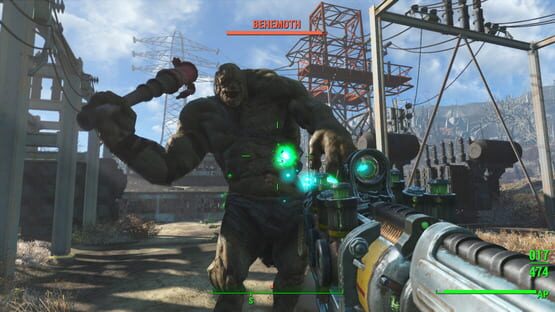
The Fallout 4 1.6 Update was released to Steam Beta today. In addition to several bug fixes, we've introduced a new type of saved game, Exitsave!
Please give us feedback in the Bethesda.net forums.
Fallout 4 1.6 Steam Beta Update
NEW FEATURES
ExitSave - Exiting to the Main Menu will create an ExitSave. During next play session, the ExitSave will delete itself after you load it. The Existsave works in all difficulty levels including Survival.
New Add On specific icons in Workshop mode
Support for upcoming Add Ons
FIXES
General stability and performance improvements
Fixed a crash related to targeting an enemy weapon while in VATS
Fixed an issue where a Companion would become stuck walking and unable to run
Fixed issue in "Mankind Redefined" to prevent the player from getting stuck in elevators while in Mass Fusion Building
In "Boston After Dark" quest now completes properly when waiting for Old Man Stockton
Fixed occasional issue where player would become permanently invisible
Dead settlers can no longer be commanded or assigned to supply lines
Fixed issue where deleting saved games would cause other saves to disappear
Fixed occasional issues with activating mods that did not come from Bethesda.net
Minor bug fixes and optimizations to Mods load order and browsing
How to access the Steam Beta
Fallout 4 1.5.4 Update Live on PC
The 1.5.4 Update for Fallout 4 is live for PC. It features enhancements and bug fixes for Mods and important fixes related to weapon and armor racks for Contraptions.
To provide feedback on the update, please visit our Bethesda.net forums.
Fallout 4 1.5.4 Update
NEW FEATURES
Increased space for Mod text on Mod details page for improved readability
Load Order menu now displays text about each Mod when highlighted
Most Popular filter now toggles between Daily, Weekly and All Time (defaults to Daily)
Reporting categories added when reporting a mod
Load Order menu displays options to Disable or Delete All Mods
Count of ratings now appears on Mod details page
FIXES
General stability and performance improvements
Fixed issue with weapons and armor losing mods and Legendary status when removed from armor and weapon racks (Contraptions)
Improved stability when reinitializing with certain mods loaded
Mod menu will check available space before starting mod downloads
Fixed issue with certain mods not downloading properly
Fixed issue with certain mods not appearing properly in the Load Order menu
KNOWN ISSUES The Add Ons menu is erroneously displaying Vault Tec Workshop and Nuka-World as Available. We are working with Valve to resolve.
Fallout 4 1.5.4 Steam Beta Update
A new Fallout 4 Steam Beta was released today featuring improvements and bug fixes for Mods. This update will be released to the general public on Steam and consoles next week. Also note, this update will be required for the PS4 Mods Closed Beta - come back for updates on when the closed beta will start.
To provide feedback on the update, please visit our Bethesda.net forums.
Fallout 4 1.5.4 Steam Beta Update
NEW FEATURES
Increased space for Mod text on Mod details page for improved readability
Load Order menu now displays text about each Mod when highlighted
Most Popular filter now toggles between Daily, Weekly and All Time (defaults to Daily)
Reporting categories added when reporting a mod
Load Order menu displays options to Disable or Delete All Mods
Count of ratings now appears on Mod details page
FIXES
General stability and performance improvements
Improved stability when reinitializing with certain mods loaded
Mod menu will check available space before starting mod downloads
Fixed issue with certain mods not downloading properly
Fixed issue with certain mods not appearing properly in the Load Order menu
How to access the 1.5 Beta
Log into Steam.
Right Click on Fallout 4 in your Library.
Select Settings.
Select Betas.
A drop down menu will appear. Select Beta.
Select OK.
Wait a few minutes and Fallout 4 should update.
When done, Fallout 4 should appear as Fallout 4 [Beta] in your Library.
Fallout 4 Update 1.5.211 (Steam Beta Update)
Fallout 4 Update 1.5.211
General stability and optimization improvements
Ability to filter by Daily Most Popular mods
Improved performance when browsing mods
Fixed issue where plugins would occasionally not delete properly
Fixed bug with mod file size calculation on Load Order menu
Fixed issue with screenshots occasionally not loading properly on mod preview page
Different music track for browsing mods
To provide feedback, visit our official forums here
https://community.bethesda.net/community/fallout/fallout-4/fallout-4-steam-betas/overview#externalIdentityManager
How to access the 1.5 Beta
Log into Steam
Right Click on Fallout 4 in your Library
Select Settings
Select Betas
A drop down menu will appear. Select Beta
Select OK
Wait a few minutes and Fallout 4 should update
When done, Fallout 4 should appear as Fallout 4 [Beta] in your Library
New Beta Update (1.5.205) for Fallout 4
We’ve released a new Beta update for Fallout 4 that features a number of improvements to how users access and navigate mods. Details below…
1.5.205 Beta Update
New Mod Features
General Improvements to the Mods menu, and support for Xbox Mods
Added option to delete all mods
Added option to disable all mods
Added a search option to the mod browser
Increased the amount of displayed mods per category
Added bumper navigation to jump forward while browsing Mods
Added access to the “Load Order” menu on the Bethesda.net login screen (offline Mod management)
Fixed a few issues with how images display in the browser and Mod details screen.
How to access the 1.5 Beta
Log into Steam
Right Click on Fallout 4 in your Library
Select Settings
Select Betas
A drop down menu will appear. Select Beta
Select OK
Wait a few minutes and Fallout 4 should update
When done, Fallout 4 should appear as Fallout 4 [Beta] in your Library
To discuss the Beta update, please use our re-opened Beta forums.
https://community.bethesda.net/community/fallout/fallout-4/15-steam-beta
Fallout 4 1.5 Steam Update (1.5.157)
Starting today, Fallout 4's 1.5 update is public for all users on Steam.
Along with support for our upcoming add-on, Far Harbor, and additional gameplay optimizations, the 1.5 Update features the revamped Survival Mode which incorporates a number of changes based on beta feedback. Thanks again to all those who participated! The update is live for everyone on Steam today!
Also in development, Creation Kit and Bethesda.net Mods are still in open beta on PC.
Survival adds additional challenges including no fast travel, saving only when you sleep, increased lethality, diseases, fatigue, danger and more. See the in-game Help menu for more details.
Characters set to Survival difficulty appear under their own Character Selection filter
Third person camera movement improvements when player is close up against walls and other objects
Fixes
General stability and performance improvements
Fixed rare crash related to reloading a save that relies on Automatron
Fixed issue with the robot workbench camera not moving properly immediately after canceling out of the menu
Fixed issue with perks being repeatedly added when reloading a saved game while in robot workbench
Fixed issue with Ada not properly traveling to an assigned settlement
Robots can now be assigned as settlement vendors
Fixed issue with "Appropriation" where blueprints would not appear properly if the container had already been looted prior to getting the quest
In "The Nuclear Option," entering the Institute using the targeting helmet on Power Armor no longer inadvertently causes the player to go into combat, and become stuck in the Institute
Fixed distance check with Robotics Expert perk
While in Workshop mode, if the Jump button is remapped, the Y or Triangle button can still be used to jump
Fixed issue with "Defend the Castle" where speaking to Ronnie Shaw would not properly complete the quest
During "The Nuclear Option," fast traveling away from the Institute immediately after inserting the relay targeting sequence holotape will no longer block progression
Fixed issue where Workshop placed light bulbs would occasionally not light properly
Fixed occasional flashing issue with entering and exiting Power Armor
Fixed issue where terminals would not work properly after downloading and initializing an Add-On from the Add-Ons menu
Fallout 4's 1.5 Update - Now in Steam Beta
Starting today, you can try out Fallout 4's Beta Update on Steam.
Along with support for our upcoming add-on, Far Harbor, and additional gameplay optimizations, the 1.5 Update – now available as a Beta on Steam -- features the revamped Survival Mode which incorporates a number of changes based on beta feedback. Thanks again to all those who participated! In the coming weeks, 1.5 – complete with Survival Mode – will be released on Xbox One and PlayStation 4.
Also in development, Creation Kit and Bethesda.net Mods are still in closed beta. We hope to add Support for Mods to the 1.5 Steam Beta soon with console support for Mods coming in updates that follow. Stay tuned to Bethesda.net and the forums for when those updates will go live.
Please note that we strongly advise players running third party mod managers to back up saves and disable/uninstall them before opting into the Beta, until they have been updated to support the new changes from the 1.5 Update.
Fallout 4 1.5 Steam Update (1.5.157)
Fixes
Fixed issue with plugins.txt file being written to wrong directory
Fallout 4 1.5 Steam Beta Update (1.5.154)
Fixes
General performance and stability improvements
Fixed occasional flashing issue with entering and exiting Power Armor
Fixed issue where terminals would not work properly after downloading and initializing an Add-On from the Add-Ons menu
Mod Fixes
Fixed issue where deleting a Mod would not properly remove associated archives
Minor bug fixes and optimizations related to Bethesda.net
Survival adds additional challenges including no fast travel, saving only when you sleep, increased lethality, diseases, fatigue, danger and more. See the in-game Help menu for more details.
Characters set to Survival difficulty appear under their own Character Selection filter
Please Note: Survival difficulty characters are not backward compatible with the 1.4 version of Fallout 4. If you opt out of the Beta, do not use Survival character saved games.
Third person camera movement improvements when player is close up against walls and other objects
Fixes
General stability and performance improvements
Fixed rare crash related to reloading a save that relies on Automatron
Fixed issue with the robot workbench camera not moving properly immediately after canceling out of the menu
Fixed issue with perks being repeatedly added when reloading a saved game while in robot workbench
Fixed issue with Ada not properly traveling to an assigned settlement
Robots can now be assigned as settlement vendors
Fixed issue with "Appropriation" where blueprints would not appear properly if the container had already been looted prior to getting the quest
In "The Nuclear Option," entering the Institute using the targeting helmet on Power Armor no longer inadvertently causes the player to go into combat, and become stuck in the Institute
Fixed distance check with Robotics Expert perk
While in Workshop mode, if the Jump button is remapped, the Y or Triangle button can still be used to jump
Fixed issue with "Defend the Castle" where speaking to Ronnie Shaw would not properly complete the quest
During "The Nuclear Option," fast traveling away from the Institute immediately after inserting the relay targeting sequence holotape will no longer block progression
Fixed issue where Workshop placed light bulbs would occasionally not light properly
Fallout 4 Survival Beta Update
We've updated the Survival Beta with changes based on feedback. You can tell us what you think at Survival Beta forums.
Fallout 4 1.5.147 Survival Steam Beta Update
Fix
Supply lines can now be properly assigned
Fallout 4 1.5.146 Survival Steam Beta Update
New Survival Features
Thirst, hunger, sleep and disease icons will change color based on status
Survival Fixes
Less food and drink are required to maintain proper sustenance
Carry capacity lowered
Sleep cycle has been lowered from 24 hours to 14 hour days
Increases chance to get a disease
Fusion cores weigh more
Nuka Cola Quantums no longer cancel out caffeine effect from Nuka Cola and Nuka Cola Cherry
Fixed occasional issue with becoming parched or peckish when thirst or hunger are actually satisfied
Fixed issue where Adrenaline effect would incorrectly persist after changing difficulty level
When companion is down, a quest target will appear on them
Fallout 4 Survival Steam Beta
Fallout 4 1.5 Survival Beta We’re excited to announce that overhauled Survival Difficulty is now available for beta testing on Steam. This update will be available on consoles next month. Also, there are additional fix notes related to this update.
Tell us what you think of the new Survival mode at our forums.
New Features New Survival difficulty
Survival adds additional challenges including no fast travel, saving only when you sleep, increased lethality, diseases, fatigue, danger and more.
Characters set to Survival difficulty appear under their own Character Selection filter
Survival difficulty characters are not backward compatible with the 1.4 version of Fallout 4. If you opt out of the Beta, do not use Survival character saved games.
Fixes
General stability and performance improvements
Fixed rare crash related to reloading a save that relies on Automatron
Fixed issue with the robot workbench camera not moving properly immediately after canceling out of the menu
Fixed issue with perks being repeatedly added when reloading a saved game while in robot workbench
Fixed issue with Ada not properly traveling to an assigned settlement
Robots can now be assigned as settlement vendors
Fixed issue with "Appropriation" where blueprints would not appear properly if the container had already been looted prior to getting the quest
In "Nuclear Option," entering the Institute using the targeting helmet on Power Armor no longer inadvertently causes the player to go into combat, and become stuck in the Institute
Fixed distance check with Robotics Expert perk
How to access the Survival Beta • Log into Steam
• Right Click on Fallout 4 in your Library
• Select Settings
• Select Betas
• A drop down menu will appear. Select Survival Beta Update
• Select OK
• Wait a few minutes and Fallout 4 should update
• When done, Fallout 4 should appear as Fallout 4 [Beta] in your Library
Fallout 4 1.4.131 Beta Update
Fallout 4’s 1.4 update is now live and public on Steam.
Fallout 4 1.4.131 Beta Update - February 26, 2016
General performance improvements
Fallout 4 1.4.125 Beta Update - February 22, 2016
General performance improvements
Removed unnecessary debug functionality
Fallout 4 1.4.124 Beta Update - February 22, 2016
New Features
Support for add-ons
Additional art customization added to Workshop:
Super Mutant clutter including meat totems, meat bags and meat cart
Raider clutter including raider poles, cages and tents
Abstract and portrait paintings
Variety of new signs
More metal and wood doors variants
Fixes
General stability and performance improvements
During "Getting a Clue" quest, Kellogg's desk will remain a working container
During "Rocket's Red Glare", resolved issue where companions could not be dismissed after completing the quest
Fixed an issue with "Kremvh's Tooth" quest item not spawning properly
Settlements under attack will now display an updated message with the results of the attack if player does not respond
Fixed an issue with screen effects not clearing away properly after using a scope
Fixed an issue with trying to sprint while in third person with a minigun equipped
Rank 4 of Demolition Expert perk now properly increases the area effect of explosives
The Scrounger perk now includes additional common ammo types
Fixed an issue where Calvin Whitaker would disappear in Vault 81
Fixed an issue where Ninja and Sandman perks combined would apply the incorrect damage bonus
Fixed an issue where Rank 3 of Grim Reaper's Sprint did not fill critical meter properly
Fixed an issue with key cards not spawning correctly in Vault 75
Fixed an issue where enemies would stop spawning during "Airship Down"
Being in first person while wearing power armor and quickly switching weapons will no longer cause the Pip-Boy to be stuck
Fixed an issue with the autosave counter getting incorrectly reset
Fixed issue that would cause the Pip-Boy menu to turn invisible while swimming
Fixed an issue where scrapping larger quantities of a single item would inadvertently scrap a legendary item
Fixed issue where exiting workbenches would cause third person to stop working properly
The Scribe can now be assigned consecutive settlements properly
Fixed issue with duplicating scraps shipments
Fixed issue with vendors not properly exchanging caps after several consecutive transactions in a row
Fixed issue with the quicksave and autosave message persisting through loading screens
Fixed an issue where updating to the latest patch would cause Options settings to reset back to default (Xbox One)
Fixed an issue with loading save with a placed object in water, not properly floating
How to access the 1.4 update beta To get the Beta, you need to do the following:
Log into Steam
Right Click on Fallout 4 in your Library
Select Settings
Select Betas
A drop down menu will appear. Select Beta Update
Select OK
Wait a few minutes and Fallout 4 should update
When done, Fallout 4 should appear as Fallout 4 [beta] in your Library
Thank you for your continued support. If you have feedback to share, contact our support staff here: