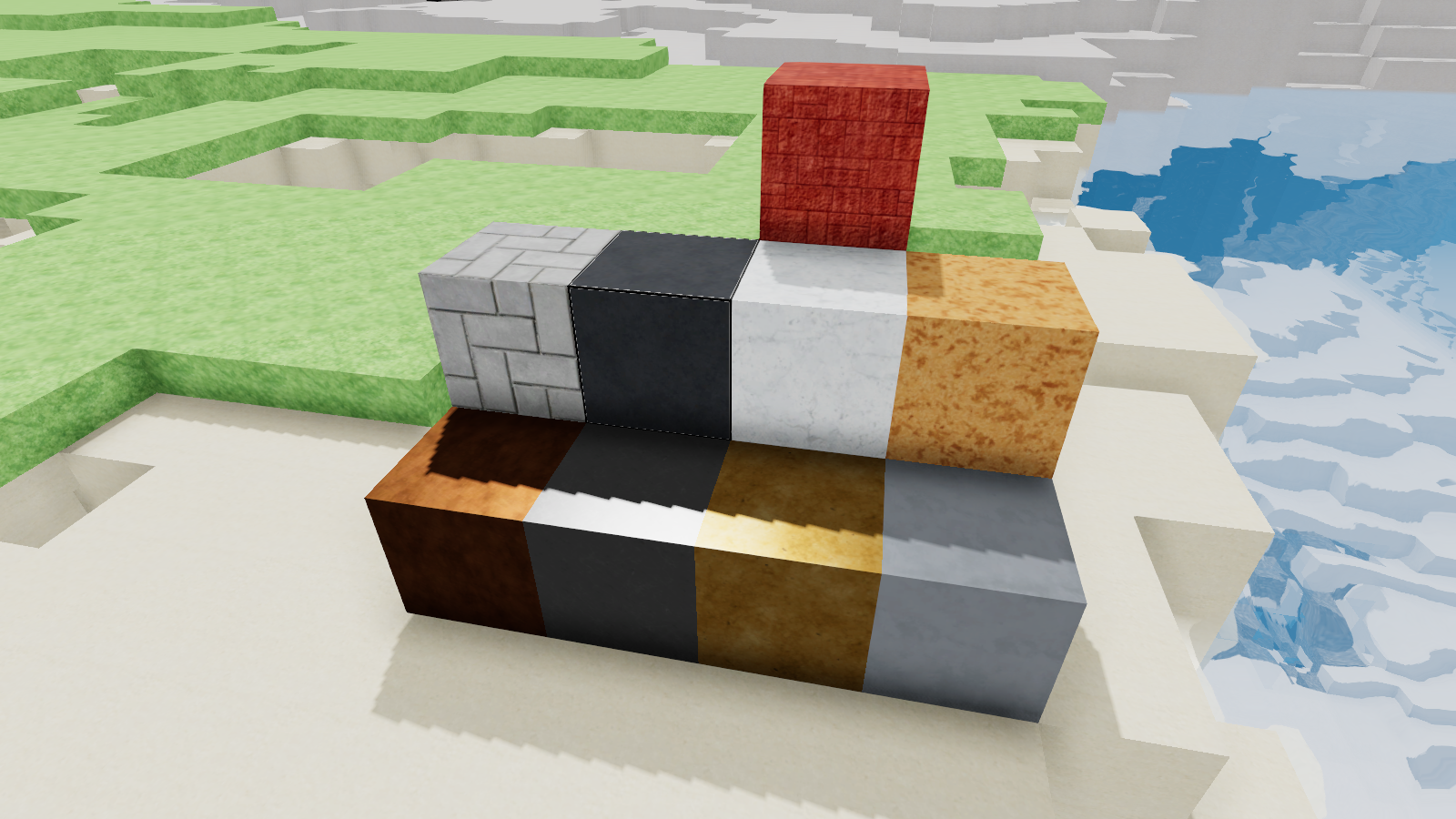
These are mostly decorative cubes to help spruce up your worlds. We tried to fill in some common missing cubes like Asphalt and Marble. We also added the cube versions of several of the metals.
Check out the full update notes below!
Updates
Marble has been added to the game. It spawns underground in the Maquis and Cheery Steps biomes.
Chipboard has been added to the game. It can be made from Planks at the Woodshop. Chipboard is weaker than planks can you can make more of it with the same amount of wood.
Gold, Silver, Copper and Aluminium Blocks have been added to the game. These are the decorative cube forms of these metals. They are made with 4 of their metal in the Furnace.
Herringbone Path has been added to the game. This is a decorative alternative to the Sidewalk and can be made at the Mason Station.
Red Rock Brick has been added to the game. This is a decorative alternative to Brick, made with Red Rock from the desert.
Asphalt has been added to the game. This is a decorative alternative to Road and can be made at the Mixer.
Cracked Asphalt has been darkened to make it look more like the newly added Asphalt cube
Chunks with a large number of variants and large sketches will now render properly.
Added internal support for voxelizing 3D models into sketches. We hope to expand this in the future and allow for it to be used when making mods.
The Start/Respawn Pad fades away sooner, from 15 meters down to 9 meters
Fixes
Fixed Text overlapping sketch next/previous arrows
Fixed a bug where large sketch files could not load properly
Removed a duplication bug caused by repeatedly loading sketches, and having placeable objects near the world spawn
Filled in missing mesh faces on inner corner ramps when placed next to certain other variants
The Item picker wouldn't reset after using it to choose a cube when filling an area in the sketch editor
Fixed layering issues with the Item picker when changing between using 'G' and the sketch editor
Early Access Update 10!
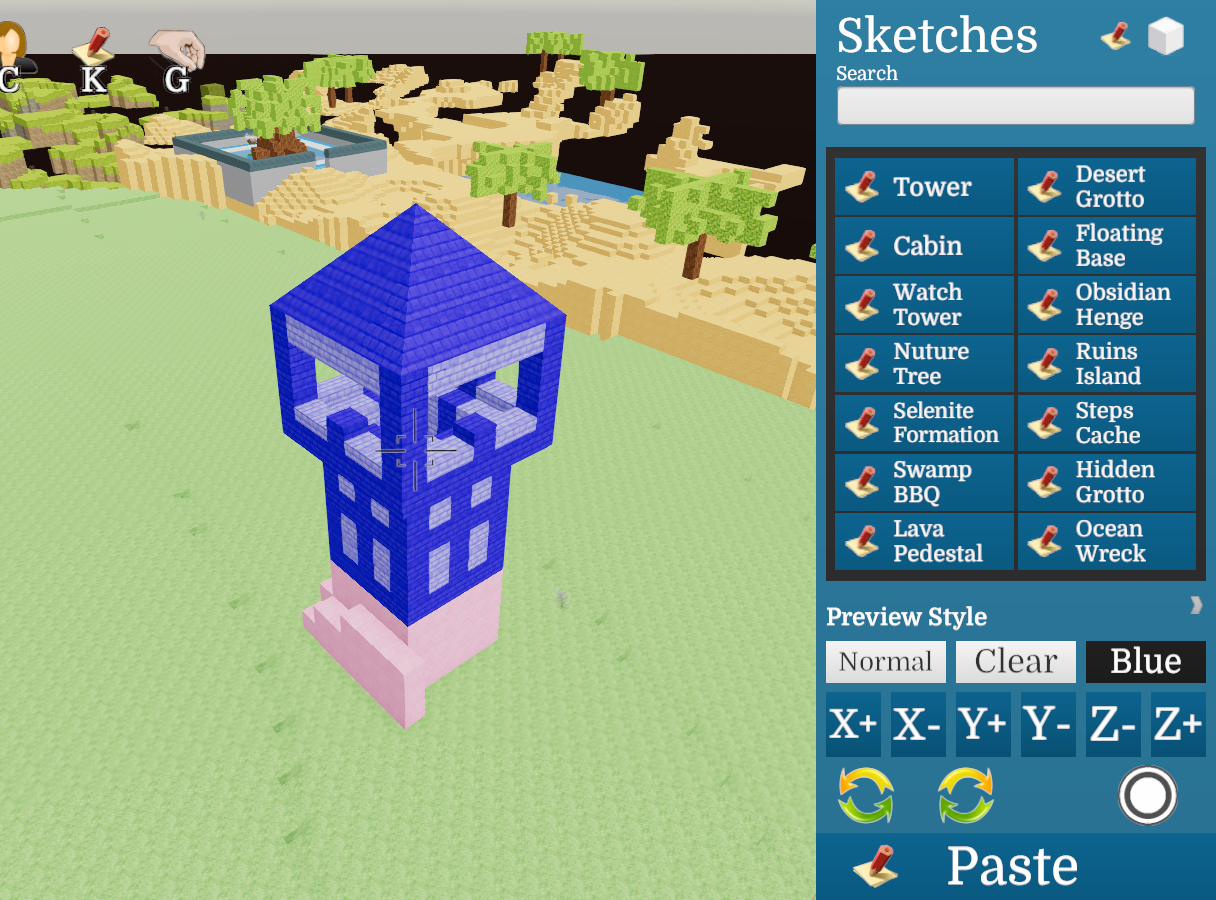
We've added Sketch Mode to the game! You can now easily place and create sketches without using console command. Move around the sketch preview from a bird's eye view to develop your world.
Use the Area panel of sketch mode to select areas to Fill, Paint or Copy. Copy then save your area to make your own sketch. Sketches are bundled into mods so you can share them on the workshop!
Check out the full update notes below!
Updates
The Sketch Panel has been added to the game. While in developer mode press 'K' to bring it up. You can place sketches or make sketches with this panel.
Third person orbit camera added to the game and it is used while the sketch panel is open.
In the sketch panel you can select a sketch and a preview will appear in the world. The preview shows what cubes will be placed but not what objects.
Two new shaders added for the preview. You can switch between a Clear preview, a Bluish preview or a Normal looking preview.
Use the new Paste button in the sketch panel to place the sketch into the world
Use the move buttons in the sketch panel to move the preview location. X is left/right, Z is forward.backward, and Y is up/down
Use the rotate buttons to rotate the sketch preview 90 degrees clockwise or counter clockwise
Added Area Mode in the Sketch Panel. This lets you define an area and use several commands on the area. You can switch back and forth with the buttons on the top right of the sketch panel
Use the Clear button to remove everything from the area
Use the Expand and Retract buttons to resize the area. Use the Move buttons to move the area
Use the Copy button to make a temporary sketch of the area
Use the Save button to save your sketch to a mod, so yourself or others can reuse it in the future. Note: you can only save to mods that your world has, and you cannot save sketches to the built-in mods
Use the Fill button to fill the area with a cube of your choice
Use the Paint button to paint all the cubes in the area a colour of your choice
You automatically unstuck yourself to a nearby location if you paste a sketch on yourself
Added Sketch Mode icon and hotkey 'K'. The icon is visible on screen in developer mode
Added Give icon (already had hotkey 'G'). The icon is visible on screen in developer mode
Added Developer Mode button to the Pause Menu. Pressing the button will toggle you between developer mode and normal mode. This does the same this as the 'developer' console command
Rearranged some assets and reduced file size
Fixes
Variants are no longer visible in the 'give' (G) panel
Rotate command now changes variants (like ramps) to face the correct way once rotated
Early Access Update 9!
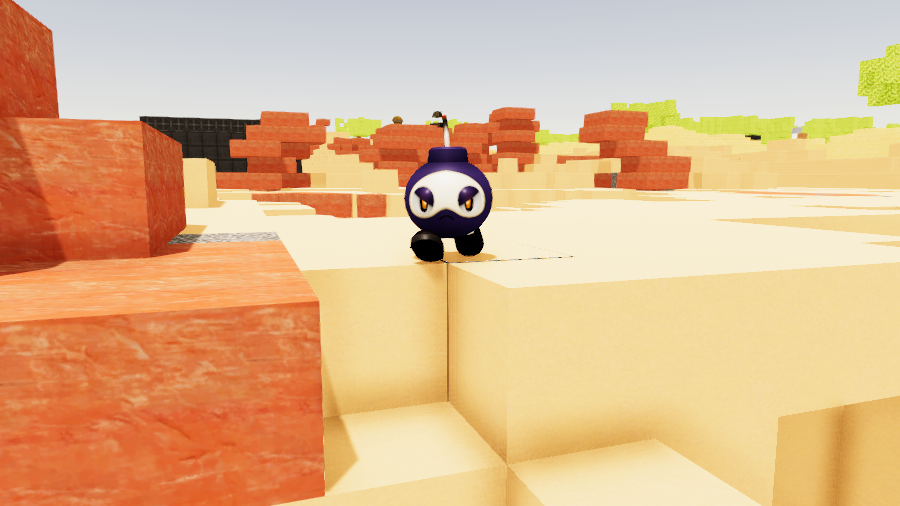
We've added Grumpy Bombs to Ficterra! Watch out when battling these guys, as they tend to go out with a bang!
We also added the Damage and Armor type system to the game. Find different typed weapons and armor to gain type advantage over your foes. The current Type chart is after the patch notes, with damage types as rows and armor types as columns.
Check out the full update notes below!
Updates
Grumpy Bombs have been added to the game. These little monsters will explode when you reduce them below half health without defeating them. They spawn in the Red Rock Desert, Obsidian Snow Plains, and Maquis biomes.
Damage and Armor types have been added to the game. These modify damage based on the types of the attack/spell and the armor of the target.
Weapons and Armor in the game have been given appropriate damage or armor types.
Monsters and Animals have been given appropriate armor types
Players now have the 'Animal' armor type. Wearing equipment will alter your type composition
Monsters now make use of the Spell system
Fixes
Explosions now deal damage. The amount is equal to the explosion power.
Fixed timing on Golem attack
The Impling's attack is now an ability/spell. It has lower cooldown and damage.
The Hitbox for the Impling's attack now corresponds to its mace.
Shallow water now looks properly removed when picking it up with a water jug. It was picking up correctly, it just looked like it wasn't.
Early Access Update 8!
We've made a ton of performance updates to the game! Loading in terrain should be much faster, and overall the game should feel smoother.
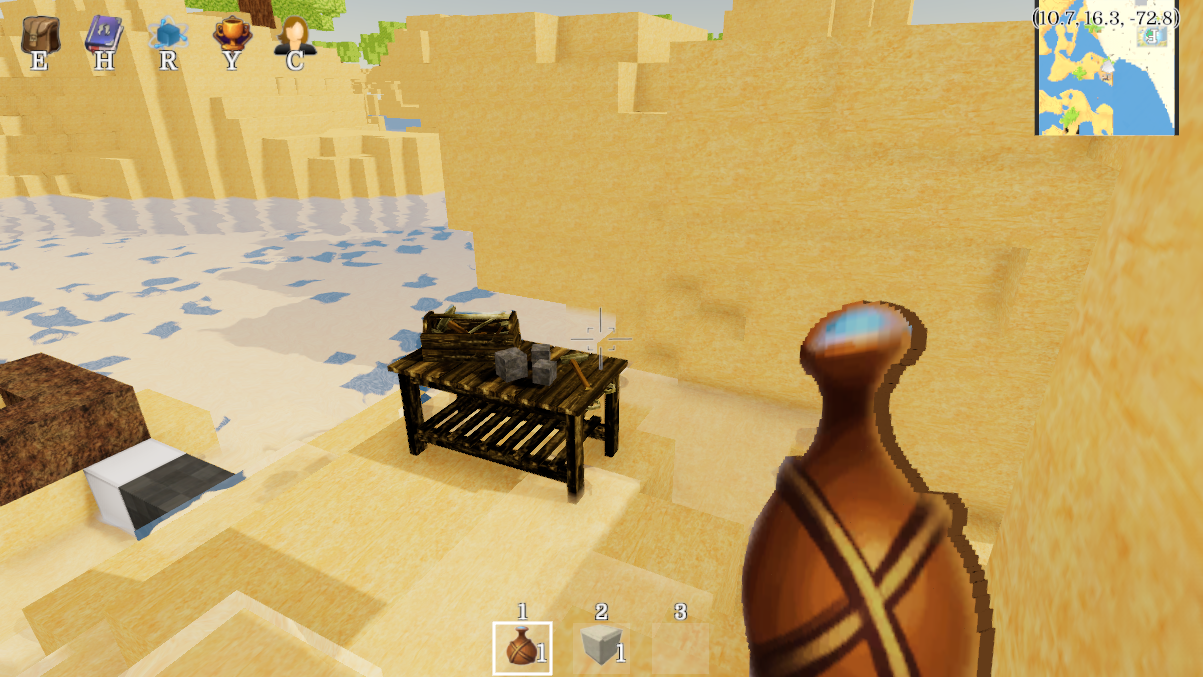
The Water Jug (in the picture) lets you hold up to a cube of water (an improvement over water bottles). It also shows off some new tech we've added. Dynamic icons let us change the icon of an item when its state changes. We can now also store state/data on specific items in your inventory. We use this for tracking the water in the jug, but you can expect to see it for more items in the future!
Check out the full update notes below!
Updates
Water Jug has been added to the game. This can hold water up to a full cube, and then place it down elsewhere. It can be crafted at the mason station with stone and cotton
Dynamic icon tech has been added to the game, currently used in the new Water Jug
We now have the tech to save data to specific items, currently used in the new Water Jug. Items that can have this extra data do not stack. We expect to use this more in the future, so stay tuned
The World config file has had the 'max savable id' stripped and is now saved in a separate file. This requires saving often, unlike the rest of the world config file (which is fairly large), and was causing a drop in the frame rate
Searching for terrain to load now is faster and uses less memory
New method for loading terrain files that is much faster
New method for saving terrain files that is faster
Fixes
No longer calculate LOD data we aren't using
We now only save the 'unfinished sketch' file if there was an actual change, not for attempted changes
Early Access Update 7!
We've added Titles to the game! Complete higher tiers of research to unlock titles. We'll be adding more in the future!
Check out the full update notes below!
Updates
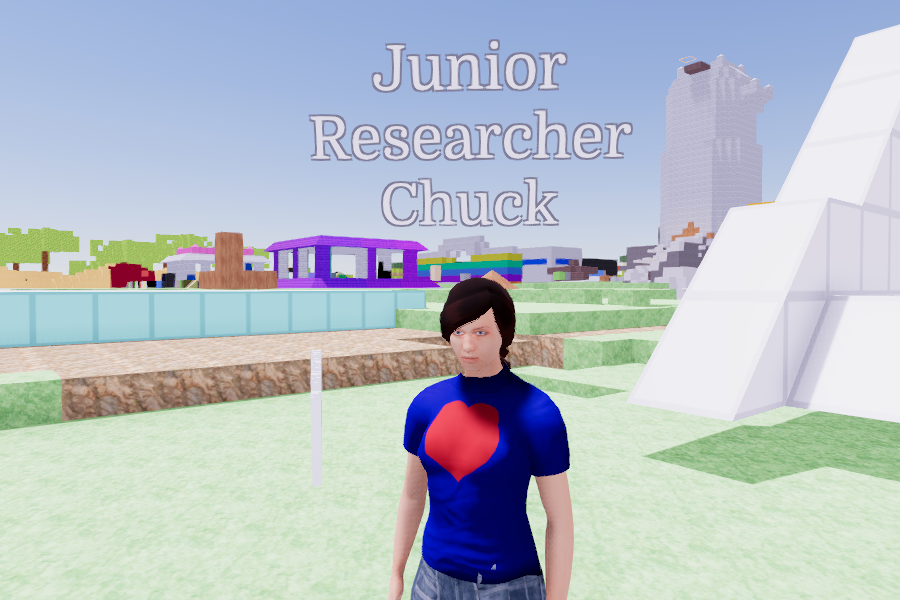
Titles have been added to the game. These are unlocked with achievements and once unlocked are available in any world/character.
The Character screen now shows your name instead of 'Character'
You can change your title next to your name in Character screen.
Player nameplates have been added to the game. These appear above other players in multiplayer. They show the player's name and title (if they have one)
Fixes
Selenite Crystals in the Giant Crystalscape biome now have their bottom half
Bug that was causing builds to take slightly longer
Early Access Update 6!
You can now make your own Monsters, Animals, Pets and Drop Tables! Use the new addons to bring your new creatures to the game!
My pet rubber ball 'Bouncy'
Check out the full update notes below!
Updates
Simple Monster addon has been added to the game. This lets you turn an object into a monster. You can adjust the health, speed and damage that a monster does. Simple Monsters wander around until they see a player, and then will move to attack them. Monsters can be spawned into the world using the 'spawn' and 'spawns' commands
Simple Animal addon has been added to the game. This lets you turn an object into an animal. Simple Animals just wander around.
Pet addon has been added to the game. This lets you turn an animal into a Pet. This gives the animal pet traits, lets you name it, and lets it follow you if you want. You must also add the Simple Animal addon if you want to use this.
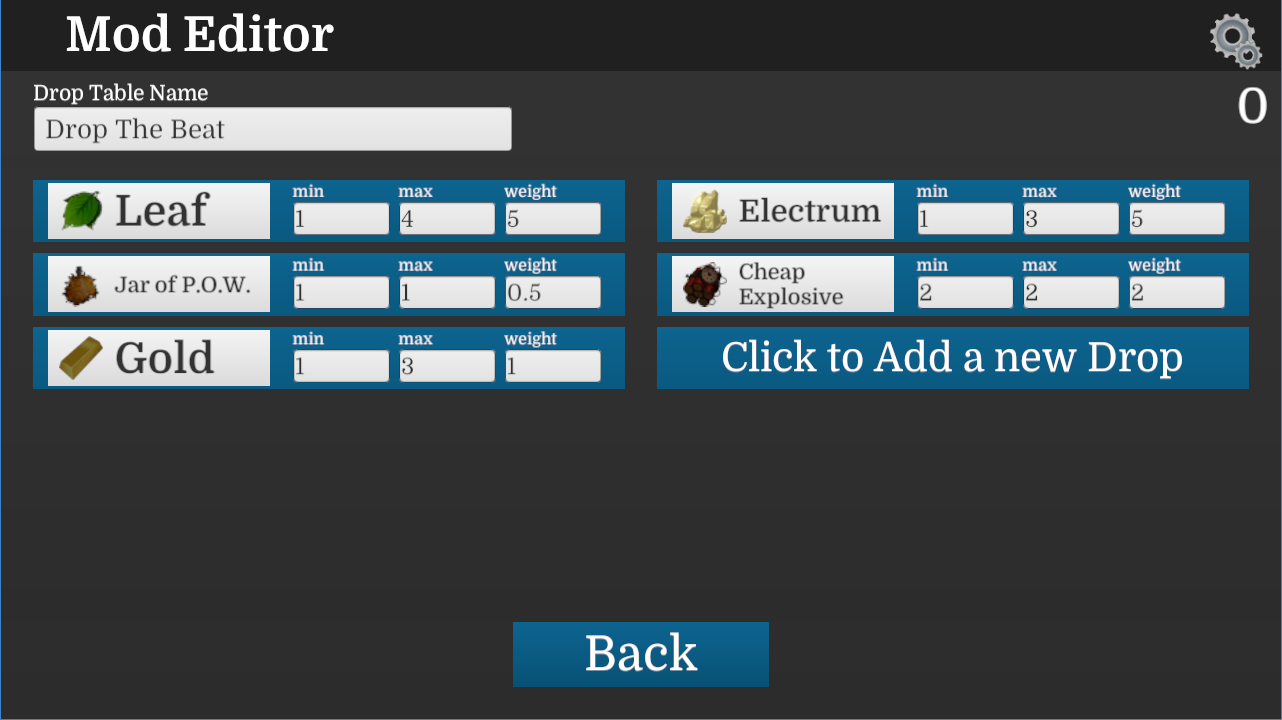
Drop Tables have been added to the game. This lets you choose what items will drop from monsters, how often they drop, and in what amount
Drop Table tab has been added to the mod editor. Create your mod tables here and assign them in the Simple Monster addon on items
The 'triggerZone' command has been added to the game. Selecting an area and using this command converts it into a Trigger Zone object. This is usually easier than placing a Trigger Zone into the game and resizing it to fit the area you want.
Fixes
The Achievement popup particles no longer have a missing material and look normal again
The 'spawn' and 'spawns' command now apply addons from the mod editor
Pets! Early Access Update 5
You can now have Pets in Ficterra!
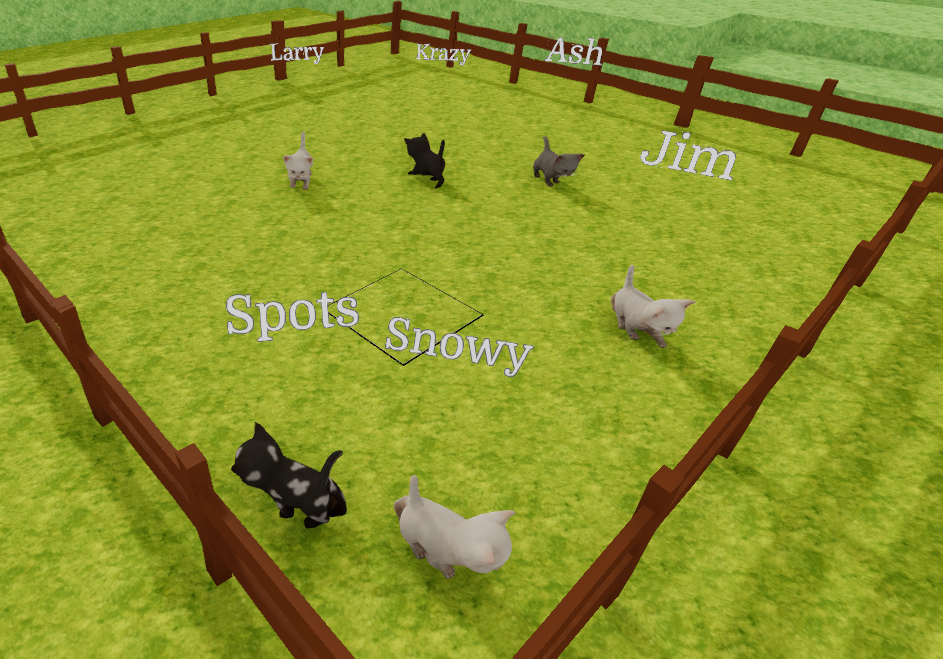
Find animals you like, give them a name and take them home with you. Each pet has a different set of traits that set them apart. Animals now also have different fur styles and looks!
Deer now roam your worlds too! Try searching the Cherry Forest and Light Forest Hills biomes to find one.
Check out the full update notes below!
Updates
You can now make animals Pets by naming them. Right click on an animal and enter a name. Pets will not despawn like other animals
New icon for hovering the cursor over animals that can be pets
Pets have their name displayed over them
Animals can now be told to Follow you so long as they could be a Pet. They move slightly slower than players and can jump about the same height
Deer have been added to the game. These are friendly animals that can be made Pets. They spawn in forested biomes
Animals can now spawn with unique looks. Deer, Ibex, Crabs and Kittens have 4-5 unique look options each. These are random, try to find the look you like
New movement system for Crabs and Kittens. Deer also use this new tech
Pet Traits have been added to the game. These describe a personality trait of an animal. Each pet has 3 different traits out of 50 unique traits. Try finding pets with different trait combinations
Many new icons have been added to the game for Pet Traits. These can also be used in modding
Crabs, Kittens and Deer will not jump over walls made out of placeable objects, like fences. This can be used to build animal enclosures
Animal spawn rates have been adjusted. Overall animals spawn more frequently. Butterflies spawn less.
The maximum amount of animals that can naturally spawn has been increased
The maximum amount of monsters that can naturally spawn has been decreased
Cleaned up project to remove some old code and art
Trigger Zones have been added to the game! Trigger zones are boxes that let you trigger code when entering them. They can be given like any other item and can be resized to fit the area you want. They are normally hidden from view, so use the command 'devView' to see them.
Fixes <*> Crabs no longer have a small awkward collision area
<*> The 'fill' and 'clear' commands now work in multiplayer as expected
<*> The minimap no longer shows DevOnly objects
<*> The Red Rock Desert biome's elevation has been lowered to better reflect the biome. This might cause some terrain to generate 'off' in older worlds, but will make the desert appear more naturally in newer worlds.
Early Access Update 4!
The Maquis biome has been added to the game!
This hilly landscape appears in warmer climates. It has a variety of shrubs which can be harvested for leaves and a small amount of wood.
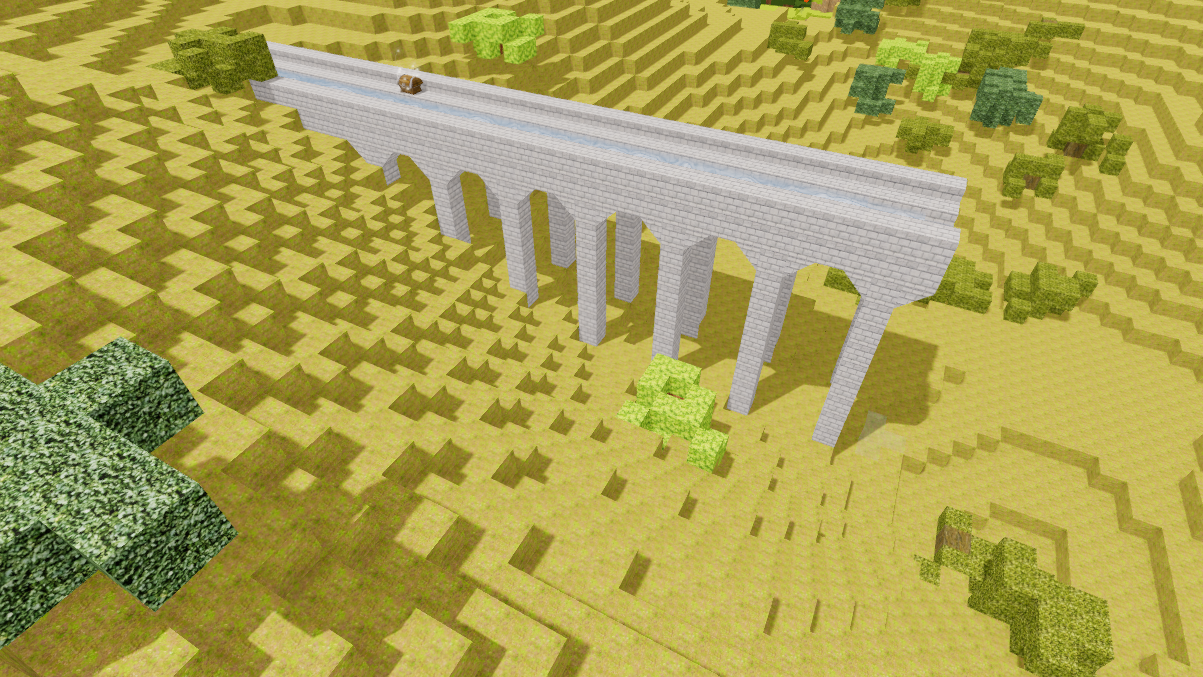
Two new rare points of interest can be found here. Aqueduct ruins scatter the landscape, providing some water and a Common Loot Chest. Hidden in the hills there are also special caves that contain a Rare Loot Chest and are well suited to building an underground base.
Updates
Maquis biome added to the game. This biome can be found in areas with low rainfall, warm temperature, high elevation and above average lighting.
Grassy Dirt has been added to the game. This is a dirt cube that has a grassy look to it. It is the signature cube of the new Maquis biome, and can't be crafted. It is interchangeable in recipes with all other dirt.
Aqueducts now spawn. They are unique to the Maquis biome.
'Solo Caves' now spawn. They are unique to the Maquis biome.
Shrubberies now spawn. They are unique to the Maquis biome.
Worlds now save a Biome list to their configuration file. Worlds by default will only spawn biomes in this list. This way, as new biomes are added, old worlds won't look 'messed up' trying to adapt. We will in future add the ability to include newer biomes to your older worlds (and disable biome lighting effects)
Fixes
Arid Trunk will now make 'wood' sounds when harvesting, instead of the default sound.
Helicopters! - Early Access Update 3
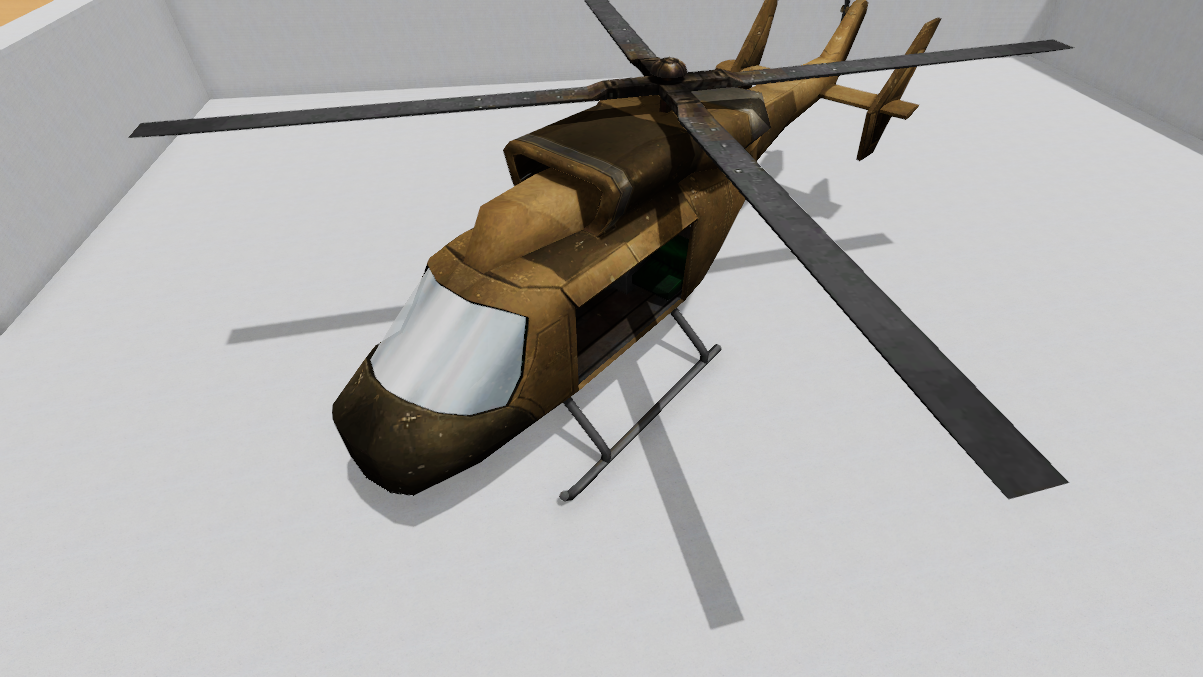
Helicopters have been added to Ficterra!
These top tier flying machines let you explore your world from above. They move fast and keep you (relatively) safe from threats.
We also added the ability to disable weather. Some people just don't like it, and it doesn't make much sense in some Fictions.
Read the notes below for the full update information, and have fun soaring through the skies!
Updates
Helicopters have been added to the game. This is an air vehicle that can hover in place. You can craft it at the Tinker Table after Tier 5.
Rotor Blade and Helicopter Cockpit have been added to the game. These are parts required to build the Helicopter. They are also crafted at the Tinker Table after Tier 5
The size of the Addon Settings popup has been increased to make settings more readable and allow for more settings on complex addons
You can now see exactly where other players are thinking of placing down something in multiplayer, instead of the general direction
The 'fillBox' command has been added. This creates an empty box with no lid with the sides filled in with the specified cube. This is good for making pits and other open air rooms.
The 'weather' command has been added. This toggles whether the weather is on or whether the weather is not.
Added a 'DevOnly' addon to the game. Use this on items in the mod editor to make them only visible when 'Dev View' is on. This is good for triggers or invisible walls/boundaries, while still letting you see them in development.
Added a 'Resizer' addon to the game. This let's you change the size(scale) of a placeable object.
Added the 'TriggerBox' prefab to the game. Combining this with resizer, devonly lets you more easily create triggers for game events. We hope to expand this further to make it even easier, so stay tuned.
Fixes
Cursor resets properly and key helpers should no longer be visible, when entering a vehicle
Fixed a bug where objects moving into terrain that had not yet been generated would fail to load the next time you played
Rocky enemies should no longer have ninja like dodging skills and are thus much easier to hit
Objects in multiplayer should no longer wobble in place while trying to move them after different players have moved an object.
Fixed a bug where you couldn't remove addons
The Addon editor now correctly shows where your codefile selections go, instead of always looking like it was 'On Right Click'
Early Access Update 2!
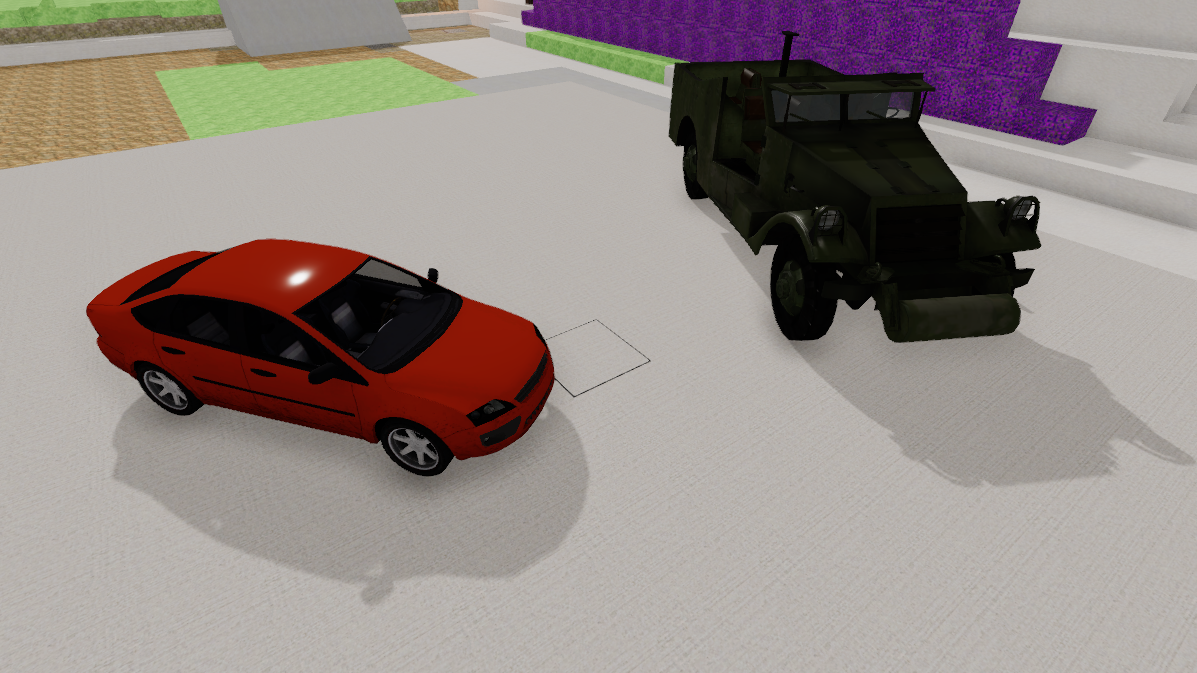
This update brings cars to the game!
You can make your own cars with the Mod Editor and Unity.
We also expanded the hotkeys you can change in the Key Bindings settings.
Updates
The Car has been added to the game. This is a fast vehicle that is useful on flat terrain. It can be crafted at the Tinker Table after researching Tier 4.
The Scout Truck has been added to the game. This is a tough vehicle that can be used on less flat terrain. It can be crafted at the Tinker Table after researching Tier 4.
Tire, Seat, and Car Battery have been added to the game. These are components for crafting vehicles. They can be made at the Tinker Table after researching Tier 4.
Lead and Sulfur have been added to the game. These are used in making a Car Battery and can be obtained from smelting Galena.
Galena has been added to the game. It can be smelted into Lead and Sulfur. This can be mined from epic ore.
The Car addon has been added the game. This lets you make your own car-like vehicles in the mod editor. You can set the Acceleration, Top Speed, Turning angle, whether you can look around in the vehicle and whether you can do normal actions in the vehicle. Create an object named DriverSpot in the vehicles in Unity to place the player, and use WheelColliders to let the car move.
Fixes
Placeable objects should no longer 'argue' over who controls them
The following hotkeys can now be changed in the settings: Choose Variant, Toggle UI, Create Screenshot, Map, Character, Research, Offhand ability, Alternative action, Extra Action, Sketch Cursor, Lower (while flying), Brake Vehicle, Exit Vehicle
The Arcane Staff's visible effect now appears properly