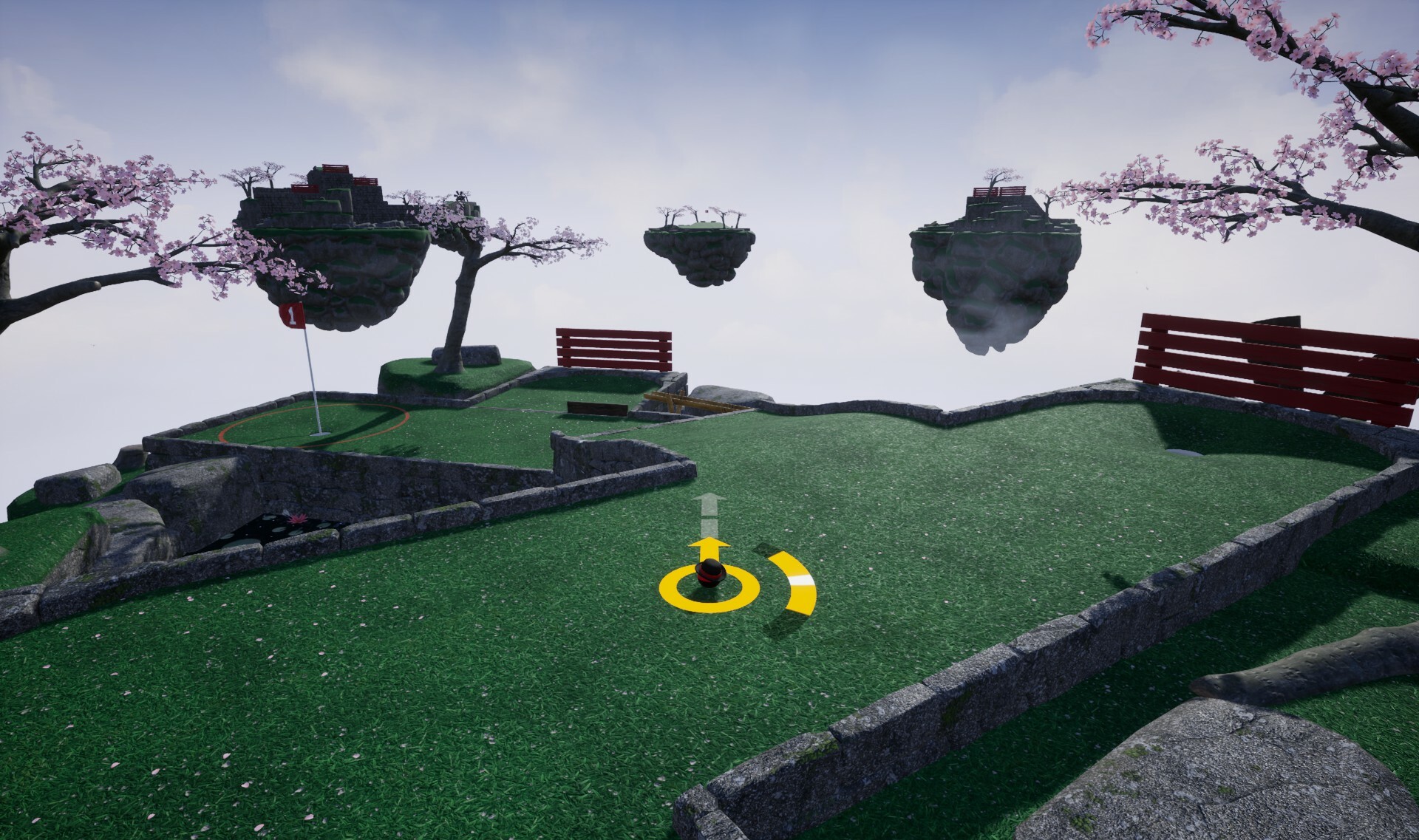
This weeks update features a couple of quality of life improvements such additional mesh quality levels for snow, and an additional cloud layer effect. I've also included bug-fixes to anything found or reported during the past week.
Additional cloud layer
I wanted to start out with something that could work well with lower settings first. Essentially it adds an additional light layer of clouds like seen in the background that will render in front of the islands for addditional effect. Depending on the lighting conditons and current level theme it will adjust accordingly.
This is intentionally minimal, you may not always notice it and will fade away as your camera comes within proximity of it. This will get tweaked over time and may be combined with additonal effects.
Additional snow quality levels
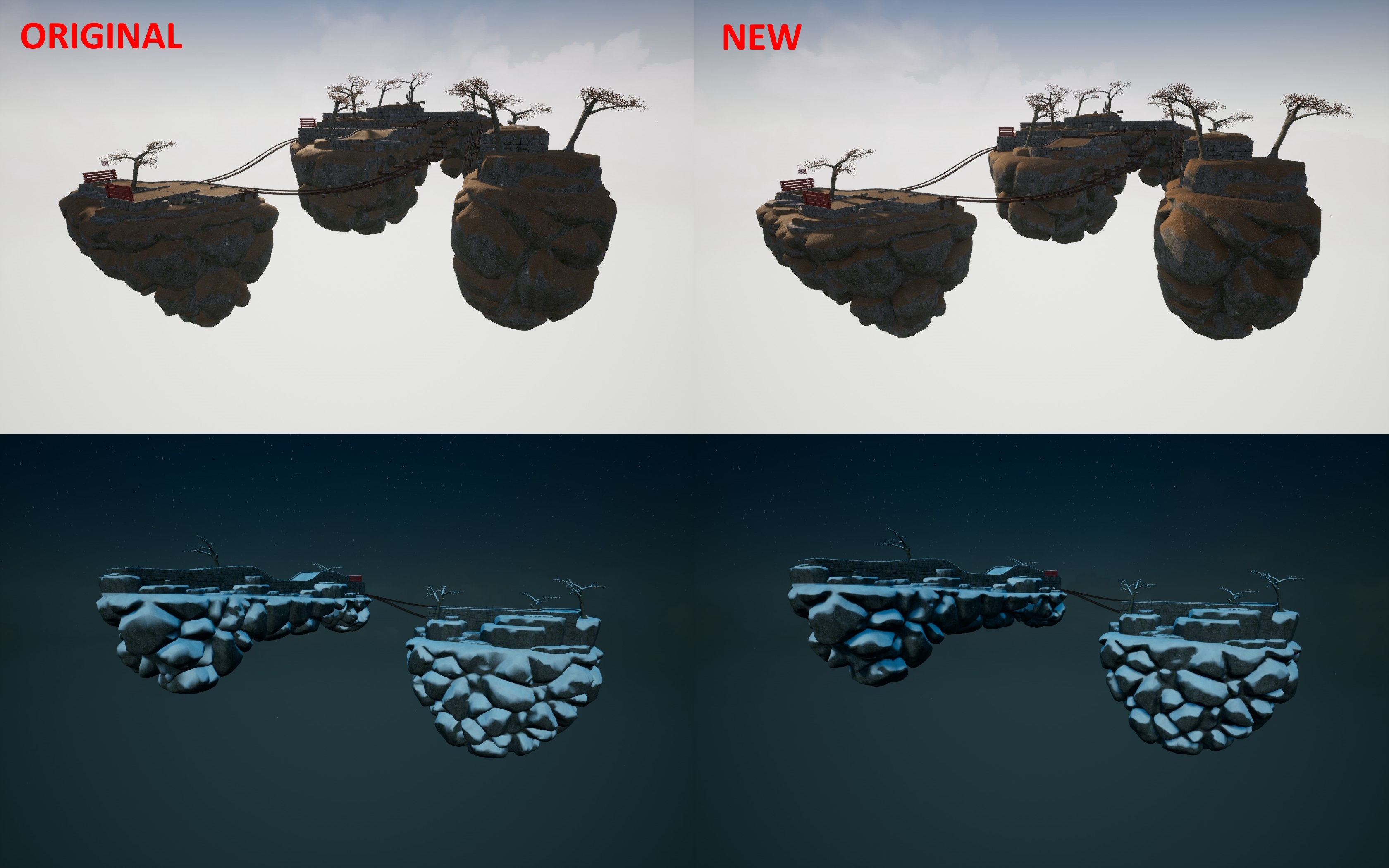
The snow found on wall meshes has gotten an additional quality level thats better poly count optimized for low and medium settings. This will give a performance boost when playing the winter theme on low end devices, with greater gains while playing with other islands active.
Each of the low and high versions of the models have their own LOD models for when seen in the distance like on other islands.
Various other fixes and tidy ups
Check the full notes below for all the changes made, if you are aware of any issues then please let me know so they may be hotfixed.
Added change to how system save games are saved, moved from asynchronous to immediate. Because the amount of data in this file is tiny it can get it out the way before saving profile data would save at the same time (which is more of an issue for some low end systems).
Fixed an issue where ES3.1 brightness settings wouldn’t always apply correctly.
Environment
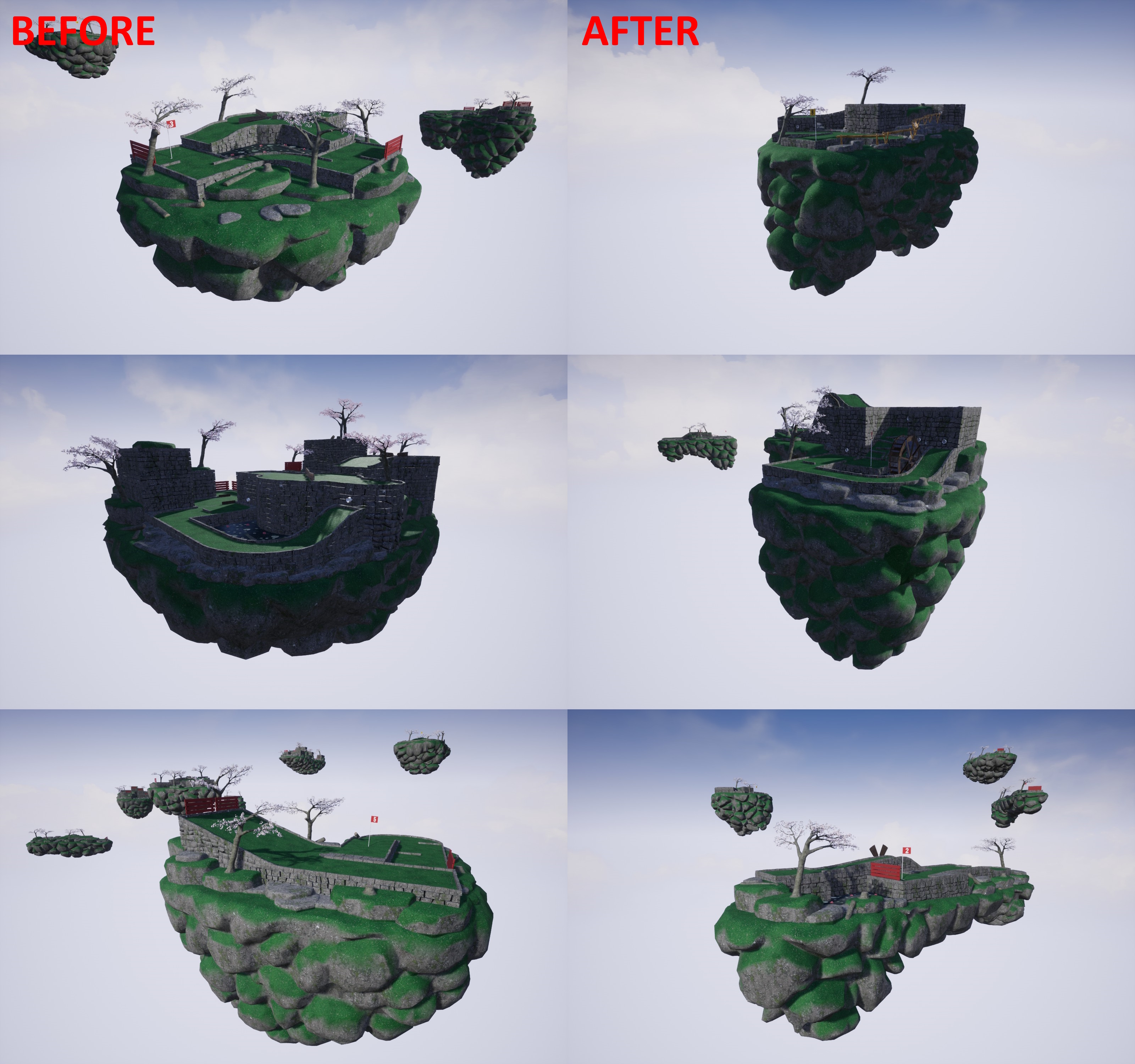
Added improvements to levels ‘All Tee’d up’ and ‘Stroke of Luck’ to add more visual detail to back sides of levels and optimize overall triangle counts.
Fixed camera on Law of reflection not being smooth.
Added improvements to flag raising detection radius to give more room for ball speed.
Fixed a clipping rock on ‘Now where do I go’.
Fixed a small wall gap on ‘Tee Time’.
Fixed hats appearing a bit overly shiny on lower settings on non-windows platforms.
Added additional mesh quality level for level snow which will be used for low and medium settings.
Added additional light cloud layer that will render in front of distant other islands.
Added version of the snow covered fence for lower quality settings.
Added tweaks to some wall models that were had lod models with excessive spacing that stood out.
Interface
Fixed Q and F1 keys not having consistent appearance in dark mode.
Discord Server
Be sure to check out the official discord server with channels for Golfing In Aether and my other various projects.
Golfing In Aether Update Released [1.5.10]
This is a large quality of life update with various improvements and several bug-fixes. I put off doing multiple updates while the summer sale was active so there's a lot of changes in this one.
Improved Island Visuals and Performance
First up is I've reworked all the island models for every level to both give better visual quality and also bring some performance gains.
Specifically what I did was expand on the 3D baking I was able to do with the complex wall models in the 1.5.8 update and apply this to the island meshes themselves. This was a very time consuming process as while some models are re-used, there is still 48 unique island meshes to rework. These are also very large and very complex models, so getting them to bake properly took quite a bit of work. Additionally the grass on the island's rocks is now generated from the baked data rather than general vertex normal information which removes some blurry artifacts in places.
There are two models for each island now, a high quality which is identical poly to before but with the baking on top - so looks really good, and a lower poly also with the baking. The lower poly looks better than it did previously but at the cost of some visual quality, though for low-end hardware this helps for performance.
Additions to view distance and foliage settings
For view distance when set to low, and other islands set to enabled, only the local island group will be rendered. In a standard session this will be either hole 1-4, 5-8 or hole 9. The idea is that you can still see some islands but culling a few to save on performance.
With foliage settings there will also be an affect on the quality of the island mesh itself as described above. When set to Low or Medium the lower quality mesh will be used, else the regular poly will get used. When testing on a Ryzen 3200G without a dedicated GPU in the levels I tested there was a 3-5 FPS gain on average, with greater gains when playing with other islands present.
Better local profile management
You can now delete local profiles on the select profiles menu. Only player 1 can do this, and the menu can be accessed by entering the edit profiles menu via Y gamepad button (or onscreen button) as before. When there you will see ability to delete the profile in addition to the apply changes.
Local profiles only store the name, customization, and any controller settings for local players, so if they are deleted even on accident (would be hard to do...) nothing really important is lost. There is of course a prompt asking if you are sure you want to delete the specific profile beyond the button press.
Optional leaderboardless scoreboard
A leaderboardless version of the scoreboard has been added which will be picked automatically by default when in local play. This is because leaderboards only work for player 1, so I've put more focus on immediate scores and progression instead.
If you would like this either disabled or perhaps enabled always, you can find a setting under game settings and set it based on your preference. I know not everyone likes leaderboards so if you want to just hide them then this will do exactly that.
Note that when leaderboards are hidden you will still submit a score to the leaderboards as before, its just the displaying of them on the scoreboard thats hidden.
HUD performance improvements
I've made some changes to the backend of the HUD to better cache information and only re-render parts when needed. This will help with performance on very low end hardware where CPU may be a bottleneck area (which is very hard to achieve in this game).
Specifically I've tweaked the player widget and current hole info widgets at the top of the screen. I've also tweaked the player names that float above other players in the game world as-well.
Tweaked ball rolling
I tidied up the graphs that handle some of the corrective dampening that is applied onto the ball in specific situations. There are no drastic changes here but a couple of improvements have been made such as to specifically fix balls stopping too suddenly at the base of a ramp, and in cases rolling a little too much.
Several bug-fixes and other changes
A lot of play testing was done given all the features in this update so numerous minor or behavioural issues were caught and fixed. You can see the full list in the notes below.
Hotseat / competitive mode was tested a lot in particular to really refine various little things that stood out. Examples include inconsistencies with remote players holing out vs the host, remote players ball's not being angled identical at the start of the round, fixes to the reset to checkpoints, and a bunch of camera related refinements.
As this is a very large update despite me including lots of fixes to various elements theres always a chance I've either missed something or a new issue will show up somewhere thats slipped through testing so do let me know if you encounter anything so I can get it hotfixed.
Added setting of field of view to 75 down from 90 when playing for the first time on a steam deck. This is a local system setting, which you can override / change at any time from game settings. The reason for the lower FOV is it will help with seeing things better. This will not have any effect on anyone who has already played the game as it is purely the default setting.
Added mechanic for deleting local profiles, it was already possible to edit them.
Fixed updating some graphics settings such as ‘other islands’ not immediately resulting in changes.
Added backend changes to how the level sequence stage is executed, specifically it is now created on the fly based on the level index rather than performing a lookup for an existing reference. This can help with loading reliability by removing a potential point of failure where a reference in the chain may not be replicated in time.
Fixed an issue with creating a session, proceeding to complete or end that session, then creating a new session in the active session, which would lead to an incorrect sync of joinable information in the steam lobby. I’ve exposed more information to -log from the connecting / joining process to make this easier to debug in future.
Fixed an instance where a couple of graphics settings wouldn’t immediately be saved. This is specifically settings such as ‘Other Islands’ which is tied to the players profile as an accessibility setting. All specifically system settings were saving fine.
Fixed a potential issue where it was possible for a remote player to launch their ball during a competitive match during a latency period.
Fixed an issue in hotseat mode where if a remote player were to holeout it would immediately proceed to the next player, end their turn rather have the short delay showing them in the hole as it would be for the host. This could also be a of cause of the power meter to be visible when moving.
Fixed an issue in hotseat mode where if a player you were spectating were to enter a hole (that isn’t the cup) and then on your turn you were to enter that same hole the camera’s initial position was incorrect.
Added a tidy up of some of the ball rolling behaviour by simplifying the backend graph. A couple of improvements have also been made to specifically fix balls stopping too suddenly at the base of a ramp, and in cases rolling a little too much.
Fixed a potential issue where if you created a custom session, picked custom levels, but didn’t choose any custom levels, while it did pick levels it wasn’t identical behaviour to default. Instead when custom is picked but no levels chosen earlier on in the process the session will just go with default levels.
Fixed an instance where resetting in a session to checkpoint (a pipe) the velocity was not being set correctly.
Added improvement to spectating another player exiting a pipe to help with camera seamlessness.
Fixed a potential failure that could occur with the hotseat player order when a remote player establishes themselves as first in order, then proceeds to disconnect during state where player order is determined. Players will be actively checked during this stage.
Fixed when a remote hotseat player is first in turn order for holes other than the first they had an incorrect initial rotation.
Environment
Added a performance setting to other islands being rendered via the view distance setting. When set to low only the local island group will be rendered. In a standard session this will be either hole 1-4, 5-8 or hole 9. The idea is that you can still see some islands but culling a few to save on performance.
Added additional mesh quality level as part of the foliage setting. When set to low an even lower poly set of models will be used for a few things such as the cherry branches. This does reduce the poly of the higher poly models a little further (about 25%) at loss of some quality. This will specifically help very low end hardware.
Fixed normal of some rotators, particularly vertical windmills when seen in distance as part of a LOD island.
Fixed the appearance of a hole mesh on boneyard which had a minor gap.
Fixed alignment of a pipe and ground piece on around the bend.
Fixed appearance of some movers seen on LOD islands. Some inversed types weren’t moving the correct direction.
Interface
Added option to delete a local player profile on the choose players menu. This option will only appear when player 1 selects edit profile on a local profile. After pressing delete an on-screen prompt will appear confirming if you really want to delete this local profile. It should be noted that local profiles only store things like their name, customization, and any controls/accessibility settings. There is no progression or stats for local profiles.
Fixed an issue where status updates for the bottom glyphs of the shared input menu could be set while in non-shared state.
Fixed an issue where editing a local profile and then creating a new profile would begin with that player names set rather than blank.
Fixed various instances of create new profile not starting blank if that specific player had previously created a profile in that menu session.
Fixed an issue where after saving edited profile changes the ‘edit profile’ button prompt was no longer visible until you reselected the profile or selected another that could be edited.
Fixed an issue where if you change the customization to an existing local profile, then edit the local profile and save changes the customization changes you had just made are not reflected in the interface.
Added contextual string to distinguish between initially creating and saving an edited local profile.
Fixed an issue where it was possible to enter editing local profile before having pressed a to join.
Added improved caching to player name widget which will offer a small performance gain on very low end hardware.
Added improved caching to the HUD. Most of the values will do render updates based on value changes. This will help very low end hardware by freeing up a few ms of rendering.
Fixed a small navigation history issue relating to selecting ‘custom’ on the theme select menu, exiting from the custom menu – which will take you to the root new game menu, and then re-navigating to the select theme menu where the previous state was shown.
Fixed Thumbstick navigation on the theme select menu when creating a full session.
Fixed an instance where two navigation sounds would play while using the d-pad when opening the ingame menu.
Fixed a couple of instances where holding down the navigation and pressing back in a menu could still result in active sounds.
Fixed navigation sounds able to be triggered on the scoreboard (when no navigation was possible).
Fixed an instance where a session on the session browser would only indicate ‘in lobby’ or ‘hole 1 of 9’.
Added a leaderboardless version of the scoreboard which will be picked automatically by default for local play. Via game settings you can specifify to also either have it always disabled or enabled based on preference.
Added improvement to player name behaviour in hotseat. When it is your turn, the floating name above your ball will disappear immediately vs fade out – but other players names will fade appear as before.
Fixed an relating to session identifiers which could sometimes lead to a session replacing another on the session list.
Discord Server
Be sure to check out the official discord server with channels for Golfing In Aether and my other various projects.
Golfing In Aether Update Released [1.5.9]
A small hotfix to fix a reported issue relating to save-game loading that could occur for new players.
I found some odd behavior at engine level when it comes to storing some settings where specific files required weren't being created properly so have temporarily made a manual work-around to bypass the engine function for now.
If you encounter any issues then please let me know either in the steam discussion forums, discord or via the support email :)
Fixed a save-game loading issue that could occur for new players.
Added a custom mechanism for saving game user settings reliably to get around an issue in this version of the engine.
Discord Server
Be sure to check out the official discord server with channels for Golfing In Aether and my other various projects.
Golfing In Aether Update Released [1.5.8]
This update looks into another performance improvement idea for low end hardware as well as improving the visual quality of some meshes, including notably distance island wall meshes.
Wall LODs improvements
The lower LOD (level of detail) levels of walls, noticably when used on other islands in the distance had three areas I felt could be improved. First, the blocky-low-poly appearance is not nice to look at. Second, I felt even with this amount of poly the poly could still come down. And finally, the shadows / ambient occlusion didn’t react well to low poly mesh causing weird artifacts on occasion when the sun hits at a low angle.
So, to approach solving all three I began experimenting with baking the high poly mesh onto essentially jig-saw shaped layered planes. The idea is that when far enough from the camera the walls can transition to a mix of height and normal detail on 2D surfaces and blend it convincingly together so not only do you not notice it, but it looks way better than the low poly 3D. Specifically look at the second row of images and notice how the lighting artifact is no longer present.
There will be performance improvements for very low-end devices when playing with other islands enabled specifically. This is achieved through the triangle count reduction between the two techniques of wall LODs. Playing on individual levels such as in practice mode will make little difference however because of the distances involved before you'd see these far LODs.
When testing on a Ryzen 3200G APU (with no dedicated GPU) at medium settings 90fps was mostly achieved with smaller levels exceeding a hundred fps. A few levels still dropped to mid 70s, and they may need specific tweaks over time. Having a buffer from 60fps is especially helpful when playing with lots of players, including split-screen so the performance does hold up.
For comparison testing on a 3060TI typically gives 200-300 fps, sometimes more and there isn't really any particular performance issues to speak of when it comes to reasonably recent dedicated GPUs that I'm aware of.
Wall shadow casting improvements
Another quality change with this update is slightly better shadow detail relating to walls as a result of the better LOD models used. Essentially the LOD models get used for shadow casting simply because the poly involved would make shadows pretty costly, so improvements here does result in slightly better casting, especially for smaller details. A couple other elements such as pipes have improved shading as well.
Due to the randomness of levels and lighting it was very hard to get two exact images, but other than the pipes the most noticable improvement will be the gaps between stones give small shadow detail when at certain angles to the sun where previously they'd come off more flatter in shadow appearence. Other meshes and overall scene brightness will be down to just the random dynamic lighting, which could include something like varying cloud shadows etc.
Various bug fixes
I've also gone through every level quite extensively as a result of the changes made to lower wall LOD levels so I've fixed a bunch of minor visual issues. If you are aware of any issues I haven't fixed then please let me know so I can quickly hotfix them. You can find full patch notes below.
Fixed various minor wall gaps across several levels.
Fixed a shading issue relating to the cup LOD.
Added a couple of new wall meshes to better help joining in places.
Fixed a tiny pipe alignment issue to a pipe in Tee Time.
Added improved LOD models for fences.
Added new LOD models for walls.
Added new LODs for level LODs.
Added improved shading for pipes.
Fixed an issue with the snow on downhill from here.
Added improved LOD models for rocks at low foliage quality settings.
Added improved models for ground petals at low foliage quality settings.
Interface
Fixed a behaviour issue with navigation in the choose players menu when pressing 'back' and rejecting the prompt.
Discord Server
Be sure to check out the official discord server with channels for Golfing In Aether and my other various projects.
Golfing In Aether Update Released [1.5.7]
For this update I targeted more performance improvements for low end devices with new foliage quality levels offering noticeable gains when playing at medium settings.
Performance Gains
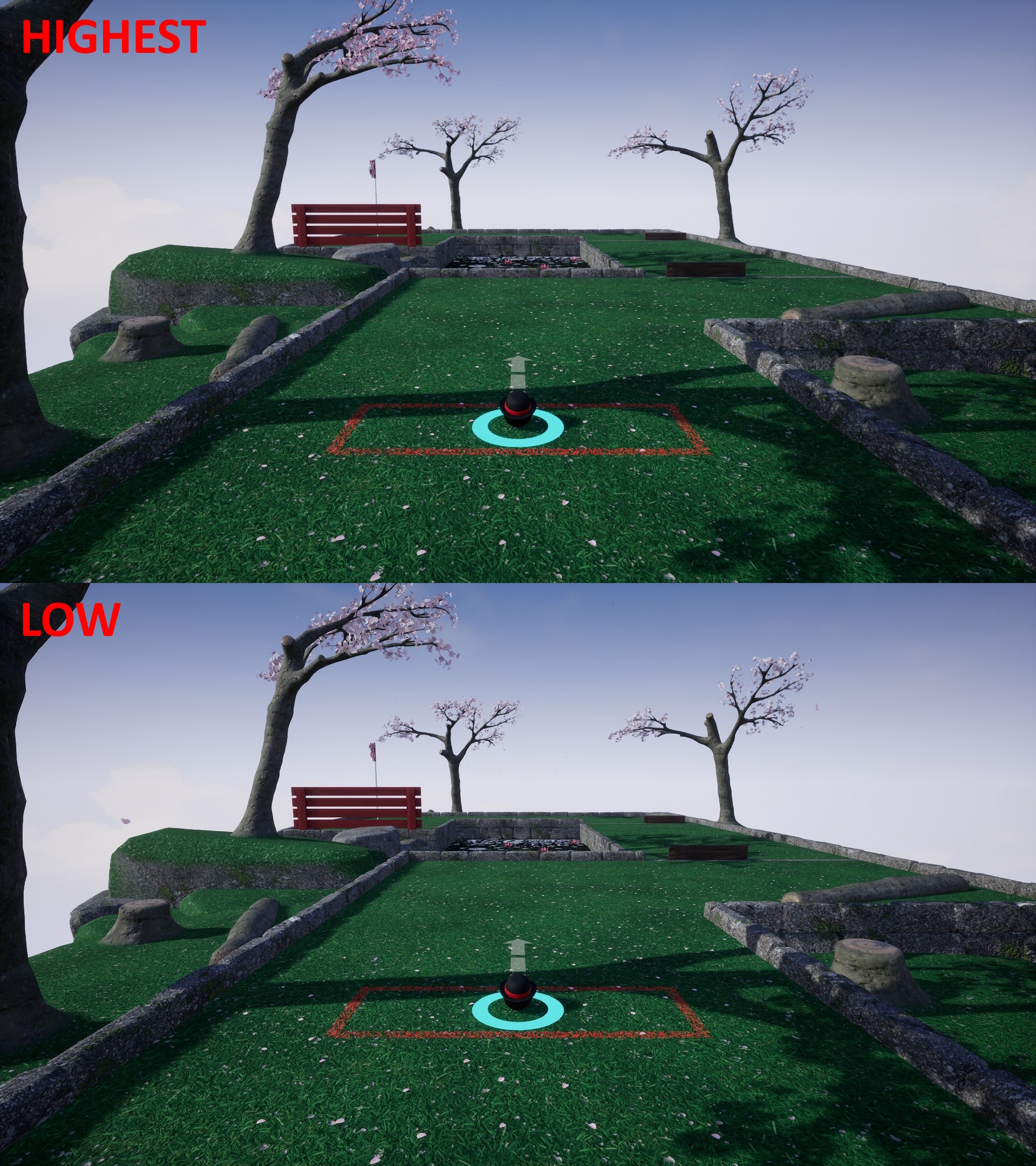
A new foliage quality setting has been added to graphics settings. This setting will control the method and quality of meshes that will be used. Specifically, a lower poly set of models has been made for trees and similar assets. Depending on the quality level of this foliage setting will determine what meshes get used. The screenshot above compares lowest and highest settings for just the foliage setting, it may be hard to notice major changes at a glance as it was always the intention to not sacrifice too much visual quality.
The goal of this setting is to increase the frame rate of very low end hardware, any computer with a dedicated GPU is probably not going to see that much of a meaningful change here, but APU’s such as early gen Ryzen and anything that happens to offer lower graphical performance will see a small bump.
To accomplish this two things were done. The first was to remove a subdivision level or reduce the number of poly by half for the trunks and branches. To avoid it looking blocky/low-poly it was then shrinkwrapped with various smoothing to fit the higher poly models. A few additional tweaks such as to make the chopped off branch bits still look round were done so overall you'd have to look close to notice. The second is petals and leaves which are normally fully 3D (most levels only have maybe 3-5 trees) are replaced with an older 2D masked plane method. This means they are essentially 2D looking but there are some tricks such as offsetting the center of the face to still allow for side on appearance at a glance.
As a result of these two changes the triangles of tree's can be reduced by anywhere between a third to a fifth of the original which does help specifically very low end hardware. For actual performance numbers I was able to get the following in medium settings on my AMD 3200G test pc which is similar ball park to the steam deck (though steam deck is bit faster having that RDNA2 not Vega graphics).
Small Levels
Gentle Swing - 113 fps to 127 fps, 14 fps gained Around the pond - 104 fps to 117 fps, 13 fps gained. Tee Time - 117 fps to 125 fps, 8 fps gained.
Large Levels
Waterhole 89 fps to 100 fps, 11 fps gained. Go For it - 103 fps to 111 fps, 8 fps gained. See you on the other side - 99 fps to 106 fps, 7 fps gained.
The fps gains do vary, but if just looking at the lowest fps in a level, then around 100fps is now obtainable at 1080p, this is up from the around 90 fps of previous. Benchmarking when nine random levels are present is much harder to be consistent with, but in previous updates this was already above 60 fps and you can expect some gains here as well.
Various bug fixes and engine plugin updates
I've fixed a couple issues found and updated a few of the engine plugins used, such as for Steam, and AMD FSR2 (DLSS is up-to-date). If you encounter any issues please let me know so I can quickly hotfix them. You can find full patch notes below.
Fixed an instance where a ball would be visible during the waiting for players state.
Fixed an issue where sending an invite to a single friend wouldn’t work in some session types.
Engine
Added update to AMD FSR 2 plugin by applying FSR 2.2.1 hotfix.
Added update to various online subsystems plugins including Steam.
Environment
Added improved performance from snow found on walls by tweaking how shadows are cast (only low end devices will notice any performance benefit and there should be no visible difference).
Added new tree models as part of new foliage setting that will offer better performance at lower setting levels. Difference ranges from maybe a 1/3rd to a 1/8th the triangles.
Added alternate whale bone models for lower foliage settings. These are lower poly but shrink wrapped to fit the normal models. These use about 1/5th the triangles of the originals.
Added additional far tree LOD level.
Added improved LOD models for the Whale Bones.
Added improved LOD models for the Snowman.
Fixed a 0.3 mm offset issue relating to the ramp mesh used on ‘Leviathan’ which could cause a flicker at extreme angles.
Fixed some very minor track placement in one hill over.
Fixed the sequence path being very slightly crooked in waterhole when entering the cup.
Added improved LOD for level 'deja vu'.
Discord Server
Be sure to check out the official discord server with channels for Golfing In Aether and my other various projects.
Golfing In Aether Update Released [1.5.6]
A small hotfix to yesterday’s update to fix a partial loading issue with one of the levels. All other levels have been checked and there are no outstanding known issues with anything else that I’m aware of.
https://steamcommunity.com/games/1914980/announcements/detail/3673295266813011241 You can read about yesterdays update via the link above.
ES3.1 Tree Models
I've also started work on some new tree models for low settings and ES3.1 rendering mode, the spring blossoms for ES3.1 are in this update as they were done at the time of me discovering this level load issue but the rest will come in next weeks update as they get completed.
Demo file changes
As mentioned in the previous update the demo now uses shared depots of the release game directly, keeping it in sync with the purchased game and allowing features like multiplayer between the two. It also means when upgrading to a purchased copy of the game no new files will need to be downloaded.
If you have any issues relating to a prior installation of the demo or are not receiving the latest update as a result of these depot changes on the steam backend then you will need to uninstall the demo and then install it again. It will do a fresh 800 MB download and I apologise for any inconvience. However it will be a one time thing and be in sync going forwards with the full game.
Added some new tree models for ES3.1 to better help with performance. The specific change vs the ones previous are when in this low end render mode an older method of masked planes are used for the blossoms rather than mesh. Other seasonal tree versions will get updated in the next update.
Discord Server
Be sure to check out the official discord server with channels for Golfing In Aether and my other various projects.
Golfing In Aether Update Released [1.5.5]
This update tackles various updates to the multiplayer backend as well as bring a new invite menu and various additional feedback elements across various other menus. Support for demo players being able to join sessions hosted by players from the full/release game has also been added.
New invite friends menu and other multiplayer improvements
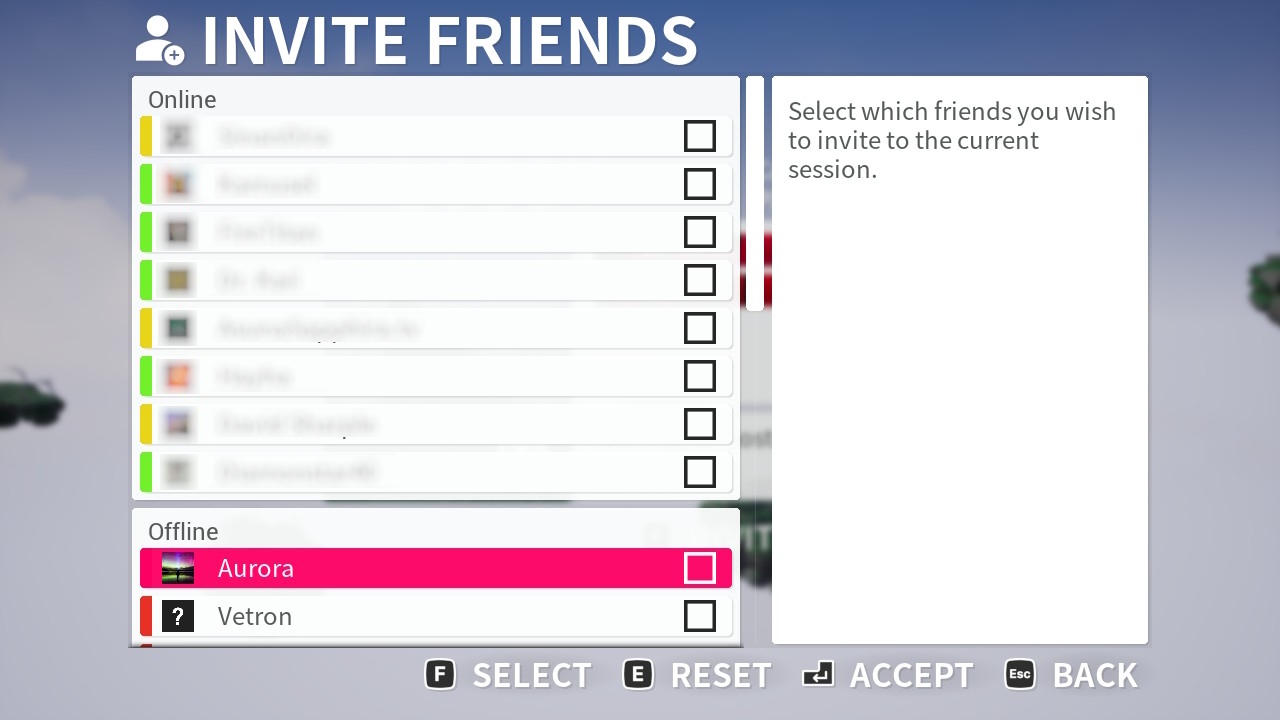
On the waiting for players lobby menu or the game menu (when in a multiplayer session) you can now open an in-game invite players menu instead of just a button to open the overlay. This will make it much easier on gamepad users especially. You can of course still open the overlay as normal and invite players in any typical way in Steam like you did before.
The way this menu works is you will click the tickbox for all your friends you wish to send an invite, and then when you press accept it will prompt you if you really wish to invite however many players you selected.
Other changes you can in this update are feedback prompts for joining or getting disconnected from sessions. This is just giving more foward facing information even if its as simple as saying its currently trying to connect or perhaps your connection timedout. Especially for the connecting stage there would of previously just been a second delay without any visual cue after clicking join so this will help tell you whats actually happening.
The session list will now show the progress as part of the sate on list itself. This could be what hole the session is at or if is still at the lobby stage. Full information as before including the new state to indicate session is still at the lobby stage can be found on the session info menu when when you pick a session.
Multiplayer now compatible between demo and full game
Next up is a pretty big thing and that’s the ability for both demo and regular players to play together, seeing and joining the same sessions. This means if you’ve bought the game, but perhaps some of your friends haven’t, you can tell them to just grab the free demo and they will then be able to join your multiplayer session.
Golfing in Aether has a really uphill battle to get visibility on Steam, so I’m hoping making this change will encourage more players to try the game. The demo is available for both Windows and Linux (natively).
When playing this way the same demo limitations apply, demo players won’t get achievements, and customization is locked to level 3 at most. Plus, if demo player were to create a session they’ll only have levels randomly picked from those in the demo (the demo only has access to 18 levels when creating sessions).
Also, you won’t be able to invite players between demo and regular with the steam client itself because steam considers the demo and release game different apps/games. But you can join just fine via the in-game session list where you'll find friend’s sessions grouped nicely at the top. If you don’t want your session public, then create a custom session and set permissions to friends only.
Other fixes and improvements
See the full update notes below for several other fixes and improvements made, some stand-out mentions are improving the behavior of late joining sessions or when as a spectator. I did a lot of testing for this and worked out any issues or odd behaviour. If you encouter any issues please let me know.
Added improvements to way lobby updates are handled.
Added reworked backend behaviour to the intro screen to simplify timing execution in relation to following join session info.
Added clean-up of some un-used states and functions.
Added change to level balance by moving ‘learning curve’ from early to mid game random selection pool. This is because of the water hazard which from perspective of absolutely new players could be pretty challenging. With this change no gameplay is affected this level will simply show up randomly in mid game instead of early.
Added improved batching for save-game updates with scoreboard.
Fixed appearance of other players not being correct while spectating.
Added some additional behaviour checks for hotseat mode for when you go out of bounds on the tee so you enter a hidden state. This has checks for both entering e.g. water or flying off the level. The point of this is so as the next player takes their turn they don’t see your name and ball in the way.
Fixed some behaviour issues relating to the power arrow projection, the head will no longer separate from the line.
Added additional checks to prevent the cosmetic issue of the power meter becoming visible while moving (and unable to take launch the ball).
Fixed a potential level loading issue in networked sessions for ‘Up the stairs’ and ‘hill climb’. All levels have been checked and preventative measures added.
Added a behaviour change for late joining a hotseat session so that the player is hidden while spectating for their initial join round.
Added behaviour so when late joining active sessions you’ll correctly see other players visibility state as early as the sequence.
Added some rate limiting for applying customization to help reduce calls at the start of a session.
Added ability to play online multiplayer in the demo with the release version of the game. There only limiting factor here is that you cannot invite demo players to a release game via the steam overlay as it is considered a different app. But you can look up your friend’s session be it invite only or public via the session list. When demo players create a session they’ll only be able to call on the levels available to them in the demo, but when joining a release game session they’ll see all the levels just fine, same for any ball customization they don’t have.
Fixed a network timing issue relating to the replication of race positions and times. A request to the server is now sent to begin the holeout animation which in some extreme cases may lead to a few ms delay but ensures the time reported particually for race mode is acccurate.
Fixed an issue where a spectating player joining may still spawn a visible ball.
Customization
Added two new hats. a bowler hat and a floppy/dog ears version of the bell hat.
Engine
Added update to various plugins including steam implementation.
Added more streamlined network back-end utilizing standard engine functions where available to make engine version migrations easier.
Platform
Added changes to demo steam depots to make them shared with the release game version. The installation folder will also be the same as the release game. This change means when you purchase the game you will not have to then redownload files used in the demo. Existing installations will be unaffected by this change and these changes may take a few days to become effect as they get made on Steam.
Added missing library capsule and updated images for the demo version of the game.
Environment
Fixed a wall gap on ‘see you on the other side’.
Added improvements to shadow bias and slope bias. This will remove gaps between start of shadow and e.g. walls that could be more noticeable at very low end graphics settings.
Added a slight blue tint increase to the faked skylight as part of ES3.1 rendering. This is to help bring rendering appearance closer to the default renderer.
Fixed shadow appearence on the LOD level for 'Hill Climb'.
Fixed some bamboo clipping a wall on 'Getting Tee'd Off'.
Fixed LOD level of 'HIll Climb' not having its rotator visibly move.
Added improved LOD model for smaller top wall pieces used which will help remove a gap that can sometimes appear.
FIxed a small wall alignment issue on 'Behind the Tee'.
Fixed a small wall gap on 'Little Gap'.
Fixed a very small alignment issue with the cup on 'Speed Bump'.
Interface
Fixed an incorrect string on the Sessions List.
Added various prompts and information when joining sessions via the session browser so you get feedback for when you cannot connect or a session is no longer available.
Added a status to the session info that indicates session is still ‘waiting for players’ vs previously indicating hole 1. The string will be ‘in lobby’ in order to fit space. The status will also be displayed on the server browser too.
Added built in invite friends to session menu which can be found on both the ‘waiting for players’ lobby screen and the game/pause menu via the y button. This will replace the standard button to open the overlay via the lobby which wasn’t always gamepad friendly. You can of course still invite this way or any other method via the steam overlay from your standard shortcut trigger if you so wish (e.g. shift tab).
Added prompt background when selecting ‘spectating’ from the session info menu.
Fixed shared input button visible at bottom of the select players menu while playing as a spectator.
Fixed appearance of the choose players menu when playing as a spectator so other boxes are present that say not available while spectating.
Fixed various description strings.
Fixed instances where a name and score widget would display on the HUD when joining as spectator.
Fixed an issue where a duplicate free camera timer could remain on screen. Both an initial check to clear previous widget has been added as well as an active timer check to clear the widget if it isn’t used.
Added a block to empty system messages that could appear as a result of connection timeout.
Fixed inconsistent behaviour when clicking glyphs on prompts.
Fixed width of achievement menu progress bars not being consistent as a result of longer text strings.
Fixed achivements menu scroll bar not following the dark theme.
Fixed appearence inconsistency with scroll bar on the waiting for players lobby.
Fixed an instance where a custom session would be indicated as a race session from the session list.
Discord Server
Be sure to check out the official discord server with channels for Golfing In Aether and my other various projects.
Golfing In Aether Update Released [1.5.4]
For this update I've implemented an in-game help menu with a few basic information topics. I've also published two steam guides covering the basics of the achivements and one with specifics on how the XP works for S-Ranks.
How-To Play
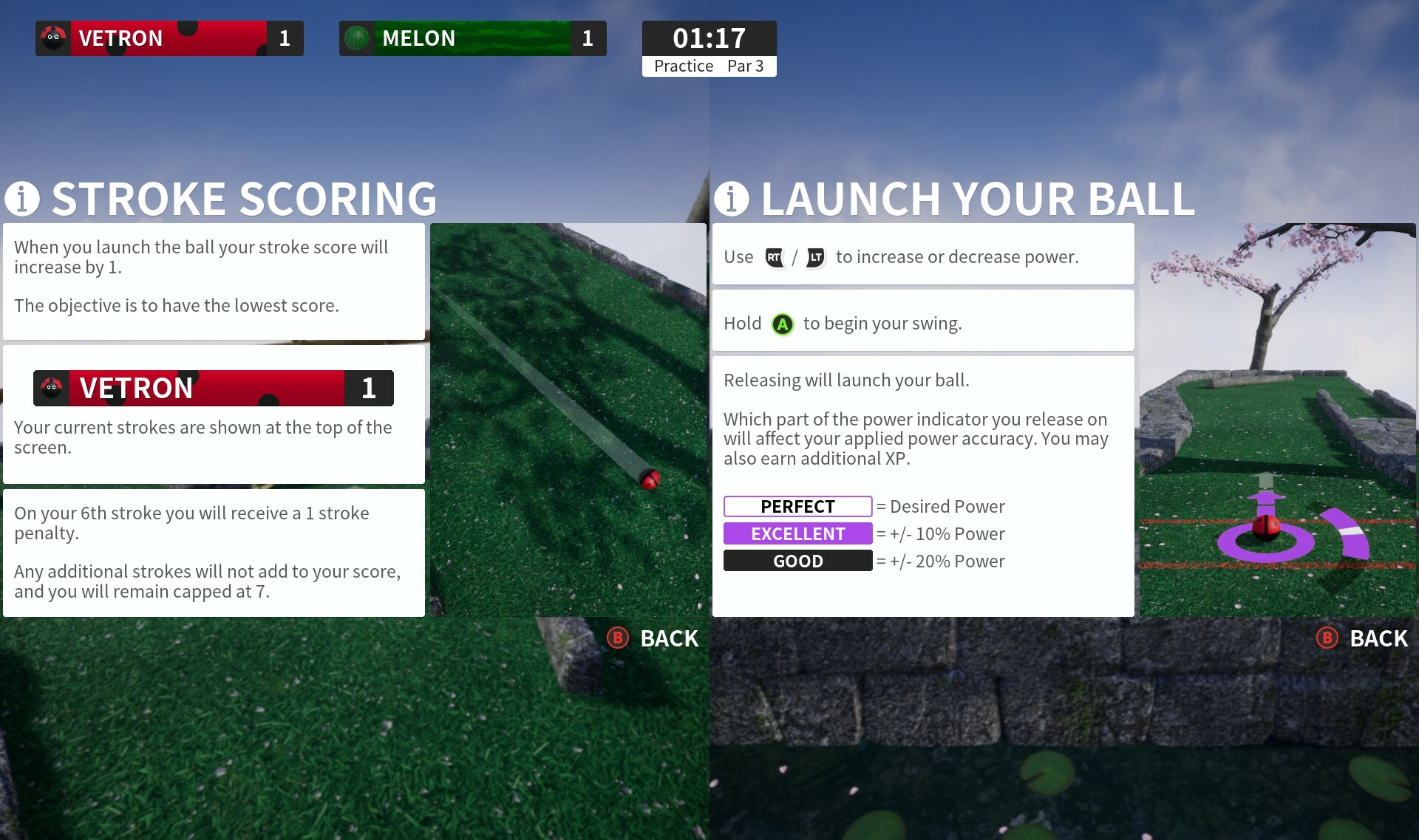
In these menus you'll find various information ranging from launching your ball, and the power indicator behavior, to how earning XP works such as for when chasing S-Ranks. It is available to all local players in addition to player 1. A noteworthy feature is that it will pull data from the specific player so anything like controls or how HUD elements look will be mimiced to reflect that.
This section can be found in the game menu such as when pausing the game. Over time the topics covered can be expanded up-on, to start with I just wanted to provide answers to commonly asked questions and anything I think might be especially helpful to know.
I welcome any feedback you may have and suggestions to topics to cover, also nothing is too 'basic' to cover if you can think of something.
I've posted two guides, the first giving a bit of additional information relating to each of the achivements, and the second a break down of how scoring works for S-Ranks.
You are free to take any information, images, and so-on from these two guides i've specifically made to write your own guides if you feel you can do a better job, or to post on other websites. I just wanted to get the information kind-of out there and felt this was a good medium to do so.
Where it will differer to what I've included in the game is that I can go into a little more in-depth and you will be able to ask questions in the comments if you feel I've missed something.
Other fixes and improvements
See the full update notes below for other fixes and small improvements made, if you are aware of any issues not fixed by this update please let me know so I may address them.
Added tweak to hide the HUD when using the game menu with no local players. This free’s up room for other UI elements in some menus.
Added ‘How-To Play’ menu from game menu. From this menu are various information topics such as how to launch your ball, how the scoring works, and what various scoring terms mean.
Fixed various scaling issues on some menus.
Discord Server
Be sure to check out the official discord server with channels for Golfing In Aether and my other various projects.
Golfing In Aether Update Released [1.5.3]
This update comprises of various fixes and quality of life improvements following on from the recent major update which introduced the ability to customize your golf ball with hats. https://steamcommunity.com/games/1914980/announcements/detail/3707070361895144099 You can read about that previous annoucement via the link above.
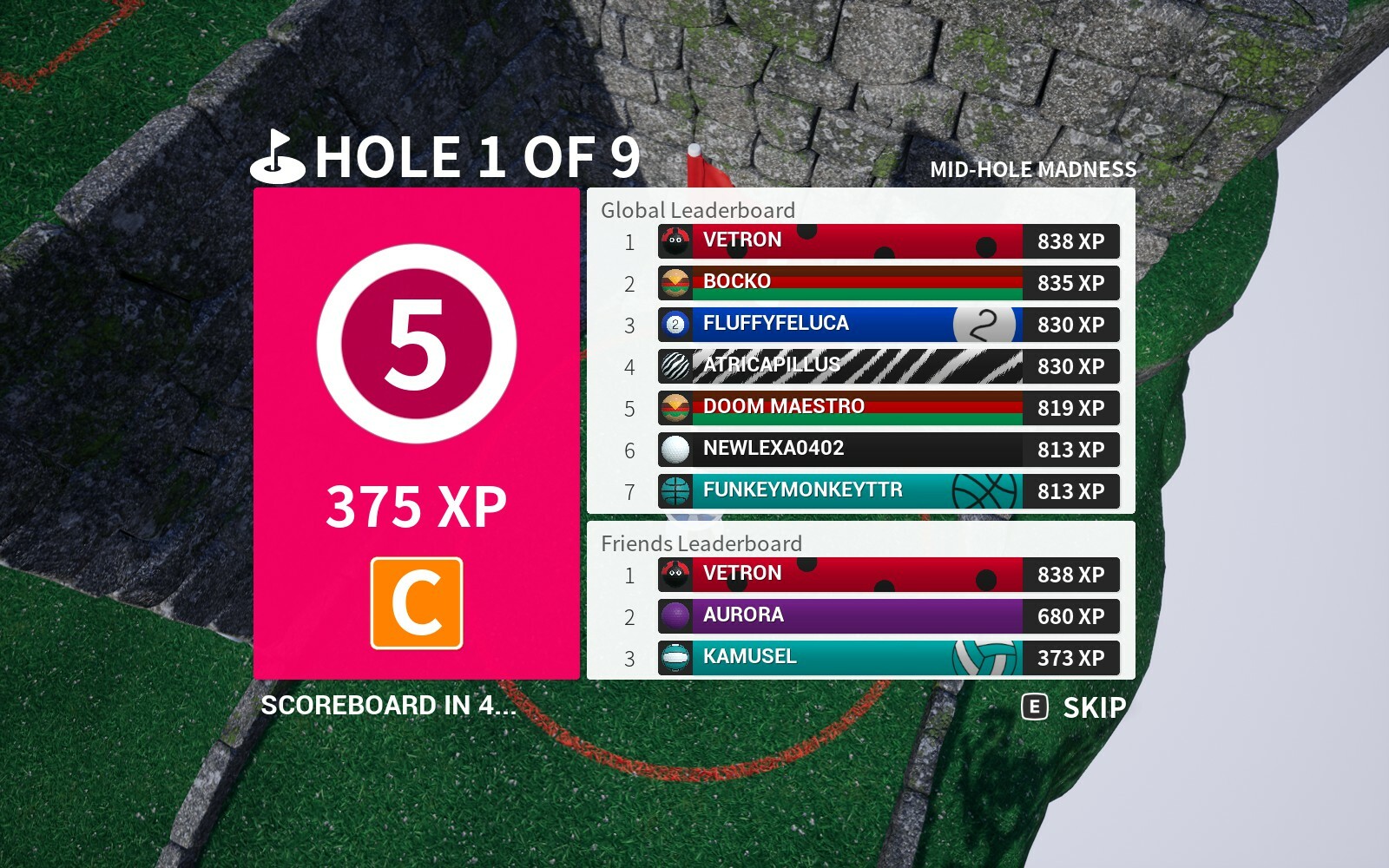
Ability to skip XP / Leaderboard screen
This is new for sessions and will function similar to how the existing practice mode skip behaves, in that the timer will be reduced down to at most three seconds, leaving enough time to update leaderboards and prepare any data for the scoreboard. Once you press skip in this case you will only be taken to the scoreboard on the next page, where you may skip again if you wish.
Skipping this menu will only be available during local or singleplayer sessions. This is because online multiplayer sessions may have players take varying times to sync with leaderboards and for any data required for later menus.
Various HUD scaling improvements
A handful of changes have been made to specifically help with smaller screens or when the screen is divided for split screen. First the quick chat menu has been raised sligthly to help with overlap with the lower spectating widget. The spacers for all widgets are a little more consistent now too.
Another change is when playing in two player split screen the hole out animation will be cropped slightly to show the text more prominently on the screen.
Several bug fixes and other improvements
See the full update notes below for other fixes and small improvements made, if you are aware of any issues not fixed by this update please let me know so I may address them.
Fixed an issue where the ball or hat could draw in front of the flag when in the cup.
Added small improvement to fixed rotation behaviour for ball or hat when resetting. It will now have the correct rotation instantaneously rather than require aligning.
Added improvements to pixel depth masking in relation to new hats. They should closer match the ball appearance when seen through walls (become semi-transparent).
Fixed various miss-matches in transparency relating to hats and non-collision states from alternate perspectives.
Fixed a potentially incorrect opacity issue due to a miss-match in ownership when watching a replay for hats.
Added some backend applying of hat optimizations. Specifically removing some redundant functions and tidying up.
Fixed a potential transparency issue with the knight helmet.
Fixed a potential crash with ES3.1 relating to material velocity.
Fixed knight helmet lacking metallic properties on low quality material levels.
Added some improvements to hat rotation for other players and replays.
Environment
Fixed a rock on “all tee’d up” that could cause problems with resetting once entering the water.
Fixed shadows on ramps of a handful of LOD levels.
Fixed a normal issue with a half height wall piece.
Fixed a weird looking wall gap material on “Boneyard”.
Fixed a small wall gap on “Speed Bump”.
Fixed a quality issue with a pipe exit on “Now Where Do I Go”.
Fixed a tiny pipe gap on “See you on the other side”.
Interface
Added ability to skip the XP / Leaderboard page of scoreboard in a regular session while playing in single-player or local multiplayer. This will just take you to the next page.
Added scaling change to holeout animations when playing two player local. The animation is zoomed and cropped a little so text is more prominent.
Added improvements to various HUD element scalings. As part of this the quick chat prompt has been raised and anchored more vertically centered. This prevents overlap with the 'specating' widget that can appear in the lower center.
Discord Server
Be sure to check out the official discord server with channels for Golfing In Aether and my other various projects.
Golfing In Aether Update Released [1.5.2]
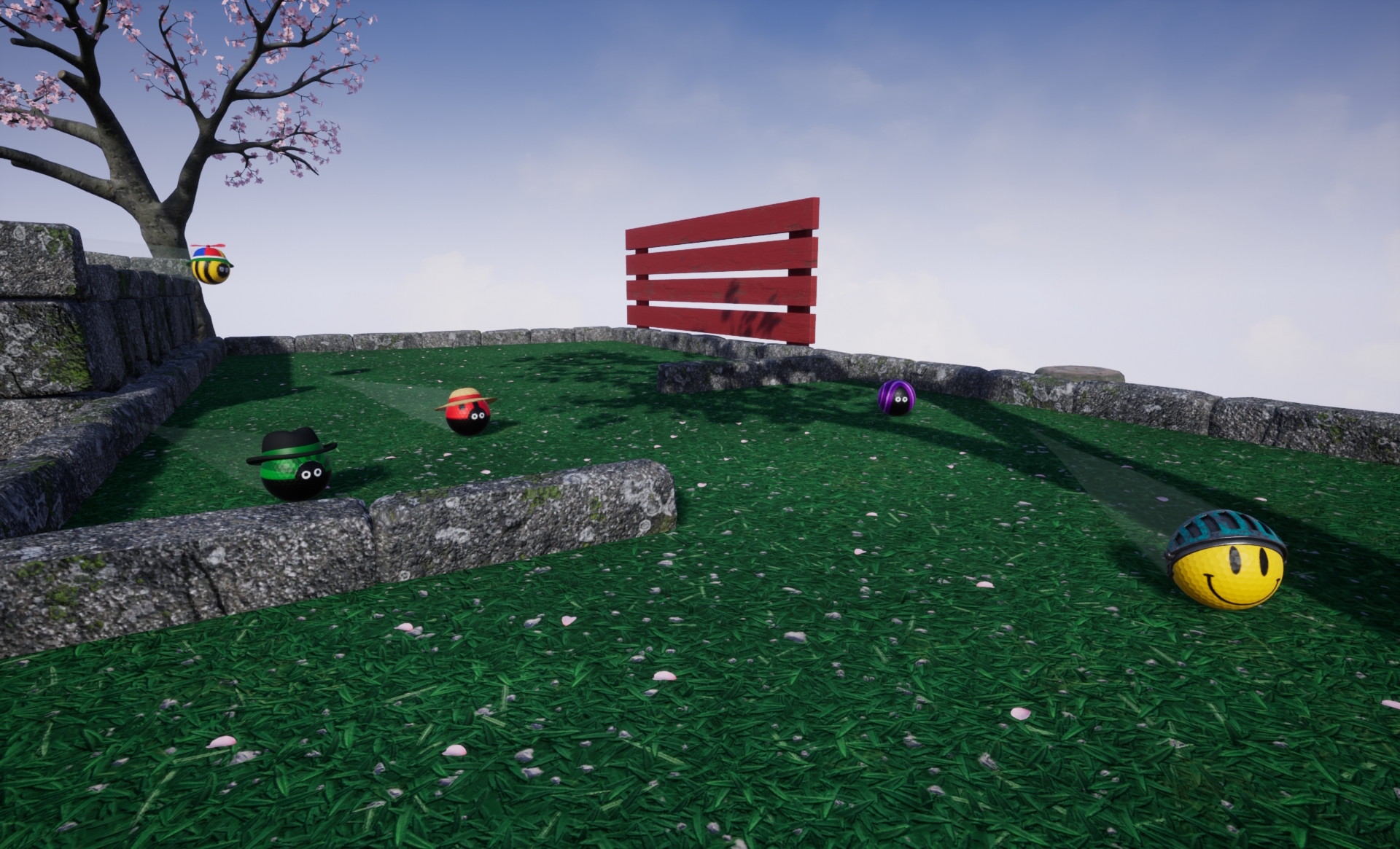
With todays update you can now accessorize your golf ball with various hats! Each of these models has received tons of little details and come with color options like you’ll find on the golf ball.
These are designed to fit with the ball pattern designs with an adjustment to how they sit if the design needs it. A good example is when you compare say the lady-bug design to the smiley face. The face has a higher angle so you can see more, whereas it looks better with less for the bug. It’s a small detail but makes everything look a bit nicer.
Hats can be equipped in the next box over from where you would normally customize your ball. I’ll now show off a bunch from each of the different themes of hats. Note: check full notes for complete list of hats, also as hats are supposed to be rendered at a few centimeters in size in-game, so may have specific texture tile rates or other details suited for that.
Fancy Hats
First up is a selection of common headwear items such as fedora, a straw sun hat, and newsboy. You’ll be able to notice detailed headbands, and for the newsboy in particular little bits of stitching detail. The sun hat has a bow element on the rear of the hat.
Novelty Hats
In a different direction are these novelty hat items featuring various ears, tomato, and propeller. The base of these is from two models, a bucket, or a bell hat. I thought having those models as-is wouldn’t be that interesting so came up with these modified versions. I will most likely be adding more variations of these with more ear types especially as think will be fun, especially in a multiplayer session where players are using different ones.
A fun little addition to the propeller hat is it not only moves in the wind when stationary, but as you hit your ball the velocity can make it move directions faster.
Deluxe Edition Additions
All previous hats mentioned are included in the game but I’ve also added five hats to the existing deluxe edition DLC. These hats are specifically an attempt to match with some of the ball designs (such as the seasonal ones) already in this DLC.
These all come with color options, for the knights helmet which comes in an all metal appearance by default has color options via a painted-look visor.
How do I get more hats?
I looked at a few different ways to have the hats unlock, ranging from item drops, to an built in item shop, or even just having them as part of existing progression levels from where you obtain ball designs but I kind-of felt for this type of game it was very forced progression. My intent for Golfing in Aether is it’s a game you can just pick up and play with family or friends for any occasion without a ton of stuff you have to do to obtain basic customization.
So my plan here is that all items I’ve mentioned today will either be unlocked at the start of the game right away, or those five specific ones will be part of the Deluxe Edition DLC. Upgrading to the Deluxe for me is a few extra dollars more towards development for what normally is a pretty cheap game, and it will let me pursue the free expansions and other cool stuff. Development simply isn’t free and I feel this is the nicest way of doing it without being another of those games that spams hat dlc.
However there will be two routes that new hats will be added in the future, the first is I will be adding to the selection periodically with regular updates as little extra’s as I’ve made a new model. The second is I want to look into events or challenges, whether its gameplay based like I did for Halloween or just a give-away for a certain holiday like with Christmas. I feel there is simply no fun in grinding away or idling in a game with hope you might get the hat you want, but I think events with a theme and actual stuff to do throughout the year (perhaps around specific holidays) will offer something of genuine interest. So, this is basically my thinking and what I’ll be looking at as time goes on.
Feel free to make suggestions on items you'd like to see, I can't promise I'll be able to add every one, but I'll certainly keep note :)
But I don’t like hats!
I’ve added two new settings for you to adjust how you see both the ball and accessories. The first is whether the ball visibly rolls at all, this is more an accessibility option to reduce motion on screen. When disabled the ball will only slowly rotate towards its direction of travel but otherwise remain upright.
The second of the new settings allows you to adjust the visibility of these new accessories. There are three options, on, in which you will always see the hats, stationary only; the hats will disappear while your ball is rolling, and third is off, in case you don’t want to see the hats at all, and the game will be as it was before. Some of you may not want or like the hats and this way you can all play the game you want to play it without it affecting anyone else’s experience.
Demo Support
I recently put a demo of the game out to play and yes hats have been added to that demo! A selection anyway, so you can experience a portion of the game as it truly is in the paid version. Hope you like it!
Various fixes
Also in this update are a few fixes to issues found since the update earlier this week, if you encounter any problems please let me know and I can certainly look into doing a hotfix.
You can do this publically either on the forums or discord, or via the support@vetron.net email if you'd rather not post on either of those. It certainly helps and I can get things quickly sorted then.
Added accessories (specifically hats right now) as an additional customization element.
Added several options available to pick from at the start and an additional handful available for users who own the deluxe edition of the game. More will be added over time.
Fixed an issue from previous update where some ball customization wasn’t showing up in the menu.
Added backend extension to replay system to support hats. All previous replays will remain working and when hat data isn't found will simply show no hat.
Customization
Added Sun Hat (available immediately).
Added Newsboy Hat (available immediately).
Added Fedora Hat (available immediately).
Added Homburg Hat (available immediately).
Added Cat Hat (available immediately).
Added Bear Hat (available immediately).
Added Cow Hat (available immediately).
Added Tomato Hat (available immediately).
Added Propeller Hat (available immediately).
Added Top Hat (available as part of deluxe edition).
Added Bicorn Hat (available as part of deluxe edition).
Added Santa Hat (available as part of deluxe edition).
Added Knight Hat (available as part of deluxe edition).
Added Mage Hat (available as part of deluxe edition).
Environment
Fixed a wall piece on Rebound being lower than it should.
Interface
Added element to select hats on the customization screen, this is the second box, next to where you would already customize your ball.
Discord Server
Be sure to check out the official discord server with channels for Golfing In Aether and my other various projects.