
LEGO Worlds
Dev Diary - Networking 1
I'm Ciaran, one of the younger programmers on the LEGO Worlds team here at TT. I've been working on the game for over 18 months now on a wide variety of features, but my most significant contributions have been the terrain editing tools and extensions to the terrain generation like caves. But for the past eight months all of my efforts have been devoted to one of our biggest and most requested features: online multiplayer. Making a game run on multiple machines over a network is a monumental task, requiring us to touch almost every element of the game in order to make it synchronise correctly and efficiently, and I'd like to share with you some of the interesting challenges that have arisen.
[B]Getting Started
Our longer-term fans may remember that we actually released LEGO titles a few years ago that were online-enabled: LEGO Indiana Jones 2 and LEGO Harry Potter allowed you to go on bricktastic adventures with a friend via the internet. So there was already a basic framework in place in our code for networking. However it hadn't been used for five years, which is a very long time in the programming world. So like an old vacant building, it needed a substantial amount of renovation to get it up and running again. Some things worked fine, others needed patching over, and some needed ripping out and replacing. My first month on this task was just spent in a loop of connecting two instances of the game, watching them crash and tracking down the cause to fix it.
Getting the old stuff up and running was only the first step. Our traditional LEGO games feature up to two players following a scripted narrative through relatively compact levels and our networking infrastructure was designed to accommodate this. In contrast, LEGO Worlds provides a wide-open, procedurally-generated and fully-customisable world to explore and create with your friends. As such, we need to write a lot of new systems to support these ambitious features.
Data and Determinism
The most important new feature is of course the terrain itself. Taking this online is inherently a very difficult technical task because of the sheer density of the data. Many players have commented on how large their save data becomes as they play. We continue to work to find new ways of compressing this data, but ultimately there's only so small a representation we can make for the countless millions of bricks each landscape contains. So when it comes to synchronising this data, we really need to do something better than just transmitting it all over the internet to every player in the game, if at all possible.
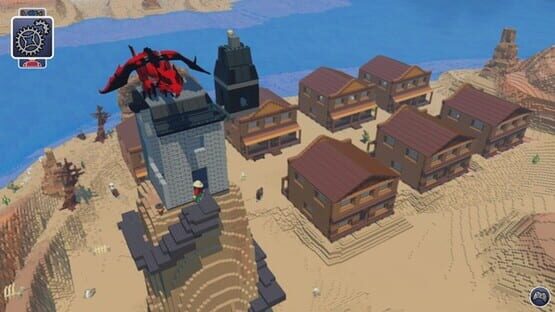
The key is our deterministic world generation. Determinism means that when two machines do the same thing, they get the same result. As you probably know, our worlds are seeded and you can generate the same world as often as you like by inputting its original seed value. Using this fact, we can have client players generate the world themselves most of the time, only requiring the host to transmit regions that have been modified. This means that no terrain data has to be sent at all as you and your friends explore dragon-guarded peaks and skeleton-infested valleys.
Interestingly, when I implemented this, I discovered that our world generation wasn't perfectly deterministic after all! I found that there were in fact tiny differences between different generations of the same world, which prevented the games from syncing up correctly. So like an obsessive LEGO builder, I had to track down every one of these little imperfections and trace them back to their root cause in the generation algorithm. But now I promise that you really are getting the same world every time, or your money back! (NOTE FROM CHRIS; Ciaran will be paying for this himself!)
Building and Terraforming
So your party of adventurers have found a suitably epic vista and you're ready to don your hardhats and get building. One of the things that's awesome about LEGO Worlds is our large-scale terraforming tools that let you add and remove thousands of bricks at a time. We wanted that power to carry over into the multiplayer, but once again we needed a strategy to tackle the large amount of data. We did initially consider transmitting the bricks in a compressed data structure, leveraging the same code that packs chunks of terrain, but we quickly dismissed this because it would be too big a bandwidth strain and too slow to be fun. Instead, I engineered a new compact representation of terrain edits. Rather than describing each of the thousand bricks you added and removed, the information exchanged between players is simply "I flattened terrain centred on this location with this radius and shape". This description can be encoded in just a handful of bytes, and after some adaptation of the code around terrain editing, multiple machines can now apply the change in a deterministic way.
The real technical challenge comes when you introduce latency. You've undoubtably noticed that transmitting over the internet isn't instantaneous, and in multiplayer games it's normal to have several hundred ms ping - that is, hundreds of milliseconds of delay between you sending a message and receiving the reply. In terms of terraforming, this means that you could be happily modelling your landscape when a message comes through from your friend's machine saying that he added some bricks to that area in the meantime and the last dozen edits you computed were slightly wrong. Leading to you all screaming; Nooooo!
To combat this problem, I've designed a system called the Change Queue. Every edit you make to the terrain goes into the queue, where it gets sequence-numbered and recorded before being performed. Each player in the game keeps their own record of the order in which they did things, as well as the order in which the host player did them. When something goes wrong, we can undo our most recent changes - using our existing undo/redo system - and perform them again in the host's order, which we define to be the correct result.
But how do we know when something goes wrong? We can't compare the whole terrain with the host player to see if we got it right, because if we knew what the host player's terrain looked like, we wouldn't have had to compute our own in the first place! Instead we use a technique called data checksumming. After an edit, we take the resulting terrain data and add and multiply it together in a specific way to give us a single number as a result, which is called the "checksum" of that area of terrain. The host can easily send us this four-byte number, and by comparing that with our own checksum, we can tell whether our terrain is in sync or not.
And So Much More
Building isn't the only fun you can have in Worlds though. There are cowboys and minotaurs, dragons and landsharks, snowmen and bathtubs, buggies, boats and helicopters, and so many more awesome dudes and doodads that all have to make their way into a multiplayer networked scenario. There were a range of other technical hurdles which we had to overcome (which may be the subject of a future dev diary!), but we have arrived and now we can’t wait to share this long-sought-after feature with you!
Update 6 Patch 2
The team has been hard at work fixing issues encountered in the Update 6 beta branch, so heres another patch with the following fixes in:
Major fixes
- Various crash fixes, including:
- Fixed a crash caused by prop deletion on Save & Exit
- Fixed crash that occurred when processing change history
- Fixed crash caused by larger transfers of chunk data
- Fixed customiser related crashes
- Fixed control conflicts between rotational / directional schemes
Minor fixes
- Adjusted density of LXFML's that spawn chests in Woodland biome
- Fixed an AI issue that caused NPC's to become passive
- Fixed missing footstep audio on certain creatures
We'd also like to stress that once you've opted into the “beta – Multiplayer Public Beta release”, we do not recommend that you go back to the default branch (NONE - opt out of all bera programs) - at least not until we've moved Update 6 to the default branch.
Opting into the “beta – Multiplayer Public Beta release” branch on steam will alter all of your Lego Worlds save data. Going back to the default branch will cause the game will stay on a black screen (returning to the beta branch will fix this)
It is only possible to go back to the current steam build If you have made a backup of your old save game before you change to the beta, or you are willing to clear out your save data from the multiplayer beta before going back.
If you really wish to return to the default branch then instructions on how to do this are as follows:
If you haven’t opted into the beta yet and wish to do so, we recommend making a copy of your current save game first:
- Go to your “C:\Users\my.username\AppData\Roaming\Warner Bros. Interactive Entertainment” folder
- Make a copy of your “LegoWorlds” folder into a “LegoWorlds – Copy” folder.
- Change your steam BETAS to “beta – Multiplayer Public Beta release”
If you ever wanted to go back to the current steam branch then you can do the following:
- Go to your “C:\Users\my.username\AppData\Roaming\Warner Bros. Interactive Entertainment” folder
- Rename your “LegoWorlds” folder to “LegoWorlds_PublicMultiplayer”
- Rename your previously saved “LegoWorlds – Copy” folder to “LegoWorlds”
- Change your steam BETAS to “None – Opt out of all beta programs”
This should restore your save game back to what it was before you opted into the beta.
If you have already opted into and played the beta but you haven’t got a copy of your old save data.
It is not possible to load the game at all with the save data you have now into the current steam build.
It is still possible to go back but you would need to use a fresh save data, none of your worlds or progress would be saved (so we'd recommend staying on the beta branch):
- Go to your “C:\Users\my.username\AppData\Roaming\Warner Bros. Interactive Entertainment” folder
- Rename your “LegoWorlds” folder to “LegoWorlds_PublicMultiplayer”
- Change your steam BETAS to “None – Opt out of all beta programs”
- Start the game, a new “LegoWorlds” folder will be created which will contain none of your previous progress.
keep on masterfully building!
The LEGO® Worlds Team.
Update 6 Patch 1
Just a quick Patch release to the Update 6 beta branch to tackle some of the immediate issues we've encountered from the community post-release.
Major Fixes
- Various Crash Fixes, including:
- Fix for crash caused by spamming "Join Game" button on client machines
- Fix for crash caused by becoming client-machine after being host-machine
- Fix for crash caused by save & Quit option - Fixed cases where the client would fail to connect to the host-machine and hang on a loading / carrot screen
- Fixed cases where either host/client could get locked out of controls if both Host + client used the same interactive prop at the same time.
Minor Fixes
- Disabled discovery camera during Networked games
- Resolved an issue that stopped client machines from rendering the export tool GUI
Happy Online Gaming,
The LEGO® Worlds Team.
The Booth at E3
Not been able to get on here much but can tell you the team are already hard at work on a patch to the build.
Meanwhile we've just put out a couple of pictures of the Booth we have at E3 on Twitter including the awesome Cloud Palace physical build.
https://twitter.com/legoworldsgame/status/742762433924587520
We've got a few little bits and pieces going on over the next few days and we'll try to let you know when they are about to happen so you can watch them. We'll do a full recap post too once I get home.
Speak soon!
Chris
UPDATE 6 LIVE - ONLINE MULTIPLAYER
Well it’s finally here. The thing you’ve all been waiting for; the Grapple Gun! Oh yeah, and a First Person Camera…. AND ONLINE MULTIPLAYER!!!
That’s right, starting right now, you can opt into a Beta branch on your Steam library that allows you and one of your friends on your Steam Friends list to play in each-others Worlds together for the very first time! Race, Build, Explore, Destroy, Paint, Decorate and battle across your varied landscapes and designs!
To opt-in to the Beta, you’ll need to do the following:
- In the Library, right click on LEGO® Worlds and choose ‘Properties’.
- From here go the Betas tab. In the drop down menu, select the ‘Beta’ option.
- Allow your game to update.
- Load up LEGO Worlds!
You’ll see the options for starting or joining an Online World under the Settings menu on the World Selection Screen. Simply choose ‘Start Online Game’ and then press the Green Tick so it says 'Enabled'. Then close that box and load a World as normal. Congrats! You now host an Online Game. Any of your friends can then join the game by either using the ‘Join Game’ button in that same menu, which will open the Steam Friends list for you, or going direct to the Steam Friends list themselves. Then click on the name of your friend playing LEGO® Worlds, and press ‘Join Game’. Give it a moment to load, and then enjoy!
So what else in new in the Beta?
First Person Camera
Well, after huge demand, we have finally given the people what they wanted! A first person camera is now available under the pause options. You can also quickly cycle between camera modes by pressing ‘C’ on the keyboard, or by clicking in your left stick on your Xbox One or Dualshock 4 controllers. The camera will help those who want to explore the various depths of their Worlds caves, and offer added freedom with building too!
Grapple Gun
We’ve also added a nifty Grapple Gun! Zoom around your map in new ways as you zip from point to point with your handy grapple gun. One of our demo Worlds at E3 will actually be a Grapple Gun course, so hopefully we’ll get some fun footage of people trying it out!
New Vehicle Controls (Rotational Controls)
Another update that is hopefully well received, is a new controls setup for Vehicles. The current setup is what was referred to in our last Dev Diary (found here: http://steamcommunity.com/app/332310/discussions/0/350532536104894292/) as ‘Directional’. We’ve added a much simpler ‘Rotational’ controls setup, where movement is defined by a button press, rather than pointing in a direction. This means that on an Xbox controller for example; A is forwards and X is reverse.
Updated Biome Atmospherics & Large Scale Ambient Occlusion
Those of you that read our Dev Diaries will have seen these two aspects mentioned recently. We have added several key changes to some of the visuals within certain biomes, as well as some much needed lighting improvements. The full scope of these changes can be found here: http://steamcommunity.com/app/332310/discussions/0/357284767255140967/
Shiny!
Road Tiles
We’ve added a few of the official LEGO City Road tiles into the Brick Building tool! Set up your cities and towns road networks (and help solve the problem that is the British M6 whilst you’re at it for bonus points!)
We’ve also thrown in a couple of new quests as well for you to try out (as always though, these are for you to find!) and a couple of updates to our characters and creatures behaviours to make them feel a little more alive.
Whilst we have you, we’d all like to take the chance to thank you for what has been an incredible year. Early Access is far from over for us, but that we’ve finally managed to bring the Online Multiplayer to you is a huge boost to all of us. Over time this will evolve and many changes will come in as we hone in any of the final tweaks needed before we shift everything across the main game branch.
Many Thanks,
The LEGO® Worlds Team
E3: YouTube Live on Monday
As you know, we're going to be at E3 next week. Well, we will have a pretty big announcement to go with it, so you may want to watch YouTube Live at around 9am PDT (that's 5PM in the UK, 6PM in Central Europe) on Monday.
Seriously, watch it...
https://www.youtube.com/user/E3
Speak soon!
Chris
New Developer Diary: Vehicle Controls
Head here to read more: http://steamcommunity.com/app/332310/discussions/0/350532536104894292/
Last chance to submit models for E3!
As we said before, we're heading to E3 and are going to run a video reel with your creations on them during downtimes. Friday this week is the last chance you have to submit them to us before the video is put together and locked off, so hurry!
Head to http://www.legoworlds.com/submit to send us your lxfml files!
Thank,
Chris
Dev Diary Follow-up; Lighting and Atmospherics
Allow me to be the first person to share our perspective on some of the upcoming changes to LEGO® Worlds over the next couple of months. We’ve come a mighty long way, and we’ve got a mighty long way to go, but we’re starting to see some excellent progress following Emilio’s Dev Diary on the visuals of the game: http://steamcommunity.com/app/332310/discussions/0/485622866440633602
Let’s take a look shall we?
Per Biome Atmospherics:
We always want to make things prettier. To do that, you sometimes need to make things a little uglier. Or in the case of some of our forests, spookier! So what’s one good way to do that? Adding localised fog to them of course! One of the latest internal updates has shown off a rather gorgeous improvement to several of our varied biomes. Such as this:
http://steamcommunity.com/sharedfiles/filedetails/?id=677841524
We also wanted to add some vibrancy to the biomeswhich includes the way we handle global lighting. This results in some truly lovely visuals like this:
http://steamcommunity.com/sharedfiles/filedetails/?id=677841960
And some very impressive nighttime scenes like this:
http://steamcommunity.com/sharedfiles/filedetails/?id=677842389
Large Scale Ambient Occlusion:
Another update plucked straight from Emilio’s diary, is this rather major improvement to the Ambient Occlusion or more simply, for someone like me that didn’t know what that meant before, “make dark things darker”.
Toby has kindly provided me with a couple of before and afters, that show how caves or small holes in the terrain now generate natural shadows. One such example would be this one….
Before:
http://steamcommunity.com/sharedfiles/filedetails/?id=677842834
After:
http://steamcommunity.com/sharedfiles/filedetails/?id=677843003
How about another?
Before:
http://steamcommunity.com/sharedfiles/filedetails/?id=677843308
After:
http://steamcommunity.com/sharedfiles/filedetails/?id=677843798
One more?
Before:
http://steamcommunity.com/sharedfiles/filedetails/?id=677844114
After:
http://steamcommunity.com/sharedfiles/filedetails/?id=677844328
Oooo go on then, here’s one more.
Before:
http://steamcommunity.com/sharedfiles/filedetails/?id=677844756
After:
http://steamcommunity.com/sharedfiles/filedetails/?id=677845277
Best thing about both these updates? When they roll out, they’ll be combined with a lot of the improvements that were patched into Update 5 so people should be seeing much smoother gameplay. Nice!
We’ll have a lot more to share with you over the coming weeks, and we may even have some major news in the not too distant future too, which is well worth keeping an eye out for! One final note from us, we have another patch for this update planned to solve any outstanding performance issues that we’re aware of, so stay tuned there.
Many Thanks,
The LEGO® Worlds Team
Send us your Creations and we'll show them at E3!
We're going to be at E3 this year, and we want to show all your lovely builds to the gathering crowds!
We've set up a way to submit your LXFML files for us to do just that. One of us will then download them (probably me) and then they'll be compiled together and placed into someones Worlds (probably mine) and that person will then make a super lovely-awesome-video with their mighty-mega-editing skills (almost certianly me).
To send us your build for it to be shown off at E3, head to this webpage:
http://www.legoworlds.com/submit
Thanks!
Chris