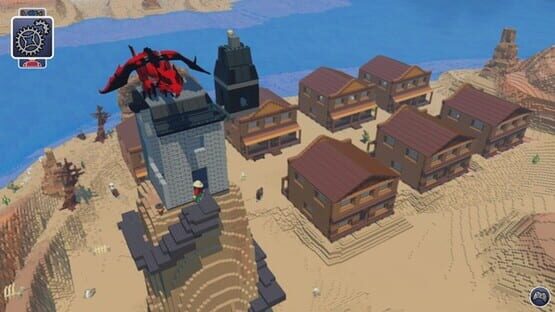
We've released another Patch for Update 5. This should hopefully solve a few more issues that some people were having with the Update when we pushed it live. Check out our Patch Notes here:
Various Crash Fixes
Underwater AI should now path correctly
Altered draw distance settings for 3 highest options
+ This is to address a LOD banding issue that occurs on higher settings
Corrected text in world names to prevent debug text appearing
Water creatures no longer fall through the water when spawning in
Inverted zoom controls in export tool
We've also got some exciting news regarding the winners of the ReBrick Build Challenge. Congratulations to lego.minifig (Steam user LEGORabbit), who was selected by our panel of judges for having the best build of the challenge! The 'Grand Cloud Palace' will be featured in the game in a future update, and is also going to be built and put on Display at our E3 booth this June!
Take a look at it here: http://steamcommunity.com/sharedfiles/filedetails/?id=657604967
Also appearing at E3 will be the builds by lukeboy1599 and starclaps. There wonderful builds can be found on the ReBrick page at this address:
Thanks to everyone for taking part and sharing your creations with us. Be sure to keep an eye on what the many talented builders are up to on Creative Corner and feel free to share your own too!
Stay Tuned for some extra news regarding E3. In fact, you may wish to check back here tomorrow for that...
Thanks all!
Chris
Announcement: Update 5 - Patch Live
Hi all,
We've released a patch to resolve several Crash Issues people have had, as well as get rid of that pesky Dynamic Splitscreen too!
There will be a second patch following up at some point in the not too-distant future to fix some of the less urgent issues, but we'll get these nasty ones out the way first!
Let us know if you have any more issues.
[v0.6.1] Patch Notes
Fix for Biome Lookup Crash
Fix for crash whilst expanding minimap
Fixed Dynamic Splitscreen activation
Tweaks to Boat Handling / Phyiscs
Added Box Select to BxB
Thanks,
Chris
Announcement: Update 5 is Live!!!
Update 5 is Live!
Hi all,
As we promised, Update 5 is now live!
Whilst you frantically force the download through Steam, let’s review the many changes that are coming your way!
Interface
Firstly, we lost the ‘roller’ – we’re not sure where, maybe under a rug somewhere – but it had got out of hand and had to go. The original theory with this system was to give you access to all the functions with a minimal number of inputs, but in practice as we added more functionality it just meant more visual noise, with too much to take in at once, so we took a hammer to it.
A big part of the simplification process was to move all the settings into a proper Pause menu. This means we can work separately on the settings & config screens, but for now these are still traditional text menus.
The other main ingredient is the Backpack – everything is now in one place: all the creative tools, and all of your game items. It means that on mouse you’re only a couple of clicks away from whatever you need, and on controller you don’t need to constantly swap modes.
When you get into a tool, you can use Y to bring up a tabbed grid of everything corresponding to that tool. This is especially important in Brick Building for finding that one special piece. Please note that the ‘recent bricks’ bar has gone missing – this is a temporary convenience for us, and the intention is to have a Favourites tab instead.
For mouse & keyboard users, for now we’ve locked the grids into position as they have been before, but we intend to support moving and scaling them however you like.
The info text in the bottom right of the screen is now a bit more useful and a lot less intrusive. There’s certainly more to be done with this, but if you know what you’re doing or don’t like it, you can turn it off by changing Help Text to Off in the Settings pause menu.
We now support PS4 controllers. It’ll show up as a generic controller in the help text, but works exactly like a 360 pad, with the touch pad acting as the BACK button.
Speaking of the BACK button, you can now tap it to open the 3D minimap.
It will soon be possible to switch characters properly using the Customiser, but there are still a few technical hurdles to clear, so unfortunately for now you’ll still have to use the Models Tool Characters menu to switch. You can still spawn characters into the world via the Characters tab in the Models Tool by dragging them out with the mouse.
We’re still working on a config screen for the controls, and hope to share something about that soon.
So is it finished? Of course not, there’s loads still to do, but we hope you like where we’ve taken it - whatever your preferred flavour of input - and we welcome your thoughts because we know you’ll have some cool suggestions.
Optimisations
You know how the game was stalling a lot when generating new chunks of world and making the framerate pretty bad? Well, it seems the giant Project Badger programming hive mind has found a fix. Here comes the science part: it turns out that this was to do with multiple threads waiting for each other to access the same piece of data – the more threads, the worse this could be, which is why in some cases even your ninja PC may have been struggling while you were exploring new areas. Anyway, we hope you see the same improvements that we have.
Note that this doesn’t help speed up the generation of new chunks, so it may still be possible to catch up. Please rest assured that work to improve this is underway, and a priority for the hive mind – their brains were willingly extracted and merged with each other for this very purpose.
You may be able to work out that with a little more work on transitions and sensitivity, all of this should give us a solid base for a proper first-person camera. However, there are a lot of issues with the player character to address.
Cameras
When using the camera item, telescope or binoculars, you can now move around in the first-person view.
We’ve added a simple variation of the Tracking camera. It’s called Track & Zoom, and it’s essentially does the same thing but will zoom in if your character is obscured, so it’s more useful in tight spaces. So it’s really a combination of the console-style Chase camera that keeps you visible, and the Tracking camera that leaves the view up to you.
Improvements
Toby & the models crews have been improving many of the biomes – expect to see nicer brick builds, some new props, and some more landscape variation. No brand new biomes just yet, but we have a few in the pipeline. Maybe we’ll post about some of these ideas soon.
You should see a lot more activity in the worlds. NPCs will entertain themselves if they find something to drive or ride. Some NPCs may also want to get cozy by a nice fire, while others want nothing to do with it!
Check out those sunsets!
The head you set on your Custom character now dictates their animations and abilities!
Content
We made a point of not adding vast quantities of stuff this time, but there are still a few new discoveries for you to make. Why not try making some noise, choosing some special paint, or doing some off-roading? As usual, see what you can find and let everybody know!
And here are the full patch notes for your to browse through during your….whatever meal it is right now in your part of the world:
LEGO Worlds v0.6.0 Patch Notes
Resolved major issues that were resulting in foreground thread stalls
Changes to various GUI icons aimed at improving readability
Resolved a problem that caused certain cells to not draw, causing gaps in landscape
Resolved screen tearing in windowed mode
Camera should now auto-zoom to fit LXFML being placed
Resolved a problem that was causing camera roll when moving along certain axes
Resolved issues that caused the camera to zoom into terrain during certain animations / behaviours
Tweaked the way vehicles in water spawn
Tweaked spawn rates of various vehicles / Props
Area lighting now applied to Character Customiser
NPC thought bubbles should no longer appear when using Tools
Added verification to Save + Quit Menu option
Handing over a quest item will no longer leave your character with a duplicate of that item
Vampire can now throw items]
Fixed underwater depth fogging so it is more consistent
Improved Atmospherics dawn/dusk lighting and tweaked night sky
Enjoy and let us know what you think to the new update!
The LEGO® Worlds Team
Announcement: Update 5 News
Announcement: Update 5 & Beyond
Hi everyone!
It’s probably time we shared a new update with you, isn’t it? We thought so too!
So we’re pleased to announce that Update 5 is on the way this month, and that amongst many performance updates and bug fixes, we are also releasing an overhaul of the games UI.
We have toiled over the UI for several months, and have conducted a few user tests to go with it in that time, and are now happy with where it is at. It will make getting from tools to gameplay a lot smoother, and also ensures that players on Controller, and Mouse &Keyboard are able to utilise all of the tools and features with ease! This also sees several improvements made to the Creative Tools too, which should now be a lot easier and faster to use and switch between as well.
On the topic of Controllers, we have also updated our Controller support to include the Sony Dualshock 4!
Also, our hard-working coders have found the underlying cause to the stuttering and stalling that some of you have come across. Our QA team have performed multiple Frame Rate tests and have seen huge improvements across their setups.
Another key update is to our AI, and how they behave within the Worlds to help them feel more alive. More NPC’s will hop into Planes, Cars and Boats and do their own explorations and some creatures will react to Fire in certain ways too, but we’re going to make you figure that one out!
The Sky visuals is another area that’s seen improvement, both at night and during the day. A lot of these improvements were discussed in Emilio’s fantastically-mathematical Developer Diary: http://steamcommunity.com/app/332310/discussions/0/485622866440633602/
On top of all that, we added new Quests, Props, Items, Creatures and Vehicles too! Once we release the update, we’ll share a full patch notes for you to sink your teeth into as well.
Beyond So what else is there to share with you about the longer term development?
[List]
<*> Networking development is coming along swimmingly. In fact, one of our Network programmers will be delivering his first Developer Diary soon! We’ll also be looking to share a bit more in the ways you can be creative in the game over the coming weeks..
<*> Town and Dungeon Generation. One element we have always promised to deliver on is the natural spawning of Towns and interesting Dungeons. We’ve got a really interesting system being worked on by a gentleman named Derek here and it’s also going really well. He’s kindly offered to write up a developer diary to explain how that works (expect more maths!) and we’ll get that to you all to check out soon too.
<*>“Progression.” As we’ve stated in the past, we’re not looking to split out the game into individual games modes, but that doesn’t mean we’re not looking to add an element of adventure to the game either. One of the key discussions we’re having is how we can take the exploration element of LEGO Worlds and use it as a means of encouraging further gameplay, as well as rewarding players for actively playing the game too. Expect to read more about this over the next few months.
<*>New Biomes are being worked on to add to the already wide range of landmasses that we’ve got. Some very interesting and unique environments will be introduced in the next few updates as we look to find homes for our new characters!
<*>We’ve also begun another wave of long-term planning too. This might sound a little odd at first, but one of our aims was to always get into 2016 and take a look at everything we’d done so far, listen to the requests that our growing community would put to us, and also see if any ideas we were keen to include are still a good way to go. We’re happy to say that the idea for forcing the game to close after it had been open for 3 hours and forcing you to ‘GO OUTSIDE’ has been scrapped. So it was a successful round of Production meetings on that front.
In other news; we’ll have some surprises in store for E3 this year! Speaking of which, don’t forget to head over to ReBrick and enter our latest Build Challenge where we want to see a ‘Kingdom in the Clouds’. The top models will be built and put on display at E3, and the very best model will be placed into the game. Read more on that here:
http://steamcommunity.com/app/332310/discussions/0/405692758725465274/
We're co-hosting a new build challenge with LEGO through their Rebrick website!
Check out the details below or head here to sign up; http://rebrick.it/LEGOWorlds
Winners can have their creations built by an official LEGO Master Builder and put on display at E3 2016!
Don't forget to share your creations with us here on Creative Corner too:
http://steamcommunity.com/app/332310/discussions/5/
-------------
Description
When you look up to the sky what kind of LEGO creations do you imagine to be up there?
In LEGO Worlds you’re the explorer and creator of worlds and now we invite you to share your own creations in the sky with us for the game, LEGO Worlds.
Build a castle, a cave or your very own Cloud Cuckoo Land! We’re looking for all kinds of cool builds for the sky, so just let your mind flow up to the sky and show us your kingdom in the clouds.
Entry Deadline
Submit your entry no later than April 4th 2016 at 8:00AM CET. If you’re not sure what time zone you’re in here’s a time zone converter: http://www.timeanddate.com/worldclock/converter.html
Judging
A panel of judges from the LEGO Worlds team will select one grand prize winner. They will judge entries upon:
Overall coolness and originality: 25%
Most inspired details on the model: 25%
Attention to contest theme: 25%
Best use of LEGO® elements: 25%
The Judges are: Chris Rose, Associate Producer, TT Games
John Hodkinson, Game Director, TT Games
Kari Vinther Nielsen, Marketing Lead, LEGO Digital Games
Jordan Itkowitz, Creative Lead, LEGO Digital Games
RULES
Builds must be unique creations not related to any franchises or IP’s
Your build must be no larger than 96x96x256 studs
Take up to five screenshots of your build in the game and upload the images to the contest on Rebrick.
Participants are permitted to build their entry within LDD, but the screenshots uploaded for this challenge entry must be taken in-game for us to validate that the build imports correctly
You can submit multiple entries, but only one entry per person will be considered when the grand prize winner is selected
Some extra notes;
Entries with violent military themes will not be eligible for the challenge
Entries containing defamatory or degrading elements will not be eligible for the challenge
Entries can be previously built, but cannot have been submitted in any of the previous build challenges
Each entry must have been made by the user submitting it
Entrants mush be 13 years of age or older at the time of entry.
Please see all general terms and conditions here: http://www.lego.com/en-us/rebrick/legal-page.
Prizes!
There will be one grand prize winner. This person will receive:
1. Your model will be available in the game, LEGO Worlds
2. Your model will be recreated by a known Brick Artist for the LEGO Worlds booth at the E3 Expo in Los Angeles in June 2016
There will be two additional winners. These will receive:
1. Your model will be recreated by a known Brick Artist for the LEGO Worlds booth at the E3 Expo in Los Angeles in June 2016
Timeline
March 1st - Contest Begins!
April 4th - Entries Close!
April 4th-8th - Judging begins
April 8th - Winners contacted
April 15th - Winners announced on ReBrick and Steam!
Thanks and Good Luck!
LEGO Worlds Team
Video Diary - Animation
Hi all!
We've sat with Si James, the Lead Animator for LEGO Worlds and made our first Dev Diary for Animation. Check it out here to catch a couple of teasers, and listen to how Si and the team of animators go about bring the Characters and Creatures of Worlds to life:
Let us know what you think (and Si will be around soon to answer your questions and have a chat, keep an eye out for Si_anim@TTion!).
Also, let us know if there are any Diaries or aspects of our development you'd like to hear from us about and we can look to offer a diary for that!
Thanks,
Chris
Announcement: Patch released (19/02/16)
Hi all,
We've just rolled out a small patch for the Live game for you all. Just some minor stuff, but a couple of pretty annoying things have been dealt with.
<*> Drillex Anims added
<*> Resolved a problem that caused split-screen to become disabled if players backed out to the “Press Start” screen whilst in Split-Screen
<*> Fully disabled Dynamic Split-Screen mode (This will correct any affected save files)
<*> Resolved a problem with Save Game serialization that was affecting user settings (This would result in all user preference settings (Terrain, etc.) from being different to what was selected)
Thanks,
Chris
Video - Build Highlights of 2015
Hi all,
We have scoured through the thousands of user submitted builds made in 2015. We've chosen some of the ones that we think really stood out and wanted to share it with you. Once again we want to say thank you to the fans and builders for sharing these with us. We can't wait to see what you all come up with in 2016 and beyond!