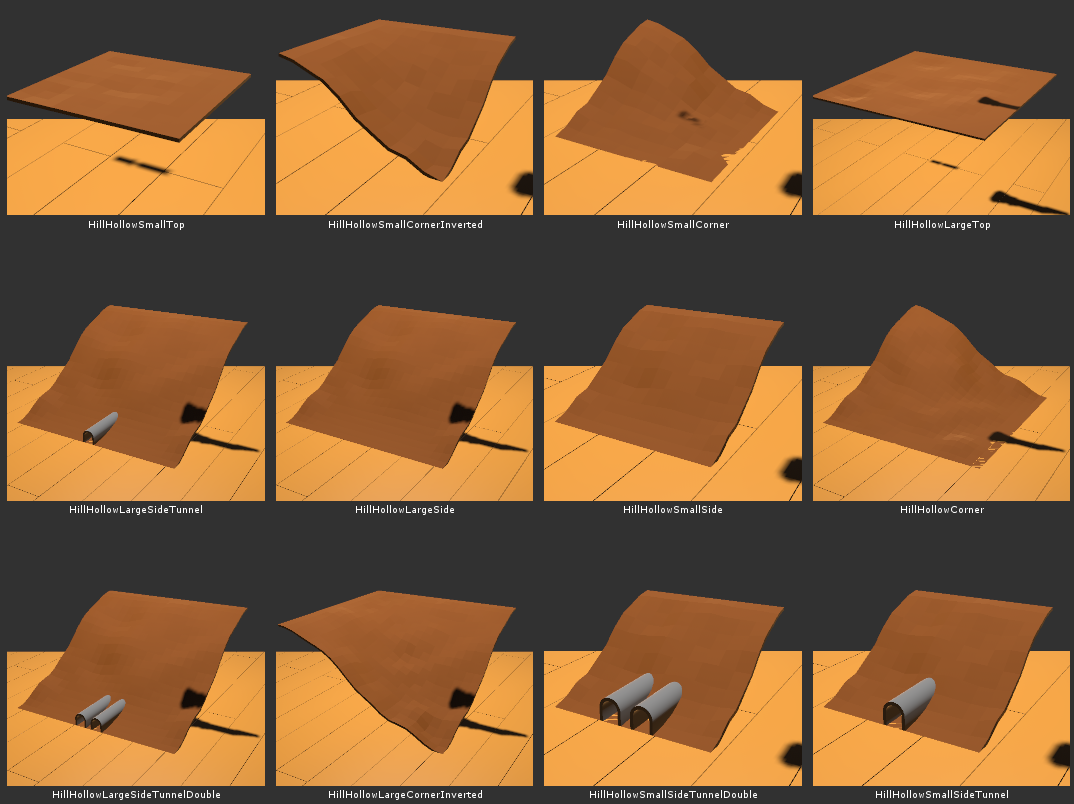
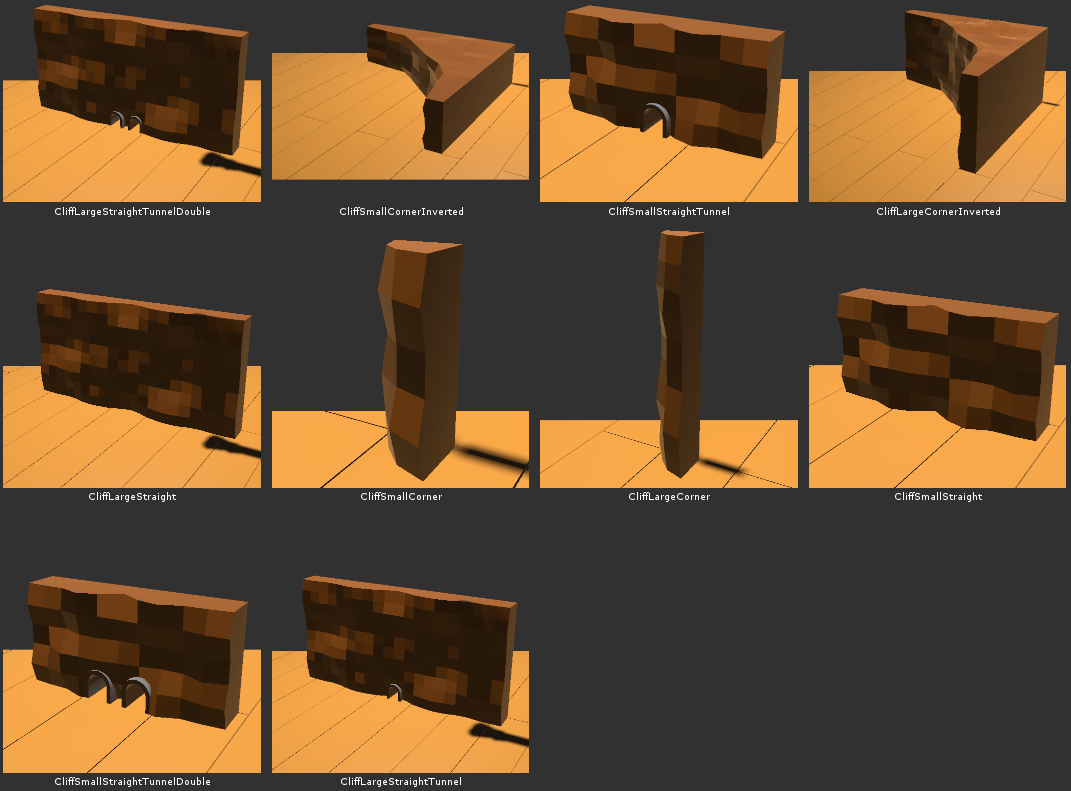
I just released a small content update that adds these new terrain pieces:
These pieces allow you to create hills, valleys, and canyons as well as various tunneled layouts. They come in two sizes full size (one square table) and half size (one quarter of a square table).
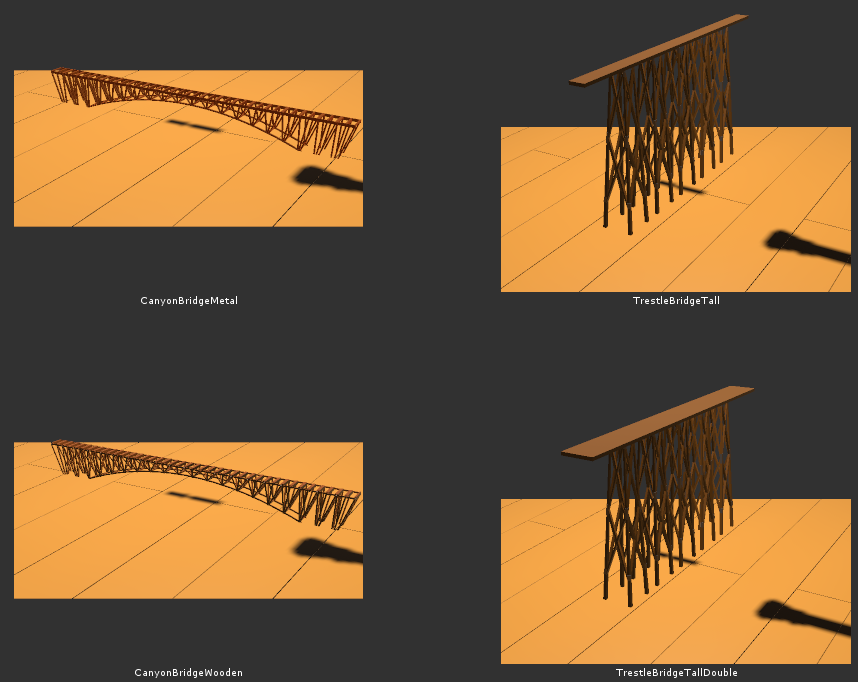
I also added some new bridges two go along with this terrain:
Locomancy With Friends Beta
https://www.youtube.com/watch?v=kjMl1NrHfLU
This update adds multiplayer support in a beta state. It's functional, but there are still a few things that I need to clean up.
To start a multiplayer game, make sure that you and your friends are in the game and past the starting scene (in the main room). For best results your friends' rooms should be cleared. Then, press the big green invite button next to the door:
This will open the Steam overlay with an invite dialog from which you can invite your friends. Your friends should receive an invite:
When they press the green button, they'll pop into your room and you can start building together. You can also load pre-existing layouts, although some may have minor glitches in your friends' games.
PLEASE NOTE that currently anyone connected to your game can clear the room.
In order to test multiplayer support, I added initial non-vr controls. They aren't great, but they are functional.
This update also includes improved support for importing models created with Google Blocks. Drop model.obj and materials.mtl into a named folder in the models folder and you'll be able to import it. I also added a slider that allows you to adjust the vertical alignment of a model to ensure it won't clip into a table when placed:
Lastly, I added two sizes for quarter circle tables:
There's some more content that I've been working on, but I've postponed it in the interest of releasing this update.
Change List:
Added multiplayer support
Added basic non-vr support
Fixed being unable to hide the toolbox/control panel in certain situations
Added round corner tables
Fixed stopped railcars making running noises
Added support for importing OBJ material colors
Adjusted imported model scaling to allow more adjustment
Added vertical alignment slider
Please report any bugs you encounter
Locomancy With Friends
https://www.youtube.com/watch?v=kjMl1NrHfLU
The Big Boy Update
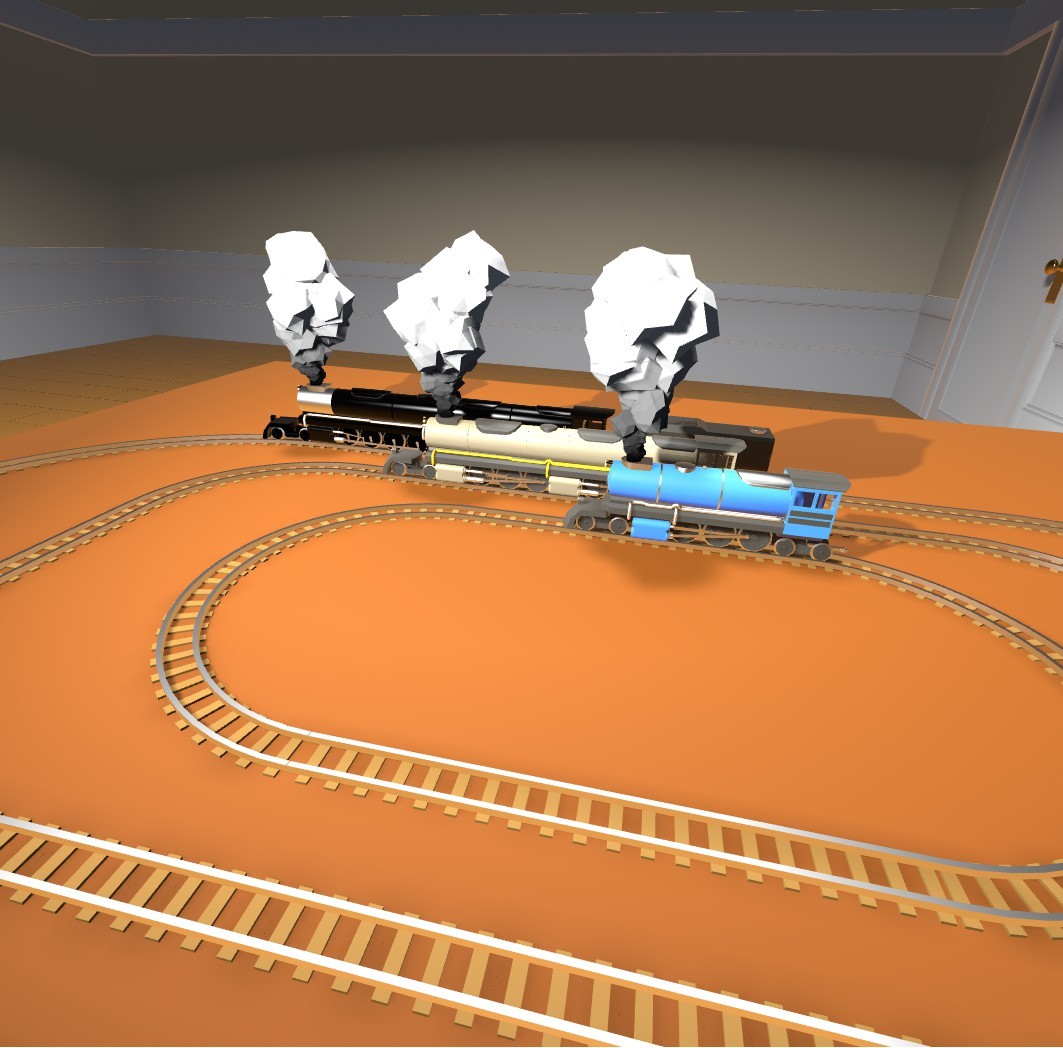
I just pushed an update that adds three new steam engines and a coal tender.
They include a Big Boy (4-8-8-4), Challenger (4-6-6-4), and a Little Guy (4-6-4).
A known issue is that painting is partially broken on the Little Guy.
The Workshop Update
This isn't a very large update for the game, but I think it's a pretty big deal for the community.
Before I get in the details, I want to mention that this update adds another half hour of music with a country-western vibe by Nathan Boler. It's awesome.
Up to this point it's been possible to share your layouts, but it required passing the save files around manually and making sure that wherever you stored them didn't re-compress them.
This update adds support for the Steam Workshop allowing you to share your layouts and custom models easily with the community.
To upload a layout, open the toolbox and press the "Show Workbench" button:
Open the scanner lid:
Grab a layout photo and drop it in the scanner:
Press the "Upload" button:
And wait for the upload to complete:
When it does, the workshop page for your layout will be opened in the overlay:
From here you can edit the title and description. You can also access this page outside of VR if you find typing with controllers annoying (I do). Once you're satisfied, share it with the community by changing its visibility to public.
If you've never uploaded an item to the workshop, you'll need to accept Steam's workshop agreement before you can make your items public.
If you're more interested in downloading new layouts, head over the workshop and start subscribing. I've uploaded four new layouts and hopefully the community will start adding to this collection.
You can also upload and subscribe to custom models in much the same way.
As for why I took so long to get this update out. I recently got a full time job and moved cities. This combination has left me kind of burnt out on development, but I knew that I needed to get this update out as it's an important one and the final feature that was in the game, but not fully functional.
This is not to that say that I'm done working on Locomancer, there's still lots of stuff that I want to add, but it does mean that development is going to be (even) slower than it has in the past. Once things settle down I'll have a better idea of what that means.
Anyway, I hope you enjoy this update, I'm really looking forward to seeing your layouts!
Free Rotation For All
This is a minor patch/full release of the experimental update I released last week. I ended up adding a tiny panel with limited controls that can be summoned by pressing the menu button while riding a rideable. This panel allows you to change your rotation and ride scale while riding with a single controller.
Combined change list:
Room can now be rotated freely 360* using the room rotate dial on the toolbox or by holding both grip buttons and rotating controllers together
Added control panel that can be summoned while riding
Improved crossing semaphore behavior when saved in the down position
Updated the rotary dumper
Updated the turntable
Fixed copies of flaming locos catching on fire when on rails
Made it easier for some cars to enter the tunnels in the tunnel table (some still won't fit because they're just too big)
Fixed issues related to custom models
Re-added corgi
Small Experimental Update
I got a request from a user for the ability to rotate the room arbitrarily to better fit their play space.
You can rotate the room by holding both grip buttons and rotating the controllers around each other (instead of moving them closer or further apart).
Before now when entering a rideable you would be rotated to match it. Now you'll continue facing in the same direction. You can rotate the playspace the same way as in build mode.
However, if you're playing with one controller you won't be able to rotate while riding. I'm not sure how big of an issue this is, but to be on the safe side I've only pushed this to the experimental branch for now.
Change list:
Room can now be rotated freely 360* using the room rotate dial on the toolbox or by holding both grip buttons and rotating controllers together
Improved crossing semaphore behavior when saved in the down position
Updated the rotary dumper
Updated the turntable
Fixed copies of flaming locos catching on fire when on rails
Made it easier for some cars to enter the tunnels in the tunnel table (some still won't fit because they're just too big)
Bob Ross Pt. II
The airbrush tool has been unwieldy and finicky for a long time now. It was awkward to hold and adjust the paint settings at the same time and painting some objects was hit or miss.
This update improves the airbrush in a number of ways. First, it now has a floating base so that you can let go of it without it falling to the ground. Second, the new base is larger which means there is more room for the adjustment inputs, so instead of the tiny knobs on the old one, you now have large levers and dials.
I've also improved the surface detection so that you're more likely to paint the section you intended. Finally, I added a mount for the airbrush to the side of the toolbox so that it is always within reach, you can unmount it by grabbing the handles or the body of the compressor and remount it by moving it close to the mount.
I also made some performance/usability changes.
The list of saved layouts can now be scrolled if you fill up the first page of saves. A slide will appear below them that works the same as in the inventory drawers.
Hints will now go away if you ignore them for 2 minutes. They will reappear each time you start the game until you either hide them (button inside the toolbox lid) or go through all of them.
There was potential for performance issues with the city streetlights so I turned their lights off by default. They can be toggled on and off by pointing and tapping the top of the light.
Finally, I added a placeable crossing semaphore that lowers and raises when railcars path through its triggers. The triggers can by moved independently of the semaphore allowing you to extend the trigger range. They can also be snapped by clicking the touchpad while holding one. There are still some issues with them, one being if you save a layout with a railcar in the middle of a semaphore and the car crosses a trigger, the semaphore will get stuck.
List of changes:
Added initial Linux support (not official until I work out all the issues)
Fixed the save camera always rendering
Made save list scrollable
Remodeled the airbrush and improved its interface
Fixed painting some surfaces being almost impossible (city building walls)
Fixed manually ejecting from loco not turning off ride smoothing for that loco
Auto disable hints after being ignored for two minutes
Fixed bug where hand wiggle animation could cause fingers to bend too far forwards of backwards
Fixed extinguisher foam stuttering
Made streetlight lights toggleable
Fixed missing collider on large diesel loco causeing it to freak out
Added dynamic crossing semaphore
Fixed not being able to slam the car horn with the palm of you hand (previosuly had to be poked)
Welcome to the Jungle
https://www.youtube.com/watch?v=1Lk_7IfGFAs
I just released a new content update that adds a bunch of new city scenery pieces as well as new slot car roads and a slot car sedan.
This is probably the largest content update to date.
An important detail is that because scenery is designed to rotate around the center of grid cells as opposed to the edges (like track), scenery doesn't line up with the ends of track pieces.
I also made it easier to enter and exit rideables. Now when you point the teleport beam at a rideable, you'll teleport in where you are pointing. You can also teleport between rideables, for example from a station onto a train.
Changes are as follows:
Railcars now trigger switches when going over them (based on coupled loco switch direction)
Added elevated rail platforms
Added multiple city buildings
Added roads
Added slot car sedan
Added sidewalks
Made it so that track and roads can snap over each other (allows for street rails)
Added placeable trash can
Added placeable fire hydrant (twist the bolt on the top to turn on/off)
Added placeable traffic light (point at and click trackpad to change color)
Added placeable street light
Added rideable city station blocks (single and double sided, can also be placed next to roads)
Added example city layout
Improved load time
Improved teleporting into and between rideables (you can now teleport from one car to another or from a station onto a train)
Added support for loading saves as the starting scene (place your own in the steamapps\common\Locomancer\saves\start folder)
Fixed BART car doors not opening on the correct side
Fixed bug where clicking the touchpad while grabbing the toolbox would trigger the extinguisher and camera
Gotta Go Fast
I just pushed a small patch to the default branch that makes the speed/smoothing changes standard. I also updated the demo with these changes.