

Logistical
LOGistICAL High Score Server Upgrade
The upgrade should take about an hour.
Sacada's Xmas 2018 Gift
I will continue to support this game as best I can. I am in the midst of joining LOGistICAL 1 (L1) and LOGistICAL 2 (L2).
The L2 launcher is partly complete and is now pulling data from the high score tables. I am now working hard to make sure the high score tables correctly reflect your actual counts and scores. Getting close.
Enough of that... onto the gift.
LOGistICAL 2: Suriname (Xmas 2018)
Suriname is the smallest country within South America. It has been suggested as a module for a long time by an enthusiastic player. The country is mostly jungle, so there are lots of settlements to do.
This gift is now available within the launch globe of all L2 games and I am working hard to try and get it into L1 games (though it will be a while).
L2: Suriname has quite few different rules and therefore strategies...
- All industries can be built without upgrading them first
- Incomplete towns can host one industry each
- First of each industry is 90% discount
- Industries are automatically built as businesses are completed
- Completing a single resource in a business will expose the other resources it requires
- NEW super booster for trucks awarded on town and business completion
- Roads can be upgraded
- Low tonnage one-way roads become two way when upgraded
- Business and town driveways can transport 100t trucks without need for an upgrade
There are a few contracts to help you get started and explain many of these features.
A full change log is available on the Discord server
https://discord.gg/28fjaqD
Enjoy,
Sacada.

LOGistICAL 2: Update #653
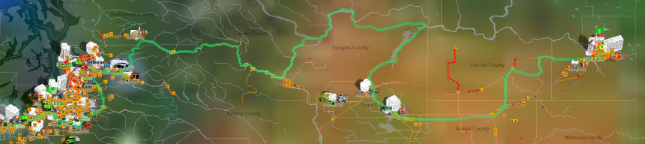
Build #653 on LOGistICAL 2
- Fixed problem with upgrading roads to industries
- Fixed problem when trying to sell a truck
- Stopped L1 modules from loading from the globe until I get them working properly.
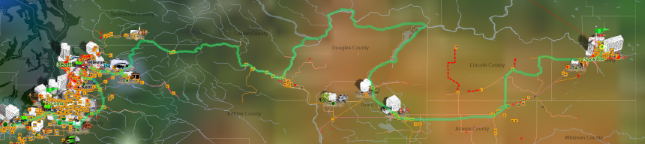
Build #650 on LOGistICAL 2
- Added button for upgrading roads with mouseover help on truck dash for L2 modules
- Added button for sending trucks back to depot with mouseover help next to skip, cancel and sell truck
- Restructure of startup globe for L2 games
- Use of high-score table data to populate the globe (numbers may be slightly out until adjustment period is over)
- Auto industry functionality for Suriname (Xmas 2018)
- Set all roads of length 0.01 or less to be made to take 100t trucks, so no upgrading needed.
Build #644 on LOGistICAL 2
- Region titles show as yellow once industry and roads are complete...
... caveat on this fix is that most of the roads are currently residing in the one region within the backend data. This is due to the L1 having each road joining a town and the town providing the region. L2 now has many roads that don't join towns and therefore are not mapped to their region. I do have a database fix for this, but haven't yet coded it into the game.
Build #642 on LOGistICAL 2
- Businesses that unlock a town show up white
- Added 6 new contracts
- Moved the business complete speedup contracts to the global contracts
- Fix when complete town/business has an undefined as a boost
- Fix when complete town/business has NaN as score and efficiency
Build #641 on LOGistICAL 2
- Save a "cancel road upgrade" fixed
- One way roads on 8t and less roads removed when upgraded.
- Toggle "M" key to show where failed navigation tried to find a route. Red, green or blue dots (as per the route colours).
- Minimum upgrade amount set to 1
Build #636 on LOGistICAL 2
- Fix for missing nodes (ie those that were created for a road upgrade) but no longer exist but are still in the truck data
- Fix for doing multiple nodes in a row (eg, a series of road upgrades).
Buld #632 on LOGistICAL 2
- Created low res rivers in USWA
- Make padlock already done colour in dark red
- Fix problem when upgraded road has trucks going to it when its finished and game is also restarted
- Fix problem of road fix to town is same as industry input but fix isn't registered
Buld #630 on LOGistICAL 2
- Adjustment to algorithm to find the closest road when selecting for a road upgrade
- Fixed a problem where the new upgrade materials don't always show.
Buld #629 on LOGistICAL 2
- All found businesses that have a resource that has just been discovered or built (as an industry output) now show immediately on the map.
- Fix padlock position
- Fix problem with trucks being at upgrade points that no longer show after save
- Fix problem of trucks not hovering over resources properly
Build #628 on LOGistICAL 2
- Fixed missing truck error.
- Found and fixed errors associated with upgrading the road to a town.
- Ability to "undo" a road upgrade.
Build #627 on LOGistICAL 2
- Created new industry logic and code for Suriname.
- Created discount industry price logic for future modules.
- Created new cargo size limits for Suriname.
- Added a smaller road size in Suriname.
- Added an indicator in the town popup of the maximum sized joining road.
- Added a orange square with resource type for towns locked by broken road.
Build #626 on LOGistICAL 2
- Fixed road upgrades that didn't work due to attribute that wasn't being updated.
- Fixed town that has upgrade road going to it to work once reloaded. More testing during play.
Build #625 on LOGistICAL 2: Belgium
- Mailbox at same location as Berlare moved a fraction so they don't overlay and you can't complete the mailbox if you did the town first.
Build #624 on LOGistICAL 2
- Click on resources of complete towns caused hanging in USWA. Fixed.
- Road upgrade functionality (beta):
You can now upgrade roads.
Press the "B" key to turn on/off road upgrading (will be a button soon).
Hover over any road less than the highest level motorway. It will show red.
Click on the road to upgrade it.
A message will pop up showing the cost of the road upgrade. Click yes to accept
The road will become broken until you supply the resources to finish the upgrade.
You can upgrade broken roads once they are fixed
You can upgrade the same road multiple times
There is a discount if the road being upgraded joins a larger road than the current one.
The closer the road size to the current the better the discount.
LOGistICAL Sale. Up to 50% off LOGistICAL and modules + Xmas 2018 Announcement
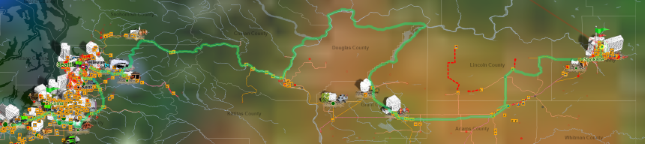
Note: Steam's sale title is based on those that live in the northern hemisphere of this planet but the sale will cover the entire planet... kind of like what LOGistICAL is slowly doing ;)
All LOGistICAL 1 and LOGistICAL 2 modules are on sale for the next few days (until 27th Nov 2018 10am Pacific time).
50% off LOGistICAL 1 base game.
40% off all LOGistICAL 1 DLCs
30% off all LOGistICAL 1 stand-alone modules
30% off all LOGistICAL 2 stand-alone modules.

LOGistICAL 2: Suriname (Xmas 2018)
For those that have been with LOGistICAL for quite a while will know that last year I gave a free gift to all those that had helped support LOGistICAL with their purchases. Thanks again.
That gift was LOGistICAL across the entire planet titled:
LOGistICAL: Xmas 2017
I would like to thank all the LOGistICAL owners for their continued support and have a new gift for you all this year.
LOGistICAL 2: Suriname (Xmas 2018)
I won't give too much away about this module yet. It is based on the LOGistICAL 2 design and it has quite a few new features.
LOGistICAL 2: Suriname (Xmas 2018) will be soon available for all those that purchased LOGistICAL 2.
I will then also roll it into LOGistICAL 2: Belgium.
It will be a while before I can incorporate it into any LOGistICAL 1 modules but that is also being worked on.
Thanks,
Sacada.
LOGistICAL 2: Update #623
Build #623 on LOGistICAL 2
- New navigation fixes to stop all trucks obeying the rules of 1st or last truck
- ability to zoom in a bit more
- yellowed the region borders
- blued the rivers
- show rivers when scrolling around
Build #622 on LOGistICAL 2
- Fixed new navigation problem with only one truck takes the route with a multi-select
- Fixed problem with trucks of a multi-select are already at the destination and others aren't
- Fixed cake problem in the Poulsbo area of USWA
- "HELP keys" now shows up center screen
- Upgraded road section at Dollar Corner, USWA
- Upgraded road section near Spokane, USWA
- Removed resource from Brady, USWA
- Added padlocks to locked towns for dragging cargo
- Fixed a missing road segment
- Fixed sections where large trucks can't get out of
- Removed lines of the "module completion" section that gave maths errors due to zero towns or trucks
LOGistICAL Halloween Sale (up to 50% off)
Did you not notice that those trucks never die!!!!
---------ooooOOOOOooooo---------
All LOGistICAL modules are on sale for the next few days (until 1st Nov 2018)#.
# except for LOGistICAL 2 which doesn't yet qualify for a sale.
50% off LOGistICAL 1 base game.
40% off all LOGistICAL 1 DLCs
30% off all LOGistICAL 1 stand-alone modules
30% off LOGistICAL 2: Belgium.
LOGistICAL 2: Update #620
Advanced Navigator
LOGistICAL has to perform many complex navigation calculations during game play.
Unlike any standard GPS unit, LOGistICAL also has to cater for broken roads, varying truck weight restrictions, quarantines and many other factors. Many of these are also changing very often as the game progresses.
The new navigation works as a multi-thread process so no longer locks up the user interface when working out complex routing over long distances.
The navigation system can be turned on and off in the game settings until it becomes the only system within the near future.
Using the navigation system is no different than before. Drag a truck or resource onto or across the map to initiate the navigator.
To indicate what is happening, the background of the truck on the truck list turns blue while the navigation is being computed.
If there are no spare threads running and empty, an initialisation process is run and the new thread is prepopulated.
Within the thread, the navigation between the source resource and the destination resource is calculated. This calculation is completed first as this is the integral trip where most restrictions are applied.
If this trip is successful the return trip is then calculated as one way roads and empty travel allowed on more road may create a different route.
Finally the trip from the truck's current location to the source resource is calculated.
If all three are successful, then the resulting routes are returned to the main game for that truck and the truck begins its journey.
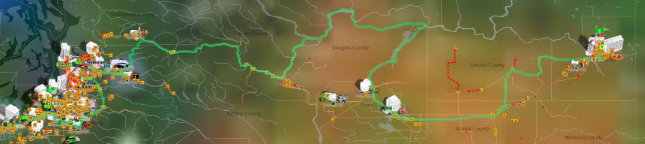
The three navigation routes are now shown on the map.
- Red - The trip from the current truck's location to the source resource
- Blue - The trip from the source resource to the destination resource need.
- Green - The return trip back to the source resource.
If there are multiple trucks selected then after each process all trucks of the same size (laden or empty) are also given the same routes without any extra processing. This speeds up the whole process.
If the other trucks are at different current locations these are all process one at a time and returned to the trucks with the other routing data on each is completed.
I have quite a few enhancements lined up to make this entire process faster, more accurate and also provide a suite of tools for routing to groups of businesses much better and faster.
Other updates
Build #620 on LOGistICAL 2
- Ability to switch between old and new navigators in settings.
- Cancel X in new navigator on truck list and truck dash.
- A couple of road fixes in LOGistICAL 2.
Build #619 on LOGistICAL 2
- Fixed up a few minor issues with the multi-thread navigation.
- Upgraded some ferries to take 20t trucks
- Broke a few ferry routes.
Build #618 on LOGistICAL 2
- Display of region titles not changing colour when finished is now fixed.
Build #617 on LOGistICAL 2
- More smarts in new navigation for larger trucks driving empty on smaller roads
- Ability to redirect a single truck from a multi-select while cancelling out the prior load of that truck from the multi-trucks selected
- Auto cleanup of multi-threads if not being used anymore
- Cleanup of multi-threads on game exit.
Build #616 on LOGistICAL 2
- Created the multi-threaded multi-truck routines
- Mostly the same as before with a couple of slight differences
- If you select a truck that can't do the trip, then none of the others will even try
- If you select a truck that can do the trip but another can't then all those that can, will
- 3 route colours
- red - route to the source industry/storage
- blue - route from the source industry/storage to the destination industry/town/storage/road
- green - the return trip
- fixed a road that couldn't be done
- removed 8 duplicate businesses
- fixed a ferry route that couldn't be accessed.
Build #614a on LOGistICAL 2
- Fix in some multi-thread navigation processes
- Found and fixed an error that occurred sometimes when loading and not displaying all trucks.
Build #614 on LOGistICAL 2
- Fixed town needs showing in industry list
- Ability to turn off multi-thread navigation
- Fix some multi-thread navigation processes
- Fixed inaccessible Lady of the Lake ferries
- Fixed inaccessible ferries
- Removed inaccessible asphalt road near Seattle
- Fixed gravel road on pink highway east of
- Removed Maplewood broken road
Build #613 on LOGistICAL 2
- Multi-threaded navigation system update
- Saves the current state of the navigation system so you don't have to turn it back on after a restart
- More stable for number of threads that it creates (background task)
- You can now cancel a thread by redirecting the truck to another destination
- Fixed missing resource in a town
Build #612 on LOGistICAL 2
- Multi-threaded navigation system
Build #611 on LOGistICAL 2 and LOGistICAL 2: Belgium
- Housing Interiors needs a 20t road in USWA
- Mouse over towns sometimes not bringing up resource needs. Happens if you drag a truck before selecting a town.
- A couple of roads that can't be fixed if done in the wrong order have been removed.
- A broken road at the edge of the map has been removed
- Removed a broken road in the middle of nowhere (up north)
- Created "Lady of the Lake" ferry route
- Brussels nerf
Build #610 on LOGistICAL 2
- Map key is in the mouseover HELP
- Empty truck after pressing "V" to sent truck back to start depot
- Get all the 20t and 40t resources on suitable roads
- Added another industry to USWA
- Set the default of completed contract visibility to show
- Fixed a one way traffic hazard in the mountains in USWA
- Access to broken road in middle of nowhere in USWA
- Rock pit road access upgraded to 20t
- Don't show pins in broken roads that are fixed and no longer showing
- Fixed problem with some business not being able to be clicked on due to being on the end of broken roads that have been fixed
- Only show the broken road of the start road to businesses
LOGistICAL 2 Release (30% off for first week)
LOGistICAL 2 is now officially released.
This is now the new base game for the LOGistICAL group of games, though you don't have to start here.
There is a 30% discount (plus another 20% bundle discount for those that have the lot #) for the first week.
There are a lot of new enhancement in this module and I am still working on more that should be released over the next few weeks/months/years.
"Over 500 towns, 2,000 mailboxes and 9,000 other businesses to complete. There are 50 types of business to discover."
What's new
LOGistICAL 2 brings many new enhancements to the game including:
- 50 types of businesses.
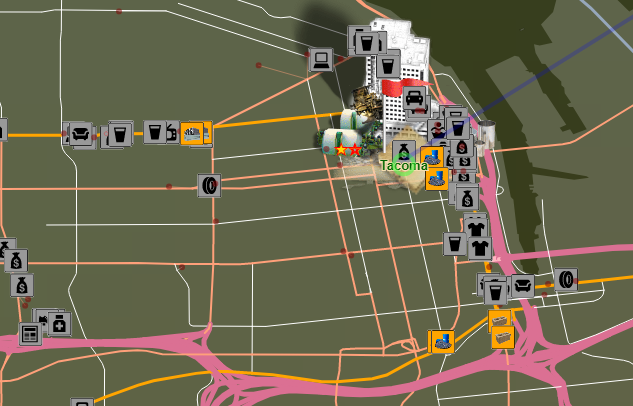
New businesses start out as dark red dots on the map until you find at least one industry that can supply them.
Businesses have extremely low requirements and don't consume resources like towns.
- 3 types of broken roads
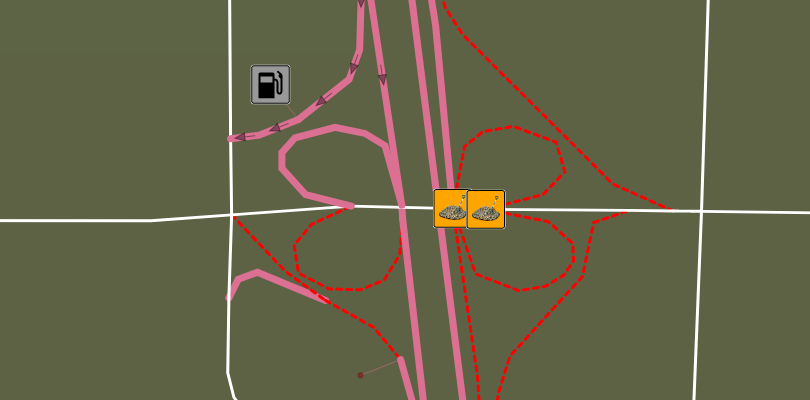
1. broken roads to the towns. Many towns can't be accessed until the broken road to the town is fixed.
2. broken roads to businesses. Like the town broken roads but orange squares on the map.
3. broken roads throughout the map (orange squares). There are many broken roads throughout the map. Many will stop you from searching parts of the map.
To assist in fixing broken roads on one-way roads, the one-way roads leading up the the broken section get turned off until the repair work has been done.
BE CAREFUL: That last truck load will fix the road and turn the one-way section back on. This can sometimes lock your truck in if there are further repairs required to fix that road.
- Town Locks
To unlock a town you now have to complete the number of businesses within the comet circling the town, that is written on the lock.
Some towns give a head start, so you only have to finish the number on the lock out of the number in the top right corner of the lock (eg 10 out of 15).
The black section of the circle on the lock represents what you don't have to do, while the increasing red shows the ones you have completed.
- Storages
In this module you can buy Storages in any of town (completed or not) right from the start of the game.
There is a limit of 1 storage per town until the town is complete.
The storages contribute to the total number of industries that you can build in a completed town.
Other stuff
- "?" over industry inputs if you haven't found an industry that supplies that input yet.
- Mouse over help to show key shortcuts
- Fix to stop the last large dumping to small requirement places (ie businesses) when the speed of the game is high
Coming soon
- Integration of LOGistICAL 1 and LOGistICAL 2 modules with a launch module and integrated save system.
- Navigation through a maze of broken roads can be complex. I am working on multi-threading for the navigation system so the game doesn't pause when doing long distance or impossible access destinations.
LOGistICAL Sale. Up to 50% off LOGistICAL and modules.
Sale Dates:
Oct 1 - Oct 8, 2018 10:00am
50% off LOGistICAL:
40% off all the LOGistICAL DLCs:

30% off all the LOGistICAL Standalone games:

LOGistICAL 2 Release (15% off for first week)
https://store.steampowered.com/app/938070/LOGistICAL_2_Belgium/
LOGistICAL 2: Belgium is the first release of this new series, continuing on the slow mapping of the planet.
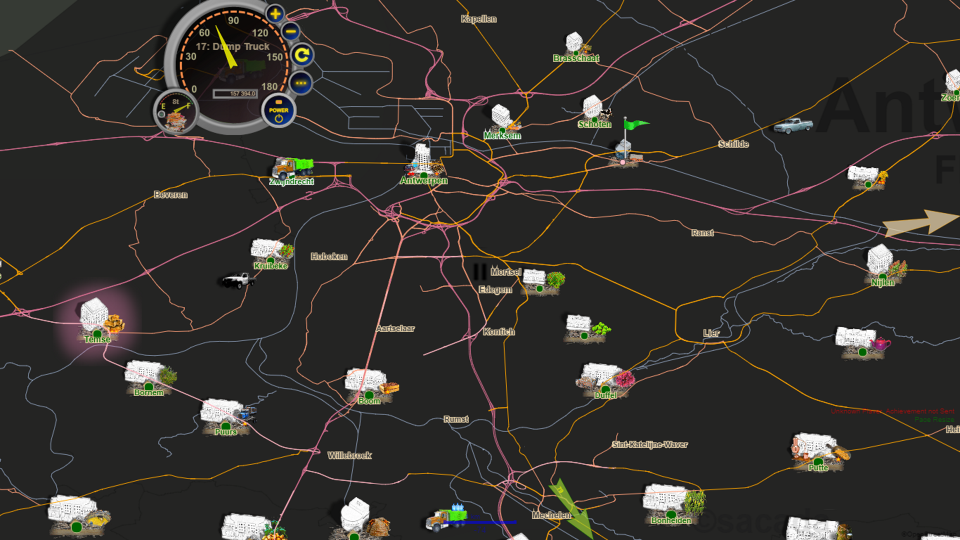
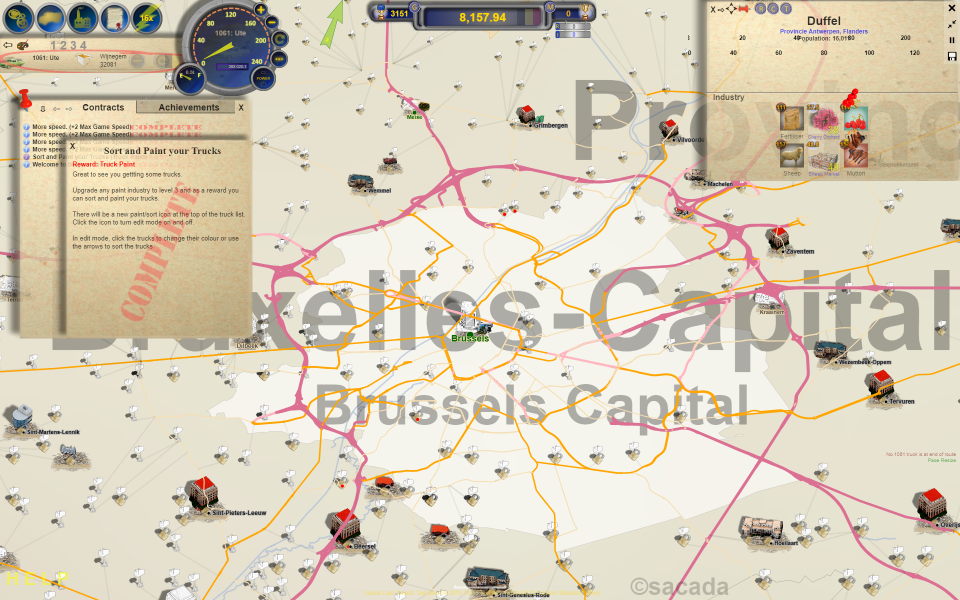
LOGistICAL 2 has had a major rewrite of the core engine. Instead of having towns across the map joined by roads, there is now a comprehensive road network with towns sprinkled throughout.
You can play on a white or black background, or anywhere in between (see the map slider in the game settings).
LOGistICAL 2 basics
LOGistICAL 2 has its own save game. It is once again small and saves quickly.
Booting LOGistICAL 2 will jump straight into playing Belgium. You can still load any LOGistICAL 1 game from Steam and play at the same time as LOGistICAL 2.
I have written a launch module to integrate both LOGistICAL 1 and 2 which will be released once more testing is complete.
Road Network
The LOGistICAL 2 road network is based on live data with most of the major and secondary roads throughout the country.
LOGistICAL 2 now has 100 times the amount of road segments as before. Belgium has over 50,000 road segments.
Trucks follow the curves of the roads and also obey one-way directions. You may find your truck heading in entirely the wrong direction to find its way out of a one-way road system.
Of course the engine and navigation functionality had to undergo a huge revamp. Initially it would take minutes to find the fastest route across half the country. Now it takes a fraction of a second to navigate the entire country.
Road Maintenance
A lot of Belgium's towns have broken roads leading up to them from the road network.
They need to be fixed for the trucks to be able to get to the town and subsequently "complete" the town.
In order to get to the town and road fix area, the entry way to each town is selected if the town can't get approached.
Mailboxes
LOGistICAL 2 introduces mailboxes.
Mailboxes work the same as towns, except they have very small resource needs (usually only one or two and less than two tons each).
Unlike towns, mailboxes don't consume resources, so you can complete one resource and finish the others later.
Mailboxes also hold the keys to locked towns.
Within the mailboxes of a town's region is the ":cleankey: Key to the City" for that town. Complete more mailboxes to find the keys.
Note: I will be releasing a "hint" mechanism to help find those keys over the next few days.
Release
The testers and I are now reasonably comfortable to release LOGistICAL 2.
The testing over the last week has been extensive with many changes and updated requests to make the game play better for you.
There may be a few more smaller updates over the next week to fix a few minor issues. Hopefully no major ones.
Thanks to the many players that support LOGistICAL and look forward to your feedback on the new new style and gameplay.
Happy playing,
Sacada.
PS. Full patch notes will be published soon.