OGAT - Update r.79.2 - New VFX system, Mail Setup, Loading screen Hints, Profile Menu and more.
Of Guards and Thieves - Update r.79.2
Note: this is part of a series of updates with lots of changes under the hood that we need to test in order to proceed with the r.80.x release.
Hi guys,
Update r.79.2 is now available
Main changes
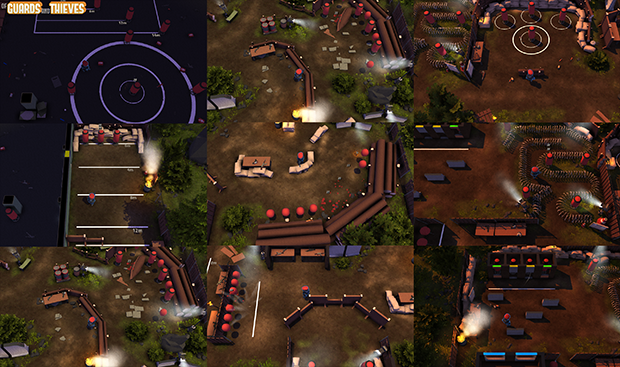
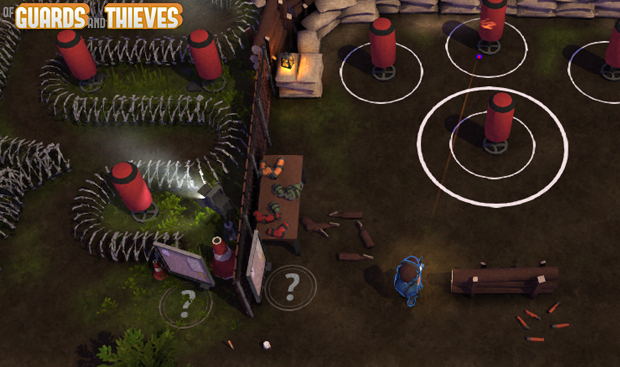
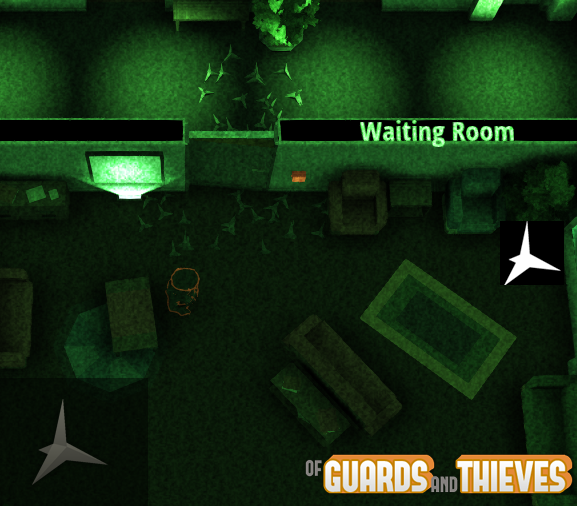
New VFX - Muzzle Flash, smoke effect for weapons, projectiles shell emission *Note, Muzzle Flash effect is present only with non-silenced weapons
New VFX - Improved hit particles effect
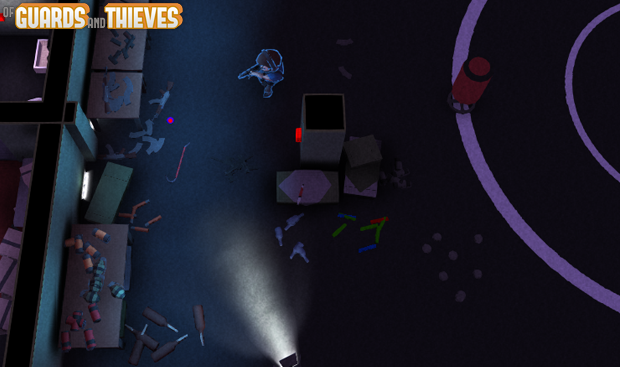
*The new hit effect on environment is not visible in dark areas
*Environment Hit effects depends on weapons type, there are 3 different effect type
*Being fired/stabbed inside a bush do not reveal your position easly anymore
*Being fired/stabbed in dark area do not reveal yout position easly anymore
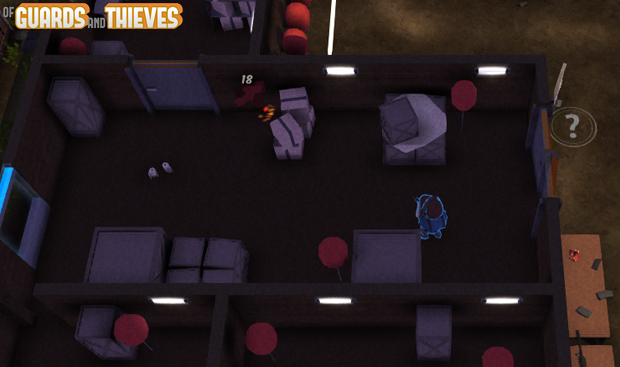
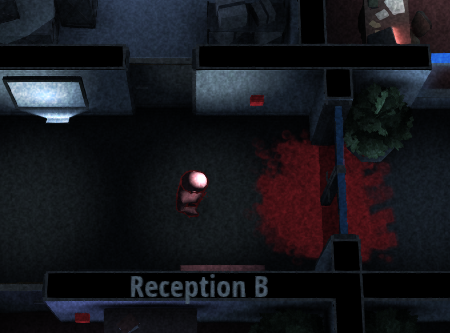
*Added Blood effect on ground when you're hit, blood trace on the ground can be used as tactical information (bleed affect disappear in 4-5 seconds)
*Blood effects depends on weapons type, there are 5 different effect type
New Profile Menu
UI Email setup menu for Steam users
*Now game ask to setup an email if you have not set yet
*You can change your mail inside the Profile menu
New Loading screen with random hint, filtered by gamemode/team/map/level
OGAT Updates r.78.4 to 79.2 complete changelog
OGAT r.78.4 changelog
NEW VFX: Muzzle Flash + smoke effect for weapons
NEW VFX: Projectiles shell emission with physics when shooting
Little improvements to trail renderer for bullets
Reworked Melee hit scan system
Lot of changes for Map Editor server side networking code
FIX - Wrong weapons assigment on death (Polaroid+Death Log)
Reworked Yellow Passage hit scan detection
Lower polaroid sound on death (-50% volume)
FIX: Wrong slowdown effect with not broken windows
FIX: Terrains collision height
FIX: Weird bug with windows hit detection
FIX: Stab/Shot when character adherent to Walls
RIP Halloween decorations
OGAT r.78.5 changelog
NEW VFX: New and improved Blood Effect
NEW VFX: New Hit effect for environment
Supports for multiple contemporary hit particles
FIX: Wrong bullet rotation for Parabellum projectiles
FIX: Melee Hit scan for Big Brain fixed
FIX: Caltrop are no longer invisible
OGAT r.78.6 changelog
New VFX effect for Railgun (IG modes)
FIX: No more invincible Big Brain in Zombie Rush mode
Pumpkin ball for Soccer removed
Reduced Backward speed malus for Sandbox mode classes
Hit Environment VFX improvements
Pump-Action Shotgun rebalance: Less distance damage falloff
FIX: Wrong Slowdown effect for windows on RiverCity map
UI Email setup menu
Friend List is now alphabetically ordered
FIX: Stuttering audio fixed
FIX: Wrong objective message for Guards in GaT.
OGAT r.78.7 changelog
Improved Caltrop collision
FIX: Office C1 Big Brain fixed
UI Email setup menu for Steam users
Reduced volume for MadBall explosions
Optimized collision for all particles effect
Optimized performance for Zombie related VFX
Unified M4 Magazine type (compact MAG no longer 'available, standard MAG with 20 bullets are now used for every M4 variants)
OGAT r.79.0 changelog
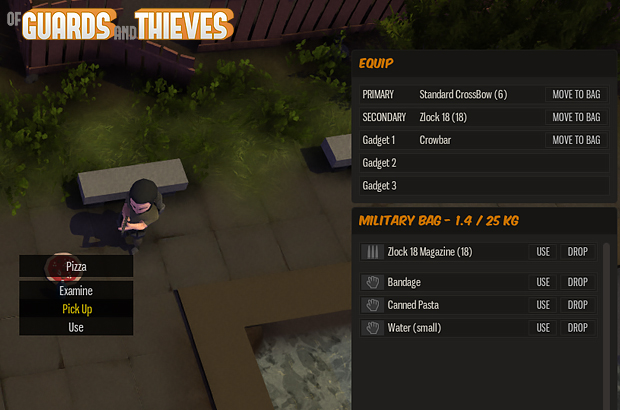
New Loading screen with random hint, filtered by gamemode/team/map/level
Free Class with level unlock for "Free To Play" users
Automatic Class unlock for "Gold" users
Pop-up for locked class with requirements
Free Avatars Guards and Thieves faction classes
FIX soccer sounds
OGAT r.79.1 changelog
Rewritten character movement netcode
Rewritten 2d sound system
New Personal Profile Menu v.1
Chat Beep sound replaced
OGAT r.79.2 changelog
New netcode fix and improvements
For any questions feel free to contact us on our official Discord Server or Community Forum.
DISCORD Official Server
Official Discord server is now available!
If you want to invite other players please use this link → https://discord.gg/VQbBwxm *Discord is available as Browser application and Standalone client for Win/Mac/Linux iOS and Android.
Check here to download the client - https://discordapp.com/apps
OGAT - Announcement: Moving to Free To Play section - PART 1
Of Guards and Thieves - Announcement: Moving to Free To Play section.
Note: this is part of a series of updates with lots of changes under the hood that we need to test in order to proceed with the r.80.x release.
ANNOUNCEMENT: Moving to Free to Play section on Steam
Hi guys,
we are almost ready to move "Of Guards and Thieves" inside the Free To Play section here on Steam.
This is a partial and early release for testing purpose. Date for the Official Free To Play release launch will be announced soon.
What changes?
More discoverability: increase in the userbase.
Practically not that much in terms of content and account management, in fact "Of Guards and Thieves" was born and designed as a Free To Play game.
The current and already available Demo version of the game will become the new Free To Play edition.
The current Early Access version of the game will be renamed as "Permanent Gold Account" and remain available for new players as a buyable DLC.
This new DLC edition will maintain all the benefits/extra content already available in the current Early Access product. ***Please read below for details.
All the classes are now available for everyone, but F2P users will need to level up in order to unlock them, Early Access/Permanent Gold Account users instead will have all the classes unlocked by default.
OGAT will become a Pay To Win game?
NO. And never will be: we have removed the class limitation for F2P user exactly for this reason.
Avoid PAY TO WIN feeling and complaints at all cost is one of our primary goals.
Permanent Gold Users have to perceived as useful and friendly resource for anyone, not as an enemy.
I have already bought the game, what to do?
Early Access users will receive the "Permanent Gold Account" DLC for free, more detail about that will be explained soon.
If you have already bought the game you do not have to buy back the DLC.
Why you are moving the game into the Free To Play section?
Due to some recent problems we lost almost 80% of our old F2P userbase from the webplayer edition available on Kongregate/Facebook/Gamejolt.
That's because the game engine we use is no longer supported by browser like it did in the past.
Apart from this, going F2P was our original plan so we're just anticipating the changes.
OGAT will remain in Early Access phase?
Yes, we want to add new content, features, and polishing to the game before declaring it complete.
Of Guards and Thieves - Permanent Gold Account DLC will still have the ability to have more content like extra Gamemodes and Maps, In-Game Map Editor, exclusive Avatars, Golden Star next to your username and more.
Feature List
12 extra Gamemodes hosting capabilities.
In-Game Map Editor.
Golden Star displayed everywhere.
XP gain boost (x1.25) (*applied to everyone in the server you're playing in)
9 extra Official Maps hosting capabilities.
29 extra profile Avatars.
*Note that more content and features will be added with future updates. (like extra skins for weapons/classes, clan creation capability and more.)
Feature Details - In-Game Map Editor
More than 1100 unique placeable objects
100x100 meters editable space
Up to 7 unique layer editing
Online loading/saving of maps
Online multiplayer map editing
Basic pixel painting
Feature Detail - Extra Gamemodes
DE - Bomb Defusal
CTF - Capture The Flag (Guards vs Thieves)
TDM - Team Deathmatch (Guards vs Thieves)
gTDM - Guards Team Deathmatch (Guards vs Guards)
VIP - V.I.P Escape
IG - Instagib
RAC - Racing
MAP - Map Editor
MB - MadBall
SL - Faceless
gCTF - Guards Capture The Flag (Guards vs Guards)
igCTF -Instagib Capture The Flag
For any questions feel free to contact us on our official Discord Server or Community Forum.
DISCORD Official Server
Official Discord server is now available!
If you want to invite other players please use this link → https://discord.gg/VQbBwxm *Discord is available as Browser application and Standalone client for Win/Mac/Linux iOS and Android.
Check here to download the client - https://discordapp.com/apps
Of Guards and Thieves - Update r.78.3 Halloween Sales, Free Weekend, Discord, BugFix and more.
Hi guys,
Of Guards and Thieves update 78.3 is now available.
Note: this is a preparation update with lots of changes under the hood that we need to test in order to proceed with the next updates.
HALLOWEEN SALES
OGAT is part of the Steam Halloween Sales with a -40% discount and Free weekend event until Tuesday November 1.
HALLOWEEN DECORATIONS Maps are decorated with Halloween stuff for the duration of the event
FREE WEEK END
During the FREE WEEKEND every Demo/Free to play account get the opportunity to try all the premium features during the weekend.
You'll be able to use all the maps, classes, gamemodes and map editor, enjoy ;-)
* Free Week End event will last until Tuesday November 1!
DISCORD Official Server
Official Discord server is now available!
If you want to invite other players please use this link → https://discord.gg/VQbBwxm *Discord is available as Browser application and Standlone client for Win/Mac/Linux iOS and Android.
Check here to download the client - https://discordapp.com/apps
If you need a private voice/text channel please read carefully. Minimum requirements You need a group of active friends to apply for the request, not to send the request if you are alone or under 5 active members.
Incomplete requests and / or made with fake emails will not be accepted.
If you do not respect the requirements you can use the temporary rooms.
REQUEST FORM *copy and paste on your email.
- In-Game username (OGAT username)
- Identity proof: OGAT CD-KEY/account registration email
- Group/Clan name: -name here-
- Number of members: -number-
Do not give this information to anyone, send them via e-mail only to support@subvertgames.com
Development roadmap board on Trello
OGAT Development roadmap is now available on Trello board, definitely more readable, clear and comfortable to update and manage.
BUG FIX-Dedicated server: No-Damage grenades problem solved.
BUG-FIX-Dedicated server: No more infinite ammo bug.
Bomb Defusa, Bomb timer 30sec to 40sec
quiter Lightswitch sound (20% reduction)
"Crossbow standard" rebalance
Magazine Bolt (6 to 7 ammo)
Halloween Decorations
R.I.P webplayer (web browser version of OGAT is no longer available)
OGAT r.78.1 <*> FIX: chat server login issue
<*> BUGFIX: 1hp Death-Freeze
<*> BUGFIX: Flashlight on death body no longer appears
<*> BUGFIX: Flashlight on Shield no longer appears
<*> BUGFIX: Healing teammate with FullHP do not give Score
<*> BUGFIX: No more invisible Shield collider with primary weapons equipped (wrong 3dmodel still present)
<*> BUGFIX: Friendly Melee damage do not give positive score anymore
<*> BUGFIX: Office Map - Reception A lights synch
OGAT r.78.2
FIX: Soccer "Freeze-Knife" fixed
FIX: BSOD Admin "Black screen of death" when hosting VIP/Racing/Faceless fixed
FIX: Other rare "Death-Freeze" effect fixed
BUGFIX: Other minor bugfix
OGAT r.78.3
FIX: Death body do not block doors anymore
FIX: Death body do not block shoot anymore
FIX: rare Flashlight drop on death for host fixed
FIX: "Death Freeze" effect when killed with destroyed weapons
FIX SOCCER: Protection collider after goal now disappear correctly
FIX: Wrong weapon icon on death fixed (death log)
FIX: Wrong respawn for bomb after death fixed
FIX: (manual) Delete local cache file in order to fix invisible or wrong username in friend list
Other minor fix and improvements.
OGAT - Update 76.0 Karts, Training mode, Shooting Range map, New Gadgets, Free weekend and more.
Of Guards and Thieves - Update 76.0 Karts, Training mode, Shooting Range map, New Gadgets, Free weekend and more.
Hi guys,
Of Guards and Thieves update 76.0 is now available.
Also OGAT is part of the Steam Summer Sales with a -40% discount and Freeweek end event until Monday June 27.
FREE WEEK END
During the FREE WEEKEND every Demo/Free players the opportunity to try all the premium features during the weekend.
You'll be able to use all the maps, classes, gamemodes and map editor, enjoy ;-)
* Free Week End event will last until Monday June 27!
Here's all the changes in this update:
NEW CONTENT
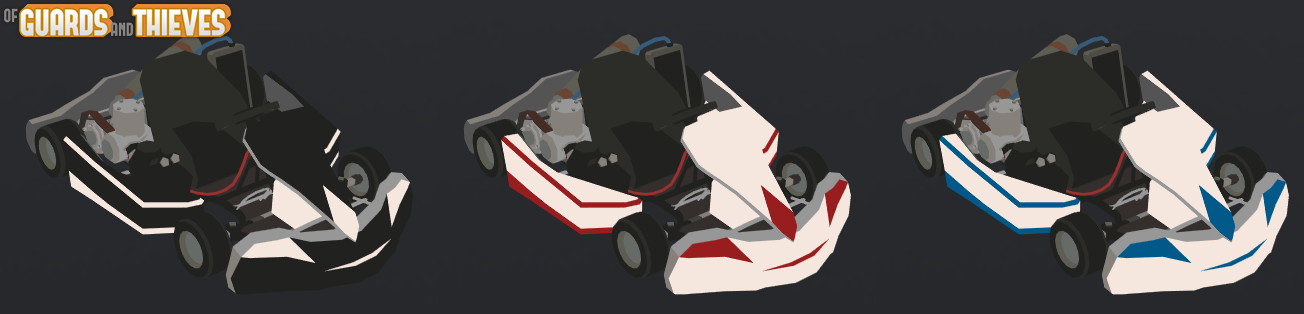
Kart veichle now available in Racing gamemode
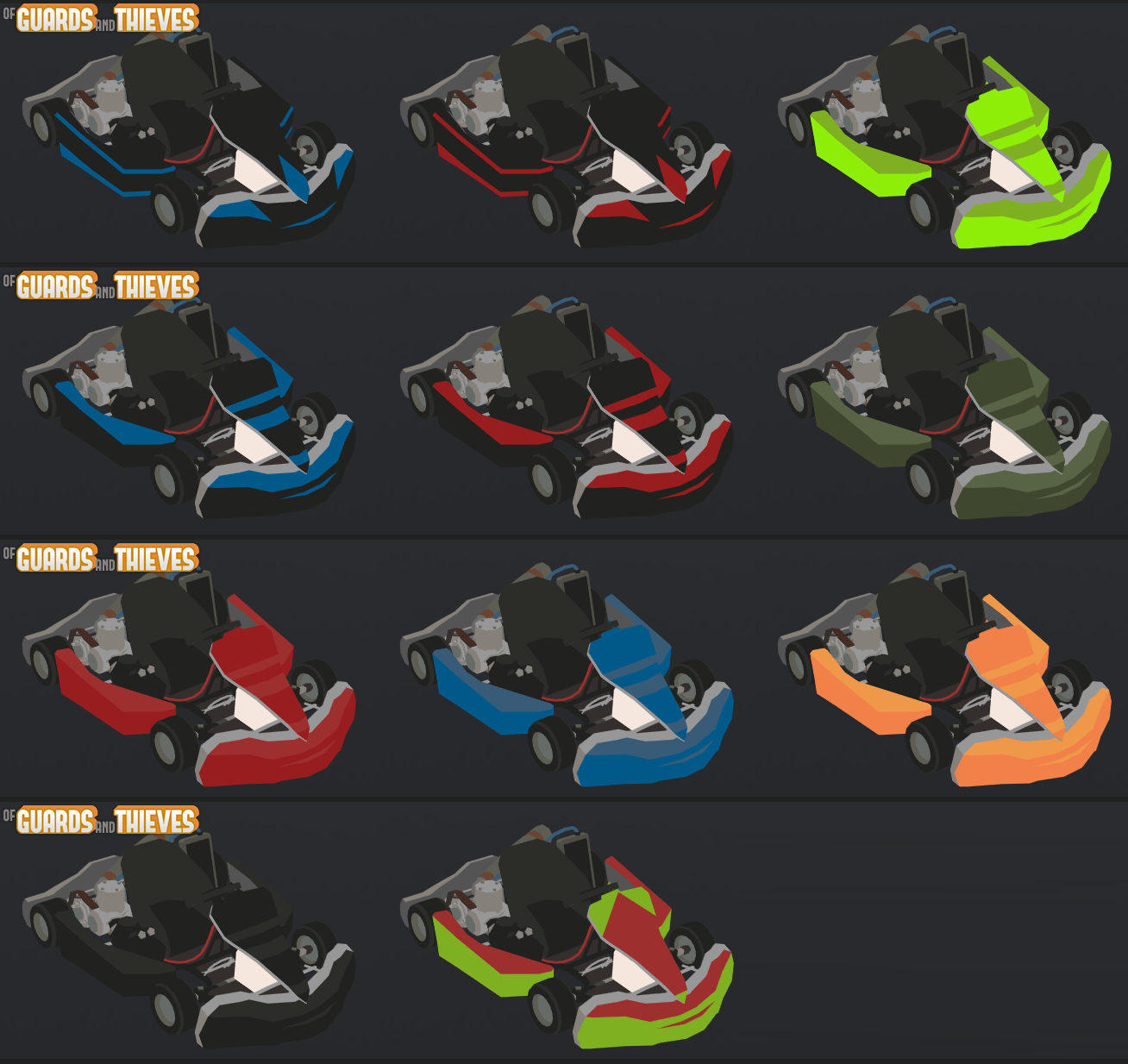
Kart skins (x14)
New Shooting Range Map
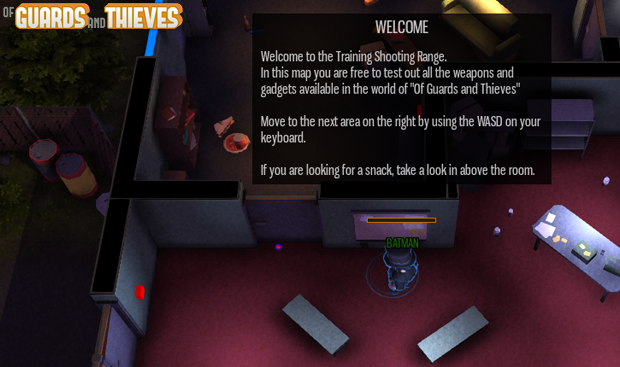
In-Game Tutorial message system (available in Shooting Range map)
New Training gamemode (Sandbox based with Standard Classes)
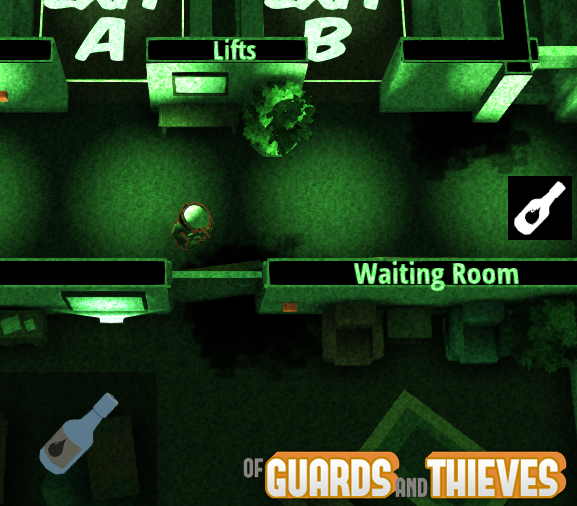
New Cobra Gadget - Glue Bottle
New Shadow Gadget - Caltrop
New Guardian Gadget - Wooden Baton
New Scout Gadget - Light Baton
Training mode and Shooting Range map are available both for Early Access and Free users.
CHANGES
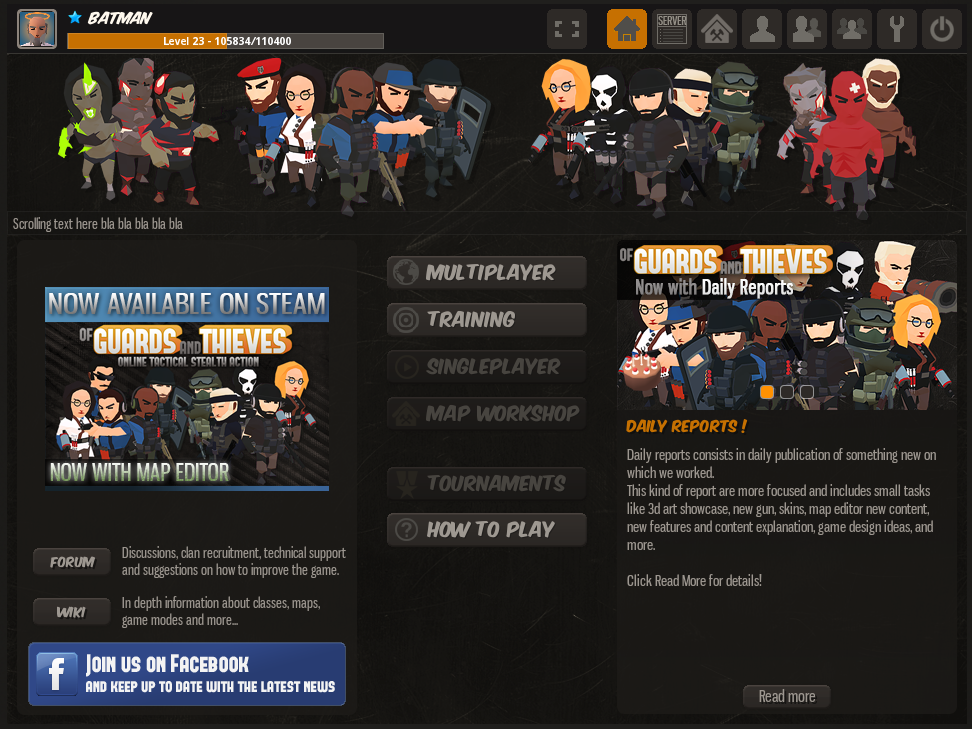
New Main Menu interface
New tooltips graphics
Flashligh now turns ON/OFF with "right mouse button" in all the gamemodes
Item pick up is now managed with the "E" button.
ZR team autobalance fix
Improved Grenades networking
Weapon/Gadgets/classes changes
Medic Syringe attack speed (0.3 to 0.35)
Knife attack speed (0.2 to 0.3)
Plastic knife attack speed (0.2 to 0.3)
(Scout) "Glue Grenade" to "Fluorescent Glue Grenade"
"Fluorescent Glue Grenade" Slowdown 0.3 to 0.5
Crowbar damage (40 to 48)
Crowbar attack delay: 0.35 to 0.45
New Weapon: Automatic Crossbow (training only)
New Weapon: Snipe Crossbow (training only)
New Weapon: Syringe Pistol (training only)
Zombie Fat HP: 90 to 110
Zombie Tank HP: 120 to 140
Juggernaut HP (85 to 84)
AZ47 weight slow down value (0.5 to 0.6)
AZ47 Reload speed (2.0 to 2.4)
UPDATE 76.0 Details
KARTS
New Kart veichle is now available in Racing gamemode.
Kart Skins (x14)
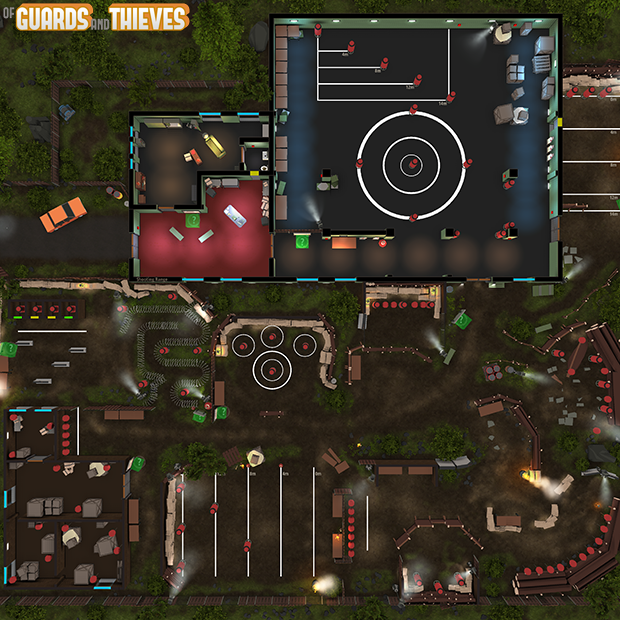
NEW MAP: Shooting Range
Now available for Training game mode, Shooting Range map offers a new Sandabox Training experience,
with Targets, different training areas, and weapons/gadgets storage.
available both for Early Access and Free users.
Shooting Range map details Shooting Range map overview
NEW MODE: Training
Training mode is available both for Single player and Multiplayer experience.
This mode is based on Sandbox and use the new Inventory System with interactive objects, day/night cycle and more.
available both for Early Access and Free users.
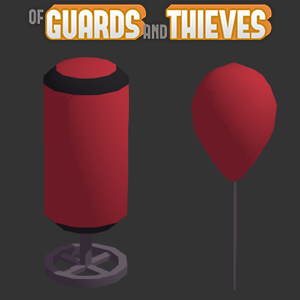
Dummy/Target for Shooting Range gamemode. Used in Shooting Range Map, two type of target with different mechanics.
- Static/Indestructible Target (left) give the caused damage as text, useful for studying weapons and gadget mechanics.
- Destructible Target/Baloon (right) can be destroyed with a single hit, useful to create time trial and challenges.
In-Game Tutorial message system (available in Shooting Range map) Used to explain game mechanics to new players in training mode.
NEW GADGETS
New Cobra Gadget - Glue Bottle Glue Bottle works like Scout Glue Grenade but have a little slow down power and is not visible in dark areas. -Slow down Power: 0.4
-Duration: 11 seconds
-Weight: 0.8
-Wieght Speed reduction: 0.1
-Inventory setup: x3 Glue Bottle available for Cobra
-*Not visible in dark areas
New Shadow Gadget - Caltrop Caltrop cause slow down and damage when you step on. -Hit Damage: 15
-Area Damage x second: 6
-Slow down Power: 0.3
-Duration: 13 seconds
-Weight: 0.6
-Wieght Speed reduction: 0.1
-Inventory setup: x3 Caltrop available for Shadow
-*Not visible in dark areas
New Buttons and Training mode available as Single Player mode.
For any bug report, feedback or suggestion use the Steam Forum.
That's all for now!
OGAT - Update 75.5 Friend List and MAY Daily Report Recap
Of Guards and Thieves - Update 75.5 Friend List and MAY Daily Report Recap
Hi guys,
Of Guards and Thieves update 75.5 is now available.
Here's all the changes in this update:
Friend List v.1
Guest account removed (for standlone client)
New Melee weapons animations
Network improvements
Autologin features (for standlone client)
Friend List v.1
Simple Friends List includes Friend list with online/offline status, friend request form with accept/decline/ignore.
Development Mileston and Progression CHANGES
PRIMARY GOAL AND TASK
Friends List v.1 - released
== 80% to 100% Completed
WIP In-Game Map Browser (90%) ETA: ASAP
== 70% to 90% - Currently in private Testing/Polishing/Bugfix - ETA: ASAP
***Check
HERE for more detail about the Map Browser
WIP More gamemodes support for Custom Maps (70%) NO ETA
== 55% to 70% - NO ETA
WIP Clan System (50%) NO ETA
== 35% to 50% - NO ETA
WIP Notifications System - (65%) NO ETA
== 40% to 65% - NO ETA
Daily reports consists in daily publication of something new on which we worked.
This kind of report are more focused and includes small tasks like 3d art showcase as new gun, skins, map editor new content, new features and content explanation, game design ideas, and more.
Axes!
Will be used in Sandbox modes for crafting and resource harvesting, also can be equipped as melee weapon.
OGAT Daily Report #02
More Axes! Because there are too many evil trees in our world. RIP Trees.
Little Axes have less durability and can be equipped in the secondary equip slot. Also different material means less durability and damage.
OGAT Daily Report #03
Hammer Time!
Will be used in Sandbox modes as crafting tool, can also be equipped as melee weapon. Watch your fingers!
OGAT Daily Report #04
Time to be vintage, Old Pistols!
Will be used in Sandbox as primary and secondary weapons and, maybe in some sort of Pirates game expansion? Who knows.
OGAT Daily Report #05
Swords!
Will be used in Sandbox as primary, secondary weapons and gadgets slot, and maybe in some sort of Medieval game expansion ? ? ?
OGAT Daily Report #06
More Swords!
Will be used in Sandbox as primary, secondary weapons, available in "peculiar" gamemodes.
OGAT Daily Report #07
Maces!
Will be used in Sandbox as melee weapons, craftable and available in "peculiar" gamemodes. Destroying watermelons has never been so fun.
OGAT Daily Report #08
Swords..Again!
Will be used in Sandbox as primary, secondary weapons, available in "peculiar" gamemodes.
OGAT Daily Report #09
..Tools!
Will be used in Sandbox as crafting/harvesting tool, also usable as a weapons.
OGAT Daily Report #10
Basic, craftable mace with nails.
Will be used in Sandbox as melee weapon, craftable with "Big Branch+Nails".
OGAT Daily Report #11
Basic, wooden melee weapons.
Will be used in Sandbox as melee weapons, craftable".
OGAT Daily Report #12
"Sbam Sbam Sbam"
Will be used in Sandbox and normal gamemode as melee weapons.
OGAT Daily Report #13
"Working on some crafting content"
Harvestable resource, recipe and placeholder values.
OGAT Daily Report #14
"Friend List and notification tab. Almost done!"
First Friends List version includes Friend list with online/offline status and friend request form with accept/decline option.
"Harvestable and craftable resources, Coal!"
- Rough Coal
- Coal Debris
- Coal Dust
*Will be used as combustible and to craft other objects
OGAT Daily Report #17
"Harvestable and craftable resources, Wooden Stuff!"
- Trunk
- Small Logs
- Wood Beam
- Wood Stick
- Wood Plank
- Small Branches
- Bark
- Wood Chips
*Combustible and Crafting material.
OGAT Daily Report #18
"Harvestable and craftable resources, Stone!"
FREE WEEK END and Map Browser preview!
OGAT is 3 years old! Free Premium weekend for everybody.
Happy birthday Of Guards And Thieves! To celebrate it we're giving every Demo/Free players the opportunity to try all the premium features during the weekend. You'll be able to use all the maps, classes, gamemodes and map editor, enjoy ;-)
* Free Week End event will last until Monday!
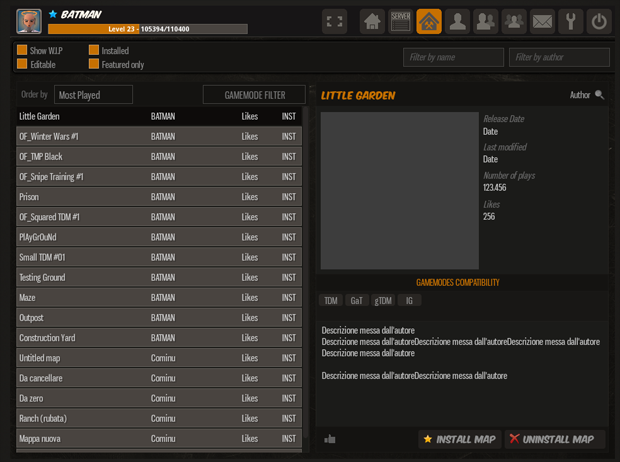
In other news, we're working on a better way to build and share custom maps that will be published at the end of the month. Here's a little preview about the Map Browser.
The new in-game Map Browser will allow you to share your custom maps with other players and install any public map to use in your games.
Also, maps now will be saved and downloaded from our servers to avoid any type of issues related to peer to peer connections when users host their game.
Features preview
Selectable filters
Show W.I.P (Show/Hide unfinished maps)
Installed (Show/Hide already installed maps)
Editable (Show/Hide editable maps)
Featured only (if ON shows only featured maps)
Maps list, order and filter Maps can be ordered with various filter,
Most played
Top rated
Newest
Recently updated
Maps can be filtered by gamemodes and game type,
Competetive
Fun/Casual
Multiplayer
Singleplayer
Co-Op
In the top right section additional filters are available in order to look for a specific map name or author.
Map Details
The map details area on the right contains all the details for the selected map.
General Information
Map Name
Author
Release Date
Last modified date
Number of plays
Likes
Gamemodes Compatibility Show which gamemodes are compatible with the selected map.
Description can be edited by the author directly inside the map editor gamemode.
Install/Unistall button are self-explanatory.
Installed maps will be available in the map selection screen in your game Lobby.
Daily Reports !
Daily reports consists in daily publication of something new on which we worked.
This kind of report are more focused and includes small tasks like 3d art showcase as new gun, skins, map editor new content, new features and content explanation, game design ideas, and more.
Daily reports will be published on Facebook page/Twitter and on dedicated monthly thread here on the official forum.
Usually there will be one publication per day.
DEDICATED FORUM THREAD HERE
That's all for now!
More details about the Map Editor and the Save/Load/Sharing process will be available with the dedicated update.
The OGAT Hunger Games Tournament - 1st Edition
Subscription end on 6 February 2016 !
Read the article to discover how to join the tournament.
Hello guys, and welcome to the first edition of the OGAT Hunger Games unofficial tournament!
*For more detail and question please check the official thread -> HERE
General informations
Hunger Games is a mod created by the player Lupo511 based on our official RP-Sandbox gamemode, so keep in mind that the tournament is unofficial but supported by the developers for recreational purposes, there may be bugs and inconvenience that may not reflect the current state of the game.
How does the Hunger Games mode work?
In the Hunger Games mode 24 players (called tributes) are put inside an arena where they have to survive and fight each other to death, until only one remains alive. That last player will be the winner. There is no respawn, when you die you are out of the game. You start with nothing in your inventory and you have to gather resources exploring the map, because the better your equipment is the more your chances to survive are. Steal your victims's inventory, use the environment to your advantage and study a good plan. Be smart, be quick, be brave, and you will manage to be the winner!
Hunger Games will take place in the River City map,
FULL RESOLUTION IMAGE HERE
Tournament Rules and organization
Every match will have no more than 24 players. In case there are more than 24 participants in the tournament there will be qualification matches. The winners of the qualifications will go ahead and play in the great final match. There will be a draw to randomly choose the players of every qualification match (if there are enough players from nearby countries there is a possibility of country specific qualifications in order to reduce lag advantage).
Tournament rules: !!Infringement of the following rules can be punished at the organizer's discretion!!
1) Only one player can win the OGAT Hunger Games.
2) Every match consists of no more than 24 players.
3) We require extreme precision with match times. The server will be locked 10 minutes before the event starting time and whoever is not in the server by that time will be left out, so be sure to be there earlier. The match will start exactly at the declared time. We will be 100% precise with timing and we will not wait for any late player.
4) Any type of hack or cheat is strictly forbidden. Any player caught using hacks or cheats will be instantly disqualified with no option to get back in the tournament, and in some cases banned from the game.
5) Players are expected to mantain a friendly and fair behaviour. Any type of misbehaviour against other players (including but not limited to racism or insults) is not tolerated.
6) We don't accept any complain about lag. However, we will do our best to remove lag problems in the games.
How to join
Joining the tournament is very easy. First of all, read carefully the Tournament Rules and Organization section and make sure you understood everything. When you have done that continue reading this section.
In order to join just click on the "Go to the join page" link below, this will take you to a new page. Enter your OGAT profile username and click the join button. A confirmation message will appear saying that you succesfully joined the OGAT Hunger Games. Do not ask to join the tournament in this topic.
That's it, now you are a participant in the OGAT Hunger Games, be sure to check this topic in order to see all the news and timings.
Note: The players list on the forum (this page) is updated manually, so don't be worried if you don't see your name, you just have to wait until we check the new subscribers.
PRIZES
Winner - The OGAT Hunger Games 1st Edition in-game exclusive trophy*
- OGAT account type upgrade to "V.I.P" (1x)
- x4 OGAT Steam Key
- Everlasting glory and fame for being the 1st winner of the 1st edition ever of the OGAT Hunger Games
Second place - OGAT account type upgrade to "Funders' Army" (1x)
- x2 OGAT Steam Key
- A pat on the back (cit.)**
Third place - OGAT account type upgrade to "Supporter" (1x)
- x1 OGAT Steam Key
*In-game trophies are not part of the game yet. You will receive the trophy in the future.
**Not actually a pat on the back, but I can send a smiley chat message to you if you want :).
Hunger Games Beta Testing
Here's something that you might like. Since many of you want to try the mode out as soon as possible, we are doing a beta testing session open to everyone usually during the weekend for 3-4 hours.
If you are interested to join the beta testing session i recommend to follow the Hunger Games official thread on our forum -> HERE
Schedule Subscription period: end on 6 February 2016
Play period: To be decided
Of Guards and Thieves - Update 74 Map Editor and stuff!
Hi guys, finally the Map Editor v.1 is available for everyone!
It took us a lot of time and a huge amount of work but it's a really important addition to the game that will give the players a
potentially infinite map amount and a way to express your creativity.
Here the content list for the update 74
Map Editor 1.0
More than 800 unique objects
6 unique layer
41 unique tileset
Local loading/saving of maps
Online multiplayer map editing
Basic pixel painting
Limited gamemodes compatibility (TDM-IG-gTDM-VIP-MadBall) (other gamemodes will be added gradually with new updates)
100x100 meters of editable space
New content and bug fixes
New class: Meat Zombie
Healing abilities for Meat Zombie
Meat Zombie Avatar
Level Cap upped to Level 40
FIX: Second grenade now deal the correct amount of damage
Networking improvements
BALANCE: Fat Zombie rebalance.
Map Editor v.1
Here's a quick video preview that shows how to create a medium size house and some outdoor vegetation.
Tons of unique assets
Map Editor assets are organized in LAYERS, TILESETS and TILES and feature more than 800 placeable objects.
"Layers" works as main category selection tool, "tilesets" rapresent a further subdivision into a specific sets of objects,
and "tiles" are the specific objects that you can place into the scene.
7 different layers for a total of 892 different tiles, subdivided in 53 tilesets.
Floors - 4 tilesets with 78 tiles
Layout - 14 tilesets with 297 tiles
Furniture - 17 tilesets with 236 tiles
Ground Decoration - 11 tilesets with 132 tiles
Lights - 3 tilesets with 38 tiles
Roof - 1 tilesets with 1 tiles
Gameplay - 3 tilesets with 48 tiles
Map Editor Guide
If you need in-deep information and guidelines about the Map Editor check the official guide here: (LINK GUIDA)
Map Creation and Sharing
Map Creation, Saving and Loading To create a new map click the "New Map" button available inside the gamemode selection screen as host.
Click "Host a new game" button.
Setup your game room name and options *(Keep in mind that if you don't put any password everyone will be able to join your room with editing permissions).
Select the "Map Editor" game mode.
Create a new map by clicking the "New Map" button, select the new "untitled map" and start the game.
Saving your custom maps The map can be saved from the map editor gamemode in the dedicated "SETTINGS" section available in the top right corner of your screen.
Enter your map title and click the "SAVE" button to save the map in your hard drive. NOTE: the map won't be saved automatically, you have to do it manually, be sure to save the map often.
Loading/Playing your custom maps Your custom maps (with the wrench icon) are listed alongside the official maps in the gamemodes/maps selection screen, just choose the desidered map and launch the game.
Simply select your custom map and start the match.
Map Sharing We're building an integrated system to save maps in the cloud and share them but at the moment the only way to share a map is to do it manually.
Right now every map is saved with an unique Map ID in this folder (Documents/Subvert Games/OGAT/maps).
Retrieve the desidered map ID inside the gamemodes/maps selection screen
Look for the map file with the correct map ID inside your (Documents/Subvert Games/OGAT/maps) folder.
Send the map file to your friends or feel free to publish it on our official community forum (link forum) or Steam forum (link steam forum)
IMPORTANT NOTE! Sharing your maps means that you're giving it entirely to another user, meaning that the new user will be able to edit and rename the map.
If you are afraid about copyright and map stealing issues do not share your maps until the official sharing tool is released.
NOTE: In the future Map Editor update maps will be saved directly online on our servers, and there will be an in-game workshop that allow users to publish, share and rate maps.
Quit the Map Editor mode Click the "Quit" button in the SETTINGS tab to return into the Lobby.
REMINDER: Save the map before quitting the editor!!!
Editor Tools and Controls
Map Editor have 4 different main tool, each one has a precise use and features.
BUILD - The core of the Editor, allow to place and delete objects using the tiles browser.
TEST - This mode allow to quick test the map.
SETTINGS - Contain different options and controls (map title/save/sun control/quit button)
SELECTION & EDIT - (*not available yet) Will be used to setup interactive object ID's and stuff such lights, lightswitches, objectives and more.
Online map editing
Map Editor allow you to create maps online with other players, basically you can chose between 3 different server settings.
Private server : Select a password during the game creation phase, doing this you can avoid griefers. Give the password to your friends if you want them to join in.
Open Server with Spectating mode : Open server without password. turn OFF the spectator autojoin option inside the lobby options area. With this setup other players can spectate your game without editing and chat permission.
Open Server : Open server without password. Everyone can join your server with editing permission, be careful about griefers. If someone mess up your map just quit the editor without saving and change the server rules.
New Class: Meat Zombie!
The Meat Zombie is a support class equipped with 2 healing abilities and one melee attack.
Meat Zombie Stats
HP: 55
Movement Speed: 4.6
Melee damage: 25 hp
Melee Attack Speed: 0.3s
Healing touch: +10 hp
Healing touch speed: 0.45
Healing Spit The Healing Spit ability creates a pool of curative blood that heals allies and enemies that pass through.
Type: AO heal
Healing power: +10 hps
New Avatar
Meat Zombie avatar is now available as Avatar.
Level Cap upped to Level 40
OGAT - Update 74.21 Map Editor is out!
Of Guards and Thieves - Update 74 Map Editor and stuff!
Hi guys, finally the Map Editor v.1 is available for everyone!
It took us a lot of time and a huge amount of work but it's a really important addition to the game that will give the players a
potentially infinite map amount and a way to express your creativity.
Here the content list for the update 74
Map Editor 1.0
More than 800 unique objects
6 unique layer
41 unique tileset
Local loading/saving of maps
Online multiplayer map editing
Basic pixel painting
Limited gamemodes compatibility (TDM-IG-gTDM-VIP-MadBall) (other gamemodes will be added gradually with new updates)
100x100 meters of editable space
New content and bug fixes
New class: Meat Zombie
Healing abilities for Meat Zombie
Meat Zombie Avatar
Level Cap upped to Level 40
FIX: Second grenade now deal the correct amount of damage
Networking improvements
BALANCE: Fat Zombie rebalance.
Map Editor v.1
Here's a quick video preview that shows how to create a medium size house and some outdoor vegetation.
Tons of unique assets
Map Editor assets are organized in LAYERS, TILESETS and TILES and feature more than 800 placeable objects.
"Layers" works as main category selection tool, "tilesets" rapresent a further subdivision into a specific sets of objects,
and "tiles" are the specific objects that you can place into the scene.
7 different layers for a total of 892 different tiles, subdivided in 53 tilesets.
Floors - 4 tilesets with 78 tiles
Layout - 14 tilesets with 297 tiles
Furniture - 17 tilesets with 236 tiles
Ground Decoration - 11 tilesets with 132 tiles
Lights - 3 tilesets with 38 tiles
Roof - 1 tilesets with 1 tiles
Gameplay - 3 tilesets with 48 tiles
Map Editor Guide
If you need in-deep information and guidelines about the Map Editor check the official guide here: (LINK GUIDA)
Map Creation and Sharing
Map Creation, Saving and Loading To create a new map click the "New Map" button available inside the gamemode selection screen as host.
Click "Host a new game" button.
Setup your game room name and options *(Keep in mind that if you don't put any password everyone will be able to join your room with editing permissions).
Select the "Map Editor" game mode.
Create a new map by clicking the "New Map" button, select the new "untitled map" and start the game.
Saving your custom maps The map can be saved from the map editor gamemode in the dedicated "SETTINGS" section available in the top right corner of your screen.
Enter your map title and click the "SAVE" button to save the map in your hard drive. NOTE: the map won't be saved automatically, you have to do it manually, be sure to save the map often.
Loading/Playing your custom maps Your custom maps (with the wrench icon) are listed alongside the official maps in the gamemodes/maps selection screen, just choose the desidered map and launch the game.
Simply select your custom map and start the match.
Map Sharing We're building an integrated system to save maps in the cloud and share them but at the moment the only way to share a map is to do it manually.
Right now every map is saved with an unique Map ID in this folder (Documents/Subvert Games/OGAT/maps).
Retrieve the desidered map ID inside the gamemodes/maps selection screen
Look for the map file with the correct map ID inside your (Documents/Subvert Games/OGAT/maps) folder.
Send the map file to your friends or feel free to publish it on our official community forum (link forum) or Steam forum (link steam forum)
IMPORTANT NOTE! Sharing your maps means that you're giving it entirely to another user, meaning that the new user will be able to edit and rename the map.
If you are afraid about copyright and map stealing issues do not share your maps until the official sharing tool is released.
NOTE: In the future Map Editor update maps will be saved directly online on our servers, and there will be an in-game workshop that allow users to publish, share and rate maps.
Quit the Map Editor mode Click the "Quit" button in the SETTINGS tab to return into the Lobby.
REMINDER: Save the map before quitting the editor!!!
Editor Tools and Controls
Map Editor have 4 different main tool, each one has a precise use and features.
BUILD - The core of the Editor, allow to place and delete objects using the tiles browser.
TEST - This mode allow to quick test the map.
SETTINGS - Contain different options and controls (map title/save/sun control/quit button)
SELECTION & EDIT - (*not available yet) Will be used to setup interactive object ID's and stuff such lights, lightswitches, objectives and more.
Online map editing
Map Editor allow you to create maps online with other players, basically you can chose between 3 different server settings.
Private server : Select a password during the game creation phase, doing this you can avoid griefers. Give the password to your friends if you want them to join in.
Open Server with Spectating mode : Open server without password. turn OFF the spectator autojoin option inside the lobby options area. With this setup other players can spectate your game without editing and chat permission.
Open Server : Open server without password. Everyone can join your server with editing permission, be careful about griefers. If someone mess up your map just quit the editor without saving and change the server rules.
New Class: Meat Zombie!
The Meat Zombie is a support class equipped with 2 healing abilities and one melee attack.
Meat Zombie Stats
HP: 55
Movement Speed: 4.6
Melee damage: 25 hp
Melee Attack Speed: 0.3s
Healing touch: +10 hp
Healing touch speed: 0.45
Healing Spit The Healing Spit ability creates a pool of curative blood that heals allies and enemies that pass through.