Thank you very much for using Pixel Game Maker MV. Version 0.9.7.1 has just been released. Please check the Steam properties Beta tab to access previous versions.
Additionally, the Player Performance Preview build has also received updates, which are included in the following releases notes.
■Updates
Additions
Added coordinate information for physics simulation parts to the Scene layout panels
Added x5, x6, x7, and x8 to the Project "Enlarged Display" settings
Bug Fixes (Default & Preview)
Fixed a bug that let the system know when an Object reached the top of its jump
Fixed a bug that could cause some stickiness when a Slope is placed in front of a Gimmick Tile
Fixed a bug that could cause an Object to get stuck to a wall if an Action Node change occurs with no condition when next to the edge of the valid movement area
Fixed a bug that could cause an Object using Template Move Settings from going up or down a Slope when "Don't Drop Levels" is selected
Fixed a bug that could allow Objects to act even when "Stop All Object Motions" is selected for "Play Video" or "Display Image"
Fixed a bug that would result in Parent-Child relationships not being maintained on Save/Load operations
Fixed a bug that would prevent Objects from updating their display direction when using "Template Move Settings"
Fixed a bug that prevented Object Locking from working as intended when an Object is using a Field of Vision or Lighting setting
Fixed a bug where Child Objects could be scaled to twice the intended size when inheriting Scale from the Parent Object
Fixed a bug that could cause Child Objects to rotate too much when using the "Rotate and Auto-generate" animation setting
Fixed a bug that prevented Gimmick Tiles from functioning on using the Overlaps Tile condition
Fixed a bug that would apply anti-alias improperly in some cases when using the "Show Text" Action
Fixed a bug where Gimmick Tils would not properly update in some cases when an Object moving via "Template Move Settings" triggered the tile
Fixed a bug where Objects displayed in the menu were being improperly rotated based on the current Scene
Fixed a bug where Objects assigned to the Player Group would stop following assigned Courses after a Save/Load operation
Fixed a bug where animations could rarely become offset by 1 frame
Fixed a bug where following Child Objects would follow the Parent Object improperly after Scene start
Fixed a bug that could cause a crash when moving via Portal when an Object has "Maintain State at End of Scene" enabled
Fixed a bug that could cause a crash when previewing particle animations
Fixed a bug that was preventing the "Releasing" Condition from working as intended
Fixed a bug that was causing the "Invincibility" status from lasting longer than specified
Fixed a bug that prevented animations carried over from a Transition from not working after a Save/Load operation
Fixed a bug that made it possible for Objects with multiple wall collision detection areas to get stuck in a wall in certain cases
Fixed a bug that prevented the "Change Camera Display Area" function from working as intended immediately after loading a Scene
Fixed a bug that would cause unintended interactions between Objects on a Course and Slopes
Fixed a bug that would cause a crash if an image-based font has a blank Character Placement field
Fixed a bug that could cause the HP variable to become -1 after adjusting variable values using Course movement, Gimmick Tiles, or Portal movement
Fixed a bug that could cause Gimmick Tiles to detect the initial scale values for an Object after changing that Object's scale
Fixed a bug that could cause Objects with the "Restore with Action" setting to restore according "Scene Changed" condition
Fixed a bug that could cause Gimmick Tiles to be improperly triggered by Objects in other Layers
Fixed a bug that could cause Tiles to be improperly colored after changing a Tile's color and then editing a Gimmick Tile
Fixed a bug that could cause the Player Object to become unresponsive depending on certain combinations of Gravity strength and direction
Fixed a bug that could improper display of text when text is displayed in certain positions on screen
Fixed a bug that could cause animations that play in reverse from working properly after a Common Action has been used
Fixed a bug that could cause unintended slow movement speeds after a fast moving Object switches to the "Template Move Settings" Action
Bug Fixes (Player Preview)
Fixed a bug that was causing a memory leak on frequent uses of Portal transitions
Fixed a bug that could result in Object bouncing back from a collision with another Object
Fixed a bug that could cause the debug functions to no longer be displayed
Fixed a bug that could allow effect animations to still be played even when the layer
Fixed a bug that could cause improper display offset when using the Slide (Link) setting for Portals
Fixed a bug that cause adjustments to spawn location for the "Generate Object" Action from taking effect in some cases
Bug Fixes (Default Player)
Fixed a bug that could cause unintended visual effects when two Screen Effects are used simultaneously
Fixed a bug that was affecting display priority for particle animations
Fixed a bug that was affecting coordinate locations for particle animations
Changes/Adjustments (Default & Preview)
Adjusting coordinate update timing for Objects at the start of a Scene
Adjusted behavior of tracking Bullets to continue movement in a straight line if the tracked Object is destroyed by something other than the Bullet
Editor Fixes
Fixed a bug that prevented changes to tile coloring from updating in real-time
Fixed a bug that was affecting physics simulation testing
Fixed a bug that was limiting the area accessible in menu Scenes to just 320x180 regardless of other Project Settings when creating a blank Project
Old projects affected by this bug while have the menu Scene adjusted to have the Area Accessible set to the size of the Scene
Fixed assorted UI bugs
Fixed a bug that would cause a crash after deleting all scenes in some situations
Fixed a bug that prevented users from being able to remove encryption when building a game
Fixed a bug that would prevent SpriteStudio data conversion if the Windows user name includes Japanese characters
"How to switch to Branches" 1. Open "Properties" for Pixel Game Maker MV in your Steam Library. 2. Select the Beta tab and select the target version and close Properties.
"How to switch to Default" Please execute the following process to revert from other versions to the current release. 1. Open "Properties" for Pixel Game Maker MV in your Steam Library. 2. Select "None - don't participate in any Beta programs" and close Properties.
Pixel Game Maker MV Leaps Out of Steam Early Access with Version 1.0 Sept. 19 The Pixel Game Maker Game Development Challenge starts from October 3rd!
Hi All,
Pixel Game Maker MV will end early access and release the 1.0 on September 19th.
We are planning that, in 2020, the games made in Pixel Game Maker MV will be playable on Nintendo Switch and available in the Nintendo eShop.
Pixel Game Maker MV Game Development Challenge
In celebration of the full release of Pixel Game Maker MV, we will be holding a game creation competition and invite you all to submit your creations made in Pixel Game Maker MV!
Genre and artstyle, it's all up to you! Make the best game you can and submit it for a chance to be chosen as the winner! The winning game will be picked by KADOKAWA CORPORATION (KADOKAWA) and Active Gaming Media (AGM) to be sold as downloadable content on the Nintendo Switch.
Upon 1.0's launch, a 30-day trial version will also be available. We hope that as many people as possible will take this opportunity to try Pixel Game Maker MV.
We all look forward to your seeing your games made with Pixel Game Maker MV!
Thank you very much for using Pixel Game Maker MV.
Version 0.9.7 has just been released. Please check the Steam properties Beta tab to access previous versions.
Additionally, the Player Performance Preview build has also received updates, which are included in the following releases notes.
As was previously announced, with the release of the 0.9.7 update, development of the 32-bit release has ceased. Please switch over to the 64-bit or Performance Preview. The older 32-bit releases will remain available via the Steam beta menu.
■Updates
Additions
Added a setting to retain Parent/Child settings after using the "Change Object" Runtime Action
Added a setting for freeze frames/slowdown on a successful attack to the "Recevied Damage" Object tab
Added a setting to enable or disable distance settings when using the "Move Towards the Display Direction" Runtime Action
Added a setting to define movement distance to the "Set Move Direction and Move" Runtime Action
Added additional Object controls when moving through a Portal
Enabled the right-click menu to Object sub menu lists, such as used by Bullet Shot Settings or Received Damage
Enhanced function of the "Check Motion" part of Action Nodes.
Added ability to stop processing on menu items hidden using the "Hide Menu Screen" Runtime Action
Bug Fixes (Default & Preview)
Revised some Link Condition Object collision checks using "All Objects" or "Object Other than Self" to hanlde processing with OR condition instead of AND condition
Fixed a bug that was preventing the "Critical Received" Switch from functioning as intended
Fixed a bug that would prevent Objects from moving correctly if they had differing values for top-bottom & left-right movement speed
Fixed a bug that could prevent Portal movement when Portals are overlapping
Fixed a bug that could cause Scene Objects to interact with the wrong Tiles after Loading
Fixed a bug that was preventing the "Flip on Y-axis" function from working as intended
Fixed a bug affecting Springs attached to an Object
Fixed a bug that caused "Push/Pull Object" to give inaccurate results
Fixed a bug that caused constant collisions when one Object would stand on another Object
Fixed a memory leak when starting and stopping music playback
Fixed a bug that was allowing button presses to be accepted during screen Transitions
Fixed a bug with Bullet Objects when that Object's display direction is changed by a Parent Object
Fixed a bug that could cause incorrect camera movement when moving between Layers
Fixed a bug that could cause Objects to be placed in the wrong location when previewing Objects that are limited to the Camera display area
Fixed a bug that would cause an Object to lose invincibility if it was forced to move via a Runtime Action during the invincibility period
Fixed a bug that could cause an Object to get temporarily stuck to a the bottom of a slope
Fixed a bug that prevented Objects using the "Template Move" setting from being able to climb Slopes in some instances
Fixed a bug that caused incorrect key input detection immediately after using a Portal when using a keyboard
Fixed a bug that resulted in slightly incorrect in Slope detection
Fixed a bug that caused Links to cease functioning if a Portal was used in the middle of a Common Action
Fixed a bug that caused Parent-Child relationships to be lost after moving between Layers
Fixed a bug that could cause "Auto-adjust Diagonal Move Speed" to cease functioning in same cases
Fixed a bug that could prevent Courses from working when used in a menu scene
Fixed a bug that could cause particle effects from working as intended inside menu scenes
Fixed a bug that could prevent changing of the Camera display area
Fixed a bug that prevented the disabling of a Camera using the "Area Accessible By Camera" Scene setting
Fixed a bug that could cause Objects to become duplicated upon a Scene change
Fixed a bug that would cause a crash when a physics Object was created inside a menu Scene
Fixed a bug that would an Object from ever respawning after loading a Save that was performed while that Object was destroyed
Fixed a bug where circle-type Courses would move in a different order from that configured in the Editor
Fixed a bug where Switches and Variables couldn't be changed on the Start Point for a Course
Fixed a bug that could prevent the Object "Invicibility" Switch from functioning
Fixed a bug that would result in overly large speeds if the game speed is changed while using the "Push/Pull Object" Runtime Action
Fixed a bug that could cause Gimmick Tiles to trigger even though the Tile is not touched
Preview Only Fixes
Fixed a bug that could cause a crash when using the "Execute Object Action" Runtime Action
Fixed a bug that could prevent animations made with SpriteStudio from being displayed when certain Camera settings are used
Fixed a bug that could cause a crash in certain situations when a Gimmick Tile is triggered
Fixed a bug that could cause a crash when no Object is assigned to a Connection Point
Fixed a bug that would cause a Child Object from being displayed if a Connection Point was not properly assigned
Fixed a bug that would cause Gimmick Tiles to be triggered from other Layers in some cases
Fixed a bug that resulted in the incorrect display of an Object when partially overlapped
Standard Release Fixes
Fixed an issue when using the "Bound" setting for the "Template Movement" Runtime Action
Changes/Adjustments (Default & Preview)
Stabilized Axis rotating in the clockwise direction
Improved handling of Ropes
Improved wall collision detection to reduced instances of clipping between Objects
Improved handling of GIF data to ensure proper display
Fixed Objects getting stuck in air when no animation was assigned to the Jump action
Adjust damage spread values for attacks to only use integers
However, critical hits and other specialized damage Runtime Actions can still be configured to use decimals
Object movement direction is now taken into account when determining if a Portal transition should occur again
Changes/Adjustments (Default Only)
Adjusted pushback handling when Objects have overlapping wall detection areas
Editor Fixes
Fixed a bug that would cause the Tile tool to have unintended behavior after changing a Project's tile size setting
Fixed an assortment of small bugs
Fixed a bug that could cause a crash when moving an Object into the foreground
Fixed a bug that could cause Scenes from being placeable in the Transitions tool
Fixed a bug that would cause a Layer deleted from a particle animation to remain in effect
Fixed particle animations so that a negative value for the lifetime and amount settings could not be input
Fixed an issue with particle animations when using the Loop or Simultaneous Generation settings
Fixed a bug that could cause a crash when creating a Scene without an assigned Tileset
Fixed a bug that could result in changes made to sound left/right balance to not be properly sent to the Player
Fixed a bug that could prevent new Variables or Switches from being added within the "Change Switch/Variable" Runtime Action
Fixed a bug that could cause the Origin Point display in the Animation tool to have the incorrect visual display after zooming
Fixed a bug that could cause the "Apply Same Settings for B->A" Portal setting from functioning as desired
Fixed a bug that could cause a crash after making changes to a Course "Set Point" setting
Fixed a bug that could cause Course point order issues after deleting or adding a point to the Course
Fixed a bug that could cause issues after opening and closing the Scene Effects dialog within the Scene Settings dialog
Fixed a bug that could prevent image saving after switching the image used for the Project (Game Data dialog), if the image format used was GIF
Fixed a bug where can Object could refer to an incorrect Switch in certain cases
Fixed a bug sometimes causing a crash when zooming the animation preview UI element
Fixed an issue that could cause multiple items to be created when adding a folder to a list view
Fixed a bug that could cause data loss when moving an item from upper level folder to a lower level folder in some cases
Fixed a bug that prevent the origin point for a particle animation to not be updated when the animation is currently being previewed
Fixed a bug that would cause a crash when making adjustments for a Rope while the physics simulation is enabled
Fixed a bug that cause unexpected differences in physics simulation results based on whether or not an Object has an assigned animation
Fixed a bug that could cause a crash when adjusting Scenes using the Screen Flow function
Editor Fixes (Performance Preview)
Fixed a bug that would cause a crash when adding a Scene Effect when a Scene has a lot of Layers
"How to switch to Branches"
1. Open "Properties" for Pixel Game Maker MV in your Steam Library.
2. Select the Beta tab and select the target version and close Properties.
"How to switch to Default"
Please execute the following process to revert from other versions to the current release.
1. Open "Properties" for Pixel Game Maker MV in your Steam Library.
2. Select "None - don't participate in any Beta programs" and close Properties.
Thank you very much for using Pixel Game Maker MV.
Version 0.9.6.2 has just been released. Please check the Steam properties Beta tab to access previous versions.
Additionally, the Player Performance Preview build has also received updates, which are included in the following releases notes.
As the release of the Player Performance Preview is having the intended results, we are proceeding with plans to end development of the existing player and replace it with the revised version upon the ending of Early Access in the near future.
■Updates
Bug Fixes (Default & Preview)
Fixed an issue where certain processes were processed at an incorrect timing
Fixed an issue where unneeded GPU resources were being used
Fixed a bug that caused child Objects to not function as intended after a load
Fixed a bug that could cause input to be retained and continue after using a portal
Fixed the following issues with the "Increase or Decrease Display to Show all Players" function:
Fixed bug that prevented proper scaling after the number of Objects being tracked is decreased
Fixed bug that prevented the "Set Max Scale (%)" setting from being applied properly
Fixed bug that prevented the "Contact with Tile's Wall Detection When Moving One Tile" setting from working as expected when gravity is disabled
Fixed a bug that was causing collision detection issues when an Animation had multiple Wall Collision areas configured
Fixed a bug that could cause an Object to collide with the Wall of an incorrect Object Group
Fixed a bug that prevented Animation Offsets from being accounted for in some situations when colliding with a Gimmick Tile
Fixed a bug where Gimmick Tile settings would remain even after converting a Gimmick Tile into a regular Tile
Fixed an issue that could cause vision & lighting cones to appear unnatural in some situations
Preview Only Fixes
Fixed a bug preventing the display of the grid lines when using Debug functions
Fixed a bug that could cause a crash when processing Gimmick Tiles in some situations
Fixed a bug that could prevent the turning on and off of Layer display
Changes/Adjustments (Default & Preview)
Tuned processing for when a falling Object lands on top of another Object
Editor Fixes
Fixed a bug that could cause a crash when making a edits to Scene layouts
Fixed the following occurrences of "Object Self" being changed to the incorrect display:
When using the "Switch/Variable Changes" Other Condition Setting with the Set Variable as Condition flag
When using the "Move to Center of Specified Object" setting for the "Move Object" Other Runtime Action
Fixed an issue in the Fantasy TopView sample project that could allow the player to incorrectly move between Layers
Fixed a bug that could cause a crash when dragging and dropping Objects in Scene view
"How to switch to Branches"
1. Open "Properties" for Pixel Game Maker MV in your Steam Library.
2. Select the Beta tab and select the target version and close Properties.
"How to switch to Default"
Please execute the following process to revert from other versions to the current release.
1. Open "Properties" for Pixel Game Maker MV in your Steam Library.
2. Select "None - don't participate in any Beta programs" and close Properties.
Dear Users,
Get all your favourite PLAYISM titles with up to 80% off in our weekly Steam sale starting today!
Below are a list of our top picks.
With the weather heating up why don’t you let some of our brilliant horror games send a cold chill down your spine?
https://store.steampowered.com/app/835430/LaMulana_2/ Currently there is a VSEC gameplay streaming challenge with a variety of nice prizes up for grabs!
Get it on sale and take the challenge for those juicy prizes!
https://store.steampowered.com/app/524850/Alicemare/ For other titles included in the sale check out the link below!
https://store.steampowered.com/developer/Playism/list/36822
Don’t miss out on this opportunity to grab some great games at great prices!
---
As many you have been requesting for several months, we have been hard at work on a major performance enhancement for Pixel Game Maker MV games.
If you go to the new beta branch, Player Performance Preview, you can try an early test version of this new player component.
This new player should offer much improved performance over the existing player component, whether you are testing your game from the editor component or sharing a built game with a friend.
However, as it is still in a more experimental state, please understand that there could be more bugs in the standard release. We hope that anyone that gives this preview build a try will be sure to share your feedback with us!
■Updates
Bug Fixes
Fixed a bug that caused transparency settings to be applied twice to particles
Changes/Adjustments
Improved performance when no screen effects are in use
Added 2 new layer selections to the Scenes Effects selection menu
Compared to other selections, these new selections should have higher performance
To disable the new "Foremost Layer + Menu" selection, the same setting must be selected
The new Foremost Layer setting can be disabled via disabling "Foremost Layer" or "All Layers in Scene"
Changed the name of the Screen Effect setting "All" to "All Layers in Scene". No function changes were made
Fixed performance when playing the game in an enlarged window
Revised collision detection to now be handled via multi-threaded processing
"How to switch to other versions"
1. Open "Properties" for Pixel Game Maker MV in your Steam Library.
2. Select target Beta branch and close Properties.
"How to switch to Default"
Please execute the following process to revert from a Beta to the default version.
1. Open "Properties" for Pixel Game Maker MV in your Steam Library.
2. Select "None - don't participate in any Beta programs" and close Properties.
Thank you very much for using Pixel Game Maker MV.
Firstly, let us remind you that the 0.9.6 series of releases will be the last versions of Pixel Game Maker MV to support 32-bit systems.
From version 0.9.7 onward, only 64-bit versions will be released. We will be updating the recommended specs accordingly. We will keep the 32-bit version available for those users who are currently unable to switch to the 64-bit release, so please check the Betas tab if you need access to that version.
Version 0.9.6.1 has just been released. Please check the Steam properties Beta tab to access previous versions.
■Updates
Additions
The Top Down Shooter sample project has been added
Bug Fixes (Player)
Fixed a bug that could prevent music from looping as intended
Fixed a bug that could cause unexpected camera behavior when an Object moves between layers
Fixed a bug that could cause screen effects to use the wrong resolution when the effect is applied to all layers
Fixed a bug that could cause input issues if a Save and Load operation is performed within one scene
Fixed a bug that prevented the "Random" setting for Template Move Settings from stopping an Object
Fixed a bug that prevented Objects created with the "Create Object" from functioning properly
Fixed a bug that would prevent the "Move Up/Down" settings from working as expected if the "Move Left/Right" settings are enabled without assigning a Moving Duration
Fixed a bug that made it too easy for Objects to pass through a wall
Fixed a bug that caused keyboard input from not working properly after a player used a Portal
Fixed a bug that could prevent Objects from properly processing wall collisions
Fixed a bug that caused Objects to become offset when landing near a slope
Fixed a bug that caused text reading and choice selection to become linked when using the "Show Choices" plug-in
Fixed a bug that could cause Objects to ignore floor collisions
Fixed a bug that prevented the "Show Simple Draw Load" debug function from being displayed
Fixed a bug that could prevent BGM from playing if the balance was set to any value other than 1, 0, or -1
Fixed a bug that could cause an Object to temporarily disappear after taking damage when using Object Filters
Fixed a bug that would cause a crash if an Object playing a sound effect is destroyed while using a Portal
Fixed a bug that would result in information destruction if the menu scene is hidden
Fixed a bug that cause Objects to become offset when approaching a Slope
Fixed a bug that caused created Objects to appear with the same display direction as the creating Object, even if the corresponding setting is not used
Fixed a bug that would cause an Object to have unwanted changes to its scale setting when a connected Object is destroyed
Fixed a bug that would cause Gimmick Tile settings to remain active for a tile after that tile is changed to a regular tile
Fixed a bug that was giving incorrect high priority to Link Conditions that relied on Template Move Settings
Fixed a bug that was generating a memory leak on Scene changes
Fixed a bug that would cause particles and effects to be displayed even when the connection point on the Object was disabled
Fixed a bug that caused a memory leak when using Portals
Fixed a bug that caused the "Show Text/Variable Value on Object" to display the the wrong information
Bug Fixes (Editor)
Fixed a bug that could cause a crash when making edits to the Scene list and Scene layouts
Fixed a bug that would cause a crash if a physics Axis had an empty Switch assignment
Fixed a but that could prevent proper completion of the Tutorial
Fixed a bug that prevented the use of the Add Scene function on the Transitions tool
Fixed a bug that could cause unintended focus on the Start to occur
Changes/Adjustments (Editor)
Changed method for adding a Menu scene to the "Menu Screen to Preload" setting
"How to switch to Branches"
1. Open "Properties" for Pixel Game Maker MV in your Steam Library.
2. Select the Beta tab and select the target version and close Properties.
"How to switch to Default"
Please execute the following process to revert from other versions to the current release.
1. Open "Properties" for Pixel Game Maker MV in your Steam Library.
2. Select "None - don't participate in any Beta programs" and close Properties.
Version 0.9.6 Update & Request to Update to 64-bit Version
Hi All,
Thank you very much for using Pixel Game Maker MV.
With the release today of 0.9.6, we must inform you that the 0.9.6 series of releases will be the last versions of Pixel Game Maker MV to support 32-bit systems.
From version 0.9.7 onward, only 64-bit versions will be released. We will be updating the recommended specs accordingly. We will keep the 32-bit version available for those users who are currently unable to switch to the 64-bit release, so please check the Betas tab if you need access to that version.
Also, version 0.9.6 has just been released.
It includes a large number of fixes and improvements.
With this release, 0.9.6 has been released directly to the default branch. Older releases will be made available via branches in the Beta tab (Steam properties)
■Updates
Additions
The "On Press" and "On Release" Link Conditions for input now have a input frame acceptance setting
Input Method can now be selected even when using the "On 8-Directional Press" setting for Input Conditions
A maximum value can now be assigned to gauges via the Display and parent-child relationship settings panel
The Increase/Decrease Object HP now has an adjustable interval setting
Debug settings are now saved when closing a test play window
Added a setting to disable anti-aliasing on particles
Added a final angle & relative angle setting for particles
The Parent Object can now be selected when assigning a Switch or Variable for various settings
Added a new function to allow the auto-scroll function for scenes to be controllable via a Switch
Added a new variable to save current playback time to the "Audio Playback"
Added the new Runtime Action of "Save Playhead Start Time"
Individual volumes can now be adjusted separately
The volume level can now be adjusted during gameplay, with the master volume assigned in the project settings being 100%
Added a new variable to store Object Orientation
Added a new setting to limit Course movement via a Switch
Added two new sample projects, a puzzle project and a top view shooting
Added current layer information to Object debug information
Added new variable to store Parent Object Instance ID
Added some information regarding SpriteStudio data to the Help
Bug Fixes (Player)
Fixed several potential memory leaks
Fixed a bug that could cause Objects spawned by another Object's default action to be duplicated
Fixed a bug that caused the camera area detection to be shifted to the left
Fixed a bug that caused a crash when headphones are inserted during test play
Fixed a bug that could cause a moving Object to not stop after moving the specified amount
Fixed a bug that caused the camera display area to become improperly offset when using the "Change Camera Display Area" Action to assign the camera to be smaller than 100%
Fixed a bug that could prevent the camera display area restrictions from being applied properly
Fixed a bug that could cause sound effects added directly from the Gimmick Tile interface from working properly
Fixed a bug that could allow Objects to move faster than the assigned maximum speed value
Fixed a bug that caused cameras to ignore the specified maximum scaling value
Fixed a bug that could cause the Object to use the default value when changing damage via the Attack Settings Action
Fixed a bug that could cause an Object to sang on a slope
Fixed a bug that prevented the blur lighting function from working when using certain Screen effects
Fixed a bug that affected Objects firing Bullets when moving using Back and Forth Moving and Turning
Fixed a bug that could apply invincibility to on-screen text when an Object takes damage
Fixed a bug that caused a Connection Point to exist for a motion even when there is no keyframe in the animation timeline
Fixed a bug where tile assignments could become misconfigured after adding additional Tile Groups
Fixed a bug that could cause collision with tiles that should be a target for collision
Fixed a bug that could cause the camera to become offset when the camera is set to follow an Object that changes layers
Fixed a bug with the firing of Bullets when no Shooting Method is assigned
Fixed a bug that could cause a slow down when using a timer function during test play with debug functions
Fixed a bug that could cause a temporary incorrect action when using a Common Action to perform a "Execute Object Action"
Fixed a bug affecting game display when the framerate drops below 60 FPS
Fixed a bug where assigning a new move speed via the "Move Object" Action could be applied to other movement Actions
Fixed a bug where Template Move Settings could be applied by other Runtime Actions
Fixed a bug where afterimages could receive uninteneded effects from changing the game speed
Fixed a bug where changing the game speed could cause an animation to become desynced
Fixed a bug where an Object using Back and Forth Moving and Turning could be pushed back by other Objects, even when that setting is disabled
Fixed a bug where the Object Switch "Disable" was not working as intended in some cases
Fixed a bug where connected Objects could become improperly offset after a portal transition
Fixed a bug that could cause Object coordinates to not be updated if the coordinates were changed in the initial Action
Fixed a bug that could delete Tiles if a physics was enabled on an Object
Fixed a bug that could cause screen scrolling to be incorrect
Fixed a bug that resulted in some Switches & Variables not being processed properly on Save/Load operations
Fixed a bug that could cause Object Wall Detection areas to overlap
Fixed a bug that could cause Player movement limitations to be disabled after using Change Camera Display Area
Fixed a bug that could result in Objects not falling if a tile's wall detection is touched at the peak of a jump
Fixed a bug that could cause "Auto-adjust Association Within Specified Dots" to not function in some situations
Fixed a bug that could cause an Object to retain the coordinates of the previous Scene after using a portal to move to a different Scene
Fixed a bug that was preventing the "Contact with a Tile's Wall Detection When Moving One Tile" from working as intended
Fixed a bug that was causing gravity settings to generate discrepancies in how long it took to destroy Objects
Fixed a bug that could cause Objects to move further than intended when using Runtime Action movement commands
Fixed a bug that could cause incorrect controller IDs after using the F5 reset key
Fixed an issue that could cause camera zoom settings to be lost after switching cameras
Fixed a bug that could cause the camera and Scene to become offset when the camera display area is equal to the Scene size
Fixed a bug that could cause unintended behavior when an Object fired as a Bullet uses the "Stop" setting from "Template Move Settings"
Fixed a bug that could cause a crash when two Objects are connected via a Connection Point and the base Object is destroyed
Fixed a bug that could cause Common Actions to be repeated for no reason in rare circumstances
Fixed a bug that could cause an Object to not update the display direction when a motion is inherited via the "Takes over a motion" setting
If not wanting to update the display direction on purpose, make use of the "Ignore Direction Change During Motion" setting
Fixed a bug that could result in the Save File, Load File, Delete File, and Copy File Switches not functioning as expected if enabled-disabled quickly
Fixed a bug that would allow input from unsupported controllers by forcibly assigning a non-existent Controller ID
Fixed a bug that caused text displayed on the menu Scene to be blurry
Fixed a bug that could cause hitching when traversing a reversed Circle Course
Fixed a bug that would cause a crash if a Bullet was fired with only a Connection Point configured in the animation data for that Object
Changes/Adjustments (Player)
Enabled Lighting elements to rotate with the Object they are applied to
Updated behavior of the save file loading and copying operations
Updated Player Group Objects to continue following Template Movement if that movement was interrupted by another non-movement Action
Movement from an input device will always cancel Template Move settings
Adjusted Attack Settings so that they are updated more frequently
Reduced performance impact of the official Minimap plug-in
If already using this plugin in a project, please access the plug-in list and refresh the plug-in to update to the new version
Objects are no longer displayed if the Object they are Connected to has an empty Connection Point keyframe
Revised Bullet settings to prevent Bullets from being fired if the firing Object has an empty Connection Point keyframe
An Object can no longer be spawned if the spawning Object has an empty Connection Point keyframe
Revised the Save File/Load File functions to properly save Object XY scale values
Object relational coordinates are now fixed for Objects spawned via Connection Points
To make fine adjustments to the display location, please adjust the Connection Point
Revised handling to prevent a possible crash that could occur when loading a save file created with an older version of the project
Bug Fixes (Editor)
Fixed a bug that could incorrectly introduce decimal numbers when placing an Object in a Scene
Fixed a bug that could cause a crash when clicked on UI elements while editing an Object name
Fixed an issue that could cause the background to display improperly after setting the transparency value to 0 and reloading editor
Fixed a bug that could cause a crash when repeatedly opening different Projects with various Tile sizes
Fixed a bug that could cause the flag icon to be display in the incorrect location after switching scenes and assigning a new Start Scene
Fixed a bug that could sometimes cause a crash when opening a list folder while list icons were being updated
Fixed a bug that could cause an invalid Layer to be displayed in the project after deleting a Layer
Fixed a bug that would cause a crash if a Gimmick Tile was deleted while that tile's Gimmick Settings were actively displayed
Fixed a bug that could cause a crash after switching from the Object tab to the Transitions tab and performing some edits
Fixed a bug that could cause an Object with an enabled transparency setting to be displayed improperly in some sitations
Fixed a bug that could cause invalid data involving coordinates and scaling settings for Objects using an animation that contains empty frame information, when that Object is placed in a Scene
Fixed a bug that could rarely cause a crash after performing Copy/Paste, Undo, and Redo actions when editing an Object's Action Program
Fixed a bug that could cause a crash if a Switch and a Folder shared the same name
Fixed a bug that could rarely cause a crash when opening the Scene Settings dialogue
Fixed the text tag for the Help section regarding Variables
Fixed a bug that could cause the "Set Action Display Direction Separately" to be reset after switching tabs
Fixed a bug that could cause a crash after changing animation frames while another frame's thumbnail is being generated
Fixed a bug that could cause a numerical spin box to continuously increase if the focus window is changed
Fixed a bug that could cause the display direction to become empty for the "Set Move Direction and Move"
Fixed a bug that could cause the points for a Circle Course to become offset
Changes/Adjustments (Editor)
Updated Build path to output to the assigned folder, and allow direct text editing of the path
Adjusted new keyframes for detection areas so that they now spawn at the size of the sprite used for the animation frame
Angles of 15 degrees can now be force selected by holding the Shift key when adjusting angles via the angle selection UI
Objects are now displayed using their configured display directions upon being placed into a Scene
Changes/Adjustments (Sprite Studio)
Fixed an issue that could result in incorrect coordinates for animations imported from a SSPJ file
Mask and mask strength are now properly supported
Fixed an issue that could cause instance animations to be improperly offset
"How to switch to Branches"
1. Open "Properties" for Pixel Game Maker MV in your Steam Library.
2. Select the Beta tab and select the target version and close Properties.
"How to switch to Default"
Please execute the following process to revert from other versions to the current release.
1. Open "Properties" for Pixel Game Maker MV in your Steam Library.
2. Select "None - don't participate in any Beta programs" and close Properties.
Steel Sword Story Asset Project Data to be Released on October 3rd!
Dear players,
We're happy to announce that asset project data for Steel Sword Story - the Pixel Game Maker MV-created title just released on June 21st - is scheduled to be released together with a sample game on October 3rd.
Old-school 2D Side-scrolling Action Game Steel Sword Story Released!
Today we were finally able to release the Pixel Game Maker MV-created sword & sorcery action title Steel Sword Story!
Here we'd like to introduce you to some of the awesome characters you'll meet in the game.
■Azul Palan Brau
The story's hero. Former Aurum Kingdom Imperial Guard. A skilled young swordsman, he was wrongfully accused of a crime and exiled. Some say that it was his love for the princess that angered the king.
■Prime Minister Rufus
The prime minister handling the daily affairs of Aurum Kingdom in place of King Ouro. His political skills, both externally and behind closed doors, are excellent, but his origins are a mystery.
■Rose
Princess of Aurum Kingdom. Against her father's wishes, she has fallen in love with Azul, the Imperial Guardsman who has been protecting her since childhood.
■Ouro III
King of Aurum Kingdom. Extremely strict, but not cruel. Somewhat naïve due to inheriting the throne in a time of peace, this naivete is taken advantage of by Rufus.
■Minotus
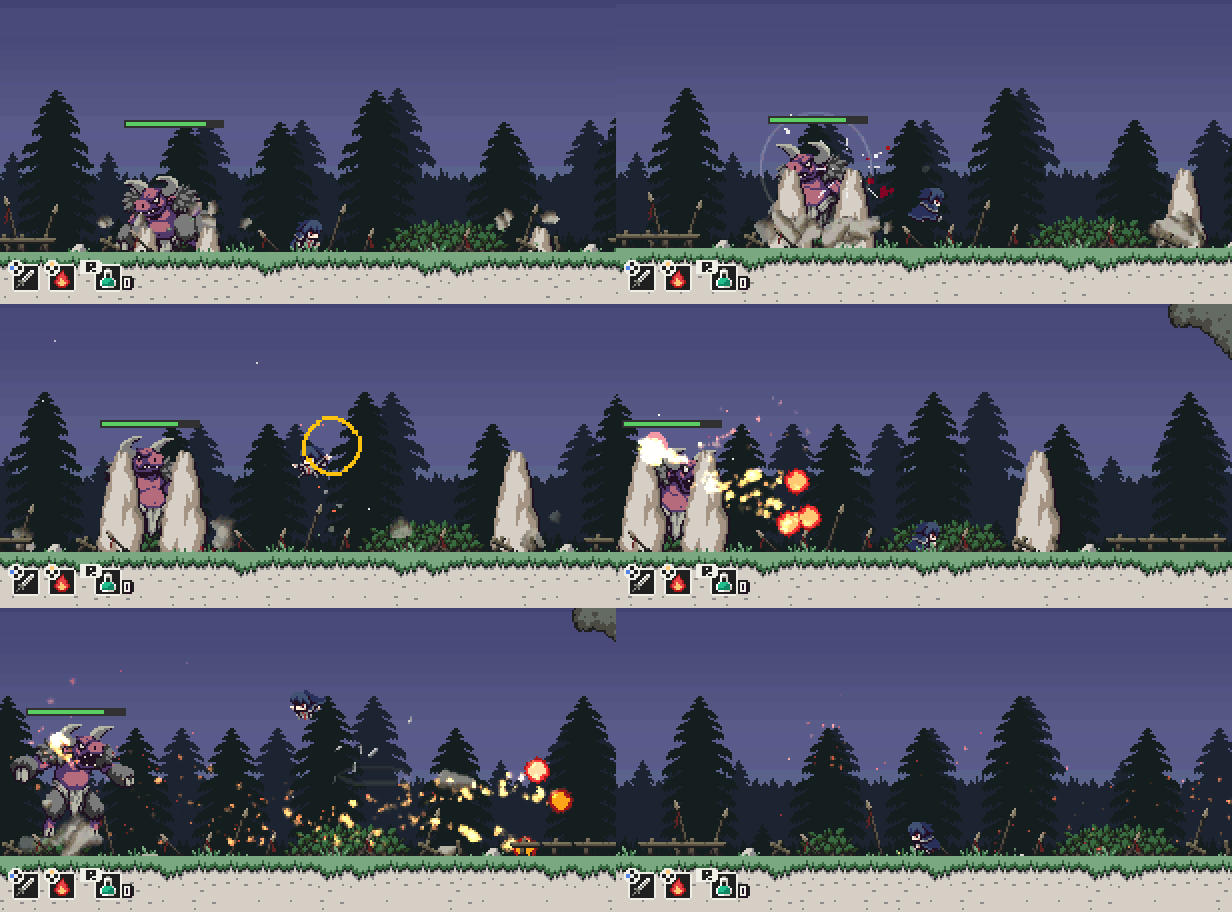
Bull demons summoned from the demon world by Rufus. Their jump and squash attack is powerful enough to raise the ground. Be careful not to get hit by the flames they spit from their mouths.
These are the guys and girls who will be appearing in the game and providing the story with its heart and soul.
We really just can't get over these painstakingly crafted pixel graphics, and we're sure you're gonna dig them, too!
We'll be back soon with more character introductions, so stay tuned!