Big news! Our next big update, "Happy Passengers", is set to arrive on May 21st. We’re really excited for you to see what we’ve been working on.
What’s Coming? Passengers are joining the game! With this new feature, your stations will buzz with activity as you cater to each passenger's travel needs.
To help you manage the flow of passengers, we’re introducing the Survey Office. This new facility will help you keep track of Transport Demands at each station, allowing for better route planning and efficiency.
Fulfilling Transport Demands
Passenger demands will appear randomly every hour, each with a unique starting time, making the gameplay more diverse and challenging. Successfully transport passengers to their destinations within that hour to meet their demands. Regular maintenance of these routes is crucial to keeping your passengers satisfied.
Passenger Choices
Your passengers will choose the quickest routes to their destinations. They'll also transfer between trains as needed, challenging you to design simple and effective routes to accommodate their preferences.
Grab Your Reward!
Complete the new challenge by fully satisfying all passenger demands on a map with the "Happy Passengers" feature turned on. Achieve this and earn a special visual reward—a diamond on top of the usual three stars, signifying your perfect completion. Ready to shine?
We are looking forward to seeing how these new additions improve your gameplay experience. Happy dispatching and see you on May 21st!
In addition to all the exciting features coming with "Happy Passengers", we’re also introducing the Designer's Office. This new facility, available as part of the free update, allows you to create blueprints for contracts which can then be accepted in bulk. It's designed to help streamline and elevate your network design, and customize your contracts exactly to your liking.
As always, remember to join our Discord to take part in conversation, get sneak peeks of upcoming content and more: Yours, Jozic & The Team at Railways Dispatchers Company
FIX: After converting a track to an autoblock, it doe not shows the correct speed color until you hover it again with the track item
FIX: Contract icons in the configuration view was drag-able
FIX: Double-click was sometimes needed in Mac instead of single click
FIX: Improved the game performance by 10 fps
FIX: Set departure time button was opening the upgrades panel even when it's does not have to
FIX: Train timeline sometimes is being shown empty with useless black background
Note: displayed version is 2.0.17.1 as the previous version suffered a build error.
One month after release: Thank you! But, what now?
Hello everyone!
We've been quiet since our game hit the big 1.0 release in February. You might think we've been taking it easy, and you're right, sort of. After all that hard work, we needed a break. But don't worry, the team got right back to supporting the game with updates and fixes, even after a little rest.
If you haven't, remember to check out our exciting release trailer: https://www.youtube.com/watch?v=aipDdgzpyNA
Update 1
A big thank you to everyone who has supported us. Your positive messages and reviews keep us going. We're excited to tell you about Update 1, coming at the end of May. It will be the first big update since the game launched.
We're working hard to keep the game fun and fresh for you. Update 1 will of course include free content and some extra things you can choose to buy. This helps us keep making great content for you without changing too much of what you already like.
So, what's new in Update 1?
Free content, the Designer Office: Now, you can create your custom contracts for trains and stations and save them. This is perfect for players who like to control every detail.
Paid content, the Survey Office: This lets you find out what the passengers at each station need to be happy. It's a fun new challenge for all Endless-mode players.
We can't wait to share more with you soon - thanks for playing, and stay tuned for more updates!
As always, remember to join our Discord to take part in conversation, get sneak peeks of upcoming content and more:
UPDATE: Ad-hoc trains (i.e. detached locomotives) no more require dispatching out of the timetable map to finish it

FIX: Contract failed to load after cloning it
FIX: Loco could not be attached to a train if was provided by a single-loco train + Contract failed (stations omitted) message suppressed in this situation
FIX: Rebinding some actions with compound bindings would get stuck at the second binding
FIX: Regional trains were considered among the trains that got dispatched from the Coach yard which gave the Coach yard achievements even though there is no coach yard
FIX: Shift warning tooltip of the station visit's minus button was not being show properly
FIX: Shunting Command execution was pending on the opposite Shunting Circuit after motionless reverse so the path was either created immediately or never
FIX: Toggle UI binding was moving camera down
FIX: Train reward icon shine effects were being played even when the icon's settings is set to be hidden
Hotfix 2.0.15
PERF: Increased performance when having a lot of Conductor and Dispatcher offices on the map
PERF: Updating of possible destinations & candidate path moved from FixedUpdate to Update not to hang the game if processing many possible paths

FIX: Changing the name of a custom level didnt immidiatly update the name on the current game menu page
FIX: Filter search by mandatory station visit in the contracts page was not working for the Regional contracts
FIX: Sensors on Autoblocks were not triggering from both sides when the 2nd signal was built after the sensor
FIX: Showing a contract in contracts page was clearing the filters even without new filters being applied
FIX: Stabling sensor tutorial might not highlight the clear command button and its train might be dispatched while task waiting for player
FIX: Train bottom bar status text was overlapping when train is at station with a long name
FIX: Trigger by remaining visits option in shunting sensor was being triggered for any station that matches the configured station regardless if it was remained or already visited
Hotfix 1.20.5
NEW: Snapshot Player.log toggle in Debug Panel for easier bug reports

UPDATE: Main menu button was not shown after rush hour wave was finished

FIX: Buttons on victory screens could perform their actions multiple times when clicked multiple times
FIX: Contract Configuration failed if there was a station without sign en route
FIX: Editor did not show trains.txt import errors & terminated the import after the first duplicate
FIX: Endless victory screen incorrectly showed max reached score value
FIX: Escape did not toggle the main menu on endless and timetable victory screens
FIX: Path decoration effect when you make a route or highlight a signal  sometimes started from the opposite direction
FIX: Reward icon tooltip rephrased to match the countdown
FIX: Secondary action did not close victory screens
FIX: Star reward progression bar had transparent backgrounds on threshold values
FIX: System upgrades menu remained visible and active when victory screens where shown
FIX: Tracks in Contract Configuration were not redrawn correctly in some situations
Rail Route - Soundtrack and Music Player available on February 22nd!
Hello Rail Routers!
Last week we announced our 1.0 release date! But besides launching our 1.0 version and the stream with a secret guest (don't forget to set a reminder!) we can now also announce the Rail Route - Soundtrack and Music Player DLC - arriving on February 22nd alongside the 1.0 release!
The DLC will be available in the upcoming Rail Route Supporter Bundle adding a sweet discount on top of the price, for all our dedicated train dispatchers this is a great way to continue supporting Rail Route and it's development!
This soundtrack is the beating heart of Rail Route, a game that requires strategy and focus for its detailed, technical gameplay. The score was written and arranged to bring out the most expression from its stripped-back instrumentation, seeking to capture the experience of sitting in the front row of a recital hall to hear a transporting, emotional performance.

A collection of intimate, neo-classical pieces that encapsulate a sense of focus, calm and balance. Each piece takes you on a journey, flowing and evolving as you travel through icy climates and flower fields, past grand mountains and back home again. The music evocatively and expressively courses forth with sparkling harmony and bold melodies for piano and solo strings.

Track list:

Recollection
Ripple and Roam
From Wanderlust to Dawn
Brittle Omens
Some Tender Echo
Promise Burns Anew
Lower Locus
A Blossom Beyond
By Passage
A Heart Carried Homeward
Additional platforms & services for the soundtrack: https://orcd.co/railroute
Rail Route 1.0 celebration stream with secret guest!
Hello Rail Routers!
📅 Mark Your Calendars: February 22nd - A Red-Letter Day in Rail Route History! 📅
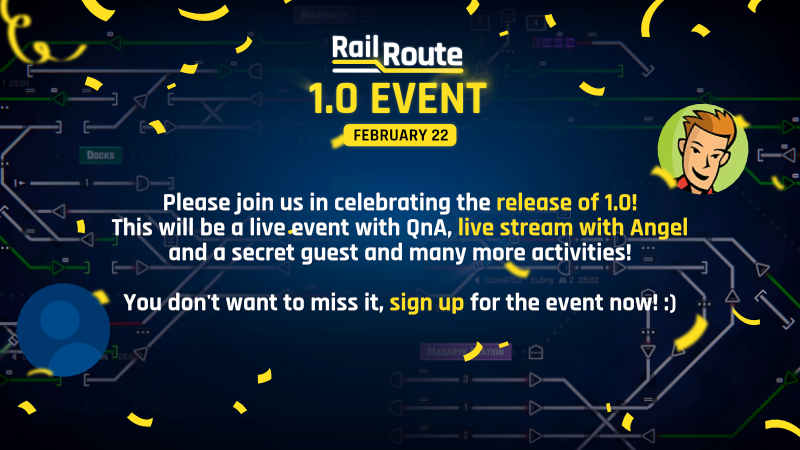
Last week we announced our 1.0 release date - VERY EXCITING! We will celebrate the release of 1.0 with a live stream where Angel and a secret guest will play Rail Route 1.0! There will be a chance to ask questions directly to the devs and the guest.
This is something you don't want to miss! You can just hit the "Set a Reminder" button to be notified when we're live!
So, set a reminder and tune in for a good time with us right here or on YouTube, at 21.00 CET / 12am PST / 20.00 UTC on Thursday, February 22nd!
Before we end today's announcement, there will soon be some hints on upcoming content that you can check out on the Rail Route Discord...
Rail Route 1.0 Celebration stream with secret guest!
Hello Rail Routers!
📅 Mark Your Calendars: February 22nd - A Red-Letter Day in Rail Route History! 📅
Last week we announced our 1.0 release date - VERY EXCITING! We will celebrate the release of 1.0 with a live stream where Angel and a secret guest will play Rail Route 1.0! There will be a chance to ask questions directly to the devs and the guest.
This is something you don't want to miss! You can just hit the "Set a Reminder" button to be notified when we're live!
So, set a reminder and tune in for a good time with us right here or on YouTube, at 21.00 CET / 12am PST / 20.00 UTC on Thursday, February 22nd!
Before we end today's announcement, there will soon be some hints on upcoming content that you can check out on the Rail Route Discord...
Rail Route Update 20: Enhancing Your Railroad Empire
Hello Rail Enthusiasts!
We're thrilled to announce the new Update 20. Today, we're pulling into the station with some exciting news that's bound to make your railroad management experience even more thrilling. As always, don't forget to hop on board our Discord community to stay in the loop and connect with fellow rail enthusiasts and our dedicated dev team!
Rail Route 1.0 arriving on February 22nd!
Don't miss out on our epic LIVE stream on our Steam page, where I'll be joined by a special guest. And it’s more than just a launch; this will be a grand celebration of our shared passion of trains.
Now, let's embark on this journey and explore what's new!
Improved Contract Configuration: Precision is Key
In Rail Route Update 20, we've fine-tuned the contract configuration process. A new algorithm takes the reins when you accept a contract, ensuring your railroad schedules are as precise as ever. This updated system calculates routing for intermediary stations based on your existing tracks, taking into account actual track speeds. Platform selection is now streamlined, with pre-selection based on search results.
But that's not all! If the algorithm encounters any hiccups along the way, it falls back to the original one, highlighting problematic segments with dashed lines. Our aim? To boost accuracy and make contract scheduling smoother than a well-oiled locomotive.
3rd Star Reward for Endless Mode: Reach for the Stars
Ever felt like something was missing on your endless railway journeys? Well, we've got just the ticket for you! While you could earn 2-star awards on endless maps before, one for red traffic and one for green traffic, the elusive 3rd star remained out of reach, until now.
With Update 20, you can now aim for that coveted 3rd star on endless maps as well! To unlock it, you'll need to reach a certain score threshold. But here's the twist – you can configure this threshold in your custom maps. Just head to the system upgrades menu, where you can also set the thresholds for the red and green stars.
Hover over the score at the top of your screen, and you'll find your progress toward earning that 3rd star next to the cycle report. And yes, you guessed it right – endless leaderboards and contests are on the horizon!
Victory Screen for Endless Mode: Celebrate Your Triumphs
Victory screens have been a hit in Rush Hour and Timetable modes, and now, endless mode joins the celebration! When you earn a star on an endless map, a panel on the right side of your screen will notify you of your achievement.
You can choose to simply hide this panel or view details, which will open the victory screen. On this screen, you'll see how many stars you've earned and how close you are to unlocking the remaining ones. Want to check your progress at any time? Just click on the score at the top of your screen.
Shunting Trains Visualization: Keeping Things on Track
In this update, we've given our trains a fresh look and enhanced their visual cues. Trains now clearly indicate their travel direction. But that's not all – trains in shunting mode sport a different appearance, making it easy to identify which trains won't stop at stations or be handled by sensors because they are currently shunting.
Particles and Animations: A Visual Treat
If you've enjoyed the particle effects and animations while configuring contracts, you're in for a treat! Update 20 introduces more dazzling effects across the game. From tracks to sensors and signals, these effects not only enhance the game's aesthetics but also provide clarity on the elements you're interacting with.
Improved Sounds: A Symphony of Rails
We've fine-tuned the soundscape of Rail Route. Different train types, like Com, IC, Reg, Freight, and Urban, now have distinct sound variations. Train sounds are intelligently positioned based on your zoom level and time speed, immersing you in the railroad experience. Plus, we've added new sounds for the victory screen – a harmonious reward for your achievements.
With Rail Route Update 20, we're excited to bring you these enhancements and more. Join our Discord community to share your experiences with this update and stay tuned for more exciting developments in the world of Rail Route.
Until next time, keep those trains on track and your railways running smoothly! - The Rail Route Team
Full Changelog
NEW: Added 3 new music tracks
NEW: Added 3rd star reward for endless maps based on total amount of trains per cycle
NEW: Added star progression indicator to endless cycle report
NEW: Added tooltip to inventory amount editor on building buttons in map editor
NEW: Contract Schedule computation determines passed stations according to existing layout
NEW: Contract Schedule computation determines travel times according to tracks speed
NEW: Contract Schedule computation falls back to original search if some stations not connected (visualized by dashed line)
NEW: Contract Schedule computation finds fastest instead of shortest path
NEW: Contract Schedule computation in Editor determines passed stations & travel times according to existing layout when schedule recalculated
NEW: Different sounds for different train types
NEW: Fullscreen victory screen with star rewards can be shown on endless
NEW: Game Over sound
NEW: More visual effects for the board items
NEW: Punch animation on clicking a an item on the board
NEW: Route decoration particles on highlighting a manual signal
NEW: Station search in Debug Panel

UPDATE: Highlighting an auto signal that has a queued route will not only highlight the destination track but also the whole path on the way
UPDATE: Increased color of inactive perpetual circuit icon to be better visable
UPDATE: Localizations (cs: achievements; de: achievements, research; en: achievements; es: achievements; fr: achievements, research, ui; hu: achievements, research; it: achievements; ja-JP: achievements, research; ko: achievements, research; nl: all; no: achievements, ui; pl: achievements, research; pt-BR: achievements; pt: achievements; ru: achievements, research; sv: achievements; zh-HK: achievements; zh-Hans: all; zh-Hant: achievements; exports_pl: achievements)
UPDATE: Reduced thresholds for when endless stars are awarded for red and green traffic
UPDATE: The cross button in task panel now have a text which indicates that you can end the tutorial by clicking on it
UPDATE: Trains in shunting mode now have different sprite on locomotive

PERF: Contract Configuration view initialization spread to multiple frames to prevent single big lag

FIX: Bottom bar for train with rejected contract was still shown after rejecting the contract
FIX: Entering WASD values in shunting track configuration field would move the camera
FIX: Input fields required two clicks to lose focus after typing in them instead of just one
FIX: Map completion indicator in menu did not update after receiving stars
FIX: Perpetual circuit was not being refunded when its signal gets bulldozed
FIX: Shunting / Stabling Sensor train composition condition was ignored when no destination was selected ('other destinations' rule)
FIX: Signals that were hidden under the lock sign were clickable in the tutorial
FIX: Some station signs where having a black text instead of white in buy mode which made it hard to read
FIX: Switches was not being allocated in buy mode
FIX: Task tooltip shake effect was too much aggressive in the tutorial
FIX: Train in shunting mode was not disposed by Coach Yard
FIX: Trains arriving within a minute aftter their scheduled arrival were marked as delayed on the train bottom bar schedule
FIX: Unlocking auto accept trains upgrade does not enable auto accept trains toggle until the station configuration view is closed and opened again
FIX: Endless mode map completion screen could be shown on timetable and rush hour maps by clicking the score