

Rail Route
Czech & Slovak Games Week 2023
Every year on the 17th of November, Czechia and Slovakia celebrate national holiday in honor of the events of 1939 and 1989. The Day of the Struggle for Freedom and Democracy is primarily linked to the year '89 and the so-called Velvet Revolution, which marked the peaceful transfer of power and the advent of democracy. It represents the beginning of free entrepreneurship in our countries, including the gaming scene, which gradually developed during the 1990s to its present form.
Situated in the heart of Europe, Czechia and Slovakia may be small countries, but the local gaming scene punches well above its weight! Join us in celebration of Czech and Slovak game developers, and the plethora of games they’ve brought to this world!
As a studio in the Czech Republic, we are proud to be part of the annual Czech & Slovak Games Week with so many other fantastic studios and great games.
Rail Route received Update 17 last week, finally adding the long-awaited feature shunting. This week we recommend you to try it out on our Prague map, to celebrate this very special week. Go dispatch some trains!
And as always, share your feedback:
https://store.steampowered.com/app/1124180/Rail_Route
https://store.steampowered.com/app/1896900/Rail_Route_The_Story_of_Jozic/
Hotfix 1.17.13 & 1.17.14
NEW: Train schedule is shown when hovering visit in station info panel timeline

UPDATE: Bigger tunnel connector sprite
UPDATE: Stock endless maps updated (more space for yards)

FIX: Closing contracts menu would leave black artifacts behind from station signs for a short time
FIX: Contracts menu did not switch to correct tab when showing specific contract
FIX: Edit contract keybind closed active contract focus view when different train was clicked
FIX: Incorrect duplicate tooltips on editor checklist items
FIX: Player was forced to wait for Jozic to stop talking until he can close the station panel in the auto accept trains chapter
FIX: Wrong sound position when station sign clicked on UI
Hotfix 1.17.14
UPDATE: Dock station info panel subtask in the tutorial has been removed

FIX: Incorrect string format for chinese localization of reuse shunting command time
FIX: Localized text on upcoming trains and train bottom bar was not updated directly after changing game language
FIX: Non bulldozable items could be bulldozed when clicking just after deselecting an item on the board in bulldoze mode
FIX: Subtask hint icons being displayed under the system upgrades panel
FIX: Subtasks hint keybinds in the system upgrade panel were confusing for the gamepad
FIX: Train names where not localized when loading a save with a different localization active or changing the localization in game
Hotfix 1.17.12
NEW: Collect upkeep each cycle for Shunting Track and Stabling Sensor

UPDATE: Increased minimum default ui scale for smaller resolutions
UPDATE: Localizations (zh-Hans: research, tutorials, ui; no: ui)
UPDATE: Reg train Intermission now measured from arrival to departure (was: from departure to arrival), making leg's last stop and next first stop be included in intermission - their lenght now does not matter. Brings better stabling platform allocation visualization and earlier leg switch possibility.
UPDATE: Upkeep rebalanced for Shunting Circuit (1000), Shunting Track (2000), Stabling Sensor (4000) and Coach Yard (10000)

FIX: CycleBalance.Upkeep was not saved
FIX: Lists with filters were not cleared when filter was modified to unmatching string (no result expected) while the list was still being loaded
Revamp Your Rails: Update 17's Game-Changing Shunting!

Great news for all rail network enthusiasts – Update 17 has officially pulled into the station! It's crammed with enhancements that will redefine how you manage your railways. But before we dive into the buffet of new features, take a moment to join our Discord community. It's the perfect place to chat with fellow members and the devs, share your insights, and maybe pick up a few pro tips along the way!

Now, let’s get to the good stuff.
Shunting: The New Era of Train Control
Shunting is not just moving trains around anymore; it’s about smart automation and precision. Queue shunting commands and watch your trains follow orders flawlessly with the help of the newly introduced shunting circuit. This innovative feature breathes new life into your control strategies.

To understand how this elevates your gameplay, let's delve into the mechanics: When a train with any shunting command queued approaches an auto signal with a shunting circuit attached, the system kicks into high gear. The first command in the queue is executed with pinpoint accuracy—whether it’s routing to another signal, stabling into a designated tracks group, or making its way back to the platform to prepare for the next leg of its journey. And this is just the beginning. With the next update, we're gearing up to expand the list of commands even further, including the ability to attach or detach locomotives, enhancing your control and customization options even more.

Multi-leg (Regional) Trains Automation
With the hustle and bustle of your growing network, platform space is gold. Update 17 allows you to automate the intermissions of regional trains more effectively, "shunting" them to stabling areas to keep your network flowing smoothly.

Shunting Track

The update introduces Shunting Track Groups, a practical tool for organizing your rail yard. You can now group several tracks together into what is known as a 'Stabling Group.' With this feature, you can issue a shunting command for a train to move directly to one of these groups, which optimizes train dispatching and yard management, making your rail operations more efficient.

Stabling Sensor

The Stabling Sensor allows for automatic command execution for trains that finish their leg at sensor-equipped platforms. Set up commands to manage end-of-line procedures, ensuring trains are directed to the correct facilities or prepared for their next service without manual intervention.


Improved Contracts Planning
Your operational clarity just got a significant boost! The overhaul in contract planning now displays every stop in a train's journey, enriching your station timelines and simplifying routing sensor configurations.
All Stations Inclusion
The updated system now includes all stations on the train's path within the schedule, granting you visibility of your train at every station it traverses. This comprehensive overview ensures that no part of your network is left unchecked and enhances your ability to monitor and manage the station platforms.

Add/Remove Waypoint
With the ability to add or remove waypoints in your train's schedule, you're given complete control over the route configuration. Each modification automatically recalculates the route and adjusts the rewards, providing a dynamic and responsive planning experience that adapts to your strategic changes.

Building Made Better
The build menu has received a facelift. Enjoy an enhanced, neatly categorized bar that promises a more organized and accessible construction process.

A Clear View of Offered Contracts
Keep an eye on potential business with the new Offered Contracts panel, conveniently located for easy access and better decision-making.

Streamlined Sensor Configuration
Configuring sensors is now an integral part of your layout planning. This direct approach is set to minimize confusion and enhance your dispatching flow.

Music to Your Ears – Or Not
Need to focus? The new music configuration option mutes all game music when Rail Route is not the active window. Stay in control, even when you're multitasking!

We hope you're as excited about these updates as we are. For a deep dive into the new features, join our community on Discord and let us know how these changes are shaping your Rail Route experience. See you next week for more behind-the-scenes insights!
Until next time, keep the switches switching and the locomotives rolling!
-The Rail Route Team
Full Changelog
Notable Additions
- A hint in the station configuration view about not getting red contracts for stations that are without a dispatcher office
- Added hint for changes to trial contracts
- Added offered contracts panel
- Arrival sensor configuration view
- Build dispatcher office narration hint on unlocking a red contracts upgrade
- Coach Yard can dispatch individual trains as ECS
- Departure sensor configuration view
- Full schedule! All stations en route included in trial train schedule
- Full schedule; Add & Remove waypoint actions to set up own route
- Full schedule; Finished trial train indicates delayed / faster run to schedule & requests schedule modification
- Full schedule; Trial train departs at scheduled time or after ShorterPossibleStop & commuter trial trains stop at scheduled stations only as the schedule is pre-configured
- Particle effects when build bar is opened
- Reuse icon in the regional train label when it is waiting for next leg train
- Routing sensor configuration view
- Shunting Track building added to facilitate assigning tracks to Shunting Group; target of 'Go to Shunting Group' shunting command.
- Shunting commands introduced to control stabling of regional trains and turning the locomotive around the train
- Shunting commands mini tutorial
- Shunting commands upgrade & Shunting Circuit building item
- Shunting queue displayed in focus view with shunting commands placed in front of signals they command the train to
- Stabling Sensor building added to facilitate automated assigning of shunting commands to trains requiring shunting (e. g. Reg trains during their intermissions)
- Stabling sensor mini tutorial
- The game mutes audio when not in focus
Notable Updates
- AcceptContractTask now have a subtask to adjust the Bubny's station visit's platform
- All core Endless maps updated to be more open (part 1)
- Background color of some buttons and checkbox made brighter for better visibility
- Better animation at the start of offered / active contracts views
- Building buttons on bottom bar for recently installed upgrades show animation when first shown
- Building item texts refined
- Changed building bottom bar visuals
- Coach Yard Automation upgrade discarded. Coach yards are capable of automation once built.
- Coach Yard price increased to 50000 + upkeep of 5000 per cycle introduced; it is an end-game building
- Coach Yard stables instances of trains, not only counters. Reg train is always dispatched from CY where previous leg was stabled.
- Configuration 'Paste all' button now copies configuration of currently edited sensor to neighbours instead of config in clipboard
- Contract connector bends over autoblocks or tunnels en route instead of short-cutting them
- Currently edited train has different color in Station Timeline
- Currently edited train shown on board in contract configuration and shunting focus views
- Improved visuals for checkbox hover states
- Improved visuals for toggle button hover states
- Improved visuals of station visit panels in contract planning
- Increased size of small buttons
- Increased targeted framerate for slow loading operations
- Localizations (ja-JP: tutorials, ui; nl: research, tutorials, ui; no: research, tutorials, ui; zh-Hans: research, tutorials, ui)
- Money not refunded when item grabbed and not charged when rebuilt. Refunded only when rebuild is not possible.
- Music intensity is rewarding players that do not switch time or pause
- Overlapping visits in the station info panel timeline are now marked to indicate a conflict
- Renamed some columns on active contracts panel and replaced train type text with icon
- Right mouse can be used in Focus Views to move the map without closing the view
- Selected Train is shown in Contract configuration Views
- Sensors mini tutorials have been updated to use the new sensor configuration focus view
- Stabling Sensor triggers also for Com and IC trains ending in Coach Yard
- Station Info Panels that were deliberately opened in focus view will be closed with the focus view once it get closed
- Traffic types (Through and Oneway) renamed to just 'Green' and 'Red'
- Train in intermission timeline: 2nd station of next leg displayed for easier decisions
- Trial train failed narration has been updated
- Updated hints modal to be fullscreen panel in new UI style
Notable Fixes
- Build buttons without editable inventory amount where not shown inline with other buttons
- Build mode could not be opened in timetable maps with inventory enabled
- Build mode is not closeable at the beginning of the tutorial
- Buttons on station info panels in contract adjustment focus view moved up when hovered
- Contract connector & topology search allowed orthogonal connection to autoblocks without signals
- Departure sensors that were saved with null connection using the old configuration method were not configurable
- Filtering stations list in editor while in platform placing mode resulted in broken platform placing
- First train chapter in the tutorial was failing if the time was paused before 08:00 in the previous chapter
- If the mouse was at a ui item and you clicked something on the keyboard, the mouse clicks were not working until you move the mouse a bit
- Jozic says gain 5 green points in for the auto accept trains upgrade while it actually costs only 3 points
- Keybind without dedicated icons fallback text sometimes contained "Press"
- Map item animation kept repeating when hovering mouse near edge of map
- Middle click were opening configurations where moving map
- Modals during story and upgrade tutorials did not hide other UI and menu button bindings would still trigger
- Open focus view subtasks in the tutorials could be fulfilled by opening the wrong focus view
- Opening the options menu for the first time lagged the game
- Performance issues in contracts panel
- Red and Green system upgrades menu pages where not lined up on the same position
- Regional trial trains were not auto-dispatched from Coach Yard
- Score panel is not being hidden once a victory screen is shown in the timetable
- Sending the train in the run trial train task out of the map led to a narration to be played twice
- Sensors were buildable at the autoblocks' end points
- Small track pieces where barely or completely invisible when highlighted as routing destinations
- Smart formatting was not applied in some places.
- Story prompt to play wakefield map didnt hide UI to focus on prompt and menu button bindings could still be activated
- Switch was not reset to track after the track was extended
- System upgrade menu button remained highlighted when closing upgrades menu in editor
- System upgrade menu did not open in editor when level was timetable mode
- The subtask done marks on the board overlap with the train label and with each other
- Tier unlocked popup referred to 'green' even if red tier was unlocked in languages with different pluralization to English
- Time speed was capped to last time speed value even if previous value had higher value
- Tool tip of the system upgrade button "Install first" does not actually says what should be installed first
- Tooltips where being hidden whenever some component that also has a tooltip was destroyed
- Train types in CY were hidden according to first loaded map / save after game start
- Urban train was not able to enter CY before accepting or rejecting contract condition
https://store.steampowered.com/app/1124180/Rail_Route
https://store.steampowered.com/app/1896900/Rail_Route_The_Story_of_Jozic/
Update 17 on Unstable: Dive Deep into Shunting! 🚂
And, guess what? We want YOU to try it with us! How to join?
- >> Join Discord <<
- Check #unstable-version channel
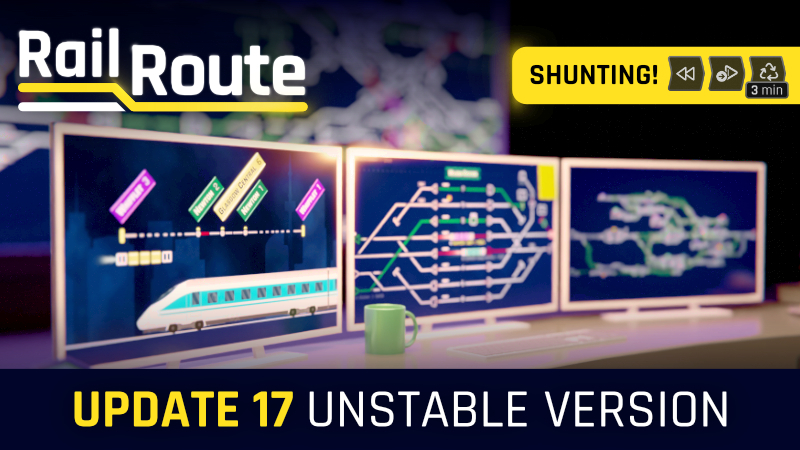
Update 17 - Core of Shunting
This update lays the foundation for new game mechanics aptly titled "shunting commands". Now, you can queue various commands for a train, which are executed as the situation allows. To access this new feature, simply enter the train's queue configuration view.
Multi-leg (regional) trains automation
We're putting the spotlight on regional trains. Initially, letting trains sit on platforms during their intermission is all well and good. But space is a luxury, and as it dwindles, shunting trains to stabling areas becomes imperative.
Shunting Commands
We're rolling out these shunting commands to keep your trains in tip-top shape:
- Go To Signal: Directs the train to a specific signal.
- Go To Shunting Group: Sends the train to a designated shunting group.
- Go To Platform: Routes the train to a chosen platform.
- Reverse: Reverses the direction of the train.
- Reuse Command: Switches the train to next leg

Shunting Circuit
For the commands to work, you'll need the all-new shunting circuit. Build it next to any auto signal, and when a train with shunting commands halts in front of that signal, the circuit will kick into action and execute the next command in line.
Shunting Track
Introducing the Shunting Track – a place where trains can take a breather. Position it on any track and assign it to a group using a letter. Then, with the Go To Shunting Group command, guide multiple trains to the designated shunting tracks in the group.
Stabling Sensor
Thinking about how to automatically bestow shunting commands on a train? The Stabling Sensor is your answer. Installed on platforms, it equips any train ending its leg on that platform with pre-set commands.
What's Next in Shunting?
This isn't the end of our shunting journey. Future updates will see us expanding on this framework, introducing even more commands and scenarios. For example, detaching locomotives and shunting them to the opposite side using a turn-around sensor. We're confident this sets the stage for a series of exciting developments.
Improved Contracts Planning
Here's a biggie: a complete overhaul of contract planning. Rather than just showing Origin, Mandatory, and Destination stations, you'll see every stopover in between. This will bring clarity to station timelines and make routing sensor configurations even more intuitive.
Adding/Removing Waypoints
The system now calculates the shortest route for contracts, but you're not stuck with it. Need to change course? Simply add waypoints, and the train's route adjusts in real-time.

UI & Sensor Configuration Enhancements
In line with our commitment to UI improvements, sensor configurations have been relocated directly within your layout. This ensures a more seamless experience. We've also revamped the Routing Sensor configuration based on feedback, allowing for a more logical approach to station connections.

Improved Build Menu
Yes, we acknowledge our recent build menu didn't quite hit the mark. But as we've always maintained, iterative refinement is our mantra. Feast your eyes on the revamped visuals; we're sure you'll find them much more appealing!
Offered Contracts List
Your wish is our command! Want a consolidated view of all offered contracts? We've got you covered. The Offered Contracts List is now handily positioned next to active contracts, all a click away from the main navigation button.
Thank you for journeying with Rail Route. We're excited to see how you leverage these new additions. If you appreciate our never-ending effort to improve and enhance the game, please consider leaving us a review. Your feedback not only helps us grow but also brings more rail enthusiasts into our community. Join the conversation on our community platforms for the latest updates and discussions.

Until our tracks cross again next time, keep the trains running!
-Angel
https://store.steampowered.com/app/1124180/Rail_Route
https://store.steampowered.com/app/1896900/Rail_Route_The_Story_of_Jozic/
Hotfix 1.16.16
UPDATE: Localizations (zh-Hans: research, tutorials, ui; nl: tutorials; no: tutorials)
UPDATE: Repeat narration time of gain green points in the UnlockMoreOfferedContractsTask is now 240 sec instead of 30 sec

FIX: Regional Trains Stabling upgrade did not mention that it unlocks Coach Yard building
FIX: Smart Format did not work for some localized texts in some languages because Smart Format Tag was not set. Migrated to shared metadata.
Hotfix 1.16.15
UPDATE: Default UI scale updated to accomodate Active Contracts without horizontal scrollbar
UPDATE: Localizations (nl: tutorials, ui; no: tutorials, ui)
UPDATE: More upgrades are now allowed to be unlocked in the demo of the story of Jozic
UPDATE: System upgrade description now only auto scrolls when a pointer device is not in use

FIX: Departure & Routing sensor did now work when its platform / autoblock did not have signal at both ends
FIX: Elements with auto-hiding scrollbars where invisible or cut-off in some scenarios
FIX: Info panel section scrollbar overlapped info panels content
FIX: Locked state of info panels was not saved
FIX: More offered contracts upgrade requires 20 green points while the task in the tutorial asks you to get only 2 points
FIX: Reg contracts never stopped at first leg origin
FIX: Reusing the train inside an auto block led to its crashing with itself
FIX: Scrolling was disabled when it should not be
FIX: System upgrade descriptions where cutoff when switching between upgrades with different description lengths
Note: Version 1.16.14 contained a critical bug and was skipped.
Celebrating Code & Rails: The Marseille Express Challenge
Choo-Choo-Choose Your Challenge!
To commemorate our recent rollout of Update 16, we're thrilled to introduce an all-new contest that not only challenges your railway management skills but also your optimization talents. It's set in the gorgeous backdrop of Marseille, France. The scene is alive with the vibrant energy of the bustling Mediterranean port, chugging engines, and lively stations, waiting for your command.
Two Stars, One Objective!
Here's the deal: The contest revolves around achieving two stars — one in green and the other in red traffic (30/30). But the twist? You've got to do it in the least amount of cycles possible. Whether you're someone who finds joy in crafting intricate railway systems, an aficionado of the locomotive world, or simply someone who thrives on intense challenges, this contest has a little something for everyone.
Why Join the Fun?
Well, besides the sheer joy of mastering your rail network, this contest offers a unique opportunity for every Rail Route enthusiast:
Showcase Your Skills: Let your strategy shine among the community.
Learn & Adapt: See how others tackle the same challenges and refine your approach.
Special Recognition: Winners will be spotlighted and getting a key that you can give to a friend that should experience all the fun with Rail Route!
How to participate?
Share your entry in the #contest channel on the Rail Route Discord.
Mark Your Calendars!
The contest chugs off today and runs until Tuesday next week (October 3rd to October 10th). So, dust off your dispatcher's cap, rev up your optimization engines, and get ready to embark on the ultimate railway journey.
And remember, in the world of Rail Route, it’s not just about getting from point A to B, it's about doing it with finesse, strategy, and a dash of railway magic!
Ready to take on the challenge? All aboard The Marseille Express, and may the best dispatcher win!
Link to map: https://steamcommunity.com/sharedfiles/filedetails/?id=3044719682
And remember to stay connected:
https://store.steampowered.com/app/1124180/Rail_Route
https://store.steampowered.com/app/1896900/Rail_Route_The_Story_of_Jozic/
Hotfix 1.16.13
UPDATE: Improved the fluency of the tutorial, chapters do not pile up anymore and the timing of the chapters activation has become more effective
UPDATE: Localizations (nl: tutorials, ui; no: tutorials, ui; zh-Hans: ui)
UPDATE: Tier progression bar current value indicator now shows left of current value instead of right
UPDATE: Unlocking all tiers either by debug menu or by hint menu will make sure that you have at least 3 red points to be able to progress in the red category

FIX: Automation was not triggered when sensor was built at the track end (e. g. after speed was upgraded in segment ending just where the sensor is)
FIX: Autosaves after cycle end were corrupted because saving happened in mid-state
FIX: Autosaves created when cycle starts were not cleared
FIX: Backward compatibility for saved WaitForDepartureSubTask when it's saved in a broken state
FIX: Description of dispatcher office was misleading
FIX: Rush hour get stuck when a train times out
FIX: Table sorting header interaction area did not match text size
FIX: Trains were spawning from 00:00 when Endless map contract prototypes had times < 8:00
Hotfix 1.16.12
UPDATE: Coach yard imbalance calculation will now ignore regional trains
FIX: CheckTimetableSubtask was not being done when the first upcoming train arrives
FIX: Create route subtask from Bubny to Docks in tutorial was also fulfillable by creating an opposite route which is wrong
FIX: NPR in tutorial when a subtask is loaded and tries to get research that depends on the system upgrade menu being created
FIX: No sound played and system upgrade button was not toggled when opening system upgrades from a button that is locked by an upgrade
FIX: Red upgrades where not accessible with ignore tiers option enabled
FIX: Sensors tutorials get stuck if one of the trains left the map
FIX: Shine effect in the SystemUpgradeContextPanelView when unlocking a new upgrade is not being hidden properly
FIX: Station names where overlapping buttons on sensor configuration panels
FIX: Station sign backgrounds where visible over active contracts panel sorting bar
FIX: Story illustration english text missing 'a'
FIX: System upgrade context panel could overlap menu buttons because it was too tall
FIX: WaitForDepartureSubTask was not being fulfilled in the Accept new contract chapter in tutorial