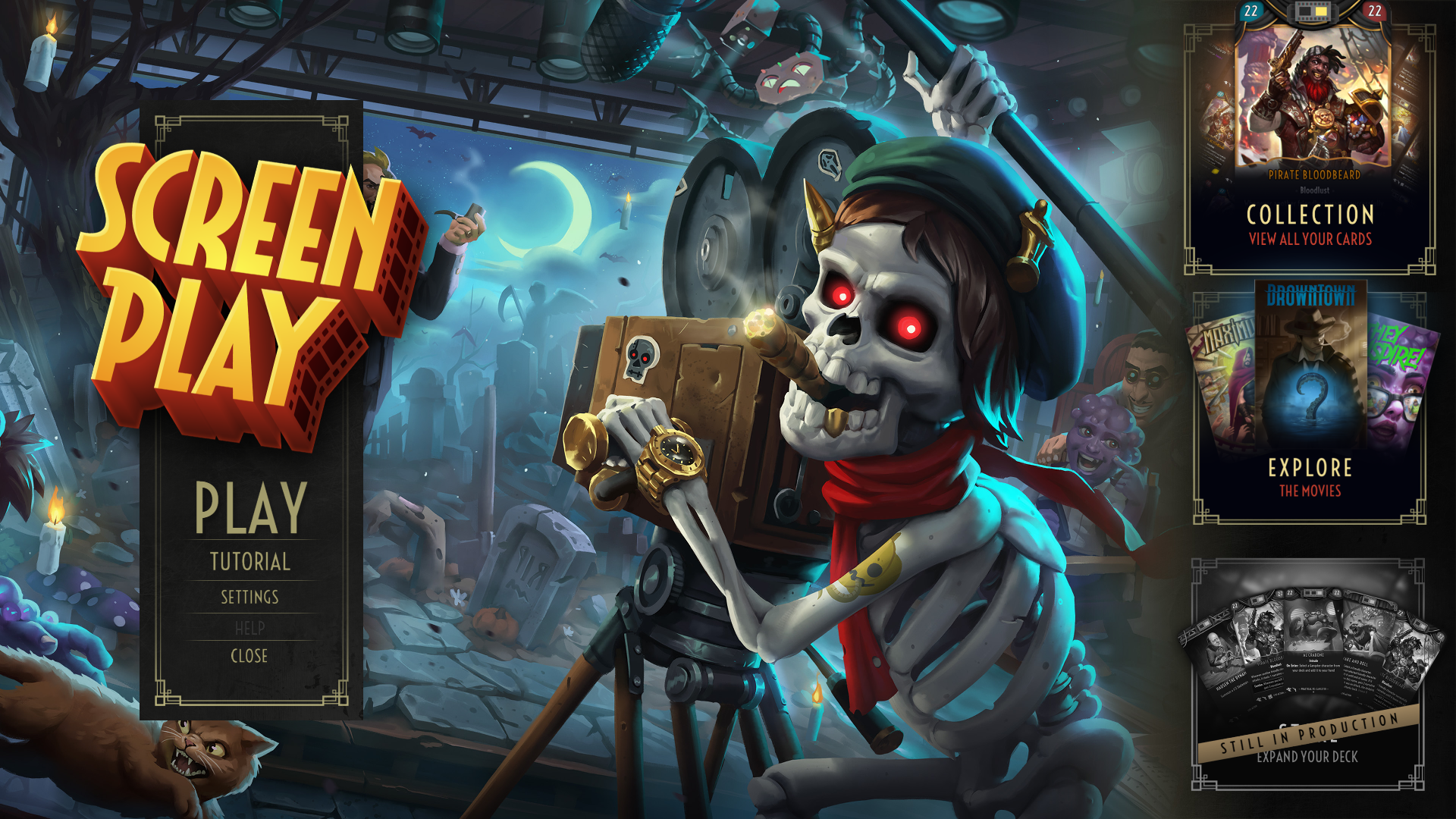
We're making ScreenPlay more accessible than ever!
Gone are the days of waiting for keys. Now, accessing our playtest is as easy as clicking a button on our Steam store page. It's a simpler, more straightforward way to dive into the world of ScreenPlay.
What's Changing?
Easy Access: If you have a Steam account, you can instantly join the ScreenPlay playtest. Just click the Request Access button on our Steam store page.
Unified Experience: Though Steam categorizes the "ScreenPlay playtest" as a separate application, you won't notice any difference. You can use the same account, keep your existing decks, and play with friends just like before.
Existing Users Unaffected: If you've already joined ScreenPlay through a key, nothing changes for you. Your gameplay experience remains the same.
Feel like sharing the fun? It's easier than ever to invite friends to join you on ScreenPlay. Simply share the Steam store page link with them, and they can hop in and join the playtest instantly.
Update 27.3
Thanks for sharing your concerns and feedback. In this update, we've fixed several issues:
No more interruptions when transitioning between two music themes.
Simplified the process of selecting decks and inviting friends to a match.
Removed the timer's debug output from online matches.
Updated tooltips for better clarity on tropes and character targeting.
Update 27.2 Rolls Out
After closely observing the initial reactions and feedback from our streaming community, we've implemented some practical changes to enhance the gameplay. Here are the details:
New features
Gameplay Timer
To prevent lengthy turns and maintain the flow of the game, a timer has been added that caps the duration of player actions during a turn. This is a staple in many CCGs, and we're glad to integrate it into our game as well.
New Scene Indicator
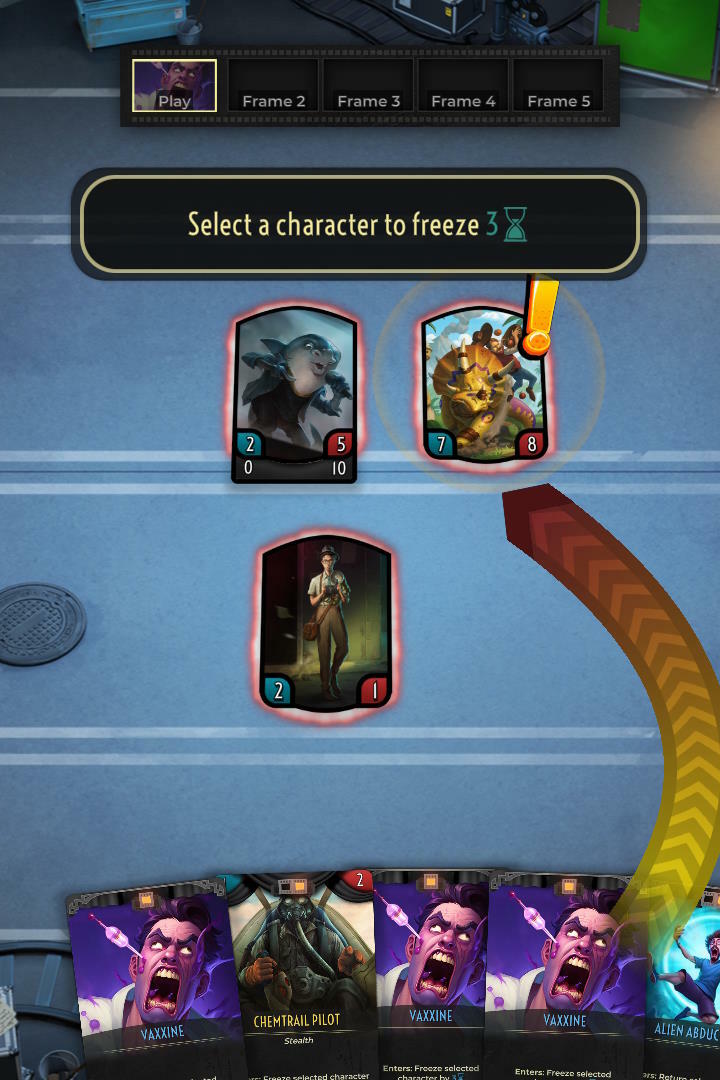
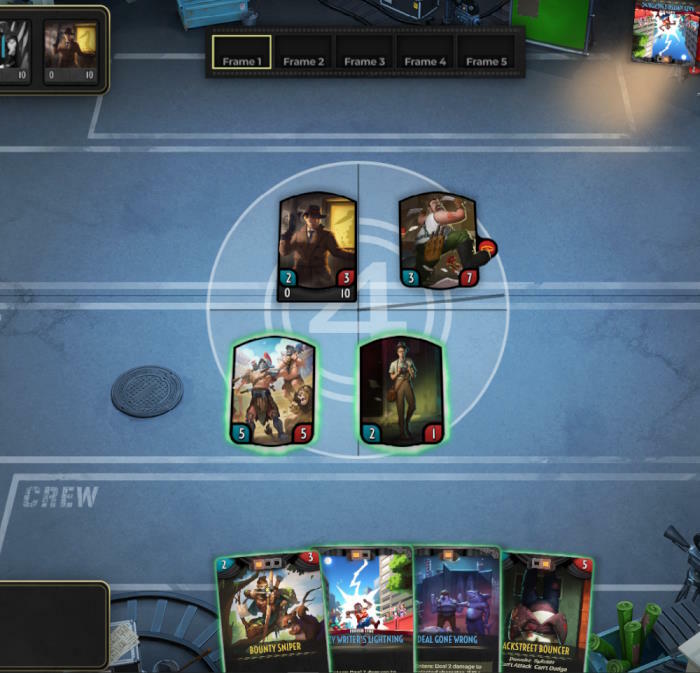
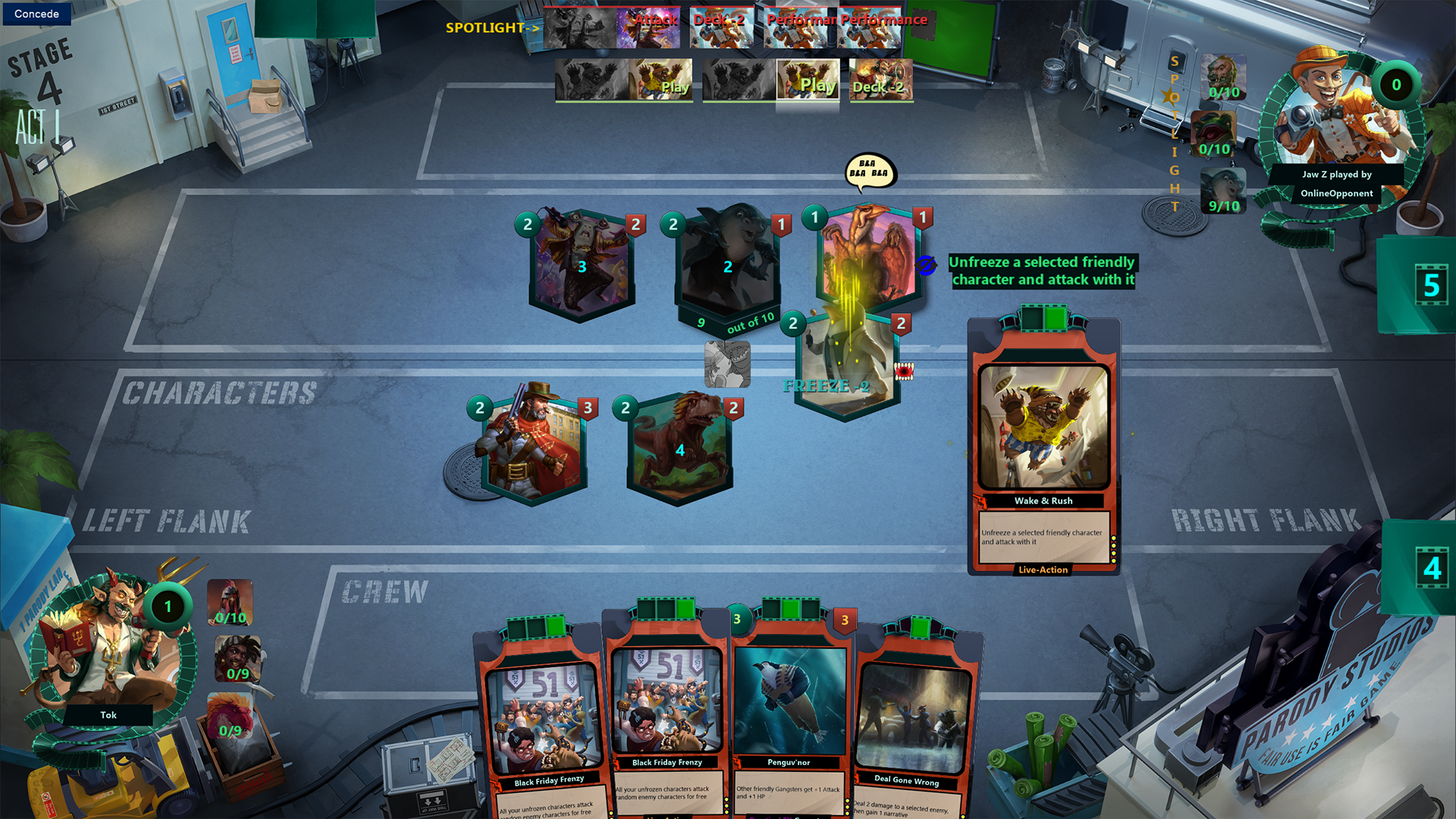
To improve gameplay clarity, we've added a simple animation that signals the start of a new scene, where players can play cards and make moves such as attacks, dodges, or performances.
Combo Mechanics UI and VFX
We've added tooltips and new visual effects to help you track combo checklists on certain cards more easily. These features will notify you clearly when a combo is successfully activated following the designated actions.
Also, when you hover over a card with a combo mechanic, the combo checklist will now appear on the left side, simplifying the process of tracking the combo status of that card.
Bugfixes
Card Artwork Loading: The artwork on cards should now load correctly every time, without any hitches.
General Gameplay Smoothness: We've worked on the backend to reduce the occasional game slowdowns, offering a more fluid gaming experience.
Camera Shift Bug Resolved: Addressed an issue where the camera would randomly shift during a match, providing a steadier visual experience.
Tutorial Bugs Fixed: Ironed out several bugs in the tutorial for a smoother introduction to the game.
We appreciate your ongoing support and are constantly working to refine your gaming experience.
Happy movie-making!
27.1 is here!
New reel
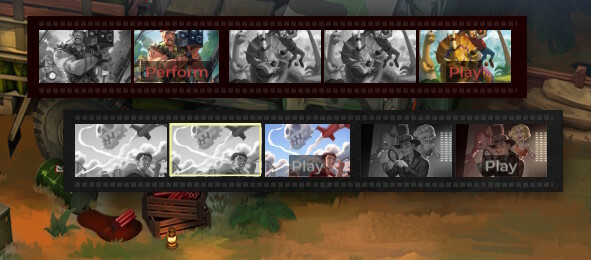
Discover our revamped film reel: visually stunning, effortlessly readable, and incredibly intuitive. A clear, organized display ensures seamless gameplay and easy label identification.
Bugfixes
"Lethal" attack now respects "Block".
"Provoke" no longer nullifies 'Can't attack' keyword.
Intricate character abilities, as with Rap Battle Host and Conniving Carnivore, are fully compatible with Area 51 Salvager and Sudden Reveal.
Fixed game crash when running at 720p. Thanks to player @berrych3wy for the report.
The performance of the game has been significantly improved, the gameplay has become much smoother.
New ScreenPlay Version: The Ultimate Director's Cut
Hello @everyone!
We're absolutely thrilled to usher you into the grand screening of new version of ScreenPlay. Much like an epic movie with its most exciting plot unveiled post-intermission, this new version is back in full swing and ready to steal the limelight. Imagine the ambiance: the house lights go down, the screen lights up, and the curtains pull back to reveal a blockbuster update.
UI Visual Enhancement
In our latest update, we've refreshed various facets of the game. Your captivating leads shine brighter in-game and out, while our streamlined interface ensures top-tier directing, both on set and behind the scenes.
Explore the Lore
It's a fresh era in cinematic magic! Out with the old props cluttering your home screen, in with our revamped Lore Screen - a filmmaker's haven. Dive into the rich lore of your favorite films
Revamped Deck Building
or piece together your directorial masterpiece with our updated deck builder.
New Surf Rock Theme
Savor the realm of your artistry, pausing to appreciate the redesigned card frames. To enhance the ambiance, enjoy the mesmerizing score from acclaimed composer, George Sanger (Wing Commander! Maniac Mansion!).
With its promise of a unique cinematic experience, we believe you'll love this update as much as we do! Grab your popcorn, take your director's seat, and let's roll. Action!
New Rewarding Lead Animations
Like any blockbuster, we've spiced things up with a few surprises! Brace yourself for the reveal of your set's striking new visuals. Our Leads, eager since our last version, now take center stage with spectacular animations in every scene. Behold as your Leads command the spotlight with dynamic animations and captivating narratives.
New Immersive Film Sets
To complement our dynamic Leads, we've reimagined our game boards into lively, interactive sets that sync with the drama of your movie.
Interactive Characters Upgrade
Surrounding your Leads is a vibrant cast, adding charm and humor to your filmmaking journey. Engage with each character on your board and witness the VFX upgrade, making your cherished cards sparkle with revamped special effects.
Gameplay UI Overhaul
We've also streamlined the Gameplay UI, equipped with narrative bars, functional frames, quick-access arrows, and more!
New Genre-Driven Gameplay Music
But the enhancements aren't just visual! Thanks to George Sanger's skilled audio team, immersive battle music and sound effects will transport you straight to your bustling movie set.
New Versus Screen
Ready for a sneak peek at your opponent? Our new versus splash has got you covered.
New Victory/Defeat Screen
And prepare for the thrill of seeing your name in lights or the bittersweet taste of a less-than-stellar review when your film's run ends.
Tutorial Improvement
We've acted on your feedback, revamping the tutorial for a clearer, smoother introduction to the game. Also, anticipate game-enhancing modifications as we refine and expand our core set.
Reduced Lead Cooldowns
Our experiments revealed that our Leads prefer action over negotiation. So, expect them on screen more frequently and earlier than before, with both initial and freeze cooldowns significantly reduced.
Exciting New Cards
Now, what's a premier without a showstopper, right? Indeed, no collectible card game update would be complete without fresh cards, and our creative workshop has been bustling. This version unveils the first batch of these much-awaited new arrivals, and rest assured, there's more in the pipeline.
Full Hand Mechanics
While we enjoyed the strategic gameplay of selecting frames and drawing cooldowns, we're moving to a more traditional drawing approach.
Rock-Paper-Scissors Gameplay Twist
The core guessing game and rock-paper-scissors elements are more engaging when tropes and effects are decided during the planning phase, like Attacks. Say goodbye to surprise bovine onslaughts! We're also refining how the basic actions - Attack, Dodge, and Perform - interact for the most exciting films.
Tweaked Performance Interruption
With this new version, we've tweaked 'performance interruption mechanics'. Now, only hitting or incapacitating the actual performer interrupts a performance, a change from the previous rules.
VFX Updates
We've added plenty of new VFX and improved game performance. If you experience lag or performance issues, don't hesitate to let us know.
Grab your director's hat and settle into your chair – it's time to start creating your next blockbuster! We can't wait to see the magic you'll make with this new release. Remember, this is your story to tell. As always, your feedback is invaluable to us. Please share your experiences, thoughts, and suggestions, because in this game, every voice counts. Here's to crafting unforgettable narratives together – Lights, camera, action!
Lights, Camera, Action!
The gameplay of ScreenPlay lets you focus on shooting your own masterpiece and developing your own victory conditions, cracking skulls with Rex Supreme or hanging back and shooting off tropes with Richard Spade. However, putting these lead characters on the board itself places a lot of emphasis on how these pieces interact. Your characters have plenty to do on the board, building your victory conditions, disrupting opposing performances, and even more critically, cutting off your opponent from their narrative by sending leads backstage.
Rather than moving these pieces around a gameboard like Chess or Diplomacy, your characters in ScreenPlay have three basic actions Perform, Attack, and Dodge. This set of options—generate Narrative, target an enemy character, defend against enemy targeting—offer a classic Rock, Paper, Scissors: perform beats dodge, dodge beats attack, and attack beats perform. In Chess, your opponent knows what you can do with your move, but in Poker or Rock, Paper, Scissor, they don’t know what you will do until it’s too late for them to react, so you can bluff or deceive. This deceptively simple set of actions presents a recipe for dynamic gameplay that is tantalizingly easy to pick up, but only gets more interesting as you play the game more.
The gameplay itself is inspired by certain fighting games, in which rather than relying complex button inputs, the gameplay was similarly oriented toward a streamlined Rock, Paper, Scissors, where strikes beat throws, throws beat blocks, and blocks beat strikes. The inputs are accessible to users, leading to a smooth experience for users, using robust, straightforward actions rather than wrestling with a controller. Actions in ScreenPlay are also easy to understand and easily implemented in your own scene and you have the same amount of time as your opponent to piece together the perfect set of frames.
The strategic turn-based gameplay of ScreenPlay gives you time to set up your scene exactly the way you want, to schedule your actions and have them revealed at the same time as your opponents as you both watch the action unfold. The actions themselves are elegantly balanced. Perform allows you to advance closer to winning, but leaves your characters and narrative vulnerable to attacks, and unlike dodging, your characters all perform at once, so an attack on any of them will interrupt the performance. You might expect to perform when your opponent does have obvious ways to punish like attacking or when you want to start racing toward your victory. Attacks can generate tempo and value, potentially stealing narrative as well as disrupting your opponent’s board, but unlike the other actions, it has the cost of freezing your character. Attacks provide durable ways to control your opponent’s side of the board but also require you to commit both your frames and the three scenes that your attacker will be frozen. Your dodge will always beat your opponent’s attack if you set it at the right time, but this defensive action doesn’t generate narrative by itself. Dodging, then, gives you a way to react to an opponent committing to the attack and using their aggressive actions against them, freezing their character as you prepare your response. These actions are carefully balanced to present equitable choices, so that rather than wrestling with the mechanics of the game itself, a game of ScreenPlay can more closely resemble Poker, where you spend the game playing your opponent.
The A > B > C > A pattern gives a clear sense of what outcomes you can expect when your actions collide with your opponent’s actions, you still have to know where that action will come from or where it will land. You can dodge an attack or trope with a single action, but if your opponent figures out what character you’re protecting, they can just attack someone else letting your dodge whiff, squandering your precious frames. If you have spotlight and are positive you know where an attack is coming from, even if you don’t know where it is going, you can try to cut it off with a counterattack. And this is all just the three basic actions of the game; as you start layering effects from tropes, crew, and character abilities, you can see even more complex gameplay that emerges from this set of basic interactions. If your opponent tries to pounce by attacking your frozen character, you could have a trope of your own to freeze their character and cut off its attack. If your opponent thinks your empty board is a ripe target for some easy narrative by performing, you can surprise them with a damage trope to stop their performance. This robust system is allows you to take seemingly simple basic actions and mix them up into a wide variety of play patterns. Easy to learn, but difficult to master.
If you are one narrative point away from winning, your opponent basically has only two options: finish their storyline immediately or stop you from finishing yours. So it might seem like the most obvious thing for you to do is to dodge with your lead, assuming that your opponent needs to attack it in order to slow down your victory. But if you do that too predictably, then your opponent may know to perform, wasting your dodge and freezing your lead, allowing them to easily knock out your Lead to buy themselves some time. If you are even more clever you might make it all the way back around and go for that attack on your opponent, anticipating their perform, and stealing a narrative for the win! Learning how to the play the game will only be the first step in winning at ScreenPlay as you have to guess and play your way through your opponent.
Your opponent will have to play the same mind games that you do, guessing and gambling on what you are doing too, and which of these simple choices will be the right one at any given moment isn’t a matter of any simple flowchart. The right moves will change dramatically from game to game, opponent to opponent. You can bluff your opponent into playing defensively and punishing with Perform while also building your own Narrative. Or you can take a big swing with a risky attack and hope you’re your gambit sabotages your opponent, stealing some narrative along the way! If you can predict where your opponent will attack you can dodge and waste their actions. If you can successfully outmaneuver your opponent by being unpredictable, you can take advantage of these tactics, and the rewards for being unpredictable means you can always shake up gameplay yourself.
Making the art for ScreenPlay
The first thing that grabs a player's attention in our game is the artwork, but they never get to see all the in-between stages of illustration. That is to say - until now!
Our fantastic artists help us bring the characters to life, but each one has a different style and creative process, so for each one, we have a slightly different approach for getting to a final piece of artwork that fits within the larger ScreenPlay universe.
In all cases, we start the art process by giving the artist a brief for the artwork as well as references for inspiration. The brief emphasizes the premise of the character and the comedic elements that we want to highlight in the artwork.
This is the description of Officer Moby given to our artist Kevin Sidharta:
An albino whale who is an undercover cop, trying to look inconspicuous but failing hard, because he's so obviously Moby Dick. That’s the core premise and humor in this artwork.
He could be wearing a trench coat and a hat, have tiny sunglasses that don't even cover his eyes, and he could be reading a newspaper, that, again, doesn't cover much of his face.
The newspaper could also have funny headlines and stuff.
He also has a harpoon or two stuck in him that shows he's doing an even worse job of being undercover.
Also place a character or 2 around him to show how big the whale is compared to them.
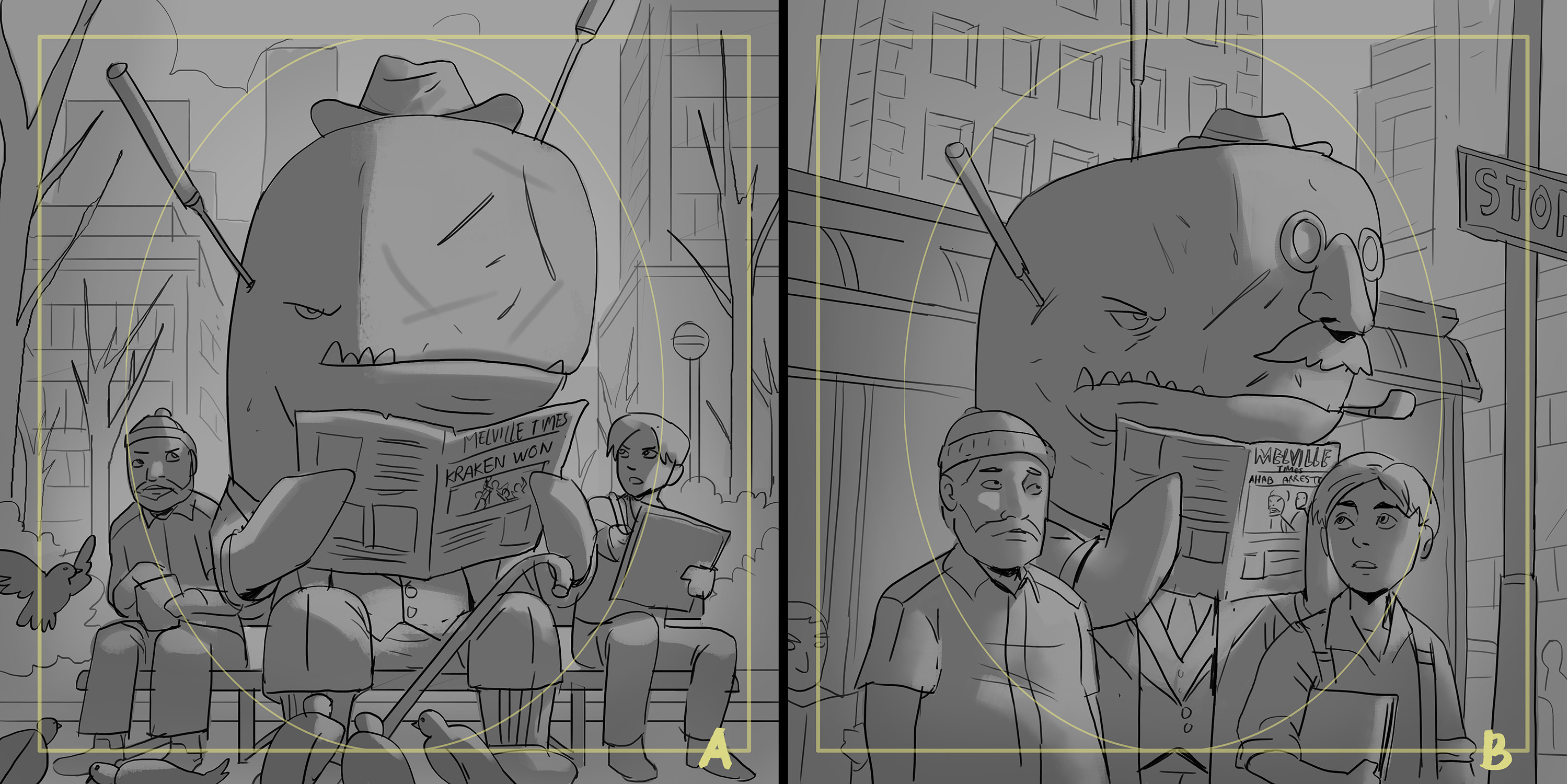
After receiving the brief, the artist draws a couple of sketches. In the case of character and crew cards, they place the art into the template that roughly tells us how much of the artwork will be seen when the character is in play (aka on set)
We liked the composition of sketch A, but Kevin's idea of having a fake nose and glasses was too fun to pass up, so we asked him to incorporate it into the image. The idea that a disguise like that would fool anybody is just so deliciously absurd. This was his updated sketch:
We all loved this version and gave the go-ahead for the colored version. The coloring assignment was given to our artist Wirawan Pranoto.
After the sketch stage is approved, the artist shows us a rough colored version, to see if everything is going well before finalizing the image. This was Officer Moby's rough color stage:
We liked the overall direction, but the trees looked dead as if a fire had burned the park to the ground, so we told him to add more detail to the branches.
Also, we pointed out how the characters didn't have drop shadows below the bench, so in the final artwork, those were added as well. This was the finished illustration:
Notice how Moby is reading the Melville Times. Herman Melville was the author of Moby Dick, so this was a nice nod to him added by Kevin :D
We have many different artists that specialize in different styles, so in order to keep the overall style of ScreenPlay uniform we sometimes need to mix and match artists during the art process.
For example, let's look at the trope card Puffer's Switch.
We knew we wanted a funny pufferfish opera singer character to feature prominently on the art, so we tasked our artist and designer Sheryl Chieng with designing the look of the character.
After receiving the brief description for the card, she came back to us with two inked sketches for the pufferfish:
We liked the look of the first sketch, except for the eyes. The large pupils of the fish on the right felt more friendly and funny, so with a small change to the pupils we gave her the go-ahead to add a theater stage background to the image.
With that, the sketch stage was completed. We gave the artwork over to another one of our artists, Nathaniel Himawan, for coloring. Midway through the coloring process he sent us an update:
Sometimes midway through the art process you realize certain things that you didn't think of before. With Nathaniel adding bubbles to the image, we figured that setting the scene underwater made a lot of sense, so we asked him to color the artwork like the pufferfish is underwater.
We also realized that the microphone on the right looked pretty dull, and it got lost in the background, so we told him to redesign it to make it more interesting and make it pop more. This is the final artwork that he delivered to us:
In the end, even though the art process varies significantly, the two final images still feel like they belong in the same universe! :D
Version 24.5
🔉 Added sound and music volume options.
🩹 Fixed:
crash when playing Tag-In in multiplayer;
background disappearing in the menu when pressing the "B" button;
crash with frequent clicks in the Collection;
problems with accepting an invite to the submenu;
crash when connecting to a multiplayer session.
Version 24.4
Fixed a issue with freezing at the "Connecting to Steam" stage.
Improved logging for such cases.
Version 24.3
Added mulligan for starting hand!
Fixed a few crashes with tutorial popups.
Fixed problems with Tag-In logic.
Partially fixed a problems with player invitations. For unfixed cases added debug information for further improvements.