
- Beehive: Fixed mislabelled stack in rules overlay
- Doublets/Nestor/Vertical: Fixed bug in end game detection

Solitaire Expeditions
Minor fixes
Hotfix for end game detection in Triangle
Minor look & feel improvements
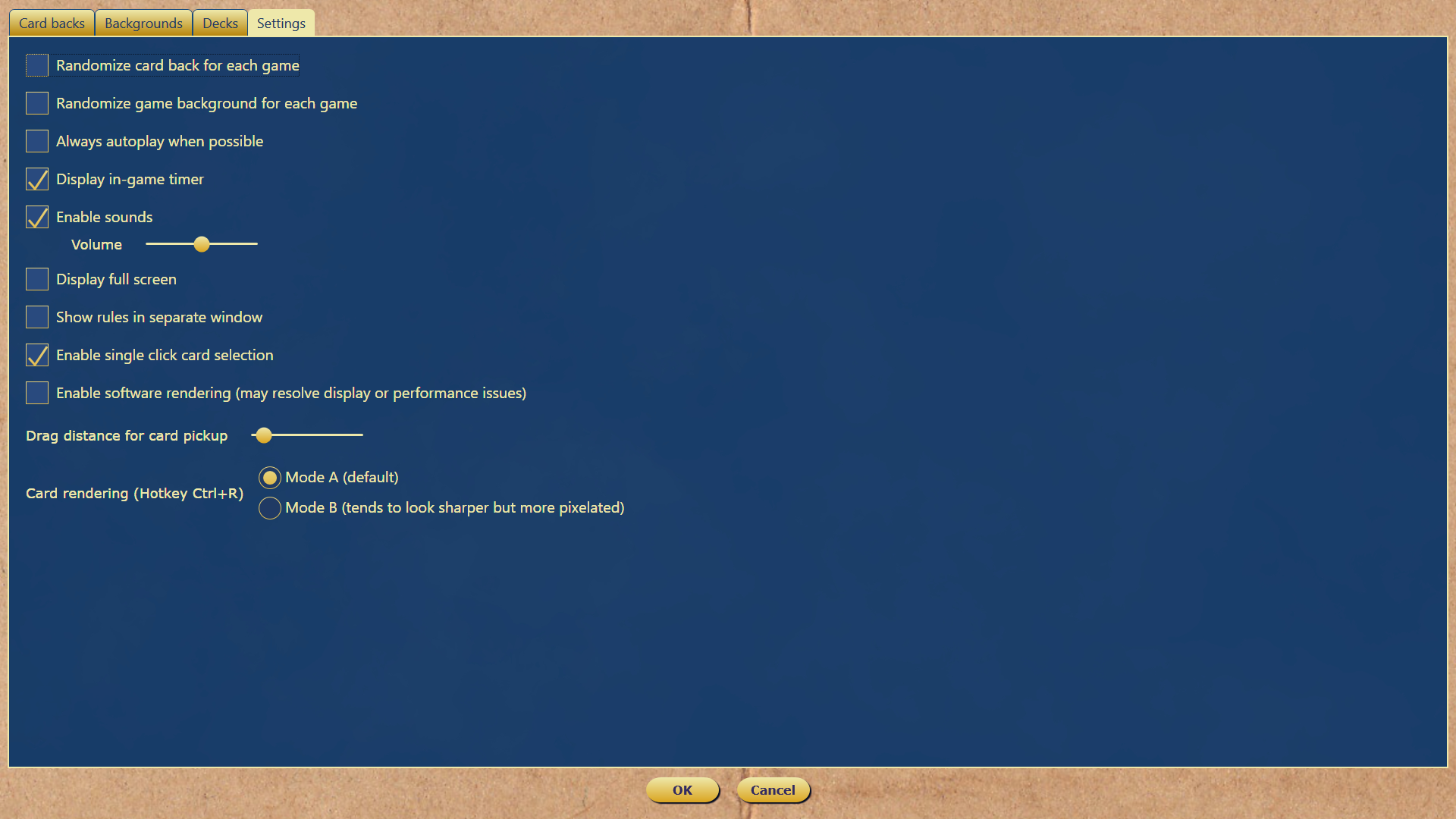
Drag distance for card pickup
When supporting both click selection and drag selection on the same UI element, software needs a way to decide whether the user is attempting to click or to drag. It does this by waiting for the user to move the cursor a specified distance with the mouse button held down.
If the user releases the button before this distance is traveled, then the action is determined to be a click. If the target distance is reached, then the dragging begins.
Previously, I had this distance set to a fairly big number (20 pixels). This was to accommodate users who may struggle a bit when using the mouse. It's very common for someone to accidentally move the mouse a bit in between pressing and releasing the button. It would be very frustrating for them if the game was dragging a card when they intended to click it.
The downside to this approach is that dragging cards can then feel sluggish because the drag operation does not start until the mouse has traveled a bit.
To resolve this conflict in opposing user needs, I've added a 'Drag distance for card pickup' setting. For super responsive dragging, move this all the way to the left. If you find the game dragging a card when you are trying to click select it, move the slider to the right.
Card rendering
I recently discovered that the default rendering algorithm used in WPF (the framework that Solitaire Expeditions is written in) isn't very good, especially when resizing cards down (making them smaller than their source art).
Fortunately, it turns out that WPF has two other rendering modes, both of which are better than the default. Mode A (Linear) is the in-game default now. This tends to work well at game resolutions where the cards are smaller. Mode B (Nearest neighbor) is the other option. This mode has a sharper appearance, but can look pixelated. It often works well if your cards are bigger.
In the end, which one looks better will largely be personal preference. You can toggle between the two while playing a game using Ctrl+R for comparison.
Other changes
- Baroness II: Removed duplicate rule
- Busy Aces: Fixed misbehaving tooltips
Two more new variants, #153 and #154
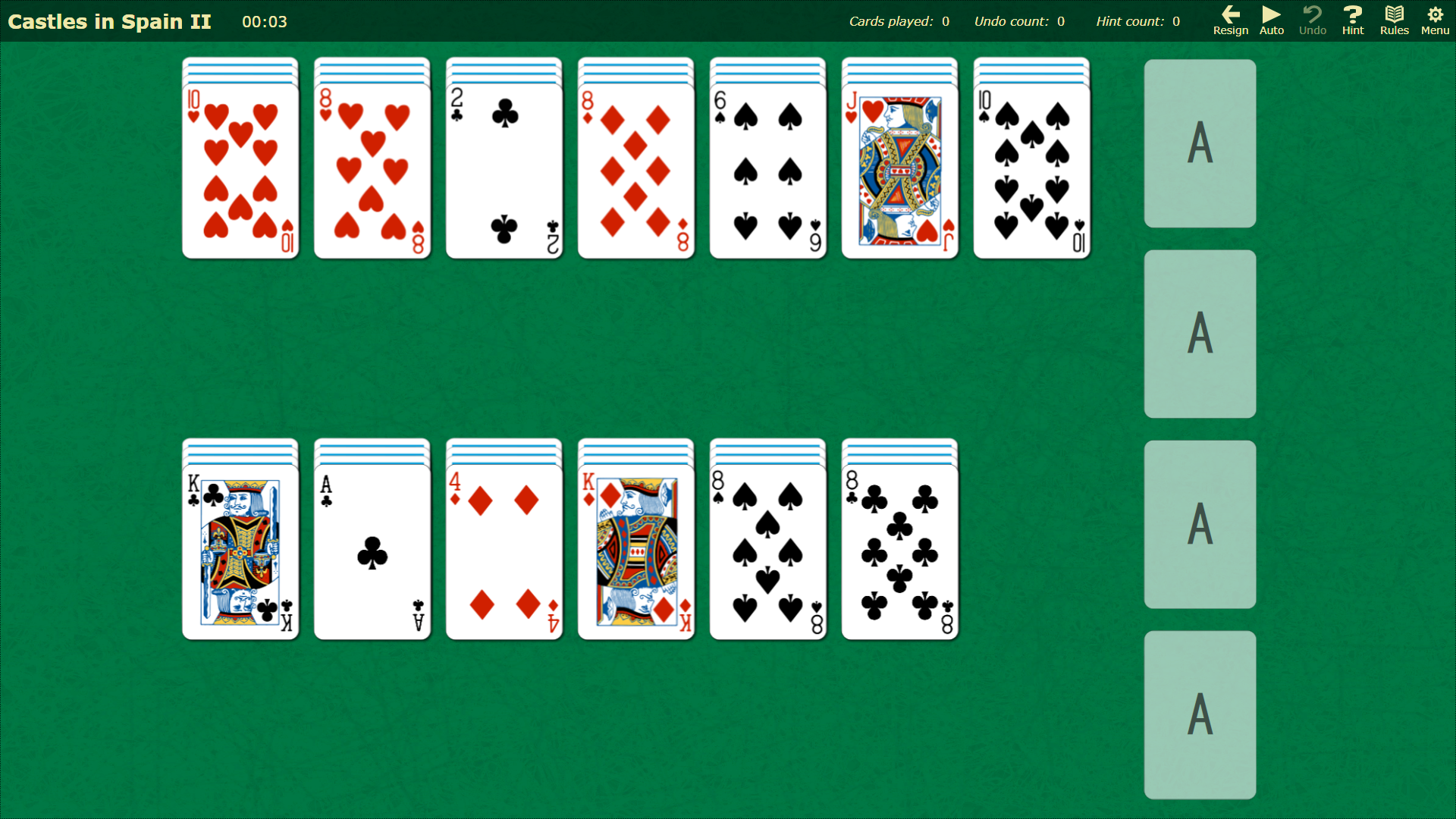
Variant #153: Castles in Spain II
In this alternate version of Castles in Spain, the tableau cards start face down rather than face up, making the game slightly more difficult.
Variant #154: Four Seasons
This variant has a unique layout where the Foundation piles are in the corners, but the gameplay reminds me of Busy Aces.

Other changes
- Fixed little pause when dragging cards back across the stack where they were taken from
- Fixed bug where sometimes "Show gameplay" button on Rules window is disabled
- Dawson: Changed difficulty rating from Very Easy to Medium
- Golf (Kings on Queens): Changed difficulty rating from Medium to Very Hard
- Golf (Traditional): Changed difficulty rating from Hard to Hopeless
- Relaxed Pyramid: Changed difficulty rating from Medium to Very Hard
- Royal Marriage: Fixed 'Show gameplay' in rules
- Thirty Six: Changed difficulty from Easy to Medium
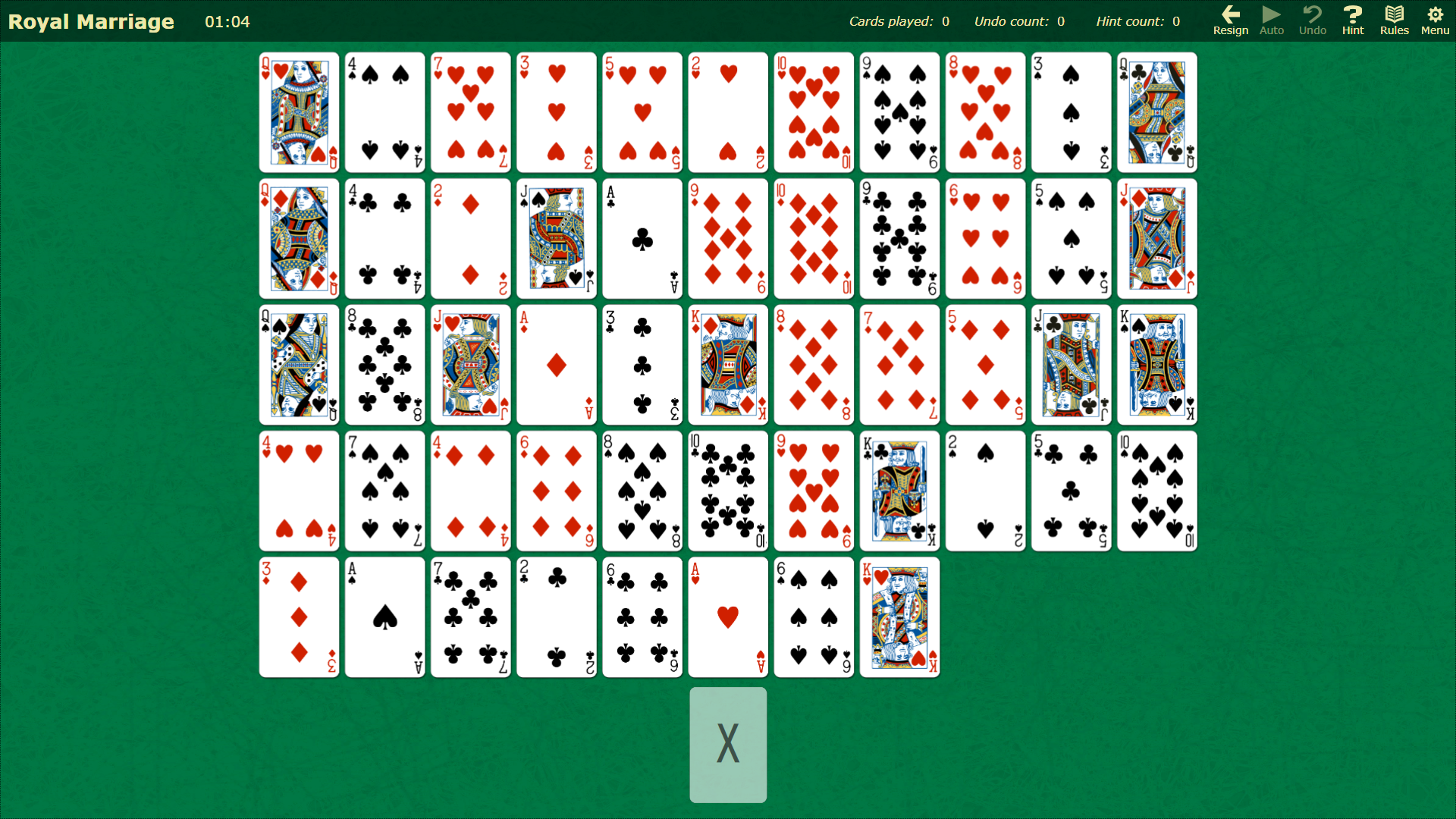
Variant #152: Royal Marriage
Variant #152: Royal Marriage
Today's new variant, Royal Marriage, is similar to Accordion except that you can actually win it :)
New autoplay hotkey
The autoplay feature has been enhanced with a new hotkey: Ctrl+A.
In variants that support the autoplay feature, pressing 'A' will automatically play as many cards as possible (usually, this is for moving cards to a Foundation pile).
Now, you can use Ctrl+A to do this one card at a time instead.
Other changes
- Fixed spurious click sound when automatic autoplay is on
- Fixed some oddities when using click selection to play cards
- Added 1 new background and 1 new card back
Hotfix: Improved performance while a dialog box is on screen
Got something to say about the game? Let us know!
New feedback button
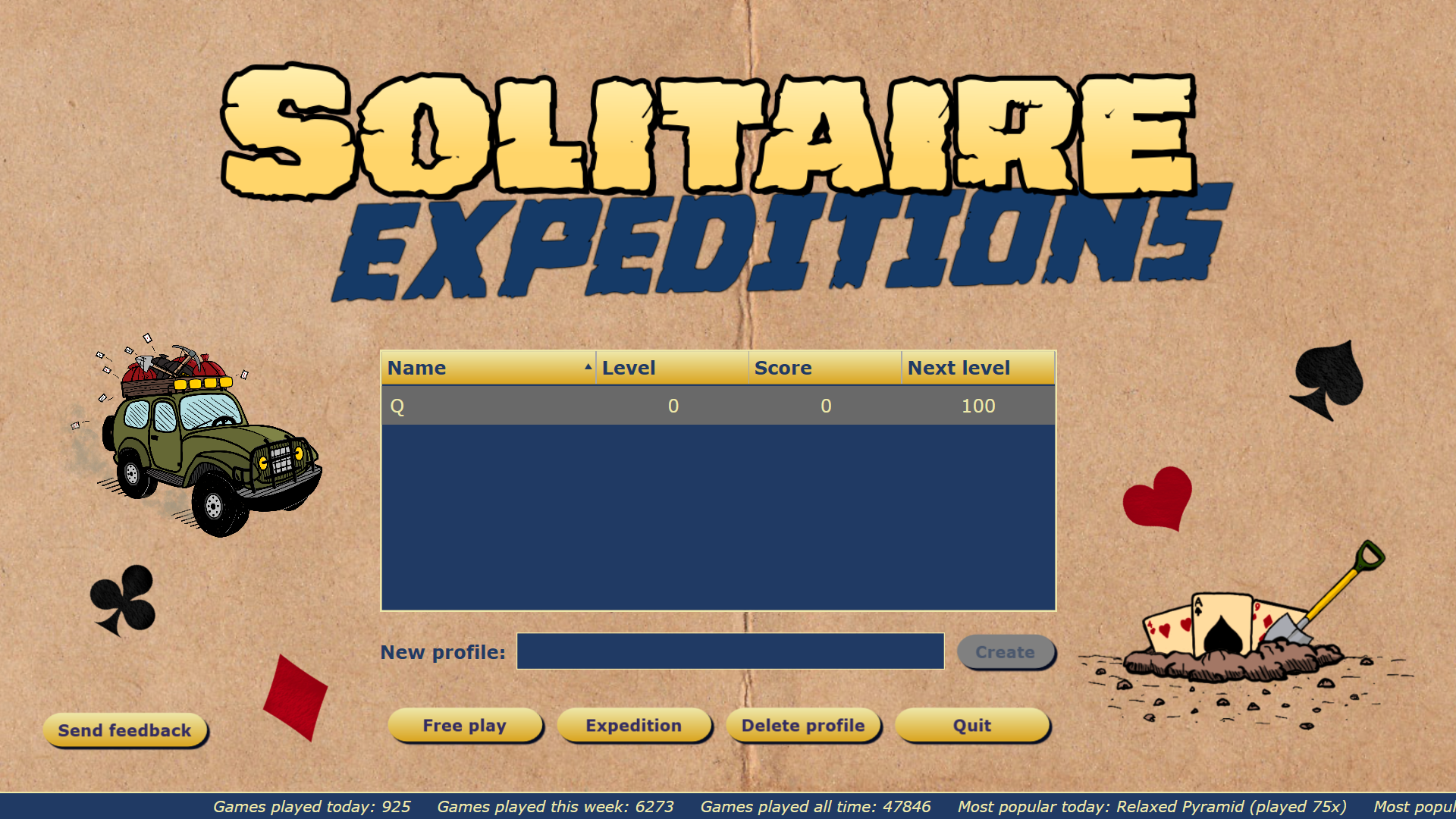
Both the profile screen and main menu now have a 'Send feedback' button, which will open a web browser to a form that you can fill out to tell us anything you'd like.
Bug fixes
Today's build also has some more bug fixes:
- Penguin: Fixed typo in rules
- The Clock: Fixed crash when using 'Show gameplay' in the rules
- Items unlocked dialog: Fixed 'Thanks' button being off screen for short window heights
- Fixed 'Show gameplay' not working for Sir Tommy family
- Fixed spurious 'Foundation complete' sound effect that could occur under a few scenarios
Hotfix for clicking + dragging not working near edges of cards
Variant #151 and improved Steam Deck compatibility
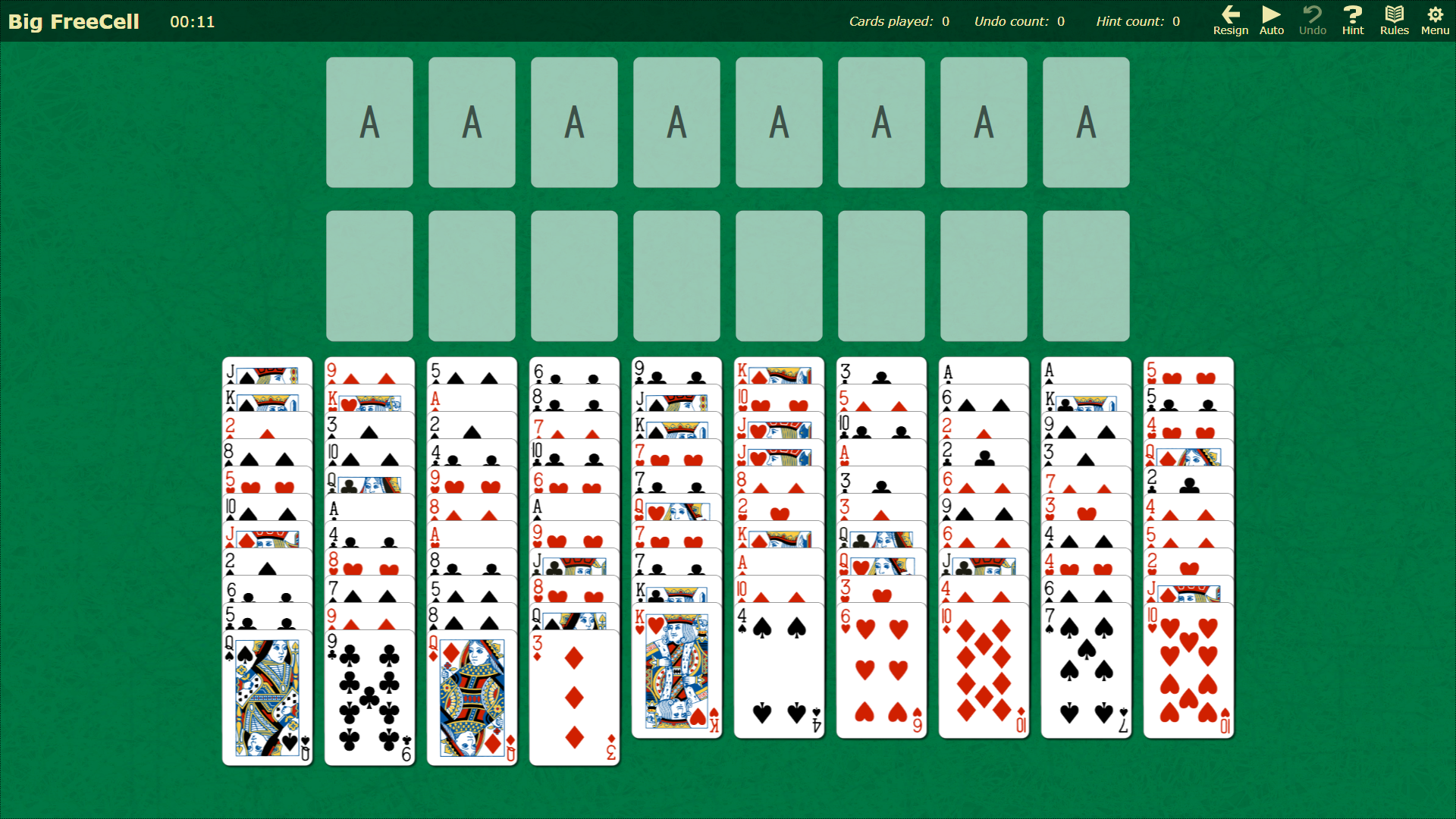
Variant #151 - Big FreeCell
Big FreeCell is simply a 2 deck version of FreeCell
Improved Steam Deck compatibility
Good news! With today's update, players are reporting that Solitaire Expeditions is now playable (mostly) on the Steam Deck. The game has no audio and a couple of text artifacts, but you should be able to play games.
I don't currently have a Steam Deck, so I am unable to test (or debug) it myself. I did put down a deposit, so I am now in the queue to get one. Hopefully I will be able to resolve the remaining issues in the future.
Performance issues? Try the new 'Enable software rendering' setting
The key to getting Solitaire Expeditions to run on the Steam Deck was forcing the game to use software rendering. I have also added this as an option when running on a PC. If you are experiencing rendering or performance problems with the game, enabling this may help you.
Other changes
- Made improvements to hints and end game detection in regards to circular moves
- On the Free Play game selection screen, the 'Favorite' and 'Saved game' columns are now to the right of the 'Name' column and may be re-ordered with the other columns
- Addiction: Changed difficulty rating from Medium to Very Hard
- Corona: Changed difficulty rating from Medium to Very Hard
- Gargantua (one redeal): Changed difficulty rating from Easy to Medium
- Good Measure: Changed difficulty rating from Hard to Very Hard
- Golf (Putt Putt): Changed difficulty rating from Easy to Hard
- EastHaven: Changed difficulty rating from Very Hard to Hard
- Triangle: Changed difficulty rating from Medium to Very Hard
Celebrate back to school with 20% off Solitaire Expeditions
If you're enjoying Solitaire Expeditions, please leave a review - it helps us a lot.
Thanks for playing!