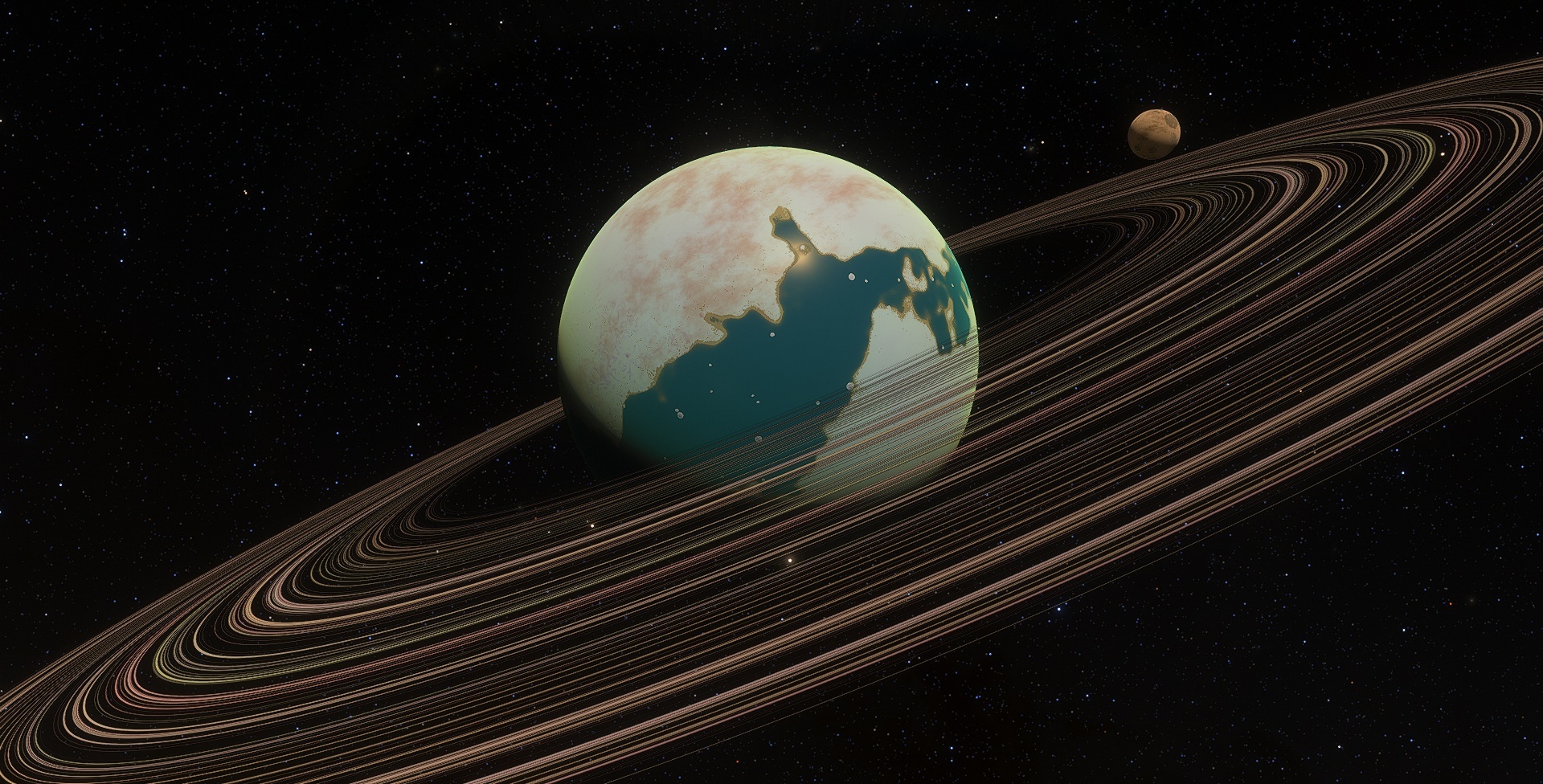
Today's small update 0.990.46.1965 is mostly bugfixes. Highlights include fixing Intel Iris Xe graphics crashing on startup, and (we hope!) a fix for the issue of flickering stars experienced by some users (this issue is very difficult to reproduce, so we will still be keeping an eye on it, please let us know if it still happens for you after the update!)
Changelog:
Updated catalogs
Added fake directional lighting to dark systems (planemo and inactive black holes) in the Chart mode
Fixed crash at startup on Intel Iris Xe
Fixed flickering of star surfaces (hopefully)
Fixed stars being visible during the day from the surface of a planet in HDR mode when planet shine is disabled
Fixed bug with ambient lighting on planemo with rings
Fixed bug with lighting of planemo in Chart mode
Fixed shaking of second column of object info text in VR
Fixed register of digital exponent in object info text in VR
Fixed rendering of camera spline path
Patch 0.990.46.1965
Today's small update 0.990.46.1965 is mostly bugfixes. Highlights include fixing Intel Iris Xe graphics crashing on startup, and (we hope!) a fix for the issue of flickering stars experienced by some users (this issue is very difficult to reproduce, so we will still be keeping an eye on it, please let us know if it still happens for you after the update!)
Changelog (0.990.46.1965):
Updated catalogs
Added fake directional lighting to dark systems (planemo and inactive black holes) in the Chart mode
Fixed crash at startup on Intel Iris Xe
Fixed stars being visible during the day from the surface of a planet in HDR mode when planet shine is disabled
Fixed bug with ambient lighting on planemo with rings
Fixed bug with lighting of planemo in Chart mode
Fixed shaking of second column of object info text in VR
Fixed register of digital exponent in object info text in VR
Fixed rendering of camera spline path
Hotfix 0.990.46.1960
Changelog (0.990.46.1960):
Fixed few errors in catalogs
Fixed visible transition of underwater fog to the shore
Hotfix
Build 0.990.46.1960
Fixed few errors in catalogs
Fixed visible transition of underwater fog to the shore
0.990.46.1955 Release: Improved Water and Bugfixes
Version 0.990.46.1955 is now being released to everyone! The main focus of this update was bug fixes and improvements to water rendering. The full changelog can be found at the bottom of the post, but we'll highlight some of the more visible changes below.
Improved appearance of cold Earth-like planets (with large snow-coverage):
A fix for the "transparent mountains" bug (artifact of the atmospheric scattering rendering):
Fix for the lighting of terrain detail textures under water:
Significantly improved accuracy of underwater color and view distance:
Fixes for the artifacts near shores:
Improved shorelines, rivers, and lakes on Earth:
And improvements to make 3D water lighting match terrain lighting, so that the transition to 3D water is now almost perfect!
There are a number of other important improvements and fixes in the changelog below, so be sure to check them out too. Happy exploring!
Changelog (0.990.46.1955):
General improvements
Added "power save mode": framerate is limited if SE's window loses focus (PowerSaveMaxFPS variable in the config)
Added button on left toolbar to toggle the HUD text (same effect as using [Ctrl]-[`] shortcut)
Better appearance of frozen terra worlds (large snow coverage)
Changed environment maps from 16-bit to 32-bit (worse performance, but fixes fluctuating brightness issues when changing camera exposure)
Added LMC globular cluster NGX 1783 and dwarf galaxies Boötes II and Boötes III
Shuttle aero control surfaces now reset to neutral position (0 deflection angle) when not accepting input (i.e. below 10 kPa dynamic pressure)
Faster initial creation of sprite galaxy and nebula models
Updated palettes of brown dwarfs
Changed catalog loading logic ○ CSV files will always be considered "older than" SC files (CSV always loads first) ○ If catalog files have the same modification date, the merging order is determined by file name comparison (e.g. ExoPlanets2.sc will be applied as a patch to ExoPlanets.sc)
Updated localizations
Water-related fixes and improvements
Improved color and density of water absorption/fog effect
Better shoreline, rivers and lakes on Earth
3D water lighting matches terrain lighting, transition to 3D water is almost perfect
Fixed atmospheric attenuation calculated for underwater terrain (the Mariana trench was visible from space)
Fixed lighting of terrain detail textures (soil) under water
Fixed lighting on underwater terrain if water layer is switched off
Fixed artifacts near shorelines
Bug fixes
Fixed crash when changing graphics quality preset
Fixed bug with cut-off text on tutorial dialogs if GUI scale is larger than 100%
Fixed flashing of planet lighting in auto and manual exposure modes
Fixed the "transparent mountains" bug (artifact of atmospheric scattering rendering)
Fixed issue with blurry milky way after changing from potato or low quality to custom
Fixed ship model disappearing in a planet's shadow
Fixed illumination of brown dwarfs by stars
Fixed illumination of planets by brown dwarfs
Fixed artifacts in stereoscopic modes on Nvidia
Fixed main menu layout for 720p displays
Fixed cutting of outer edge of rings around small bodies (asteroids)
Fixed bug with clouds disappearing at altitude of 10 km on oceanic planets
Fixed some bugs with planet re-classification after evolution of life and atmosphere
Fixed bug with the rings winter effect (it had made clouds black instead of transparent)
Fixed many catalog errors, including sizes of galaxies TON 618 and IC 1101
Fixed bug with background star magnitude in the Chart mode when opening it with narrow camera FOV
Fixed planet lighting in Chart mode when opening and manipulating Wiki or Solar System Browser
Fixed atmospheric scattering artifact near shoreline and discontinuity at horizon
Fixed rendering of labels for static ships and asteroids with custom models
Fixed main menu sound effects always being set to 100% after startup
Fixed DPI scaling of non-client area of SE window (header)
Fixed blurriness of planet image in the Wiki
0.990.46.1950 Public Beta
We are pleased to announce that the latest update, version 0.990.46.1950, is now available on the public beta branch (how to join the beta).
This update is focused on bug fixes, as well as general updates and improvements to several aspects of the program). Some notable highlights include changes to the appearance of cold Earth-like planets, and several changes relating to the appearance of water and shorelines.
As always, a full changelog can be found below, and additional information (and images!) are available on our blog.
Changelog (0.990.46.1950):
Fixed bug with cut-off text on tutorial dialogs if GUI scale is larger than 100%
Fixed bug with background stars magnitude in the Chart mode when opening it with narrow camera FOV
Fixed some bugs with planet re-classification after evolution of life and atmosphere
Fixed bug with the rings winter effect (it had made clouds black instead of transparent)
Better appearance of frozen terra worlds (large snow coverage)
Fixed some catalog errors
Faster initial creation of sprite galaxy and nebula models
Fixed DPI scaling of non-client area of SE window (header)
Fixed flashing of planet lighting in auto and manual exposure modes
Fixed planets lighting in the Chart when opening and manipulating Wiki or Solar System Browser
Fixed blurriness of planet image in the Wiki
Fixed ship model disappearing in planet shadow
Fixed rendering of labels of static ships and asteroids with custom models
Fixed cutting of outer edge of rings around small bodies (asteroids)
Fixed illumination of brown dwarfs by stars
Fixed illumination of planets by brown dwarfs
Updated palettes of brown dwarfs
Updated localizations
Fixed artifacts in stereoscopic modes on NVidia
Power save mode: framerate is limited if SE window loses focus (PowerSaveMaxFPS variable in the config)
Fixed main menu layout for 720p displays
Fixed the "transparent mountains" bug (artifact of the atmospheric scattering rendering)
Fixed atmospheric scattering artifact near shoreline and discontinuity at horizon
Fixed atmospheric attenuation calculated for underwater terrain (the Mariana trench was visible from space)
Fixed bug with clouds disappearing at altitude of 10 km on oceanic planets
Fixed lighting of terrain detail textures (soil) under water
Fixed lighting on underwater terrain if water layer is switched off
Fixed artifacts near the shoreline
3D water lighting matches terrain lighting, transition to 3D water is almost perfect
Better shoreline, rivers and lakes on Earth
First Anniversary!
Hello everyone!
Today, we're celebrating Cosmographic Software's first anniversary!
We have some big plans for 2023 and beyond: the full details, as well as some additional info regarding the company and our previous year, can be found on our website.
2022 was a tough year, but we've come through it stronger and renewed, welcoming some exceptional talent and clarifying our goals and vision for the project going forward.
On behalf of everyone at Cosmographic Software and the SpaceEngine team, thank you for your continued support! We're excited by what the future has in store, and looking forward to exciting times in 2023 and beyond!
AMD Radeon driver fix for SpaceEngine available NOW!!!
IT'S HERE!!! AMD has (finally!) released a driver for ALL currently-supported GPUs (RX 400 series and newer) to fix a critical issue with SpaceEngine which has existed in all driver versions since 22.7.1.
Visit the following link to download the driver software for your GPU, and follow the instructions below:
Use the list boxes at the bottom to select your product
When you've found and selected your GPU model, click "submit"
Open the section for your operating system and download the most recent software package (23.2.1)
Run the installer program once it finishes downloading
As an alternative solution, you can update your driver automatically through AMD's Radeon software, if it's already installed on your PC.
This seems to be the best Radeon driver for SE in a very long time, so I hope everyone enjoys using SE again with fewer bugs than ever! Big thanks to AMD's Radeon driver team for implementing the needed fixes and getting them released.
AMD Driver Fix Available for Radeon RX 7900 series!
AMD has (finally!) released the first driver updated to fix a critical issue with SpaceEngine which has existed in all driver versions since 22.7.1. This specific driver package is only for the new Radeon RX 7900 series GPUs, which have not previously had access to a driver which worked with SE.
Owners of RX 7900 XT and 7900 XTX cards can find the driver package itself and release notes at the following links:
We will announce additional driver updates for Radeon users as we become aware of them.
Patch 0990.45.1940 (Bugfix)
This patch should fix several issues reported following the most recent major update.
Details:
OpenVR SDK and Oculus SDK have been updated to the latest versions
Fixed a crash when starting the game in OpenVR mode
Fixed behaviour of the Watermark command (default is now "Visible true")
Fixed bug with missed "loading screen" skybox in VR
Fixed issue with galaxy numbering shift if new galaxies were added to the catalog (again): User names database is updated to the new galaxy ID after loading some location in that galaxy