General Relativity Release, Update on AMD Driver Issues
Great news! Our General Relativity update, which has been in public beta testing for a few months now, is finally being released to everyone! We also have some updated information about the game-breaking problems caused by AMD's recent graphics drivers, so AMD Radeon users, please read the update near the bottom of this post about recent AMD drivers breaking SpaceEngine.
Before continuing, we would like to thank everyone who participated in the public beta and provided feedback. This allowed us to find and fix bugs that we might have missed on our own, and SpaceEngine is better because of your help. Despite having fixed a lot of bugs, including some very long-standing ones, we weren't able to do everything we wanted to do before releasing the General Relativity update. Vladimir, SpaceEngine's author and lead programmer, and Mykhailo Moroz, whose programming work was essential in creating the new General Relativity features, have both had their lives significantly disrupted by the war in Ukraine. Vladimir has not been able to devote his full time to programming for several months now due to his current circumstances, and persistent attacks on Ukraine's electrical grid have left Mykhailo without enough electricity to finalize and polish his SpaceEngine contributions. I only mention this because we believe you deserve to know why the update took so long to release, and why accretion disks haven't received larger improvements since the beginning of the public beta. With that said, we did manage to make a few critical improvements to accretion disks, and are satisfied that they are now ready for public release!
General relativity recap
We previously talked about the new General Relativity features here, here, and here, and gave some important information about settings which affect quality and performance here. Since we already wrote at length about these features in our previous posts, I will just briefly review the biggest updates in this version:
General relativity effects: gravitational lensing by black holes, neutron stars, white dwarfs, warp drives, and wormholes is now much more accurate, with ray tracing through general relativistic geodesics. This allows much more accurate and complex light-warping effects from relativistic objects, such as Kerr-Newman black holes (black holes with spin and charge). Warp bubbles of starship warp drives are also much more complex.
Volumetric accretion disks and jets: black holes, neutron stars, and white dwarfs now have volumetric accretion disks and polar jets, warped accurately according to the properties of the parent object. These disks can be thick or thin, dense or diffuse, hot or cold. Some famous objects, like Sagittarius A*, Cygnus X-1, and SS 433 have carefully-crafted accretion disks based on many hours of research into the latest data and models for maximum accuracy. Aside from the limited size of disks and jets in SE, they should be as similar to their real-life counterparts as it's possible to get in this update.
Traversable wormholes: useful for creators and users of add-ons, wormholes can now be linked to each other and seamlessly traversed by the camera and by spacecraft, allowing seamless and instant travel between distant parts of the universe.
Improvements to the game engine: these improvements result in faster startup times, especially after installing SE or changing your graphics driver, as well as smoother framerates and fewer lag spikes in-game.
Please read the changelog at the end for a more complete list of fixes and improvements in this update.
Status update regarding critical AMD Radeon driver issue
Regarding the game-breaking issue in SE with the recent AMD Radeon drivers, we do have some updates to share. Vladimir has gone through the code and fixed everything he could related to the new Radeon drivers, and was able to determine that the massive slowdown when loading planet textures is indeed occurring within the driver itself, leaving us unable to fix it by ourselves. Fortunately, we were finally able to get in touch with AMD and have been providing them with all of the relevant information we gathered during our own investigation. The Radeon driver team only got around to testing SE and confirming the issue within the last 2-3 weeks, so we don't know yet when the issue will be fixed, however they said they would be in touch and would let us know if there's anything we can do on our end to help. We hope the issue is resolved soon.
Until then, the only workaround for the issue is to install the previous set of drivers for your AMD Radeon GPU. To install them, go to AMD's website, select your GPU from the list, download driver version 22.5.1 for your version of Windows, and run the installer. The older driver does have some bugs in SE, but none of them are really critical like the one in the current driver. If you must use SE with the current driver rather than the old one, go to SE's graphics settings, set LOD to -1, loading speed to 1, and landscape target resolution to 480p, enable texture compression, and try not to get very close to planets or stars. This will minimize the amount of terrain textures that need to load, and thus minimize the performance drop related to them (texture compression also makes textures load 4-5x faster for some reason, but it's still very slow). This will allow you to use the broken driver to do things in SE that don't involve looking at planetary surfaces, and you can take advantage of the fixes and improvements the driver offers in those regards.
On the bright side, basically all other issues we know of that affect AMD GPUs specifically, including many of the issues introduced in earlier versions of the new drivers, are fixed now. Only the VRAM capacity reporting issue and the game-breaking planet texture loading slowdown remain, and AMD is working on them both right now. We will share additional information as it becomes available, and will certainly make a news post announcing when a fix is available.
Known issues and bug impostors related to the General Relativity update
The following is a list of known issues, as well as other things that might look like bugs. If you notice any of these things, don't worry, everything is working normally. Please do not file bug reports or seek help for them. We plan to fix or improve on most of these items in the future:
Accretion disks have visible animated noise or "static" on them. This is not a bug.
Lens flare and "star point" might suddenly become very bright when viewing an accretion disk edge-on, even in cases where it makes no sense (e.g. opaque disks). This is a WIP feature, not a bug.
Flickering dark or light spots are visible on accretion disks in some cases
Parts of accretion disks can appear "cut off" or transparent from certain camera angles
Accretion disks and jets seem to "stand still" when moving the camera away at a speed of ~2.25c (instead of 1c) when time is running at 1x speed
Banding artifacts in the color and brightness of accretion disks are visible when dim disks are viewed at bright exposure levels
Background stars look "pixelated" when looking at or from near black holes/neutron stars/white dwarfs
Diffuse (low-density) accretion disks have a huge performance impact. This is not a bug, just a consequence of how all accretion disks are now rendered.
Accretion disk properties and overall variety need improvement (pending for 0.991)
Stars or other objects inside accretion disks only render in front of or behind the disk; this is a limitation of the current rendering system, not a bug
Ships inside a warp bubble can have parts of the model "missing" or "faded out"; this is a limitation of the current rendering system, not a bug
Future plans
Now that another major update is released, we'd like to share our current plans for our upcoming updates. Our focus for the next few months is going to be on additional bugfixes and improvements, working on the long-overdue Universe Update 1 (i.e. version 0.991), and working to implement another long-overdue feature, shadows! This includes terrain casting shadows on itself, spacecraft casting shadows on themselves and each other, and terrain and spacecraft casting shadows onto each other. It's also possible that a few smaller or unexpected features might get released during that time; development work can be like that sometimes :) As this year has been and continues to be chaotic with no sign of stopping anytime soon, plans are subject to change, but those are the things we currently want to work on during early 2023.
That's all for this update! We wish a pleasant holiday season to those who celebrate, and in case we don't make another blog post before January, a happy new year to all!
You can find a full list of changes below, beginning with the full changelog since the last main update (0.990.43.1890), followed by only the changes made since the last public beta update (0.990.45.1930).
Changelog (0.990.45.1935):
Improvements and New Features
Realistic General Relativity effects: ○ Kerr-Newman ("rotating") black holes ○ Ellis wormholes (traversable for camera and ships) ○ Alcubierre warp bubble ○ Volumetric accretion disks
Faster program startup (multi-threaded loading of shaders and some data)
Engine performance improvements (fixed various periodic lag spikes): ○ Scanning for nearest galaxies and planetary system was moved to worker threads ○ Faster updating of planet/moon lighting color, which allows improving the frequency of color updates in the “high” planet shine mode ○ Faster updating of previews in the Solar system browser
Improved handling of galaxy numbering shift if new galaxies were added to the catalog: ○ Saved locations in catalog galaxies are loaded despite the ID change, using coordinates ○ Loaded locations are automatically updated with the new galaxy ID and saved on the disk
Improved precision of axial rotation for quickly spinning objects like neutron stars
Faster AMD CAS implementation for upscaling volumetrics
Added lanczos filter for upscaling volumetrics
Added frame-time graph to debug mode
Tweaked all graphics quality presets, and added a “potato” preset at the extreme low end (for comparison, the old “low” preset was somewhere between the new “potato” and “low” presets in quality)
Added warning messages during “cold startups” if the operating system, RAM, VRAM, and/or GPU vendor do not meet SE’s system requirements
Better default acceleration/deceleration curve for "Go to" automatic camera flights
Camera "Go to" timing values are SE variables now
Updated catalog of exoplanets (November 11, 2022): over 3000 new or updated objects
Updated catalog of relativistic objects: ○ 15 new magnetars, 15 new low-mass x-ray binaries, 45 new high-mass x-ray binaries ○ 74 new black holes to the center of galaxies (16 existing galaxies, and 58 new galaxies) ○ 3914 new isolated white dwarfs, 52 new binary white dwarfs
Updated catalog of brown dwarfs: ○ 1936 updated isolated brown dwarfs ○ 668 new isolated brown dwarfs ○ 66 new binary brown dwarfs
Ability to edit RA/Dec/Dist of a catalog star
Updated localizations
Added Armenian localization
Bug Fixes
Fixed compatibility with Oculus Quest, and added Oculus Quest controller support
Fixed issue with change from controller flight direction to gaze flight direction if VR controller tracking was lost
Fixed barycenter billboard rendering
Fixed black stars artifact caused by too much absorption by nebulae
Fixed velocity value display in spacecraft and aircraft camera modes
Fixed bug with spacecraft lighting in interstellar space
Fixed some bugs in the Wiki text editor
Fixed Venus texture orientation
Fixed visibility of labels of asteroids/comets which use custom 3D models (e.g. 67P, Eros)
Fixed console rendering when its buffer is overflown
Fixed 2D main menu background
Fixed image corruption in stereoscopic 3D modes (hopefully)
Fixed temperature values erroneously persisting between cells in the solar system browser in some cases
Fixed a memory leak when generating procedural galaxies
Fixed stars illumination bug with supermassive black hole systems
Fixed a bug with the slow drifting of fixed cloud layers over large periods of time
Fixed the "trash bag" shape of asteroids and comets
Fixed reflections on non-PBR ships in auto-exposure mode
Fixed spline path remaining time display
Fixed ESI equation
Fixed planets disappearing near black holes or binary white dwarf systems
Fixed terrain discontinuities (buggy-looking cliffs) in equatorial ridges
Fixed rayed craters being extremely deep when generated on top of equatorial ridges
Changes since last beta update
Fixed ESI equation
Fixed planets disappearing near black holes or binary white dwarf systems
Fixed terrain discontinuities (buggy-looking cliffs) in equatorial ridges
Fixed rayed craters being extremely deep when generated on top of equatorial ridges
Fixed warp bubble not scaling to the ship's size
General Relativity Public Beta 2
Hello everyone!
We are currently in the final stages of testing the General Relativity update, and have released the newest version to the Public Beta branch on Steam.
This update includes a lot of new fixes and improvements, a full list of which can be found in the changelog below.
You can opt into the beta under “Properties” when right-clicking SpaceEngine on Steam and selecting "beta" (public beta branch). As always, bug reports can be filed in the beta test thread on the Steam discussions forum, or on our Discord server, which you can join here.
Changelog (0.990.45.1930):
Improved handling of galaxy numbering shift if new galaxies were added to the catalog: ○ Saved locations in catalog galaxies are loaded despite the ID change, using coordinates ○ Loaded locations are automatically updated with the new galaxy ID and saved on the disk
Updated localizations
Updated catalog of relativistic objects: ○ 15 new magnetars, 15 new low-mass x-ray binaries, 45 new high-mass x-ray binaries ○ 74 new black holes to the center of galaxies (16 existing galaxies, and 58 new galaxies) ○ 3914 new isolated white dwarfs, 52 new binary white dwarfs
Updated catalog of exoplanets (November 11, 2022): ○ 1977 updated planets ○ 114 new planets ○ 942 updated host stars ○ 76 new host stars
Updated catalog of brown dwarfs: ○ 1936 updated isolated brown dwarfs ○ 668 new isolated brown dwarfs ○ 66 new binary brown dwarfs
Fixed compatibility with Oculus Quest, and added Oculus Quest controller support
Fixed issue with change from controller flight direction to gaze flight direction if VR controller tracking was lost
Fixed a memory leak when generating procedural galaxies
Fixed stars illumination bug with supermassive black hole systems
Fixed a bug with the slow drifting of fixed cloud layers over large periods of time
Fixed the "trash bag" shape of asteroids and comets
General Relativity Public Beta Test!
Our General Relativity update (which we previously talked about here, here, and here) is being released for public beta testing! If you are not already a member of our beta testing group and would like to be, see the instructions here for how to opt into the public beta branch on Steam.
Please read the list of known issues below before testing or providing feedback!
This update took a long time and effort to make: we worked not only on black holes, wormholes, and warp bubbles, but also made some changes to core engine systems. For more details, you can read the complete changelog at the end of this post.
Black Hole/Warp Quality Settings
With all the new changes, we want to provide some additional information about a variety of settings which influence the new GR effects.
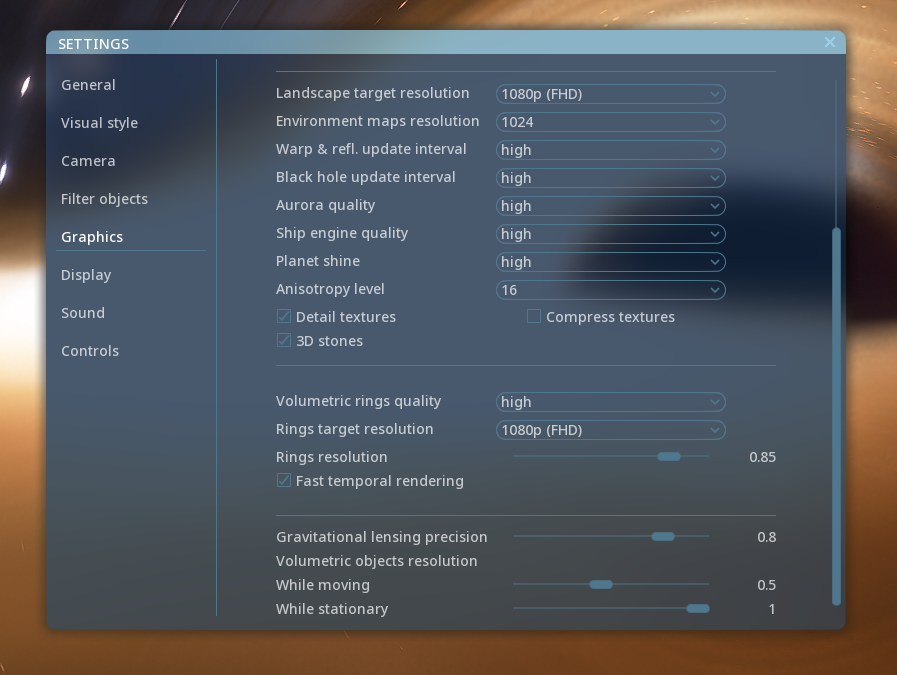
Two sliders, “Gravitational lensing performance” and “Volumetric objects resolution/While moving,” have already been described in a previous blog post. These can be found at the bottom of the Settings/Graphics dialog, and have strong effects on rendering performance.You can balance quality vs speed by adjusting them manually in the "custom" graphics preset. Note that the second slider also affects performance when flying through a galaxy or nebula.
The GR shader uses environment maps or skyboxes to render the warped part of the scene beyond the edges of the screen. These environment maps must be updated periodically, since they could contain moving objects (such as a companion star to a black hole, a planet near a wormhole, hull reflections, or a galaxy or star field through which a ship is warping). The resolution of these maps is set by the "Environment maps resolution" drop-down menu under the Settings/Graphis dialog. The higher the resolution, the better the result, but at the cost of slower update speed (this is significant in high and ultra modes - see below). The update period of environment maps is set by the next two drop-down menus: "Warp & refl. update interval" (for ships) and "Black hole update interval" (for black holes, neutron stars, white dwarfs and wormholes). There are 5 options for this:
off - warp effects and reflections are off (ships has no effects, other objects are rendered as a colored spheres)
low - environment map is updated once per 5 seconds (2 seconds for ships); one face per frame (so update cycle is 6 adjacent frames every 5 (2) seconds)
medium - environment map is updated once per second (0.5 second for ships); one face per frame (so update cycle is 6 adjacent frames every second (0.5 seconds for ships)
high - environment map is updated continuously; one face per frame (so update cycle is 6 frames)
ultra - environment map is updated continuously; six faces per frame (so update cycle is 1 frame)
The environment maps consist of six square faces (like a cube), and in most modes the engine updates only one of these faces per frame. This leads to somewhat jagged movement of some of the background stars near the warping ship, or Earth reflected on ISS hull, and so on. This is very noticeable on ships, and less so on black holes (as they typically have static environment maps).
If you want to make interstellar warp look as smooth as possible, you should use the ultra setting, since only in ultra mode are all six faces updated with every frame. However, this also places substantial load on the engine, meaning that FPS will drop significantly. Black holes and wormholes will still look decent even at medium and even low modes, but ultra might work well for situations where FPS is less important (such as screenshots).
The update interval modes are modified internally under certain conditions: if you notice any of the behaviors listed below, know that this is not a bug, but intended.
if object moves quickly (a black hole in a close binary system), update interval in low and medium modes is reduced to 0.2 seconds
if time is paused, update mode is forced to low
if time flow speed is greater than 10, update mode in low and medium modes is forced to high
if there are multiple warping objects in the scene, their environment maps are updated in sequence
This last one requires some additional explanation: the engine is limited in how many updates to environment map faces can be done per frame. In the low/medium/high modes, the limit is 1 face per frame; in ultra mode, the limit is 6 per frame (ie. one full environment map). So, if you have multiple objects that use environment maps (such as a reflective ship near the black hole, binary black hole, or just a wormhole —which uses two maps internally), then even the ultra mode will not be not completely “real time”. However, these cases can be considered as special scenarios.
The environment map update interval settings are changed automatically with graphics presets, and unlocked for manual change when the "custom" preset is selected.
Performance Improvements
Aside from the General Relativity features, the most noticeable changes in this update are related to performance. The first of these is program startup time, with the loading of shaders and some other data now utilizing multiple CPU cores. This improves shader compilation time by an order of magnitude, although it is still not completely asynchronous due to an OpenGL limitation. The shader compilation time is important during a "cold start" — the first startup after installing the program, a change in SE’s version number, or a change to your graphics driver version (i.e. when updating, or rolling back). During a cold start, SE deletes the shader cache and rebuilds it from scratch. Below are some benchmarks of the performance difference. Of course, it varies from PC to PC, so your results will certainly be different. In any case, this upgrade reduces the cold start time on some computers from an intolerable 5 minutes, down to 1 minute or less.
Startup benchmark
[expand type="results"]Cold startup – a startup after SE or graphics driver update; includes rebuilding the shader cache, compiling all shaders. Warm startup – any subsequent startup; shaders are loaded from the cache.
Warm startup old – 0:22 new – 0:21 [/expand] Other performance improvements include eliminating various sources of periodic "lag spikes" – moments when the engine has a high load on its main CPU thread, resulting in rendering delays. In previous versions, if you rotated the camera smoothly, you might have noticed that the animation sometimes lagged for a fraction of a second. This was caused by some CPU-intensive work that the engine performs periodically. As of this update, all of that work is now done asynchronously and moved to other CPU threads, so as to help prevent it from interrupting the rendering process. Note that updating of environment maps in low and medium modes may still cause lag spikes, since it’s still quite intensive. This is something we hope to sort out later.
Known Issues
The following issues related to GR features are already known and are being worked on, so please do not report them.
Flickering dark or light spots on accretion disks
Parts of accretion disks can appear "cut off" or transparent from certain camera angles
Accretion disks and jets seem to "stand still" when moving the camera away at a speed of ~2.3c (instead of 1c) when time is running at 1x speed
Banding artifacts in the color and brightness of accretion disks are visible when dim disks are viewed at bright exposure levels
Accretion disks sometimes look too dark in HDR mode
Accretion disks and jets can have different relative brightnesses in HDR mode vs. auto/manual exposure mode
White dwarfs without accretion disks can look glitchy in the solar system browser and Wiki previews
Accretion disk properties and overall variety need improvement (pending for 0.991)
Some real black holes lack accurate accretion disks
Stars or other objects inside accretion disks only render in front of or behind the disk; this is a limitation of the current rendering system, not a bug
Ships inside a warp bubble can have parts of the model "missing" or "faded out"; this is a limitation of the current rendering system, not a bug
Changelog (0.990.44.1910)
Improvements and New Features
Realistic General Relativity effects: ○ Kerr-Newman ("rotating") black holes ○ Ellis wormholes (traversable for camera and ships) ○ Alcubierre warp bubble ○ Volumetric accretion disks
Faster program startup (multi-threaded loading of shaders and some data)
Engine performance improvements (fixed various periodic lag spikes): ○ Scanning for nearest galaxies and planetary system was moved to worker threads ○ Faster updating of planet/moon lighting color, which allows improving the frequency of color updates in the “high” planet shine mode ○ Faster updating of previews in the Solar system browser
Updated localizations
Added Armenian localization
Improved precision of axial rotation for quickly spinning objects like neutron stars
Faster AMD CAS implementation for upscaling volumetrics
Added lanczos filter for upscaling volumetrics
Added frame-time graph to debug mode
Tweaked all graphics quality presets, and added a “potato” preset at the extreme low end (for comparison, the old “low” preset was somewhere between the new “potato” and “low” presets in quality)
Added warning messages during “cold startups” if the operating system, RAM, VRAM, and/or GPU vendor do not meet SE’s system requirements
Better default acceleration/deceleration curve for "Go to" automatic camera flights
Camera "Go to" timing values are SE variables now
Updated exoplanets catalog (September 02, 2022)
Ability to edit RA/Dec/Dist of a catalog star
Bug Fixes
Fixed barycenter billboard rendering
Fixed black stars artifact caused by too much absorption by nebulae
Fixed velocity value display in spacecraft and aircraft camera modes
Fixed bug with spacecraft lighting in interstellar space
Fixed some bugs in the Wiki text editor
Fixed Venus texture orientation
Fixed visibility of labels of asteroids/comets which use custom 3D models (e.g. 67P, Eros)
Fixed console rendering when its buffer is overflown
Fixed 2D main menu background
Fixed image corruption in stereoscopic 3D modes (hopefully)
Fixed reflections on non-PBR ships in auto-exposure mode
Fixed spline path remaining time display
[Dev Blog] General Relativity 3: Volumetric Accretion Disks and Live Event!
Today’s blog post is the last in a series of posts describing the new features in our next major update, which we are calling “General Relativity”. In this post we’re talking about volumetric accretion disks.
Please note that everything you see below is still a work in progress – it is very close to what you will see on release, but the final version will likely have some additional tweaks.
Implementation and Quality/Performance Settings
Previous versions of SpaceEngine (starting from 0.980) had flat, two-dimensional accretion disks: this was a “fast and cheap” solution, and worked even on lower-end PCs. Volumetric disks require more powerful hardware, since the shaders have to integrate the emission and opacity of multiple points of a volume along a ray. This volume contains procedurally-generated and animated noise, which are used to create the shape of the hot plasma “clouds” rotating around the central black hole. But things are even more complicated, since we also have to integrate light rays in a warped space-time! This is the only way to correctly render objects (like the accretion disk) near the event horizon.
Fortunately, the solution for the performance issue is trivial: simply render the volume at a lower resolution. Kerr black holes already use this technique, as was mentioned in a previous blog post. SpaceEngine renders black holes in two passes: a low-resolution computation pass, and a full-resolution upscaling pass. The computation pass computes the geodesic (ray-tracing in a warped space-time) while also integrating the brightness and opacity of the accretion disk, and stores the result in two (low-res) textures: a deflection vector, and an integrated disk brightness/opacity. The upscaling pass then samples these textures using upscaling filters to create the final effect. The first texture is used to distort the background image, and the second one is superimposed over the first. In order to achieve the desired results, we made use of multiple filters in the upscaling pass: linear, bicubic and lanczos, with- and without-sharpness passes, and CAS algorithm (AMD FidelityFX Contrast Adaptive Sharpening). These filters will also now be used selectively for galaxies, nebulae, aurora, comet tails and volumetric planetary rings in a similar way; different objects show better results with different upscaling filters.
The low-resolution pass also uses some animated noise to reduce banding artifacts, and the resulting image is then upscaled in the second pass. This adds a somewhat “snowy” effect, which may eventually be reduced in further updates.
Settings for “Gravitational lensing precision” and “Volumetric objects resolution - While moving” will affect performance greatly, especially when close to the event horizon. You may adjust them at your discretion to achieve your preferred balance of quality and speed.
Accretion disks are also fully animated, as shown in the video below, and incorporate astrophysical jets – powerful streams of very hot matter ejecting away from the plane of the disk at almost the speed of light. Old versions of SpaceEngine used sprites to render jets (similar to comet tails), but that was a “quick and dirty” solution. Since those “jets” were rendered separately, they were not warped by the gravitational lensing effect, and looked out of place. Now, with everything rendered by a single shader, the jets are correctly warped and show the correct effects; but this adds the limitation that jets cannot be very long, since they can’t go outside the shader rendering volume (which is a sphere, typically limited by the edge of the accretion disk).
You may notice in the video above that the disk animation changes its speed – or even reverses – as the camera moves around. This is intended: the geodesic integration code takes light travel time into account; if you move the virtual camera at faster-than-light speeds away from the black hole, you will see a “time reversal” effect, with the disk appearing to flow backwards in time. Of course, this is just a simulation effect, since in reality nothing can move faster than light.
The accretion disk is also hotter toward the center, and cooler toward the edge, corresponding to the results of the equations. It also shows a strong Doppler shift effect: the side that moves toward the observer appears hotter and brighter than the one moving away (something which was also visible before on the old 2D disks). The “hot spot” on the accretion disk now generates the lens flare effect, which can be occluded by an opaque object, and also by the disk itself (which is done analytically). New ray-traced jets also demonstrate the Doppler shift depending on perspective:
]Extremely dense SMBH accretion disk – the heart of a quasar. Note the Doppler effect on jets.
Quasar close-up. At this distance its apparent magnitude is about -52m – instant evaporation of any matter!
As of this release, the new volumetric accretion disks and jets have been fully integrated into the engine, along with Kerr black holes and wormholes. This means that SpaceEngine scripts have all parameters needed to create these objects, and the planet editor allows you to change some of them in real-time. Of course, SpaceEngine generates procedural values for all parameters (except wormholes, which are not generated procedurally at all since they’re not natural objects). However, we should note that some values are constant and not randomized, because using randomization may shift the seed of succeeding bodies in the system, so randomization is delayed for version 0.991, though accretion disk and jet parameters depend on black hole mass and accretion rate, which is already generated.
You’ll also find accretion disks generated around neutron stars and (more rarely) white dwarfs.
Reproducing Famous Black Holes in SpaceEngine
We have also been trying to faithfully reproduce the accretion disks around some famous objects, such as the supermassive black holes at the center of M 87 and the Milky Way, and some well-known stellar-mass black holes like SS 433 and Cygnus X-1.
For example, based on known data, the accretion disk around the Milky Way’s black hole (known as Sagittarius A*) is almost transparent and is hot and geometrically thick (i.e. “puffy”), with a very low radiative efficiency – almost none of the energy in the disk, perhaps just one part per million, is emitted as light. This hot, advection-dominated disk produces strong outflows, similar to stellar winds, that fuel a broad jet, which accelerates in the directions perpendicular to the disk, carrying much (perhaps most) of the matter away before it can reach the black hole – maybe as little as 1% of it reaches the event horizon, with the rest being flung out into the galaxy or shot into distant orbit around the black hole to return again in the future. Matter is accreted onto this disk at a very slow rate, less than one millionth of a solar mass per year – not much more than the famous black hole Cygnus X-1, which is smaller by a factor of 50,000! We are living in an inactive galaxy, with a starving central black hole, but it may be that this is why we are alive in the first place…
The supermassive black hole Sagittarius A*, the center of our galaxy , as rendered in SpaceEngine
If you observe this 4 million solar mass black hole long enough in real time, you may see movement in the gas clouds near the event horizon. SpaceEngine calculates the disk rotation period at 3 Rg radii and reports it in the object’s info table: this is about 18 minutes for Sagittarius A*, so it’s actually visible on human scales. This effect can best be observed near the central black holes of globular clusters such as M 4, since these have masses of hundreds to thousands of solar masses, and a disk rotation period of about 10 seconds (The video above shows an example of one such black hole). Smaller stellar-mass black holes, such as SS 433 B, are just 5-50 solar masses, and their accretion disks rotate incredibly fast, making thousands of revolutions per second: you would have to slow down time to be able to see its animation properly.
Actually, all accretion disks rotate at almost the same linear speed (about the speed of light at 3 Rg): the apparent difference is influenced by the size of the black hole. In the galaxy M 87, the central black hole – known as Powehi or M 87* – has a mass of 6.5 billion suns, and an event horizon almost 250 astronomical units wide (3.5 times the orbit of Pluto!); as a result, the accreting gas takes about 20 days to complete one revolution at 3 Rg radii, even moving at almost the speed of light!
Microquasar SS 433, powered by an 8 solar mass black hole. Its white supergiant companion star is barely visible at the top left.
It’s also worth noting that in visible light, the Milky Way and M 87 black hole would not look like the images shown by the Event Horizon Telescope (EHT), since those images are produced from radio frequency data. SpaceEngine renders everything in the visible part of the light spectrum, so what you see of these objects in the program is likely to be a pretty good approximation of what the objects would really “look like” if you could see them with your eyes. In radio waves, even very dense accretion disks look transparent, and the sensitivity of the EHT allows it to capture only the innermost, hottest and brightest parts of the disk – it doesn’t look like a disk, more like a “shell” around the black hole, due to the way the image is created. They are also affected by motion blur since, as we said above, gas rotates around Sagittarius A* in just 18 minutes, which is comparable to the EHT’s exposure time.
Finally, it is worth noting that intermediate-mass black holes (hundreds to thousands of solar masses, between stellar-mass and supermassive), like the one shown below, are suspected to exist in the center of at least some globular star clusters, and SpaceEngine currently generates them at the center of every globular cluster, but the existence of such objects has not been definitively confirmed by astronomers.
Starving black hole with a thin, cold disk (“Interstellar” style) – such objects can be found in the center of globular clusters, like M 4
Looking Toward the Future
The next steps for black holes and accretion disks will be improvements to visual quality and performance, and further integration with the engine. Stellar-mass black holes in a binary system must have matter flowing from its companion star onto the accretion disk, and the shape of accretion disks could be much more complex, especially if taking into account magnetic fields. Supermassive black holes should illuminate planets in neighboring star systems (and quasars could do this for their entire host galaxy!) and larger, more active objects should have jets capable of extending beyond the edge of the galaxy.
There’s always more to do, and we’re always thinking of improvements we can make, but this is a major step forward in terms of how gravitational effects are modeled within the engine, and we’re very happy with the work so far. We hope you will be, too!
We will be announcing the public beta for the GR update in the near future, so stay tuned for more!
Join Us for a Live Event!
To celebrate this milestone, answer more of your questions, and give you a real-time tour of the GR update – including the accretion disks! – we will be hosting a live event on Friday, September 2 at 17:00 UTC (1:00 PM Eastern Daylight Time for those in North America). This event will include a livestream of SpaceEngine on our official YouTube channel – mirrored on Discord for those who can’t access YouTube – as well as a live Q&A (question and answer) session with members of the dev team on the official SpaceEngine Discord server! We’re really excited to show off our work for you and answer your questions, so we hope you’ll join us!
[Dev Blog] General Relativity 2: Alcubierre Warp Field and Wormholes
Today’s blog post is the second in a series about our next big update, which we are calling “General Relativity”. In this post we’re talking about Alcubierre warp bubbles and wormholes.
View this post on our website for full resolution images and an interactive image comparison.
Alcubierre warp bubble
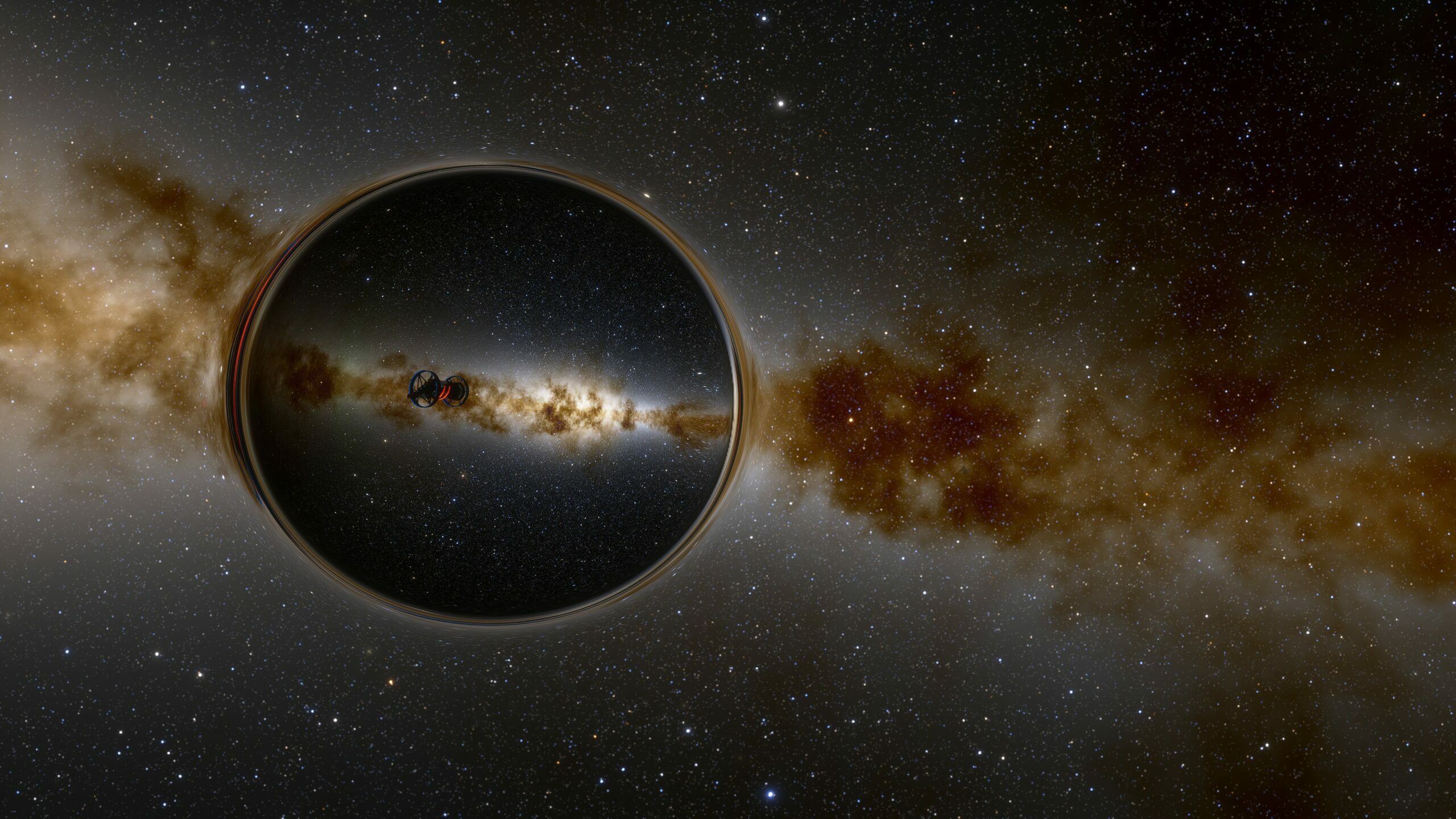
SpaceEngine already has a “warp bubble” effect for ships, but it was a fake “artistic” effect. Now, with the addition of Moroz’s GR ray tracer, it’s possible to render it faithfully, with a realistic, physically-based effect.
The bubble shader works exactly like the Kerr black hole shader described in the previous blog post, with two stages used to help improve performance: low-resolution geodesic tracing, and full-resolution background distortion. The warp metric is also much simpler than the Kerr-Newman one, resulting in improved performance. Since it doesn’t have a horizon and is very smooth, it retains good visual fidelity even when the low-res pass resolution is set to 0.1.
The video above shows how the warp bubble looks from different points of view. Note that we have one serious physical limitation: this is a slower-than-light (STL) warp bubble. Rendering a faster-than-light (FTL) warp bubble is possible, but impractical in SpaceEngine. While you are piloting a ship, the camera is “attached” to it, i.e. it moves with the same speed as the ship at some fixed distance from it, and from the point of the camera it appears that we are looking at the warp bubble from the outside. This is okay if the bubble is slower than light, but loses physical sense in the case of FTL, since while the ship inside the bubble can move at FTL-apparent speed (this is why a warp bubble is needed in the first place), nothing outside the bubble can do so–including the virtual camera. The equations simply “blow up”, and can’t render anything meaningful; as a compromise, the program always renders the bubble as though it is STL.
However, there are two other solutions which are possible: proper FTL bubble rendering when the camera is located inside the bubble (cockpit view), and when a stationary observer is looking at a bubble flying past it. These features are something we will look at implementing in a future update.
The warp shader also distorts the image of the ship loaded inside the bubble. This is due to the implementation of the bubble, which is done through screen-space approximation: the engine first renders the ship to the screen as if there is no warp bubble, then passes this image and its depth buffer to the warp shader. This comes with some known limitations (e.g. if part of the ship is beyond the border of the screen, the shader has no pixels to sample and outputs a transparent color), but the effect still looks very cool!
Wormholes
Wormholes are another way to travel faster than light through space. The Morris-Thorne wormhole has a metric which is similar to a Schwarzschild (non-rotating) black hole, but instead of having an event horizon, it connects space to another wormhole with a “throat” or “tunnel” (which may have zero length). This means that an observer outside of the wormhole can see another part of the Universe through the spherical surface, which replaces the event horizon. The video below shows an example of passing through a wormhole with zero throat length.
Although wormholes are not procedurally generated in the SpaceEngine Universe, they can be created as a mod. A famous example is “Saturn wormhole” in Doc’s Interstellar mod on the Steam Workshop. Wormholes are traversable both by free camera and by space ships, although in the latter case it may be a bit wonky because, as mentioned above, the 3rd person camera is attached to the ship at a distance. As a result, it has to be “teleported” to the exit wormhole’s throat at the same time as ship’s center intersects the wormhole sphere.
In the middle of an Earth-Pluto wormhole with zero throat length
A small, human-size wormhole in VR literally looks like a hole in the Universe: while approaching it, the sky background appears like it is drawn on a wall, the wormhole throat looks like a hole in that wall, and the exit of the throat looks like a hollow hemisphere with a (second) sky background drawn on its inner surface. In the center of the zero-length tunnel, both sides of the Universe look like two inside-out spheres attached to each other.
I highly recommend visiting a wormhole in VR and playing with its parameters in the editor (parameters Radius, TunnelLength and LensingWidth)!
The picture below shows a wormhole with a tunnel length of five radii. Light rays can make multiple loops around the four-dimensional tunnel, which is why we see a ringed structure.
In our next blog post about the General Relativity update we will talk about volumetric accretion disks around black holes and neutron stars. Stay tuned!
WARNING: Do NOT use AMD optional drivers with SE!
This is a WARNING to users of AMD graphics cards NOT to use the 22.7.1 optional drivers with SpaceEngine! These drivers break numerous things in SE and make it practically unusable. The worst issue is extremely slow loading of terrain textures on stars and planetary bodies. Auto exposure is also broken, as are bloom, glare, diffraction spikes, and any other feature that relies on the same low-res image buffer as those.
The cause for the extremely slow terrain loading (up to 500 ms per tile on a system with a 6700 XT, Ryzen 5600, 32 GB of high-speed RAM, and NVMe SSDs) seems to be that this driver version reports the physical VRAM amount as being the sum of both physical AND virtual VRAM, and when SE runs, data is sent to both physical and virtual VRAM interchangeably, instead of only using physical VRAM until it's full. This means, instead of terrain tiles being stored only in the very fast memory directly connected to the GPU, data is ALSO sent through the PCIe bus to the CPU to be redirected to the virtual VRAM pool, which is dozens of times slower than just using the GPU's dedicated VRAM. The cause of the other issues requires further investigation.
We still need to investigate and try to discuss with AMD why these issues are happening and how to fix them. In the meantime, do NOT use the 22.7.1 optional drivers, and instead use the 22.5.1 recommended (WHQL) drivers, which in our testing was actually the best driver for running SE that AMD has released in a long time, and seemed to fix at least 1 major causes of glitches, freezing, and crashing on AMD GPUs.
We will keep you updated on this issue and will let you know when it's resolved.
Dev blog - Introducing... Kerr black holes!
We're happy to announce the first look at our next big update, which we are calling "General Relativity", in reference to Einstein's theory of gravity - and their real-time visualisation in SpaceEngine!
We started working on this update much earlier this year. While development is still ongoing, we wanted to take this opportunity to share a bit about what we've been up to, and what you can expect from the next big release.
While the update is going to contain a lot of cool and exciting visual content (And some very cool gameplay content, too!), today we're focusing on one major element: Kerr-Newman black holes.
This type of black hole has charge and angular momentum (they spin!), and as a result they can create some very interesting effects. The technical details are complicated, and implementing them faithfully has been a challenge, but we feel like they're well worth the effort - and we're very excited to finally be able to share what we've been working on with you!
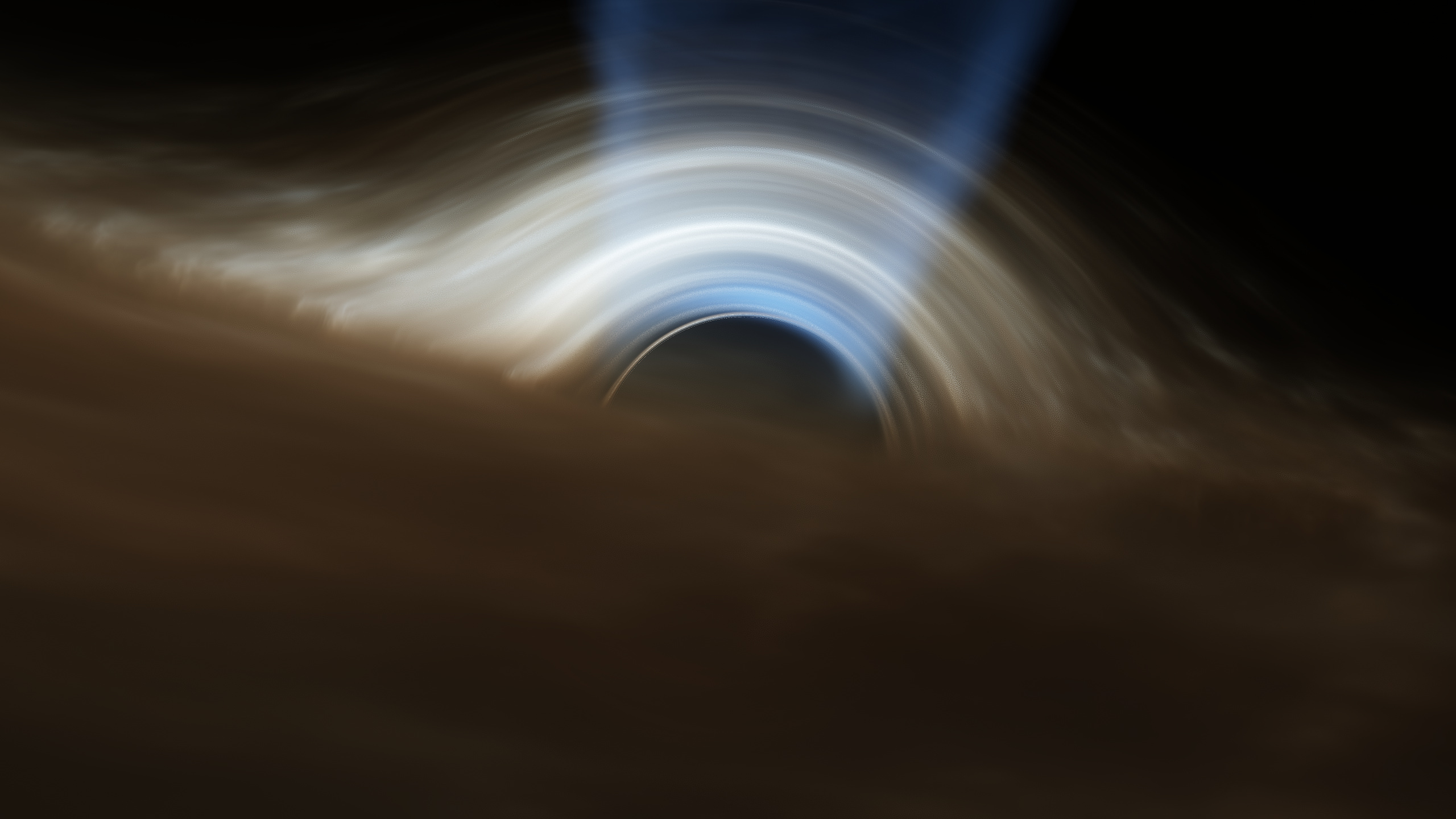
Above: an extreme example of a Kerr-Newman black hole, rendered in SpaceEngine.
There's a lot more to come, and we'll have more updates for you on this release throughout the month, so stay tuned! As always, be sure to check out our blog for more details, as well as some additional information about what's coming up!
Hotfix (0.990.43.1890)
A patch to a few minor issues in the previous version:
- Fixed loading locations in star clusters and nebulae - Locations dialog shows object's name and parent if holding mouse over the cell - Diffraction spikes on accretion disk are generated on the most hot spot instead of its center - Added shadow to the FPS counter
Update 0.990.43.1885 - 4K Scalable GUI Update
We are pleased to announce that the latest update has finished public beta testing, and is being released to all users! The biggest item in this update is the scalable user interface, which should make life easier for people with 4k screens.
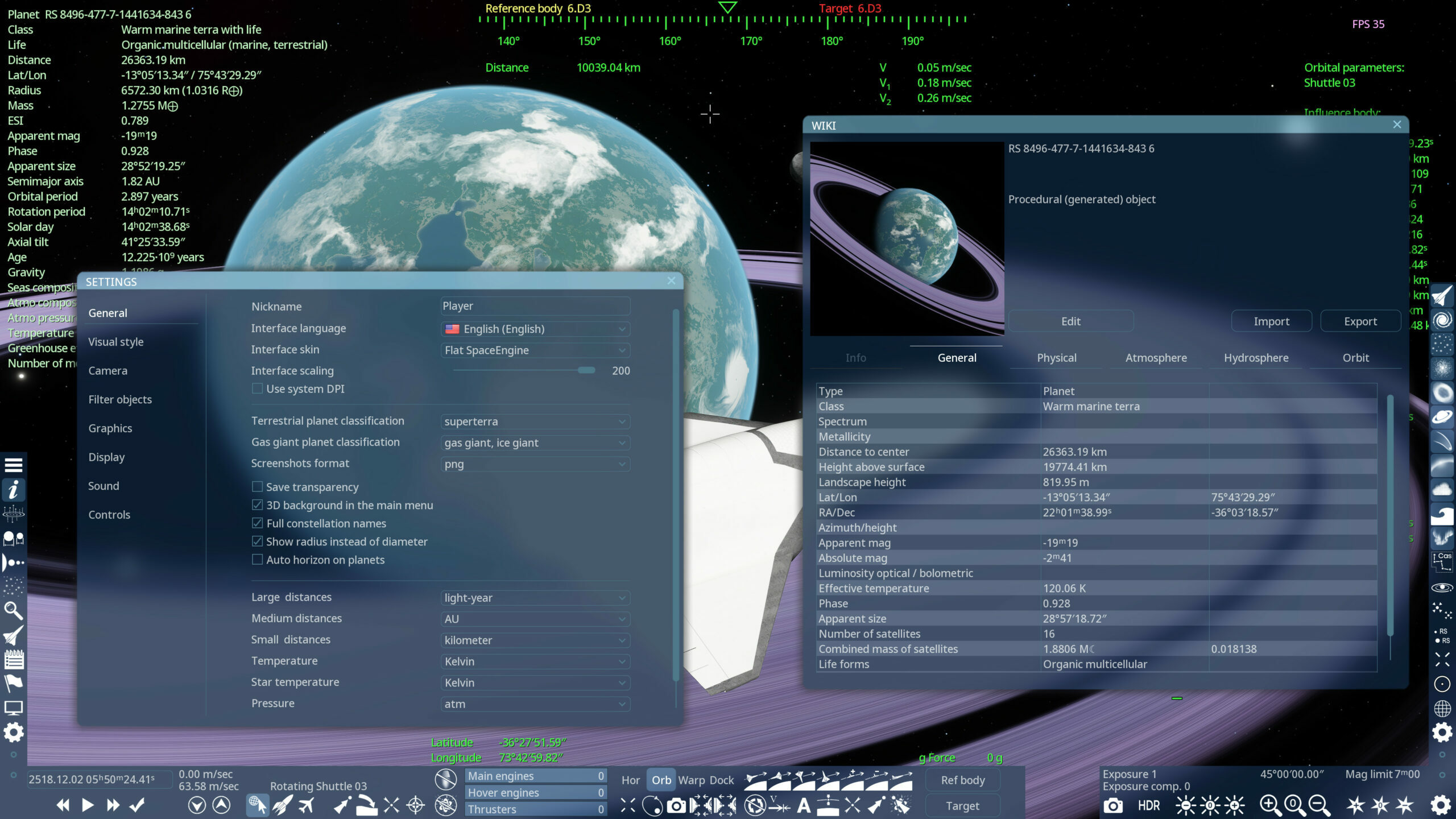
The controls for interface scaling are located in SpaceEngine's "general" settings menu. By default, SpaceEngine will detect the scaling amount set in your Windows display settings for the current monitor and upscale the UI by that amount, similar to other software designed for high DPI compatibility; this automatic scaling can be disabled by toggling the "use system DPI" checkbox. You can add additional scaling by using the slider.
We've also fixed a few bugs, including the wiki crash bug (at least we hope so!), desaturated star corona and diffraction spikes, a couple of visual issues in VR, and an obscure spacecraft physics bug. This update also adds the exoplanet Proxima d.
As always, a full list of changes can be found below, or on our website!
Changes from the previous public beta (0.990.43.1880):
Fixed colors of some interface elements in "red" and "green" skins
Fixed Wiki crash (hopefully!)
Added Proxima d
More information about black holes and accretion disks in the object info HUD and Wiki
Fixed incorrect depth buffer scaling for 3D rings in VR
Fixed position of autoexposure metering zone in VR at lower rendering resolutions
Fixed star corona color desaturation in medium and high planet shine modes
Fixed diffraction spikes color desaturation in medium and high planet shine modes
Fixed the Solar system barycenter acting like a gravity source on spacecraft
Changes from the previous main branch update (0.990.43.1875):
Interface upgrades - Scalable GUI (!!!) with option for automatic scaling according to display scaling setting in Windows - Slider to scale up interface in the range of 100-200%, applied on top of Windows scaling setting if "use system DPI" is enabled - GUI textures remade for 4k (200% scaling) - Selection cursor (cross shape used for selecting objects) changed to high-contrast white color for better visibility - Renamed "Modern" interface skins to "Glossy"
Added exoplanet Proxima d
Added more information about black holes and accretion disks in the object info HUD and Wiki
Calibrated illuminance for auto and manual exposure modes (light sources were previously too dim by a factor of 10)
Fixed Wiki crash (hopefully!)
Fixed star corona color desaturation in medium and high planet shine modes
Fixed diffraction spikes color desaturation in medium and high planet shine modes
Fixed bug with camera position for reflection and warp cubemaps
Fixed materials for some asteroid models
Fixed bug with black hemisphere on some planets and moons
Fixed visibility of details on neutron star and white dwarf surface
Fixed incorrect depth buffer scaling for 3D rings in VR
Fixed position of autoexposure metering zone in VR at lower rendering resolutions
Fixed the Solar system barycenter acting like a gravity source on spacecraft
Scalable interface public beta
In this update on the public beta branch, we present a feature long requested by users of 4k displays: a scalable graphical user interface! Until now, text and menus were too small to be used comfortably on 4k displays. With this update, however, the scale of the interface is adjustable up to at least two times its original size (read on for details).
The controls for interface scaling are located in SpaceEngine's "general" settings menu. By default, SpaceEngine will detect the scaling amount set in your Windows display settings for the current monitor and upscale the UI by that amount, similar to other software designed for high DPI compatibility; this automatic scaling can be disabled by toggling the "use system DPI" checkbox. You can add additional scaling on top of that by using the slider. SE is able to scale the UI to any value from 100 to 200% in steps of 5% (technically, any value can be used, but non-integral values like 133.3% may be impractical). It is possible that text and UI elements may look blurry at some scales; this may be fixed in a future update.
Note that the mouse cursor will only be scaled to either 100 or 200%: I found that a giant but sharp cursor looks better than a blurry one. For UI scales below 150%, small cursors are used; for 150% and higher, large cursors are used. We also decided to change the cross-shaped cursor used when selecting objects to a high-contrast white color for easier visibility, especially on displays with poor response times for dark colors (like most VA panels).
For more pictures of the scalable interface, including a comparison showing the old experience at 4k vs now with GUI scaling, please visit this update's news post on our website.
Changelog of this beta (0.990.43.1880)
- Interface upgrades -- Scalable GUI (!!!) with option for automatic scaling according to display scaling setting in Windows -- Slider to scale up interface in the range of 100-200%, applied on top of Windows scaling setting if "use system DPI" is enabled -- GUI textures remade for 4k (200% scaling) -- Selection cursor (cross shape used for selecting objects) changed to high-contrast white color for better visibility -- Renamed "Modern" interface skins to "Glossy" - Calibrated illuminance for auto and manual exposure modes (light sources were previously too dim by a factor of 10) - Fixed bug with camera position for reflection and warp cubemaps - Fixed materials for some asteroid models - Fixed bug with black hemisphere on some planets and moons - Fixed visibility of details on neutron star and white dwarf surface